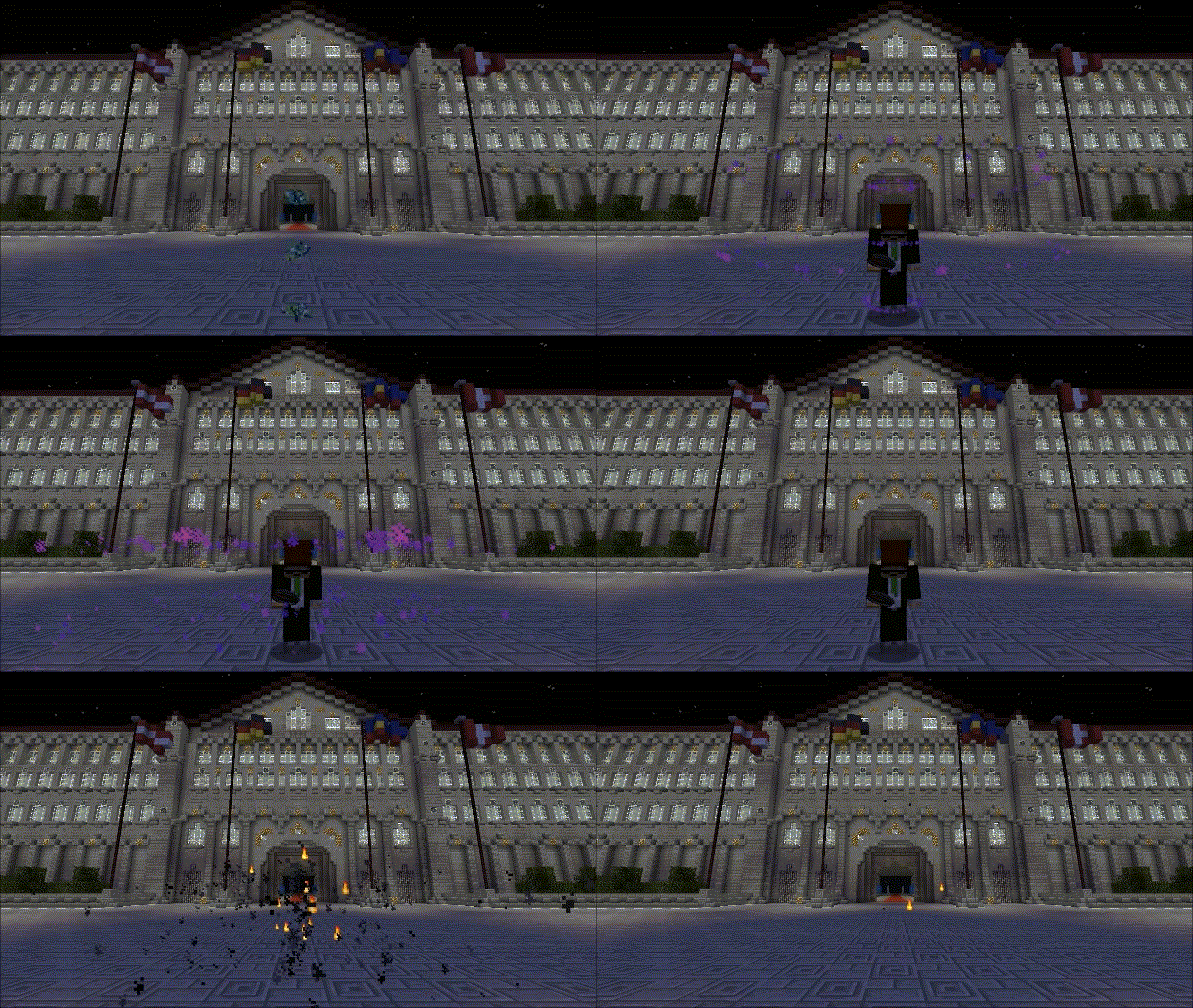
目前,该插件已停止活跃开发(我不打算添加新功能),但我会尽力修复发现的任何漏洞。如果您有新的想法或只是感兴趣,源代码可以在 Github 上找到。
功能特性
- 在玩家传送时添加音效和粒子效果
- 支持权限控制
- 如果玩家使用 VanishNoPacket 隐身,则自动禁用效果
- 支持 PossessEm':仅播放被附身玩家的相应效果
- 您可以配置一组具有特殊处理方式的命令列表。每个命令有四个设置(注意:玩家需要执行传送操作,因此例如您不能为 /time 命令添加声音)
- 可以根据使用的参数不同来配置不同的命令行为(见下方的示例配置文件)
- 您可以配置一个地点列表,当您从这些地点传送、传送到这些地点(甚至在这些地点之间传送)时触发或禁用效果
- 可配置的音效和效果的最低距离阈值
- 您可以指示插件忽略任何原因标记为 UNKNOWN 的传送——这应该能禁用进入矿车等类似行为的任何效果
- 您可以通过游戏内命令编辑所有内容,因此无需手动编辑配置文件
设置说明
对于您定义的每个命令/地点,您可以指定影响所播放效果(粒子/声音)的控制器:
- deny - 这将禁用所有效果,无论其他设置如何
- none - 如果您不希望该命令/地点对播放的内容产生任何影响,请使用此选项
- force - 这将强制为所有人播放效果(注意:deny 的优先级“更高”,因此如果一次传送同时触发了 deny 和 force,则不会播放任何效果)
您可以分别为粒子和声音定义两个独立的值
对于命令,您还可以额外定义一个 argRegex 值。这是一个正则表达式,必须匹配正在使用的命令的参数(默认为 .*,允许任何参数)。
对于地点,您可以同时指定 from(来源)和 to(目标)(或仅指定其中一个),每个都可以设置一个容差值(它描述实际传送起点/终点与指定位置之间的最大允许距离)
还有一个额外设置:maxDelay。它定义了从玩家发出指令到传送之间的最大时间间隔(单位为毫秒)。(这是必要的,因为插件无法确定用于传送玩家的指令名称,所以它会监听所有指令;如果玩家在发出有效指令后的指定时间间隔内发生传送,则会播放已定义的效果)
所有这些设置的允许格式如下。
权限
- teleparticles.particles - 启用传送粒子效果。
- teleparticles.sounds - 启用传送时的声音效果。
- teleparticles.reload - 允许玩家重新加载配置文件。
- teleparticles.readmodify - 允许玩家使用命令读取和修改任何设置。
命令
- /teleparticles reload/rld - 从磁盘重新加载配置文件
- /teleparticles maxDelay/mD [<value>] - 获取/设置该值
- /teleparticles minParticleDistance/mPD [<value>] - 获取/设置该值
- /teleparticles minSoundDistance/mSD [<value>] - 获取/设置该值
- /teleparticles ignoreUnknown/iU [<value>] - 获取/设置该值
- /teleparticles commands/cmd - 输出所有已配置命令的列表(在此处可以获取命令的 ID)
- /teleparticles commands/cmd delete/del/d <id> - 删除指定 ID 的命令
- /teleparticles commands/cmd modify/mod/m <id> <data> - 修改指定 ID 的命令(数据格式见下文说明)
- /teleparticles commands/cmd add/a <command> <data> - 添加一个带有指定数据的新命令(数据格式见下文说明)
- /teleparticles locations/loc - 输出所有已配置位置的列表(在此处可以获取位置的 ID)
- /teleparticles locations/loc delete/del/d <id> - 删除指定 ID 的位置
- /teleparticles locations/loc modify/mod/m <id> <data> - 修改指定 ID 的位置(数据格式见下文说明)
- /teleparticles locations/loc add|a <newData> - 添加一个带有指定数据的新位置(数据格式见下文说明)
- /teleparticles matchingLocations|mLocations|matching|mL|nearbyLocations|nLocations|nearby|nL - 输出与当前位置匹配的所有已配置位置列表
数据格式(仅适用于命令相关部分)
<data> 有两种可能的格式:
- 一个简单列表:<argRegex> [<spawnParticles>] [<playSound>](用于命令)或 <from> [<to>] [<spawnParticles>] [<playSound>](用于位置)
- 包含 <id>:<value> 键值对的列表,其中 <id> 可以是:
- argRegex/arg/a(对应 argRegex)
- spawnParticles/particles/p(对应 spawnParticles)
- playSound/sound/s(对应 playSound)
- from|f(用于 from)
- to|t(用于 to)
数据格式(适用于所有情况)
对于位置,有三种可能的格式:
- <world>,<x>,<y>,<z>,<tolerance>(用于指定具体位置)
- *(允许任意位置,在使用 modify 命令重置值时很有用)
- #,<tolerance>(# 表示将使用执行该命令的玩家当前位置,因此无法从控制台或配置文件中使用该选项)
对于 spawnParticles 和 playSound 控制器,有三种可能的取值:
- -1/deny/d(禁止任何效果)
- 0/none/n(不影响任何内容)
- 1/force/f(强制生效)
安装
只需将 TeleParticles.jar 文件放入 “Plugins” 文件夹即可。搞定 :)
Bug/问题
如果你进入或离开任何形式的载具,会触发特效,这并不理想且实用性不高。 现在有一个配置选项可以忽略由 UNKNOWN 原因引起的传送。除了进出载具外,我不知道其他会导致 UNKNOWN 原因的传送方式,因此它应该能正常工作。如果在其他情况下未触发特效,请将 ignoreUnknown 值设置为 false 以测试是否有效。(也请务必报告此情况)
如果发现其他问题,请报告!:-)
Currently, this plugin is not under active development (I don't plan to add anything), I'll try however to fix any bugs found. If you have new ideas or are just interested, the source code can be found on Github
Features
- Adds sounds and particles when a player teleports
- Supports permissions
- Automatically disables effects if player is vanished with VanishNoPacket
- Supports PossessEm': Only the appropriate effects for the possessed player are played
- You can configure a list of commands with special treatment. Each command has four settings (Note that the player needs to teleport, so you can't add sounds to the /time command for example)
- It is possible to configure a command differently depending on the used arguments (see the example config below)
- You can configure a list of locations that trigger or disable effects if you teleport from/to them (or even from one to another)
- Configurable minimum-distance for sounds and effects
- You can tell the plugin to ignore any teleports with UNKNOWN as cause - this should disable any effects for entering minecarts and similar
- You can edit everything ingame using commands, so no need to edit the config file
Settings explanation
For every command/location you define, you can specify to controllers that affect the effects(particles/sound) being played:
- deny - this disables any effects, no matter what
- none - use this if you don't want the command/location to have any effect on what's being played
- force - this forces the effects for everyone (note that deny is "stronger", so if both deny and force are triggered for a teleport, no effect will be played)
You can define two separate values for particles and sound
For a command, you can additionally define a value for argRegex. This is a regular expression that must match the argument of the command being used (default is .*, this allows any arguments)
For locations, you can specify both from and to (or only one), each with a tolerance (it describes the maximum distance the real teleport start/target can have from the specified one)
There's an additional setting: maxDelay. It defines the maximum amount of time between the command and the teleport of a player in milliseconds. (This is necessary since the plugin can't determine the command name of the command used to teleport the player, so it listens to all commands, and if a player teleports in a given interval after he issued a valid command, it plays the defined effects)
The allowed format for all these settings are below.
Permissions
- teleparticles.particles - Enables teleport particles.
- teleparticles.sounds - Enables sound when teleporting.
- teleparticles.reload - Allows the player to reload the config.
- teleparticles.readmodify - Allows the player to read and modify any settings using the commands.
Commands
- /teleparticles reload/rld - reloads the configuration file from disk
- /teleparticles maxDelay/mD [<value>] - gets/sets the value
- /teleparticles minParticleDistance/mPD [<value>] - gets/sets the value
- /teleparticles minSoundDistance/mSD [<value>] - gets/sets the value
- /teleparticles ignoreUnknown/iU [<value>] - gets/sets the value
- /teleparticles commands/cmd - outputs a list of all configured commands (here you can get the id of a command)
- /teleparticles commands/cmd delete/del/d <id> - deletes the command with the specified id
- /teleparticles commands/cmd modify/mod/m <id> <data> - modifies the command with the specified id (the data format is explained below)
- /teleparticles commands/cmd add/a <command> <data> - adds a new command with the data specified (the data format is explained below)
- /teleparticles locations/loc - outputs a list of all configured locations (here you can get the id of a location)
- /teleparticles locations/loc delete/del/d <id> - deletes the location with the specified id
- /teleparticles locations/loc modify/mod/m <id> <data> - modifies the location with the specified id (the data format is explained below)
- /teleparticles locations/loc add|a <newData> - adds a new location with the data specified (the data format is explained below)
- /teleparticles matchingLocations|mLocations|matching|mL|nearbyLocations|nLocations|nearby|nL - outputs a list of all configured locations that match the current position
Data format (only for commands)
There are two possible formats for <data>:
- A simple list: <argRegex> [<spawnParticles>] [<playSound>] (for commands) or <from> [<to>] [<spawnParticles>] [<playSound>] (for locations)
- A list containing <id>:<value> pairs, where <id> can be:
- argRegex/arg/a (for argRegex)
- spawnParticles/particles/p (for spawnParticles)
- playSound/sound/s (for playSound)
- from|f (for from)
- to|t (for to)
Data format (for everything)
For the locations, there are three possible formats:
- <world>,<x>,<y>,<z>,<tolerance> (for a specific location)
- * (to allow any location, useful to reset values using the modify commands)
- #,<tolerance> (# means that it will use the current position of the player using the command, so it's no usable from the console or in the config file)
For the spawnParticles and playSound controllers there are three possible values:
- -1/deny/d (to deny any effect)
- 0/none/n (to not affect anything)
- 1/force/f (to deny any effect)
Installation
Just put the TeleParticles.jar file into the "Plugins" folder. There you go :)
Bugs/Problems
If you enter/leave any sort of vehicle, effects are triggered which isn't really nice and usefull There's now a config option to ignore any teleports with cause UNKNOWN. I don't know any teleport-cause except entering/leaving a vehicle that is UNKOWN, so it should work. If the effects aren't triggered in any other situation, set the ignoreUnknown-value to false to see if it works. (Be sure to report it, too)
If you find anything else, please report it! :-)
 插件
 插件

 插件
 插件

 插件

 插件

评论 0
登录后参与评分
还没有评论,来抢沙发吧