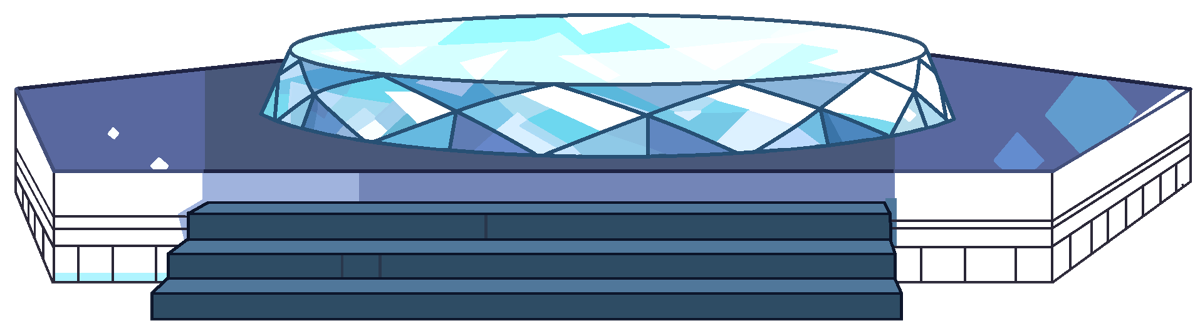
Ultimate Warp Pad ⬡ 灵感源自《宇宙小子》
将你的 Minecraft 世界变成一个活生生的传送网络——这里的每一个传送台不仅是一个目的地,更是一件艺术品。
厌倦了老套的 /warp 命令吗?输入、传送、结束。毫无灵魂。Ultimate Warp Pad 改变了一切。
不再依赖命令,而是在你的世界中放置真实的传送台。将它们放在大厅、基地、枢纽或活动世界——任何地方。玩家无需输入任何内容。他们只需站上传送台,按下 Shift 键,然后从 GUI 中选择目的地。这就像在开放世界中使用了真正的传送装置。
受 Steven Universe(宇宙小子) 启发,此插件重现了水晶宝石标志性的传送台体验:使用时的动态方块图纸、粒子效果、沉浸式音效以及流畅的发射到着陆的旅行序列。
✨ 功能
| 功能 |
描述 |
| 真实方块传送台 |
传送台由 6 种不同的图纸变体中的真实游戏内方块构建而成。它们不是虚拟物品或菜单按钮——你可以看到它们、触摸它们并与之互动。 |
| 交互式 GUI |
现代化的传送选择 GUI,支持分页、过滤模式(管理员传送点 / 我的传送点 / 公共传送点 / 可信传送点)以及完整的目的地信息——世界、坐标、费用。 |
| 两种传送类型 |
WPA(管理员传送): 用于公共目的地的 7×7 结构。WPP(玩家传送): 用于玩家的 5×5 结构,具有信任系统和私有/公开可见性。 |
| 信任与隐私系统 |
授予受信任的玩家访问你私人传送点的权限。每个传送点可以是 Public(公开)(所有人可见)、Private(私有)(仅所有者和受信任者可见),或属于 Trusted Network(信任网络) 的一部分。 |
| 跨导航(可配置) |
允许受信任的玩家在同一网络内的传送点之间旅行。通过设置 connect-private-trusted: false 禁用此功能,以限制仅在 Trusted↔Trusted 和 Private↔Private 之间通行。 |
| 电影级旅行动画 |
悬浮发射、汇聚粒子、螺旋上升、到达目的地以及着陆序列。Boss 栏显示进度。每个阶段的声音均可自定义。 |
| 6 种动画图纸变体 |
每个传送台有 6 种方块图纸,使用时会循环播放——发光、旋转、移位。分别设有空闲、激活和着陆动画序列。 |
| 费用系统 |
3 种费用类型:FREE(免费)、XP(经验值)、MONEY(金钱)(需 Vault)。为每个传送点设置自定义金额。玩家在传送前会看到费用。 |
| 有效范围 |
控制传送点在选择 GUI 中显示的远近程度。距离过远的传送点不会显示——保持列表整洁且相关。 |
| 组队传送 |
一起传送所有站在传送台上的附近玩家。非常适合派对、活动或枢纽服务器。 |
| 传送台制作物品 |
一个可制作的物品,让生存模式玩家能够在世界中放置传送台。与权限系统完全集成。 |
| 自定义图标 |
提供 600+ 种材质供你选择,作为 GUI 中传送点的显示图标。 |
| WorldGuard 集成 |
自动生成 WorldGuard 区域以保护传送台。自定义标志 uwp-use 和 uwp-place 用于按区域控制。 |
| SQLite 与 MySQL |
支持两种数据库后端。存储传送点、地形快照(删除传送点时恢复)以及受信任玩家列表。 |
? 工作原理
管理员 — 创建公共传送台:
/wpa create <warp_id>
站在你想放置的位置,运行该命令。插件将在你的位置构建一个 7×3×7 的传送台结构并将你传送到顶部。该传送台会自动受到 WorldGuard 区域的保护。
玩家 — 创建个人传送台:
两种方式:
- 制作 通过配置配方获得的“传送台制作物品”,然后将其放置在地面上。
- 运行:
/wpp create <warp_id>
使用传送台:
- 走上传送台(顶部平台上的 3×3 区域)
- 按下 SHIFT
- 打开传送选择 GUI
- 选择一个目的地——看着你自己带着全屏粒子效果飞向天空!
? 命令
管理员命令 — 权限:uwp.admin
| 命令 |
描述 |
/wpa create <id> |
在你所在位置创建一个新的管理员传送台 |
/wpa delete <id> |
删除一个管理员传送台 |
/wpa setting [id] |
打开传送设置 GUI(站在传送台上或提供 ID) |
/wpa give <player> [amount] |
给予玩家“传送台制作物品” |
/wpa info |
显示你当前所站传送台的信息。 |
/wpa reload |
重新加载插件配置 |
玩家命令 — 权限:uwp.user.*
| 命令 |
描述 |
/wpp create <id> |
在你所在位置创建一个新的玩家传送台 |
/wpp delete <id> |
删除一个玩家传送台 |
/wpp setting [id] |
打开传送设置 GUI |
/wpp trust <id> <player> |
将玩家添加/移除到你传送点的受信任列表中 |
? 权限
| 权限 |
默认值 |
描述 |
uwp.use |
✅ True |
允许使用传送台(Shift + GUI) |
uwp.admin |
❌ OP |
完整的管理员传送管理 |
uwp.user.create |
✅ True |
创建个人传送点 |
uwp.user.delete |
✅ True |
删除个人传送点 |
uwp.user.setting |
✅ True |
打开传送设置 |
uwp.user.trust |
✅ True |
信任/取消信任玩家 |
uwp.craft |
❌ OP |
制作“传送台制作物品” |
uwp.user.create.<n> |
❌ False |
覆盖最大传送点数。例如:uwp.user.create.10 允许创建 10 个传送点。 |
uwp.user.range.<n> |
❌ False |
添加自定义范围选项。例如:uwp.user.range.10000 增加 10000 格范围。 |
⚙️ 配置 (config.yml)
数据库
database:
  type: sqlite           # sqlite 或 mysql
  mysql:
    host: localhost
    port: 3306
    database: ultimatewarpad
    username: root
    password: ""
传送机制
warp:
  launch-y: 250          # 玩家在传送过程中被发射到的 Y 轴高度
  force-stay: true       # 防止玩家在传送期间移动
  cooldown: -1           # 冷却时间(秒)(-1 = 禁用)
  center: true           # 在启动时将玩家吸附至传送垫中心
音效系统
warp:
  start-sounds:          # 开始传送时播放
    - "BLOCK_BEACON_ACTIVATE:1.0:0.5"
    - "BLOCK_BEACON_POWER_SELECT:0.5:0.8"
    - "AMBIENT_BASALT_DELTAS_LOOP:1.0:0.5"
  warmup-sounds:         # 第二阶段(快速上升)期间播放
    - "BLOCK_TRIAL_SPAWNER_ABOUT_TO_SPAWN_ITEM:1.0:0.9"
    - "BLOCK_PORTAL_AMBIENT:0.8:0.1"
  cancel-sounds:         # 取消传送时播放
    - "BLOCK_BEACON_DEACTIVATE:1.0:0.8"
粒子效果
particle:
  enabled: true
  type: END_ROD          # 粒子类型
  idle-amount: 3         # 待机时的环境粒子数量
  trigger-amount: 4      # 触发传送时的粒子爆发数量
群组传送
group-teleport:
  enable: true           # 一起传送附近的玩家
  collision: true        # 在群组传送期间禁用碰撞检测
  max-per-warp: -1       # 每组最大玩家数(-1 = 无限制)
  delay-in-tick: 5       # 每次启动玩家之间的延迟(刻)
消息通道
message:
  chat: true             # 在聊天栏发送消息
  action-bar: false      # 在动作栏发送
  boss-bar: false        # 显示 Boss 栏进度
  title: false           # 显示标题/副标题
跨网络导航
# true: 受信任的玩家可以看到并传送到网络中的其他传送点
# false: 仅限受信任↔受信任或私有↔私有之间的旅行
connect-private-trusted: true
状态效果
effect:
  apply-darkness: false
  apply-vanish: true     # 传送期间获得隐身效果
  apply-glowing: true    # 传送期间获得发光效果
  apply_regeneration: false
限制设置
max-warps-per-player: 20
disabled-worlds: []      # 禁用传送垫的世界列表
? 安装指南
- 安装 WorldGuard(必需)和 Vault(可选,用于经济支持)
- 从 Modrinth 或 SpigotMC 下载 UltimateWarpPad.jar
- 将
.jar 文件放入 plugins/ 文件夹中
- 重启服务器
- 如有需要,配置
plugins/UltimateWarpPad/config.yml
- 运行
/wpa reload 以应用更改
要求
- 服务器: Minecraft 1.21+
- 必需插件: WorldGuard
- 可选插件: Vault(用于“金钱”费用类型)
- API: Paper API 1.21+
? 技巧与创意
- 构建服务器传送网络: 在关键位置(出生点、商店、活动世界、小游戏)放置管理员传送垫。玩家站上去并按 Shift 即可进行传送。
- 角色扮演与沉浸感: 传送垫作为世界的一部分存在——无需聊天指令,也无需抽象的菜单。非常适合 RPG、剧情向或注重沉浸感的服务器。
- 建筑基地连接: 允许建筑师创建私有的传送网络,连接他们的基地、城镇或建筑工地。
- 自定义图标: 每个传送点都有独特的图标——使导航变得轻松且富有个性。
- 智能范围使用: 设置合理的范围,使得只有当传送点对玩家当前所在的区域相关时才出现。
⚠️ 注意事项
- 传送垫不能放置在距离另一个传送垫 10 格以内的位置。
- 传送垫上方必须天空可见——不能有方块阻挡发射区域。
- WorldGuard 区域会随着传送垫的创建和移除而自动创建和删除。
- 在发射和着陆期间会抑制掉落伤害。
- 所有消息、GUI 文本和物品描述均可在
messages.yml 中完全自定义。
Ultimate Warp Pad ⬡ Inspired by Steven Universe
Turn your Minecraft world into a living teleportation network — where every warp pad isn't just a destination, it's a work of art.
Tired of the good old /warp command? Type, teleport, done. Soulless. Ultimate Warp Pad changes everything.
Instead of commands, place real warp pads in your world. Put them in your lobby, your base, your hub, your event worlds — anywhere. Players don't need to type a thing. They just step onto the pad, press Shift, and pick a destination from a GUI. It feels like using an actual teleportation device in an open world.
Inspired by Steven Universe, this plugin recreates the iconic warp pad experience of the Crystal Gems: dynamic block schematics that animate on use, particle effects, immersive sound cues, and a smooth launch-to-landing travel sequence.
✨ Features
| Feature |
Description |
| Real Block Warp Pads |
Warp pads are built with real in-game blocks across 6 schematic variants. They're not virtual items or menu buttons — you can see them, touch them, and interact with them. |
| Interactive GUI |
A modern Warp Selection GUI with pagination, filter modes (Admin Warps / Your Warps / Public Warps / Trusted Warps), and full destination info — world, coordinates, cost. |
| Two Warp Types |
WPA (Admin Warp): 7×7 structure for public destinations. WPP (Player Warp): 5×5 structure for players, with trust system and Private/Public visibility. |
| ️ Trust & Privacy System |
Grant trusted players access to your private warp. Each warp can be Public (visible to all), Private (owner + trusted only), or part of a Trusted Network. |
| Cross-Navigation (Configurable) |
Let trusted players travel across warps in the same network. Disable via connect-private-trusted: false to restrict to Trusted↔Trusted and Private↔Private only. |
| Cinematic Travel Animation |
Levitation launch, converging particles, helix spiral, destination arrival, and landing sequence. Boss bar shows progress. Fully customizable sounds per phase. |
| 6 Animated Schematic Variants |
Each warp pad has 6 block schematics that cycle on use — glow, rotate, shift. Separate idle, activation, and landing animation sequences. |
| Cost System |
3 cost types: FREE, XP, MONEY (Vault). Set a custom amount per warp. Players see the cost before teleporting. |
| Active Range |
Control how far a warp appears in the selection GUI. Warps too far away won't show up — keeping the list clean and relevant. |
| Group Teleport |
Teleport all nearby players standing on the warp pad together. Perfect for parties, events, or hub servers. |
| Warp Creator Item |
A craftable item that lets survival players place warp pads in the world. Fully integrated with permission system. |
| Customizable Icons |
600+ materials to choose from as your warp's display icon in the GUI. |
| WorldGuard Integration |
Auto-generates WorldGuard regions to protect warp pads. Custom flags uwp-use and uwp-place for per-region control. |
| ️ SQLite & MySQL |
Both database backends supported. Stores warps, terrain snapshots (restored on warp deletion), and trusted player lists. |
? How It Works
Admin — Create a Public Warp Pad:
/wpa create <warp_id>
Stand where you want it, run the command. The plugin builds a 7×3×7 warp pad structure at your location and teleports you on top. The pad is automatically protected by a WorldGuard region.
Player — Create a Personal Warp Pad:
Two ways:
- Craft a Warp Creator item via the configured recipe, then place it on the ground.
- Run:
/wpp create <warp_id>
Using a Warp Pad:
- Walk onto the warp pad (3×3 area on the top platform)
- Press SHIFT
- The Warp Selection GUI opens
- Choose a destination — watch yourself launch into the sky with full particle effects!
? Commands
Admin Commands — Permission: uwp.admin
| Command |
Description |
/wpa create <id> |
Creates a new admin warp pad at your location |
/wpa delete <id> |
Deletes an admin warp pad |
/wpa setting [id] |
Opens the warp settings GUI (stand on a warp or provide an ID) |
/wpa give <player> [amount] |
Gives a player the Warp Creator item |
/wpa info |
Display information about the warp you're currently standing on. |
/wpa reload |
Reloads the plugin configuration |
Player Commands — Permission: uwp.user.*
| Command |
Description |
/wpp create <id> |
Creates a new player warp pad at your location |
/wpp delete <id> |
Deletes a player warp pad |
/wpp setting [id] |
Opens the warp settings GUI |
/wpp trust <id> <player> |
Adds/removes a player from your warp's trusted list |
? Permissions
| Permission |
Default |
Description |
uwp.use |
✅ True |
Allows using warp pads (shift + GUI) |
uwp.admin |
❌ OP |
Full admin warp management |
uwp.user.create |
✅ True |
Create personal warps |
uwp.user.delete |
✅ True |
Delete personal warps |
uwp.user.setting |
✅ True |
Open warp settings |
uwp.user.trust |
✅ True |
Trust/untrust players |
uwp.craft |
❌ OP |
Craft the Warp Creator item |
uwp.user.create.<n> |
❌ False |
Override max warps. Example: uwp.user.create.10 allows 10 warps. |
uwp.user.range.<n> |
❌ False |
Adds a custom range option. Example: uwp.user.range.10000 adds 10000 blocks. |
⚙️ Configuration (config.yml)
Database
database:
  type: sqlite           # sqlite or mysql
  mysql:
    host: localhost
    port: 3306
    database: ultimatewarpad
    username: root
    password: ""
Warp Mechanics
warp:
  launch-y: 250          # Y-level players are launched to during travel
  force-stay: true       # Prevents players from moving while warping
  cooldown: -1           # Cooldown in seconds (-1 = disabled)
  center: true           # Snaps player to center of the warp pad on launch
Sound System
warp:
  start-sounds:          # Played when travel begins
    - "BLOCK_BEACON_ACTIVATE:1.0:0.5"
    - "BLOCK_BEACON_POWER_SELECT:0.5:0.8"
    - "AMBIENT_BASALT_DELTAS_LOOP:1.0:0.5"
  warmup-sounds:         # Played during phase 2 (fast ascent)
    - "BLOCK_TRIAL_SPAWNER_ABOUT_TO_SPAWN_ITEM:1.0:0.9"
    - "BLOCK_PORTAL_AMBIENT:0.8:0.1"
  cancel-sounds:         # Played when travel is cancelled
    - "BLOCK_BEACON_DEACTIVATE:1.0:0.8"
Particle Effects
particle:
  enabled: true
  type: END_ROD          # Particle type
  idle-amount: 3         # Ambient particles while idle
  trigger-amount: 4      # Particles burst on warp trigger
Group Teleport
group-teleport:
  enable: true           # Teleport nearby players together
  collision: true        # Disable collision during group warp
  max-per-warp: -1       # Max players per group (-1 = unlimited)
  delay-in-tick: 5       # Delay between each player launch (ticks)
Message Channels
message:
  chat: true             # Send messages in chat
  action-bar: false      # Send in action bar
  boss-bar: false        # Show boss bar progress
  title: false           # Show title/subtitle
Cross-Navigation
# true:  trusted players can see and teleport to other warps in the network
# false: restricts travel to Trusted↔Trusted or Private↔Private only
connect-private-trusted: true
Effects
effect:
  apply-darkness: false
  apply-vanish: true     # Invisibility while warping
  apply-glowing: true    # Glowing effect while warping
  apply_regeneration: false
Limits
max-warps-per-player: 20
disabled-worlds: []      # Worlds where warp pads are disabled
? Installation
- Install WorldGuard (required) and Vault (optional, for economy support)
- Download UltimateWarpPad.jar from Modrinth or SpigotMC
- Place the
.jar file in your plugins/ folder
- Restart your server
- Configure
plugins/UltimateWarpPad/config.yml if needed
- Run
/wpa reload to apply changes
Requirements
- Server: Minecraft 1.21+
- Required plugin: WorldGuard
- Optional plugin: Vault (for Money cost type)
- API: Paper API 1.21+
? Tips & Ideas
- Build a Server Warp Network: Place admin warp pads at key locations (spawn, shops, event worlds, minigames). Players step on and shift to travel.
- Roleplay & Immersion: Warp pads exist as part of the world — no chat commands, no abstract menus. Perfect for RPG, lore-heavy, or immersion servers.
- Builder Bases: Let builders create private warp networks connecting their bases, towns, or build sites.
- Custom Icons: Every warp gets its own icon — makes navigation easy and adds personality.
- Smart Range Usage: Set reasonable ranges so warps only appear when they're relevant to the player's current area.
⚠️ Notes
- Warp pads cannot be placed within 10 blocks of another warp pad.
- Warp pads require clear sky above — no blocks blocking the launch area.
- WorldGuard regions are automatically created and removed with the warp pad.
- Fall damage is suppressed during launch and landing.
- All messages, GUI texts, and lores are fully customizable in
messages.yml.


 插件

 插件
 插件
 插件
 插件
 插件
评论 0
登录后参与评分
还没有评论,来抢沙发吧