ViewDistanceTweaks
根据服务器当前能承受的负载,为每个世界单独设置视距和模拟距离。
server.properties 中的数值必须足以应对最糟糕的情况(即负载最高的时刻),这意味着在其他所有时刻该数值都过低。凌晨三点只有十名玩家在线时,你为了节省没人需要的距离而降低了数值;而在有六十人参与的活动期间,同样的数值却会导致 TPS 跌入谷底。
本插件帮你自动处理这一切。它会监控 MSPT(每刻平均毫秒数)以及实际加载的区块数量,在有余量时增加距离,并在玩家察觉之前提前降低距离。每个世界都有独立的下限和上限,因此下界可以维持在 6,而主世界可以运行在 16。
将 jar 文件放入并重启即可。默认配置无需任何设置就能发挥合理的作用。
要求
- Paper 1.21.x / 26.x 或其分支(Purpur、Pufferfish、Leaves)
- Folia 可用,已在 1.21.11 上测试通过
- PlaceholderAPI - 可选,仅当你需要 占位符 时需要
- EssentialsX - 可选,仅当你开启 AFK 节流功能且希望读取 AFK 状态时需要
不支持 Spigot 和 Bukkit:它们的 API 只能读取视距和模拟距离,无法修改它们,而修改距离正是本插件的功能所在。
决策机制
MSPT 会在每一刻进行采样。每隔 ticks-per-check(默认为 10 秒),系统会检查每个世界,并决定是增加、减少还是保持距离不变。
四种模式:
proactive(主动模式) - 你提供一个区块预算(服务器总共应承载的 ticking 和非 ticking 区块总数),它计算出符合该预算的距离reactive(响应模式) - 忽略区块计数,仅根据两个阈值监控 MSPTmixed(混合模式) - 同时运行上述两种模式,取更保守(更悲观)的结果。这是大多数服务器的正确选择,也是默认模式off(关闭) - 从不更改视距或模拟距离。适用于只想要预生成和预加载功能的服务器
除了模式本身之外:
不会重复执行已导致性能下降的增加操作。 基于过去 30 分钟的区块计数/MSPT 数据对进行线性回归,预测下一步增加的成本。如果预测结果高于降低阈值,则不执行增加操作。这打破了通常的“增加->卡顿->减少”循环。
关注波动幅度,而非仅仅平均值。 服务器可能平均表现为舒适的 30ms,但单刻延迟可能在 8 到 55 之间剧烈波动,没有人喜欢在这样的服务器上游玩。系统会统计 Paper 最近 100 次刻采样的标准差,因此当超过 variance-threshold(方差阈值)时,即使平均值看起来正常,服务器也被视为过载。
降低速度可以比增加更快。 max-increase-step(最大增加步长)和 max-decrease-step(最大减少步长)是独立的。1 和 4 是一对常见组合:逐步增加一次一个等级,一旦出现问题则一次性大幅降低。revert-increase-if-overloaded(过载时撤销增加)还会在增加后立即重新检查,如果确实造成了负面影响,则立即回滚。
优先调整模拟距离,其次才是视距。 开启 prioritize-simulation-distance 后,直到模拟距离已达到世界的最低值之前,视距不会被触碰。模拟距离是影响 TPS 的关键,视距则是玩家看到的画面,因此先消耗影响较小的那部分。
它能区分不同的世界。 服务器发布的是所有世界合并后的单一 MSPT 数值,因此如果一个世界崩溃,会导致其他所有世界的距离都被拉低——安静的世界会因为邻居的问题受到惩罚。开启 per-world-mspt 后,刻时间会被分配到各个世界,每个世界只根据其实际造成的部分进行评估。默认关闭;详见下文。
按世界划分的 MSPT
针对整个服务器的单一数值并不适合用于按世界做出决策。如果你的下界农场消耗了 30ms,主世界并没有做错什么,缩小主世界的距离也无济于事。
开启 per-world-mspt.enabled 后,每个世界将根据其自身的份额进行评估:
公平份额    = 1 / 有玩家的世界数量
归属系数    = 本世界份额 / 公平份额      (默认限制在 0.5x 到 2.0x 之间)
评估依据    = 服务器 MSPT x 归属系数
因此,一个恰好承担其份额负载的世界会依据未改变的普通服务器整体数值进行评判。一个承担双倍负载的世界会在两倍该数值时被评判并率先缩减;而负载较轻的世界则在较低的阈值下被评判,得以保留或继续增长,而其邻居则可能后退。
你的阈值含义保持不变。 此功能是对现有的 decrease-mspt-threshold 所比较的基准值进行缩放——它不会用更小的单世界数值来替换它。无需重新调整任何配置,在单世界服务器上,此功能完全不起作用。
数值的来源取决于平台:
- Paper(以及 Purpur 等分支)采用估算方式。由于没有每世界的时间数据可供读取,Tick 时间会根据每个世界导致服务器执行的操作(实体、可 Tick 的方块实体、已加载区块)进行分配。这对于对世界进行排序是可靠的;但它可能会误判那些“体积廉价但内容昂贵”的世界,例如相互喂料的几百个漏斗。
- Folia 直接测量区域 Tick 时间,结果导致默认的每世界 MSPT 在此平台上毫无作用。如果一个跟得上节奏的区域报告了其自身的 Tick 率,那么所有世界读取到的数值都是相同的,也就没有可执行的分配差异;只有当区域落后时,该数值才具有信息量。设置
prefer-exact-source: false 以在 Folia 上运行估算代理,这样可以区分不同世界。如果某个卡顿的区域附近没有玩家,无论哪种方式都不会对其进行探测。
/vdt mspt 显示详细分解、哪个世界最糟糕,以及每个数值是测量值还是估算值。当某个世界正在基于调整后的数值进行评判时,/vdt simulate 的原因行中会注明这一点。
如果因任何原因无法获取测量值——例如仍在预热中,或库未能启动——所有世界都会回退到普通的服务器整体数值,这正是本插件在此功能存在之前的行为方式。
占位符
安装 PlaceholderAPI 后,插件所知的所有信息均可用于记分板或聊天格式。标识符为 viewdistancetweaks ——注意不是 vdt,那是大家首先尝试的错误写法。
服务器整体
| 占位符 |
提供 |
%viewdistancetweaks_mspt% |
当前 MSPT,两位小数 |
%viewdistancetweaks_tps% |
当前 TPS,上限为 20 |
%viewdistancetweaks_mspt_stddev% |
近期 Tick 时间的波动程度 |
%viewdistancetweaks_mode% |
当前的调整模式 |
%viewdistancetweaks_enabled% |
插件是否正在管理视距 |
%viewdistancetweaks_mspt_color% |
根据你的阈值显示 &a/&e/&c |
%viewdistancetweaks_tps_color% |
TPS 同理 |
%viewdistancetweaks_mspt_stddev_color% |
波动范围同理 |
%viewdistancetweaks_chunk_count% |
所有世界已加载的区块总数 |
%viewdistancetweaks_ticking_chunk_count% |
所有世界中参与 Tick 的区块总数 |
%viewdistancetweaks_nonticking_chunk_count% |
所有世界中不参与 Tick 的区块总数 |
按世界划分。 附加世界名称 —— %viewdistancetweaks_view_distance_world_nether%。如果不带名称,则使用服务器的第一个世界。
| 占位符 |
提供 |
%viewdistancetweaks_sim_distance_<world>% |
当前模拟距离 |
%viewdistancetweaks_view_distance_<world>% |
当前视距 |
%viewdistancetweaks_min_sim_distance_<world>% |
配置的最低值 |
%viewdistancetweaks_max_sim_distance_<world>% |
配置的最高值 |
%viewdistancetweaks_min_view_distance_<world>% |
配置的最低值 |
%viewdistancetweaks_max_view_distance_<world>% |
配置的最高值 |
%viewdistancetweaks_chunk_count_<world>% |
该世界中已加载的区块数 |
%viewdistancetweaks_ticking_chunk_count_<world>% |
该世界中参与 Tick 的区块数 |
%viewdistancetweaks_nonticking_chunk_count_<world>% |
该世界中不参与 Tick 的区块数 |
%viewdistancetweaks_chunk_weight_<world>% |
配置的区块权重 |
按世界划分的 MSPT。 这些需要开启 per-world-mspt;如果没有开启,它们将回退到服务器整体数值或报告该功能已关闭,而不是报错。
| 占位符 |
提供 |
%viewdistancetweaks_worst_world% |
承担最多 Tick 负载的世界 |
%viewdistancetweaks_worst_world_mspt% |
该世界的成本(毫秒) |
%viewdistancetweaks_world_mspt_<world>% |
该世界自身的贡献值(毫秒) |
%viewdistancetweaks_world_mspt_share_<world>% |
该世界所占的 Tick 比例,0-100 |
%viewdistancetweaks_per_world_mspt_state% |
数值的来源,或为何没有数值 |
对于未知世界,显示为 unknown 而不是零,这样记分板中的拼写错误就会显现出来,而不是看起来像是一个健康的服务器。
安全网
MSPT 并非唯一值得响应的指标。除内存和区块生成保护外,此处所有内容默认均为关闭状态。
- 内存保护 - 当堆内存低于
min-free-percent 时,无论 MSPT 如何,都会阻止任何增加。服务器即使空闲在 20ms,也可能距离因 GC 而在每个刻都花费时间仅差一个环的区块。默认开启,值为 15%。
- 区块生成保护 - 统计真正正在生成的区块,而不是从磁盘读取的区块。当每秒超过一定速率(默认为 8),且 MSPT 至少为
min-mspt(默认为 30)时,它会停止增加并将视距限制为 8,直到生成速度降下来。独自探索的单个玩家不受影响。这是有人刚刚使用鞘翅飞入新地形情况下的处理。自 2.14 版本起默认开启,基准测试显示在新地形上单个刻的耗时超过一秒时视距会攀升。
- AFK 节流 - 站在出生点的玩家不需要 16 个环的区块。他们的个人视距降低到 AFK 值,释放出的预算归还给总预算。如果安装了 EssentialsX,则使用其 AFK 状态,这样
/afk 命令能立即生效;否则使用 Paper 的空闲计时器。
- 延迟节流 - 原理相同,由糟糕的连接触发而非空闲状态。如果一个玩家的延迟连续几次检查都高于阈值,他们的个人视距也会减少,从而停止数据包排队,其他人的预算也不再为此买单。如果两种节流同时适用,更严格的视距限制生效。
- 密度缩放 - 二十名玩家在同一个农场附近加载的区块几乎相同,但主动公式假设他们是二十个独立的环,导致世界资源被无谓地耗尽。当足够多的玩家聚集在一起时,世界会获得额外的视距奖励,缩放比例取决于该群体占总人口的比例。
- 复杂度加权 - 海洋区块是免费的,而一个带有 500 漏斗分类器的区块可能单独消耗一整刻的时间,
(2d+1)² 将两者都计为一个样本。对玩家周围的有限数量的区块进行采样并得出平均乘数,因此红石密集型的世界获得的预算比充满水的要少。
- 紧急救援 - 最后的手段。世界已处于最小模拟和视距状态,MSPT 仍然超标,没有其他可削减的部分。于是它移除雷暴和昼夜循环。当 MSPT 恢复、执行
/vdt disable 或服务器关闭时,两者都会恢复。进入时会记住世界原始的天气和游戏规则状态。
- 客户端视距上限 - 没有人能看到比他们自己的客户端渲染得更远。如果世界中玩家的最高设置是 8,那么服务器视距设为 16 会为无人接收的区块环付费。启用
client-view-distance-cap 后,世界视距上限为最高报告的客户端值加上少量余量,不低于其最小值也不低于其模拟视距,因此一名玩家的视频设置不会拖慢所有人的农场效率。最高值保持三分钟,以便玩家切换维度时世界视距不会发生跳跃。默认关闭。
- 诊断工具 -
/vdt diagnose on 每分钟以及每次视距变化时,将包含背后规则的样本写入 plugins/ViewDistanceTweaks/diagnostics,每天一个文件,不包含玩家名称。提交 bug 报告时请附带该文件夹。默认关闭。
- 报告功能 -
/vdt diagnose send 显示将要发送的内容,并在执行 /vdt diagnose send confirm 后,将过去 24 小时的诊断数据匿名上传至插件作者运营的小型服务(不含玩家名称、UUID 或 IP,世界命名为 world_1、world_2,无备注),以帮助修复问题。你会收到一个私有链接和一个删除密钥;执行 /vdt diagnose delete <id> 可删除报告,报告会在 30 天后自动消失。提供每日报告上传功能(report-upload.daily,默认关闭)。发送者的 IP 地址不会被存储。隐私政策。
- 冲突检测 - 如果另一个插件不断覆盖世界的视距,两者将陷入无休止的争斗。经过几个周期的这种情况后,ViewDistanceTweaks 将停止管理该世界,在控制台输出一次提示,并列出可能导致此问题的已安装插件。
/vdt doctor 也会显示此信息。在该世界手动执行 /vdt viewdistance 可恢复管理。
- 启动宽限期 - 重启后的最初几分钟内维持较低的视距。防止冷启动服务器在尚未稳定时就以最大视距运行。
玩家专属视距
两组权限可为单个玩家设置视距而不影响世界:
viewdistancetweaks.fixed.<n>      视距
viewdistancetweaks.simfixed.<n>   模拟视距
值为 2 到 32,若某人拥有多个权限,取最高值;撤销权限会将视距交还给世界值,无需重新登录。两者都需先在配置文件中启用。它们需要不同的前缀,否则一个节点会同时设置两者。
视距部分是在客户端侧生效,不消耗服务器资源。模拟视距确实会产生开销,因此建议将其保留给工作人员,而不是作为捐赠者福利出售。
/vdt status --fixed 显示当前谁持有何种视距,以及是来自权限、AFK 节流还是延迟节流。
预设与配置文件
两个名字令人困惑地相似的不同概念,对此表示歉意。
/vdt preset <small-server|large-network|performance-first> 会写入你的 config.yml。如果你不想手动调整四十个数值,这是一个起点,而非最终答案。
/vdt profile <name> 在现有配置之上应用临时覆盖层,定义在配置文件中的 profiles: 下。不会写入磁盘,执行 normal 即可恢复所有设置。这样你可以在活动期间切换到事件设置两小时,而无需在活动中途编辑 config.yml。max-view-distance-cap 和 max-simulation-distance-cap 是在其他所有规则之后应用的硬性天花板,所以设置为 8 就真的是 8。
预生成地形
生成区块是服务器最耗时的操作,也是此处其他所有功能只能被动应对的核心问题。提前构建地形消除了这一根源:已存在的区块直接从磁盘读取,成本极低,从而避免触发区块生成保护机制。
开启 idle-pregeneration(空闲预生成)后,该功能会在最后一名玩家登出时运行,并在有人加入时暂停。你也可以手动驱动它:
/vdt pregen start world 500              以世界出生点为中心
/vdt pregen start world 500 --here       以你当前站立位置为中心
/vdt pregen schedule world 500 04:00     每天凌晨 4 点(服务器时间)开始,即使有玩家在线也执行
/vdt pregen schedule cancel              取消计划任务
/vdt pregen status                       查看进度、速率和预计剩余时间
/vdt pregen stop                         永久暂停,保留已有进度
/vdt pregen cancel --confirm             丢弃所有进度
scheduled(计划任务)适用于维护窗口,而非完全空载的服务器:START 触发器会从“只要服务器为空就运行”变为“在指定时钟时间运行”,但一旦启动,它仍会响应 pause-above-mspt、min-free-memory-percent 和 pause-when-players-online 设置,与任何其他自动运行一样。它会每日重复执行,直到被取消;并且——如同本插件中的其他基于命令的状态管理一样——它不会写入 config.yml,因此重启后需要重新配置。
有三件事防止它变成它所解决的问题本身。它会针对距离引擎所使用的相同滚动 MSPT 平均值进行节流,因此两者在判断服务器是否繁忙时永远不会产生分歧。当可用堆内存较低时,它会停止而不是减速,因为通往 OutOfMemoryError 的慢速路径依然是 OutOfMemoryError。此外,它将进度写入磁盘,因此崩溃或夜间重启可以从断点处继续。
它还将自己的区块排除在区块生成保护机制之外。如果没有这一点,启动运行会让插件误以为玩家跑在了生成器前面,从而限制所有人的视距。插件与自己争斗。
注意半径范围。工作量计算公式为 (2*radius+1)²,因此半径 250 约涉及 251,000 个区块,而半径 1000 则超过四百万个。如果设置了世界边界,超出边界的半径会自动被限制(配置项 respect-world-border,默认开启)——所以输入过大的值只会产生一行日志,而不会浪费四个没人能在边界内到达的区块。
预测性预加载
沿着高速移动玩家的行进路径加载区块,以便到达某处时不会导致游戏刻卡顿。
有必要明确说明这到底是什么:它在服务器端使区块就绪。没有人能看到更远,因为客户端仍然只接收其自身视距范围内的内容。你所注意到的是没有卡顿,而不是更广阔的视野。
它跟随移动向量,而不是玩家看向的方向。在使用鞘翅飞行期间,视角不断摆动,而飞行路径保持直线,正是这条路径决定了服务器将需要哪些区块。可以将视线方向按一半权重混合进来,但默认关闭。
生成默认也是关闭的,且应保持关闭状态。如果开启此项,它就不再是一个加载器,而是变成一个由飞得最快的玩家驱动的第二个不受控制的地形生成器,而这正是本插件其余部分旨在抑制的负载峰值。未探索的地形才是预生成的用途。
配置
点击展开完整 config.yml
# ============================================================
#   ViewDistanceTweaks - LucasTHCR Edition
#   Compatible with Paper 1.21.* - 26.*+
# ============================================================

# 插件版本 - 请勿更改
version: 6

# 总开关。插件默认情况下即可管理模拟/视距,使用以下默认值;如果你想先进行全部配置,请将其设置为 false
# (或在游戏内使用 /vdt disable)。
enabled: true

# ============================================================
#   更新
# ============================================================
# 有新版本发布时通知你?仅在启动时发起一次异步请求,绝不会阻塞服务器,也不会下载任何内容。如果机器没有出站互联网访问权限,请关闭此功能。无论此设置如何,/vdt update 始终可按需检查。
# (在 2.8.3 之前,这被称为 update-checker;旧名称仍然有效。)
update-notify: true

# 自动安装新版本。默认关闭,每次更新由你决定。
# 如果你希望不再为此操心,可将其设置为启用。
#
# 这仅涉及 ViewDistanceTweaks。不会查看其他任何插件,更不用说替换它们:它能写入的唯一文件是以本插件自身的 jar 命名的。
#
# 正在运行的 jar 不会被修改。下载的文件会放入 Bukkit 的更新文件夹(默认为 plugins/update/,参见 bukkit.yml 中的 update-folder),服务器将在下次启动时安装它。因此:现在下载,下次重启后生效。没有任何插件能安全地在运行中的服务器下替换自己的 jar,本插件也不假装能做到这一点。
#
# 在写入任何内容之前,下载文件会与 Modrinth 为该文件发布的 SHA-512 哈希值进行验证。如果不匹配,文件将被丢弃,不会安装。
#
# 需要上方的 update-notify 保持为 true,因为此功能依赖其结果。
# 无论此设置为何,你始终可以使用 /vdt update download 按需获取更新。
auto-update:
  enabled: false

  # 仅接受列出本服务器运行的 Minecraft 版本的新版本。
  # 强烈建议将此选项保持为 true。false 允许插件安装未经测试与你服务器版本兼容的版本。
  require-matching-game-version: true

  # 可安装哪些 Modrinth 发布渠道:release(正式)、beta(测试)、alpha(早期)。
  # 如果想尽早获得修复并接受伴随的风险,请添加 "beta"。
  accepted-release-types:
    - release

# ============================================================
#   空闲预生成(可选,默认关闭)
# ============================================================
# 预先构建地形,让玩家无需等待。生成区块是服务器最昂贵的操作,而该插件通常只能对此做出反应。如果地形已经存在,则直接从磁盘读取,这非常轻量,且永远不会触发区块生成保护机制。
#
# 有三条规则防止它变成它所旨在解决的问题:
#   * 它针对距离引擎使用的相同滚动平均 MSPT 进行节流控制,而不是瞬时读数,因此两者在判断服务器是否繁忙时不会产生分歧。
#   * 它在内存不足时停止,而不是变慢。通往 OutOfMemoryError(内存溢出错误)的缓慢路径仍然是内存溢出错误。
#   * 它将进度写入磁盘,因此崩溃或夜间重启后会从断点处继续,而不是无声地丢失数小时的工作成果。
#
# 它还将其自身的区块排除在区块生成保护之外。如果没有这一设置,启动运行时插件会认为玩家正在超越生成器并限制所有人的视距。
idle-pregeneration:
  enabled: false

  # 当最后一名玩家下线后自动开始。将 "world" 设置为你想要生成的世界;留空则不会自动启动,但 /vdt pregen 命令仍可使用。如果要使用固定时钟时间而非“只要为空就启动”,请使用 /vdt pregen schedule <world> <radius> <HH:mm> - 参见 /vdt pregen。
  start-when-empty: true
  world: ""
  # 以区块为单位的世界出生点周围半径。250 个区块相当于 4000 方块半径。
  # 注意平方效应:工作量是 (2*半径+1)^2 个区块,所以 250 大约是 251,000 个区块,而 1000 则超过四百万。请根据世界边界调整此值,而不是随意选择一个整数。
  radius: 250

  # 拒绝任何高于此值的 /vdt pregen 启动请求,以防误输入的半径导致需要数周才能完成的队列。
  max-radius: 5000

  # 同时处于飞行状态的区块请求数量,以及批次之间等待的刻数。数值越高 = 速度越快但负载越重。默认值故意设置得较为温和;请在有剩余资源的机器上提高这些值。
  chunks-per-batch: 4
  tick-interval: 5

  # 当服务器 MSPT 高于此值时暂停。特意远低于 decrease-mspt-threshold:预生成是可选工作,应在距离引擎不得不开始维护 TPS 之前很久就让出资源。
  pause-above-mspt: 35.0

  # 当可用堆内存低于此百分比时完全停止。比 memory-safeguard 自身的下限更高,因为大规模生成分配的速度远快于增加视距。
  min-free-memory-percent: 30.0

  # 一旦有任何玩家上线就暂停自动运行,并在服务器再次为空时继续。
  #
  # 这不适用于使用 /vdt pregen 启动的运行:在世界中键入命令的人并不是要求你先下线。
  # 手动运行仍受 pause-above-mspt 和 min-free-memory-percent 的限制,因此它们仍然不会导致服务器崩溃。
  pause-when-players-online: true

  # 将半径限制为世界边界在当前中心周围允许的范围,而不是生成边界内玩家无法到达的区块。只有在设置了小于默认值(60,000,000 方块)的边界时才相关;如果你计划稍后扩大边界并希望提前准备好地形,请关闭此项。
  respect-world-border: true

# ============================================================
#   预测性预加载(可选,默认关闭)
# ============================================================
# 沿着快速移动玩家的路径加载区块,从而避免到达某处时出现卡顿。
#
# 明确说明一下这是什么:它在服务器端使区块就绪。它并不会让任何人看得更远。客户端仍然只接收其自身视距覆盖的内容。可见的效果是没有卡顿,而不是更宽的视野。
#
# 预测跟随移动向量,而不是视线方向。在使用鞘翅飞行期间,视线不断摆动而飞行路径保持直线,决定服务器需要哪些区块的是路径。
predictive-preloading:
  enabled: false

  # 每次运行之间的刻数,以及玩家必须维持的速度才有资格触发。
  # 每刻 0.8 个方块大致相当于疾跑速度;鞘翅飞行速度远高于此。
  tick-interval: 10
  min-speed-blocks-per-tick: 0.8

  # 沿路径查看多远,以及所有玩家一起每个周期的区块请求上限。
  lookahead-chunks: 4
  max-chunks-per-cycle: 8

  # 当服务器 MSPT 高于此值时跳过一次运行。预加载是一个舒适功能,必须在压力下最先被禁用。
  pause-above-mspt: 40.0

  # 将视线方向以一半权重混合到预测中。有助于玩家在即将转弯时,但在持续旅行中会增加噪音。默认关闭。
  blend-look-direction: false

  # 允许预加载生成尚不存在的 terrain。
  # 保持此选项为 false。开启后,这将不再是一个加载器,而是变成一个由飞得最快的玩家驱动的第二个不受控制的生成器,这正是本插件其余部分旨在抑制的负载峰值。对于未探索的地形,请使用 idle-pregeneration。
  allow-generation: false

# ============================================================
#   调整设置
# ============================================================
# 调整模式:
#   proactive(主动式)- 在性能恶化之前调整距离
#               (基于区块数量目标)
#   reactive(响应式)- 对 MSPT 变化做出反应
#   mixed(混合式)- 结合两者;过载时优先降低距离(推荐)
#   off(关闭)- 完全禁用自动模拟/视距管理。模拟/视距保持原样不变;仅 /vdt simulationdistance|viewdistance
#               (临时覆盖指令)仍可更改它。其他功能独立正常工作:空闲预生成、预测性预加载、AFK
#               节流、按玩家固定距离、MSPT 追踪。如果你只想要预生成/预加载子系统而不需要其他功能,请使用此选项。
adjustment-mode: mixed

# 插件启动后,首次检查前应等待多少刻?
# 2400 = 2 分钟,有助于服务器在重启后稳定下来。
start-delay: 2400

# 检查距离是否需要调整的间隔是多少刻?
# 200 = 每 10 秒一次。较短的间隔主要能加快减少速度:
# 增加仍受下方的 passed-checks-for-increase 限制。
ticks-per-check: 200

# 必须连续多少次检查确认增加,才能应用该增加?
#
# 这是控制距离恢复速度的主要刹车。当 ticks-per-check 为
# 200(10 秒)时,每次确认都需要十秒钟才会发生任何增长,并且
# 在任何不健康的检查后重置。
#
# 9 次确认和 max-increase-step 2 意味着大约每 90
# 秒增加 +2 个区块,因此在状态良好的情况下,世界大约在九分钟内从 4 -> 16。
# 如果更改 ticks-per-check,请按比例调整此项以保持相同的速度。
# 早期版本在此处使用 10 且步长为 1,这意味着每个区块需要五分钟,同样的爬升过程需要一个小时 - 安全,但慢到足以让
# 管理员合理地认为插件已停止工作。
#
# 如果你的 MSPT 波动较大,你希望在增长前更加确定,请提高此值;
# 仅当你同时信任 mspt-prediction 和 revert-increase 来纠正错误决定时,才降低此值。
passed-checks-for-increase: 9

# 必须连续多少次检查确认减少?
# 1 = 过载时立即反应(推荐)
passed-checks-for-decrease: 1

# 是否在更改距离时在控制台记录一行日志?
log-changes: true

# 是否向拥有 viewdistancetweaks.notify 权限的玩家发送消息?
# 对于希望实时跟踪更改的管理员很有用。
announce-changes-in-chat: false

# 公告消息的格式。占位符:
#   {world}   - 世界名称
#   {oldSim}  - 旧的模拟距离
#   {newSim}  - 新的模拟距离
#   {oldView} - 旧的视距
#   {newView} - 新的视距
# 支持带有 & 的颜色代码。
announce-format: "&7[VDT] &f{world}: Sim &e{oldSim}&7→&a{newSim} &f| View &e{oldView}&7→&a{newView}"

# ============================================================
#   主动模式设置
# ============================================================
proactive-mode-settings:

  # 全局(跨所有世界)最大 ticking 区块数。
  # 公式:(2*sim+1)^2 * 玩家数量
  # 示例:20 名玩家,Sim 8 -> (17)^2 * 20 = 5780
  global-ticking-chunk-count-target: 5780

  # 全局(视距减去模拟距离)最大非 ticking 区块数。
  # 公式:((2*view+1)^2 - (2*sim+1)^2) * 玩家数量
  # 示例:20 名玩家,View 12,Sim 8 -> (625 - 289) * 20 = 6720
  global-non-ticking-chunk-count-target: 6720

  # 2.6 新增:应将零玩家的世界驱动到什么状态。
  #   min  - 降至其配置的最小值(推荐,默认)
  #   max  - 驱动至其配置的最大值(2.6 之前的行为)
  #   keep - 保留当前状态
  # 当世界为空时,没有区块会进行 tick,因此“max”直到
  # 有人走进来时成本为零,此时他们进入的是一个完全处于最大状态的 world,
  # 而 max-decrease-step 只能每次检查将其降低一个等级。这正是
  # startup-grace 旨在防止的负载尖峰,因此“min”作为默认值。
  empty-world-target: min

  # 2.7 新增:根据区块内实际包含的内容对区块进行加权,而不是将它们全部同等计数。一个海洋区块几乎不消耗资源;一个包含
  # 500 漏斗分拣系统的区块可能会单独主导一个 tick,然而简单的
  # (2*d+1)^2 公式将两者视为一个单位,因此红石密集型世界与充满水的世界获得相同的预算。
  #
  # 检查区块本身是一项工作,因此这会每世界采样有限数量的
  # 已加载区块(轮询),并派生平均乘数,
  # 每 ticks-per-check 刷新一次。它从不扫描每个区块。
  use-complexity-weighting: false

  # 每次刷新时每世界采样的已加载区块数量。越高越
  # 准确但也越耗费资源。40 对于稳定的平均值来说已经足够。
  complexity-sample-chunks: 40

  # 在计算任何方块实体之前的普通区块的基础成本。
  complexity-default-weight: 1.0

  # 每种材料方块实体的附加费用。名称为 Bukkit Material
  # 名称。未列出的任何内容均不增加成本。
  complexity-weights:
    HOPPER: 0.5
    SPAWNER: 2.0
    CHEST: 0.05
    TRAPPED_CHEST: 0.05
    BARREL: 0.05
    FURNACE: 0.1
    BLAST_FURNACE: 0.1
    SMOKER: 0.1
    BREWING_STAND: 0.1
    BEACON: 0.5
    CONDUIT: 0.5
    PISTON: 0.1
    STICKY_PISTON: 0.1

# ============================================================
#   响应模式设置
# ============================================================
reactive-mode-settings:

  # MSPT 低于多少时应考虑增加距离?
  increase-mspt-threshold: 40.0

  # MSPT 高于多少时应考虑降低距离?
  # 一 tick 最多持续 50ms(= 20 TPS);玩家从约 47ms 开始注意到延迟。
  decrease-mspt-threshold: 47.0

# 如果为 true:当服务器过载时,优先降低模拟距离。
  # 只有在模拟距离已达到该世界的配置最小值后,才会降低视距。模拟距离对 TPS(每秒刻数)的影响更大,而降低视距会导致玩家看到可见的区块闪烁,因此除非真正需要,否则不会调整视距。
  # 如果为 false:模拟距离和视距会同时降低(旧行为)。
  # 默认值:false
  prioritize-simulation-distance: false

  # 在单个检查周期中,模拟/视距最大可变化的步数,每个方向独立计算。将两者都设置为 1 则恢复旧行为,即每次只变化一个区块的距离。
  #   max-increase-step - 限制单次检查中距离最多增加多少
  #   max-decrease-step - 限制单次检查中距离最多减少多少
  #
  # 故意设置不同的原因是:增加距离是一种体验优化,两次两个区块的速度足够快,恢复效果能在几分钟内被察觉;如果判断错误,会在下一次检查时被 revert-increase-if-overloaded 撤销。减少距离是一种防御机制,设为 4 可以让服务器在真正陷入困境时一步撤出,而不是让玩家眼睁睁看着它缓慢下降。
  #
  # 默认值:增加 2,减少 4
  max-increase-step: 2
  max-decrease-step: 4

  # 在增加模拟/视距后,稍后重新检查 MSPT(见下文)。如果服务器因此立即过载,则在下一次检查时回滚此次增加,而不是等待正常的 passed-checks-for-decrease 延迟期。这可以防止“直接跳到最大值,然后每次只降一步慢慢回落”的问题。
  revert-increase-if-overloaded: true

  mspt-tracker-settings:

    # MSPT 平均值是基于多少个刻数计算的?
    # 200 = 10 秒,即一个检查间隔。数值越高越平滑,但反应越慢:一分钟的平均值几乎完全掩盖了一秒钟的冻结。
    collection-period: 200

    # MSPT 预测:防止增加距离,
    # 即使我们根据历史知道这样做会导致卡顿。
    mspt-prediction:
      enabled: true

      # 预测应存储多少分钟的历史数据?
      history-length: 30

      # 预测生效前所需的最少数据点数。
      # 防止服务器启动后立即做出错误决策。
      min-samples: 5

    # MSPT 方差:服务器可能拥有非常理想的 *平均* MSPT,
    # 但仍会出现严重的逐刻波动(例如红石时钟、区块生成爆发、插件调度器)。仅检查平均值会错过这些情况。此项追踪最近刻时间的离散程度(标准差),并可以将高方差的服务器视为过载状态,即使平均 MSPT 仍低于 decrease-mspt-threshold。
    mspt-variance:
      enabled: true

      # 使用多少个最近的刻样本(来自 Paper 的 getTickTimes())来计算标准差。getTickTimes() 最多保存 100 个样本(约 5 秒,按 20 TPS 计);此处控制实际使用其中多少个样本。
      sample-window: 100

      # 超过此标准差阈值(毫秒)时,服务器被视为“不稳定”,并在减少距离时当作过载处理,即使平均 MSPT 正常。典型稳定服务器的标准差约为 1-4ms;明显的卡顿通常从 8-10ms+ 开始。
      variance-threshold: 8.0

      # 评估方差之前所需的最少样本数。
      # 防止服务器启动后立即出现误报。
      min-samples: 20

      # 如果为 true,高方差也会阻止增加距离(除了强制减少外),即使平均 MSPT 看起来正常。推荐设置为 true。
      block-increase-on-high-variance: true

      # 标准差是对称的。它衡量最近刻围绕平均值分布的离散程度,无论方向如何。一台在 4ms 和 18ms 之间波动(平均约 10ms,完全正常)的服务器,可能会触发与另一台在 40ms 和 55ms 之间波动(平均约 47ms,实际 struggling)相同的标准差阈值。只有当平均 MSPT 至少达到此值时,方差才会被视为过载指标。低于该值时,即使方差超过上方的 variance-threshold,也会被忽略。
      min-avg-mspt-to-trigger: 25.0

# ============================================================
#   玩家固定视距(可选)
# ============================================================
# 允许特定玩家(例如管理员、主播)保持固定的客户端视距,
# 无论插件为该世界设置的视距是多少。这仅影响该单个玩家接收到的数据。
# 它不会更改服务器端的世界视距,也不会影响本插件管理的其余区块预算。
#
# 授予权限 "<permission-prefix><value>" 以设置该玩家的固定视距,例如使用权限前缀 "viewdistancetweaks.fixed." :
#   viewdistancetweaks.fixed.20   -> 该玩家始终获得视距 20
# 如果玩家拥有多个此类权限,则使用最高值。
# 有效值为 2-32;高于此范围的值将被限制为 32。请注意,玩家永远无法看到超过其客户端渲染距离设置所允许的区块数量。
# 撤销权限后,玩家将恢复为其世界的正常、由插件管理的视距,无需重新登录。
# ---------------------------------------------------------------------------
# 按世界划分的 MSPT(每刻毫秒数)
# ---------------------------------------------------------------------------
# 服务器报告一个统一的 MSPT 数值。当单一世界导致负载时,该数值会拖累所有其他世界,
# 导致它们都被限流——包括那些安静且并非问题根源的世界。
#
# 启用此功能后,插件将服务器刻(tick)在多个世界之间进行拆分,并根据每个世界各自的份额进行评估。
# 导致延迟的世界会首先被缩减;安静的世界则不受影响,甚至可能继续增长。
#
# 重要提示:这并不会改变上述阈值含义。如果一个世界恰好承担其公平的刻份额,
# 它仍像以前一样针对相同的降低-mspt阈值进行评估。只有那些负担多于或少于其份额的世界才会看到调整后的数值,因此无需重新调优。
# 在单世界服务器上,此功能没有任何变化。
per-world-mspt:

  # 默认值:false。开启此项会改变哪个世界优先被限流。
  enabled: false

  # 读取各世界成本之间的间隔刻数。服务器刻时间本身是每刻都读取的,
  # 因此提高此值不会使插件对延迟尖峰的响应变慢——它只会降低世界间拆分的刷新频率。
  # 在拥有极多世界的服务器上可提高此值。
  # 默认值:20(每秒一次)
  sample-interval: 20

  # 在 Folia 上,直接测量区域刻时间,而不是从世界内容中估算。
  # 在 Paper 上此项被忽略,因为 Paper 没有可供读取的区域计时数据。
  #
  # 注意此选项的成本:在 Folia 上测量出的数值是区域的刻周期,
  # 而每个跟得上节奏的区域都会报告其自身的刻率。因此,无论哪个世界繁忙,
  # 世界间的拆分结果都是均等的,无需归因分析——启用此选项后,在区域真正落后之前,
  # 按世界划分的 MSPT 在 Folia 上不会产生任何影响。
  # 将其设置为 false 可在 Folia 上使用估算代理,虽然精度较低,但能区分繁忙世界与空闲世界。
  # 默认值:true
  prefer-exact-source: true

  # 世界数值相对于全服数值可缩放的程度。
  # 系数 1.0 表示“该世界恰好承担其公平的份额”。
  #   min - 下限,确保在挣扎中的服务器上,安静世界不会被误判为一切正常并无限增长
  #   max - 上限,确保某个世界短暂承担全部刻负载时,不会因瞬时尖峰而被压至最小视距
  # 默认值:0.5 和 2.0
  min-attribution-factor: 0.5
  max-attribution-factor: 2.0

  # 每当根据调整后的数值评估世界时,记录一行日志。在初次启用此功能时非常有用,
  # 可以查看其实际运行状况;之后可能会产生大量噪音。
  # 默认值:false
  log-attribution: false

per-player-fixed-view-distance:
  # 必须为 true,`viewdistancetweaks.fixed.<value>` 权限才能生效。
  # 此项独立于顶部的总开关 "enabled" 工作。
  enabled: false
  # 必须支持小写安全;如果末尾缺少 "." 会自动添加。
  permission-prefix: "viewdistancetweaks.fixed."

# ============================================================
#   玩家固定模拟距离(可选,2.6 版本新增)
# ============================================================
# 概念与上述固定视距完全相同,但针对的是模拟距离(Paper 的 Player#setSimulationDistance)。
# 模拟距离控制着世界实际进行刻更新的范围:包括生物、红石、农作物等。
#
# 注意:与视距不同,模拟距离确实消耗服务器性能,因此广泛分配会给服务器带来负担。
# 它旨在供少数工作人员使用,而非捐赠者等级。
#
#   viewdistancetweaks.simfixed.8   -> 该玩家始终获得模拟距离 8
#
# 有效值为 2-32;高于此范围的值将被限制为 32。如果玩家持有多个此类权限,则使用最高值。
# 撤销权限后,玩家将恢复为其世界的正常距离,无需重新登录。
# 请使用与上述视距功能不同的 permission-prefix,否则单个权限将同时设置两个值。
per-player-fixed-simulation-distance:
  enabled: false
  permission-prefix: "viewdistancetweaks.simfixed."

# ============================================================
#   闲置玩家节流(可选,2.7 新增)
# ============================================================
# 在出生点静止不动的玩家与驾驶鞘翅飞行的玩家所需的渲染距离不同。当玩家处于闲置状态时,其个人渲染距离将降至下方设定的值,释放出的区块配额会直接回归全局预算,供真正在游玩的玩家使用。
#
# 闲置状态来源于 Paper 自带的空闲计时器。如果安装了 EssentialsX,则优先使用其闲置状态判定,这样玩家输入 /afk 命令后会立即生效,而无需等待 afk-time-minutes 设定的时间。
#
# 注意:显式设置的 viewdistancetweaks.fixed.<n> 权限优先级高于此节流机制。如果你希望管理员在闲置时也被节流,请不要给予他们该权限。
afk-player-throttling:
  enabled: false
  afk-time-minutes: 5
  afk-simulation-distance: 4
  afk-view-distance: 6
  use-essentials-if-present: true

# ============================================================
#   延迟节流(可选,2.11 新增)
# ============================================================
# 连接状况不佳的玩家无法跟上当前渲染距离所发送的区块数据——数据包堆积,客户端进一步落后,而提高其他玩家的渲染距离只会增加该连接的负担。降低个人渲染距离可以释放预算,供那些连接状况良好的玩家使用。其机制与 afk-player-throttling 相同:仅作用于个人渲染距离,通过 Player#setViewDistance / #setSimulationDistance 应用。
#
# 单次高延迟读数不会触发此机制。检查频率与 afk-player-throttling 及 fixed-view 覆盖项的检查周期相同(约 5 秒),且阈值必须连续满足 checks-before-throttle 指定的次数后,才会对玩家进行节流——因此默认的 3 次相当于持续约 15 秒的高延迟。恢复是即时的:下一个良好的采样样本会解除节流。
#
# 如果同一玩家同时受此机制和 afk-player-throttling 影响,较小的(更严格的)渲染距离生效——启用其中一个永远不会提升另一个已设置的距离。
#
# 注意:显式设置的 viewdistancetweaks.fixed.<n> 权限优先级高于此节流机制,这与 afk-player-throttling 的情况完全一致。
ping-throttling:
  enabled: false
  ping-threshold-ms: 200
  checks-before-throttle: 3
  ping-simulation-distance: 4
  ping-view-distance: 6

# ============================================================
#   区块生成保护(自 2.14 起默认开启)
# ============================================================
# mspt-variance 能注意到地形生成导致的卡顿,但无法识别原因。此功能统计真正正在“生成”的区块(而非仅从磁盘读取),并直接针对成因做出反应。
#
# 生成一个区块会运行完整的地形流水线,这也是当有人高速穿越未探索地形时导致主线程冻结的真正原因。
chunk-generation-safeguard:
  enabled: true

  # 每世界每秒生成的新区块数阈值,超过此值即触发保护。
  # 8 这个数值适用于乘坐鞘翅或马匹穿越新地形的情况;步行进入新陆地的玩家生成速度较慢,不会被干扰。
  chunks-per-second-threshold: 8

  # 保护仅在服务器忙碌时生效:MSPT 必须至少达到此值。单个玩家在空闲服务器上探索时会生成大量区块,但不会损害他人性能。设为 0 = 仅根据区块生成速率生效。
  min-mspt: 30

  # 生成期间锁定渲染距离不再增加。在生成过程中扩大渲染距离会加剧导致服务器停滞的因素,进而引发旨在避免的“橡皮筋”效应(瞬移)。
  lock-increase-during-gen: true

  # 此外,在生成期间将渲染距离限制在此值以内。
  # -1 禁用硬性限制,仅使用上方的 lock-increase-during-gen。
  # 绝不会低于世界的 min-view-distance。
  emergency-view-distance: 8

# ============================================================
#   客户端渲染距离上限
# ============================================================
# 没有人能看到比其客户端自身绘制范围更远的地方。如果一个世界中客户端设置的最大值为 8,而服务器端渲染距离为 16,那么服务器会加载、处理并为那些从未发送给任何玩家的区块环支付开销。
#
# 开启此功能后,世界的渲染距离将被限制为其玩家客户端报告的最大值加上下方的缓冲值。该限制绝不会低于该世界的 min-view-distance,且不应用于空世界或未报告值的玩家。
#
# 该上限绝不会低于世界的模拟距离,因此一名玩家的视频设置不会拖慢所有人的农场和红石系统。取最高客户端值的时间窗口为三分钟,因此玩家切换维度时不会导致世界渲染距离剧烈波动。
#
# 默认关闭:只有当你的玩家实际使用较低设置时它才有用,而在所有玩家都使用 16+ 的服务器上,它毫无作用。
client-view-distance-cap:
  enabled: false

  # 高于最高报告设置的额外区块数。设为 1 意味着当玩家将其滑块调高一档时,不会因下一次检查前地形尚未生成而出现空白区域。设为 0 则精确匹配。
  headroom-chunks: 1

# ============================================================
#   基于密度的缩放(可选,2.7 版本新增)
# ============================================================
# 分散在世界各地的 20 名玩家会加载 20 个独立的区块环。
# 而聚集在同一个社区农场周围的 20 名玩家几乎加载的是相同的区块。
# 主动式公式假设的是第一种情况,因此会导致密集居住的世界被过度削减其完全可以负担的视距。
#
# 当足够多的玩家彼此处于 cluster-radius(集群半径)个区块内时,
# 系统会根据该集群中玩家占世界总人口的比例,给予相应的额外视距奖励。
density-based-scaling:
  enabled: false
  # 在此区块半径内的玩家被视为“在一起”
  cluster-radius: 8
  # 在获得任何奖励之前,单个集群所需的最小玩家数量
  cluster-player-threshold: 5
  # 最大额外视距奖励,当所有玩家都在同一集群时达到此值
  max-bonus: 4

# ============================================================
#   紧急救济(可选,2.7 版本新增)
# ============================================================
# 最后的手段。当世界已经处于最小模拟距离和视距,且服务器 MSPT(每刻毫秒数)仍然高于 decrease-mspt-threshold 时,
# 已经没有更多的距离参数可以削减了。与其让服务器性能持续恶化,不如削减两个负载较低、更容易舍弃的资源:雷暴(额外的光照和天气更新)以及昼夜循环。
#
# 一旦 MSPT 降至 recover-below-mspt 以下,或者插件被禁用时,这两项设置会自动恢复。
# 系统会记住世界原始的 weather 和 doDaylightCycle 设置,因此如果世界原本就故意关闭了昼夜循环,之后它将保持关闭状态。
emergency-relief:
  enabled: false
  clear-weather: true
  freeze-time: true
  # 故意设置得低于 decrease-mspt-threshold,否则救济措施会在触发阈值附近反复开关。
  recover-below-mspt: 40.0

# ============================================================
#   内存安全保护(2.7 新增)
# ============================================================
# 距离增加不仅消耗 CPU。每一层额外的区块环都会常驻在堆内存中。一个服务器可能保持完美的 20ms MSPT,但仍只需再增加一次距离就会陷入每刻都在进行垃圾回收的状态;此时 MSPT 反应过晚,已无法作为唯一的信号参考。
#
# 当可用堆内存低于 min-free-percent 时,无论 MSPT 如何,所有距离增加操作都会被阻止。距离减少始终允许。
#
# “可用”指的是除去实时数据后的空闲空间,以 -Xmx 上限为基准计算。它取的是过去一分钟内看到的最低堆使用量,而非当前用量:每个垃圾回收器都会在回收前故意让垃圾堆积,因此单次读数更多地反映了 GC 周期所处的阶段,而非服务器实际需要的内存量。在一次收集操作刚结束后,使用量即为实时数据集的大小,此处正是与此进行比较。
#
# 已在 2.11.1 修复:旧的读数还会计入 JVM 仍被允许增长的剩余空间。建议将 -Xms 设置为与 -Xmx 相等——这是 Aikar 的标志以及所有托管面板所推荐的配置——这样堆内存会预先分配,该“额度”永久为零,读数也会退化为原始占用量。在 ZGC 上这会直接阻止增加;在 G1 上则会在实时数据超过大约一半堆容量后开始限制。如果你曾通过降低 min-free-percent 来绕过此问题,现在可以将其恢复原值。
memory-safeguard:
  enabled: true
  min-free-percent: 15.0

# ============================================================
#   诊断日志(可选,2.15 新增)
# ============================================================
# 记录插件所见及所做的决策,以便事后排查问题,而不仅仅是在问题发生时才能观察。每天生成一个文件,存放于 plugins/ViewDistanceTweaks/diagnostics 目录下,每条记录占一行 JSON:
#   * 按 interval-seconds 间隔采样:MSPT、TPS、可用堆内存、玩家数量,以及每个世界的距离、已加载区块数和各类安全保护机制的状态
#   * 每次距离变更及其触发的规则
#   * 关键设置项,在启动时及每次执行 /vdt reload 后记录
# 不会记录任何玩家名称。超过 keep-days 天数的文件将被自动删除。
#
# 使用 /vdt diagnose on|off 可在运行时切换开关,直至下次重启;若希望从启动开始就记录,请将 enabled 设为 true。
diagnostics:
  enabled: false

  # 两次常规采样之间的秒数。最小值为 10。
  interval-seconds: 60

# 当 MSPT 超过此值时记录额外样本,最多每 10 秒一次,
# 以避免错过两个常规样本之间的短暂延迟峰值。0 = 关闭。
extra-sample-above-mspt: 0

# 要记录的内容。注释(/vdt diagnose note <text>)始终会被记录。
record-samples: true
record-changes: true

# 每个样本中包含的世界详细信息(距离、区块、玩家、生成情况)。
# 对于拥有大量世界的服务器,可关闭此项以减小文件大小。
per-world: true

# 仅包含这些世界,例如 ["world", "world_nether"]。空数组 = 所有世界。
worlds: []

# 一旦今天的文件达到此大小,样本将在当天剩余时间暂停。
# 更改和注释仍会被记录。
max-file-size-mb: 50

# 将过往日期的文件打包为 .jsonl.gz 格式,并删除早于 keep-days 天数的文件。
compress-old-files: true
keep-days: 7

# ============================================================
#   报告上传(可选,2.16 新增)
# ============================================================
# 将过去 24 小时的诊断数据匿名发送给由插件作者运营的小型服务,以便发现并修复插件中的问题。除非您亲自操作,否则不会发送任何内容:
#   /vdt diagnose send            显示将要发送的内容并要求您确认
#   /vdt diagnose send confirm    执行发送
#   /vdt diagnose delete <id>     删除您已发送的某份报告
#   /vdt diagnose reports         列出从该服务器发送的报告
#
# 不发送的内容:玩家名称、UUID 或 IP 地址、真实世界名称(它们会被替换为 world_1, world_2 ...)、备注、服务器名称、其他插件。该服务不会存储您的 IP 地址。报告将在 30 天后被删除。
# 详情:https://reports.paperstream.dev/privacy
report-upload:
  url: https://reports.paperstream.dev

  # 每天单独发送一份报告。默认关闭。开启即表示您同意在指定时间发送过去 24 小时的匿名诊断数据。
  # 即使 diagnostics.enabled 为 false,它也会记录诊断数据。
  daily:
    enabled: false

    # 服务器时间,HH:mm。
    time: "04:30"

# ============================================================
#   配置档案(可选,2.7 新增)
# ============================================================
# 针对部分调整值命名的覆盖配置,可在游戏中通过
# /vdt profile <name> 切换,无需在活动进行中编辑配置文件。“normal”始终可用,
# 代表“上述配置的数值”。
#
# 档案内支持的键名:
#   decrease-mspt-threshold, increase-mspt-threshold,
#   max-increase-step, max-decrease-step,
#   passed-checks-for-increase, passed-checks-for-decrease,
#   global-ticking-chunk-count-target, global-non-ticking-chunk-count-target,
#   max-view-distance-cap, max-simulation-distance-cap
#
# 两个 *-cap 键是硬上限,应用于所有其他规则之后,因此上限为 8 确实意味着 8,
# 无法被 never-reduce-below-players 取消。
profiles:
  event-mode:
    decrease-mspt-threshold: 42.0   # 更早地对负载做出反应
    max-view-distance-cap: 8        # 活动期间视距的硬性上限
    passed-checks-for-increase: 60  # 且非常谨慎地不再增长

  night-mode:
    increase-mspt-threshold: 45.0   # 在服务器空闲时放宽限制
    max-increase-step: 2

# ============================================================
#   启动宽限期(可选)
# ============================================================
# 如果启用,插件会在启动时立即强制使用固定的低模拟/视距(即使在 start-delay/ticks-per-check 生效之前),
# 而不是使用世界已有的距离(这可能在配置文件更改或手动覆盖后接近最大值,导致冷启动服务器瞬间过载/崩溃)。
# 一旦 duration-ticks 经过,正常的主动/被动/混合调整将重新接管,
# 并且 max-increase-step 仍会限制其随后回升的速度。
startup-grace:
  enabled: false
  simulation-distance: 4
  view-distance: 6
  # 6000 ticks = 5 分钟
  duration-ticks: 6000

# ============================================================
#   世界设置
# ============================================================
# 此处未列出的任何世界都将继承“default”设置。
# 您可以使用精确的世界名称来覆盖每个世界。

world-settings:

  default:
    simulation-distance:
      # 完全排除对该世界的管理?
      # 区块仍会计入全局计算(除非 chunk-weight: 0)。
      exclude: false
      min-simulation-distance: 4
      max-simulation-distance: 12

    view-distance:
      exclude: false
      min-view-distance: 6
      max-view-distance: 16

    # 这个世界在区块“预算”中占多少权重?
    # 1.0 = 正常。0.5 = 重量减半(例如末地,大量空区块)。
    # 0.0 = 世界对全局计算没有影响。
    chunk-weight: 1.0

    # 新增:覆盖检查此世界的频率,独立于上面的全局 ticks-per-check。
    # 留空(或 <= 0)以继承全局值。
    # 适用于繁忙的主世界需要快速响应,而安静、 mostly 空的下界/末地不需要每 30 秒检查一次的情况。
    # ticks-per-check: 200

    # 新增:在此世界中,永不将距离降低到当前玩家数量以下。
    # 适用于玩家较少的服务器。
    never-reduce-below-players: false

    # 新增:在主动计算中,此世界获得 50% 更多的区块预算。
    # 适用于拥有多个维度的服务器上的主世界。
    priority-world: false

  # 示例:下界世界
  # world_nether:
  #   simulation-distance:
  #     min-simulation-distance: 4
  #     max-simulation-distance: 8
  #   view-distance:
  #     min-view-distance: 4
  #     max-view-distance: 10
  #   chunk-weight: 0.8
  #   priority-world: false

  # 示例:末地世界(大量空区块 -> 降低权重)
  # world_the_end:
  #   simulation-distance:
  #     min-simulation-distance: 4
  #     max-simulation-distance: 10
  #   view-distance:
  #     min-view-distance: 6
  #     max-view-distance: 14
  #   chunk-weight: 0.5

  # 示例:具有优先级的世界
  # world:
  #   simulation-distance:
  #     min-simulation-distance: 6
  #     max-simulation-distance: 12
  #   view-distance:
  #     min-view-distance: 8
  #     max-view-distance: 16
  #   chunk-weight: 1.0
  #   priority-world: true
messages.yml 包含玩家和工作人员看到的所有字符串,支持 & 颜色代码和 {placeholder} 替换。它在首次启动时被复制到数据文件夹。每个键在 jar 包内部也有后备值,因此旧的 messages.yml 仍能正常工作,避免渲染空白行,并且在加载时控制台会列出任何缺失的内容。
距离单位为 区块,时间单位为 刻,因此 ticks-per-check: 200 即为 10 秒。两个覆盖命令中的 --duration 标志是例外,该参数以分钟为单位计时。
旧版 config.yml 在启动时会自动补全新版构建新增的配置项,并保留你的原文件为 config.yml.bak。不会重写任何已有配置。
命令
| 命令 |
功能说明 |
/vdt status [--weight] [--fixed] |
显示每个世界的实时状态:距离、区块数量、MSPT、方差,以及每个已开启子系统的信息。--weight 增加区块权重和复杂度乘数,--fixed 列出针对玩家的固定设置 |
/vdt simulate [world] |
模拟运行。显示下一次检查会做出的决定及其原因,但不执行任何更改 |
/vdt history |
最近应用的 20 次更改记录,每条均附带原因。事后回答“为什么当前视距是 6”这类问题 |
/vdt analyze |
基于本服务器历史记录的建议,例如从未达到的阈值。不执行任何更改 |
/vdt doctor |
一次全面检查常见问题:平台、阈值、世界限制、其他插件覆盖距离、各世界 MSPT、可用内存、更新情况。可粘贴至错误报告 |
/vdt mspt [debug] |
显示 MSPT、TPS 和标准差。添加 debug 参数可查看原始 Paper 刻样本数据 |
/vdt viewdistance <n> [world] [--duration <min>] |
手动覆盖视距。若不带 --duration,则保持到下次重载为止 |
/vdt simulationdistance <n> [world] [--duration <min>] |
同上,用于模拟距离 |
/vdt profile [name] |
切换调优叠加层,或显示当前激活的叠加层 |
/vdt preset <name> |
将捆绑预设之一写入 config.yml |
/vdt pregen <start|pause|resume|stop|cancel|schedule|status> |
预生成地形。start <world> [radius] [--here];schedule <world> <radius> <HH:mm> 或 schedule cancel;stop 保留进度,cancel --confirm 丢弃进度 |
/vdt diagnose [on|off|status|note <text>|send|delete <id>|reports] |
记录插件所见及决策内容,保存至 plugins/ViewDistanceTweaks/diagnostics,直至下次重启(diagnostics.enabled 可从启动开始记录)。note 添加带时间戳的自定义行,例如玩家报告卡顿的时间。send 显示匿名报告将包含的内容,send confirm 上传报告,reports 列出本服务器发送的报告列表,delete <id> 删除指定报告 |
/vdt enable / /vdt disable |
无需编辑配置文件的主开关 |
/vdt reload |
重新读取 config.yml 和 messages.yml,清除手动覆盖设置 |
/vdt update |
向 Modrinth 查询是否有新版本 |
权限节点
所有权限默认仅 OP 拥有,底部两组数字型权限永远不会自动授予。
| 节点 |
授予权限 |
viewdistancetweaks.command.vdt |
访问 /vdt 的所有命令 |
viewdistancetweaks.vdt.command.status |
/vdt status、/vdt history、/vdt mspt、/vdt analyze 和 /vdt doctor |
viewdistancetweaks.vdt.command.simulate |
/vdt simulate |
viewdistancetweaks.vdt.command.viewdistance |
/vdt viewdistance |
viewdistancetweaks.vdt.command.simulationdistance |
/vdt simulationdistance |
viewdistancetweaks.vdt.command.preset |
/vdt preset |
viewdistancetweaks.vdt.command.profile |
/vdt profile |
viewdistancetweaks.vdt.command.pregen |
/vdt pregen |
viewdistancetweaks.vdt.command.reload |
/vdt reload、enable、disable、update、diagnose |
viewdistancetweaks.notify |
在距离变更时接收聊天公告 |
viewdistancetweaks.fixed.<n> |
为该玩家设置固定视距 |
viewdistancetweaks.simfixed.<n> |
为该玩家设置固定模拟距离 |
支持
由 LucasTHCR 制作与维护。
问题反馈、错误报告和功能建议请前往 dc.gg/paperstream。我会阅读所有内容,提供包含 config.yml 和 /vdt status 输出的错误报告能省去双方大量猜测工作。
许可证
版权所有 (C) 2026 LucasTHCR
ViewDistanceTweaks 是自由软件:你可以根据自由软件基金会发布的 GNU 通用公共许可证第 3 版 条款对其进行再分发和/或修改。
本程序的分发希望它能有用,但 不提供任何担保;甚至不包括适销性或特定用途适用性的隐含担保。详情请参阅 GNU 通用公共许可证。
简而言之:可以使用、研究、修改、传播。任何基于它分发的衍生作品也必须采用 GPLv3 许可证并提供源代码。
2.6-RELEASE 及之前版本均在 MIT 许可证下发布;通过那些条款获取的副本仍受其约束。
ViewDistanceTweaks
Sets view and simulation distance per world, on its own, based on what the server can handle at that moment.
The number in server.properties has to be safe enough for your worst minute, which means it's too low for every other minute. Ten people on at 3am and you're saving distance nobody asked you to save. Sixty people at an event and that same number is why the TPS meter is on the floor.
This moves it for you. It watches MSPT and how many chunks are actually loaded, gives distance back while there's headroom, and takes it away before players notice. Each world has its own floor and ceiling, so the Nether can sit at 6 while your main world runs at 16.
Drop the jar in and restart. The defaults do something sensible without any setup.
Requirements
- Paper 1.21.x / 26.x or a fork (Purpur, Pufferfish, Leaves)
- Folia works, tested on 1.21.11
- PlaceholderAPI - optional, only if you want the placeholders
- EssentialsX - optional, only to read AFK state if you turn AFK throttling on
Spigot and Bukkit are not supported: their API can read view and simulation distance but not change it, and changing it is what this plugin does.
How it decides
MSPT is sampled every tick. Every ticks-per-check (10 seconds by default) each world is looked at once and the answer is up, down, or leave it alone.
Four modes:
proactive - you give it a chunk budget (how many ticking and non-ticking chunks the server should carry in total) and it solves for the distance that fitsreactive - ignores chunk counts, just watches MSPT against two thresholdsmixed - runs both and takes whichever is more pessimistic. Right answer for most servers, and the defaultoff - never touches view or simulation distance. For servers that only want the pre-generation and pre-loading parts
On top of the mode itself:
It won't repeat an increase that already hurt. A linear regression over the last 30 minutes of chunk-count/MSPT pairs predicts what the next step up would cost. If that lands above the decrease threshold, the increase doesn't happen. That's what breaks the usual raise-lag-drop-raise loop.
It watches the spread, not just the average. A server can average a comfortable 30ms while single ticks bounce between 8 and 55, and nobody enjoys playing on that. Standard deviation across Paper's last 100 tick samples catches it, so above variance-threshold the server counts as overloaded even though the average looked fine.
Down can be faster than up. max-increase-step and max-decrease-step are separate. 1 and 4 is a common pair: climb one notch at a time, bail out in one go. revert-increase-if-overloaded also re-checks right after an increase and rolls it straight back if it hurt.
Simulation first, view second. With prioritize-simulation-distance on, view distance isn't touched until simulation distance is already at the world minimum. Simulation is the one that costs TPS, view is the one players see, so spend the cheap one first.
It can tell your worlds apart. The server publishes one MSPT figure for everything, so a single world melting down drags every other world's distance down with it - the quiet ones get punished for their neighbour. With per-world-mspt on, the tick is split between worlds and each is judged by the part it actually causes. Off by default; see below.
Per-world MSPT
One number for the whole server is the wrong shape for a per-world decision. If your nether farm is eating 30ms, the overworld didn't do anything wrong, and shrinking it doesn't help.
Turn on per-world-mspt.enabled and each world is judged by its own share of the tick instead:
fair share    = 1 / number of worlds with players
attribution   = this world's share / fair share      (clamped, 0.5x to 2.0x by default)
judged at     = server MSPT x attribution
So a world pulling exactly its weight is judged by the plain server figure, unchanged. A world pulling twice its weight is judged at twice the figure and shrinks first; a quiet one is judged at less and is left alone, or keeps growing while its neighbour gives ground.
Your thresholds keep meaning what they meant. This scales the figure the existing decrease-mspt-threshold is compared against - it does not replace it with a smaller per-world number. Nothing needs re-tuning, and on a single-world server the feature changes nothing at all.
Where the numbers come from depends on the platform:
- Paper (and forks like Purpur) estimates. There's no per-world timing to read, so the tick is split by what each world made the server walk - entities, tickable block entities, loaded chunks. Reliable for ranking worlds; it will misjudge a world that's cheap by volume and expensive by content, like a few hundred hoppers feeding each other.
- Folia measures region tick times directly, and that turns out to mean per-world MSPT does nothing there by default. A region that keeps up reports the tick rate itself, so every world reads the same and there is no split to act on; the figure only becomes informative once a region falls behind. Set
prefer-exact-source: false to run the estimating proxy on Folia instead, which does tell worlds apart. A laggy region with no players near it isn't probed either way.
/vdt mspt shows the breakdown, which world is worst, and whether each figure is measured or estimated. /vdt simulate says so in its reason line when a world is being judged by an adjusted figure.
If the measurement is unavailable for any reason - still warming up, or the library failed to start - every world falls back to the plain server-wide figure, which is what the plugin did before this existed.
Placeholders
With PlaceholderAPI installed, everything the plugin knows is available on a scoreboard or in a chat format. The identifier is viewdistancetweaks - not vdt, which is the first thing everybody tries.
Server-wide
| Placeholder |
Gives |
%viewdistancetweaks_mspt% |
current MSPT, two decimals |
%viewdistancetweaks_tps% |
current TPS, capped at 20 |
%viewdistancetweaks_mspt_stddev% |
how much recent ticks vary |
%viewdistancetweaks_mode% |
the active adjustment mode |
%viewdistancetweaks_enabled% |
whether the plugin is managing distances |
%viewdistancetweaks_mspt_color% |
&a/&e/&c against your own thresholds |
%viewdistancetweaks_tps_color% |
same idea for TPS |
%viewdistancetweaks_mspt_stddev_color% |
same idea for the spread |
%viewdistancetweaks_chunk_count% |
loaded chunks across every world |
%viewdistancetweaks_ticking_chunk_count% |
ticking chunks across every world |
%viewdistancetweaks_nonticking_chunk_count% |
non-ticking chunks across every world |
Per world. Append the world name - %viewdistancetweaks_view_distance_world_nether%. Without a name, the server's first world is used.
| Placeholder |
Gives |
%viewdistancetweaks_sim_distance_<world>% |
current simulation distance |
%viewdistancetweaks_view_distance_<world>% |
current view distance |
%viewdistancetweaks_min_sim_distance_<world>% |
configured minimum |
%viewdistancetweaks_max_sim_distance_<world>% |
configured maximum |
%viewdistancetweaks_min_view_distance_<world>% |
configured minimum |
%viewdistancetweaks_max_view_distance_<world>% |
configured maximum |
%viewdistancetweaks_chunk_count_<world>% |
loaded chunks in that world |
%viewdistancetweaks_ticking_chunk_count_<world>% |
ticking chunks in that world |
%viewdistancetweaks_nonticking_chunk_count_<world>% |
non-ticking chunks in that world |
%viewdistancetweaks_chunk_weight_<world>% |
configured chunk weight |
Per-world MSPT. These need per-world-mspt switched on; without it they fall back to the server-wide figure or report that the feature is off, rather than failing.
| Placeholder |
Gives |
%viewdistancetweaks_worst_world% |
the world carrying the most of the tick |
%viewdistancetweaks_worst_world_mspt% |
what that world costs, in ms |
%viewdistancetweaks_world_mspt_<world>% |
that world's own contribution in ms |
%viewdistancetweaks_world_mspt_share_<world>% |
its share of the tick, 0-100 |
%viewdistancetweaks_per_world_mspt_state% |
where the numbers come from, or why there are none |
An unknown world reads as unknown rather than as a zero, so a typo in a scoreboard is visible instead of looking like a healthy server.
Safety nets
MSPT isn't the only thing worth reacting to. Everything here except the memory and chunk generation safeguards is off by default.
- Memory safeguard - free heap under
min-free-percent blocks any increase, whatever MSPT says. A server can idle at 20ms and still be one ring of chunks away from spending every tick in GC. On by default at 15%.
- Chunk generation safeguard - counts chunks genuinely being generated, not ones read off disk. Past a per-second rate (8 by default), while MSPT is also at least
min-mspt (30 by default), it stops increases and clamps view distance to 8 until generation calms down. A single player exploring on an idle server is left alone. This is the someone-just-flew-an-elytra-into-fresh-terrain case. On by default since 2.14, after a benchmark showed the distance climbing while single ticks on fresh terrain took over a second.
- AFK throttling - a player standing at spawn doesn't need 16 chunks. Their personal distances drop to the AFK values and what they free up goes back into the budget. Uses EssentialsX AFK state if it's installed so
/afk counts immediately, otherwise Paper's idle timer.
- Ping throttling - same idea, triggered by a bad connection instead of an idle one. A player whose ping stays above the threshold for a few checks in a row gets reduced personal distances too, so their packets stop queuing and everyone else's budget stops paying for it. If both throttles apply, the more restrictive distance wins.
- Density scaling - twenty players at one farm load nearly the same chunks, but the proactive formula assumes twenty separate rings and starves the world for nothing. When enough players sit close together the world gets bonus distance, scaled by how much of its population is in that group.
- Complexity weighting - an ocean chunk is free, a chunk with a 500-hopper sorter can eat a tick by itself, and
(2d+1)² counts both as one. Samples a bounded number of chunks around players and derives an average multiplier, so a redstone-heavy world gets a smaller budget than one full of water.
- Emergency relief - last resort. World is at minimum sim and view, MSPT is still over the line, nothing left to take. So it sheds thunderstorms and the daylight cycle instead. Both come back when MSPT recovers, on
/vdt disable, and on shutdown. The world's original weather and gamerule state are remembered on the way in.
- Client view distance cap - nobody sees further than their own client draws. If the highest setting among a world's players is 8, a server view distance of 16 pays for rings of chunks nobody receives. With
client-view-distance-cap on, a world is capped at the highest reported client value plus a small headroom, never below its minimum and never below its simulation distance, so one player's video settings cannot slow down farms for everyone. The highest value is held for three minutes, so a player switching dimensions does not make the world jump. Off by default.
- Diagnostics -
/vdt diagnose on writes a sample every minute and every distance change with the rule behind it to plugins/ViewDistanceTweaks/diagnostics, one file per day, without player names. Send that folder along with a bug report. Off by default.
- Reports -
/vdt diagnose send shows what would be sent and, after /vdt diagnose send confirm, uploads the last 24 hours of diagnostics, anonymised (no player names, UUIDs or IPs, worlds as world_1, world_2, no notes), to a small service run by the plugin author, to help fix problems. You get a private link and a delete key; /vdt diagnose delete <id> removes a report, and reports vanish after 30 days. A daily report at a time you choose is available (report-upload.daily, off by default). The sender's IP address is not stored. Privacy policy.
- Conflict detection - if another plugin keeps overwriting a world's distances, the two would fight forever. After a few cycles of that, ViewDistanceTweaks stops managing that world, says so once in the console, and names the installed plugins that could be doing it.
/vdt doctor shows it too. A manual /vdt viewdistance on that world takes it back.
- Startup grace - holds a low distance for the first few minutes after a restart. Keeps a cold server from getting hit at max distance while it's still finding its feet.
Per-player distances
Two permission families set a distance for one player without touching the world:
viewdistancetweaks.fixed.<n>      view distance
viewdistancetweaks.simfixed.<n>   simulation distance
Values 2 to 32, highest wins if someone holds several, and taking the permission away hands them back to the world value without a relog. Both have to be switched on in the config first. They need different prefixes, otherwise one node would set both at once.
The view distance one is client-side and costs the server nothing. The simulation one genuinely does cost, so keep it for staff instead of selling it as a donor perk.
/vdt status --fixed shows who currently holds what, and whether it came from a permission, the AFK throttle or the ping throttle.
Presets and profiles
Two different things with annoyingly similar names, sorry about that.
/vdt preset <small-server|large-network|performance-first> writes into your config.yml. It's a starting point if you don't want to tune forty values by hand, not a final answer.
/vdt profile <name> lays a temporary overlay over whatever is configured, defined under profiles: in the config. Nothing is written to disk and normal puts it all back. It's there so you can move to event settings for two hours without editing config.yml in the middle of an event. max-view-distance-cap and max-simulation-distance-cap are hard ceilings applied after every other rule, so a cap of 8 really is 8.
Pre-generating terrain
Generating a chunk is the most expensive thing a server does, and the one everything else here can only react to. Building the terrain in advance removes the cause: what already exists gets read from disk, which is cheap, and the chunk-generation safeguard never has to trip.
Turn on idle-pregeneration and it runs whenever the last player logs off, pausing the moment somebody joins. Or drive it yourself:
/vdt pregen start world 500              centred on the world spawn
/vdt pregen start world 500 --here       centred on where you're standing
/vdt pregen schedule world 500 04:00     start daily at 4 AM server time, even with players on
/vdt pregen schedule cancel              drop the scheduled run
/vdt pregen status                       progress, rate and ETA
/vdt pregen stop                         pause for good, progress kept
/vdt pregen cancel --confirm             throw the progress away
schedule is for a maintenance window rather than an empty server: the START trigger switches from "whenever it's empty" to "at this clock time," but the run itself still answers to pause-above-mspt, min-free-memory-percent and pause-when-players-online once it's going, same as any other automatic run. It recurs daily until cancelled, and - like other command-driven state in this plugin - is not written to config.yml, so it needs re-arming after a restart.
Three things keep it from becoming the problem it solves. It throttles against the same rolling MSPT average the distance engine uses, so the two never disagree about whether the server is busy. It stops rather than slows when free heap runs low, because a slower path to an OutOfMemoryError is still an OutOfMemoryError. And it writes progress to disk, so a crash or a nightly reboot picks up where it left off.
It also excludes its own chunks from the chunk-generation safeguard. Without that, starting a run would make the plugin think players were outrunning the generator and clamp everyone's view distance. The plugin fighting itself.
Watch the radius. The workload is (2*radius+1)², so 250 is about 251,000 chunks and 1000 is over four million. If a world border is set, a radius that would reach past it is clamped down automatically (respect-world-border in config, on by default) - so entering something too big costs a log line, not four million wasted chunks nobody inside the border can reach.
Predictive pre-loading
Loads chunks along the path of a fast-moving player so arriving somewhere doesn't stall the tick.
Worth being clear about what this is: it makes chunks ready server-side. Nobody sees further, because the client still only receives what its own view distance covers. What you notice is the absence of a hitch, not a wider horizon.
It follows the movement vector rather than where the player is looking. During elytra flight the view swings around constantly while the flight path stays straight, and it's the path that decides which chunks the server will need. Look direction can be blended in at half weight, but it's off by default.
Generation is off by default too and should stay that way. With it on, this stops being a loader and becomes a second, uncontrolled terrain generator driven by whoever is flying fastest, which is the exact load spike the rest of the plugin exists to contain. Unexplored terrain is what pre-generation is for.
Configuration
Click to expand the full config.yml
# ============================================================
#   ViewDistanceTweaks - LucasTHCR Edition
#   Compatible with Paper 1.21.* - 26.*+
# ============================================================

# Plugin version - DO NOT CHANGE
version: 6

# Master switch. The plugin manages sim/view distance out of the box with the
# defaults below; set this to false if you want to configure everything first
# (or use /vdt disable in-game).
enabled: true

# ============================================================
#   UPDATES
# ============================================================
# Tell you when a newer release exists? One async request on startup, it never
# blocks the server, and nothing is downloaded. Turn it off if the machine has
# no outbound internet access. /vdt update always checks on demand regardless.
# (This was called update-checker before 2.8.3; the old name still works.)
update-notify: true

# Installs new releases on its own. OFF by default, you decide each update.
# Set enabled to true if you would rather not think about it again.
#
# This only ever touches ViewDistanceTweaks. No other plugin is looked at, let
# alone replaced: the only file it can write is named after this plugin's own
# jar.
#
# The running jar is never modified. The download goes into Bukkit's update
# folder (plugins/update/ by default, see update-folder in bukkit.yml) and the
# server installs it on the next START. So: downloaded now, active after your
# next restart. No plugin can safely swap its own jar underneath a running
# server, and this one does not pretend otherwise.
#
# Before anything is written, the download is verified against the SHA-512 hash
# Modrinth publishes for that file. On a mismatch it is discarded, not installed.
#
# Needs update-notify above to stay true, since this acts on its result.
# You can always fetch an update on demand with /vdt update download, whatever
# this is set to.
auto-update:
  enabled: false

  # Only accept releases that list the Minecraft version this server runs.
  # Leaving this true is strongly recommended. false lets the plugin install a
  # build that was never tested against your server version.
  require-matching-game-version: true

  # Which Modrinth release channels may be installed: release, beta, alpha.
  # Add "beta" if you want fixes early and accept the risk that comes with it.
  accepted-release-types:
    - release

# ============================================================
#   IDLE PRE-GENERATION (optional, off by default)
# ============================================================
# Builds terrain ahead of time, so players never wait for it. Generating a chunk
# is the most expensive thing a server does and the one this plugin can otherwise
# only react to. Terrain that already exists is read from disk instead, which is
# cheap, and the chunk-generation safeguard never has to trip at all.
#
# Three rules keep it from becoming the problem it is meant to solve:
#   * It throttles against the same rolling MSPT average the distance engine uses,
#     not an instant reading, so the two never disagree about whether the server
#     is busy.
#   * It STOPS on low memory rather than slowing down. A slower path to an
#     OutOfMemoryError is still an OutOfMemoryError.
#   * It writes progress to disk, so a crash or a nightly reboot resumes exactly
#     where it left off instead of silently losing hours of work.
#
# It also excludes its own chunks from the chunk-generation safeguard. Without
# that, starting a run would make the plugin think players were outrunning the
# generator and clamp everyone's view distance.
idle-pregeneration:
  enabled: false

  # Start automatically once the last player logs off. Set "world" to the world
  # you want built out; leave it empty and nothing starts on its own, but
  # /vdt pregen still works. For a fixed clock time instead of "whenever it's
  # empty", use /vdt pregen schedule <world> <radius> <HH:mm> - see /vdt pregen.
  start-when-empty: true
  world: ""
  # Radius around the world spawn, in chunks. 250 chunks is a 4000-block radius.
  # Mind the squaring: the workload is (2*radius+1)^2 chunks, so 250 is about
  # 251,000 chunks and 1000 is over four million. Match this to your world border
  # rather than picking a round number.
  radius: 250

  # Refuses any /vdt pregen start above this, so a mistyped radius cannot queue
  # a run that would take weeks.
  max-radius: 5000

  # How many chunk requests may be in flight at once, and how many ticks to wait
  # between batches. Higher = faster and heavier. The defaults are deliberately
  # gentle; raise them on a machine with headroom.
  chunks-per-batch: 4
  tick-interval: 5

  # Pause while the server is above this MSPT. Well below decrease-mspt-threshold
  # on purpose: pre-generation is optional work and should yield long before the
  # distance engine has to start defending TPS.
  pause-above-mspt: 35.0

  # Stop entirely while free heap is under this percentage. Higher than
  # memory-safeguard's own floor because mass generation allocates far faster
  # than a distance increase does.
  min-free-memory-percent: 30.0

  # Pause an AUTOMATIC run as soon as anyone logs in, and continue when the server
  # empties again.
  #
  # This does not apply to a run started with /vdt pregen: somebody who typed the
  # command while standing in the world is not asking to be told to log off first.
  # Manual runs stay throttled by pause-above-mspt and min-free-memory-percent, so
  # they still cannot run the server into the ground.
  pause-when-players-online: true

  # Clamp the radius to whatever the world border still allows around the chosen
  # centre, instead of generating chunks nobody inside the border can reach. Only
  # matters once a border smaller than the default (60,000,000 blocks) is set;
  # turn this off if you plan to widen the border later and want the terrain
  # ready ahead of time.
  respect-world-border: true

# ============================================================
#   PREDICTIVE PRE-LOADING (optional, off by default)
# ============================================================
# Loads chunks along the path of a fast-moving player, so arriving somewhere does
# not stall the tick.
#
# To be clear about what this is: it makes chunks ready SERVER-side. It does not
# let anyone see further. The client still receives only what its own view
# distance covers. The visible result is the absence of a hitch, not a wider
# horizon.
#
# Prediction follows the movement vector, not the look direction. During elytra
# flight the view swings around constantly while the flight path stays straight,
# and it is the path that decides which chunks the server will need.
predictive-preloading:
  enabled: false

  # Ticks between passes, and the speed a player must sustain to qualify.
  # 0.8 blocks per tick is roughly sprint speed; elytra flight is far above it.
  tick-interval: 10
  min-speed-blocks-per-tick: 0.8

  # How far along the path to look, and the cap on chunk requests per pass across
  # all players together.
  lookahead-chunks: 4
  max-chunks-per-cycle: 8

  # Skip a pass while the server is above this MSPT. Pre-loading is a comfort
  # feature and must be the first thing to go under pressure.
  pause-above-mspt: 40.0

  # Mix the look direction into the prediction at half weight. Helps when players
  # are about to turn, adds noise during sustained travel. Off by default.
  blend-look-direction: false

  # Allow pre-loading to GENERATE terrain that does not exist yet.
  # Leave this false. With it on, this stops being a loader and becomes a second,
  # uncontrolled generator driven by whoever is flying fastest, the exact load
  # spike the rest of the plugin exists to contain. Use idle-pregeneration for
  # unexplored terrain instead.
  allow-generation: false

# ============================================================
#   ADJUSTMENT
# ============================================================
# Adjustment mode:
#   proactive - Adjusts distances before performance suffers
#               (based on chunk count targets)
#   reactive  - Reacts to MSPT changes
#   mixed     - Combines both; prioritises reduction when overloaded (recommended)
#   off       - Disables automatic sim/view distance management entirely. Sim/view
#               distance is left exactly as-is; only /vdt simulationdistance|viewdistance
#               (temporary overrides) can still change it. Everything else keeps working
#               independently: idle pre-generation, predictive pre-loading, AFK
#               throttling, per-player fixed distances, MSPT tracking. Use this if you
#               only want the pre-generation/pre-loading subsystems and nothing else.
adjustment-mode: mixed

# How many ticks after plugin start should be waited before the first check runs?
# 2400 = 2 minutes, useful to let the server stabilise after a restart.
start-delay: 2400

# How many ticks between checks for whether distances need to be adjusted?
# 200 = every 10 seconds. A short interval mostly buys a faster decrease:
# growing is still held back by passed-checks-for-increase below.
ticks-per-check: 200

# How many consecutive checks must confirm an increase before it is applied?
#
# This is the main brake on how fast distances recover. With ticks-per-check at
# 200 (10s), each confirmation costs ten seconds before anything grows, and it
# resets on any check that is not healthy.
#
# 9 confirmations and max-increase-step 2 means roughly +2 chunks every 90
# seconds, so a world walks 4 -> 16 in about nine minutes of good health.
# If you change ticks-per-check, scale this with it to keep the same pace.
# Earlier versions shipped 10 here with a step of 1, which is five minutes per
# single chunk and an hour for that same climb - safe, but slow enough that
# admins reasonably thought the plugin had stopped working.
#
# Raise it if your MSPT is spiky and you would rather be sure before growing;
# lower it only if you also trust mspt-prediction and revert-increase to catch
# a bad decision.
passed-checks-for-increase: 9

# How many consecutive checks must confirm a decrease?
# 1 = immediate reaction when overloaded (recommended)
passed-checks-for-decrease: 1

# Should a line be logged to the console when distances are changed?
log-changes: true

# Should a message be sent to players with the permission viewdistancetweaks.notify?
# Useful for admins who want to follow changes live.
announce-changes-in-chat: false

# Format of the announce message. Placeholders:
#   {world}   - world name
#   {oldSim}  - old simulation distance
#   {newSim}  - new simulation distance
#   {oldView} - old view distance
#   {newView} - new view distance
# Colours with & are supported.
announce-format: "&7[VDT] &f{world}: Sim &e{oldSim}&7→&a{newSim} &f| View &e{oldView}&7→&a{newView}"

# ============================================================
#   PROACTIVE MODE
# ============================================================
proactive-mode-settings:

  # Maximum number of ticking chunks globally (across all worlds).
  # Formula: (2*sim+1)^2 * number of players
  # Example: 20 players, Sim 8 -> (17)^2 * 20 = 5780
  global-ticking-chunk-count-target: 5780

  # Maximum number of non-ticking chunks globally (View minus Sim).
  # Formula: ((2*view+1)^2 - (2*sim+1)^2) * number of players
  # Example: 20 players, View 12, Sim 8 -> (625 - 289) * 20 = 6720
  global-non-ticking-chunk-count-target: 6720

  # NEW in 2.6: what a world with ZERO players should be driven to.
  #   min  - drop it to its configured minimum (recommended, default)
  #   max  - drive it to its configured maximum (behaviour before 2.6)
  #   keep - leave whatever it currently has
  # No chunks tick while a world is empty, so "max" costs nothing right up until
  # someone walks in, at which point they land on a fully maxed-out world and
  # max-decrease-step can only walk it back down one notch per check. That is the
  # exact load spike startup-grace exists to prevent, hence "min" as the default.
  empty-world-target: min

  # NEW in 2.7: weigh chunks by what is actually IN them instead of counting
  # them all the same. An ocean chunk costs almost nothing; a chunk holding a
  # 500-hopper sorting system can dominate a tick on its own, yet the plain
  # (2*d+1)^2 formula treats both as one unit, so a redstone-heavy world gets
  # the same budget as a world full of water.
  #
  # Inspecting chunks is itself work, so this SAMPLES a bounded number of
  # loaded chunks per world (round-robin) and derives an average multiplier,
  # refreshed once per ticks-per-check. It never scans every chunk.
  use-complexity-weighting: false

  # How many loaded chunks to sample per world per refresh. Higher = more
  # accurate but more work. 40 is plenty for a stable average.
  complexity-sample-chunks: 40

  # Base cost of an ordinary chunk before any tile entities are counted.
  complexity-default-weight: 1.0

  # Surcharge per tile entity of that material. Names are Bukkit Material
  # names. Anything not listed adds nothing.
  complexity-weights:
    HOPPER: 0.5
    SPAWNER: 2.0
    CHEST: 0.05
    TRAPPED_CHEST: 0.05
    BARREL: 0.05
    FURNACE: 0.1
    BLAST_FURNACE: 0.1
    SMOKER: 0.1
    BREWING_STAND: 0.1
    BEACON: 0.5
    CONDUIT: 0.5
    PISTON: 0.1
    STICKY_PISTON: 0.1

# ============================================================
#   REACTIVE MODE
# ============================================================
reactive-mode-settings:

  # Below which MSPT should an increase of the distance be considered?
  increase-mspt-threshold: 40.0

  # Above which MSPT should a decrease of the distance be considered?
  # A tick lasts at most 50ms (= 20 TPS); players notice lag from ~47ms.
  decrease-mspt-threshold: 47.0

  # If true: when the server is overloaded, simulation distance is reduced FIRST.
  # View distance is only reduced once simulation distance has already hit its
  # configured minimum for that world. Simulation distance has a bigger impact
  # on TPS, while reducing view distance causes visible chunk flicker for
  # players, so this avoids touching view distance unless it's really needed.
  # If false: simulation and view distance are reduced together (old behavior).
  # Default: false
  prioritize-simulation-distance: false

  # Maximum number of steps simulation/view distance may change by in a single
  # check cycle, in EACH direction. Setting both to 1 gives the old behaviour of
  # one chunk at a time.
  #   max-increase-step - limits how much distance can grow in one check
  #   max-decrease-step - limits how much distance can shrink in one check
  #
  # These are deliberately not the same. Growing is a comfort: two chunks at a
  # time is quick enough that recovery is visible within minutes, and a step that
  # turns out to be wrong is undone by revert-increase-if-overloaded on the very
  # next check. Shrinking is a defence, and four lets it bail out in one move
  # when the server is genuinely in trouble rather than crawling down while
  # players sit through it.
  #
  # Default: 2 up, 4 down
  max-increase-step: 2
  max-decrease-step: 4

  # After increasing simulation/view distance, re-check MSPT shortly after
  # (see below). If the server is immediately overloaded as a result, the
  # increase is rolled back on the next check instead of waiting through the
  # normal passed-checks-for-decrease delay. This prevents the "jump straight
  # to max, then crawl back down one step at a time" problem.
  revert-increase-if-overloaded: true

  mspt-tracker-settings:

    # Over how many ticks is the MSPT average calculated?
    # 200 = 10 seconds, one check interval. Higher = smoother but slower to react:
    # a one-minute average hides a second-long freeze almost completely.
    collection-period: 200

    # MSPT prediction: Prevents increasing distances
    # even though we know from history that this would cause lag.
    mspt-prediction:
      enabled: true

      # How many minutes of history should be stored for the prediction?
      history-length: 30

      # Minimum number of data points before the prediction takes effect.
      # Prevents wrong decisions immediately after server start.
      min-samples: 5

    # MSPT VARIANCE: a server can have a perfectly fine *average* MSPT while
    # still spiking badly tick-to-tick (e.g. redstone clocks, chunk generation
    # bursts, plugin schedulers). Average-only checks miss this. This tracks
    # how spread out the recent tick times are (standard deviation) and can
    # treat a high-variance server as if it were overloaded, even if the
    # average MSPT is still below decrease-mspt-threshold.
    mspt-variance:
      enabled: true

      # How many of the most recent tick samples (from Paper's getTickTimes())
      # are used to compute the standard deviation. getTickTimes() holds up to
      # 100 samples (~5s at 20 TPS); this just controls how many of those are used.
      sample-window: 100

      # Standard deviation (in ms) above which the server is considered
      # "unstable" and treated as overloaded for decrease purposes, even if
      # average MSPT is fine. Typical stable servers sit around 1-4ms stddev;
      # noticeable stutter usually starts around 8-10ms+.
      variance-threshold: 8.0

      # Minimum number of samples required before variance is evaluated at all.
      # Prevents false positives right after server start.
      min-samples: 20

      # If true, high variance ALSO blocks increases (in addition to forcing
      # decreases), even if average MSPT looks fine. Recommended: true.
      block-increase-on-high-variance: true

      # Standard deviation is symmetric. It measures how spread out recent ticks
      # are around the average, regardless of direction. A server bouncing between
      # 4ms and 18ms (avg ~10ms, still totally fine) can trip the same stddev
      # threshold as one bouncing between 40ms and 55ms (avg ~47ms, actually
      # struggling). Variance is only treated as overload once the average MSPT
      # is at least this high. Below it, variance is ignored even if it exceeds
      # variance-threshold above.
      min-avg-mspt-to-trigger: 25.0

# ============================================================
#   PER-PLAYER FIXED VIEW DISTANCE (optional)
# ============================================================
# Lets specific players (e.g. mods, streamers) keep a fixed CLIENT-SIDE view
# distance regardless of what the plugin sets for the world. This only affects
# what that individual player receives. It does NOT change the world's
# server-side view distance or the chunk budget the rest of this plugin manages.
#
# Grant a permission "<permission-prefix><value>" to set that player's fixed
# view distance, e.g. with permission-prefix "viewdistancetweaks.fixed." :
#   viewdistancetweaks.fixed.20   -> that player always gets view distance 20
# If a player has multiple such permissions, the highest value is used.
# Valid values are 2-32; anything higher is clamped to 32. Note that a player
# never sees more chunks than their own client render-distance setting allows.
# Taking the permission away again hands the player back to their world's
# normal, plugin-managed view distance, no relog needed.
# ---------------------------------------------------------------------------
# PER-WORLD MSPT
# ---------------------------------------------------------------------------
# The server reports one MSPT figure for everything. When a single world is
# responsible for the load, that one number drags every world down with it and
# all of them get throttled - including the quiet ones that were not the
# problem.
#
# With this on, the plugin splits the server tick between worlds and judges
# each world by its own share. The world causing the lag shrinks first; the
# quiet ones are left alone, or may even keep growing.
#
# IMPORTANT: this does NOT change what the thresholds above mean. A world
# carrying exactly its fair share of the tick is still judged against the same
# decrease-mspt-threshold as before. Only worlds that pull more (or less) than
# their share see an adjusted figure, so nothing has to be re-tuned.
# On a single-world server this feature changes nothing at all.
per-world-mspt:

  # Default: false. Turning this on changes which world gets throttled first.
  enabled: false

  # How many ticks between per-world cost readings. The server tick time itself
  # is read every tick regardless, so raising this does not make the plugin
  # slower to notice lag spikes - it only makes the split between worlds
  # refresh less often. Raise it on servers with very many worlds.
  # Default: 20 (once per second)
  sample-interval: 20

  # On Folia, measure region tick times directly instead of estimating from
  # world contents. Ignored on Paper, which has no per-region timing to read.
  #
  # Note what this costs: a measured Folia figure is a region's tick PERIOD, and
  # every region that is keeping up reports the tick rate itself. So the per-world
  # split comes out even no matter which world is busy, and there is nothing to
  # attribute - with this on, per-world MSPT has no effect on Folia until regions
  # actually fall behind. Set it to false to use the estimating proxy on Folia too,
  # which is less precise but can tell a busy world from an idle one.
  # Default: true
  prefer-exact-source: true

  # How far a world's figure may be scaled away from the server-wide one.
  # A factor of 1.0 means "this world carries exactly its fair share".
  #   min - floor, so a quiet world on a struggling server is not told
  #         everything is fine and allowed to grow without limit
  #   max - ceiling, so one world briefly holding the whole tick does not get
  #         slammed to its minimum distance over a momentary spike
  # Default: 0.5 and 2.0
  min-attribution-factor: 0.5
  max-attribution-factor: 2.0

  # Log a line whenever a world is judged by an adjusted figure. Useful when
  # first turning this on to see what it is actually doing; noisy afterwards.
  # Default: false
  log-attribution: false

per-player-fixed-view-distance:
  # Must be true for the viewdistancetweaks.fixed.<value> permissions to do
  # anything. Works independently of the "enabled" master switch at the top.
  enabled: false
  # Must be lowercase-safe; a trailing "." is added automatically if missing.
  permission-prefix: "viewdistancetweaks.fixed."

# ============================================================
#   PER-PLAYER FIXED SIMULATION DISTANCE (optional, NEW in 2.6)
# ============================================================
# Exactly the same idea as the fixed view distance above, but for simulation
# distance (Paper's Player#setSimulationDistance). Simulation distance controls
# how far around that player the world actually TICKS: mobs, redstone, crops.
#
# Careful: unlike view distance this genuinely costs server performance, so
# handing it out widely will hurt. It is meant for a handful of staff members,
# not for a donor rank.
#
#   viewdistancetweaks.simfixed.8   -> that player always gets simulation distance 8
#
# Valid values are 2-32; anything higher is clamped to 32. If a player holds
# several such permissions, the highest value is used. Taking the permission
# away hands the player back to their world's normal distance, no relog needed.
# Use a DIFFERENT permission-prefix than the view-distance feature above,
# otherwise a single permission would set both values at once.
per-player-fixed-simulation-distance:
  enabled: false
  permission-prefix: "viewdistancetweaks.simfixed."

# ============================================================
#   AFK PLAYER THROTTLING (optional, NEW in 2.7)
# ============================================================
# A player standing still at spawn does not need the same distances as one
# flying an elytra. When they go AFK their personal distances drop to the
# values below, and the chunks they free up go straight back into the global
# budget for players who are actually playing.
#
# AFK state comes from Paper's own idle timer. If EssentialsX is installed its
# AFK state is used instead, so someone who typed /afk counts immediately
# instead of having to wait out afk-time-minutes.
#
# Note: an explicit viewdistancetweaks.fixed.<n> permission WINS over this
# throttle. If you want staff throttled while AFK too, don't give them that
# permission.
afk-player-throttling:
  enabled: false
  afk-time-minutes: 5
  afk-simulation-distance: 4
  afk-view-distance: 6
  use-essentials-if-present: true

# ============================================================
#   PING THROTTLING (optional, NEW in 2.11)
# ============================================================
# A player with a bad connection cannot keep up with the chunks their distance
# already sends them - packets queue, the client falls further behind, and
# raising anyone else's distance only adds to what that connection has to
# carry. Reduced personal distances free the budget for players whose
# connection can actually use it. Same mechanism as afk-player-throttling:
# personal distances only, applied through Player#setViewDistance /
# #setSimulationDistance.
#
# A single high reading does not trip this. Checks run on the same ~5-second
# cadence as afk-player-throttling and the fixed-view overrides, and the
# threshold has to hold for checks-before-throttle of them in a row before
# anyone is throttled - so the default of 3 is about 15 seconds of sustained
# bad ping. Recovery is immediate: the next good sample lifts the throttle.
#
# If both this and afk-player-throttling apply to the same player, the smaller
# (more restrictive) distance wins - enabling one never raises what the other
# already set.
#
# Note: an explicit viewdistancetweaks.fixed.<n> permission WINS over this
# throttle, exactly like afk-player-throttling.
ping-throttling:
  enabled: false
  ping-threshold-ms: 200
  checks-before-throttle: 3
  ping-simulation-distance: 4
  ping-view-distance: 6

# ============================================================
#   CHUNK GENERATION SAFEGUARD (on by default since 2.14)
# ============================================================
# mspt-variance notices the stutter that terrain generation causes, but not the
# cause. This counts chunks that are genuinely being GENERATED (not merely read
# from disk) and reacts to the cause directly.
#
# Generating a chunk runs the whole terrain pipeline and is what actually
# freezes the main thread when someone crosses unexplored terrain at speed.
chunk-generation-safeguard:
  enabled: true

  # Newly generated chunks per second, per world, above which the safeguard trips.
  # 8 catches elytra and horse travel through new terrain; someone walking into
  # new land generates fewer and is left alone.
  chunks-per-second-threshold: 8

  # The safeguard only acts while the server is also busy: the MSPT has to be at
  # least this high. A single player exploring on an idle server generates a lot
  # of chunks without hurting anyone. 0 = act on the chunk rate alone.
  min-mspt: 30

  # Block distance increases while generation is running. Growing view distance
  # mid-generation feeds the exact thing that is stalling the server and causes
  # the rubber-banding this is meant to avoid.
  lock-increase-during-gen: true

  # Additionally clamp view distance to this value while generating.
  # -1 disables the hard clamp and only uses lock-increase-during-gen above.
  # Never goes below the world's min-view-distance.
  emergency-view-distance: 8

# ============================================================
#   CLIENT VIEW DISTANCE CAP
# ============================================================
# Nobody sees further than their own client draws. If the highest client setting
# in a world is 8, a server view distance of 16 loads, ticks and pays for rings
# of chunks that are never sent to anyone.
#
# With this on, a world's view distance is capped at the largest value its
# players' clients report, plus the headroom below. Never below that world's
# min-view-distance, and never applied to an empty world or to players whose
# client did not report a value.
#
# The cap never goes below the world's simulation distance, so one player's
# video settings cannot slow down farms and redstone for everyone. The highest
# client value is held for three minutes, so a player switching dimensions does
# not make the world jump down and back up.
#
# Off by default: it only helps if your players actually run low settings, and
# on a server where everyone uses 16+ it changes nothing at all.
client-view-distance-cap:
  enabled: false

  # Chunks on top of the highest reported setting. 1 means a player who raises
  # their slider one notch is not left staring at ungenerated terrain until the
  # next check. 0 caps exactly.
  headroom-chunks: 1

# ============================================================
#   DENSITY-BASED SCALING (optional, NEW in 2.7)
# ============================================================
# 20 players scattered across a world load 20 separate rings of chunks.
# 20 players standing around the same community farm load almost the SAME
# chunks. The proactive formula assumes the first case and therefore starves a
# clustered world of view distance it could easily afford.
#
# When enough players sit within cluster-radius chunks of each other, this
# grants bonus distance proportional to how much of the world's population is
# in that cluster.
density-based-scaling:
  enabled: false
  # Radius in chunks within which players count as "together"
  cluster-radius: 8
  # Minimum players in one cluster before any bonus is granted
  cluster-player-threshold: 5
  # Maximum bonus distance, reached when everybody is in the same cluster
  max-bonus: 4

# ============================================================
#   EMERGENCY RELIEF (optional, NEW in 2.7)
# ============================================================
# Last resort. When a world already sits at its MINIMUM simulation and view
# distance and the server is STILL over decrease-mspt-threshold, there is
# nothing left to take away from distances. Rather than let the server keep
# sinking, shed two cheaper-to-lose sources of load instead: thunderstorms
# (extra light and weather updates) and the day/night cycle.
#
# Both are restored automatically once MSPT drops below recover-below-mspt,
# and on plugin disable. The world's ORIGINAL weather and doDaylightCycle
# setting are remembered, so a world that deliberately had the cycle off
# keeps it off afterwards.
emergency-relief:
  enabled: false
  clear-weather: true
  freeze-time: true
  # Deliberately lower than decrease-mspt-threshold, otherwise relief would
  # flap on and off around the same value that triggered it.
  recover-below-mspt: 40.0

# ============================================================
#   MEMORY SAFEGUARD (NEW in 2.7)
# ============================================================
# Distances don't only cost CPU. Every extra ring of chunks stays resident in
# the heap. A server can sit at a perfect 20ms MSPT and still be one increase
# away from spending every tick in garbage collection, at which point MSPT
# reacts far too late to be useful as the only signal.
#
# While free heap is below min-free-percent, ALL increases are blocked
# regardless of MSPT. Decreases always stay allowed.
#
# "Free" means free of LIVE data, measured against the -Xmx ceiling. It is the
# lowest heap usage seen in the last minute, not the usage right now: every
# collector deliberately lets garbage pile up before reclaiming it, so a single
# reading says more about where the GC cycle happens to be than about how much
# memory the server actually needs. Right after a collection, usage IS the live
# set, and that is what this compares against.
#
# FIXED in 2.11.1: the old reading also credited whatever the JVM was still
# allowed to grow by. Start with -Xms equal to -Xmx - what Aikar's flags and
# every hosting panel recommend - and the heap is committed up front, that
# credit is permanently zero, and the reading collapses to raw occupancy. On
# ZGC that blocked increases outright; on G1 it started once live data passed
# roughly half the heap. If you lowered min-free-percent to work around it,
# you can put it back.
memory-safeguard:
  enabled: true
  min-free-percent: 15.0

# ============================================================
#   DIAGNOSTICS (optional, NEW in 2.15)
# ============================================================
# Writes down what the plugin sees and decides, so a problem can be looked at
# afterwards instead of only while it happens. One file per day in
# plugins/ViewDistanceTweaks/diagnostics, one JSON line per entry:
#   * a sample every interval-seconds: MSPT, TPS, free heap, players, and per
#     world the distances, loaded chunks and what the safeguards are doing
#   * every distance change with the rule that caused it
#   * the settings that matter, at start and after every /vdt reload
# No player names are written. Files older than keep-days are deleted.
#
# /vdt diagnose on|off switches it at runtime until the next restart; set
# enabled to true here to record from startup.
diagnostics:
  enabled: false

  # Seconds between two regular samples. Minimum 10.
  interval-seconds: 60

  # Write an extra sample whenever MSPT goes above this, at most every 10 seconds,
  # so a short lag spike between two regular samples is not missed. 0 = off.
  extra-sample-above-mspt: 0

  # What to write. Notes (/vdt diagnose note <text>) are always written.
  record-samples: true
  record-changes: true

  # Per-world details in every sample (distances, chunks, players, generation).
  # Turn off for a smaller file on servers with many worlds.
  per-world: true

  # Only these worlds, e.g. ["world", "world_nether"]. Empty = all worlds.
  worlds: []

  # Samples pause for the rest of the day once today's file is this big.
  # Changes and notes are still written.
  max-file-size-mb: 50

  # Pack the files of past days as .jsonl.gz, and delete files older than keep-days.
  compress-old-files: true
  keep-days: 7

# ============================================================
#   REPORT UPLOAD (optional, NEW in 2.16)
# ============================================================
# Sends the diagnostics of the last 24 hours, anonymised, to a small service run by
# the plugin author, so problems in the plugin can be found and fixed. Nothing is
# sent unless you do it yourself:
#   /vdt diagnose send            shows what would be sent and asks you to confirm
#   /vdt diagnose send confirm    sends it
#   /vdt diagnose delete <id>     deletes a report you sent
#   /vdt diagnose reports         lists the reports sent from this server
#
# Not sent: player names, UUIDs or IP addresses, real world names (they become
# world_1, world_2 ...), notes, the server name, other plugins. Your IP address is
# not stored by the service. Reports are deleted after 30 days.
# Details: https://reports.paperstream.dev/privacy
report-upload:
  url: https://reports.paperstream.dev

  # Send a report by itself every day. Off by default. Switching it on is your consent
  # to send the anonymised diagnostics of the last 24 hours at the time below.
  # It also records diagnostics, even if diagnostics.enabled is false.
  daily:
    enabled: false

    # Server time, HH:mm.
    time: "04:30"

# ============================================================
#   PROFILES (optional, NEW in 2.7)
# ============================================================
# Named overlays for a handful of tuning values, switchable in-game with
# /vdt profile <name>, no config editing mid-event. "normal" is always
# available and means "the values configured above".
#
# Supported keys inside a profile:
#   decrease-mspt-threshold, increase-mspt-threshold,
#   max-increase-step, max-decrease-step,
#   passed-checks-for-increase, passed-checks-for-decrease,
#   global-ticking-chunk-count-target, global-non-ticking-chunk-count-target,
#   max-view-distance-cap, max-simulation-distance-cap
#
# The two *-cap keys are hard caps applied AFTER every other rule, so a cap of
# 8 genuinely means 8 and cannot be undone by never-reduce-below-players.
profiles:
  event-mode:
    decrease-mspt-threshold: 42.0   # react to load much earlier
    max-view-distance-cap: 8        # hard ceiling for the duration of the event
    passed-checks-for-increase: 60  # and be very reluctant to grow again

  night-mode:
    increase-mspt-threshold: 45.0   # be generous while the server is quiet
    max-increase-step: 2

# ============================================================
#   STARTUP GRACE PERIOD (optional)
# ============================================================
# If enabled, the plugin forces a low, fixed sim/view distance immediately when
# the plugin starts (before start-delay/ticks-per-check even apply), instead of
# whatever distance the world already had (which could be near max after a
# config change or a manual override, and cause instant overload/crash on a
# cold-started server). Once duration-ticks has passed, normal proactive/
# reactive/mixed adjustment takes back over as usual, and max-increase-step
# still limits how fast it's then allowed to climb back up.
startup-grace:
  enabled: false
  simulation-distance: 4
  view-distance: 6
  # 6000 ticks = 5 minutes
  duration-ticks: 6000

# ============================================================
#   WORLD SETTINGS
# ============================================================
# Any worlds not listed here inherit the "default" settings.
# You can override each world with its exact name.

world-settings:

  default:
    simulation-distance:
      # Exclude the world completely from management?
      # Chunks are still counted for global calculations (unless chunk-weight: 0).
      exclude: false
      min-simulation-distance: 4
      max-simulation-distance: 12

    view-distance:
      exclude: false
      min-view-distance: 6
      max-view-distance: 16

    # How much chunk "budget" does this world weigh?
    # 1.0 = normal. 0.5 = half as heavy (e.g. End, many empty chunks).
    # 0.0 = world has no influence on global calculations.
    chunk-weight: 1.0

    # NEW: Override how often THIS world is checked, independent of the global
    # ticks-per-check above. Leave unset (or <= 0) to inherit the global value.
    # Useful for a busy overworld that needs quick reactions vs. a quiet, mostly
    # empty nether/end that doesn't need checking every 30 seconds.
    # ticks-per-check: 200

    # NEW: Never lower the distance below the current player count in this world.
    # Useful for small servers with few players.
    never-reduce-below-players: false

    # NEW: This world gets 50% more chunk budget in proactive calculations.
    # Useful for the main world on servers with multiple dimensions.
    priority-world: false

  # Example: Nether world
  # world_nether:
  #   simulation-distance:
  #     min-simulation-distance: 4
  #     max-simulation-distance: 8
  #   view-distance:
  #     min-view-distance: 4
  #     max-view-distance: 10
  #   chunk-weight: 0.8
  #   priority-world: false

  # Example: End world (many empty chunks -> lower weight)
  # world_the_end:
  #   simulation-distance:
  #     min-simulation-distance: 4
  #     max-simulation-distance: 10
  #   view-distance:
  #     min-view-distance: 6
  #     max-view-distance: 14
  #   chunk-weight: 0.5

  # Example: Main world with priority
  # world:
  #   simulation-distance:
  #     min-simulation-distance: 6
  #     max-simulation-distance: 12
  #   view-distance:
  #     min-view-distance: 8
  #     max-view-distance: 16
  #   chunk-weight: 1.0
  #   priority-world: true
messages.yml has every string players and staff see, with & colours and {placeholder} substitution. It's copied into the data folder on first start. Every key also has a fallback inside the jar, so an older messages.yml keeps working instead of rendering blank lines, and anything missing gets listed in the console once at load.
Distances are in chunks, timings are in ticks, so ticks-per-check: 200 is 10 seconds. The --duration flag on the two override commands is the exception, that one takes minutes.
An older config.yml gets topped up on start with whatever a newer build added, and your previous file is kept as config.yml.bak. Nothing existing is rewritten.
Commands
| Command |
What it does |
/vdt status [--weight] [--fixed] |
Live state per world: distances, chunk counts, MSPT, variance, plus a line for each subsystem that is actually switched on. --weight adds chunk weight and complexity multiplier, --fixed lists per-player overrides |
/vdt simulate [world] |
Dry run. Shows what the next check would decide and the reason for it, without changing anything |
/vdt history |
The last 20 applied changes, each with the reason it was made. Answers "why is view distance 6 right now" after the fact |
/vdt analyze |
Suggestions from this server's own history, e.g. a threshold that is never reached. Changes nothing |
/vdt doctor |
One check of everything that commonly goes wrong: platform, thresholds, world limits, other plugins overwriting distances, per-world MSPT, free memory, updates. Paste it into a bug report |
/vdt mspt [debug] |
MSPT, TPS and standard deviation. debug adds the raw Paper tick samples |
/vdt viewdistance <n> [world] [--duration <min>] |
Manual override. Without --duration it holds until the next reload |
/vdt simulationdistance <n> [world] [--duration <min>] |
Same, for simulation distance |
/vdt profile [name] |
Switch tuning overlay, or show which one is active |
/vdt preset <name> |
Write one of the bundled presets into config.yml |
/vdt pregen <start|pause|resume|stop|cancel|schedule|status> |
Pre-generate terrain. start <world> [radius] [--here]; schedule <world> <radius> <HH:mm> or schedule cancel; stop keeps progress, cancel --confirm discards it |
/vdt diagnose [on|off|status|note <text>|send|delete <id>|reports] |
Record what the plugin sees and decides to plugins/ViewDistanceTweaks/diagnostics, until the next restart (diagnostics.enabled records from startup). note adds your own line with a timestamp, e.g. when players report lag. send shows what an anonymised report would contain, send confirm uploads it, reports lists what this server sent, delete <id> removes one |
/vdt enable / /vdt disable |
Master switch without editing the config file |
/vdt reload |
Re-read config.yml and messages.yml, drop manual overrides |
/vdt update |
Ask Modrinth whether there is a newer version |
Permissions
Everything defaults to OP, except the two numeric families at the bottom, which are never granted automatically.
| Node |
Grants |
viewdistancetweaks.command.vdt |
Access to /vdt at all |
viewdistancetweaks.vdt.command.status |
/vdt status, /vdt history, /vdt mspt, /vdt analyze and /vdt doctor |
viewdistancetweaks.vdt.command.simulate |
/vdt simulate |
viewdistancetweaks.vdt.command.viewdistance |
/vdt viewdistance |
viewdistancetweaks.vdt.command.simulationdistance |
/vdt simulationdistance |
viewdistancetweaks.vdt.command.preset |
/vdt preset |
viewdistancetweaks.vdt.command.profile |
/vdt profile |
viewdistancetweaks.vdt.command.pregen |
/vdt pregen |
viewdistancetweaks.vdt.command.reload |
/vdt reload, enable, disable, update, diagnose |
viewdistancetweaks.notify |
Receives the in-chat announcement when a distance changes |
viewdistancetweaks.fixed.<n> |
Fixed view distance for that player |
viewdistancetweaks.simfixed.<n> |
Fixed simulation distance for that player |
Support
Made and maintained by LucasTHCR.
Questions, bug reports and feature ideas go to dc.gg/paperstream. I read everything there, and a bug report with your config.yml and the output of /vdt status saves us both a round of guessing.
License
Copyright (C) 2026 LucasTHCR
ViewDistanceTweaks is free software: you can redistribute it and/or modify it under the terms of the GNU General Public License version 3 as published by the Free Software Foundation.
This program is distributed in the hope that it will be useful, but WITHOUT ANY WARRANTY; without even the implied warranty of MERCHANTABILITY or FITNESS FOR A PARTICULAR PURPOSE. See the GNU General Public License for details.
Short version: use it, study it, change it, pass it on. Anything you distribute that's built on it has to be GPLv3 too and has to ship its source.
Releases up to and including 2.6-RELEASE were published under the MIT License; copies obtained under those terms stay governed by them.







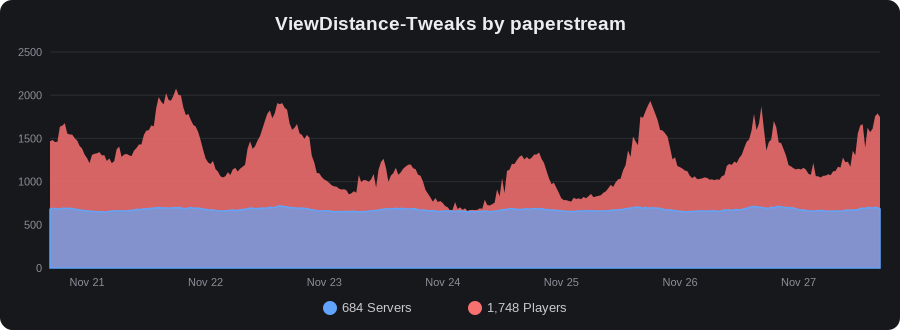

 插件

 插件

 插件
 插件
 插件
 插件
评论 0
登录后参与评分
还没有评论,来抢沙发吧