
? VoidChat
专为现代 Minecraft 社区打造的通讯工具。
VoidChat 将玩家通讯划分为基于距离的本地聊天和全服全局频道,让社区交流更清晰,同时避免不必要的复杂性。
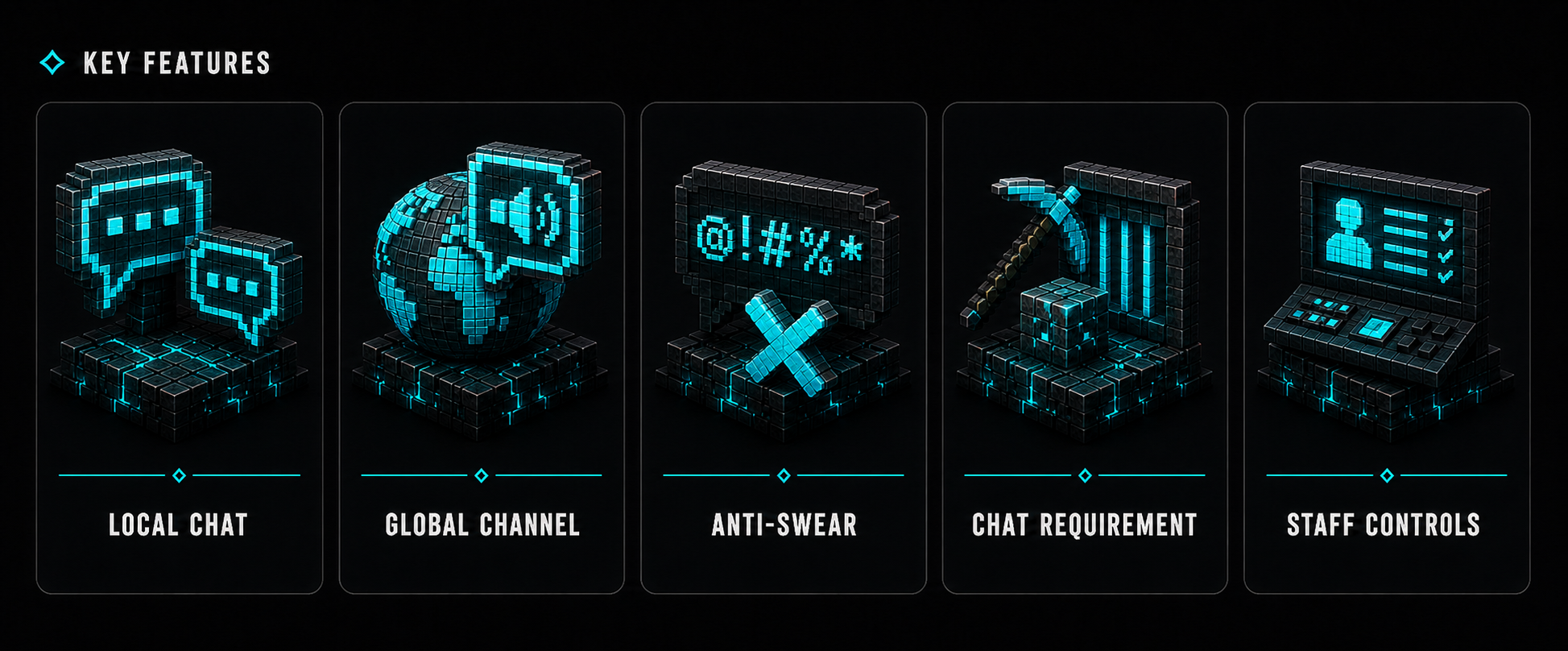
✨ 功能
所有保持对话井然有序且不影响服务器管理所需的配置。
- 支持可配置范围或全地图模式的本地聊天
- 使用
!message、/global <message>、/g <message> 或主插件命令发送全局聊天
- 独立的本地与全局冷却时间,以及独立的权限绕过选项
- 针对本地和全局聊天的独立发言前置条件(Block Requirements)
- 持久化的前置进度记录与全局静音偏好设置
- 抗脏话检测,能有效识别颜色代码、分隔符、重音符号、Leetspeak(数字字母混合体)及常见形似字符
- 正确支持旧版(Legacy)和 HEX 格式的颜色代码
- 可选的 PlaceholderAPI 支持,内部占位符受到保护
- 本地聊天监听(Local Chat Spy)、全局频道静音、聊天记录清除以及全服聊天开关
- 根据 Minecraft 版本和服务端核心自动兼容更新选择
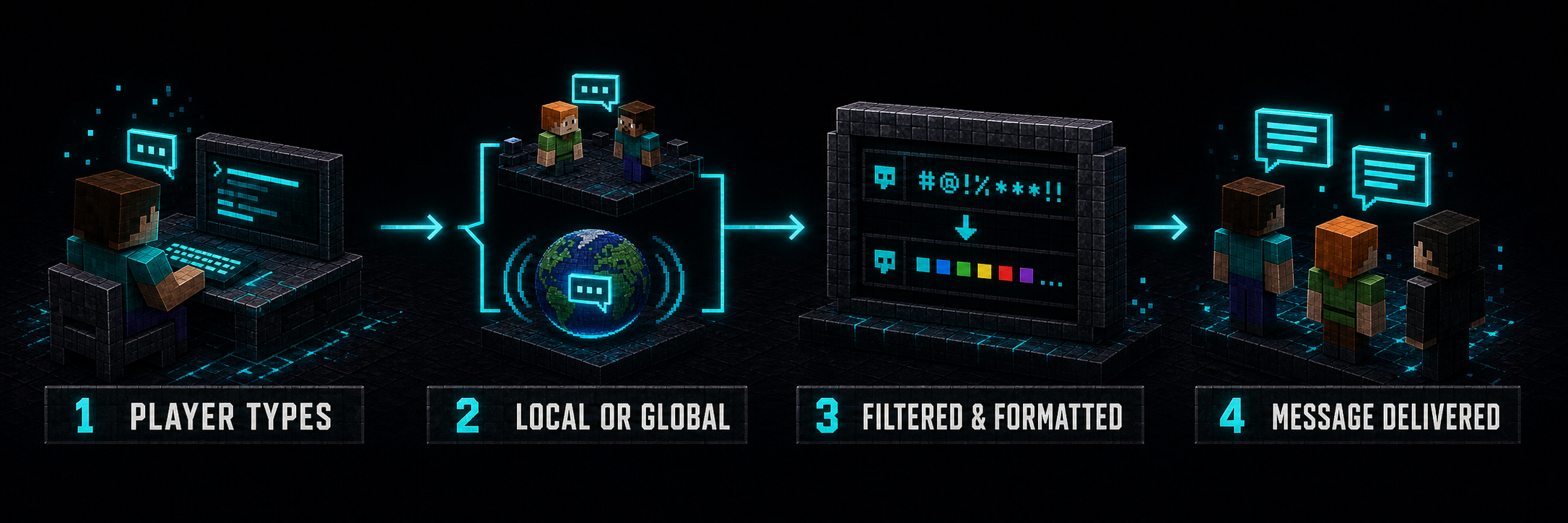
⚙️ 工作原理
VoidChat 将每条消息转化为清晰、可预测的通讯流程。
- 玩家发送普通消息或选择全局频道。
- VoidChat 验证频道权限、冷却时间、聊天状态及前置条件要求。
- 消息经过安全过滤,并使用选定的本地或全局格式进行格式化。
- 向符合条件的玩家和服务器控制台正确投递消息。
? 频道行为
- 普通消息会发送给处于配置好的本地范围内的玩家。
- 将
local-chat-range 设置为 -1 可使本地聊天覆盖发送者当前所在世界的全部区域。
!message、/global <message>、/g <message>、/voidchat global <message> 和 /vc global <message> 均使用全局频道。- 如果没有
voidchat.global 权限,以 ! 开头的消息仍被视为本地消息,并保留 ! 字符。
- 拥有
voidchat.mute 权限的玩家可以使用 /voidchat mute 或 /vc mute 来静音或取消静音接收到的全局消息。
?️ 命令
/vc 是 /voidchat 的别名,适用于所有子命令。/global 和 /g 是用于全局聊天的独立快捷方式。
| 命令 |
别名 |
描述 |
权限 |
/voidchat |
/vc |
显示帮助菜单 |
voidchat.help |
/voidchat help |
/vc help |
显示帮助菜单 |
voidchat.help |
/voidchat global <message> |
/vc global <message>, /global <message>, /g <message>, !message |
发送全服消息 |
voidchat.use 和 voidchat.global |
/voidchat mute |
/vc mute |
静音或取消静音接收到的全局消息 |
voidchat.mute |
/voidchat reload |
/vc reload |
验证并重新加载 config.yml |
voidchat.reload |
/voidchat admin |
/vc admin |
切换本地聊天监听模式 |
voidchat.spy |
/voidchat clear |
/vc clear |
清除玩家聊天记录 |
voidchat.clear |
/voidchat toggle |
/vc toggle |
启用或禁用全服聊天 |
voidchat.toggle |
? 权限
| 权限 |
默认值 |
描述 |
voidchat.help |
所有人 |
使用 /voidchat 或 /voidchat help 显示帮助菜单 |
voidchat.use |
所有人 |
使用本地和全局聊天;若无此权限,玩家无法发送聊天消息 |
voidchat.global |
所有人 |
使用 !message、/global、/g 或 global 子命令发送全局消息 |
voidchat.mute |
所有人 |
使用 /voidchat mute 静音或取消静音接收到的全局聊天 |
voidchat.admin |
OP |
授予本表中列出的所有 VoidChat 权限 |
voidchat.reload |
OP |
使用 /voidchat reload 重新加载并验证 config.yml |
voidchat.spy |
OP |
使用 /voidchat admin 监控本地消息,不受距离或世界限制 |
voidchat.clear |
OP |
使用 /voidchat clear 清除所有玩家的聊天记录 |
voidchat.toggle |
OP |
使用 /voidchat toggle 全局启用或禁用聊天功能 |
voidchat.color |
OP |
使用旧版格式化代码(如 &a)和 HEX 颜色代码(如 ABEF) |
voidchat.bypass |
OP |
在本地和全局聊天中绕过前置条件要求 |
voidchat.localbypass |
OP |
绕过本地聊天冷却时间 |
voidchat.globalbypass |
OP |
绕过全局聊天冷却时间 |
voidchat.admin 会自动授予上述列出的所有 VoidChat 权限。
⚡ 配置
通过 config.yml 控制聊天范围、频道冷却时间、访问要求、过滤规则、格式、管理员绕过行为以及所有系统消息。
以下示例仅展示了 config.yml 的一小部分。完整的配置文件包含所有消息文本、帮助菜单行、更新设置、审核响应、格式化选项以及完整的反脏话列表。
update-check: true
admin-bypass-chat-toggle: true

# 将任一值设为 0 以禁用该冷却时间
local-message-cooldown: 3
global-message-cooldown: 30

# 使用 -1 表示覆盖发送者当前所在的世界
local-chat-range: 100.0

blocks-required: 10
chat-requirement-enabled: true
chat-requirement:
  apply-to-local: true
  apply-to-global: true

anti-swear:
  banned-words:
    - "badword1"
    - "badword2"

global-format: "&a&lGLOBAL &r&8»&7 %player%: %message%"
local-format: "&e&lLOCAL &r&8»&7 %player%: %message%"
配置值在启动和重载期间进行验证。无效或不安全的值会被拒绝,而不是静默应用。

? 格式化与集成
拥有 voidchat.color 权限的玩家可以使用传统的 & 格式以及以 &#RRGGBB 形式编写的 HEX 颜色代码。没有该权限的玩家发出的格式代码将被移除。
当安装了 PlaceholderAPI 时,其占位符可以在 local-format 和 global-format 中使用。VoidChat 会在插入玩家消息之前解析格式,从而防止聊天文本调用任意 PlaceholderAPI 占位符。
VoidChat 使用 %name% 表示法来表示其内部值:
%prefix%%player%%message%%blocks_required%%time_remaining%%version%%url%
PlaceholderAPI 是可选的,即使未安装 VoidChat 也能正常工作。
? 反粗俗行为
过滤功能会规范化大小写和重音符号,忽略插入的分隔符和 Minecraft 颜色代码,并检测常见的替换(如 0/o、4/a 和 5/s)。匹配的字符会被屏蔽,同时保留原始消息布局和允许的格式。

? 隐私与数据
| 功能 |
描述 |
| bStats |
发送匿名的服务器和插件使用统计数据。可以在 plugins/bStats/config.yml 中禁用。 |
| 更新检查器 |
当启用 update-check 时,读取公共 version.json 目录。 |
| PlaceholderAPI |
可选的本地集成,仅在安装 PlaceholderAPI 时使用。 |
| 本地存储 |
将 UUID、最后已知名称、剩余方块需求量和全局静音偏好存储在 plugins/VoidChat/data.yml 中。 |
| 服务器控制台 |
本地和全局聊天输出也会发送到服务器控制台。 |
玩家设置和进度存储在本地的 data.yml 文件中。

? 支持
有问题、Bug 报告或功能请求?加入官方 Discord 服务器,我们将很乐意为您提供帮助。
Discord:

❤️ 感谢
每一条信息都在构建社区。
感谢您让 VoidChat 成为您的一部分。
? VoidChat
Purpose-built communication for modern Minecraft communities.
VoidChat separates player communication into proximity-based local chat and a server-wide global channel, giving communities clearer conversations without unnecessary complexity.
✨ Features
Everything needed to keep conversations organized without making server management difficult.
- Local chat with a configurable range or whole-world mode
- Global chat using
!message, /global <message>, /g <message>, or the main plugin command
- Independent local and global cooldowns with separate bypass permissions
- Per-channel block requirements for local and global chat
- Persistent block progress and global-mute preference
- Anti-Swear detection resistant to colors, separators, accents, leetspeak, and common look-alike characters
- Correct enforcement of legacy and HEX chat colors
- Optional PlaceholderAPI support with protected internal placeholders
- Local Chat Spy, global-channel mute, chat clear, and server-wide chat toggle
- Compatible update selection based on Minecraft version and server engine
⚙️ How It Works
VoidChat turns every message into a clear, predictable communication flow.
- A player sends a regular message or selects the global channel.
- VoidChat verifies channel permissions, cooldowns, chat status, and block requirements.
- The message is safely filtered and formatted using the selected local or global format.
- Delivery is scheduled correctly for eligible players and the server console.
? Channel Behavior
- A regular message is delivered to players within the configured local range.
- Setting
local-chat-range to -1 makes local chat reach the sender's entire current world.
!message, /global <message>, /g <message>, /voidchat global <message>, and /vc global <message> use the global channel.- Without
voidchat.global, a message beginning with ! remains a local message and keeps the ! character.
- Players with
voidchat.mute can mute or unmute received global messages with /voidchat mute or /vc mute.
?️ Commands
/vc is an alias for /voidchat and works with every subcommand. /global and /g are standalone shortcuts for global chat.
| Command |
Alias |
Description |
Permission |
/voidchat |
/vc |
Display the help menu |
voidchat.help |
/voidchat help |
/vc help |
Display the help menu |
voidchat.help |
/voidchat global <message> |
/vc global <message>, /global <message>, /g <message>, !message |
Send a server-wide message |
voidchat.use and voidchat.global |
/voidchat mute |
/vc mute |
Mute or unmute received global messages |
voidchat.mute |
/voidchat reload |
/vc reload |
Validate and reload config.yml |
voidchat.reload |
/voidchat admin |
/vc admin |
Toggle Local Chat Spy |
voidchat.spy |
/voidchat clear |
/vc clear |
Clear player chat |
voidchat.clear |
/voidchat toggle |
/vc toggle |
Enable or disable chat globally |
voidchat.toggle |
? Permissions
| Permission |
Default |
Description |
voidchat.help |
Everyone |
Display the help menu with /voidchat or /voidchat help |
voidchat.use |
Everyone |
Use local and global chat; without it, the player cannot send chat messages |
voidchat.global |
Everyone |
Send global messages with !message, /global, /g, or the global subcommand |
voidchat.mute |
Everyone |
Mute or unmute received global chat with /voidchat mute |
voidchat.admin |
OP |
Grant every VoidChat permission listed in this table |
voidchat.reload |
OP |
Reload and validate config.yml with /voidchat reload |
voidchat.spy |
OP |
Monitor local messages regardless of distance or world with /voidchat admin |
voidchat.clear |
OP |
Clear chat for every player with /voidchat clear |
voidchat.toggle |
OP |
Globally enable or disable the ability to chat with /voidchat toggle |
voidchat.color |
OP |
Use legacy formatting such as &a and HEX colors such as ABEF |
voidchat.bypass |
OP |
Bypass the block requirement in local and global chat |
voidchat.localbypass |
OP |
Bypass the local-chat cooldown |
voidchat.globalbypass |
OP |
Bypass the global-chat cooldown |
voidchat.admin automatically grants every VoidChat permission listed above.
⚡ Configuration
Control chat range, channel cooldowns, access requirements, filtering, formats, administrative bypass behavior, and every system message through config.yml.
The example below shows only a small part of config.yml. The complete configuration includes all messages, help-menu lines, update settings, moderation responses, formatting options, and the full Anti-Swear list.
update-check: true
admin-bypass-chat-toggle: true

# Set either value to 0 to disable that cooldown
local-message-cooldown: 3
global-message-cooldown: 30

# Use -1 for the sender's entire current world
local-chat-range: 100.0

blocks-required: 10
chat-requirement-enabled: true
chat-requirement:
  apply-to-local: true
  apply-to-global: true

anti-swear:
  banned-words:
    - "badword1"
    - "badword2"

global-format: "&a&lGLOBAL &r&8»&7 %player%: %message%"
local-format: "&e&lLOCAL &r&8»&7 %player%: %message%"
Configuration values are validated during startup and reload. Invalid or unsafe values are rejected instead of being silently applied.
? Formatting & Integrations
Players with voidchat.color can use legacy & formatting and HEX colors written as &#RRGGBB. Formatting codes from players without that permission are removed.
When PlaceholderAPI is installed, its placeholders can be used inside local-format and global-format. VoidChat resolves the format before inserting the player's message, preventing chat text from invoking arbitrary PlaceholderAPI placeholders.
VoidChat uses %name% notation for its internal values:
%prefix%%player%%message%%blocks_required%%time_remaining%%version%%url%
PlaceholderAPI remains optional and VoidChat continues to work without it.
? Anti-Swear Behavior
Filtering normalizes case and accents, ignores inserted separators and Minecraft color codes, and detects common substitutions such as 0/o, 4/a, and 5/s. Matched characters are censored while the original message layout and permitted formatting are retained.
? Privacy & Data
| Feature |
Description |
| bStats |
Sends anonymous server and plugin usage statistics. It can be disabled in plugins/bStats/config.yml. |
| Update Checker |
Reads the public version.json catalog when update-check is enabled. |
| PlaceholderAPI |
Optional local integration used only when PlaceholderAPI is installed. |
| Local Storage |
Stores UUIDs, last-known names, remaining block requirements, and global-mute preferences in plugins/VoidChat/data.yml. |
| Server Console |
Local and global chat output is also delivered to the server console. |
Player settings and progress are stored locally in data.yml.
? Support
Questions, bug reports, or feature requests? Join the official Discord server and we'll be happy to help.
Discord:
❤️ Thank You
Every message builds a community.
Thank you for making VoidChat a part of yours.


 插件

 插件
 插件
 插件
 插件
 插件
评论 0
登录后参与评分
还没有评论,来抢沙发吧