WeatherMan
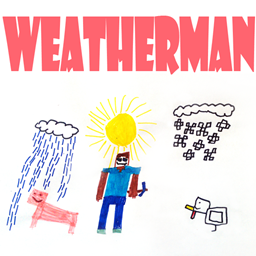
WeatherMan 允许你通过命令、魔法棒和由红石信号控制的告示牌来更改生物群系并在游戏内重新填充区域。支持 WorldEdit 选区和 WorldGuard 区域。
视频
更多视频
功能
- 更改生物群系(你可以使用:命令、魔法棒、告示牌、WorldEdit 选区和 WorldGuard 区域)
- 根据之前更改的生物群系重新填充区域
- 局部控制天气:针对玩家、区域、生物群系和整个世界。
- 使用特殊的魔法棒种植或砍伐树木
- 使用由红石信号控制的告示牌来控制生物群系的切换(在两个生物群系之间切换)。
- 检查你所处位置的生物群系,或在旅行时通知你生物群系的变化
- 防止在定义的生物群系中形成雪和冰。
为什么需要它?
如果你需要更改生物群系、种植新森林,或者希望允许你的玩家这样做——你必须安装 WeatherMan :) 如果你需要给任何玩家施加“无法停止的降雨”诅咒,这个插件也会很有用。
如何安装?
只需将其复制到你的 Plugins 文件夹中即可。
如何使用?
- 安装
- 使用命令 /wm set biome:<biome> radius:<radius> 来更改你周围的生物群系
- 使用命令 /wm set biome:<biome> 来更改使用 WorldEdit 选择的区域内的生物群系
- 使用命令 /wm set biome:<biome> region:<region name> 来更改由名称定义的 WorldGuard 区域内的生物群系
- 使用命令 /wm replace biome:<biome> fill:true 将你所在位置的生物群系替换为新生物群系
- 使用命令 /wm give [biome | woodcutter | depopulator | forester] 来获取所有或指定的魔法棒。
- 使用命令 /wm wand 启用魔法棒模式(使用命令 /wm wand biome:<biome> radius:<radius> tree:<tree type> 定义生物群系和半径)。右键点击魔法棒,你将发射一颗雪球,该雪球会改变击中点周围的生物群系,移除或种植树木。
- 创建一块告示牌,第二行包含 [biome],第三行包含半径值,第一行和第四行包含生物群系名称。如果需要替换整个生物群系,你可以在第三行设置单词 "replace"。现在你可以使用红石信号在两个生物群系之间切换。
命令
通用命令:
- /wm help - 显示帮助和命令列表
- /wm check - 检查玩家所在位置的生物群系
- /wm info - 切换行走信息模式(当玩家从一个生物群系移动到另一个生物群系时通知玩家)
- /wm list [tree | biome name mask] - 列出可用的生物群系类型(或树木类型)
- /wm wand [biome:<biome> radius:<radius> tree:<tree> - 切换魔法棒模式或配置魔法棒参数
- /wm give <biome | woodcutter | depopulator | forester> - 给予指定的魔法棒(刷子)
地形改造命令
- /wm set|replace|populate <parameters...> - 设置区域内的生物群系,替换区域内的生物群系,重新填充区域。有关这些命令的更多信息,请参见此处。
天气命令(尚不支持控制台)
- /wth player <player> <rain|clear|remove> - 将个人玩家的天气设置为下雨、晴朗或移除设置
- /wth region <region> <rain|clear|remove> - 将区域内的天气设置为下雨、晴朗或移除设置
- /wth biome <biome> <rain|clear|remove> - 将生物群系内的天气设置为下雨、晴朗或移除设置
- /wth world <world> <rain|clear|remove> - 将世界内的天气设置为下雨、晴朗或移除设置
- /wth <player|region|biome|world> - 列出天气状态发生更改的玩家、区域、生物群系和世界
本地时间命令
- /wtm player [<player> <HH:MM|day|night|remove>] — 配置玩家的个人时间
- /wtm region [<region> <HH:MM|day|night|remove>] — 配置区域的本地时间
- /wtm biome [<biome> <HH:MM|day|night|remove>] — 配置生物群系的本地时间
- /wtm world [<world> <HH:MM|day|night|remove>] — 配置世界的本地时间
如何恢复原始生物群系
如果你需要在指定区域恢复原始生物群系,可以使用“original”生物群系类型配合 /wm set、/wm replace、/wm biome 命令(以及使用魔法棒更改生物群系)。命令 /wm replace source:<source biome> biome:<target biome> 仅支持将 “original” 作为生物群系参数 (<target biome>)。
WeatherMan 翻译
可以使用语言文件来翻译 WeatherMan 的消息。
可用的翻译(已包含在插件中,你只需在 config.yml 中设置语言变量):英语、荷兰语、法语、德语、波兰语、罗马尼亚语、俄语、西班牙语、乌克兰语。
- 英语 - 默认(抱歉我的英语不好!由 matthew_cowley 协助完成)
- 俄语 (Русский)
- 乌克兰语 (Українська) - 由 duckman 翻译,Rangars Team。非常感谢 duckman!
- 德语 (Deutsch) - 由 PinguinAman 翻译。非常感谢 PinguinAman!
- 西班牙语 (Español) - 由 Indeleble 和 Antica RP Server 翻译。非常感谢 Indeleble!
- 法语 (Français) - 50toto50。非常感谢 50toto50!
- 罗马尼亚语 (Română) - kaZep, b-Zone
- 荷兰语 (Nederlands) - 由 Martin1704、renzo12y、tommyvanaarde 翻译。非常感谢各位!
如果您能帮助我将 WeatherMan 翻译成其他语言,并加入我的 翻译项目,我将不胜感激。
权限
- weatherman.basic - 允许使用命令 /wm help、/wm check、/wm list
- weatherman.cmdbiome - 允许使用命令 /wm set 和 /wm fill
- weatherman.sign - 允许创建 [biome] 告示牌
- weatherman.wandbiome - 允许使用木棍以及命令 /wm wand、/wm radius、/wm biome
- weatherman.config - 允许通过命令 /wm cfg 配置插件
- weatherman.weather - 允许使用本地天气命令 /wth
- weatherman.time - 允许使用本地时间命令 /wtm
源代码
源代码
更新检查器和 bStats
WeatherMan 包含两个需要使用服务器互联网连接的功能。第一个是 bStats,用于收集关于插件的信息(如插件版本、Java 版本等);第二个是更新检查器,在 WeatherMan 启动后以及每半小时检查一次插件的新版本。此功能使用了 dev.bukkit.org 提供的 API。如果您不喜欢这些功能,可以轻松禁用它们。要禁用更新检查器,您需要在 config.yml 中将参数 "version-check" 设置为 "false"。有关 bStats 的更多信息以及如何关闭它,您可以阅读此处。
开发构建版

开发构建版可在 CircleCI 上获取。
注意:开发构建版未经支持、测试,也未获得 BukkitDev 团队的批准。
下载
喜欢这个插件吗?
您可以通过 PayPal 支持我的工作:
Patreon:

或者直接在 SpigotMc 上购买此插件。
WeatherMan
WeatherMan allows you to change biomes and repopulate areas ingame with commands, magic-wand and a sign, controlled by redstone power. WorldEdit selections and WorldGuard regions supported.
Video
Additional videos
Features
- Change biomes (you can use: commands, wands, signs, WorldEdit selections and WorldGuard regions)
- Repopulate area according to biome that was previously changed
- Control weather locally: for player, for region, for biome and for whole world.
- Grow trees or cut them off using special wands
- Control biome changing (toggle two biomes) with sign controlled by redstone power.
- Check biome in a your location or inform you about biome changing while you traveling
- Preventing snow-forming and ice-forming in defined biomes.
Why do I want it?
If you need to change biomes, grow new forest, or going to allow your players to do it - you must install WeatherMan :) If you need to "curse" any player with unstoppable rain you can find this plugin useful too.
How Do I Install It?
Just copy it in your Plugins folder.
How to use it?
- Install
- Use command /wm set biome:<biome> radius:<radius> to change biome around you
- Use command /wm set biome:<biome> to change biome at area selected using WorldEdit
- Use command /wm set biome:<biome> region:<region name> to change biome at WorldGuard region defined by name
- Use command /wm replace biome:<biome> fill:true to change biome in your location to new one
- Use command /wm give [biome | woodcutter | depopulator | forester] to obtain all or specified wand.
- Use command /wm wand to enable wand mode (define biome and radius with commands /wm wand biome:<biome> radius:<radius> tree:<tree type> Right-click with magic wand and you'll shoot the snowball that will change the biome around the hit-point, remove or grow trees.
- Create sign with [biome] in second line, radius value in third, and biome names in first and forth lines. You can set word "replace" in third line if you need to replace the full biome. Now you can use redstone power to toggle between two biomes.
Commands
General commands:
- /wm help - display help and command list
- /wm check - check biome in player location
- /wm info - toggle walk-info mode (inform player when he moves from one biome to another)
- /wm list [tree | biome name mask] - list avaliable biome types (or tree types)
- /wm wand [biome:<biome> radius:<radius> tree:<tree> - toggles wand mode or configure wand parameters
- /wm give <biome | woodcutter | depopulator | forester> - give defined wand (brush)
Terramorphing commands
- /wm set|replace|populate <parameters...> - set biome in area, replace biome in area, repopulate area. More info about this commands you can find here.
Weather commands (console not supported yet)
- /wth player <player> <rain|clear|remove> - set personal player weather to rain, clear or remove settings
- /wth region <region> <rain|clear|remove> - set weather in region to rain, clear or remove settings
- /wth biome <biome> <rain|clear|remove> - set weather in biome to rain, clear or remove settings
- /wth world <world> <rain|clear|remove> - set weather in biome to rain, clear or remove settings
- /wth <player|region|biome|world> - list the players, regions, biomes, worlds where weather states are changed
Local time commands
- /wtm player [<player> <HH:MM|day|night|remove>] — configure player personal time
- /wtm region [<region> <HH:MM|day|night|remove>] — configure local region time
- /wtm biome [<biome> <HH:MM|day|night|remove>] — configure local biome time
- /wtm world [<world> <HH:MM|day|night|remove>] — configure local world time
How to revert back to original biomes
If you need to set back an original biomes at defined area, you can use "original" biome type with commands /wm set, /wm replace, /wm biome (and use wand to change biomes). Command /wm replace source:<source biome> biome:<target biome> supporting "original" only as biome parameter (<target biome>).
WeatherMan translation
It is possible to use language files to translate WeatherMan messages.
Available translations (included to plugin, you just need to setup language variable at config.yml): english, dutch, french, german, polish, romanian, russian, spanish, ukrainian.
- English - default (sorry for my english! Helped By matthew_cowley)
- Russian (Русский)
- Ukrainian (Українська) - translated by duckman, Rangars Team. Thank you very much, duckman!
- German (Deutsch) - translated by PinguinAman. Thank you very much, PinguinAman!
- Spanish (Español) - translated by Indeleble, Antica RP Server. Thank you very much, Indeleble!
- French (Français) - 50toto50. Thank you very much, 50toto50!
- Romanian (Română) - kaZep, b-Zone
- Dutch (Nederland) - translated by Martin1704, renzo12y, tommyvanaarde. Thank you very much guys!
I will be very thankful if you can help me to translate WeatherMan to other language and join me at translation project.
Permissions
- weatherman.basic - allows to use commands /wm help, /wm check, /wm list
- weatherman.cmdbiome - allows to use command /wm set and /wm fill
- weatherman.sign - allows to create [biome] signs
- weatherman.wandbiome - allows to use wand and commands /wm wand, /wm radius, /wm biome
- weatherman.config - allows to setup plugin with command /wm cfg
- weatherman.weather - allows to use local weather command /wth
- weatherman.time - allows to use local time command /wtm
Source code
Source code
Update checker and bStats
WeatherMan includes two features that use your server internet connection. First one is bStats, that used to collect information about the plugin (versions of plugin, of Java.. etc.) and second is update checker, checks new releases of plugin after WeatherMan startup and every half hour. This feature is using API provided by dev.bukkit.org. If you don't like this features you can easy disable it. To disable update checker you need to set parameter "version-check" to "false" in config.yml. Obtain more information about bStats and learn how to switch off it, you can read here.
Dev Builds
Dev builds available at CricleCI.
Note: Dev builds are unsupported and not tested and not approved by BukkitDev team.
Download
Like this plugin?
You can support my work via Paypal:
Patreon:
Or just buy this plugin on SpigotMc.

 插件
 插件
 插件
 插件

 插件
 插件
评论 0
登录后参与评分
还没有评论,来抢沙发吧