WildRTP
- 圆形与方形形状
- 调整传送设置
- 多世界支持
- 冷却时间
- 移动计时器
- 自定义随机传送 (CustomRTP)
- 自动随机传送 (AutoRTP)
如果您遇到任何问题,请告诉我
命令
- /wild - 传送到随机位置
别名:[/rtp /randomtp /randomteleport /wildrtp] - /wild reload - 重新加载配置文件
- /wild info - 显示插件信息
- /wild updates - 检查插件更新
- /wild help - 显示帮助信息
- /customrtp <player> <world> <startRadius> <endRadius> <originX> <originZ> [params...]
- /customrtp <player> <world>
- /customrtp <player>
注意 <> 代表 必需参数,[] 仅代表 可选参数,可以省略。
%player% 是执行该命令的玩家占位符(仅在 /customrtp 中有效)。
集成
- WorldGuard
- ProtectionStones
- Towny
- Residence
- GriefDefender
- GriefPrevention
- Lands
- Vault
附加组件
- WildRTP GUI
- WildRTP Fights (即将推出)
配置
显示配置
# __ ___ _ _ _____ _______ _____
# \ \ / (_) | | | __ \__ __| __ \
# \ \ /\ / / _| | __| | |__) | | | | |__) |
# \ \/ \/ / | | |/ _` | _ / | | | ___/
# \ /\ / | | | (_| | | \ \ | | | |
# \/ \/ |_|_|\__,_|_| \_\ |_| |_|
#
# by Joni - Thank you for using this plugin
# 语言设置
# 可用选项:[en, de, ru]
# 您可以在插件文件夹 (/lang) 中添加/编辑语言
lang: "en"
# 全局 RTP 设置
# 此部分定义随机传送的主要设置
# 可以在 custom 部分定义每个世界的自定义设置
global:
# 最小和最大传送范围
min: 1000
max: 2500
# 传送区域的形状 [CIRCLE/SQUARE]
shape: CIRCLE
# 传送中心
center:
player: false # 如果为 true,传送将以玩家为中心;x 和 z 将被忽略
x: 0 # 中心的 X 坐标
z: 0 # 中心的 Z 坐标
# 冷却时间设置
cooldown:
enabled: true # 启用 RTP 使用之间的冷却时间
time: 5 # 冷却时间(秒)
# 移动计时器设置
movetimer:
enabled: true # 如果为 true,在传送之前不允许移动
time: 5 # 时间(秒)
sound-canceled: ENTITY_VILLAGER_NO # 设置为 'false' 以禁用。
# 消息设置
messages:
start: false # 当 RTP 开始时显示消息
end: true # 当 RTP 结束时显示消息
# 当 RTP 开始/结束时显示的标题消息
titles:
start:
enabled: false
fadeIn: 0.5
stay: 2
fadeOut: 0.5
end:
enabled: true
fadeIn: 0.5
stay: 2
fadeOut: 0.5
# 声音设置
sound:
start: false # 当传送开始时播放声音。设置为 'false' 以禁用。
end: ENTITY_PLAYER_LEVELUP # 使用任何有效的 Bukkit Sound 枚举,例如 ENTITY_PLAYER_LEVELUP。
# 效果设置
effects:
start: # 当传送开始时给予一个效果。
type: false # 设置为 'false' 以禁用。使用任何有效的 Bukkit PotionEffectType 枚举,例如 "BLINDNESS"。
time: 1 # 效果的持续时间(秒)。
end:
type: false
time: 1
# 传送时要避免的方块
# 使用 LEAVES 来禁用所有树叶中的传送。
blocks:
- LAVA
- WATER
- AIR
# 传送的 Y 轴限制
# null = 无限制
y-min: null
y-max: null
# 传送时要避免的生物群系
# 示例:biomes: [OCEAN, DESERT, PLAINS, FOREST, TAIGA, MUSHROOM_FIELDS, JUNGLE]
# 设置为 '[]' 以禁用。
biomes: [ ]
# 传送到另一个世界
# 如果设置为有效的世界名称,玩家将传送到该世界而不是他们当前的世界。
# 设置为 'false' 以在同一世界内传送。
tp-in-other-world: false
# 如果为 true,玩家在传送时将把个人出生点设置为新位置。
# 设置为 'false' 以禁用。
set-spawnpoint: false
# 在传送前后执行的自定义传送命令。
# %player% = 玩家名称
# %x%, %y%, %z% = 传送坐标
# 示例:start: [ "say %player% is teleporting to %x%, %y%, %z%", "give %player% minecraft:ender_pearl 1" ]
custom-command:
start: [ ]
end: [ ]
# 用于确定如何找到安全位置的 RTP 生成策略。
# 这控制用于选择有效传送位置的算法。
#
# 可用策略:
# AUTO - 根据世界环境自动选择最佳策略。
# HIGHEST_BLOCK - 使用最高的非空气方块。速度极快。非常适合普通主世界和末地。
# BOTTOM_UP - 从 minY 向上扫描,寻找上方有空隙的实心方块。对于下界或洞穴世界至关重要。
# TOP_DOWN - 从 maxY 向下扫描。
#
# 推荐:AUTO(无需配置即可正确处理大多数世界)
strategy: AUTO
# 自动 RTP 设置
# 插件是否应自动传送玩家?
auto-rtp:
onfirstjoin: false # 当玩家首次加入服务器时
onjoin: false # 每次玩家加入服务器时
ondeath:
enabled: false # 玩家死亡后
prioritize-bed: false # 如果为 true,如果有设置的床出生点,玩家将被传送到其床的出生点。
# 列表模式:使用 'blacklist' 或 'whitelist'
list: blacklist
# 设置为 '[]' 以禁用黑名单。
# 在此处添加被阻止的世界
blacklist: [ ]
# 设置为 '[]' 以禁用白名单。
# 在此处添加允许的世界
whitelist: [ ]
# 取消注释并修改以自定义特定世界的设置
# 您可以删除不想自定义的任何字段,
# 但缺失的值将设置为全局值
# (例如 global 中的 max 为 2500,如果这里未设置,它也将为 2500)
# 要启用,请移除 { } 并在下方添加您的世界:
# 下面显示了一个简短的示例:
custom: { }
# my_custom_world:
# min: 500
# max: 1500
# cooldown:
# time: 30
# biomes: [OCEAN, DESERT]
# 在失败前查找安全位置的最大尝试次数
max-tries: 25
如果你想更改前缀,可以在这里修改
prefix: "&8[&2WildRTP&8] &6"
第三方插件挂钩设置
hooks: worldguard: false protectionstones: false towny: false residence: false griefdefender: false griefprevention: false lands: false vault: enabled: false settings: pay-by-distance: enabled: false price-per-block: 0.01 pay-by-teleport: enabled: false price: 5.0
检查更新
check-updates: true
管理员加入时通知插件更新
notify-updates-on-join: true
是否允许我收集关于你的服务器和此插件的匿名数据。这样我可以查看有多少服务器在使用这个插件 :)
你也可以在这里查看相关数据
metrics: true
高级设置
force-close-inventories: true per-world-cooldowns: false prevent-spam: true # 当正在进行搜索时阻止多次搜索
调试模式
debug: false
配置文件版本(请勿更改)
config-version: 18
</details>
## 权限
- wildrtp.rtp - 允许你运行 /wild - 默认拥有 <br>
- wildrtp.reload - 允许你运行 /wild reload
- wildrtp.updates - 允许你运行 /wild updates
- wildrtp.custom - 允许你运行 /customrtp
- wildrtp.cooldown.bypass - 如果启用了冷却时间,则绕过该限制 <br>
- wildrtp.movetimer.bypass - 如果启用了移动计时器,则绕过该限制 <br>
- wildrtp.list.bypass - 绕过禁止世界列表
- wildrtp.list.bypass.world_name - 从禁止世界列表中绕过特定世界 <br>(无论是黑名单还是白名单, whichever is enabled)
- wildrtp.help - 允许你运行 /wild help
- wildrtp.admin - 授予所有 WildRTP 权限
## 占位符
要查看内部 **占位符** 和 **外部占位符**,请访问 [维基](https://github.com/LasaJoniHD/WildRTP/wiki/Placeholders)。
## 性能
在 Paper 服务器上异步加载区块除了加载或生成一个区块所需的时间外,不会对性能产生影响。你可以使用 [Chunky](https://modrinth.com/plugin/chunky) 预先生成区块,这将使传送速度稍快一些。
## 需要帮助?
如果你需要任何帮助,我很乐意为你提供支持——只需加入我的 Discord 支持服务器即可。如果你发现了错误或有任何功能请求,请与我联系——我迫不及待想听到你的反馈!
## bStats
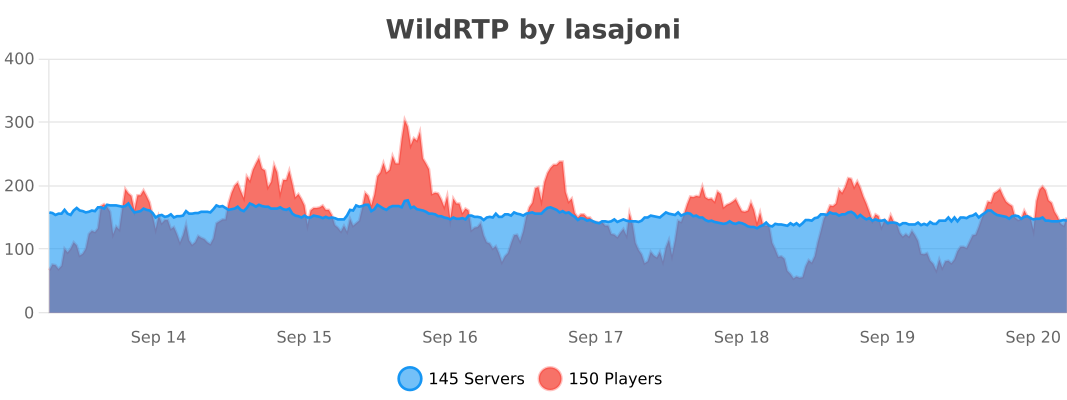
[](https://bstats.org/plugin/bukkit/WildRTP/17799)
WildRTP
- CIRCLE & SQUARE Shapes
- Adjust teleport settings
- Multi Worlds Support
- Cooldown
- MoveTimer
- CustomRTP
- AutoRTP
Please let me know if you have any issues
Commands
- /wild - Teleport to a random location
Aliases: [/rtp /randomtp /randomteleport /wildrtp] - /wild reload - Reloads the config
- /wild info - Display plugin information
- /wild updates - Checks for plugin updates
- /wild help - Display help message
- /customrtp <player> <world> <startRadius> <endRadius> <originX> <originZ> [params...]
- /customrtp <player> <world>
- /customrtp <player>
Note <> are required arguments, [] are only optional arguments and can be omitted.
%player% is a placeholder for the player that executed the command (only in /customrtp).
Integrations
- WorldGuard
- ProtectionStones
- Towny
- Residence
- GriefDefender
- GriefPrevention
- Lands
- Vault
Addons
- WildRTP GUI
- WildRTP Fights (coming soon)
Config
Show config
# __ ___ _ _ _____ _______ _____
# \ \ / (_) | | | __ \__ __| __ \
# \ \ /\ / / _| | __| | |__) | | | | |__) |
# \ \/ \/ / | | |/ _` | _ / | | | ___/
# \ /\ / | | | (_| | | \ \ | | | |
# \/ \/ |_|_|\__,_|_| \_\ |_| |_|
#
# by Joni - Thank you for using this plugin
# Language setting
# Available: [en, de, ru]
# You can add/edit languages in the plugin folder (/lang)
lang: "en"
# Global RTP settings
# This section defines the main settings for random teleportation
# Custom settings per world can be defined in the custom section
global:
# Min & max teleportation range
min: 1000
max: 2500
# Shape of the teleportation area [CIRCLE/SQUARE]
shape: CIRCLE
# Teleportation center
center:
player: false # If true, teleportation is centered on the player; x and z will be ignored
x: 0 # X coordinate of center
z: 0 # Z coordinate of center
# Cooldown settings
cooldown:
enabled: true # Enable cooldown between RTP uses
time: 5 # Cooldown time in seconds
# Move timer settings
movetimer:
enabled: true # If true, no movement allowed before teleportation
time: 5 # Time in seconds
sound-canceled: ENTITY_VILLAGER_NO # Set to 'false' to disable.
# Message settings
messages:
start: false # Show message when RTP starts
end: true # Show message when RTP ends
# Title messages displayed when RTP starts/ends
titles:
start:
enabled: false
fadeIn: 0.5
stay: 2
fadeOut: 0.5
end:
enabled: true
fadeIn: 0.5
stay: 2
fadeOut: 0.5
# Sound settings
sound:
start: false # Play a sound when teleport starts. Set to 'false' to disable.
end: ENTITY_PLAYER_LEVELUP # Use any valid Bukkit Sound enum, e.g., ENTITY_PLAYER_LEVELUP.
# Effect settings
effects:
start: # Give an effect when teleport starts.
type: false # Set to 'false' to disable. Use any valid Bukkit PotionEffectType enum, e.g., "BLINDNESS".
time: 1 # Duration in seconds for the effect to last.
end:
type: false
time: 1
# Blocks to avoid when teleporting
# Use LEAVES to disable all teleports in leaves.
blocks:
- LAVA
- WATER
- AIR
# Y-limits for teleporting
# null = no limit
y-min: null
y-max: null
# Biomes to avoid when teleporting
# Example: biomes: [OCEAN, DESERT, PLAINS, FOREST, TAIGA, MUSHROOM_FIELDS, JUNGLE]
# Set to '[]' to disable.
biomes: [ ]
# Teleport to another world
# If set to a valid world name, players will be teleported to that world instead of their current one.
# Set to 'false' to teleport within the same world.
tp-in-other-world: false
# If true, the player's individual spawn point will be set to the new location upon teleporting.
# Set to 'false' to disable.
set-spawnpoint: false
# Custom teleportation command to execute before/after teleporting.
# %player% = player name
# %x%, %y%, %z% = teleportation coordinates
# Example: start: [ "say %player% is teleporting to %x%, %y%, %z%", "give %player% minecraft:ender_pearl 1" ]
custom-command:
start: [ ]
end: [ ]
# RTP generation strategy used to determine how safe locations are found.
# This controls the algorithm used to pick valid teleport positions.
#
# Available strategies:
# AUTO - Automatically chooses the best strategy based on the world environment.
# HIGHEST_BLOCK - Uses the highest non-air block. Extremely fast. Perfect for normal Overworld and The End.
# BOTTOM_UP - Scans from minY upwards for a solid block with space above it. Essential for the Nether or Cave worlds.
# TOP_DOWN - Scans from maxY downward.
#
# Recommended: AUTO (handles most worlds correctly without configuration)
strategy: AUTO
# Auto-RTP settings
# Should the plugin teleport players automatically?
auto-rtp:
onfirstjoin: false # When a player first joins the server
onjoin: false # Every time a player joins the server
ondeath:
enabled: false # After a player dies
prioritize-bed: false # If true, players will be teleported to their bed spawn point if they have one set.
# List mode: use 'blacklist' or 'whitelist'
list: blacklist
# Set to '[]' to disable the blacklist.
# Add blocked worlds here
blacklist: [ ]
# Set to '[]' to disable the whitelist.
# Add allowed worlds here
whitelist: [ ]
# Uncomment and modify to customize settings for specific worlds
# YOU CAN remove any fields you don’t want to customize,
# BUT missing values will be set to the global values
# (e.g. max in global is 2500 and if not set here it will be 2500 as well)
# To enable, remove { } and add your worlds below:
# A short example is shown below:
custom: { }
# my_custom_world:
# min: 500
# max: 1500
# cooldown:
# time: 30
# biomes: [OCEAN, DESERT]
# Maximum attempts to find a safe location before failing
max-tries: 25
# If you want to change the prefix, you can do it here
prefix: "&8[&2WildRTP&8] &6"
# Hook settings for third-party plugins
hooks:
worldguard: false
protectionstones: false
towny: false
residence: false
griefdefender: false
griefprevention: false
lands: false
vault:
enabled: false
settings:
pay-by-distance:
enabled: false
price-per-block: 0.01
pay-by-teleport:
enabled: false
price: 5.0
# Check for updates
check-updates: true
# Notify admins about plugin updates when they join
notify-updates-on-join: true
# If I am allowed to collect anonymous data about your server and this plugin. So I can see how many servers are using this plugin :)
# And you can see the data as well here https://bstats.org/plugin/bukkit/WildRTP/17799
metrics: true
# Advanced settings
force-close-inventories: true
per-world-cooldowns: false
prevent-spam: true # Block multiple searches while one is in progress
# Debug mode
debug: false
# Config version (do not change)
config-version: 18
Permissions
- wildrtp.rtp - Allows you to run /wild - Default
- wildrtp.reload - Allows you to run /wild reload
- wildrtp.updates - Allows you to run /wild updates
- wildrtp.custom - Allows you to run /customrtp
- wildrtp.cooldown.bypass - Bypass the cooldown, if enabled
- wildrtp.movetimer.bypass - Bypass the movetimer, if enabled
- wildrtp.list.bypass - Bypass the list of disallowed worlds
- wildrtp.list.bypass.world_name - Bypass a specific world from the list of disallowed worlds
(blacklist or whitelist, whichever is enabled) - wildrtp.help - Allows you to run /wild help
- wildrtp.admin - Grants all WildRTP permissions
Placeholders
To view both internal placeholders and external placeholders, please visit the wiki.
Performance
Using async chunk loading on paper servers should have no impact on the performance besides the time it takes to load or generate a chunk async. You can use Chunky to pre-generate chunks, which makes the teleporting a bit faster.
Need help?
If you need any help, I'd be delighted to help you – just join my Discord support server. If you have found a bug or a feature you would like to request, please get in touch – I can't wait to hear from you!
bStats
下载 WildRTP
需要联机服务器吗?
稳定流畅、一键部署,几分钟即可和朋友联机开服
最低仅需 8 元/月 即可畅快联机
下载 WildRTP
需要联机服务器吗?
稳定流畅、一键部署,几分钟即可和朋友联机开服
最低仅需 8 元/月 即可畅快联机
下载 WildRTP
需要联机服务器吗?
稳定流畅、一键部署,几分钟即可和朋友联机开服
最低仅需 8 元/月 即可畅快联机
下载 WildRTP
需要联机服务器吗?
稳定流畅、一键部署,几分钟即可和朋友联机开服
最低仅需 8 元/月 即可畅快联机
下载 WildRTP
需要联机服务器吗?
稳定流畅、一键部署,几分钟即可和朋友联机开服
最低仅需 8 元/月 即可畅快联机
下载 WildRTP
需要联机服务器吗?
稳定流畅、一键部署,几分钟即可和朋友联机开服
最低仅需 8 元/月 即可畅快联机
下载 WildRTP
需要联机服务器吗?
稳定流畅、一键部署,几分钟即可和朋友联机开服
最低仅需 8 元/月 即可畅快联机
下载 WildRTP
需要联机服务器吗?
稳定流畅、一键部署,几分钟即可和朋友联机开服
最低仅需 8 元/月 即可畅快联机
下载 WildRTP
需要联机服务器吗?
稳定流畅、一键部署,几分钟即可和朋友联机开服
最低仅需 8 元/月 即可畅快联机
下载 WildRTP
需要联机服务器吗?
稳定流畅、一键部署,几分钟即可和朋友联机开服
最低仅需 8 元/月 即可畅快联机
- 已提升至稳定版本
关于这个资源的讨论、问题反馈与使用心得
还没有讨论,来发第一帖吧
你是这个资源的作者?登录后可认领此资源。
相似资源
插件
PacketEvents 是一款专为 Minecraft Java 版打造的协议库,旨在简化数据包的处理与传输。
插件
ExyliaPlugins 的库。
插件
通过对话框或铁砧界面帮助你的 Anthme
插件
重新定义服务器上的生物运输方式。使用高度可定制的口袋道具,安全地捕获、存储和释放任何实体。
插件
为基于 Spigot/Paper/Folia 的服务器添加对 Vivecraft 的支持
插件
用于绘制游戏内地图或在浏览器中随探索实时进行地图绘制的实时地图。
评论 0
登录后参与评分
还没有评论,来抢沙发吧