? xHubBlocks V2
终极大厅练习插件
无限方块。自动消失。数据库支持。
即将更新!
? 概述
xHubBlocks 是一款轻量但功能强大的插件,专为 Hub 和大厅设计。它让玩家在大厅等待时拥有无限数量的方块,用于练习搭路、极限操作或建造。
最棒的是?方块会在可配置的时间后自动消失,保持你的大厅整洁且无卡顿。
? V2 新增内容?
我们完全重写了核心代码以包含专业级功能:
- 持久化数据: 放置方块的统计数据现在永久保存。
- 数据库支持: 内置对 H2(本地,无需设置)和 MySQL(适用于网络服务器)的支持。
- 开发者 API: 让你的其他插件与 xHubBlocks 对接。
- 高性能: 由 HikariCP 驱动数据库连接。
✨ 特性
- ♾️ 无限物品: 玩家获得一叠永远不会耗尽的方块。
- ✨ 自动消失: 方块在 X 秒后消失,并伴有令人满意的粒子效果。
- ? 安全: 防止玩家掉落该方块或在背包中移动它。
- ? 完全可配置: 自定义材质、名称、描述、栏位和消息。
- ? PlaceholderAPI: 在记分板或全息图显示统计信息。
- ⚡ 旧版支持: 完美兼容从 1.8.8 到最新版本的所有版本。
? 数据库与存储
xHubBlocks V2 支持 config.yml 中定义的两类存储方式:
- H2(默认): 零配置要求。数据存储在本地文件中。非常适合单服。
- MySQL: 连接到外部数据库。适用于服务器网络,或者你想在网站上展示统计数据。
storage:
type: H2 # 或 MYSQL
mysql:
host: "localhost"
port: 3306
database: "xhubblocks"
# ...
? 图片
? 命令与权限
命令均可编辑。
| 命令 |
权限 |
描述 |
/xhubblocks |
xhubblocks.admin |
查看插件信息和帮助。 |
/xhubblocks reload |
xhubblocks.reload |
重载配置文件。 |
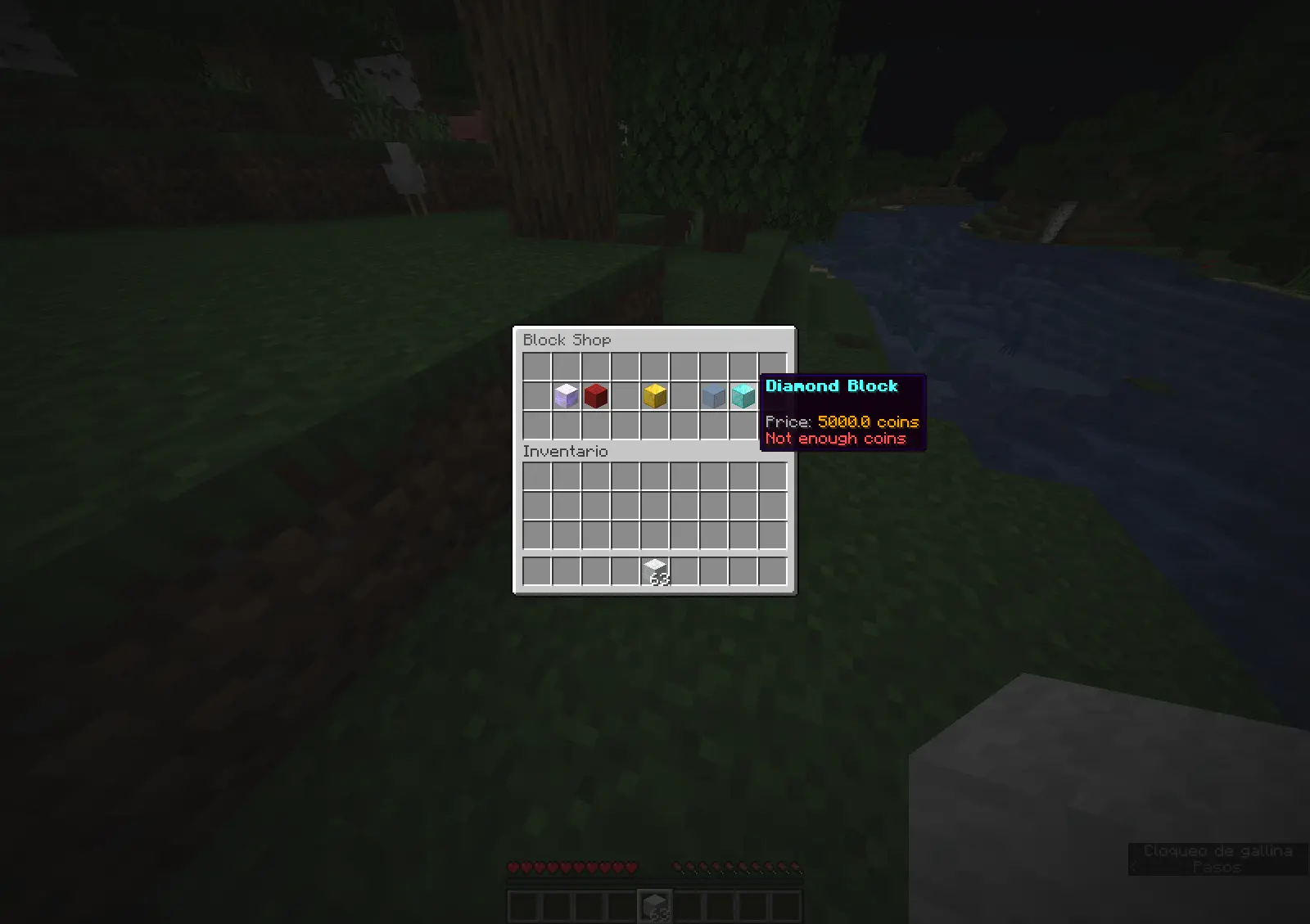
/blocks shop |
editable |
方块商店。 |
? 占位符
需要 PlaceholderAPI。
%xhubblocks_placed_player% - 玩家放置的方块总数(保存在数据库中)。
%xhubblocks_placed_session% - 当前会话中放置的方块数。
%xhubblocks_placed_total% - 服务器上所有玩家放置的方块总数。
?? 开发者 API
想在自己的插件中使用 xHubBlocks 的统计数据吗?这很简单。
1. 获取实例:
if (Bukkit.getPluginManager().getPlugin("xHubBlocks") != null) {
xHubBlocksAPI api = xHubBlocksAPI.getApi();
// 获取统计数据
int total = api.getPlayerTotalPlaced(player.getUniqueId());
}
2. Maven/Gradle:
你可以将本插件作为依赖项添加到你的项目中。
? 安装
- 下载
xHubBlocks.jar。
- 将其放入服务器的
plugins 文件夹。
- 重启服务器。
- (可选)编辑
config.yml 以更改方块样式或数据库设置。
- 享受吧!

由 xPlugins 用 ❤️ 创建
? xHubBlocks V2
The Ultimate Lobby Practice Plugin
Infinite blocks. Auto-despawn. Database support.
UPDATE COMING SOON!
? Overview
xHubBlocks is a lightweight but powerful plugin designed for Hubs and Lobbies. It gives your players an infinite stack of blocks to practice bridging, clutching, or building while waiting in the lobby.
The best part? The blocks disappear automatically after a configurable time, keeping your lobby clean and lag-free.
? What's New in V2?
We have completely rewritten the core to include professional features:
- Persistent Data: Blocks placed statistics are now saved forever.
- Database Support: Built-in support for H2 (local, no setup) and MySQL (for networks).
- Developer API: Hook your own plugins into xHubBlocks.
- High Performance: Powered by HikariCP for database connections.
✨ Features
- ♾️ Infinite Items: Players get a stack of blocks that never runs out.
- ✨ Auto-Despawn: Blocks vanish after X seconds with a satisfying particle effect.
- ? Secure: Prevents players from dropping the block or moving it in their inventory.
- ? Fully Configurable: Customize the material, name, lore, slot, and messages.
- ? PlaceholderAPI: Display stats on scoreboards or holograms.
- ⚡ Legacy Support: Works flawlessly from 1.8.8 up to the latest versions.
? Database & Storage
xHubBlocks V2 supports two storage types defined in config.yml:
- H2 (Default): Zero configuration required. Stores data in a local file. Perfect for single servers.
- MySQL: Connect to an external database. Ideal for networks or if you want to display stats on a website.
storage:
type: H2 # Or MYSQL
mysql:
host: "localhost"
port: 3306
database: "xhubblocks"
# ...
?Images

? Commands & Permissions
The commands are editable.
| Command |
Permission |
Description |
/xhubblocks |
xhubblocks.admin |
View plugin info and help. |
/xhubblocks reload |
xhubblocks.reload |
Reload the configuration file. |
/blocks shop |
editable |
Block store. |
? Placeholders
Requires PlaceholderAPI.
%xhubblocks_placed_player% - Total blocks placed by the player (Saved in DB).
%xhubblocks_placed_session% - Blocks placed in the current session.
%xhubblocks_placed_total% - Total blocks placed by everyone on the server.
?? Developer API
Want to use xHubBlocks stats in your own plugin? It's easy.
1. Get the instance:
if (Bukkit.getPluginManager().getPlugin("xHubBlocks") != null) {
xHubBlocksAPI api = xHubBlocksAPI.getApi();
// Get stats
int total = api.getPlayerTotalPlaced(player.getUniqueId());
}
2. Maven/Gradle:
You can add the plugin as a dependency to your project.
? Installation
- Download
xHubBlocks.jar.
- Drop it into your server's
plugins folder.
- Restart your server.
- (Optional) Edit
config.yml to change the block style or database settings.
- Enjoy!

Created with ❤️ by xPlugins
评论 0
登录后参与评分
还没有评论,来抢沙发吧