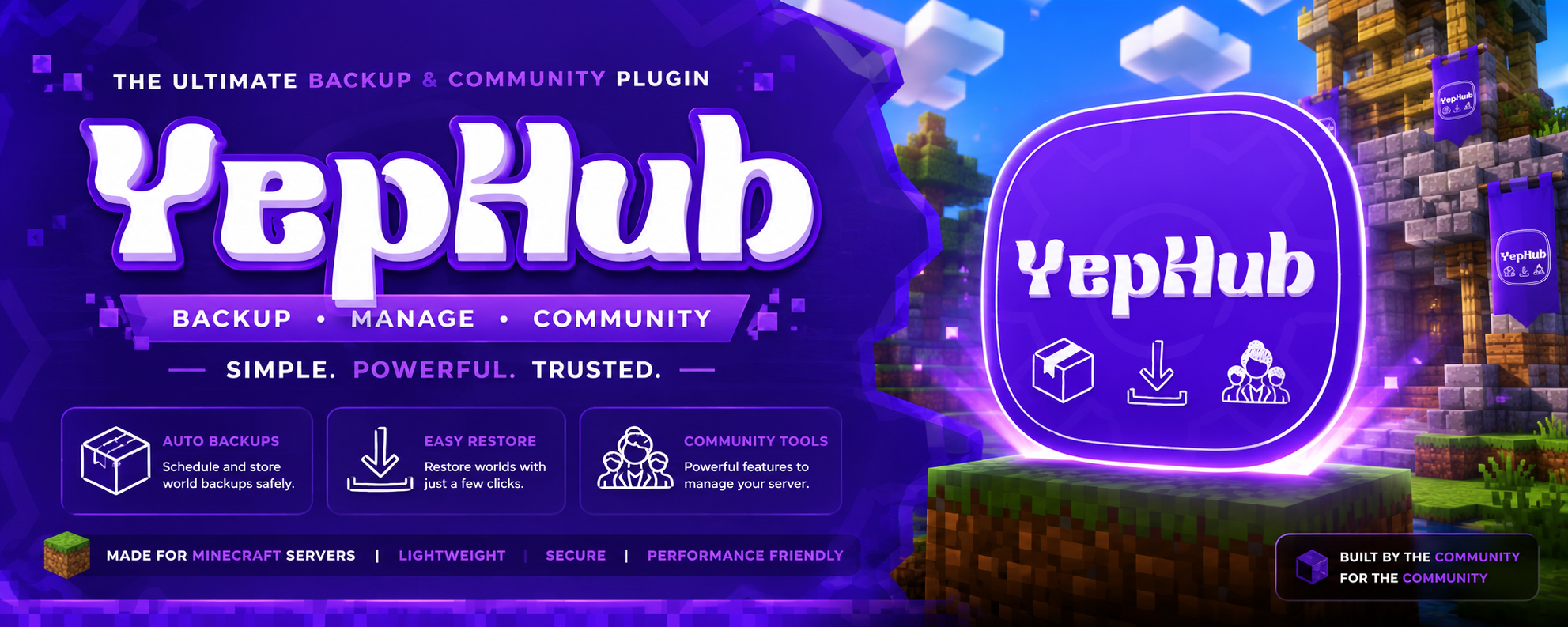
YepHub
一款功能全面的 Minecraft 服务器管理插件,提供玩家统计、Discord 集成、多云提供商备份等功能。
专为 Purpur 26.2+ / Java 25+ 构建。兼容 Paper、Spigot 和 Bukkit 衍生版本。

玩家统计与进度
- 在线时长追踪 — 自动会话追踪,提供每日/每周统计数据
- 击杀/死亡追踪 — PvP 击杀、生物击杀、K/D 比率
- 方块统计 — 放置和破坏的方块数量
- 登录连击 — 连续天数追踪及最佳连击记录
- 排行榜 — 按在线时长、击杀数、死亡数排名的顶级玩家(通过
/top 使用 GUI 选择器)
- 成就 — 自动播报在线时长和死亡里程碑公告
徽章/等级系统
- 8 个等级 基于在线时长:Newbie → Rookie → Regular → Active → Veteran → Elite → Legend → Mythic
- 渐变色前缀 — 每个徽章都有独特的颜色渐变
- 可自定义 — 编辑
settings/badges.yml 以更改名称、时间阈值和颜色
- 管理员等级覆盖 — 通过 GUI 手动设置玩家的等级
- Discord 角色同步 — 根据游戏内等级自动分配 Discord 角色
Discord 集成
- 实时服务器监控 — 自动更新的嵌入卡片,显示在线玩家、TPS、运行时间
- 聊天桥接 — 双向游戏内 ↔ Discord 聊天同步
- 账号绑定 — 绑定 Minecraft ↔ Discord 以实现统一资料
- 24 条斜杠命令 —
/playtime, /stats, /top, /server, /whois, /link, /online, /tps, /kick, /ban 等
- 事件嵌入卡片 — Discord 中的加入/离开/死亡/进度公告
- 服务器重启通知 — Discord 中的倒计时嵌入卡片
多提供商备份系统
- 5 种存储提供商 — Google Drive, Dropbox, OneDrive, SFTP, FTP
- 内置 OAuth2 — Google Drive, Dropbox 和 OneDrive 开箱即用
- 基于配置 — SFTP 和 FTP 使用配置文件中的主机/用户名/密码
- 提供商选择 — 通过游戏内 GUI 或命令切换提供商
- 计划备份 — 可配置的间隔(默认:每 6 小时)
- 智能清理 — 存储空间满时自动删除最旧的备份
- 备份下载 — 从 Discord 下载备份并选择提供商
服务器管理
- GUI 菜单 (
/menu) — 用于统计、排行榜、设置和管理员工具的统一箱子 GUI
- 玩家设置 — 切换聊天同步、TPA、自动接受 TPA
- 管理员面板 — 物品栏检查、等级变更、玩家管理、备份提供商、套件管理器
- 重启管理器 — 带 Bossbar 倒计时的计划重启
- 卡顿清理 — 自动清除实体并显示倒计时消息
- 物品堆栈管理器 — 自动合并附近掉落的物品,并显示浮动计数全息图
- 反 Xray — DDA 光线追踪,隐藏不透明方块后的矿石
- 基于百分比的睡眠 — 可配置的玩家数量以跳过夜晚,并显示进度消息
- 计分板 — 侧边栏统计数据显示,支持自定义消息
套件系统
- 基于等级的套件领取 — 套件锁定在 8 个等级层级之后
/kit 命令 — 领取、创建、编辑、删除、设置等级/冷却时间、列出、重载- 套件 GUI — 带有等级进度条的物品预览的可编辑领取菜单
- 冷却时间 — 每个套件的冷却时间(0 = 一次性领取)
- 套件管理器 在管理员面板中 — 无需命令即可使用完整的
/kit 功能
家园系统
/sethome, /home, /delhome — 命名家园及 GUI(限制通过 homes.max-homes 配置)- TPA 式预热 — 可配置传送延迟及标题显示
认证(可选)
- 离线模式登录 —
/register, /login, /changepassword
- 会话持久化 — 在可配置的小时内从同一 IP 自动登录
- 登录计时器 — 带超时踢出的 Bossbar 倒计时
传送系统
- TPA 请求 —
/tpa, /tpahere, /tpaccept, /tpdeny
- 预热倒计时 — 可配置传送延迟及标题显示
- 自动接受 — 每个玩家的设置,用于自动接受 TPA 请求

玩家命令(独立)
| 命令 |
描述 |
/playtime [player] |
查看你或某玩家的在线时长 (/pt) |
/stats [player] |
完整统计卡片 (/mystats) |
/top [page] |
在线时长排行榜 (GUI 选择器) (/leaderboard, /lb) |
/deaths [page] |
死亡排行榜 |
/online |
在线玩家 + 徽章 (/players) |
/menu |
打开统一 GUI 菜单 |
/link |
绑定你的 Discord 账号 |
/unlink |
解绑你的 Discord 账号 |
/scoreboard |
切换侧边栏计分板 (/sb) |
/kit [name] |
领取套件 |
/sethome [name] |
在当前地点设置家园 |
/home [name] |
传送至已保存的家园 |
/delhome [name] |
删除已保存的家园 |
/tpa <player> |
发送传送请求 |
/tpahere <player> |
请求玩家传送到你身边 |
/tpaccept |
接受传送请求 |
/tpdeny |
拒绝传送请求 |
认证命令(如果启用)
| 命令 |
描述 |
/register <password> <confirm> |
注册新账号 |
/login <password> |
登录账号 |
/changepassword <old> <new> |
修改密码 |
管理员命令 (/y 前缀)
| 命令 |
描述 |
/yhelp |
显示所有命令 |
/yrestart <time> |
计划重启(例如 5m、1h) |
/yrestart cancel |
取消计划的重启 |
/yrestart status |
查看重启倒计时 |
/yreload |
重载配置 + Discord 机器人 |
/ybackup |
显示所有备份提供者 |
/ybackup auth <provider> |
关联一个提供者(Google Drive, Dropbox, OneDrive) |
/ybackup auth <provider> <code> |
输入授权码以进行关联 |
/ybackup start [provider] |
立即运行备份 |
/ybackup status |
查看备份系统状态 |
/ybackup unlink |
移除存储关联 |
/lagclear |
强制清除导致卡顿的实体 |
/lagclear status |
查看实体数量 |
Kit 管理员命令
| 命令 |
描述 |
/kit create <name> |
通过在 GUI 中放置物品来创建 Kit |
/kit edit [name] |
编辑 Kit 物品 |
/kit delete [name] |
删除一个 Kit |
/kit set <name> badge |
设置所需的徽章等级 |
/kit set <name> cooldown [minutes] |
设置领取冷却时间 |
/kit list |
打开 Kit 领取菜单 |
/kit reload |
从数据库重载 Kits |
所有 Kit 管理员命令需要权限 yephub.kits.admin。
Discord 斜杠命令
| 命令 |
描述 |
/playtime [player] |
查看游戏时长(带图表) |
/stats <player> |
完整统计卡片 |
/top |
前 10 名游戏时长排行榜 |
/kills |
PvP 击杀排行榜 |
/deaths |
死亡排行榜 |
/server |
实时服务器状态 |
/whois <player> |
查询任意玩家的统计信息 |
/leaderboard |
前 10 名游戏时长排行榜 |
/link <code> |
关联 Minecraft 账号 |
/unlink |
解除账号关联 |
/mylink |
检查已关联的账号 |
/help |
显示所有命令 |
管理员 Discord 命令
| 命令 |
描述 |
/restart <time> |
计划重启 |
/restart-cancel |
取消重启 |
/restart-status |
重启倒计时 |
/backup |
触发备份(选择提供者) |
/backup-status |
备份状态 |
/backup-download |
下载备份(选择提供者) |
/broadcast <message> |
全服广播 |
/say <message> |
以服务器身份发送消息 |
/online |
列出在线玩家 |
/tps |
服务器 TPS 和 MSPT |
/kick <player> [reason] |
踢出玩家 |
/ban <player> [reason] |
封禁玩家 |

所有设置均位于 plugins/YepSMP/config.yml。关键选项如下:
server:
  name: "YepHub"              # 在所有地方显示的服务器名称
  java-ip: "YOUR_JAVA_IP"
  bedrock-ip: "YOUR_BEDROCK_IP"
  show-bedrock: true          # 在 Discord 嵌入中显示 Bedrock IP
  port: 25565

discord:
  enabled: true
  bot-token: "YOUR_BOT_TOKEN"
  guild-id: "YOUR_GUILD_ID"

stats:
  scoreboard-enabled: true
  save-interval: 300

auth:
  enabled: false              # 盗版/离线模式登录

teleport:
  enabled: true
  warmup-seconds: 3

homes:
  max-homes: 5
  warmup-seconds: 3

kits:
  enabled: true

lagclear:
  enabled: true
  interval-minutes: 5

backup:
  enabled: false
  provider: google-drive      # google-drive | dropbox | onedrive | sftp | ftp
  interval-hours: 6

  google-drive:
    client-id: "..."
    client-secret: "..."

  dropbox:
    app-key: "..."
    app-secret: "..."

  onedrive:
    client-id: "..."
    client-secret: "..."

  sftp:
    host: ""
    port: 22
    username: ""
    password: ""
    path: "/backups"

  ftp:
    host: ""
    port: 21
    username: ""
    password: ""
    path: "/backups"

server:
  one-player-sleep: false
  one-player-sleep-percent: 1  # 1 = 立即跳过,50 = 需要 50% 的玩家
可自定义徽章
编辑 plugins/YepSMP/settings/badges.yml 以自定义等级名称、时间阈值和颜色:
badges:
  NEWBIE:
    display: "Newbie"
    time-hours: 0
    hex-color: "#95A5A6"
    hex-color-2: "#7F8C8D"
  ROOKIE:
    display: "Rookie"
    time-hours: 1
    hex-color: "#2ECC71"
    hex-color-2: "#27AE60"
  # ... 直至 MYTHIC
更改后请运行 /yreload。
可自定义消息
编辑 plugins/YepSMP/messages/ 中的文件:
tpa-messages.yml — TPA 系统消息auth-messages.yml — 登录/注册消息lagclear-messages.yml — 卡顿清除公告scoreboard-messages.yml — 侧边计分板布局kits-messages.yml — Kit 系统消息homes-messages.yml — 家园系统消息
使用 {server-name} 作为占位符——它会被替换为配置中的 server.name。
要求
- 服务器软件: Purpur 26.2+(或兼容 Paper/Spigot/Bukkit)
- Java: 25+
- 可选: Floodgate(用于支持 Bedrock 玩家)
权限
| 权限 |
默认值 |
描述 |
yephub.stats |
true |
查看自己的统计信息 |
yephub.stats.others |
op |
查看其他玩家的统计信息 |
yephub.admin |
op |
管理员命令 |
yephub.tpa |
true |
使用传送请求 |
yephub.tpa.bypass |
op |
绕过传送确认 |
yephub.kits |
true |
领取等级 Kit |
yephub.kits.admin |
op |
创建、编辑、删除 Kits |
支持
- 插件问题: 向 Discord 报告错误或请求功能
- Discord: 加入我们的服务器以获取支持
许可证
MIT License
YepHub
A comprehensive Minecraft server management plugin with player stats, Discord integration, backups to multiple cloud providers, and more.
Built for Purpur 26.2+ / Java 25+. Compatible with Paper, Spigot, and Bukkit derivatives.
Player Stats & Progression
- Playtime tracking — automatic session tracking with daily/weekly stats
- Kill/Death tracking — PvP kills, mob kills, K/D ratios
- Block stats — blocks placed and broken
- Login streaks — consecutive day tracking with best streak records
- Leaderboards — top players by playtime, kills, deaths (GUI selector via
/top)
- Achievements — automatic playtime and death milestone announcements
Badge/Rank System
- 8 ranks based on playtime: Newbie → Rookie → Regular → Active → Veteran → Elite → Legend → Mythic
- Gradient-colored prefixes — each badge has a unique color gradient
- Customizable — edit
settings/badges.yml to change names, time thresholds, and colors
- Admin rank override — manually set a player's rank via GUI
- Discord role sync — auto-assigns Discord roles based on in-game rank
Discord Integration
- Live server monitor — auto-updating embed showing online players, TPS, uptime
- Chat bridge — bidirectional in-game ↔ Discord chat sync
- Account linking — link Minecraft ↔ Discord for unified profiles
- 24 slash commands —
/playtime, /stats, /top, /server, /whois, /link, /online, /tps, /kick, /ban, and more
- Event embeds — join/leave/death/advancement announcements in Discord
- Server restart notifications — countdown embeds in Discord
Multi-Provider Backup System
- 5 storage providers — Google Drive, Dropbox, OneDrive, SFTP, FTP
- OAuth2 bundled — Google Drive, Dropbox, and OneDrive work out of the box
- Config-based — SFTP and FTP use host/username/password from config
- Provider selection — switch providers via in-game GUI or command
- Scheduled backups — configurable interval (default: every 6 hours)
- Smart cleanup — auto-delete oldest backup when storage is full
- Backup download — download backups from Discord with provider selection
Server Management
- GUI Menu (
/menu) — unified chest GUI for stats, leaderboards, settings, admin tools
- Player settings — toggle chat sync, TPA, auto-accept TPA
- Admin panel — inventory inspect, rank change, player moderation, backup providers, kit manager
- Restart manager — scheduled restarts with bossbar countdown
- Lag clear — automatic entity clearing with countdown messages
- Item stack manager — auto-merges nearby dropped items with floating count holograms
- Anti-Xray — DDA ray-tracing that hides ores behind opaque blocks
- Percentage-based sleep — configurable player count for night skip with progress messages
- Scoreboard — sidebar stats display with customizable messages
Kit System
- Badge-based kit claiming — kits locked behind the 8 rank tiers
/kit command — claim, create, edit, delete, set badge/cooldown, list, reload- Kit GUIs — claim menu with rank progress bar, item preview, editable creation/editing
- Cooldowns — per-kit cooldowns (0 = one-time claim)
- Kit Manager in the Admin Panel — full
/kit functionality without commands
Home System
/sethome, /home, /delhome — named homes with a GUI (limit configurable via homes.max-homes)- TPA-style warmup — configurable teleport delay with title display
Authentication (Optional)
- Cracked/offline-mode login —
/register, /login, /changepassword
- Session persistence — auto-login from same IP within configurable hours
- Login timer — bossbar countdown with kick on timeout
Teleport System
- TPA requests —
/tpa, /tpahere, /tpaccept, /tpdeny
- Warmup countdown — configurable teleport delay with title display
- Auto-accept — per-player setting to auto-accept TPA requests
Player Commands (standalone)
| Command |
Description |
/playtime [player] |
View your or a player's playtime (/pt) |
/stats [player] |
Full stats card (/mystats) |
/top [page] |
Playtime leaderboard (GUI selector) (/leaderboard, /lb) |
/deaths [page] |
Death leaderboard |
/online |
Online players + badges (/players) |
/menu |
Open unified GUI menu |
/link |
Link your Discord account |
/unlink |
Unlink your Discord account |
/scoreboard |
Toggle sidebar scoreboard (/sb) |
/kit [name] |
Claim a kit |
/sethome [name] |
Set a home at your current location |
/home [name] |
Teleport to a saved home |
/delhome [name] |
Delete a saved home |
/tpa <player> |
Send teleport request |
/tpahere <player> |
Request player to teleport to you |
/tpaccept |
Accept teleport request |
/tpdeny |
Deny teleport request |
Auth Commands (if enabled)
| Command |
Description |
/register <password> <confirm> |
Register new account |
/login <password> |
Login to account |
/changepassword <old> <new> |
Change password |
Admin Commands (/y prefix)
| Command |
Description |
/yhelp |
Show all commands |
/yrestart <time> |
Schedule restart (e.g. 5m, 1h) |
/yrestart cancel |
Cancel scheduled restart |
/yrestart status |
View restart countdown |
/yreload |
Reload config + Discord bot |
/ybackup |
Show all backup providers |
/ybackup auth <provider> |
Link a provider (Google Drive, Dropbox, OneDrive) |
/ybackup auth <provider> <code> |
Enter auth code to link |
/ybackup start [provider] |
Run backup now |
/ybackup status |
View backup system status |
/ybackup unlink |
Remove storage link |
/lagclear |
Force-clear lag-causing entities |
/lagclear status |
View entity count |
Kit Admin Commands
| Command |
Description |
/kit create <name> |
Create a kit by placing items in a GUI |
/kit edit [name] |
Edit kit items |
/kit delete [name] |
Delete a kit |
/kit set <name> badge |
Set required badge rank |
/kit set <name> cooldown [minutes] |
Set claim cooldown |
/kit list |
Open kit claim menu |
/kit reload |
Reload kits from database |
All kit admin commands require yephub.kits.admin.
Discord Slash Commands
| Command |
Description |
/playtime [player] |
View playtime (with chart) |
/stats <player> |
Full stats card |
/top |
Top 10 playtime leaderboard |
/kills |
PvP kills leaderboard |
/deaths |
Death leaderboard |
/server |
Live server status |
/whois <player> |
Look up any player's stats |
/leaderboard |
Top 10 playtime leaderboard |
/link <code> |
Link Minecraft account |
/unlink |
Unlink account |
/mylink |
Check linked account |
/help |
Show all commands |
Admin Discord Commands
| Command |
Description |
/restart <time> |
Schedule restart |
/restart-cancel |
Cancel restart |
/restart-status |
Restart countdown |
/backup |
Trigger backup (with provider selection) |
/backup-status |
Backup status |
/backup-download |
Download backup (with provider selection) |
/broadcast <message> |
Server-wide broadcast |
/say <message> |
Send as server |
/online |
List online players |
/tps |
Server TPS and MSPT |
/kick <player> [reason] |
Kick player |
/ban <player> [reason] |
Ban player |
All settings are in plugins/YepSMP/config.yml. Key options:
server:
  name: "YepHub"              # Server name shown everywhere
  java-ip: "YOUR_JAVA_IP"
  bedrock-ip: "YOUR_BEDROCK_IP"
  show-bedrock: true          # Show Bedrock IP in Discord embed
  port: 25565

discord:
  enabled: true
  bot-token: "YOUR_BOT_TOKEN"
  guild-id: "YOUR_GUILD_ID"

stats:
  scoreboard-enabled: true
  save-interval: 300

auth:
  enabled: false              # Cracked/offline-mode login

teleport:
  enabled: true
  warmup-seconds: 3

homes:
  max-homes: 5
  warmup-seconds: 3

kits:
  enabled: true

lagclear:
  enabled: true
  interval-minutes: 5

backup:
  enabled: false
  provider: google-drive      # google-drive | dropbox | onedrive | sftp | ftp
  interval-hours: 6

  google-drive:
    client-id: "..."
    client-secret: "..."

  dropbox:
    app-key: "..."
    app-secret: "..."

  onedrive:
    client-id: "..."
    client-secret: "..."

  sftp:
    host: ""
    port: 22
    username: ""
    password: ""
    path: "/backups"

  ftp:
    host: ""
    port: 21
    username: ""
    password: ""
    path: "/backups"

server:
  one-player-sleep: false
  one-player-sleep-percent: 1  # 1 = instant skip, 50 = 50% of players needed
Customizable Badges
Edit plugins/YepSMP/settings/badges.yml to customize rank names, time thresholds, and colors:
badges:
  NEWBIE:
    display: "Newbie"
    time-hours: 0
    hex-color: "#95A5A6"
    hex-color-2: "#7F8C8D"
  ROOKIE:
    display: "Rookie"
    time-hours: 1
    hex-color: "#2ECC71"
    hex-color-2: "#27AE60"
  # ... up to MYTHIC
Run /yreload after changes.
Customizable Messages
Edit files in plugins/YepSMP/messages/:
tpa-messages.yml — TPA system messagesauth-messages.yml — login/register messageslagclear-messages.yml — lag clear announcementsscoreboard-messages.yml — sidebar scoreboard layoutkits-messages.yml — kit system messageshomes-messages.yml — home system messages
Use {server-name} as a placeholder — it's replaced with server.name from config.
Requirements
- Server software: Purpur 26.2+ (or Paper/Spigot/Bukkit compatible)
- Java: 25+
- Optional: Floodgate (for Bedrock player support)
Permissions
| Permission |
Default |
Description |
yephub.stats |
true |
View own stats |
yephub.stats.others |
op |
View other players' stats |
yephub.admin |
op |
Admin commands |
yephub.tpa |
true |
Use teleport requests |
yephub.tpa.bypass |
op |
Bypass teleport confirmation |
yephub.kits |
true |
Claim rank kits |
yephub.kits.admin |
op |
Create, edit, delete kits |
Support
- Plugin Issues: Report bugs or request features to Discord
- Discord: Join our server for support
License
MIT License


 插件

 插件
 插件
 插件
 插件
 插件
评论 0
登录后参与评分
还没有评论,来抢沙发吧