2025 年 8 月更新:考虑使用尚未正式发布的 1.21.5 分支
感谢加入 Zenchantments 技术支持 Discord 并报告错误。
在官方测试服务器上试用 1.20.4 版本:

Zenchantments 是一个自定义附魔插件,为游戏添加了 70 多种新的附魔,涵盖多种不同的用途。其中包括追踪箭、伐木斧、方块破坏激光等。这些自定义附魔通过正常的附魔过程获得,其作用方式与普通附魔相同,可以进行组合和合并。所有此类附魔的完整列表可在下方找到。
游戏玩法
Zenchantments 通过使用附魔台无缝扩展了可用的附魔范围。它们的外观尽可能接近原版附魔!
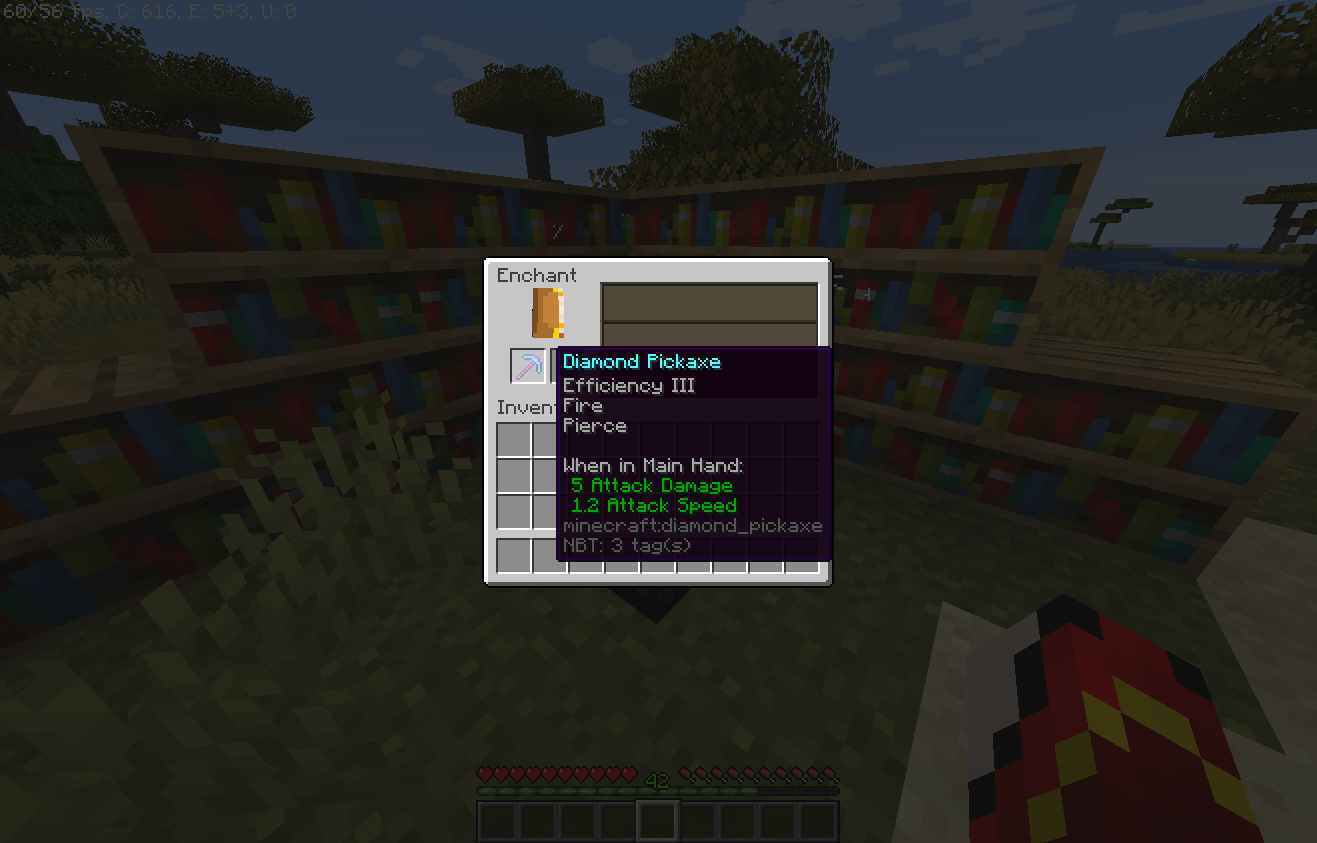
一把带有新附魔的新鲜附魔镐
Zenchantments 可以在铁砧中将附魔合并到工具上,并使用磨石移除。
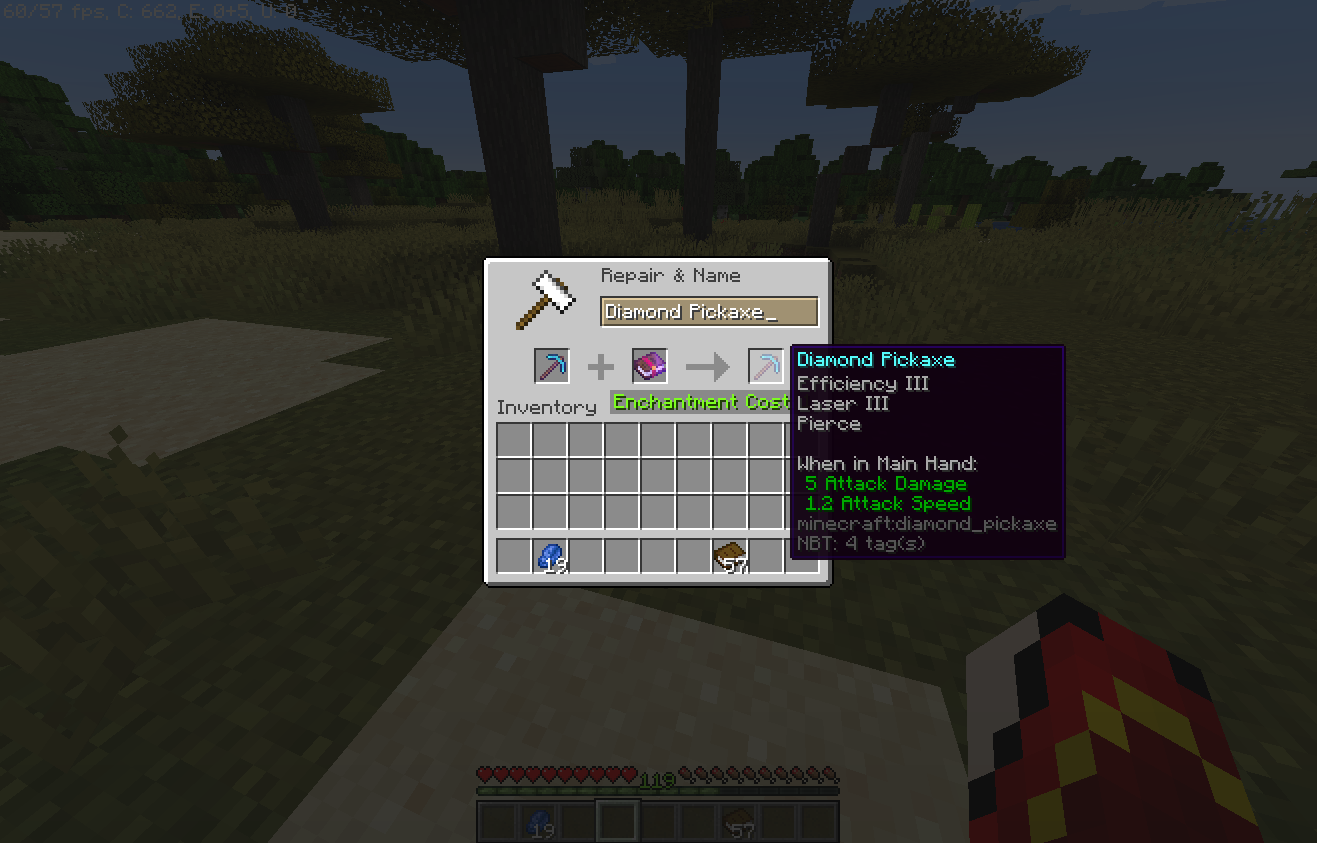
使用铁砧将更多 Zenchantments 附魔应用到工具上
一旦应用,Zenchantments 会根据你的装备配置,在使用工具、受到攻击或持续过程中产生效果。
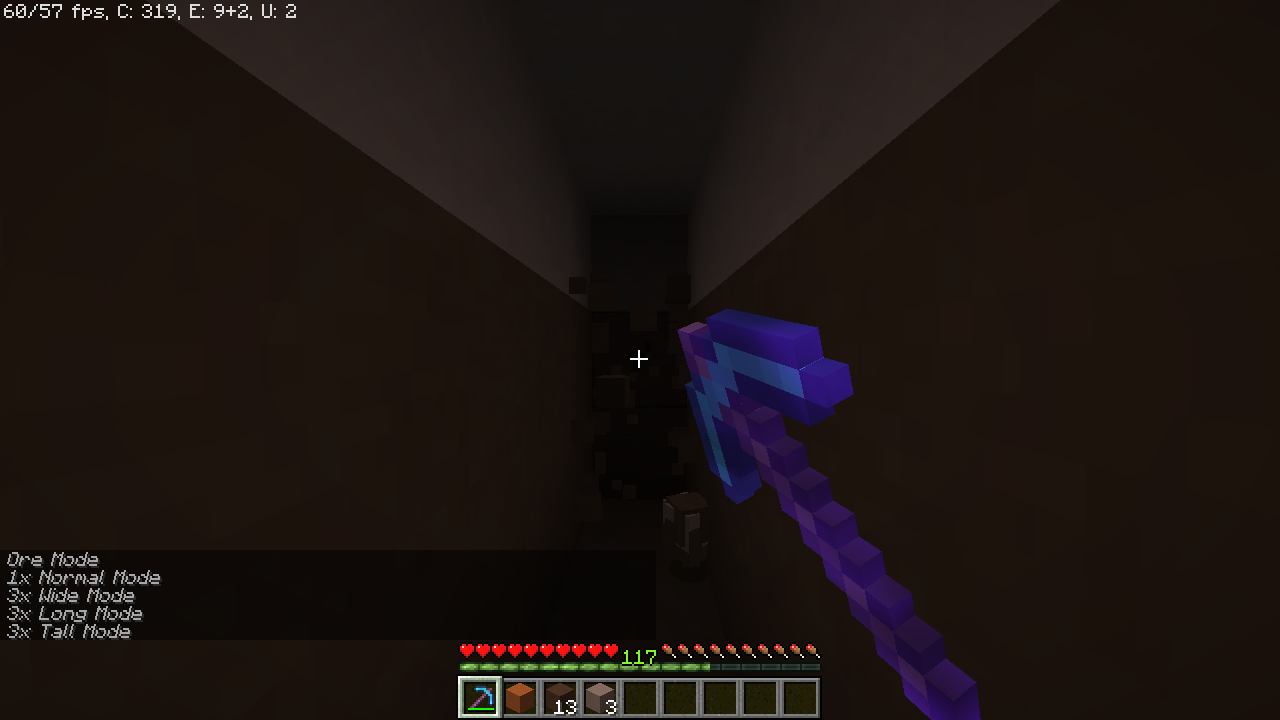
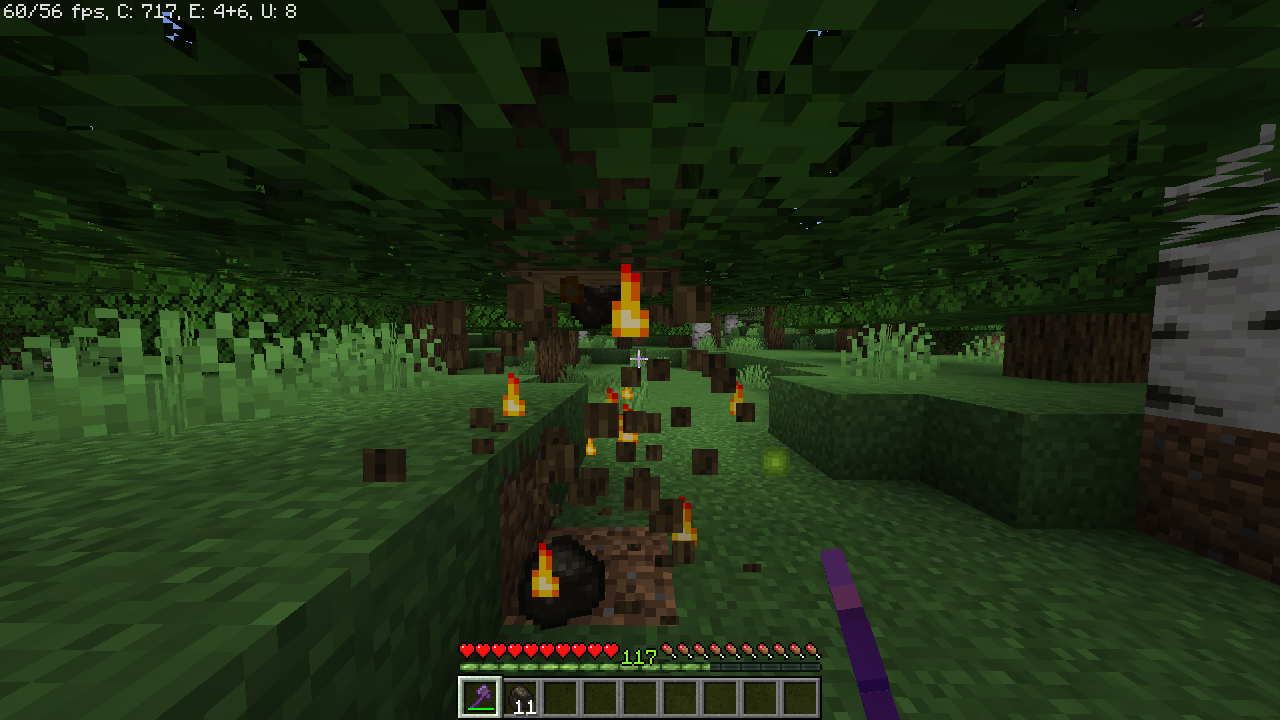
穿刺挖掘高竖井,火焰在原木被破坏时熔炼它
自定义设置
每个 Zenchantment 的显示名称可以在每个世界的配置文件中编辑。不过在开始编辑之前,我们将在未来几周内添加完善的多语言支持。
由于 Zenchantments 识别工具上附魔的方式,你在创建附魔物品后不得更改附魔的显示名称。使用旧名称的附魔物品将停止工作!
每个 Zenchantment 都有一个简短的描述,可以在配置文件底部启用。如果你在创建了一些带有 Zenchantments 的物品后更改此设置,描述将在铁砧修理每个工具时出现/消失。无论描述设置如何,附魔将继续正常工作。
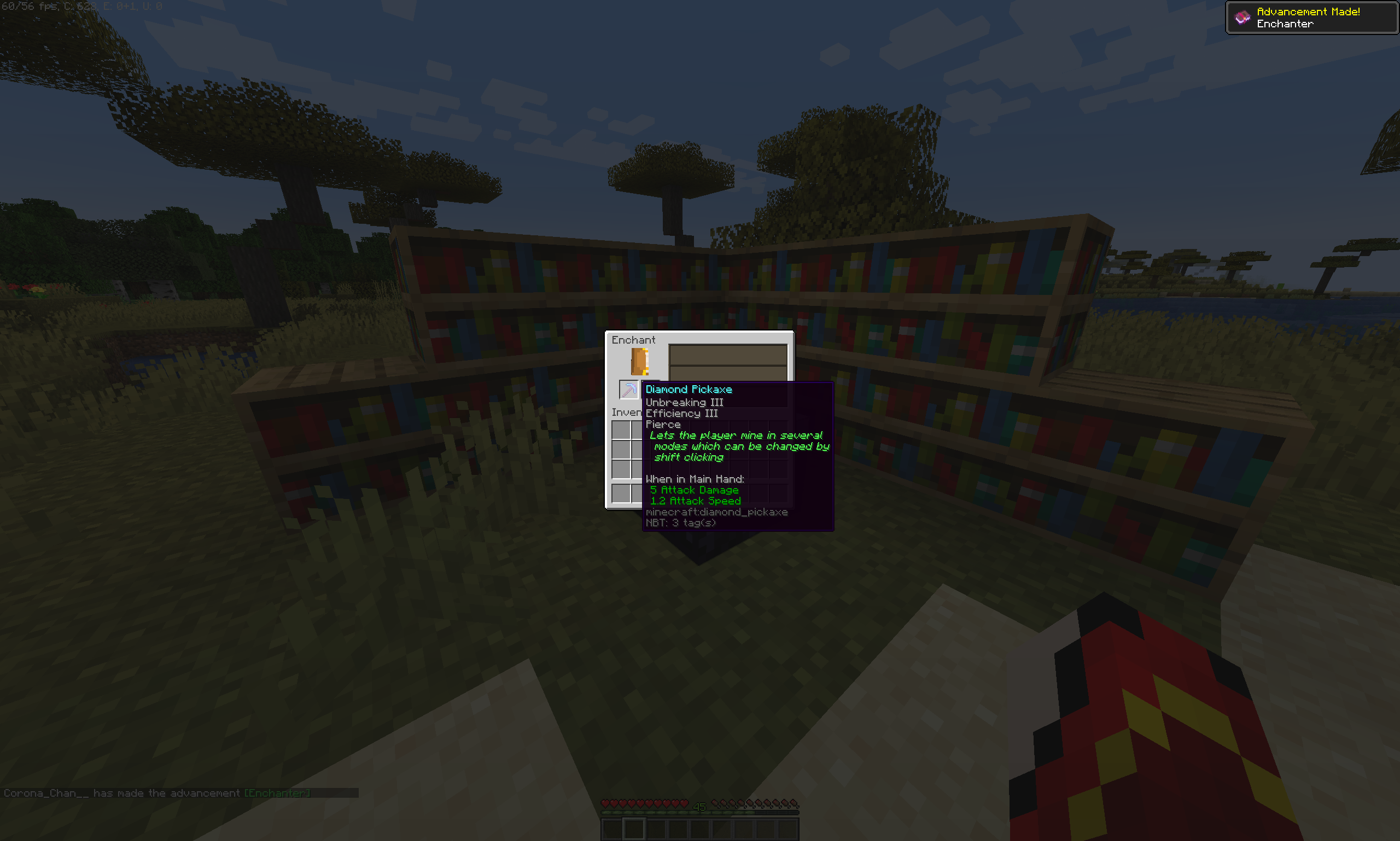
描述允许新玩家快速了解他们工具上附魔的功能
世界安全
Zenchantments 尽力尊重保护插件和日志记录插件,并已确认与 WorldGuard 以及 HawkEye 或 CoreProtect 可靠地协同工作。大多数其他保护/领地插件(如 Factions)也应该可以正常工作,且没有特定的依赖项。
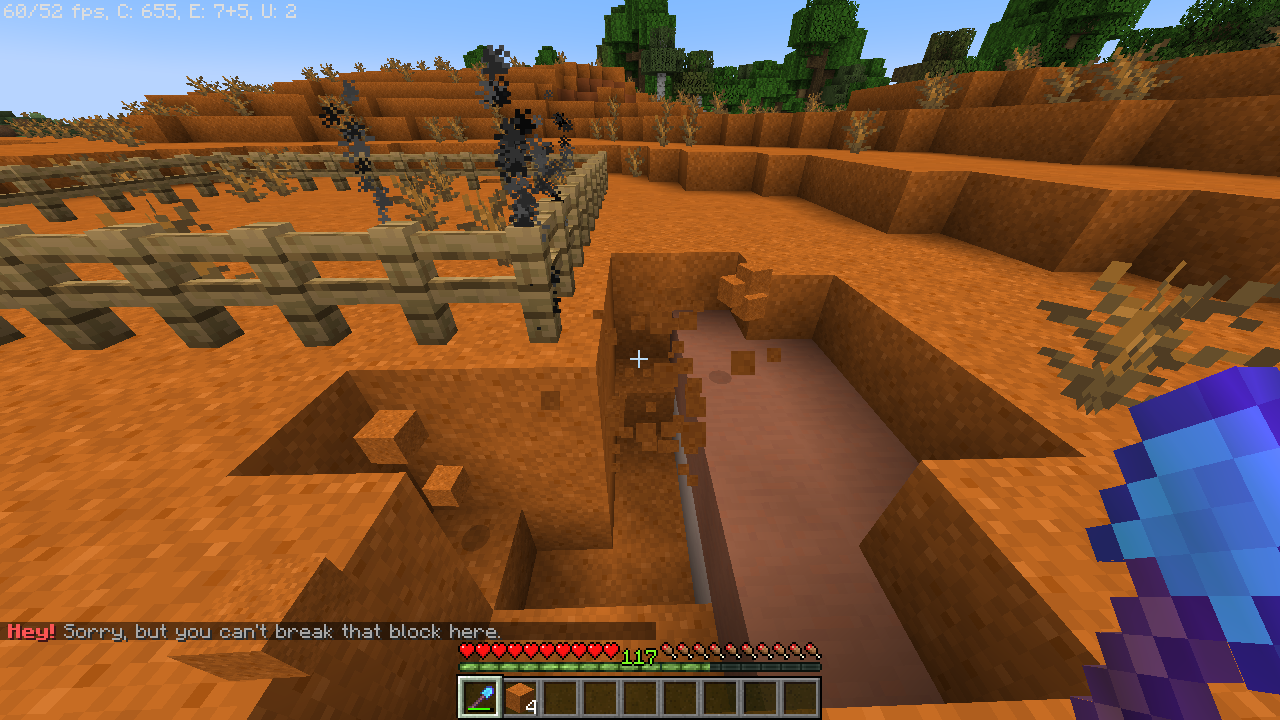
一把带有粉碎 V 的铁锹不会破坏由 WorldGuard 保护的某人的领地
安装与配置
如果你仍然保留着来自旧版本的 Zenchantments 配置文件,我们强烈建议你删除旧文件,让它生成一套全新的配置,然后重新应用你所做的任何更改。
要安装 Zenchantments,只需将其添加到你的 plugins 文件夹中。Zenchantments 会为服务器中活跃的每个世界创建一个配置文件。在其中,你可以单独禁用附魔,更改它们的稀有度、最大可用等级,并对其中一些附魔微调其强度。不过说实话,配置文件看起来相当丑陋。如果你联系我们,我们可以帮你设置。
开箱即用,Zenchantments 的配置旨在提供一种明显更强大的后期游戏体验,而不会破坏日常耕作的乐趣。查看可用附魔列表,看看是否有任何让你无法接受的选项,然后将它们的概率设置为 0.0!
手动添加新的附魔配置:
如果你不想重新修改默认的 Zenchantments 配置文件,只需将这些项目添加到每个 .yml 文件的附魔列表末尾即可:
      - Blanket:
              probability: 3.0
              tools: Axe, Shovel, Sword, Pickaxe, Hoe
              name: Blanket
              max-level: 3
              cooldown: 0
              power: 1.0
      - Caffeine:
              probability: 4.0
              tools: Helmet
              name: Caffeine
              max-level: 3
              cooldown: 0
              power: 1.0
      - Chitin:
              probability: 5.0
              tools: Elytra
              name: Chitin
              max-level: 4
              cooldown: 0
              power: 1.0
      - HelpingHand:
              probability: 3.0
              tools: Chestplate
              name: Helping Hand
              max-level: 1
              cooldown: 0
              power: 1.0
      - MasterKey:
              probability: 4.0
              tools: Chestplate

name: Master Key
              max-level: 1
              cooldown: 0
              power: 1.0
      - Trough:
              probability: 5.0
              tools: Chestplate, Leggings
              name: Trough
              max-level: 1
              cooldown: 0
              power: 1.0
如果在加载配置文件时出现错误,请确保你的文本编辑器没有意外地在任何 .yml 文件中添加制表符(Tab 字符),因为服务器对这类字符非常敏感。
参见
Bug 报告与建议
如有任何建议或 Bug 报告,请在 Discord、CurseForge 页面、GitHub 上联系我们,或发送邮件至 ZedlyDev@gmail.com。请务必包含插件版本以及控制台错误信息(如果有)。谢谢!
特别感谢以下“捉虫”猎手:
Lilith - Fahubi - Konni - Darky - Letrek - Bijter - Henry - Beddong
同时衷心感谢我们的新开发者 Syndek!
August 2025 Update: Consider the not-yet-official 1.21.5 fork
Thanks for joining the Zenchantments Tech Support Discord and reporting bugs.
Try out the 1.20.4 version on the official test server:
Zenchantments is a custom enchantment plugin adds 70+ new enchantments to the game, covering a multitude of different uses. These include target-tracing arrows, lumber axes, block-breaking lasers, and much more. These custom enchantments are obtained through the normal enchantment process, and act like regular enchantments, capable of being combined and merged. A complete list of all these enchantments can be found below.
Gameplay
Zenchantments seamlessly expands the possible range of enchantments available using the enchanting table. Their appearance is made to match that of the original enchantments as closely as possible!
A freshly enchanted pickaxe with new enchantments
Zenchantments can be merged between tools in the Anvil and removed using the Grindstone.
Using the anvil to apply more Zenchantments to a tool
Once applied, Zenchantments can have effects when a tool is used, when you are under attack or continuously depending on how you deck out your gear.
Pierce mining a tall shaft, Fire smelting logs while being broken
Customization
The displayed name of each Zenchantment can be edited in each world's config file. Before you start editing those though, we will add proper multi language support in the coming weeks.
Because of the way Zenchantments recognizes enchantments on your tools, you must not change the enchantment display names after you have created enchanted items. Items with the old name for an enchantment will cease to work!
Each Zenchantment has a short description which can be enabled towards the bottom of the config file. If you change this setting after creating a few items with Zenchantments, the description will appear/disappear on each tool when it is repaired in the anvil. The enchantments will continue to work regardless of the descriptions setting.
Descriptions allow new players to quickly undersatand the function of the enchantments on their tools
World Safety
Zenchantments does its best to respect protection and logging plugins and is confirmed to work reliably with WorldGuard as well as HawkEye or CoreProtect. Most other protection/claims plugins such as Factions should work and no particular dependencies exist.
A shovel with Shred V is sparing somebody's plot protected by WorldGuard
Installing and Configuration
If you still have a Zenchantments config from an older version, we strongly recommend you to delete the old files, let it generate a fresh set, and re-apply any changes you made.
To install Zenchantments, simply add it to your plugins folder. Zenchantments creates one config file for each world active on your server. In it, you can disable enchantments individually, change their abundance, maximum available level and, for some of them, fine tune their power. To be fair though, the config file is pretty ugly. We can help you set it up if you contact us.
Out of the box, Zenchantments is configured to add a distinctly more powerful late-game experience without ruining the fun of the daily grind. Check out the list of available enchantments to see if there are any deal-breakers in it, then just set their probability to 0.0!
Adding new enchantment configuration manually:
If you don't want to redo your changes to the default Zenchantments config, simply add these items to the end of the list of enchantments in each .yml file:
      - Blanket:
              probability: 3.0
              tools: Axe, Shovel, Sword, Pickaxe, Hoe
              name: Blanket
              max-level: 3
              cooldown: 0
              power: 1.0
      - Caffeine:
              probability: 4.0
              tools: Helmet
              name: Caffeine
              max-level: 3
              cooldown: 0
              power: 1.0
      - Chitin:
              probability: 5.0
              tools: Elytra
              name: Chitin
              max-level: 4
              cooldown: 0
              power: 1.0
      - HelpingHand:
              probability: 3.0
              tools: Chestplate
              name: Helping Hand
              max-level: 1
              cooldown: 0
              power: 1.0
      - MasterKey:
              probability: 4.0
              tools: Chestplate
              name: Master Key
              max-level: 1
              cooldown: 0
              power: 1.0
      - Trough:
              probability: 5.0
              tools: Chestplate, Leggings
              name: Trough
              max-level: 1
              cooldown: 0
              power: 1.0
If you get errors while loading the config file, make sure your text editor didn't accidentally add any Tab characters to any .yml files, because servers are highly allergic to those.
See also
Bug Reporting & Suggestions
Contact us on Discord, here on CurseForge, on GitHub or send an email to ZedlyDev@gmail.com for any suggestions or bug reports. Don't forget to include Plugin version and a Console error if there is one. Thank you!
Special Thanks to the Bug Hunters:
Lilith - Fahubi - Konni - Darky - Letrek - Bijter - Henry - Beddong
And many thanks to our new dev Syndek!


 插件
 插件

 插件
 插件

 插件
 插件
评论 0
登录后参与评分
还没有评论,来抢沙发吧