
请阅读本插件的概念说明
概念:
- 1. 玩家 A 和玩家 B 默认拥有 3 条命和 10 颗心
- 2. 玩家 A 击杀玩家 B,则玩家 B 失去 1 条命(剩余 = 2),作为交换,玩家 B 获得 +5 颗心(总计 = 15)。
- 3. 如果玩家 A 再次击杀玩家 B,则玩家 B 失去 1 条命(剩余 = 1),作为交换,玩家 B 获得 +5 颗心(总计 = 20)
- 4. 此后,如果玩家 B 击杀玩家 A,则玩家 B 获得 1 条命并减少 -5 颗心。
-
注意:最大可获得的心数为 25,最大生命数为 3,因此无人能超越此限制(除非从 config.yml 中更改)
1. 插件描述
ZLives 是一款独特的 Minecraft 插件,为您的服务器引入了生命与心脏系统。玩家初始拥有有限数量的生命和心脏,他们的行动(如击杀其他玩家或被击杀)会影响其生命和心脏。主要功能包括:
- 生命系统:
玩家默认拥有 3 条生命。当玩家失去所有生命时,他们将被淘汰并进入旁观者模式。
- 心脏系统:
玩家拥有有限数量的心脏,默认为 10(20 点生命值)。心脏决定玩家的最大生命值。
- 复活系统:被淘汰的玩家可以使用特殊的复活书或管理员使用
/revive 命令进行复活。
- 淘汰动画:当玩家被淘汰时,会播放戏剧性的动画和音效以表示其被淘汰。
- 可配置的设置:插件允许服务器管理员通过
config.yml 文件配置默认的生命数、心脏数和其他设置。
- 命令:
/lives:查看您剩余的生命和心脏。/revive <player>:复活一名被淘汰的玩家(仅限管理员)。/elimination-animation:在特定玩家或坐标处播放淘汰动画(仅限管理员)。
2. 安装指南
按照以下步骤在您的 Minecraft 服务器上安装并设置 ZLives 插件:
步骤 1:下载插件
- 从提供的来源下载
ZLives.jar 文件(例如 SpigotMC、GitHub 或自定义构建)。
- 将
ZLives.jar 文件放入服务器的 plugins 文件夹中。
步骤 2:启动服务器
- 启动或重启您的 Minecraft 服务器。
- 插件将在
plugins/ZLives 文件夹中生成默认的 config.yml 文件。
步骤 3:配置插件
- 打开位于
plugins/ZLives 文件夹中的 config.yml 文件。
- 根据需要自定义设置。
步骤 4:测试插件
- 加入您的服务器并测试插件的功能。
- 使用
/lives 命令检查您的生命和心脏。
- 测试淘汰和复活机制。
3. 截图
淘汰动画
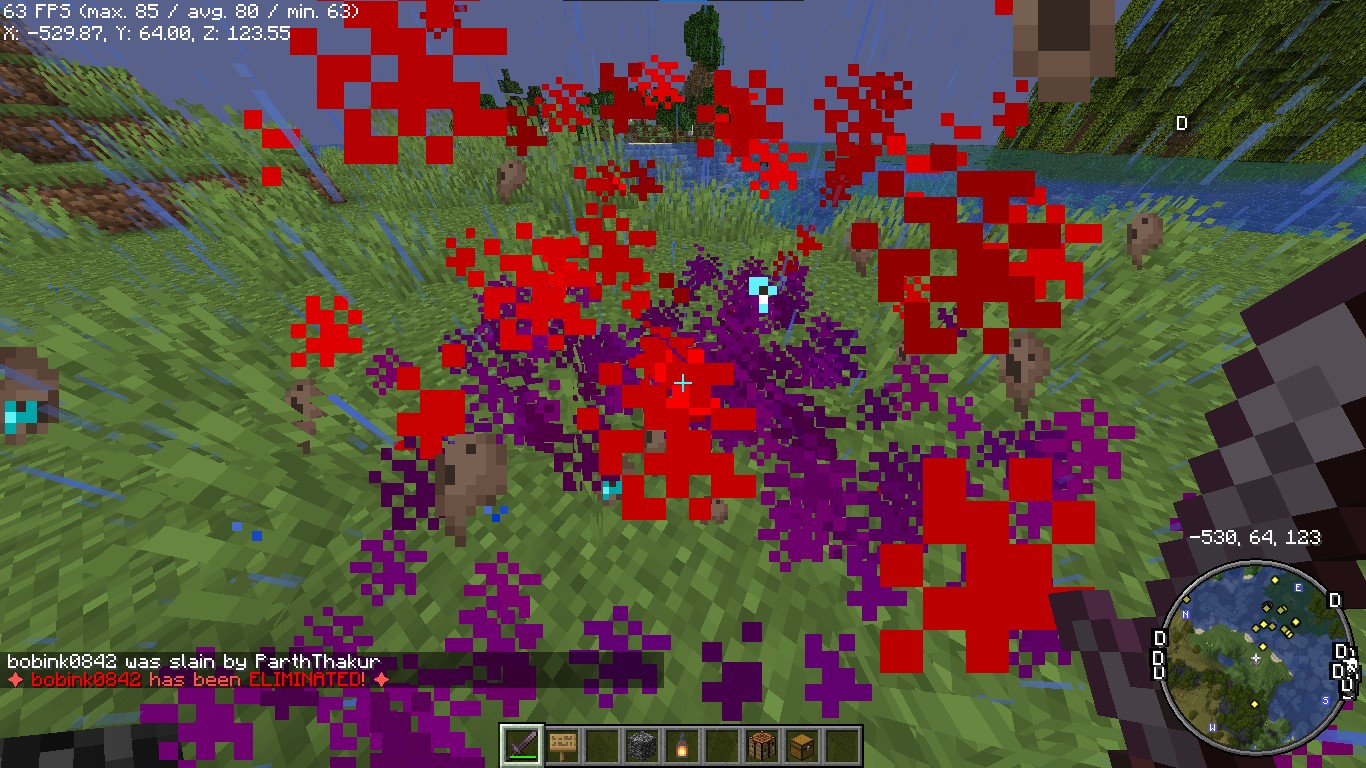 玩家在被淘汰时会看到戏剧性的动画。
复活动画
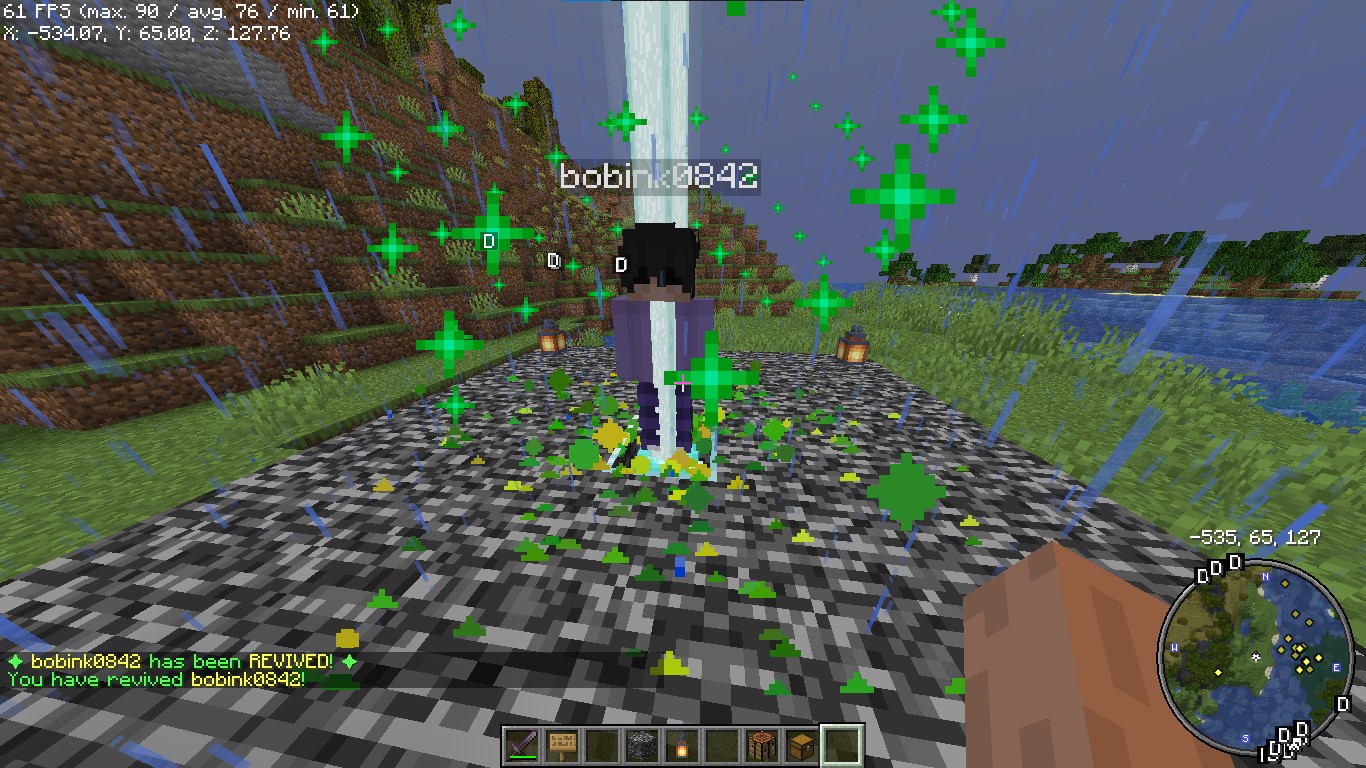 玩家在被淘汰时会看到戏剧性的动画。
复活书
 复活书可以制作并使用来复活被淘汰的玩家。
注意:此合成配方可以从 config.yml 中更改。
被玩家击杀后剩余生命的消息

每次被玩家击杀增加 +5 颗心
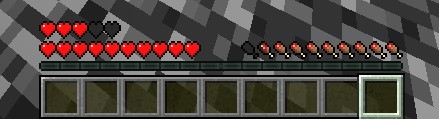 当玩家被其他玩家击杀时增加 +5 颗心
淘汰消息
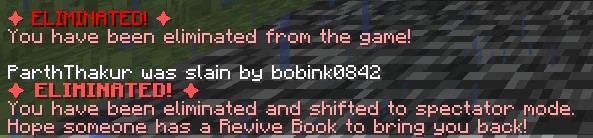
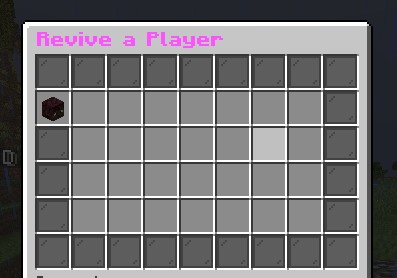
复活 GUI
4. 捐赠
喜欢我的内容?想支持我?
- 通过发送资金到此 UPI 二维码来支持我。

5. 报告问题
需要帮助?联系我们!
遇到问题或有建议?我们在此为您提供帮助!
? Discord 支持:在 Discord 上联系我,用户名为 @iitian_69。
步骤 1:检查日志
- 在服务器控制台或
logs/latest.log 中查找错误消息。
- 复制相关的错误消息。
步骤 2:提供详细信息
报告问题时,请包含以下信息:
- Minecraft 版本:您的服务器运行的 Minecraft 版本。
- 服务器软件:您使用的服务器软件(例如 Spigot、Paper)。
- 插件版本:您使用的 ZLives 插件的版本。
- 复现步骤:详细描述如何复现该问题。
- 错误日志:错误消息或日志片段。
步骤 3:提交问题
请联系我的 Discord 用户名:@iitian_69
示例问题报告
**Minecraft 版本**:1.21.4
**服务器软件**:Paper
**插件版本**:1.0.0
**问题**:玩家击杀其他玩家时未减少心脏。
**复现步骤**:
1. 在配置中将默认生命设为 3,心脏设为 10。
2. 让拥有 2 条生命的玩家击杀另一名玩家。
3. 检查击杀者在击杀后的生命值。
**错误日志**:[日志中无错误]
最终说明
ZLives 插件为您的 Minecraft 服务器增添了独特且引人入胜的游戏玩法机制。如果您有任何问题、需要进一步帮助或想建议新功能,请随时联系! ?
祝您游戏愉快! ?
Please read the concept of this plugin
Concept :
- 1. Player A and Player B gets default 3 lives and 10 Hearts
- 2. Player A killed Player B, then Player B will lose 1 live (remaining = 2) and in exchange of the live, player B will get +5 Hearts (total = 15).
- 3. If Player A again killed Player B, then Player B will lose 1 live (remaining = 1) and in exchange of the live player B will get +5 Hearts (total = 20)
- 4. After this if Player B killed Player A, then Player B will gain 1 live and -5 Hearts.
-
NOTE : The maximum hearts obtainable are 25 and maximum lives are 3, so no one can go beyond it (untill changed from config.yml)
1. Plugin Description
ZLives is a unique Minecraft plugin that introduces a lives and heart system to your server. Players start with a limited number of lives and hearts, and their actions (such as killing other players or being killed) affect their lives and hearts. Key features include:
- Lives System:
Players start with a default number of 3 lives. When a player loses all their lives, they are eliminated and put into spectator mode.
- Heart System:
Players have a limited number of hearts, default is 10 (20 Heart points). Hearts determine the player’s max health.
- Revival System: Eliminated players can be revived using a special Revive Book or by an admin using the
/revive command.
- Elimination Animation: When a player is eliminated, a dramatic animation and sound effect play to signify their elimination.
- Customizable Config: The plugin allows server admins to configure default lives, hearts, and other settings via the
config.yml file.
- Commands:
/lives: Check your remaining lives and hearts./revive <player>: Revive an eliminated player (admin-only)./elimination-animation: Play the elimination animation on a player or at specific coordinates (admin-only).
2. Installation Guide
Follow these steps to install and set up the ZLives plugin on your Minecraft server:
Step 1: Download the Plugin
- Download the
ZLives.jar file from the provided source (e.g., SpigotMC, GitHub, or your custom build).
- Place the
ZLives.jar file in your server's plugins folder.
Step 2: Start the Server
- Start or restart your Minecraft server.
- The plugin will generate a default
config.yml file in the plugins/ZLives folder.
Step 3: Configure the Plugin
- Open the
config.yml file located in the plugins/ZLives folder.
- Customize the settings as needed.
Step 4: Test the Plugin
- Join your server and test the plugin’s features.
- Use the
/lives command to check your lives and hearts.
- Test the elimination and revival mechanics.
3. Screenshots
Elimination Animation
Players see a dramatic animation when they are eliminated.
Revival Animation
Players see a dramatic animation when they are eliminated.
Revive Book
The Revive Book can be crafted and used to revive eliminated players.
Note: This recipe can be changed from config.yml.
Remaining Lives message after killed by a player
+5 Hearts on every death by a player
+5 Hearts when a player is killed by other player
Elimination Message
ReviveGUI
4. Donations
Liked my Content? Want to support me?
- Support me by sending money on this UPI QR Code.
5. Reporting Issues
Need Help? Contact Us!
Encountered a problem or have suggestions? We’re here to assist you!
? Discord Support: Contact me on Discord at @iitian_69.
Step 1: Check the Logs
- Look for error messages in the server console or
logs/latest.log.
- Copy the relevant error message.
Step 2: Provide Details
When reporting an issue, include the following information:
- Minecraft Version: The version of Minecraft your server is running.
- Server Software: The server software you’re using (e.g., Spigot, Paper).
- Plugin Version: The version of the ZLives plugin you’re using.
- Steps to Reproduce: A detailed description of how to reproduce the issue.
- Error Logs: The error message or log snippet.
Step 3: Submit the Issue
Contact me at discord username is : @iitian_69
Example Issue Report
**Minecraft Version**: 1.21.4
**Server Software**: Paper
**Plugin Version**: 1.0.0
**Issue**: Players are not losing hearts when they kill another player.
**Steps to Reproduce**:
1. Set default lives to 3 and hearts to 10 in the config.
2. Have a player with 2 lives kill another player.
3. Check the killer’s hearts after the kill.
**Error Logs**: [No errors in the logs]
Final Notes
The ZLives plugin adds a unique and engaging gameplay mechanic to your Minecraft server. If you have any questions, need further assistance, or want to suggest new features, feel free to reach out! ?
Happy gaming! ?


 插件
 插件
 插件

 插件
 插件

 插件
评论 0
登录后参与评分
还没有评论,来抢沙发吧