这是一个主要处于实验阶段的资源包,它使用核心光影来实现细节层次(Level-of-Detail)效果。
概览
靠近玩家的方块外观正常,但随着距离变远,其纹理会被进一步缩放,使得远处的方块仅由单个像素构成纹理。
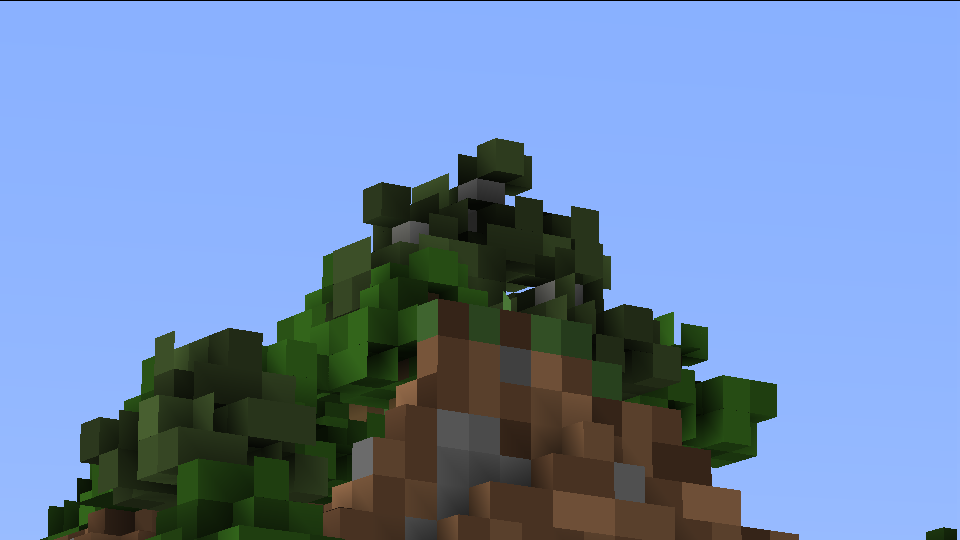
在默认设置下,远处的方块看起来更加棱角分明:
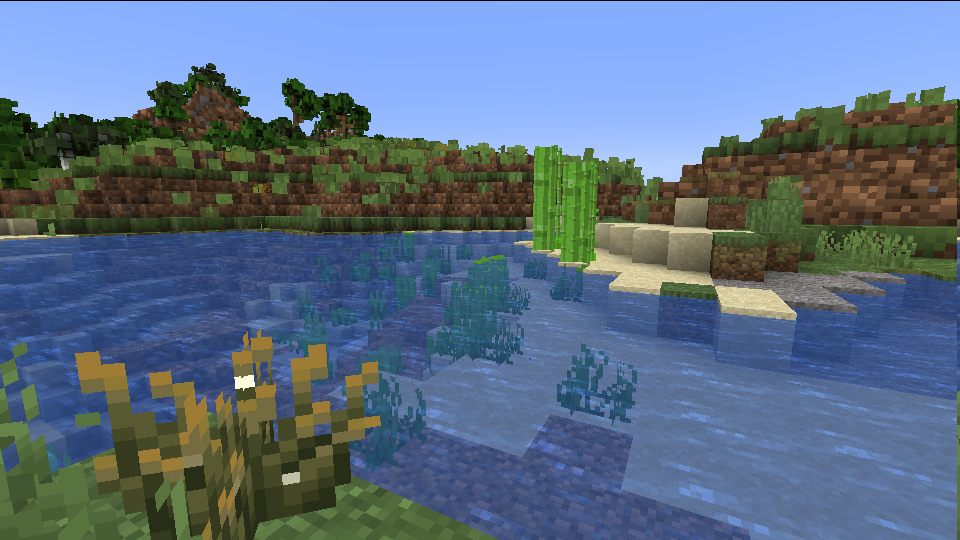
而较近的方块则保持正常外观:
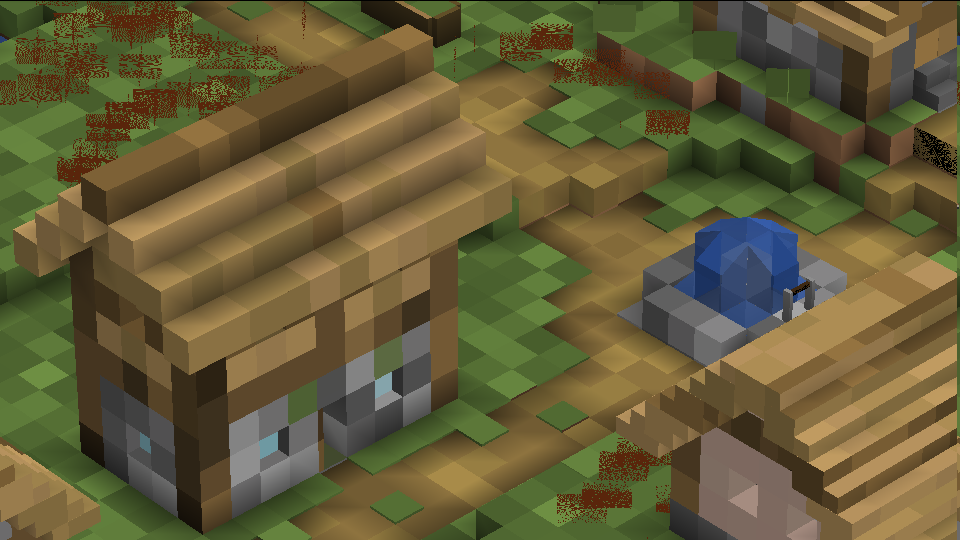
通过配置文件,可以更改范围和缩放级别。始终启用最大缩放级别会让世界看起来像是由 Chisels and Bits 模组创建的:
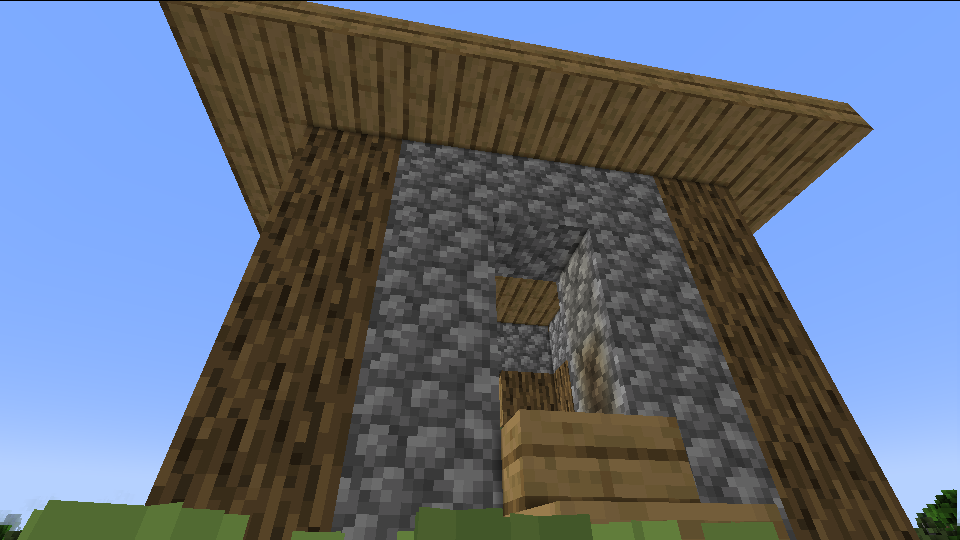
或者,可以让巨型结构看起来像普通方块:
配置
可以通过编辑 assets/abnc/shaders/include/config.glsl 中的值来修改光影设置。
BLOCK_MAX_SIZE、BLOCK_MID_SIZE 和 BLOCK_MIN_SIZE 控制不同距离下的方块缩放比例。方块的尺寸理论上可以是任何正值,但 2 的幂次方效果最佳。
在缩放比例为 1 时,方块外观正常。在缩放比例为 16 时,一个 16x16x16 的方块堆叠起来看起来就像一个具有正常纹理的单一方块。
BLOCK_MID_START、BLOCK_MID_END、BLOCK_MAX_START 和 BLOCK_MAX_END 控制不同缩放级别的起始距离。处于 START 和 END 值之间的方块会在两种缩放级别之间进行渐变过渡。
BLOCK_STILL_WATER、BLOCK_FLOW_WATER、BLOCK_STILL_LAVA、BLOCK_FLOW_LAVA 和 BLOCK_ALL_BLOCKS 控制哪些方块会被缩放。设置为 1 以启用,或设置为 0 以禁用。
虽然开启所有方块很有趣,但仅启用水和岩浆实际上视觉效果更好!
目前流动的水有些问题,因此你可能希望禁用它并保留静态水。
This is a mostly experimental resource pack that uses core shaders for a Level-of-Detail effect.
Overview
Blocks near the player look normal, but as they get further away, their textures are scaled more, so that far away blocks are textured with a single pixel.
With the default settings, faraway blocks look blockier:

While closer blocks look normal:

Through the config file, the ranges and zoom levels can be changed. Enabling the max zoom level at all times makes the world look like it was created with the Chisels and Bits mod:

Alternatively, mega-structures can be made to look like normal blocks:

Config
Shader settings can be edited by editing the values in assets/abnc/shaders/include/config.glsl.
BLOCK_MAX_SIZE, BLOCK_MID_SIZE, and BLOCK_MIN_SIZE controls the block scale at different distances. Block sizes can technically be any positive value, but powers of 2 work best.
At scale size 1, blocks look normal. At scale size 16, a 16x16x16 cube of a block will look like a single normally textured block.
BLOCK_MID_START, BLOCK_MID_END, BLOCK_MAX_START, and BLOCK_MAX_END controls the distances the different scales start at. Blocks between START and END values will fade between the two scales.
BLOCK_STILL_WATER, BLOCK_FLOW_WATER, BLOCK_STILL_LAVA, BLOCK_FLOW_LAVA, and BLOCK_ALL_BLOCKS control which blocks are scaled. Set them to 1 to enable, or 0 to disable.
While having all blocks turned on is fun to mess around with, just having water and lava enabled actually just looks nice!
Flowing water is kind of borked right now, so you may want to disable it and leave the other water on.
评论 0
登录后参与评分
还没有评论,来抢沙发吧