

一个不断壮大的、面向 Minecraft 的 vanilla 风格视觉改进合集资源包。

Artemis' Enhanced Visuals 将一系列视觉改进整合为一个统一的资源包。
无需单独安装我的各个独立资源包,本资源包将其模型、纹理和视觉细节合并在一次下载中,同时保持 Minecraft 熟悉的风格和整体外观不变。
该合集涵盖了广泛的方块、物品、植物和环境细节,从小幅纹理调整到自定义模型及更细致的变化不等。
随着现有项目的更新以及新视觉包的加入,Artemis' Enhanced Visuals 将持续扩展。

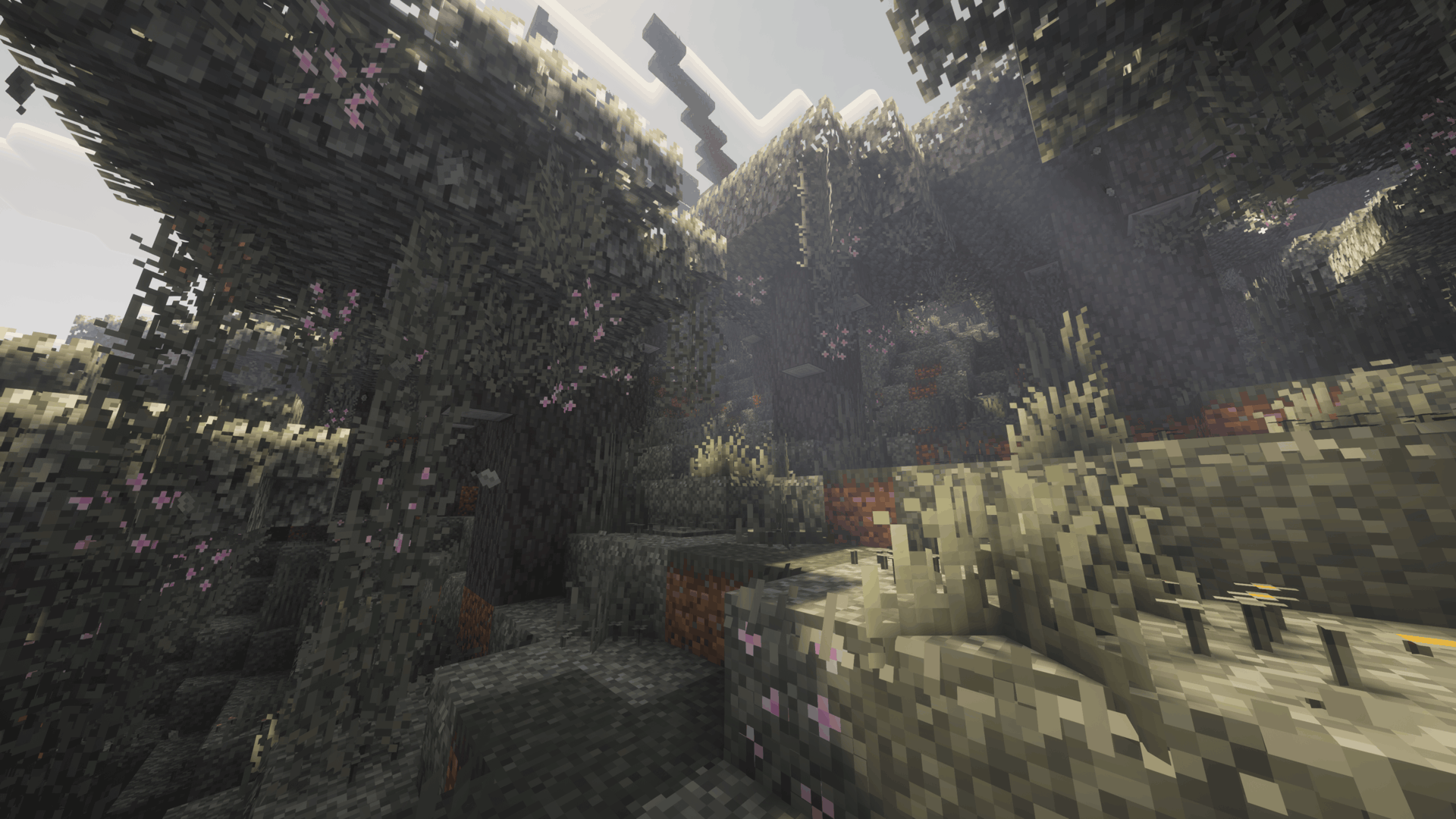
|
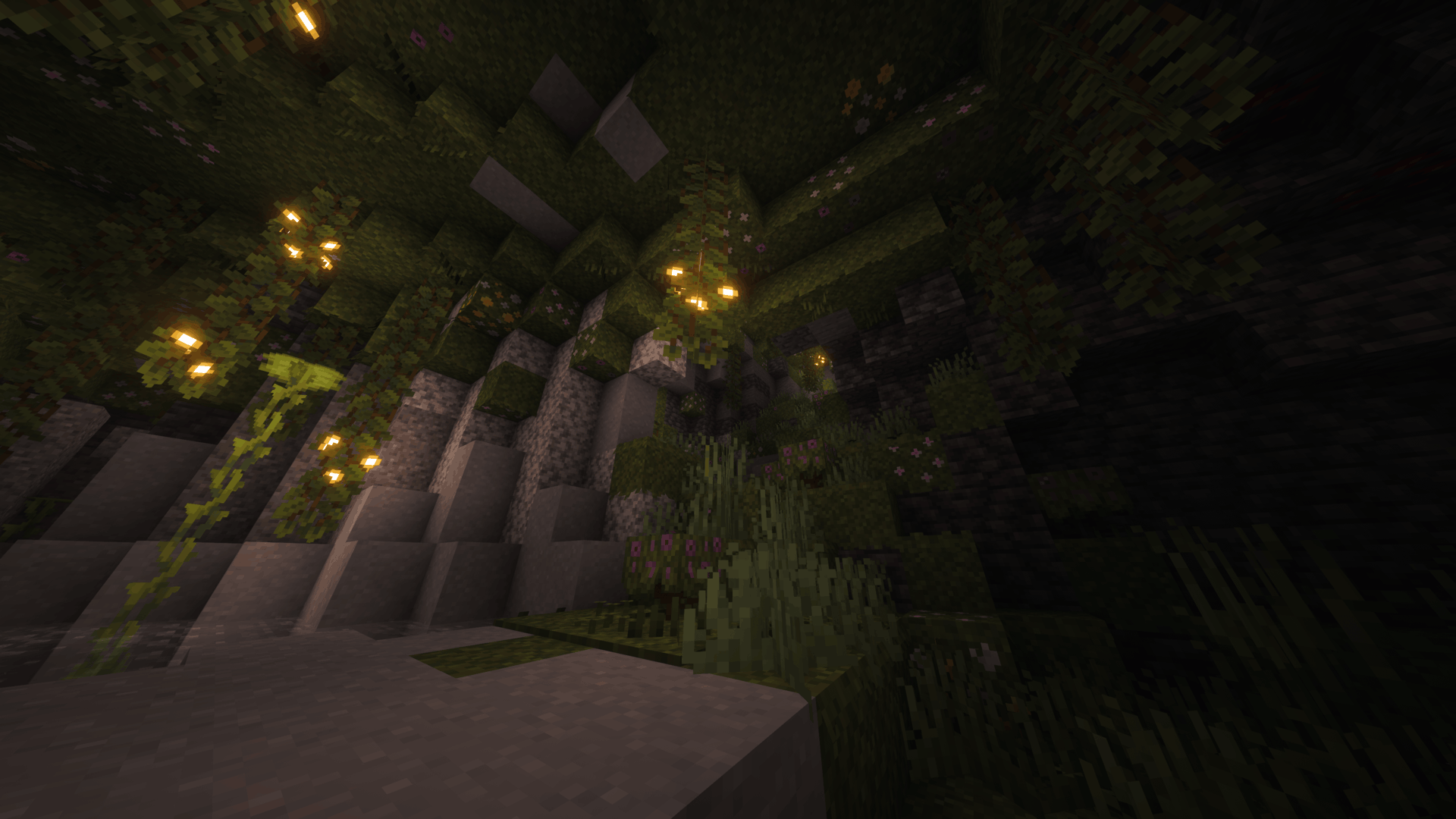
|
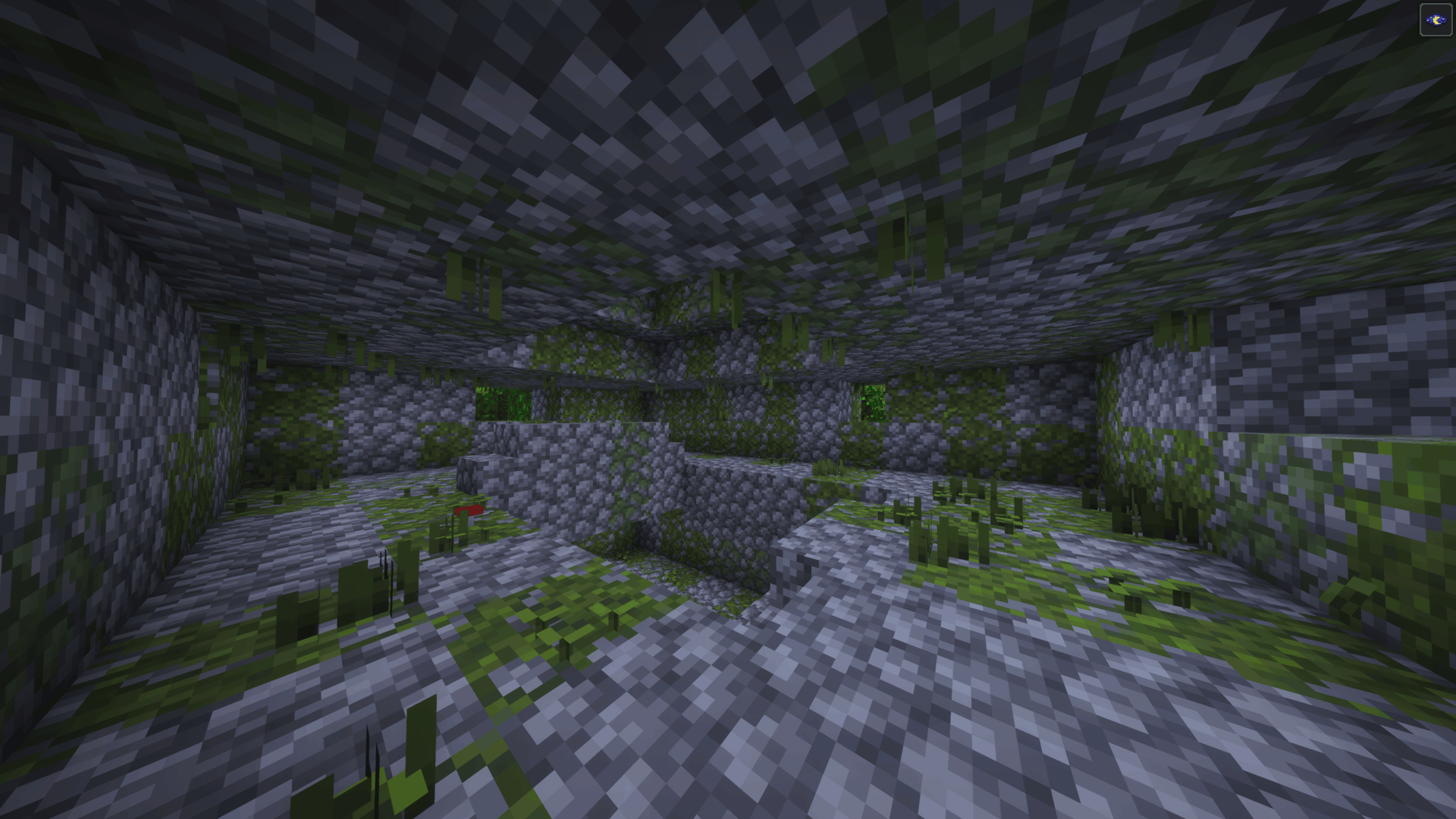
|
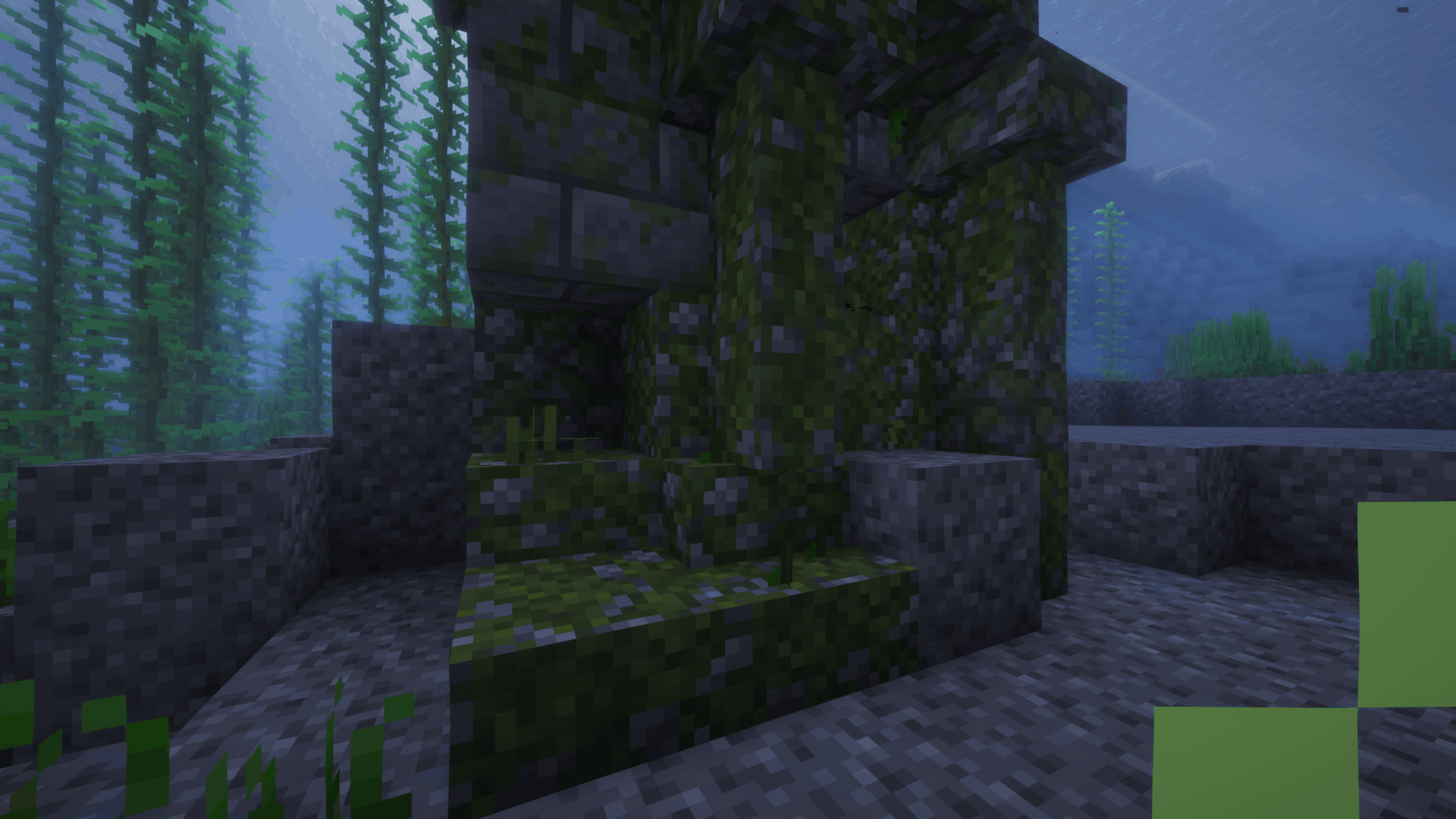
|
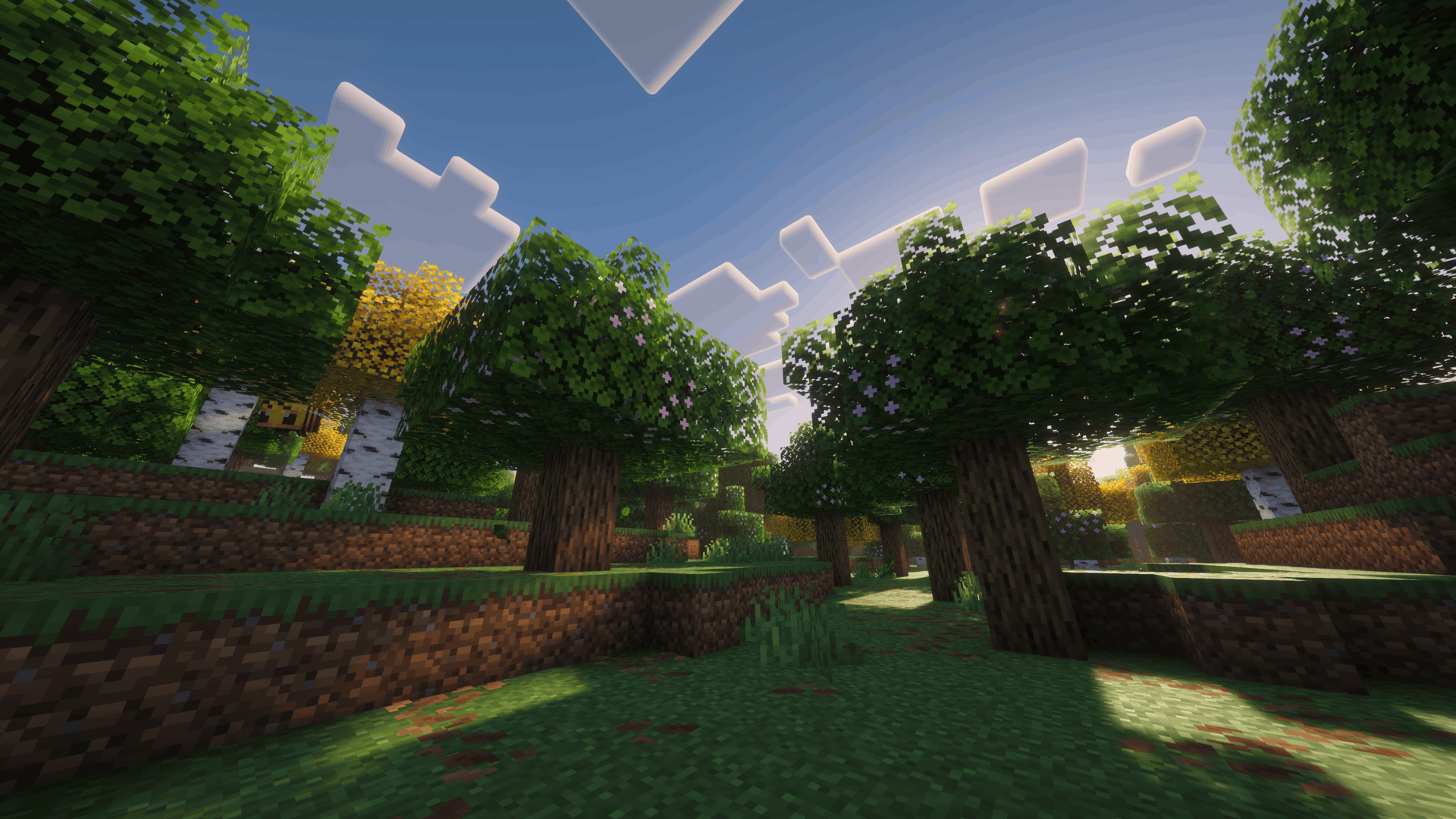
|
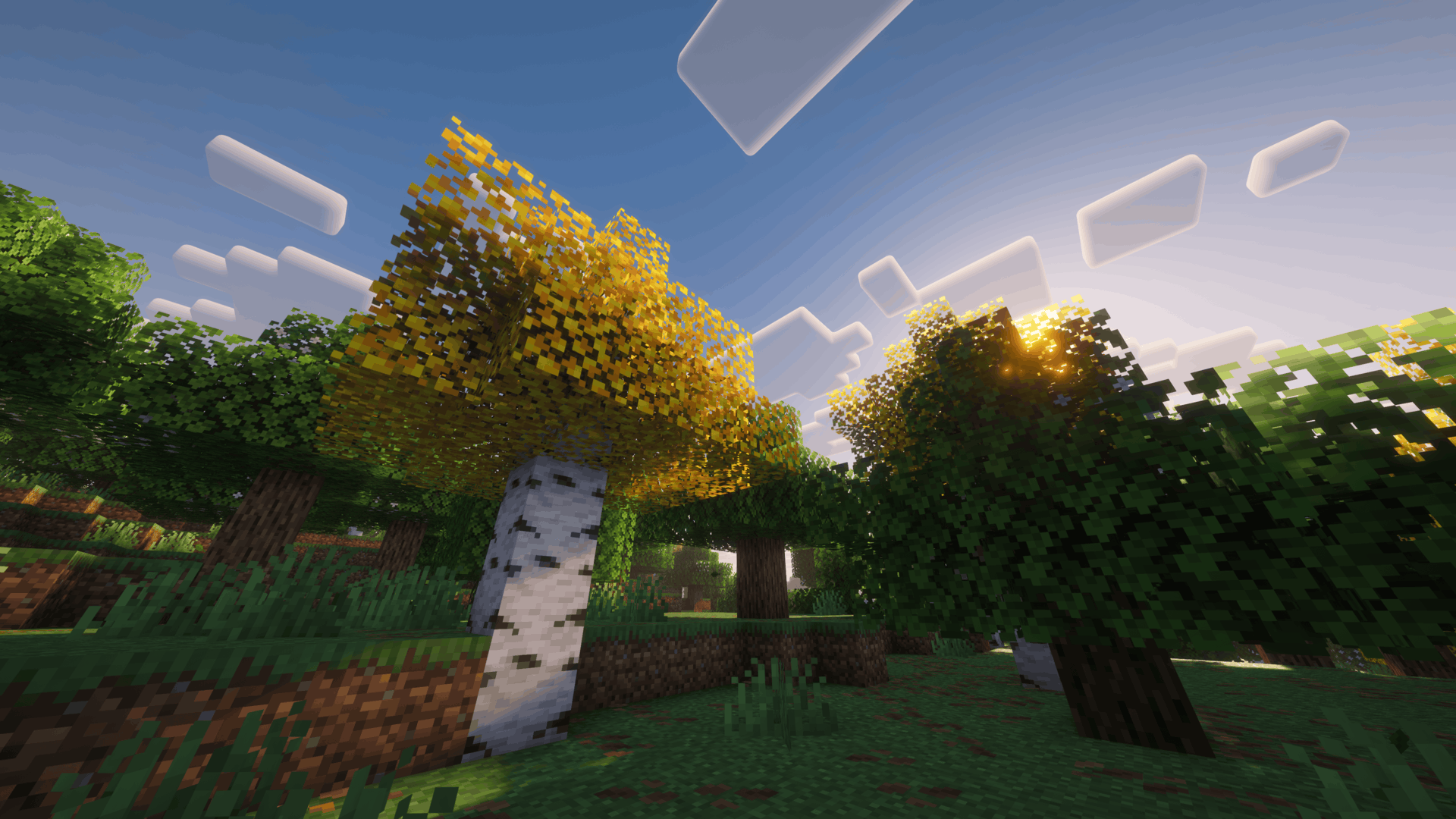
|
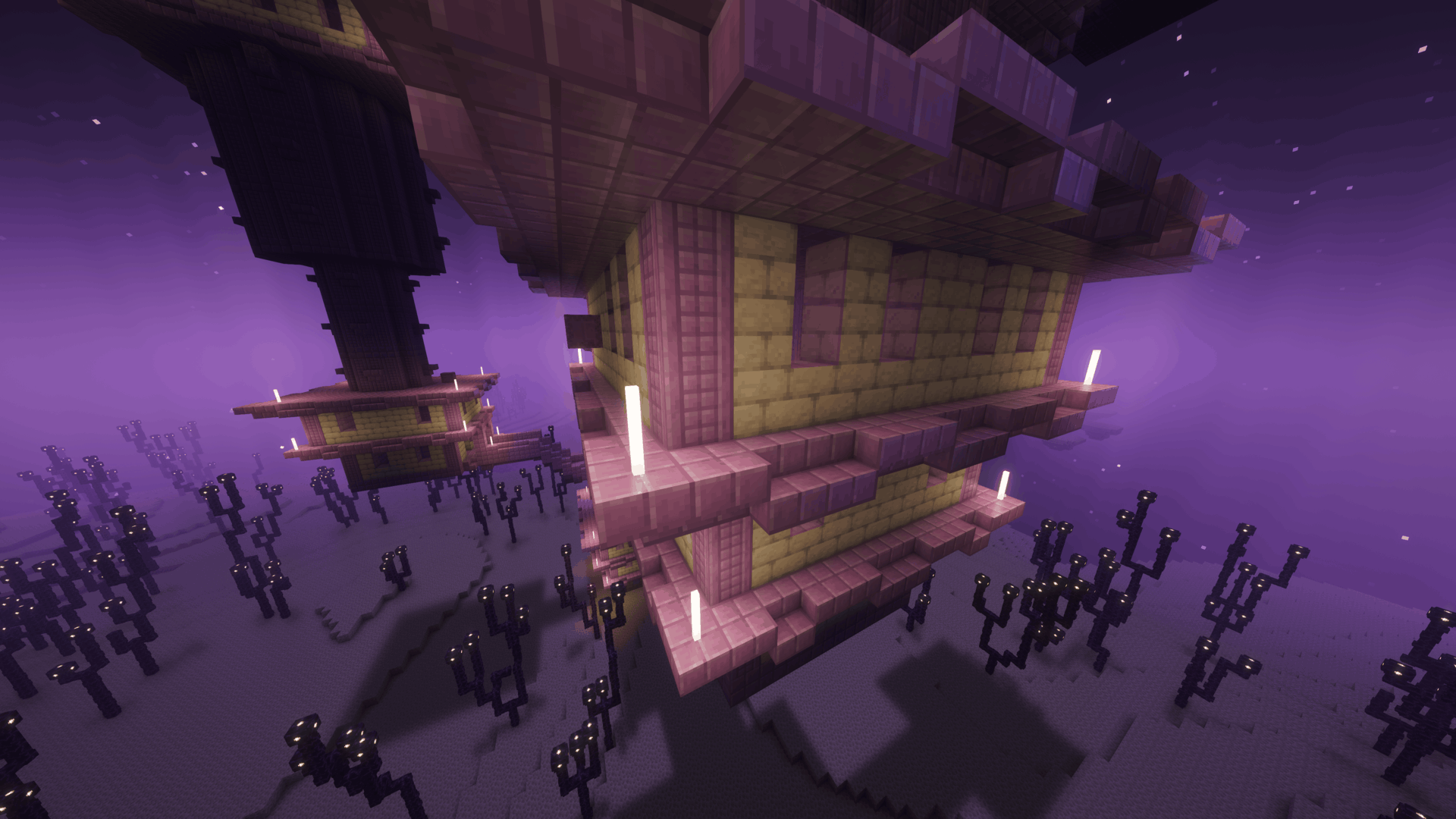
|
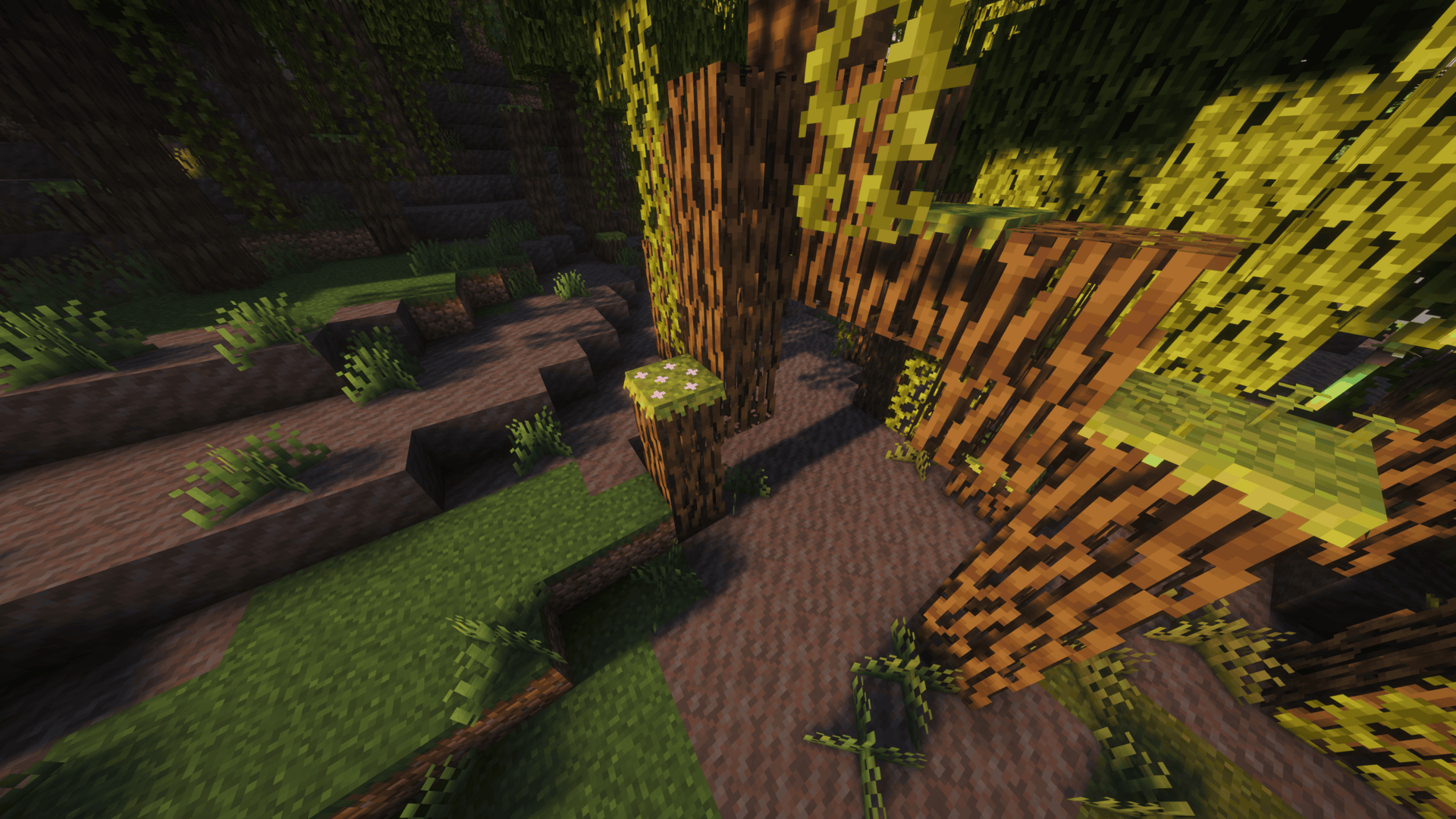
|
点击图片以查看大图。

| ? 一体化合集 | 将一系列独立的视觉项目整合为一个资源包。 |
| ? 视觉改进 | 通过更新的纹理和模型增强方块、物品、植物和环境细节。 |
| ? 自定义模型 | 包含额外的几何结构和模型改进,以增加深度和细节。 |
| ? 环境细节 | 在世界各处添加细微的视觉细节,同时保持与 Minecraft 风格一致。 |
| ✨ 兼容原版 | 旨在提升 Minecraft 的视觉效果,而不替换其标志性的像素艺术风格。 |
| ? 持续扩充 | 随着时间的推移,可以将新项目、改进和更新添加到合并的资源包中。 |
? 独立资源包
Artemis' Enhanced Visuals 专为希望在一个地方获得完整合集的玩家设计。
各个资源包仍提供单独下载,供仅需特定视觉改动或希望自行组合的玩家使用。
随着新的独立项目发布以及现有资源包的扩展,兼容内容也可能添加到 Artemis' Enhanced Visuals 中。
? 兼容性
Artemis' Enhanced Visuals 采用按版本提供的下载方式,以确保包含的素材和模型能够与 Minecraft 不同版本间的变更保持兼容。
该资源包适用于原版 Minecraft,无需 OptiFine、光影或其他额外模组即可运行。
部分视觉特性仅在存在对应原版方块、物品或系统的 Minecraft 版本中才会显示。
所有更改均为视觉效果,不会改变正常游戏玩法。
? 安装
推荐 — Modrinth
安装 Artemis' Enhanced Visuals 最简便的方式是通过 Modrinth 直接进行。
如果你使用 Modrinth App,只需将 Artemis' Enhanced Visuals 添加到你的 Minecraft 实例中,Modrinth 会自动为你完成安装。
在浏览 Modrinth 网站时,请使用提供的安装选项直接在 Modrinth App 中打开该项目。
这是推荐的安装方式,因为它能更轻松地选择和管理正确的资源包版本。
手动安装
1. 下载与你的 Minecraft 版本匹配的 Artemis' Enhanced Visuals 文件。
2. 将下载的 .zip 文件放入你的 Minecraft resourcepacks 文件夹中。
3. 在 Minecraft 中打开 Options → Resource Packs(选项 → 资源包)。
4. 将 Artemis' Enhanced Visuals 移至已启用的资源包列表。
5. 尽情享受吧!
如果其他资源包修改了相同的资产,若希望本资源包的模型和纹理优先显示,请将 Artemis' Enhanced Visuals 置于其上方。
❓ 常见问题解答
Artemis 增强视觉效果是什么?
Artemis 增强视觉效果是一个多功能资源包,将我的多个独立视觉项目整合到一个下载文件中。
这是否替代了独立的资源包?
不是。独立的资源包仍然可以单独获取。Artemis' Enhanced Visuals 仅为希望使用整合合集的玩家提供另一种选择。
未来会添加更多内容吗?
会的。该资源包设计为一个持续增长的集合,随着新视觉项目的发布和现有项目的更新,它可以不断扩展。
此资源包需要安装任何模组吗?
不需要。Artemis' Enhanced Visuals 适用于原版 Minecraft,无需 OptiFine、光影或额外模组即可运行。
此资源包会改变游戏玩法吗?
不会。其中的更改均为视觉效果,不会改变 Minecraft 的正常游戏机制。
我可以将 Artemis' Enhanced Visuals 与其他资源包一起使用吗?
可以。如果其他资源包修改了相同的纹理或模型,优先级较高的资源包通常会覆盖冲突的资源。
我应该将独立资源包与 Artemis' Enhanced Visuals 一起安装吗?
通常不需要。如果某个独立项目已包含在 Artemis' Enhanced Visuals 中,除非你特意想要控制资源包的加载优先级或混合不同版本的单项更改,否则同时安装两者并无必要。
我可以在整合包中使用 Artemis' Enhanced Visuals 吗?
可以。Artemis' Enhanced Visuals 可以包含在公共或私人整合包中。请链接回原始项目页面,而不要将该资源包作为你自己的作品重新分发。

有反馈、发现问题,或想关注未来的项目?
加入 Intelligence Modding 社区,获取项目更新、预览、技术支持以及一般的 Minecraft 模组讨论。
A growing all-in-one collection of vanilla-style visual improvements for Minecraft.
Artemis' Enhanced Visuals combines a growing collection of visual improvements into a single cohesive resource pack.
Instead of installing each of my standalone packs individually, this pack brings their models, textures and visual details together in one download while keeping Minecraft's familiar style and overall appearance intact.
The collection covers a wide range of blocks, items, plants and environmental details, ranging from small texture adjustments to custom models and more detailed variations.
Artemis' Enhanced Visuals will continue to grow over time as existing projects are updated and new visual packs are added to the collection.
|
|
|
|
|
|
|
|
|
|
|
|
Click an image to view it in full size.
| ? All-in-One | Combines a growing collection of standalone visual projects into a single resource pack. |
| ? Visual Improvements | Enhances blocks, items, plants and environmental details with updated textures and models. |
| ? Custom Models | Includes additional geometry and model improvements where they help add depth and detail. |
| ? Environmental Details | Adds subtle visual details throughout the world while keeping them consistent with Minecraft's style. |
| ✨ Vanilla-Friendly | Designed to improve Minecraft's visuals without replacing its recognizable pixel-art identity. |
| ? Growing Collection | New projects, improvements and updates can be added to the combined pack over time. |
? Standalone Packs
Artemis' Enhanced Visuals is intended for players who want the complete collection in one place.
The individual resource packs remain available separately for players who only want specific visual changes or prefer to build their own combination.
As new standalone projects are released and existing packs are expanded, compatible content may also be added to Artemis' Enhanced Visuals.
? Compatibility
Artemis' Enhanced Visuals uses version-specific downloads so the included assets and models can remain compatible with changes between Minecraft versions.
The pack works with vanilla Minecraft and does not require OptiFine, shaders or additional mods.
Some visual features may only appear in Minecraft versions where the corresponding vanilla blocks, items or systems exist.
All changes are visual and do not alter normal gameplay.
? Installation
Recommended — Modrinth
The easiest way to install Artemis' Enhanced Visuals is directly through Modrinth.
If you use the Modrinth App, simply add Artemis' Enhanced Visuals to your Minecraft instance and Modrinth will handle the installation for you.
When browsing on the Modrinth website, use the available install option to open the project directly in the Modrinth App.
This is the recommended installation method, as it makes selecting and managing the correct resource pack version much easier.
Manual Installation
1. Download the Artemis' Enhanced Visuals file matching your Minecraft version.
2. Place the downloaded .zip file inside your Minecraft resourcepacks folder.
3. Open Options → Resource Packs in Minecraft.
4. Move Artemis' Enhanced Visuals to the active resource packs.
5. Enjoy!
If another resource pack changes the same assets, place Artemis' Enhanced Visuals above it if you want this pack's models and textures to take priority.
❓ Frequently Asked Questions
What is Artemis' Enhanced Visuals?
Artemis' Enhanced Visuals is an all-in-one resource pack that combines a growing collection of my standalone visual projects into a single download.
Does this replace the standalone resource packs?
No. The standalone packs remain available separately. Artemis' Enhanced Visuals is simply an alternative for players who want the combined collection.
Will more content be added?
Yes. The pack is designed as a growing collection and can be expanded as new visual projects are released and existing ones are updated.
Does the pack require any mods?
No. Artemis' Enhanced Visuals works with vanilla Minecraft and does not require OptiFine, shaders or additional mods.
Does the pack change gameplay?
No. The included changes are visual and do not alter Minecraft's normal gameplay mechanics.
Can I use Artemis' Enhanced Visuals together with other resource packs?
Yes. If another resource pack changes the same textures or models, whichever pack has the higher priority will generally override the conflicting assets.
Should I install the standalone packs together with Artemis' Enhanced Visuals?
Normally, no. If a standalone project is already included in Artemis' Enhanced Visuals, installing both is unnecessary unless you specifically want to control resource-pack priority or mix different versions of individual changes.
Can I use Artemis' Enhanced Visuals in a modpack?
Yes. Artemis' Enhanced Visuals may be included in public and private modpacks. Please link back to the original project rather than redistributing the pack as your own work.
Have feedback, found a problem, or want to follow future projects?
Join the Intelligence Modding community for project updates, previews, support, and general Minecraft modding discussion.

下载 Artemis' Enhanced Visuals
下载 Artemis' Enhanced Visuals
下载 Artemis' Enhanced Visuals
下载 Artemis' Enhanced Visuals
下载 Artemis' Enhanced Visuals
下载 Artemis' Enhanced Visuals
下载 Artemis' Enhanced Visuals
下载 Artemis' Enhanced Visuals
下载 Artemis' Enhanced Visuals
下载 Artemis' Enhanced Visuals
暂无更新日志
关于这个资源的讨论、问题反馈与使用心得
还没有讨论,来发第一帖吧
你是这个资源的作者?登录后可认领此资源。
相似资源
 资源包

John Smith Technician's Remix 是原版 John Smith 资源包的变体,专为搭配模组化 Minecraft 使用而设计。
 资源包

Golden Days 是一款 Minecraft 资源包,旨在重现早期版本(如 Beta)中的旧纹理、光照、名称和音效。需要启用内置的 Programmer Art 资源包。
 资源包

Doggy Talents 的 16x16 资源包
 资源包

带有独特纹理的功能性方块深色 GUI。80 个模组的深色模式
 资源包

这是 EMF Player Animation 资源包。它为玩家实体添加了精美的动画。兼容其他模组的动画,例如 Quark 的表情动作、Parcool 的技巧以及 Not Enough Animations。
 资源包

《基岩版》风格的极简 GUI 和 HUD
评论 0
登录后参与评分
还没有评论,来抢沙发吧