这个资源包本身几乎毫无用处。
但它也可以单独使用,不过你需要深入文件内部找到每个“物品”的 .json 所在位置,才能知道如何使用 /give 指令获取它。
它是我的一个数据包的必要组件,该数据包围绕制作卡牌包展开,你可以打开这些卡包来获得卡牌。
没有实际收益,纯粹是收藏品。
等级并不定义稀有度,只区分主题。
页面已更新,现在画廊包含了更多图片以提供更好的上下文。
配方属于数据包的一部分
我把它放在这里只是因为更多人会浏览资源包页面而不是数据包页面

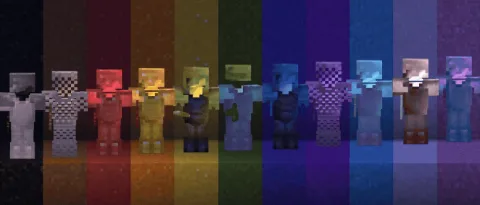
各等级所需的材料:
- Copper - copper ingot
- Iron - iron ingot
- Gold - gold ingot
- Amethyst - amethyst shard
- Emerald - emerald
- Quartz - quartz
- Diamond - diamond
- Netherite - netherite scrap
- 如果你正在测试自己的卡牌链接,那么 Example pack recipe 使用 bedrock
我还把 README 留在了资源包的根目录中,并附有两个 Python 脚本,可以帮助你快速为你的卡组生成卡牌。
README 主要归功于我所使用的工具,并解释了我为卡牌艺术制作截图的方式。
要替换/添加卡牌:
首先,在你收集到足够多的 1:2 截图/图片后,使用图像生成器脚本。
然后将它们放入 ../paste 中的任何现有等级文件夹(或在数据包中添加你自己的)。
接着打开、配置并运行 "generator_screenshot_to_texture.py"。
(你需要安装 Pillow 才能使其正常工作,否则你将不得不手动处理每张图像)
完成后,- 如果你添加了新类型/等级或编辑了 EXAMPLE TIER - 统计你获得的图片数量。
然后打开、配置并运行 "generator_card_model_and_item.py" 以生成 ../model 和 ../items 的 .json 文件,用于新模型。
This resourcepack by itself is almost useless.
But it can be used independently, but you will have to dig around the files to find where each "item" .json sits to know how to /give it
It is required for my datapack revolving around crafting card packs that you then open to obtain cards.
No benefit, pure collectibles.
Tiers do not define rarity, only the theme
Page updated, now gallery includes more images for better context
RECIPE IS PART OF DATAPACK
I just included it here because more people will see the resourcepack page than datapack page

Materials for tiers:
- Copper - copper ingot
- Iron - iron ingot
- Gold - gold ingot
- Amethyst - amethyst shard
- Emerald - emerald
- Quartz - quartz
- Diamond - diamond
- Netherite - netherite scrap
- If you're testing your own card lienup, then Example pack recipe uses bedrock
I also left README in the Resourcepack's root folder, and two python scripts that will help you quickly generate the cards for your set
the README is mostly credit to the tooling I used, and explaination to the way I was making screenshots for the card art
To replace / add cards:
First use image generator script once you collect enough 1:2 screenshots/images
Then drop them in ../paste of any present tier (or add your own in the datapack)
Then open, configure and run the "generator_screenshot_to_texture.py"
(you need to have Pillow installed for it to work or else you'll have to do the work manually for each image)
After it's done, - IF YOU ARE ADDING NEW TYPE/TIER OR EDITING EXAMPLE TIER - count how many images you got
Then open, configure and run "generator_card_model_and_item.py" to generate ../model and ../items .json's for new models
评论 0
登录后参与评分
还没有评论,来抢沙发吧