

Clearview 通过减少视觉遮挡同时保留游戏原有魅力,来增强你的 Minecraft 体验。该模组专为偏好视野清晰、界面整洁的玩家设计,提供了一系列旨在提升可视性而不移除原版游戏元素的特性。

减少雾效与水下雾效: 大幅降低水面上下方的雾气浓度,以增强远距离视野和水下探索效果。
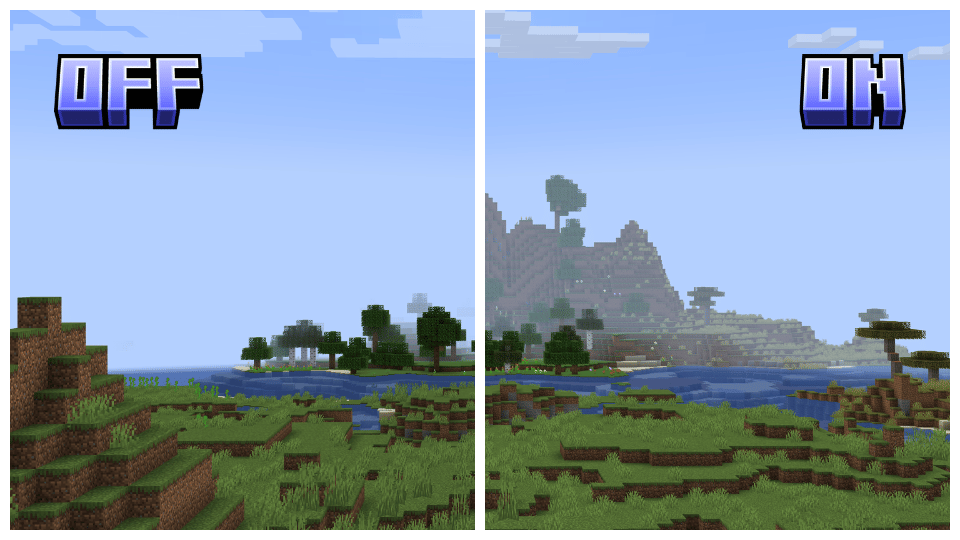
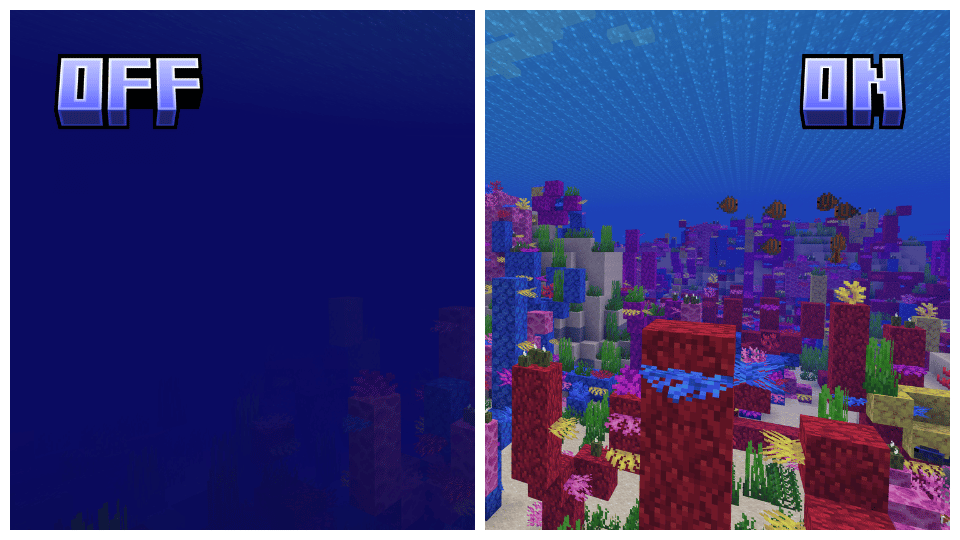
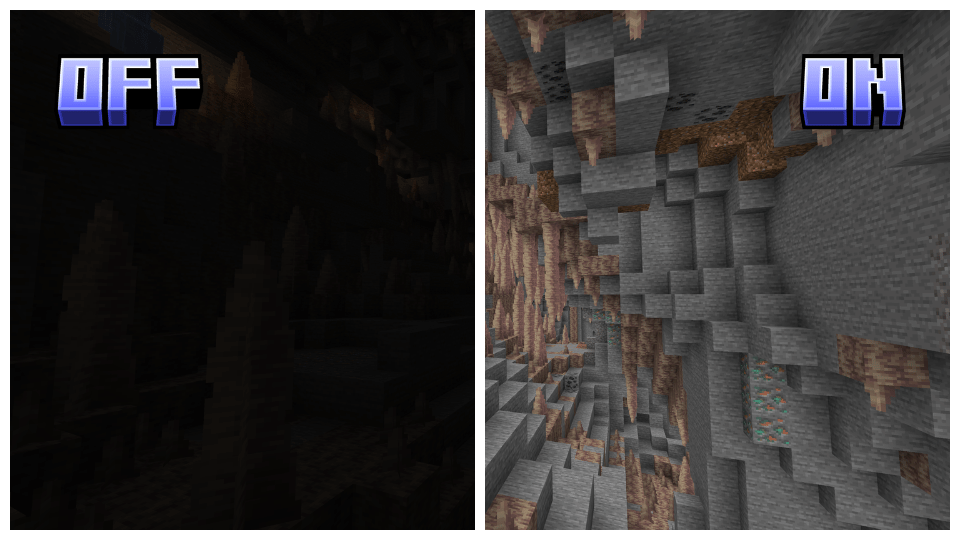
全局亮度(Full Bright): 确保所有环境完全照亮,消除黑暗区域。
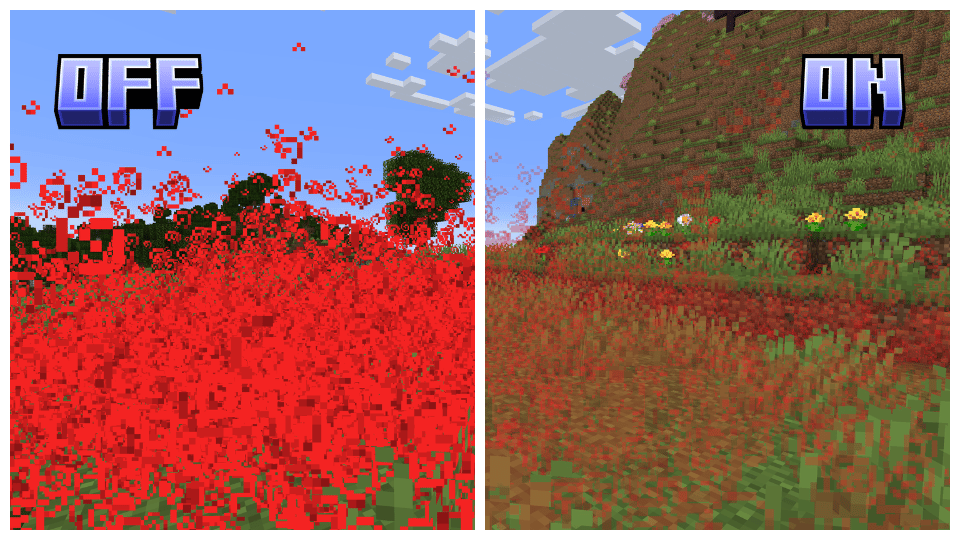
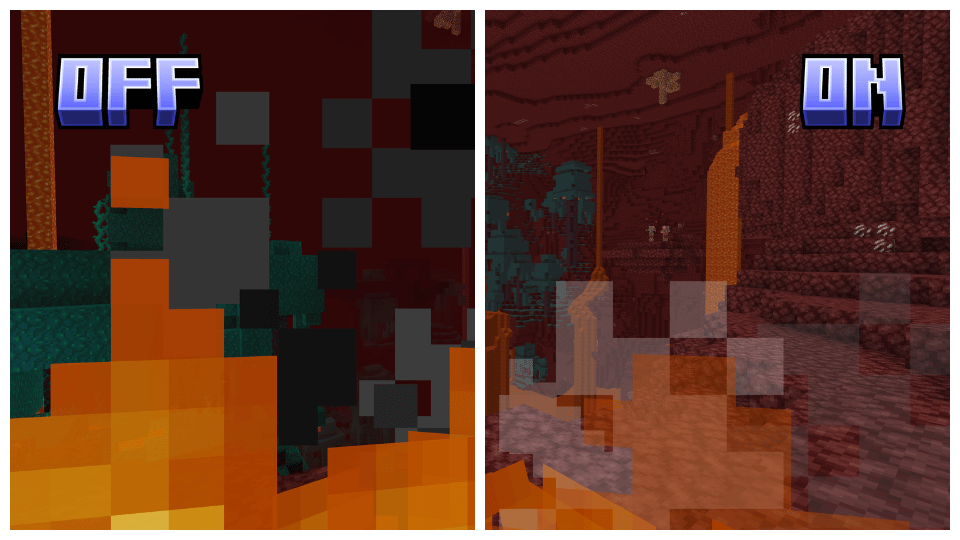
粒子透明化: 减少粒子的视觉影响,改善粒子密集区域的可视性。
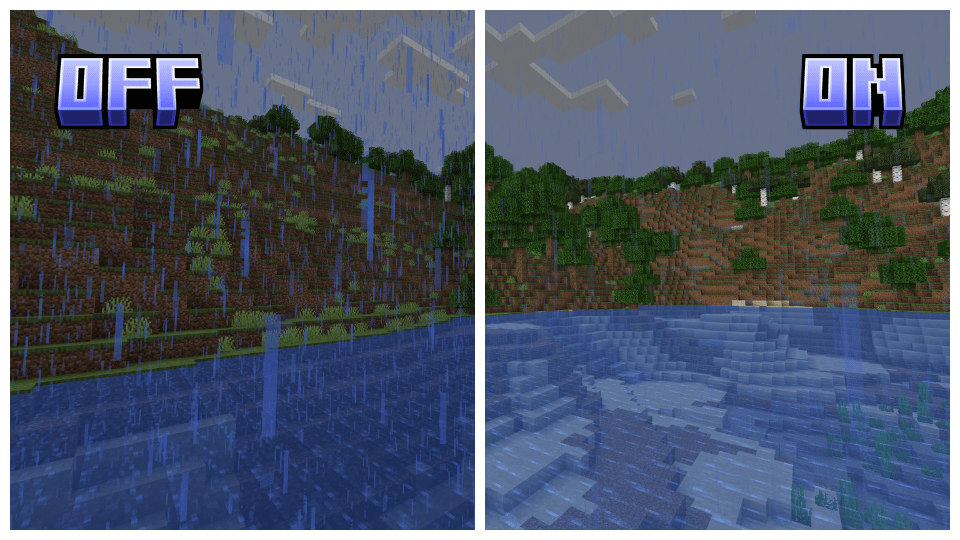
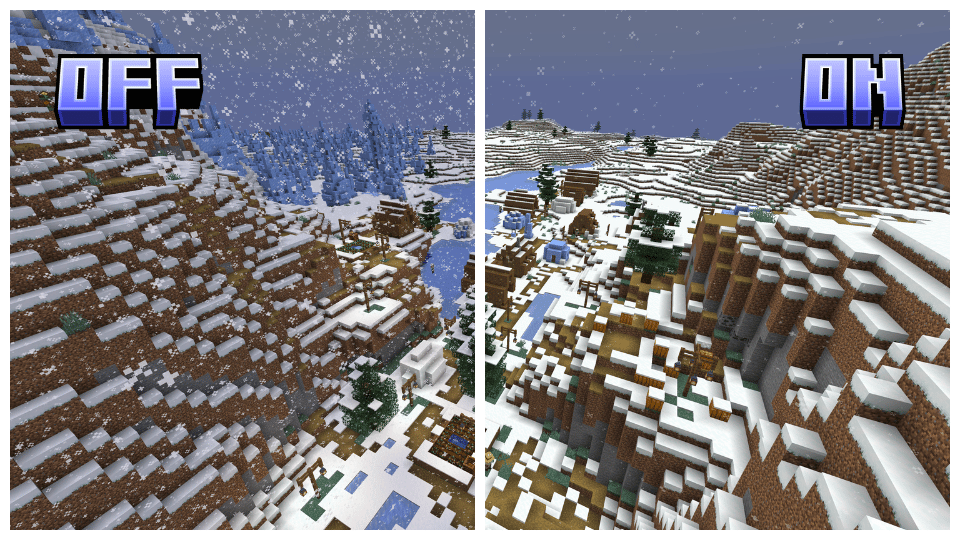
 减少降雪和降雨: 最小化雪和雨的密度,在天气变化期间提升可见度。
降低并透明化屏幕火焰特效: 降低屏幕上火焰覆盖层的透明度,以便在玩家着火时获得更好的视野。
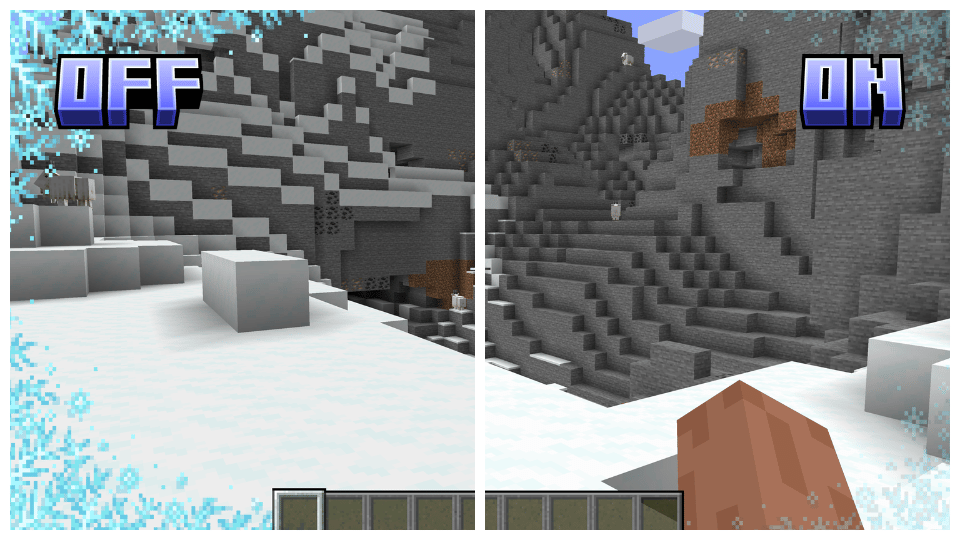
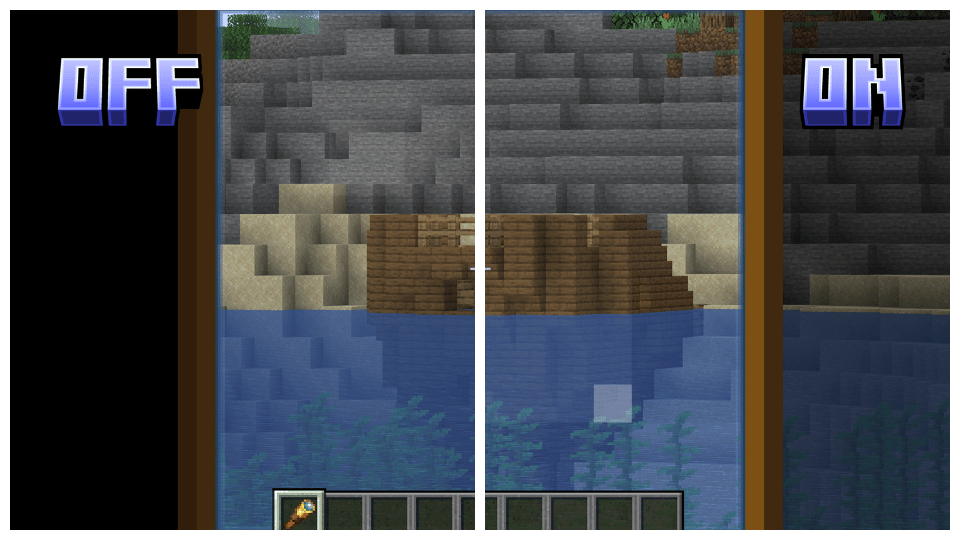
叠加层透明化: 使南瓜头、细雪以及望远镜等叠加层变得透明,在不阻碍视野的情况下保持沉浸感。
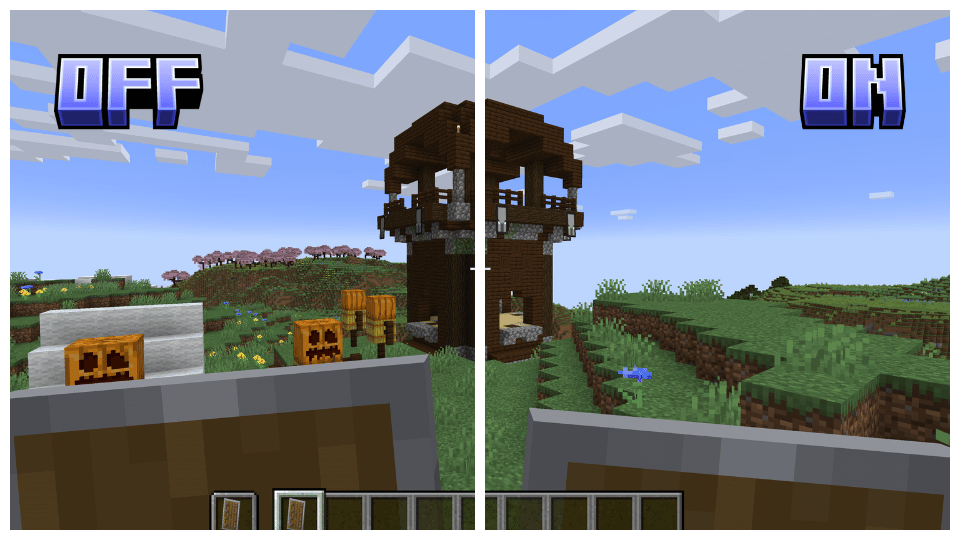
盾牌位置下调: 将盾牌在屏幕上的位置调低,从而提供更宽广的视野。
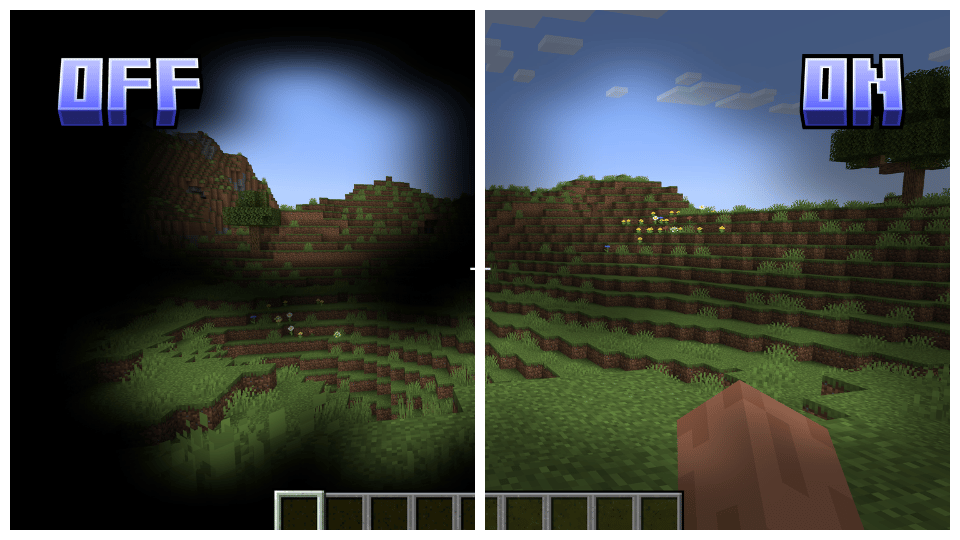
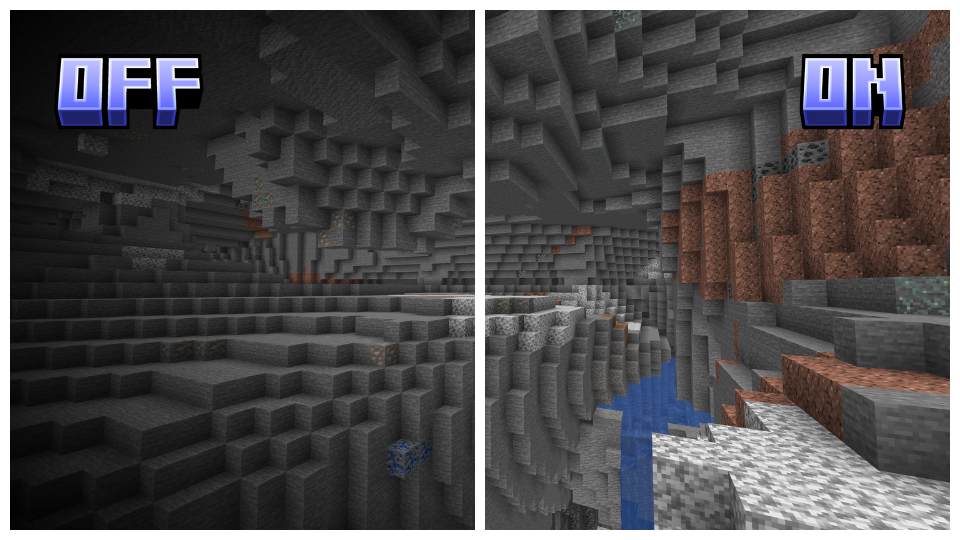
去除暗角(No Vignette): 移除屏幕边缘的黑色暗角,提供更开阔清晰的显示效果。

Clearview 拥有多个附加组件以最大化自定义选项,允许你根据个人喜好调整游戏并移除视觉干扰。请查看下方链接以获取更多信息并下载这些附加组件!

Clearview 支持从 1.17 版本开始的所有 Vanilla、Optifine 和 Sodium 版本,确保跨各个版本的无缝体验。请注意,对于 Sodium 用户,你需要使用 Colormatic 或 Polytone 以确保完全兼容。

要安装 Clearview,只需下载适合你游戏版本(Vanilla、Optifine 或 Sodium)的资源包,并将其放入你的资源包文件夹中。确保将其设置在资源包列表的最顶端,以确保所有功能正确应用。

Clearview enhances your Minecraft experience by making the game less visually obstructive while maintaining its original charm. Designed for players who prefer clearer, less cluttered gameplay, Clearview offers a range of features aimed at improving visibility without removing original game elements.
Reduced Fog and Underwater Fog: Greatly decreases fog density, both above and underwater, to enhance distant view and underwater exploration.
Full Bright: Ensures all environments are fully lit, eliminating dark areas.
Transparent Particles: Reduces the visual impact of particles, improving visibility in particle-dense areas.
Reduced Snow and Rain: Minimizes the density of snow and rain, enhancing visibility during weather cycles.
Lower and Transparent Screen Fire: Reduces and makes the fire overlay on the screen transparent for better visibility while the player is on fire.
Transparent Overlays: Makes overlays such as the pumpkin head, powdered snow, and spyglass overlay transparent, maintaining immersion without obstructing the view.
Lower Shield: Lowers the shield position on the screen, allowing for a better field of view.
No Vignette: Removes the dark vignette around the screen edges, providing a more open and clear display.
Clearview has several addons to maximize customizability, allowing you to adjust the game to your preferences and remove visual clutter. Check out the link below for more details and to download the addons!
Clearview supports all versions of Vanilla, Optifine, and Sodium starting from 1.17, ensuring a seamless experience across various versions. Please note that for Sodium, you will need to use Colormatic or Polytone to ensure full compatibility.
To install Clearview, simply download the appropriate version for your game, either Vanilla, Optifine, or Sodium, and place it in your resource pack folder. Make sure to set it as the top pack in your resource packs list to ensure all features are applied correctly.

下载 Clearview
下载 Clearview
下载 Clearview
下载 Clearview
下载 Clearview
下载 Clearview
下载 Clearview
下载 Clearview
下载 Clearview
下载 Clearview
暂无更新日志
关于这个资源的讨论、问题反馈与使用心得
还没有讨论,来发第一帖吧
你是这个资源的作者?登录后可认领此资源。
相似资源
 资源包

John Smith Technician's Remix 是原版 John Smith 资源包的变体,专为搭配模组化 Minecraft 使用而设计。
 资源包

Golden Days 是一款 Minecraft 资源包,旨在重现早期版本(如 Beta)中的旧纹理、光照、名称和音效。需要启用内置的 Programmer Art 资源包。
 资源包

带有独特纹理的功能性方块深色 GUI。80 个模组的深色模式
 资源包

《基岩版》风格的极简 GUI 和 HUD
 资源包

让你的游戏画面就像宣传片一样!动态动画实体,为你的 Minecraft 体验增添新鲜感。
 资源包

放松、沉浸式的天气音效,带来舒适的品质与宁静。
评论 0
登录后参与评分
还没有评论,来抢沙发吧