

Clearview 通过减少视觉遮挡并保持游戏原有的魅力,来增强你的 Minecraft 体验。它专为偏好视野更清晰、画面更简洁的玩家设计,提供了一系列旨在提升可见性而不移除原版游戏元素的特性。

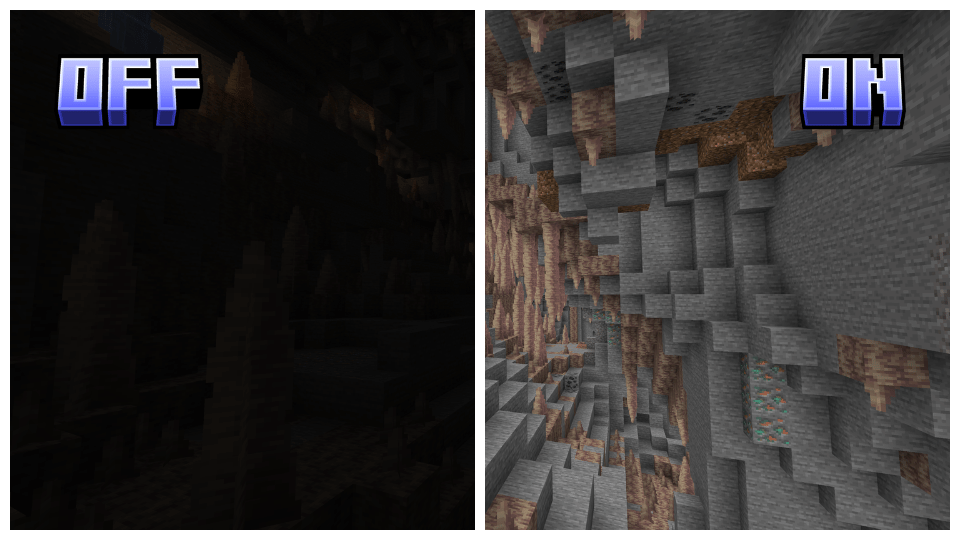
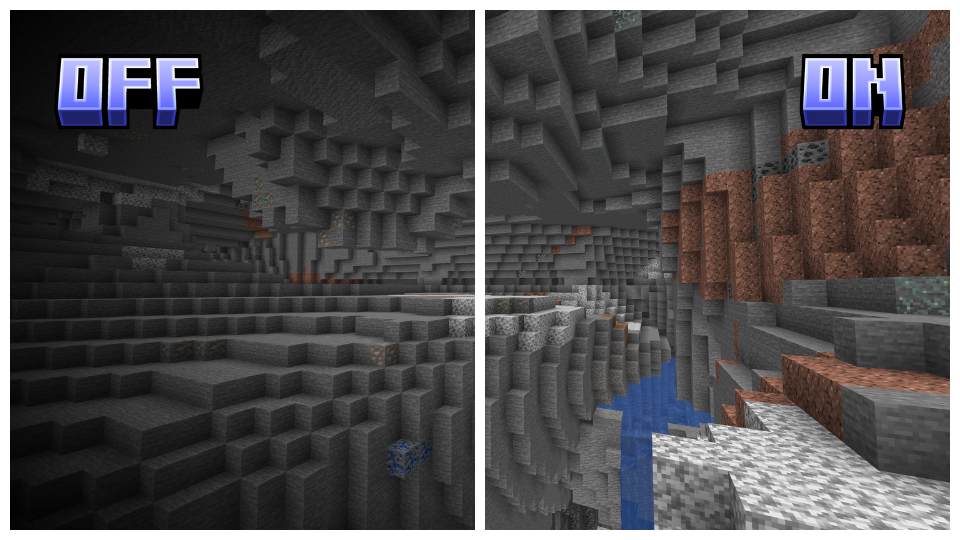
全局明亮: 确保所有环境完全照亮,消除黑暗区域。
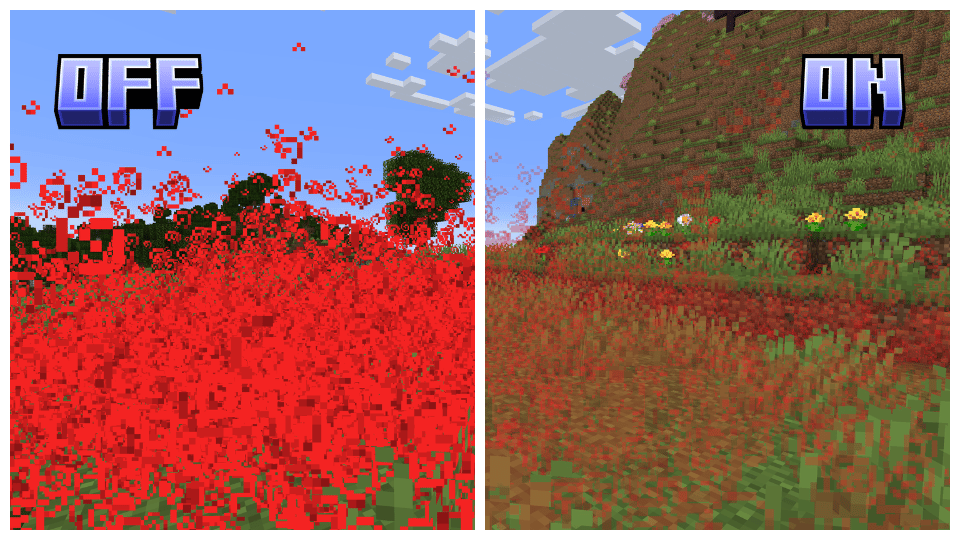
透明粒子: 降低粒子的视觉影响,改善粒子密集区域的能见度。
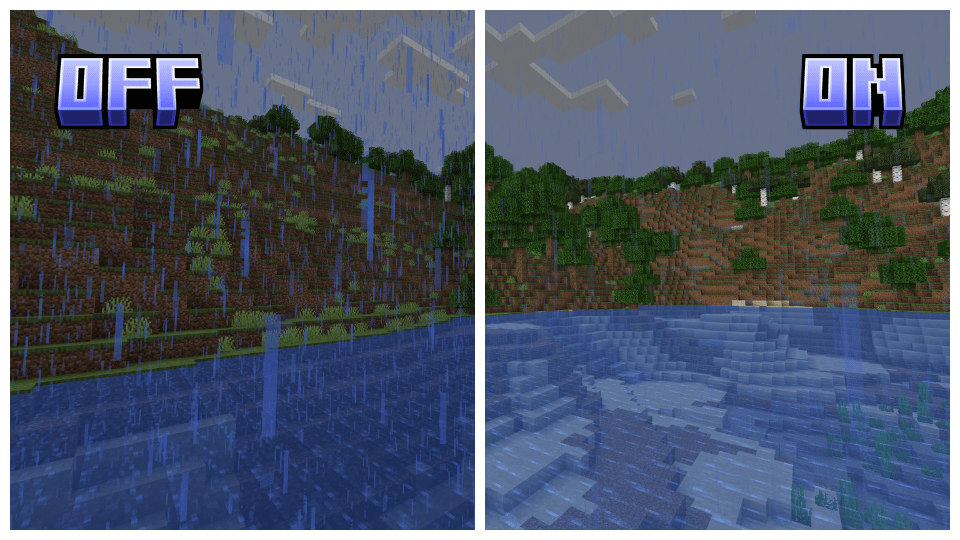
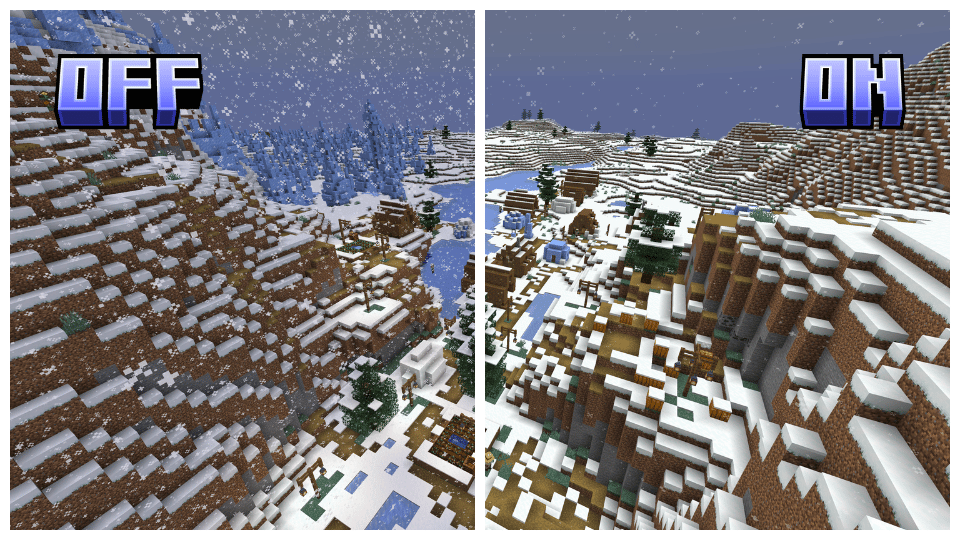
 减少雪和雨: 降低雪和雨的密度,在天气变化期间提升能见度。
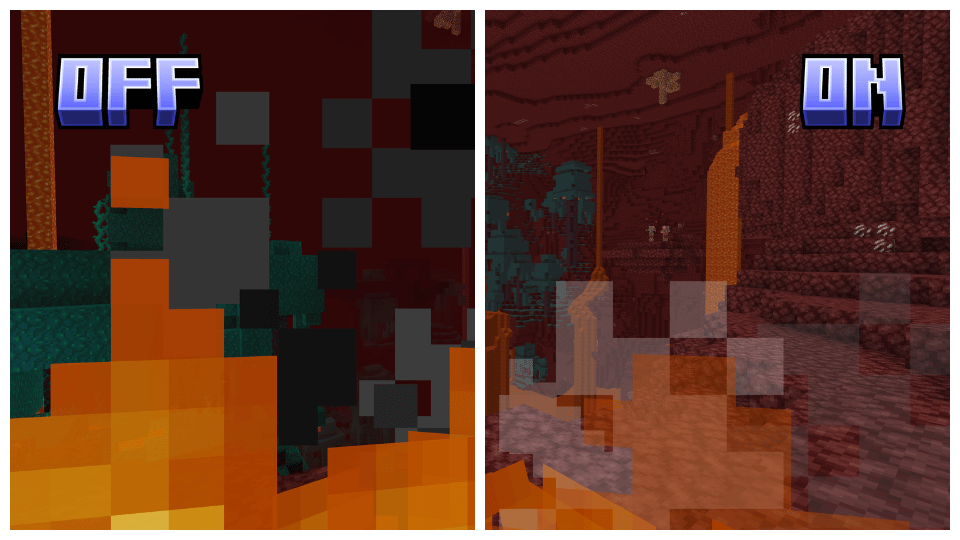
降低并透明化屏幕火焰: 降低屏幕上的火焰覆盖层透明度,使玩家着火时视野更清晰。
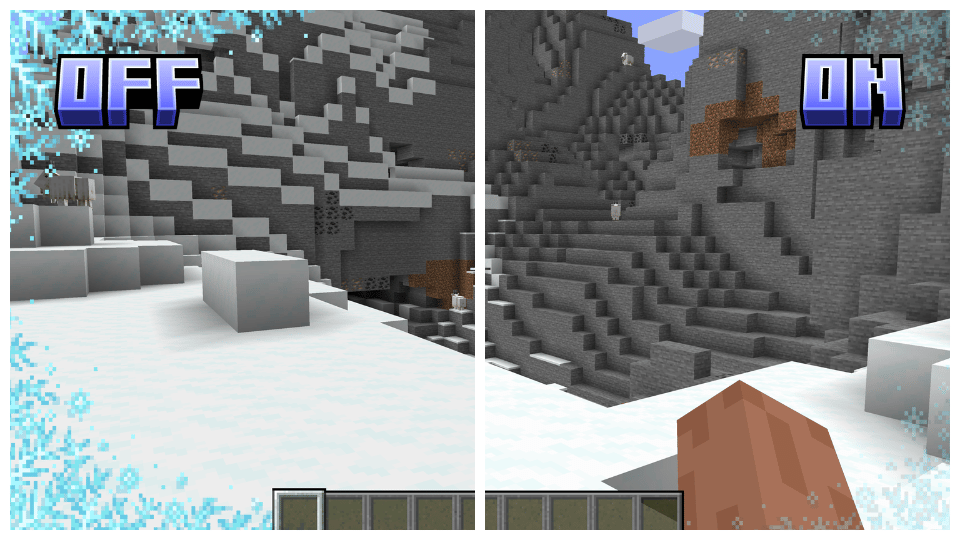
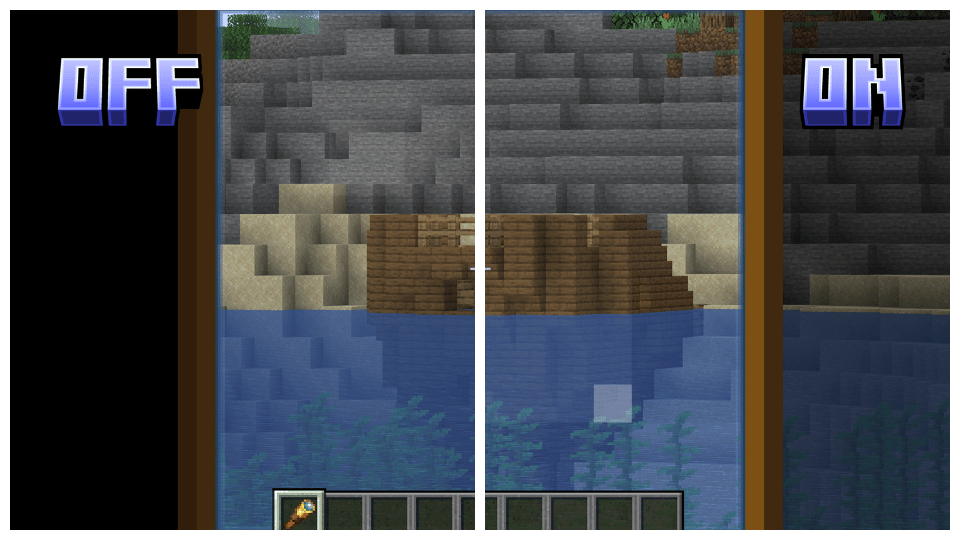
透明遮罩: 使南瓜头、粉雪和望远镜等遮罩变为透明,在不阻碍视野的情况下保持沉浸感。
下移盾牌: 将盾牌位置下移,提供更广阔的视野。
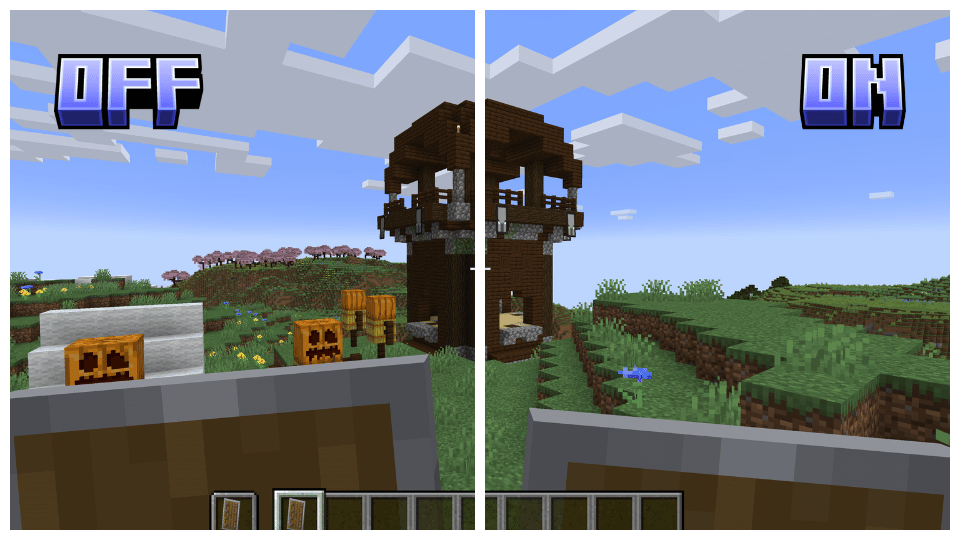
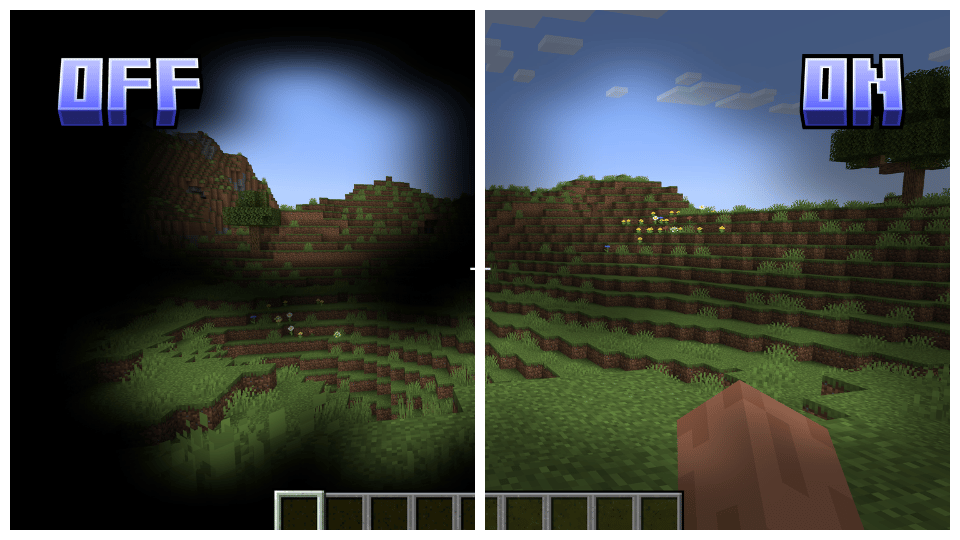
无暗角: 移除屏幕边缘的黑色暗角效果,呈现更开阔清晰的画面。

Clearview 拥有多个附加组件,以最大化自定义程度,让你可以根据个人喜好调整游戏并去除视觉干扰。查看下方的链接以获取更多详情并下载附加组件!

Clearview 支持从 1.17 版本开始的所有 Vanilla、Optifine 和 Sodium 版本,确保在不同版本间获得无缝体验。请注意,对于 Sodium,你需要使用 Colormatic 或 Polytone 以确保完全兼容。

要安装 Clearview,只需下载适用于你游戏版本(Vanilla、Optifine 或 Sodium)的相应版本,并将其放入资源包文件夹中。确保将其设置为资源包列表中的第一个,以保证所有功能正确应用。

Clearview enhances your Minecraft experience by making the game less visually obstructive while maintaining its original charm. Designed for players who prefer clearer, less cluttered gameplay, Clearview offers a range of features aimed at improving visibility without removing original game elements.
Full Bright: Ensures all environments are fully lit, eliminating dark areas.
Transparent Particles: Reduces the visual impact of particles, improving visibility in particle-dense areas.
Reduced Snow and Rain: Minimizes the density of snow and rain, enhancing visibility during weather cycles.
Lower and Transparent Screen Fire: Reduces and makes the fire overlay on the screen transparent for better visibility while the player is on fire.
Transparent Overlays: Makes overlays such as the pumpkin head, powdered snow, and spyglass overlay transparent, maintaining immersion without obstructing the view.
Lower Shield: Lowers the shield position on the screen, allowing for a better field of view.
No Vignette: Removes the dark vignette around the screen edges, providing a more open and clear display.
Clearview has several addons to maximize customizability, allowing you to adjust the game to your preferences and remove visual clutter. Check out the link below for more details and to download the addons!
Clearview supports all versions of Vanilla, Optifine, and Sodium starting from 1.17, ensuring a seamless experience across various versions. Please note that for Sodium, you will need to use Colormatic or Polytone to ensure full compatibility.
To install Clearview, simply download the appropriate version for your game, either Vanilla, Optifine, or Sodium, and place it in your resource pack folder. Make sure to set it as the top pack in your resource packs list to ensure all features are applied correctly.

下载 Clearview - Optifine
下载 Clearview - Optifine
下载 Clearview - Optifine
下载 Clearview - Optifine
下载 Clearview - Optifine
下载 Clearview - Optifine
下载 Clearview - Optifine
下载 Clearview - Optifine
下载 Clearview - Optifine
下载 Clearview - Optifine
暂无更新日志
关于这个资源的讨论、问题反馈与使用心得
还没有讨论,来发第一帖吧
你是这个资源的作者?登录后可认领此资源。
相似资源
 资源包

John Smith Technician's Remix 是原版 John Smith 资源包的变体,专为搭配模组化 Minecraft 使用而设计。
 资源包

Golden Days 是一款 Minecraft 资源包,旨在重现早期版本(如 Beta)中的旧纹理、光照、名称和音效。需要启用内置的 Programmer Art 资源包。
 资源包

带有独特纹理的功能性方块深色 GUI。80 个模组的深色模式
 资源包

《基岩版》风格的极简 GUI 和 HUD
 资源包

让你的游戏画面就像宣传片一样!动态动画实体,为你的 Minecraft 体验增添新鲜感。
 资源包

放松、沉浸式的天气音效,带来舒适的品质与宁静。
评论 0
登录后参与评分
还没有评论,来抢沙发吧