
CobbleThemes 资源包模板
用于制作你自己的 CobbleThemes 资源包的现成编辑起点。
此模板是该模组的基础配置,以资源包形式导出:原版模组中的每个方块、组和条件都已完整列出,以便你清楚了解其工作原理并随意更改。
⚠️ 此资源包不包含任何音乐。 它仅复现基础配置的逻辑条件,并使用 CobbleThemes 内置的主题。
包含内容?
profile.json:完整的基础配置(包括方块、组、条件和主题)hierarchy.json:方块的读取顺序sounds.json和空的sounds/themes/文件夹,已准备好供你添加自己的音乐README.md:手动编写资源包的完整指南,涵盖你在条件中可以使用的所有标签和所有原版生物群系
如何使用?
简单方式:游戏内编辑器 (推荐)
- 将
.zip文件放入你的resourcepacks文件夹。 - 打开 Mod Menu → CobbleThemes → Configure:该模板会作为一个带有小文件图标的配置文件出现。
- 像编辑其他配置文件一样编辑它:重新排列方块、更改组、添加条件,并通过 "Which theme plays?" 尝试你的更改效果。
- 点击 Export 保存你自己的资源包,即可分享。
在游戏中所做的更改保存在你的配置文件夹中,绝不会直接修改到资源包内部:只有执行“导出”操作,这些更改才会转化为一个新的资源包。
手动方式
解压模板,使用任意文本编辑器编辑 profile.json 和 hierarchy.json,然后重新打包为 zip。附带的 README 解释了每个字段、条件和选项。
添加你自己的音乐!
- 将你的
.ogg文件(Ogg Vorbis 格式)放入assets/cobblethemes/sounds/themes/。 - 在
assets/cobblethemes/sounds.json中声明它们。 - 在你的组中将它们用作主题。
想在循环播放前加入一段引言?在其旁边添加一个以 _intro 结尾的文件(例如 charizard.ogg + charizard_intro.ogg)。
须知事项:
- 在 Minecraft 的资源包菜单中选中后,该资源包会强制应用其配置,直到你关闭它为止。如果仅仅将其保留在
resourcepacks文件夹中,它只是可供选择的众多配置文件之一。 - 此模板未锁定:你可以在游戏中自由编辑它。
- 需要 CobbleThemes 1.0.0 或更高版本,以及 Mod Menu 来打开编辑器。

你是这个资源的作者?登录后可认领此资源。
相似资源
 资源包

Golden Days Base
PoeticRainbow
Golden Days 是一款 Minecraft 资源包,旨在重现早期版本(如 Beta)中的旧纹理、光照、名称和音效。需要启用内置的 Programmer Art 资源包。
音效方块
39
 资源包
Alternative Rain Sounds
paoleks
新的雨声和雷声
音效写实
10
 资源包

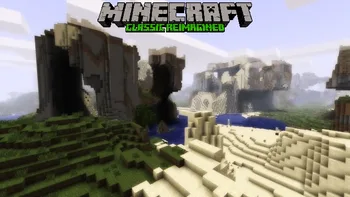
DogePack Classic Beta
ColdFrostDev
DogePack Classic 通过经典纹理和光影为 Minecraft 增添经典视觉体验,在现代版 Minecraft 中呈现经典画面。
写实简约
8
 资源包

Programmer Art Continuation Project
omo50
一款精心制作的《Programmer Art》续作,涵盖从 1.13 到 1.21+ 版本的资源。
16x方块
8
 资源包

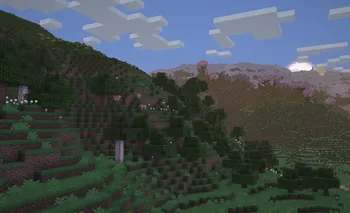
Pixel Perfection Legacy
NovaWostra
由于 XSSheep 的 Pixel Perfection 在 1.13 的开发过程中被弃用且未完成,我决定接手更新该资源包,采用 16x16 的艺术风格。
16x简约
6
 资源包
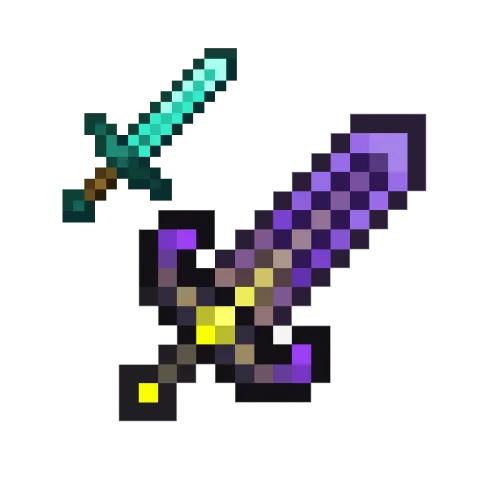
LS Datapack Resources
limesplatus
一个用于我的数据包的自定义物品、音乐和翻译的资源包
物品16x
6
评论 0
登录后参与评分
还没有评论,来抢沙发吧