

Custom Outline 允许你更改 Minecraft 中方块选择框的颜色、透明度和粗细。
默认情况下,它使用颜色 #ffcc00 
Web Generator
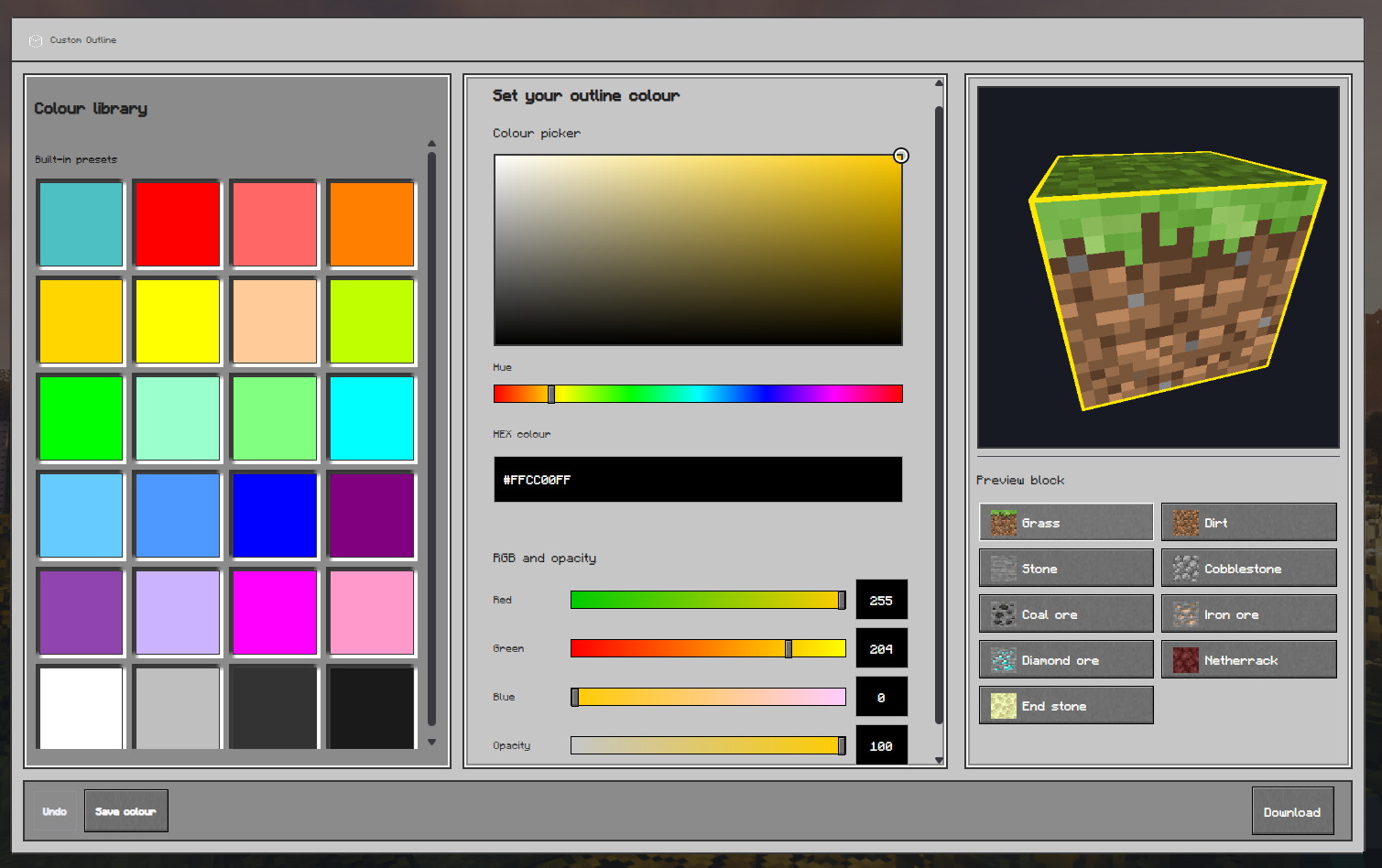
创建自定义资源包最简单的方法是使用 Custom Outline Generator。
选择你的设置,指定 Minecraft 版本,然后下载生成的资源包。
Respackopts Support
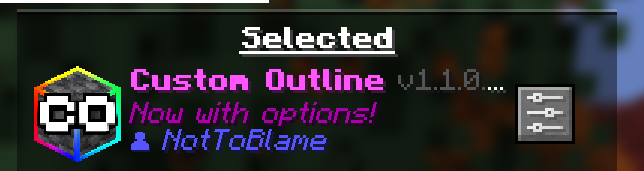
Custom Outline v1.1.0 支持 Respackopts。
安装 Respackopts 和 LibJF,然后通过 Respackopts 或 Mod Menu 打开 Custom Outline 的设置。在那里,你可以更改轮廓颜色、透明度、粗细和动画。
最新的资源包使用 Respackopts 格式 v13,并支持较新的预设系统。旧版资源包使用格式 v12,仅支持主要设置,不支持新的预设文件系统。
Manual Editing
如果你愿意,也可以手动编辑着色器。
打开:
assets/minecraft/shaders/core/rendertype_lines.vsh
找到 #ifndef respackopts_loaded 部分并更改颜色值:
#define customOutline_outline_red 255
#define customOutline_outline_green 204
#define customOutline_outline_blue 0
#define customOutline_outline_opacity 100
#define customOutline_outline_thickness 1.0
保存文件并在 Minecraft 中按 F3 + T 以重新加载资源包。
Rainbow Outline
要使用彩虹动画,请将:
#define customOutline_outline_mode_static
替换为:
#define customOutline_outline_mode_rainbow
⚠️ Compatibility
Custom Outline 与替换 Minecraft 核心着色器的光影包(如 Iris 或 OptiFine 光影)不兼容。
如果你想在使用自定义轮廓的同时使用光影,请使用自带轮廓设置的光影包,例如:
Troubleshooting
The pack is marked incompatible
确保你使用的是与你 Minecraft 版本匹配的资源包版本。
The settings menu is missing
为你的 Minecraft 版本安装 Respackopts 和 LibJF,然后重新启动游戏。
The outline has not changed
确保已启用 Custom Outline,并按 F3 + T 重新加载资源包。
同时检查是否有其他资源包覆盖了相同的着色器。
The pack stops working after enabling shaders
光影包可能会替换 Custom Outline 使用的着色器。请禁用该光影包,或使用其内置的轮廓设置。
需要帮助或有建议?
请联系 GitHub 或加入 Support Discord。
License
? Custom Outline © NotToBlame。你被允许:
- ✅ 从 Modrinth 或 CurseForge 等官方来源下载后,在整合包中使用
- ✅ 创建并发布附加资源包,前提是不包含原始的 Custom Outline 文件
- ✅ 进行个人修改供自己使用
你不可以:
- ❌ 重新上传或分发 Custom Outline 或其素材
- ❌ 在你自己的上传文件或分支中包含原始文件
- ❌ 未经明确许可将资源包用于商业用途
Custom Outline lets you change the colour, opacity and thickness of Minecraft's block selection outline.
By default, it comes with the color #ffcc00
Web Generator
The easiest way to create a custom pack is to use the Custom Outline Generator.
Select your settings, choose your Minecraft version, and download the generated pack.
Respackopts Support
Custom Outline v1.1.0 supports Respackopts.
Install Respackopts and LibJF, then open the Custom Outline settings through Respackopts or Mod Menu. From there, you can change the outline colour, opacity, thickness, and animation.
The newest packs use Respackopts format v13 and support the newer preset system. Older packs use format v12, which supports the main settings but not the newer preset-file system.
Manual Editing
You can manually edit the shader if you prefer.
Open:
assets/minecraft/shaders/core/rendertype_lines.vsh
Find the #ifndef respackopts_loaded section and change the colour values:
#define customOutline_outline_red 255
#define customOutline_outline_green 204
#define customOutline_outline_blue 0
#define customOutline_outline_opacity 100
#define customOutline_outline_thickness 1.0
Save the file and press F3 + T in Minecraft to reload the pack.
Rainbow Outline
To use the rainbow animation, replace:
#define customOutline_outline_mode_static
with:
#define customOutline_outline_mode_rainbow
⚠️ Compatibility
Custom Outline is not compatible with shaderpacks that replace Minecraft's core shaders, such as Iris or OptiFine shaderpacks.
If you want to use shaders with a custom outline, use a shaderpack with its own outline settings, such as:
Troubleshooting
The pack is marked incompatible
Make sure you are using the version selected for your Minecraft installation.
The settings menu is missing
Install Respackopts and LibJF for your Minecraft version, then restart the game.
The outline has not changed
Make sure Custom Outline is enabled and press F3 + T to reload the resource pack.
Also check that another resource pack is not overriding the same shader.
The pack stops working after enabling shaders
Shaderpacks may replace the shader used by Custom Outline. Disable the shaderpack or use its built-in outline settings instead.
Need help or have a suggestion?
Reach out on GitHub or join the Support Discord.
License
? Custom Outline is © NotToBlame. You are permitted to:
- ✅ Use it in modpacks if downloaded from official sources such as Modrinth or CurseForge
- ✅ Create and publish addon packs, provided they do not include original Custom Outline files
- ✅ Make personal edits for your own use
You may not:
- ❌ Reupload or redistribute Custom Outline or its assets
- ❌ Include original files in your own uploads or forks
- ❌ Use the pack commercially without explicit permission

下载 ? Custom Outline
下载 ? Custom Outline
需要联机服务器吗?
稳定流畅、一键部署,几分钟即可和朋友联机开服
最低仅需 8 元/月 即可畅快联机
下载 ? Custom Outline
需要联机服务器吗?
稳定流畅、一键部署,几分钟即可和朋友联机开服
最低仅需 8 元/月 即可畅快联机
下载 ? Custom Outline
下载 ? Custom Outline
需要联机服务器吗?
稳定流畅、一键部署,几分钟即可和朋友联机开服
最低仅需 8 元/月 即可畅快联机
下载 ? Custom Outline
需要联机服务器吗?
稳定流畅、一键部署,几分钟即可和朋友联机开服
最低仅需 8 元/月 即可畅快联机
下载 ? Custom Outline
需要联机服务器吗?
稳定流畅、一键部署,几分钟即可和朋友联机开服
最低仅需 8 元/月 即可畅快联机
下载 ? Custom Outline
下载 ? Custom Outline
下载 ? Custom Outline
需要联机服务器吗?
稳定流畅、一键部署,几分钟即可和朋友联机开服
最低仅需 8 元/月 即可畅快联机
? Custom Outline v1.1.0 更新日志
-
Respackopts 支持
添加了用于设置轮廓颜色、不透明度、粗细、彩虹模式及彩虹设置的内置选项。 -
更新整合包图标
将特定颜色的图标替换为新的 Custom Outline 标志。
关于这个资源的讨论、问题反馈与使用心得
还没有讨论,来发第一帖吧
你是这个资源的作者?登录后可认领此资源。
相似资源
 资源包

John Smith Technician's Remix 是原版 John Smith 资源包的变体,专为搭配模组化 Minecraft 使用而设计。
 资源包

Golden Days 是一款 Minecraft 资源包,旨在重现早期版本(如 Beta)中的旧纹理、光照、名称和音效。需要启用内置的 Programmer Art 资源包。
 资源包

Doggy Talents 的 16x16 资源包
 资源包

带有独特纹理的功能性方块深色 GUI。80 个模组的深色模式
 资源包

这是 EMF Player Animation 资源包。它为玩家实体添加了精美的动画。兼容其他模组的动画,例如 Quark 的表情动作、Parcool 的技巧以及 Not Enough Animations。
 资源包

《基岩版》风格的极简 GUI 和 HUD
评论 0
登录后参与评分
还没有评论,来抢沙发吧