? EverGreen 64x
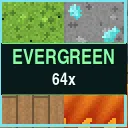
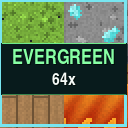
EverGreen 64x 将 Minecraft 转变为一个更干净、更明亮且细节更丰富的世界,同时保留了原版 Minecraft 熟悉的风格和色彩。
✨ 主要特性
- 真正的 64× 分辨率,提供更清晰、更细致的纹理
- 超过 1,300 种方块纹理
- 超过 800 种物品纹理
- 超过 2,600 个图形素材
- 色彩丰富、干净且易于识别的原版风格艺术
- 生物(活体怪物)保留原版纹理
- 重新设计的方块、物品、粒子效果、界面和非生物实体
- 主包无需光影或模组即可运行
- 大小约为 11 MB,比大多数 256× 或 512× 的资源包轻得多
? 详细的方块改造
EverGreen 在保持每个方块易于辨认的同时,改进了 Minecraft 世界中几乎所有的部分。
该资源包包含以下方块的升级纹理:
- 自然地形和石头系列
- 矿石和矿物方块
- 所有主要的木材系列
- 树叶、植物、花朵、作物、藤蔓和树根
- 下界和末地方块
- 铜及其氧化阶段
- 深板岩方块
- 紫水晶和晶洞方块
- 幽匿(Sculk)方块
- 红石组件
- 门、陷阱门、栅栏和建筑材料
- 熔炉、工作台和功能型方块
- 水、岩浆、火焰、传送门和其他动态方块
颜色更加丰富,表面具有更多的深度、阴影和变化,而不会让 Minecraft 感觉像是一个完全不同的游戏。
⚔️ 升级的物品
数百种物品图标已以更高的分辨率重新制作,包括:
- 工具和武器
- 盔甲
- 食物和材料
- 矿物和资源
- 药水和使用类物品
- 染料
- 桶和运输类物品
- 刷怪蛋
- 指南针动画帧
- 时钟动画帧
物品在视觉上依然一目了然,同时采用了更干净的 EverGreen 阴影和色彩处理。
? 动态纹理
EverGreen 包含 47 种动态方块纹理,在不使资源包充斥多余动画的前提下增加了动感。
动态纹理包括:
- 水
- 岩浆
- 火焰和灵魂之火
- 营火和灵魂营火
- 灯笼
- 岩浆块
- 下界传送门
- 海晶灯
- 海晶石
- 命令方块
- 幽匿方块
- 重生锚
- 活跃的熔炉和烟熏炉
- 切石机锯片
这些动画旨在感觉平滑自然,同时尽可能贴近 Minecraft 的原始行为。
? 连接纹理
当与 OptiFine 或兼容的连接纹理模组(如 Continuity)一起使用时,EverGreen 增强了以下内容的连接纹理:
- 透明玻璃
- 玻璃板
- 全部 16 种染色玻璃颜色
- 冰和冰层
- 书架
连接的玻璃去除了分散注意力的内部边框,创建了更大、更干净的窗户,同时保留了外框。
这些功能是可选的。即使没有连接纹理模组,该资源包也能正常工作。
? 自发光纹理
EverGreen 包含 29 种可选的自发光贴图,适用于兼容的设置。
支持的发光细节包括:
- 火把和灵魂火把
- 萤石
- 海晶灯
- 青蛙灯
- 岩浆块
- 红石矿石和红石灯
- 钻石矿石
- 紫水晶
- 幽匿
- 传送门
- 熔炉和烟熏炉
- 南瓜灯
- 哭泣的黑曜石
如果没有自发光纹理支持,这些方块将仅使用标准的 EverGreen 纹理。
? 随机地形变体
常见的地形方块包含多种视觉变体和旋转角度,以减少大面积区域内的明显重复图案。
包含变体的方块有:
- 石头
- 圆石
- 粗制深板岩
- 泥土
- 沙子
- 砂砾
- 下界岩
- 末地石
- 花岗岩
- 闪长岩
- 安山岩
这使得洞穴、山脉、海滩和大型建筑看起来更加自然。
❤️ GUI、HUD 和粒子效果
EverGreen 还更新了许多界面和视觉效果元素:
- 背包
- 工作台
- 熔炉和烟熏炉
- 酿造台
- 附魔台
- 铁砧
- 箱子和容器
- 漏斗
- 发射器和投掷器
- 潜影盒
- 心形、饥饿、护甲和空气图标
- 经验值和跳跃条
- 快捷栏和选择框
- 准星
- 菜单按钮
- 粒子效果
? 安装
- 下载 EverGreen 64x ZIP 文件。
- 不要解压它。
- 打开 Minecraft Java Edition。
- 进入 选项 → 资源包。
- 选择 打开资源包文件夹。
- 将下载的 ZIP 文件移入该文件夹。
- 返回 Minecraft 并启用 EverGreen 64x。
如果 Minecraft 提示该资源包是为其他版本制作的,请确认您使用的是 Modrinth 下载页面上列出的版本之一。
? 可选增强功能
主包不需要任何模组。
对于连接纹理和自发光纹理功能,请使用兼容的设置,例如:
- OptiFine
- Continuity 或其他兼容的连接纹理模组
EverGreen 64x 是一个独立的社区资源包,不与 Mojang Studios 或 Microsoft 有关联。
? EverGreen 64x
EverGreen 64x transforms Minecraft into a cleaner, brighter, and more detailed world while preserving the familiar style and colors of vanilla Minecraft.
✨ Main Features
- True 64× resolution for sharper and more detailed textures
- More than 1,300 block textures
- More than 800 item textures
- Over 2,600 graphical assets
- Colorful, clean, and recognizable vanilla-inspired art style
- Original vanilla textures for living mobs
- Redesigned blocks, items, particles, interfaces, and non-creature entities
- No shaders or mods required for the main pack
- Approximately 11 MB, making it much lighter than most 256× or 512× packs
? Detailed Block Overhaul
EverGreen improves nearly every part of the Minecraft world while keeping each block easy to recognize.
The pack includes upgraded textures for:
- Natural terrain and stone families
- Ores and mineral blocks
- Every major wood family
- Leaves, plants, flowers, crops, vines, and roots
- Nether and End blocks
- Copper and its oxidation stages
- Deepslate blocks
- Amethyst and geode blocks
- Sculk blocks
- Redstone components
- Doors, trapdoors, fences, and building materials
- Furnaces, crafting stations, and utility blocks
- Water, lava, fire, portals, and other animated blocks
Colors are richer and surfaces contain more depth, shading, and variation without making Minecraft feel like a completely different game.
⚔️ Upgraded Items
Hundreds of item icons have been recreated at higher resolution, including:
- Tools and weapons
- Armor
- Food and ingredients
- Minerals and resources
- Potions and utility items
- Dyes
- Buckets and transportation items
- Spawn eggs
- Compass animation frames
- Clock animation frames
Items remain recognizable at a glance while receiving the cleaner EverGreen shading and color treatment.
? Animated Textures
EverGreen contains 47 animated block textures that add movement without filling the pack with unnecessary animations.
Animated textures include:
- Water
- Lava
- Fire and soul fire
- Campfires and soul campfires
- Lanterns
- Magma
- Nether portals
- Sea lanterns
- Prismarine
- Command blocks
- Sculk blocks
- Respawn anchors
- Active furnaces and smokers
- Stonecutter saws
The animations are designed to feel smooth and natural while remaining close to Minecraft’s original behavior.
? Connected Textures
When used with OptiFine or a compatible connected-texture mod such as Continuity, EverGreen adds enhanced connected textures for:
- Clear glass
- Glass panes
- All 16 stained-glass colors
- Ice and packed ice
- Bookshelves
Connected glass removes distracting interior borders and creates larger, cleaner windows while preserving an outer frame.
These features are optional. The resource pack still works normally without a connected-texture mod.
? Emissive Textures
EverGreen includes 29 optional emissive glow maps for compatible setups.
Supported glowing details include:
- Torches and soul torches
- Glowstone
- Sea lanterns
- Froglights
- Magma
- Redstone ores and lamps
- Diamond ore
- Amethyst
- Sculk
- Portals
- Furnaces and smokers
- Jack o’lanterns
- Crying obsidian
Without emissive-texture support, these blocks simply use their standard EverGreen textures.
? Random Terrain Variations
Common terrain blocks include multiple visual variations and rotations to reduce obvious repeating patterns across large areas.
Variants are included for:
- Stone
- Cobblestone
- Cobbled deepslate
- Dirt
- Sand
- Gravel
- Netherrack
- End stone
- Granite
- Diorite
- Andesite
This makes caves, mountains, beaches, and large builds feel more natural.
❤️ GUI, HUD, and Particles
EverGreen also updates many interface and visual-effect elements:
- Inventory
- Crafting table
- Furnaces and smokers
- Brewing stand
- Enchanting table
- Anvil
- Chests and containers
- Hopper
- Dispenser and dropper
- Shulker box
- Hearts, hunger, armor, and air icons
- Experience and jump bars
- Hotbar and selection box
- Crosshair
- Menu buttons
- Particle effects
? Installation
- Download the EverGreen 64x ZIP file.
- Do not unzip it.
- Open Minecraft Java Edition.
- Go to Options → Resource Packs.
- Select Open Pack Folder.
- Move the downloaded ZIP into that folder.
- Return to Minecraft and enable EverGreen 64x.
If Minecraft reports that the pack was made for another version, confirm that you are using one of the versions listed on the Modrinth download page.
? Optional Enhancements
The main pack does not require any mods.
For connected and emissive texture features, use a compatible setup such as:
- OptiFine
- Continuity or another compatible connected-texture mod
EverGreen 64x is an independent community resource pack and is not affiliated with Mojang Studios or Microsoft.
 资源包

 资源包

 资源包

 资源包

 资源包

 资源包

评论 0
登录后参与评分
还没有评论,来抢沙发吧