你需要使用最新版本的 Entity Model Features(+v2.0.2)和 Entity Texture Features(+v6.0.1)才能使用此资源包。这些是客户端模组,同时支持 Forge 和 Fabric。
OPTIFINE 尚不支持玩家自定义模型……以防万一
除了 Fresh Moves 资源包之外……但仅包含表情部分
请查看本教程,并在 Laynce 制作的视频中了解 v1.1 中新增的面部特性。
要修复黑眼问题,请遵循以下快速指南 ↓。如需视频演示,请访问该资源包的 wiki 页面。
修复黑眼 · IthanMendoza/Fresh-Moves Wiki (github.com)
如果你希望第一人称视角下的手部停止移动,请点击此处前往 wiki 页面以禁用该功能。
修复第一人称手部移动 · IthanMendoza/Fresh-Moves Wiki (github.com)
要使此模组正常工作,你必须在 EMF 和 ETF 的设置中启用以下功能:
剧透
首先前往资源包设置
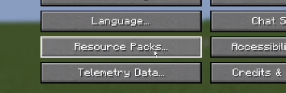
然后点击此按钮(ETF 和 EMF 设置)
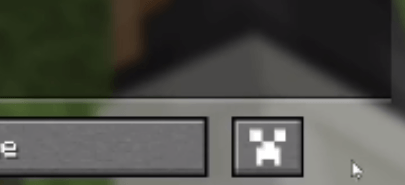
点击“纹理”
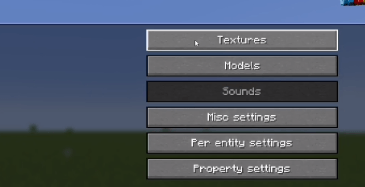
点击“玩家皮肤设置”
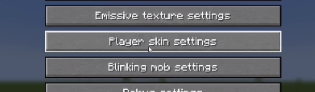
并启用名为“允许皮肤透明度”的选项,将其设置为“所有皮肤”
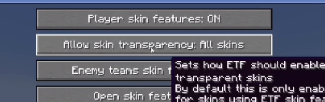
返回模组设置并点击“模型”
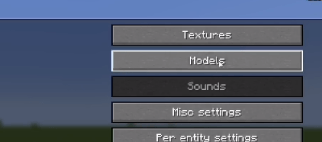
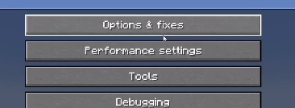
进入“选项与修复”
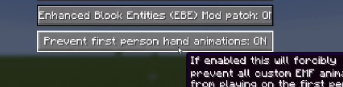
最后,将名为“防止第一人称手部动画”的选项设置为开启
与其他玩家资源包的兼容性
- 仅当其他资源包制作时已支持此功能时才有效。
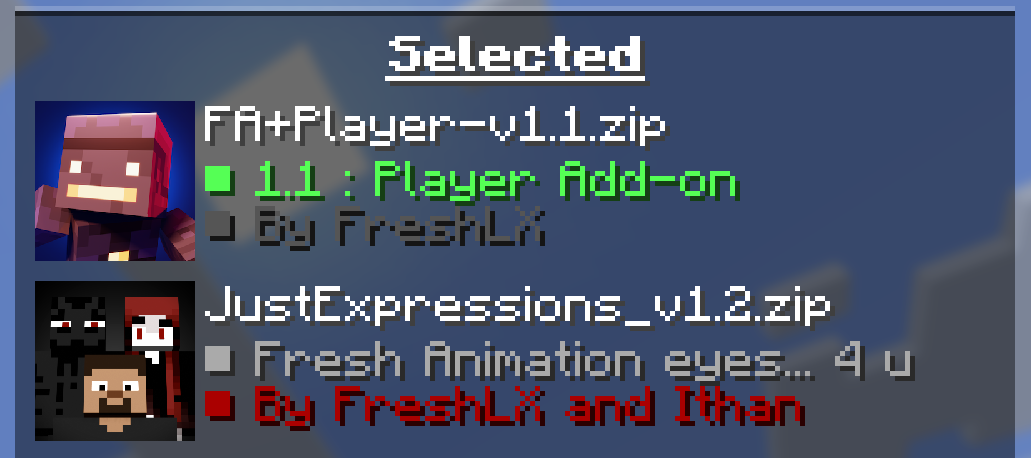
- 为了正常工作,请将其他资源包加载在 Just Expressions 1.2 之上:
要让眼睛动起来,请前往 Fresh Moves wiki。简而言之,你必须向你的皮肤添加额外的像素,并上传修改后的皮肤。这些额外像素的位置可在 wiki 中找到。所有支持的眼睛类型都在那里。
以下是一些真实皮肤中的示例。
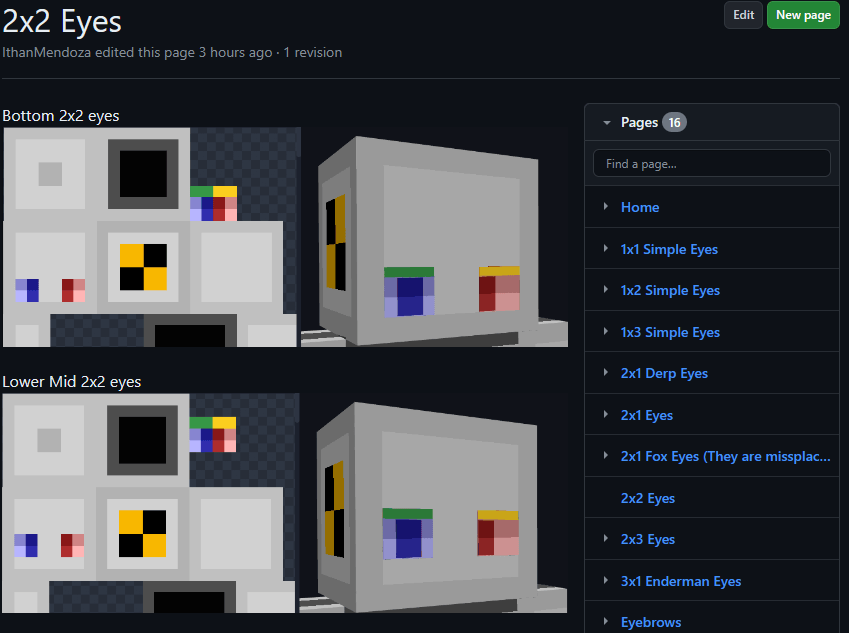
这里有一些最终在你的 skin.png 中需要实现的效果示例。这个结果应作为你的皮肤使用。如果其他人的皮肤上也有这些额外像素,你将能在多人游戏中看到他们的动态眼睛。
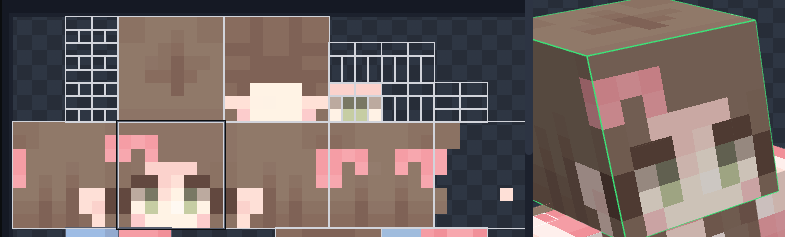
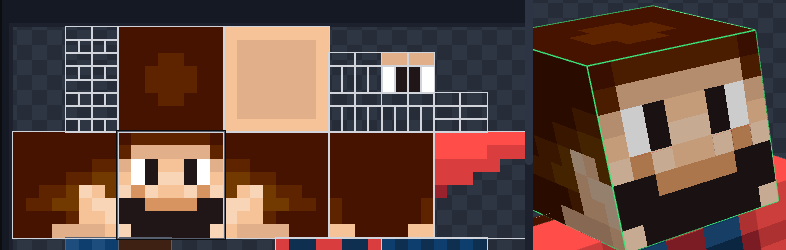
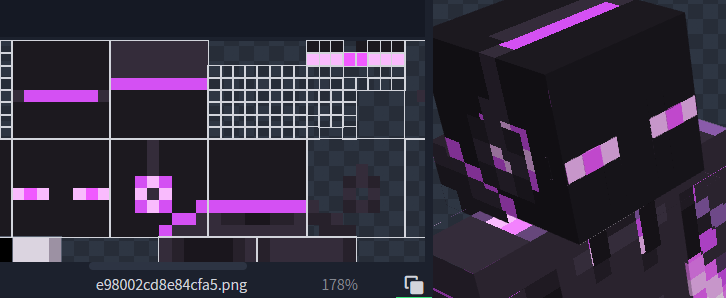
看起来可能缺少眼白部分,但在游戏中,眼白会扩展到正常大小。注意它位于第三个位置的是眉毛。
带有动态眼睛的此资源包版本(Expressive Fresh Moves.zip)还将默认 Minecraft 皮肤(Steve、Alex、Makena、Efe、Noor、Kai、Ari、Sunny 和 Zuri)中包含额外像素,作为示例。 ****
鸣谢:
FreshLX:Fresh Animations 的创作者。Fresh Animations 资源包中的掠夺者动画被用作此资源包的基础。
Traben:ETF、ETM 以及自定义玩家模型特性的创作者。
BoZo-Xo2 & CoolRanchChris:原始 Fresh Player 的创作者,以及 Traben 的 Discord 服务器成员(Fresh Moves 由此衍生而来)。
Fresh Player 和其他玩家动画资源包可以在 Traben 的 Discord 服务器 的 etf-emf-pack-list 频道中找到。务必去看看。
You need the LATEST versions Entity Model Features (+v2.0.2), Entity Texture Features (+v6.0.1) to use this pack. This are client-side mods that are available for both Forge and Fabric
OPTIFINE DOESN'T SUPPORT PLAYER CUSTOM MODELS ...yet, just in case
A part from the Fresh Moves resource pack... but just the expressions
Check this tutorial and the new face feaures added in v1.1 in this video made by Laynce.
To fix Black eyes follow this quick guide ↓. For a video demonstration go to this page in the wiki of the resourcepack.
Fix Black Eyes · IthanMendoza/Fresh-Moves Wiki (github.com)
If you want your hand to stop moving in the first person perspective. Go to this page in the wiki to disable it.
Fix Moving 1st Person Hand · IthanMendoza/Fresh-Moves Wiki (github.com)
For this mod to work you have to activate this features in the EMF and ETF settings:
Spoiler
First go to resourcepacks
The click in this button (ETF and EMF settings)
Click in textures
Click on player skin settings
And activate the option that says "Allow skin transparency" and set it to "All skins"
Go back to the mod settings and click on models
Go to Options and Fixes
And finally set to On the option that says "Prevent first person hand animation"
Compatiblity with some player resource packs
- Only works if the other pack is made to support it.
- Load the other pack above Just Expressions 1.2 to work properly:
To animate the eyes go to the Fresh Moves wiki. TLDR you must add extra pixels to your skin and upload that modified skin. The positions of those extra pixels are in the wiki. All supported eyes are there.
Here are some examples in real skins.
Here are some examples of things you must get in the end in your skin.png. This result must be used as your skin. If other people have these extra pixels on their skin, you will be able to see their animated eyes in multiplayer.
May look like there is some part missing the eyewhites but in game the eyewhites expand to their normal size. Notice that it has the eyebrows at the third position.
The version of this pack with animated eyes (Expressive Fresh Moves.zip) will also have the extra pixels on the default Minecraft skins (Steve, Alex, Makena, Efe, Noor, Kai, Ari, Sunny, and Zuri) as an example. ****
Credits:
FreshLX: Creator of Fresh Animations. The pillager animations of the Fresh Animations pack were used as the base of this pack.
Traben: Creator of ETF and ETM and the custom player models feature.
BoZo-Xo2 & CoolRanchChris: Creators of the original Fresh Player and members of the Traben's discord server (The pack where Fresh Moves is made from)
Fresh Player and other Player Animation packs can be found in the Traben's discord server in the etf-emf-pack-list channel. Be sure to take a look.


 资源包

 资源包

 资源包

 资源包

 资源包

 资源包

评论 0
登录后参与评分
还没有评论,来抢沙发吧