

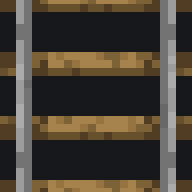
原版 Minecraft 中的矿车轨道轨距为 500mm,这比现实世界中几乎所有铁路都要窄得多。我希望通过这个项目,让在 Minecraft 中建造铁路不仅有趣,而且在某种程度上更加逼真。我选择了 1000mm(米)轨距,因为它是世界上可以找到合理的窄轨干线铁路中最窄的一种(忽略使用 914mm 轨距的哥伦比亚),而且它不会宽到在原版 Minecraft 中显得不合理。

原版 Minecraft 铁轨的坡度过于陡峭,因此为了弥补这一点,现在坡度部分被设计成齿轨段,并且包含的矿车模型在其轴上装有齿轮轮。不幸的是,我没能想出办法让弯道更合理。

- 唯一能正常工作的动画类型是默认矿车,因为我无法找到让其他矿车工作起来的方法。我推测这是 EMF 的一个 bug。
- 当铁轨直接放置在方块或另一条铁轨旁边时会出现 Z-fighting(渲染冲突)
- 我本打算给铁轨留出更多空间
- 此资源包并不适合用于密集的 Redstone 装置或物品拾取系统
- 这个问题可能永远不会得到修复

请注意,此资源包中包含的较大矿车模型需要安装 OptiFine 或 EMF 才能正确渲染。如果你希望在原版 Minecraft 中使用此资源包,请进入 'textures' 文件夹并删除 'minecart.png'。这样矿车会变得非常小,但至少能正确渲染。

尽管 Meter Gauge 拥有更大的矿车模型,但它仍然可以与 Linkart 配合使用,只要你使用的是 5.4.0 或更高版本。安装 Linkart 后,为确保矿车连接时不重叠,请前往你的 .minecraft 文件夹(位于 %appdata% 中),打开 'config' 文件夹,并用任何文本编辑器(如记事本)打开 'linkart' 配置文件。将 'distance' 的值改为 1.5 或更高,具体取决于你希望连接的矿车间隔多远。完成上述操作后,重启 Minecraft 即可正常使用!
Minecart track in vanilla minecraft has a gauge of 500mm, which is far narrower than almost all railways in the real world. What I hope to achieve with this project is to make building a railway in minecraft not only fun, but somewhat more realistic as well. I chose 1000mm (meter) gauge because it is reasonably the narrowest mainline railway gauge you can find in the world (ignoring Colombia, which uses 914mm gauge), and it is not so wide as to be unreasonable for vanilla Minecraft.
Slopes with vanilla minecraft rails are unreasonably steep, so to compensate for this somewhat, slope sections are now rack sections, and the minecart models included have rack wheels on their axles. I unfortunately failed to come up with a way to make the curves more reasonable.
- The only type of minecart with animations working is the default one, as I have been unable to come up with a way to get the others working. I presume this is a bug with EMF.
- There is z-fighting when rails are placed directly next to a block or another rail
- I intended rails to be given more space
- This pack is not designed to be used in dense redstone contraptions or item pickup systems
- This will likely never be changed
Please note the larger minecart models included in this pack require either OptiFine or EMF to render properly. If you wish to use this pack in vanilla, navigate to the 'textures' folder and delete 'minecart.png'. The minecarts will then be unreasonably small, but they will at least render properly.
Despite Meter Gauge's larger minecart models, it can still be used with Linkart, as long as you use version 5.4.0 or newer. Once you have installed Linkart, to ensure the minecarts don't merge together, navigate to your .minecraft folder (in %appdata%), open the 'config' folder, and open 'linkart' with any text editor, such as notepad. Change 'distance' to 1.5 or higher, depending on how far apart you want your minecarts when they're connected. Once you have done this, restart Minecraft and you're good to go!
下载 Meter Gauge
需要联机服务器吗?
稳定流畅、一键部署,几分钟即可和朋友联机开服
最低仅需 8 元/月 即可畅快联机
下载 Meter Gauge
需要联机服务器吗?
稳定流畅、一键部署,几分钟即可和朋友联机开服
最低仅需 8 元/月 即可畅快联机
下载 Meter Gauge
需要联机服务器吗?
稳定流畅、一键部署,几分钟即可和朋友联机开服
最低仅需 8 元/月 即可畅快联机
下载 Meter Gauge
需要联机服务器吗?
稳定流畅、一键部署,几分钟即可和朋友联机开服
最低仅需 8 元/月 即可畅快联机
下载 Meter Gauge
需要联机服务器吗?
稳定流畅、一键部署,几分钟即可和朋友联机开服
最低仅需 8 元/月 即可畅快联机
下载 Meter Gauge
需要联机服务器吗?
稳定流畅、一键部署,几分钟即可和朋友联机开服
最低仅需 8 元/月 即可畅快联机
下载 Meter Gauge
需要联机服务器吗?
稳定流畅、一键部署,几分钟即可和朋友联机开服
最低仅需 8 元/月 即可畅快联机
下载 Meter Gauge
需要联机服务器吗?
稳定流畅、一键部署,几分钟即可和朋友联机开服
最低仅需 8 元/月 即可畅快联机
下载 Meter Gauge
需要联机服务器吗?
稳定流畅、一键部署,几分钟即可和朋友联机开服
最低仅需 8 元/月 即可畅快联机
- 更新了红石火把模型,以更好地兼容资源包
关于这个资源的讨论、问题反馈与使用心得
还没有讨论,来发第一帖吧
你是这个资源的作者?登录后可认领此资源。
相似资源
 资源包

John Smith Technician's Remix 是原版 John Smith 资源包的变体,专为搭配模组化 Minecraft 使用而设计。
 资源包

Golden Days 是一款 Minecraft 资源包,旨在重现早期版本(如 Beta)中的旧纹理、光照、名称和音效。需要启用内置的 Programmer Art 资源包。
 资源包

Doggy Talents 的 16x16 资源包
 资源包

带有独特纹理的功能性方块深色 GUI。80 个模组的深色模式
 资源包

这是 EMF Player Animation 资源包。它为玩家实体添加了精美的动画。兼容其他模组的动画,例如 Quark 的表情动作、Parcool 的技巧以及 Not Enough Animations。
 资源包

《基岩版》风格的极简 GUI 和 HUD
评论 0
登录后参与评分
还没有评论,来抢沙发吧