
关于整合包
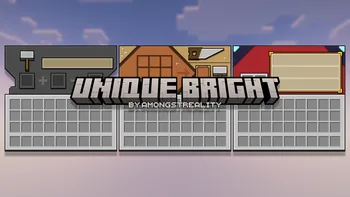
S-Tweaks 是一款纹理包,旨在让你的 Minecraft 用户界面(UI) 更加轻量和现代。快捷栏的设计灵感来源于 Windows 10 应用程序的高亮效果。修改后的 UI 不包含阴影或其他复杂效果,使其更易于阅读。
安装指南
- 在“版本”部分下载你打算游玩的版本对应的整合包。如果找不到你的版本,可以尝试类似的版本。更多信息请参阅下方的“支持版本”标题。
- 现在以与你纹理包匹配的版本启动 Minecraft。如果你使用的是 Lunar 或 Badlion 等自定义客户端,安装过程可能会有所不同。请查阅该客户端的相关文档以获取指导。
- 点击“选项”,然后点击“资源包”。
- 点击左侧名为“打开资源包文件夹”的按钮。
- 此时文件浏览器将打开,你需要将第 1 步中保存的资源包放入该文件夹。具体操作可能因操作系统而异。在我的 Windows 11 系统上,你可以直接拖放文件或复制粘贴。在 Linux 和 Mac 上,操作方式可能类似。
- 返回 Minecraft,点击“可用”区域下新出现的资源包旁边的 ▶️ 按钮。如果出现“This pack was not made for this version.”(此整合包并非为此版本制作)之类的提示,请忽略并点击“Yes”。
- 点击“完成”,享受你的新资源包吧☺。
支持版本
提供 1.20.1 和 1.20.2 格式。这意味着它支持许多早于或晚于 1.20.2 的版本,即使这些版本不在官方支持列表中。你可以尝试一下看看是否正常工作。
⚠️警告⚠️
本资源包尚未完成。可能存在错误,且在不同版本之间外观可能略有差异。
待办事项
- 编辑铁砧库存
About the pack
S-Tweaks is just a texturepack wich makes your Minecraft UI more lite and modern. The hotbar is inspired by the Windows 10 App highlighting. The changed UI contains no shading or other complex effects wich make them a lot more easy to read.
Installation Guide
- Download the Pack over the Version section in the Version you want to play with. If you cant find your version try a similar version out. For more information look below the Suported versions heading.
- Now start Minecraft in the version of your texturepack. When you are using a custom client like Lunar or Badlion the installation might work a little bit different. Then you should read the documentation of the client about this.
- Now you have to click on Options and then on Ressourcepacks.
- Now you need to click on the left button called Open Pack Folder.
- Then your file Browser will open ans you now have to put the ressorcepack from the folder were you saved them in step 1. This can work different from Operaiting System to Operaiting System. In my case on Windows 11 you can simply drag and drop the files or copy and paste them. On Linux and Mac it might will work similar.
- Now you simply go back to Minecraft and click on the ▶️ button on the now appeared ressourcepack under the Available section. When there a message like "This pack was not made for this version." appears simply ignore them and click on Yes.
- Now click on done and be happy with your new Ressourcepack☺.
Suported versions
It is available for 1.20.1 and 1.20.2 format. This does means it will suport many versions past and befor 1.20.2 might also if they are not official suported. Try it out to see if it works.
⚠️WARNING⚠️
THIS RESOURCEPACK IS NOT DONE YET. IT MIGHT HAVE BUGS AND LOOK MIGHT A LITTLE BIT DIFFERENT FROM VERSION TO VERSION.
TODO
- Edit anvil invetory

下载 S-Tweaks
下载 S-Tweaks
下载 S-Tweaks
下载 S-Tweaks
下载 S-Tweaks
下载 S-Tweaks
下载 S-Tweaks
下载 S-Tweaks
下载 S-Tweaks
下载 S-Tweaks
本次更新内容如下:
- 添加了全新的村民界面
- 添加了全新的创造模式界面(开发中)
- 使潜影盒的界面外观与标准箱子保持一致
- 使烟熏炉和高炉的外观与标准熔炉保持一致
- 修复了冷却指示器的 Bug(该问题原为 1.20.2 格式,已在 0.2 版本中修复)
关于这个资源的讨论、问题反馈与使用心得
还没有讨论,来发第一帖吧
你是这个资源的作者?登录后可认领此资源。
相似资源
 资源包

Golden Days 是一款 Minecraft 资源包,旨在重现早期版本(如 Beta)中的旧纹理、光照、名称和音效。需要启用内置的 Programmer Art 资源包。
 资源包

带有独特纹理的功能性方块深色 GUI。80 个模组的深色模式
 资源包

《基岩版》风格的极简 GUI 和 HUD
 资源包

具有独特纹理的功能性方块 GUI
 资源包

原汁原味的 Minecraft 质感,分辨率翻倍,乐趣也翻倍!
 资源包

我对更美观的农业的尝试,兼容模组
评论 0
登录后参与评分
还没有评论,来抢沙发吧