投掷物
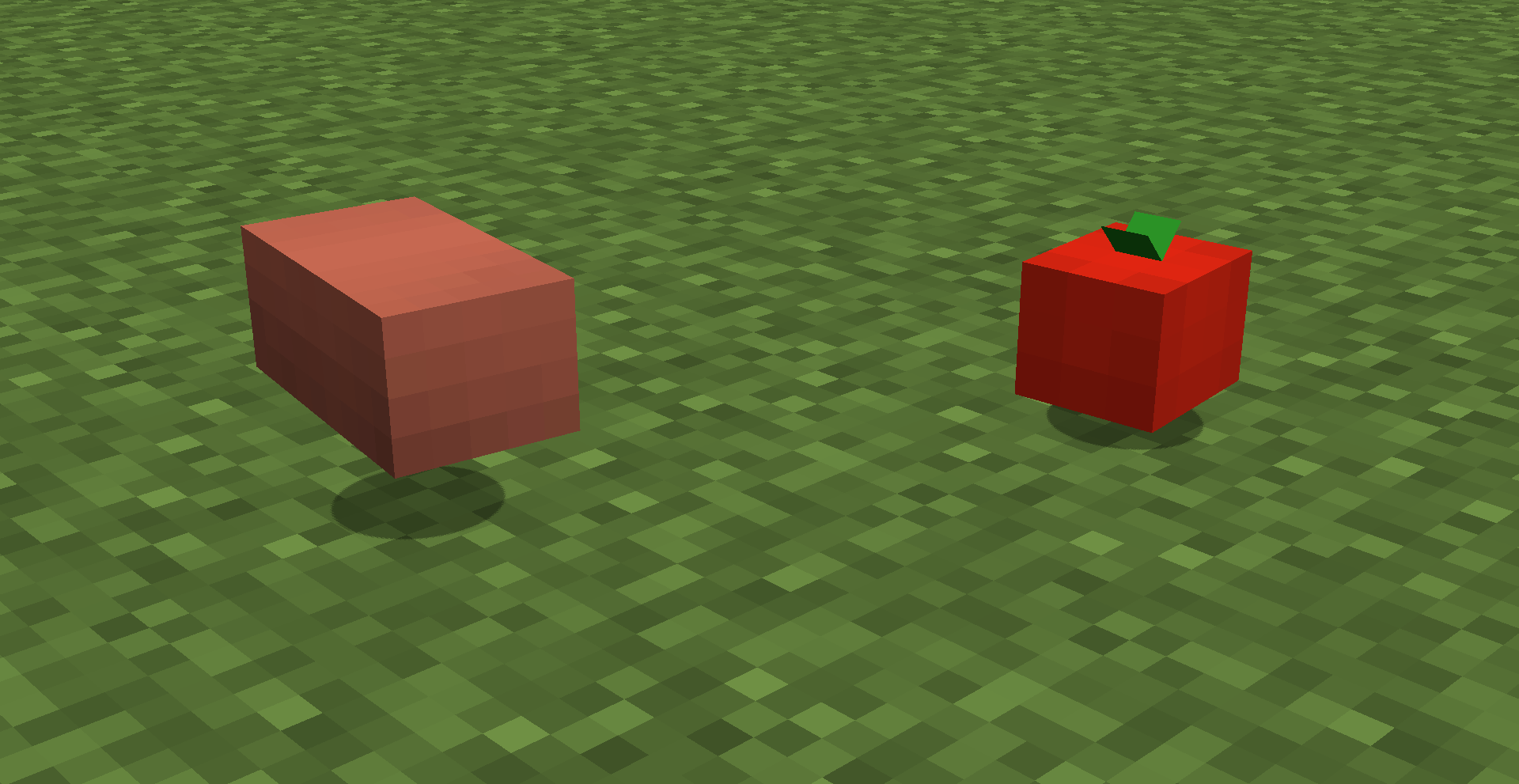
此资源包添加了两种新的可投掷物品:砖块和番茄!
本项目仅针对 资源包。你还需要安装一个 插件。
番茄
番茄是一种全新加入游戏的 食物物品,同时也可以被投掷。蹲下并右键点击即可向目标投掷番茄,默认情况下 没有冷却时间。它也不会造成任何伤害。当番茄砸在方块上时,会形成一团 红色污渍,持续 5 秒后消失。
砖块
砖块原本就存在于原版游戏中,但通过插件,你可以将原版砖块物品在工作台中转换为 3D 可投掷版本,也可以再转换回来。默认情况下,两次投掷之间有 一秒的冷却时间,但当击中实体时,会造成 3颗心的伤害。

安装
将插件放入你的 plugins 文件夹中。该插件仅支持 PaperMC。同时请确保使用资源包。建议将资源包添加到服务器的必需资源包列表中,以便新玩家加入时能够自动下载并启用它。
获取物品
砖块投掷物可以轻易通过合成获得(如上所述),但番茄物品目前在生存模式中无法获取。要获取任意一种投掷物,请使用以下命令语法:
/givethrowable (tomato|brick) [<count>]
示例:
/givethrowable tomato 16
配置设置
几乎所有设置都可以通过命令在游戏内配置,并在服务器停止时将更改保存到服务器配置文件中(如果服务器崩溃或未能正常停止,则配置更改将被丢弃)。要配置插件,请使用以下命令语法:
/throwablesettings reset
将所有投掷物重置为默认设置。
/throwablesettings (tomato|brick) reset
重置特定物品的所有设置。
/throwablesettings (tomato|brick) <setting>
显示某物品某个设置的当前值。
/throwablesettings (tomato|brick) <setting> <value>
更改某物品的某个设置。
/throwablesettings (tomato|brick) <setting> reset
将某物品的某个特定设置重置为默认值。
/throwablesettings (tomato|brick) splatData <splat_setting>
显示当前 splatData 设置的值。
/throwablesettings (tomato|brick) splatData <splat_setting> <value>
更改该物品的 splatData 设置。
/throwablesettings (tomato|brick) splatData <splat_setting> reset
重置该物品的特定 splatData 设置。

Throwables
This resource pack adds two new throwable items, a brick and a tomato!
This project is for the resource pack. There is also a plugin you have to install.
Tomato
The tomato is a brand new food item added to the game which happens to also be throwable. Crouch and right click to throw a tomato at your target, with no cooldown by default. It also does no damage. When the tomato splats on a block, a red splat is formed and remains for 5 seconds, before disappearing.
Brick
The brick is already in the vanilla game, but the plugin allows you to convert from the vanilla brick item to a 3D throwable version in a crafting grid and back. By default, you there is a one second cooldown between throws, but when hitting an entity, it does 3 hearts of damage.

Installation
Add the plugin to your plugins folder. The plugin only works with PaperMC. Also be sure to use the resource pack. It is recommended to add the resource pack to the server's required resource pack, so that it is downloaded and enabled automatically when new players join.
Getting the items
The brick throwable can be crafted easily (as explained above), but the tomato item currently cannot be obtained in survival. To obtain either throwable, use the following command syntax:
/givethrowable (tomato|brick) [<count>]
Example:
/givethrowable tomato 16
Configuring settings
Nearly all settings can be configured in-game using commands and they are saved to server config when the server stops (If the server crashes/doesn't stop properly, the config changes are discarded). To configure the plugin, use the following command syntax:
/throwablesettings reset
Reset all throwables to their default settings.
/throwablesettings (tomato|brick) reset
Reset all settings for a specific item.
/throwablesettings (tomato|brick) <setting>
Show the current value of a setting for an item.
/throwablesettings (tomato|brick) <setting> <value>
Change a setting for an item.
/throwablesettings (tomato|brick) <setting> reset
Reset a specific setting for an item to its default.
/throwablesettings (tomato|brick) splatData <splat_setting>
Show the current value of a splatData setting.
/throwablesettings (tomato|brick) splatData <splat_setting> <value>
Change a splatData setting for the item.
/throwablesettings (tomato|brick) splatData <splat_setting> reset
Reset a specific splatData setting for the item.
评论 0
登录后参与评分
还没有评论,来抢沙发吧

