TRUCE
当坚毅遇见渐变。
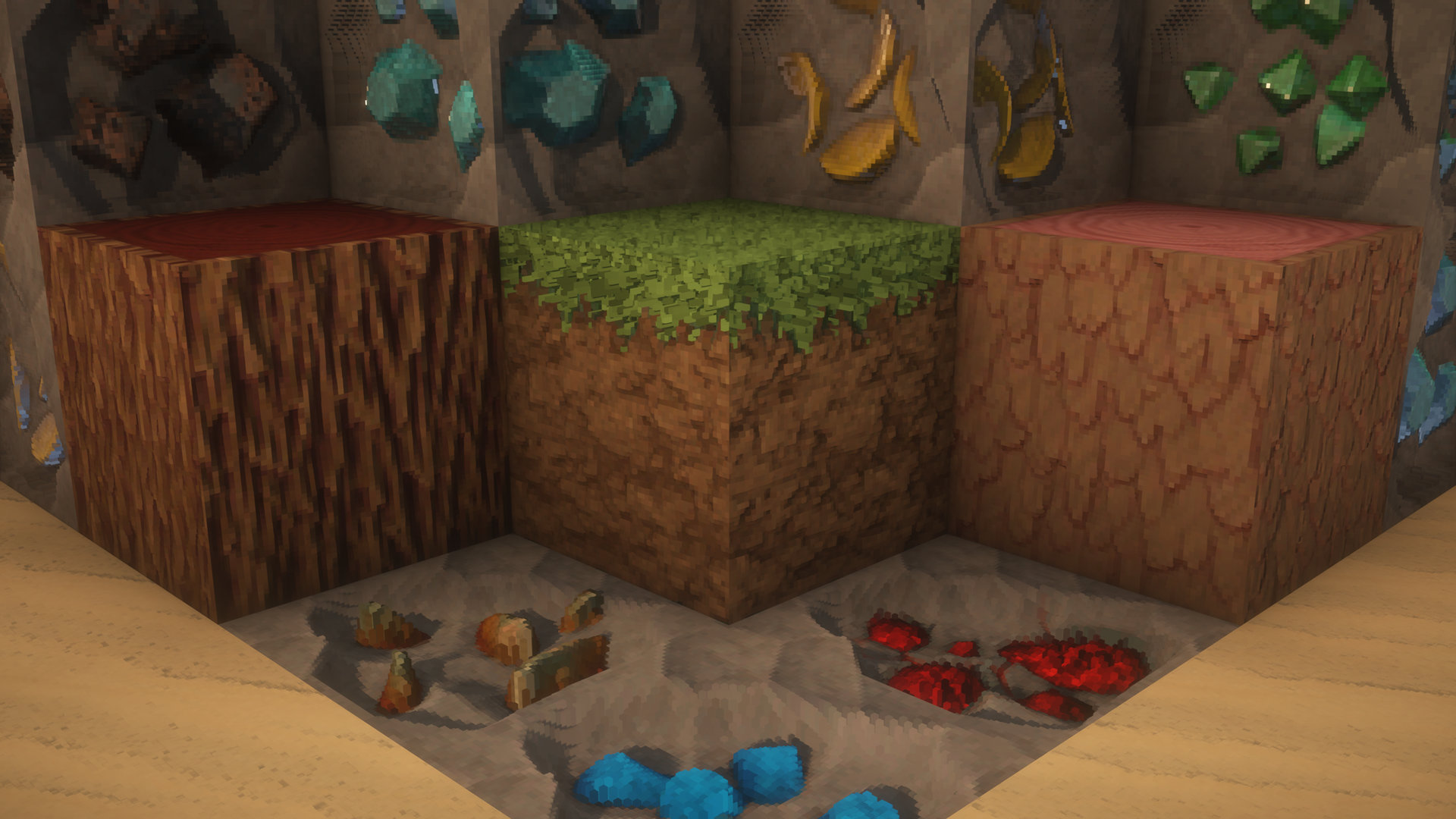
Truce 是对 Minecraft 资源包中历史最悠久的冲突——超写实主义与风格化艺术之间的较量——给出的终极解决方案。Truce 并非让你选择阵营,而是创造了一个两者共存的世界。
体验一个拥有现实触感重量、却兼具插画鲜活灵魂的地貌景观。这不仅仅是一个资源包;它是一个设计精良的平衡生态系统。
别再在“真实”与“卡通”之间做选择了。签署停战协议。安装 Truce。
TRUCE | 开发与设置
Truce 建立在两个核心支柱之上:
做到极致:构建我一直渴望游玩的资源包。因此,你的反馈对于让它变得尽善尽美至关重要。
性能:我的目标是通过智能优化提供高保真度的视觉效果,确保我的创意愿景不会以牺牲你的帧率为代价。
分辨率层级
标准版(免费):x32 | x64 Discord
高级版(Patreon 独占):x128 | x256 | x512 | x1024
Patreon 链接
重要配置说明
为了体验 3D 效果,本资源包需要支持 LabPBR 纹理的光影。请确保在你的光影设置中启用了视差遮挡映射(Parallax Occlusion Mapping, POM)。
快速设置指南:
BSL -- 材质 > 启用高级材质 > 将格式设置为 LabPBR。然后,在法线和视差选项下,启用视差遮挡映射。
Complementary -- RP 支持 > 选择 LabPBR。然后前往材质 > LabPBR 材质并启用视差遮挡映射。
Kappa -- 地形 > 确保已启用视差遮挡映射。
SuperDuperVanilla -- PBR > 将模式设置为 LabPBR。然后打开视差遮挡设置并启用。
使用其他光影?请在纹理或材质设置标签页下寻找“Parallax”、“PBR”或“Advanced Materials”以启用 3D 效果。

TRUCE
Where Grit Meets Gradient.
Truce is the definitive resolution to the oldest conflict in Minecraft resorcepacks: the battle between hyper-realism and stylized art. Instead of choosing a side, Truce creates a world where they coexist.
Experience a landscape where materials have the tactile weight of reality, but the vibrant soul of an illustration. This isn't just a resource pack; it’s a balanced ecosystem of design.
Stop choosing between "Real" and "Cartoon." Sign the treaty. Install Truce.
TRUCE | Development & Setup
Truce is built on two core points:
Make it the best: Build the pack I’ve always wanted to play. So your feedback is important to make it the best it can be.
Performance: My goal is to deliver high-fidelity visuals through smart optimization, ensuring my creative vision doesn't cost you your frame rate.
Resolution Tiers
Standard (Free): x32 | x64 Discord
Premium (Patreon Exclusive): x128 | x256 | x512 | x1024
Patreon link
Important Configuration
To experience the 3D effect, this pack requires a shader that supports LabPBR textures. Ensure Parallax Occlusion Mapping (POM) is enabled in your shader settings.
Quick Setup Guide:
BSL -- Material > Enable Advanced Materials > Set format to LabPBR. Then, under Normals and Parallax, enable Parallax Occlusion Mapping.
Complementary -- RP Support > Select LabPBR. Then go to Materials > LabPBR Materials and enable Parallax Occlusion Mapping.
Kappa -- Terrain > Ensure Parallax Occlusion Mapping is enabled.
SuperDuperVanilla -- PBR > Set mode to LabPBR. Then open Parallax Occlusion Settings and enable.
Using another shader? Look for "Parallax," "PBR," or "Advanced Materials" under the Texture or Material settings tabs to enable the 3D effect.
评论 0
登录后参与评分
还没有评论,来抢沙发吧