
社区支持
Visual Effects+ 现在以及未来都会完全免费。无论是否达到支持目标,下一次更新都会如期发布。没有任何内容被锁定在该目标之后。这仅仅是一种可选的方式,让任何喜欢该整合包的人来支持为其开发所投入的时间和精力。
每一份贡献都能帮助我投入更多时间来创建新特效、修复问题、制作向后移植版本并支持更新的 Minecraft 版本。使用整合包、分享它、报告错误以及留下反馈也已经提供了巨大的帮助。
感谢您以任何方式支持 Visual Effects+!


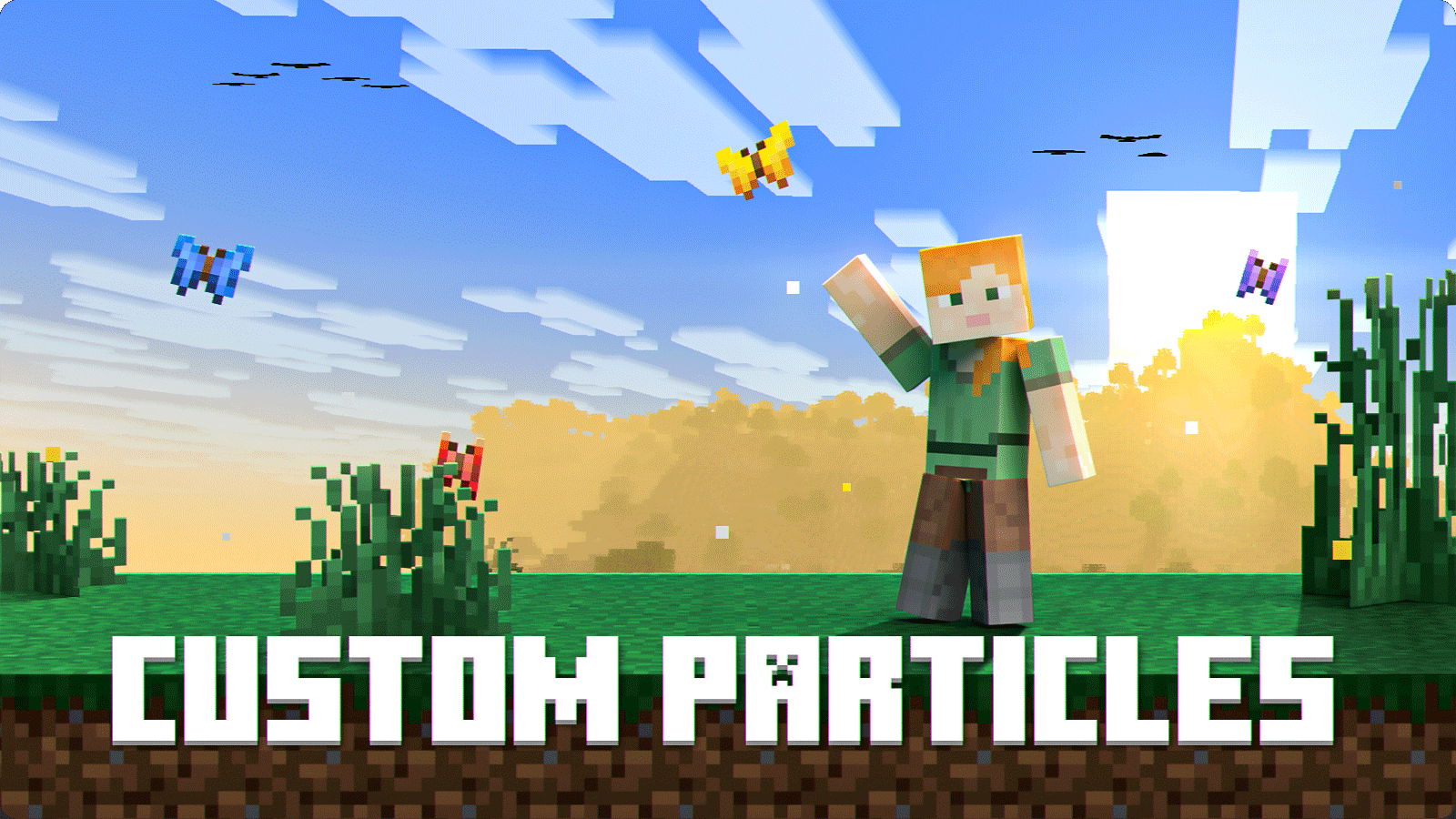
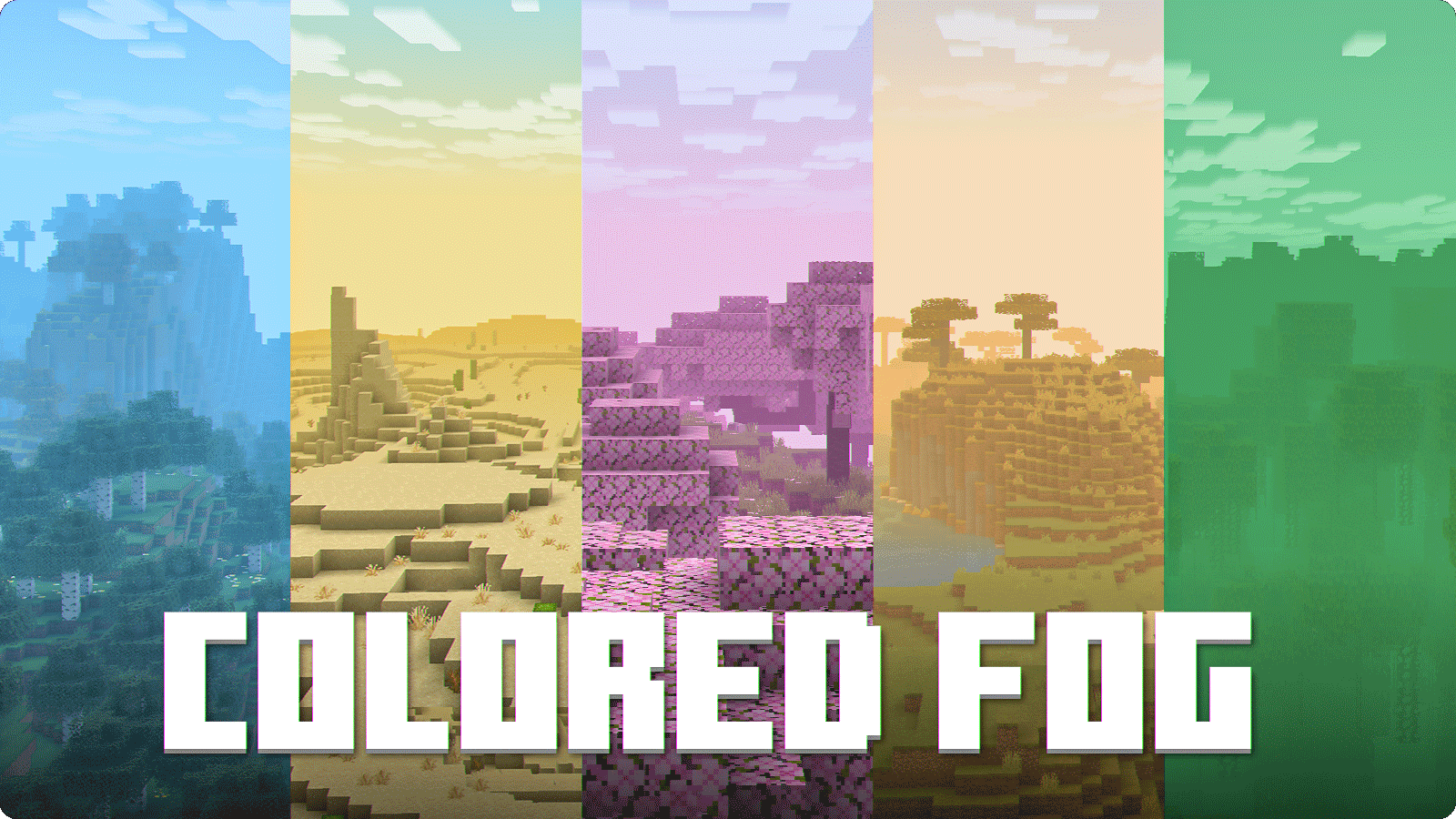
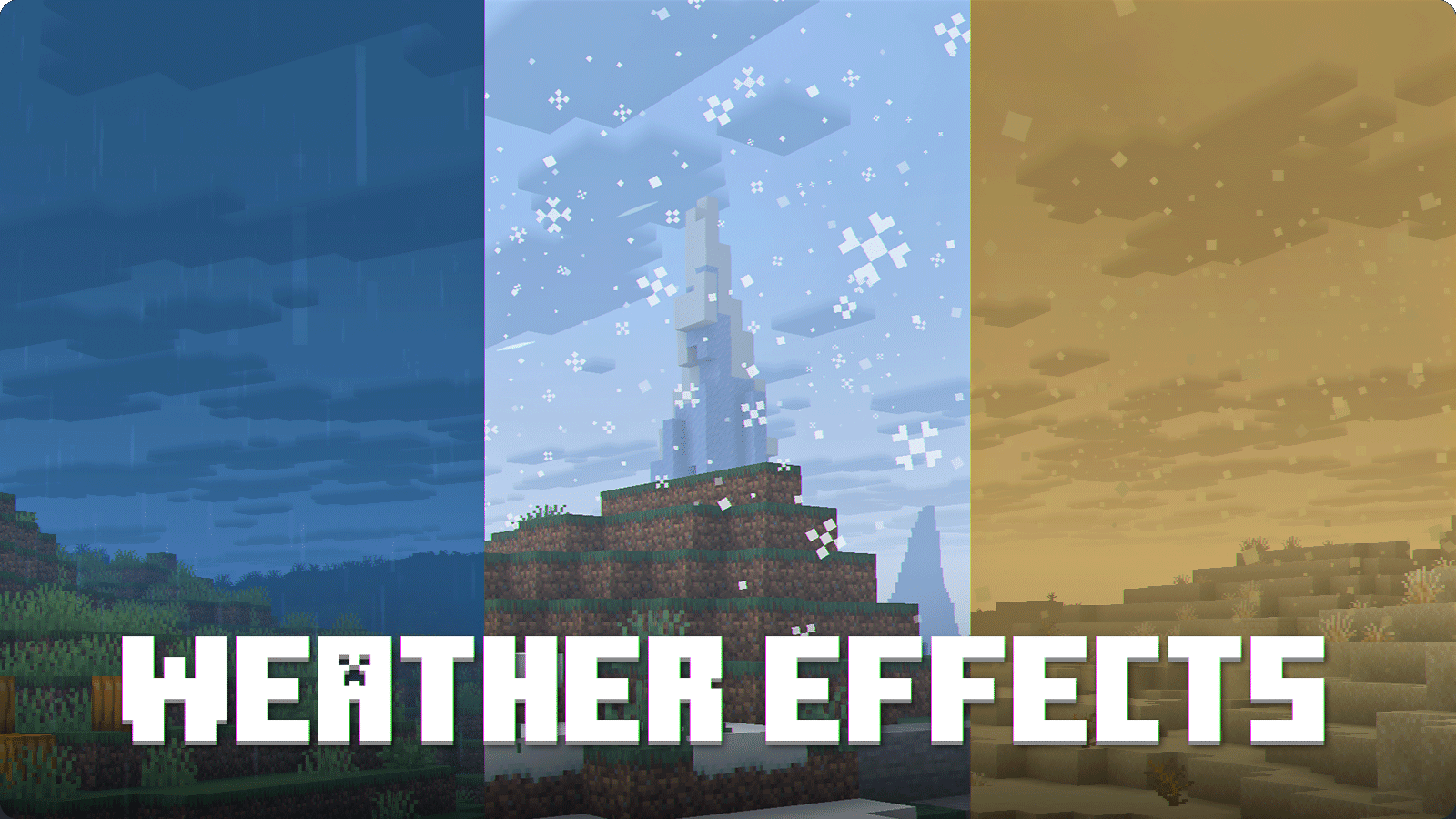
Visual Effects+ 通过动态生物群系雾、自定义粒子、天气效果、重做的天空、云层等,彻底改变了 Minecraft 的氛围。
最新更新预告片
特性
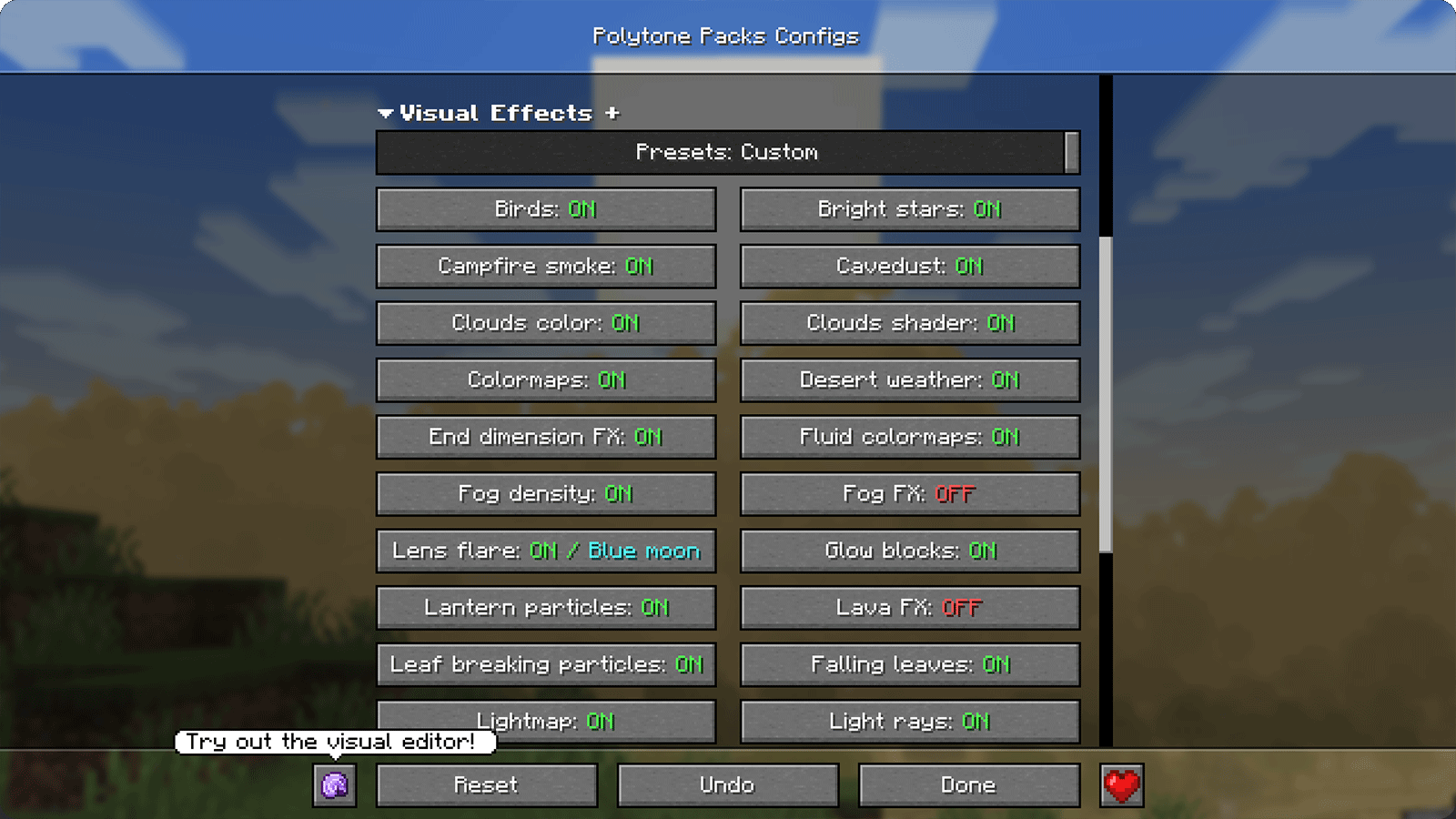
配置界面
需求
- Polytone — 必需
- Additional performance mods — 推荐
推荐设置
打开设置指南
1. 整合包必须放在最顶部!
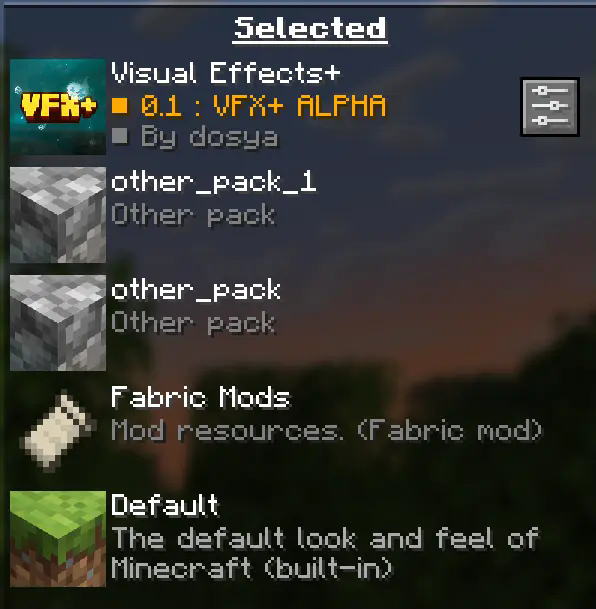
您的整合包应始终位于最顶层,以防止任何与 polytone 相关的问题。
2. 关闭雾气遮挡(fog occlusion)!
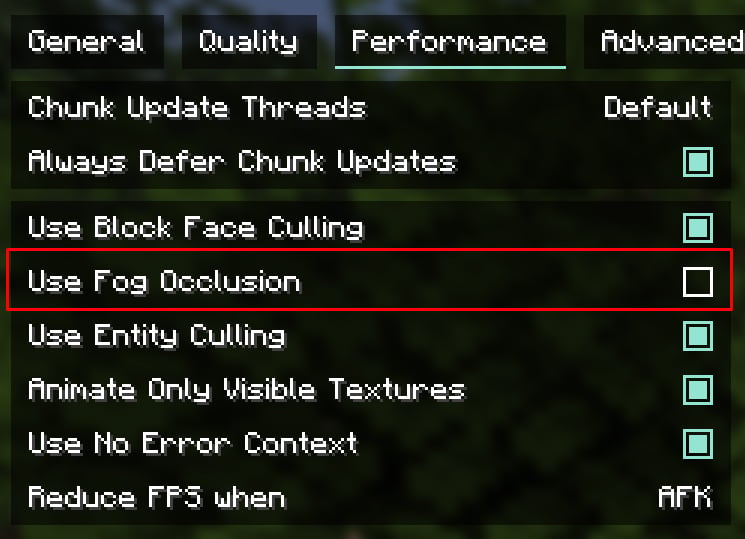
您可以在 “Performance” 选项卡中找到此选项。
对于低端电脑请保持开启状态
推荐的渲染距离为 12 - 16 个区块,但您可以根据需要修改此值
鸣谢
查看完整鸣谢
Tealover - 测试、建议及其他帮助。
sapling. - 测试、建议及其他帮助。
Cubert - 帮助确定项目名称,测试、建议及其他帮助。
Peanut Butter Jelly - 测试和建议。
VFX+ discord server - 衷心感谢社区的反馈与支持。
sapling. Mods discord server - 衷心感谢社区的反馈与支持。
MehVahdJukaar - 协助处理 polytone 相关问题。
Community Support
Visual Effects+ is and will remain completely free. The next update will be released whether the support goal is reached or not. Nothing is locked behind this goal. It is simply an optional way for anyone who enjoys the pack to support the time and work that goes into its development.
Every contribution helps me dedicate more time to creating new effects, fixing issues, making backports, and supporting newer Minecraft versions. Using the pack, sharing it, reporting bugs, and leaving feedback already helps a lot too.
Thank you for supporting Visual Effects+ in any way!
Visual Effects+ transforms Minecraft's atmosphere with dynamic biome fog, custom particles, weather effects, reworked skies, clouds, and much more.
Latest Update Trailer
Features
Configuration screen
Requirements
- Polytone — required
- Additional performance mods — recommended
Recommended settings
Open settings guide
1. Pack should be on top!
Your pack should be always on top to prevent any polytone related issues.
2. Turn off fog occlusion!
You can find this option in "Performance" tab.
For low-end PC left it turned on
Recommended render distance is 12 - 16 chunks, but you can modify this value as you want
CREDITS
View full credits
Tealover - testing, suggestions and other help.
sapling. - testing, suggestions and other help.
Cubert - helped to decide a title for a project, testing, suggestions and other help.
Peanut Butter Jelly - testing and suggestions.
VFX+ discord server - big thank you for community feedback and support.
sapling. Mods discord server - big thank you for community feedback and support.
MehVahdJukaar - helping out with polytone.

下载 Visual Effects+
下载 Visual Effects+
下载 Visual Effects+
下载 Visual Effects+
下载 Visual Effects+
下载 Visual Effects+
下载 Visual Effects+
下载 Visual Effects+
下载 Visual Effects+
下载 Visual Effects+
兼容性
- 更新了适用于 Minecraft 26.3 的资源包格式。
- 支持 Dappled Forest 生物群系。
- 将粒子、发射器和色彩映射表达式迁移至新的 Polytone 语法。
- 更新了云、雨、天空和星空的光影效果。
- 更新了火把特效及其他粒子发射器所使用的方块状态条件。
水下特效
- 使用 GPU 粒子和专用光影重新构建了水下光柱效果。
- 增加了对水面、开阔天空及水柱深度的检测。
- 光线亮度现在会响应一天中的时间及降雨状况。
- 新增了光线亮度 0–200% 和光线数量 0–100% 的设置项,两者默认值均为 50%。
太阳与月亮镜头光晕
- 重构了光源可见性检查,以考虑几何体遮挡的影响。
- 增加了更平滑的光晕过渡效果。
- 在水下和雨天增加了光晕抑制功能。
- 新增了整体光晕亮度和彩色镜头反射亮度的独立控制选项,范围均为 0–200%。
末地(The End)
- 添加了带有小星星和发光地平线的紫色天空光影。
- 用基于光影的渲染替换了之前的天空辉光和渐变粒子效果。
- 调整了末地中的雾效距离设置。
雾效与环境
- 新增了体积雾不透明度设置,范围为 0–200%。
- 降低了基础雾效和浓雾粒子的不透明度。
- 为
dappled_forest添加了雾效色彩映射和雾效设置。 - 新增了橙色、红色和黄色杨树落叶的粒子定义。
- 为破坏树叶时生成的白桦树叶粒子添加了色彩映射。
修复
- 修复了在高海拔时天空核心光影出现明显八边形的问题(由 @kchongz 在 Discord 服务器报告)
- 修复了行走时天空核心光影出现轻微晃动的问题
关于这个资源的讨论、问题反馈与使用心得
还没有讨论,来发第一帖吧
你是这个资源的作者?登录后可认领此资源。
相似资源
 资源包

John Smith Technician's Remix 是原版 John Smith 资源包的变体,专为搭配模组化 Minecraft 使用而设计。
 资源包

带有独特纹理的功能性方块深色 GUI。80 个模组的深色模式
 资源包

《基岩版》风格的极简 GUI 和 HUD
 资源包

让你的游戏画面就像宣传片一样!动态动画实体,为你的 Minecraft 体验增添新鲜感。
 资源包

放松、沉浸式的天气音效,带来舒适的品质与宁静。
 资源包

具有独特纹理的功能性方块 GUI
评论 0
登录后参与评分
还没有评论,来抢沙发吧