AV Shader (Advanced Vanilla)
AV Shader 是一款适用于 Minecraft 的光影包,运行在 Iris 加载器上。它保留了原版方块化的视觉风格,并在其基础上增添了现代光照与氛围效果。该光影专为在配置较低的电脑上保持流畅性能而打造。
其视觉效果灵感来源于 Photon 光影。

特性
光照与阴影
- 实时太阳和月亮阴影,支持调整柔和度、分辨率和距离
- 手持火把、灯笼和熔岩桶会照亮周围区域
- 放置的火把和熔岩提供暖色调光源
- 方块面采用类似原版的着色方式(顶部明亮,底部较暗)
阴影是造成帧数下降的主要原因。关闭阴影可提升约 25-35% 的帧率。
天空
- 完全重新绘制的天空,而非使用原版天空
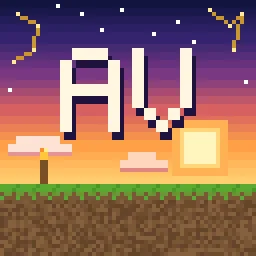
- 昼夜渐变、日落效果,以及像原版一样的方块状方形太阳和月亮圆盘
- 夜间星空星座,由金色线条连接,并伴有闪烁的星星和流星
- 每个区域仅显示少数几个星座,随着你的移动,不同的星座群会逐渐显现
- 雷暴天气会增加闪电闪光、更暗的云层和片状闪电
云层
- 三种样式:柔和体积云(默认)、扁平云和原版 Minecraft 云朵
世界
- 带有动态波浪的水面,包含天空反射、日月波光粼粼效果,浅水区清澈透明,远处逐渐变为深青色
- 草地、花朵和树叶随风摇曳
- 下界: 生物群系颜色的薄雾、熔岩迷雾和漂浮的余烬
- 末地: 紫色天空搭配极光帷幕
- 支持 Distant Horizons 模组,拥有独立的大气雾效和光照设置
后处理与菜单
- 泛光(Bloom)和锐化效果
- 亮度、曝光度、对比度、饱和度和色温控制
- 四种预设配置文件(Potato、Low、Balanced、High Quality),可同时设置多项选项,让你可以在画质和帧率之间做出权衡
- 设置菜单按名称分类为不同界面,其中包含“信息”标签页,提供 Discord 和 YouTube 链接
安装方法
- 安装 Iris。
- 从版本页面下载 AV Shader。
- 在 Minecraft 中,打开 选项 > 视频设置 > 光影包,然后点击 打开光影包文件夹。
- 将下载的文件放入该文件夹。
- 在列表中选择 AV Shader 并应用。
性能优化
如果游戏运行缓慢,请优先选择 Potato 或 Low 配置文件,或者关闭阴影。
相关链接
- YouTube: Roxzy Gaming Official YouTube Channel
致谢
由 Roxzy Gaming (Nimesh Rashmika) 制作。视觉效果灵感来源于 Photon 光影。
AV Shader (Advanced Vanilla)
AV Shader is a shader pack for Minecraft that runs on Iris. It keeps vanilla's blocky look and adds modern lighting and atmosphere on top. It's built to stay fast on weak PCs.
Its look is inspired by the Photon shader.

Features
Lighting and shadows
- Real-time sun and moon shadows with adjustable softness, resolution and distance
- Held torches, lanterns and lava buckets light up the area around you
- Placed torches and lava give warm light
- Block faces are shaded like vanilla (bright tops, darker bottoms)
Shadows are the biggest FPS cost. Turning them off gains about 25-35%.
Sky
- Sky drawn from scratch instead of using vanilla's
- Day and night gradient, sunsets, and blocky square sun and moon discs like vanilla
- Star-chart constellations at night, joined by gold lines, plus sparkling stars and shooting stars
- Only a few constellations show in each area, and a different set fades in as you travel
- Thunderstorms add lightning flashes, darker clouds and sheet lightning
Clouds
- Three styles: soft volumetric (default), flat, and vanilla Minecraft clouds
World
- Water with animated waves, sky reflections, sun and moon glitter, and clear shallows that turn deep teal further out
- Grass, flowers and leaves sway in the wind
- Nether: biome-coloured haze, lava mist and floating embers
- End: violet sky with aurora curtains
- Distant Horizons support, with its own fog and lighting settings
Post-processing and menus
- Bloom and sharpening
- Brightness, exposure, contrast, saturation and warmth controls
- Four profiles (Potato, Low, Balanced, High Quality) that set many options at once, so you can trade looks for FPS
- Settings menu organised into named screens, with an Information tab that has the Discord and YouTube links
Installation
- Install Iris.
- Download AV Shader from the Versions tab.
- In Minecraft, open Options > Video Settings > Shader Packs, then click Open Shader Pack Folder.
- Drop the downloaded file into that folder.
- Select AV Shader in the list and apply.
Performance
If the game runs slowly, start with the Potato or Low profile, or turn shadows off.
Links
- YouTube: Roxzy Gaming Official YouTube Channel
Credits
Made by Roxzy Gaming (Nimesh Rashmika). Look inspired by the Photon shader.
评论 0
登录后参与评分
还没有评论,来抢沙发吧

