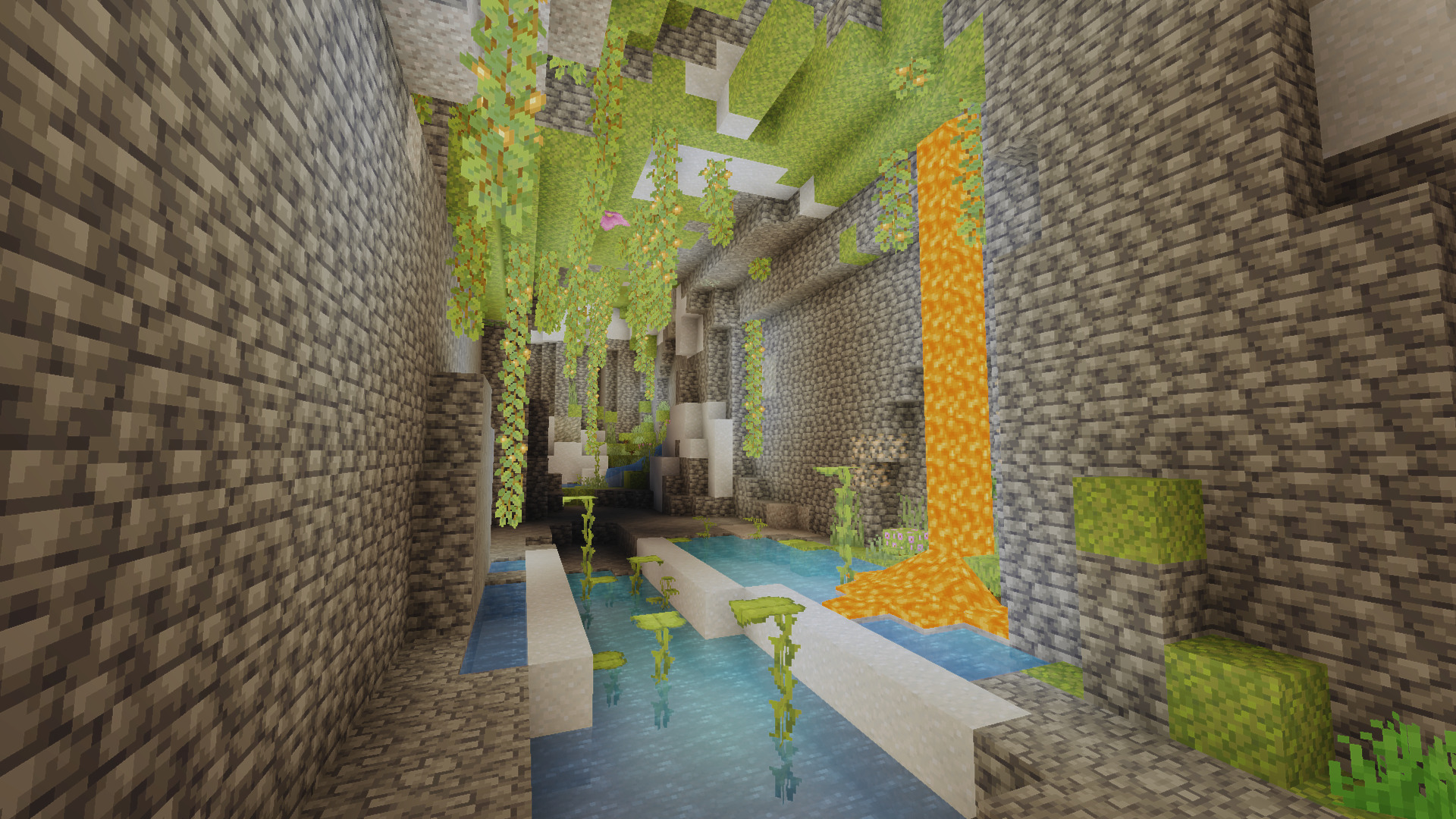
PR1SMLITE 是一款为预算级显卡和集成显卡打造的 Minecraft 光影包,经过数十次迭代优化而成。该光影包包含锐化、泛光(bloom)、色彩清晰度提升以及阴影渲染流程。如果你希望在保证画质的前提下获得尽可能高的性能表现,那么它就是你的不二之选。
本光影基于 AMD Ryzen 5 7520U(搭载 Radeon 610M 集成显卡)进行开发,旨在以极低的硬件成本实现高帧率运行。在使用 Iris 和 Sodium 时,由于其渲染流程相对简单,我们实现了比大多数其他光影包更高的帧率。它不使用任何特殊的超采样技巧或沉重的渲染算法,仅依赖少量数学计算,从而能够保持接近原版游戏的性能水平。
如今,将更多帧数或性能“外包”给外部组件已成为新趋势,而这款光影正是为了填补 Minecraft 光影领域在这一方面的空白而设计的。如果你的显卡难以流畅运行其他光影包,或者你希望在享受一定视觉美感的同时仍能保证游戏可玩性,那么这款光影就是为你量身打造的。立即下载并自行体验吧,无需任何配置。
安装方法:
安装此光影包需要同时安装 Sodium 和 Iris。在成功安装 Sodium 和 Iris 后,请将它们放入 Minecraft 的 mods 文件夹中!随后请确保至少启动过一次 Minecraft,以便系统自动创建光影包文件夹。既然游戏已经运行过一次,请打开你的 Minecraft Java 目录,查找名为 "shaderpacks" 的文件夹。打开该文件夹并将 PR1SMLITE 放入其中。现在你可以重新启动 Minecraft,进入选项菜单 → 视频设置 → 找到标有 “Shaders” 或 “Shaderpacks” 的按钮,即可看到 “PR1SMLITE” 作为可用选项。选中它并启用光影,即可体验轻量级光影带来的真实视觉效果。
PR1SMLITE is a Minecraft shader built from dozens of iterations for budget and integrated GPUs. This shaderpack includes sharpening, bloom, color clarity, and a shadow rendering process. If you want the most performance out of shaders, but don't want bad quality, this is your next choice.
Developed on an AMD Ryzen 5 7520U (with Radeon 610M integrated-GPU), it was made to achieve high framerates at low costs. When using Iris and Sodium we achieved larger framerates above most shaders due to the less complex rendering processes. Using no special upscaling tricks, no heavy rendering algorithms, but only using a very little amount of math that makes staying close to vanilla performance possible.
Outsourcing more frames or performance has become the new want of today, and this shader fills in that slot in the shader-side of Minecraft. If your GPU struggles with every other shaderpack, or if you want a level of beauty while still wanting a playable game, this shader was built exactly for you. Download it and try it for yourself, no configurations needed.
Installation:
This installation process requires both Sodium and Iris for installation. Once you have installed Sodium and Iris, you can place them into your mods folder for Minecraft! After this make sure you have at least ran Minecraft one time to make sure your shaderpack folder is built. Now since the game has already ran one time, open to where your Minecraft Java folder is and search for a "shaderpack" folder. Open this folder and drop PR1SMLITE inside. You can now open Minecraft again and you should see the shaderpack if you open your options menu, go to Video settings, and look for a button that says "Shaders" or "Shaderpacks." Now you should be able to find "PR1SMLITE" as a option, once selected you can enable shaders and experience the true looks of lightweight shaders


 光影

 光影

 光影

 光影

 光影

 光影

评论 0
登录后参与评分
还没有评论,来抢沙发吧