procPromo v0.9.2
Optifine 与 Iris 光影包
已适配 MC 26.3;荒野边界
灵感源自 Mojang 的 宣传/主视觉风格
那些 卡通化 氛围
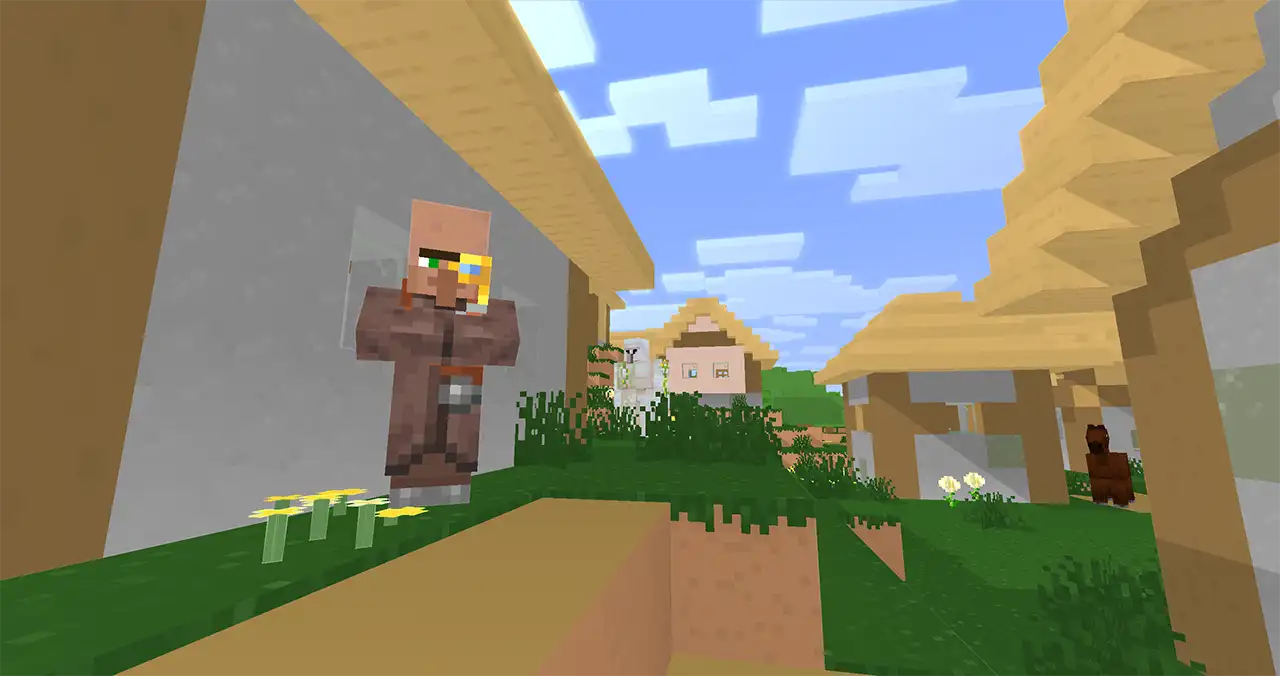
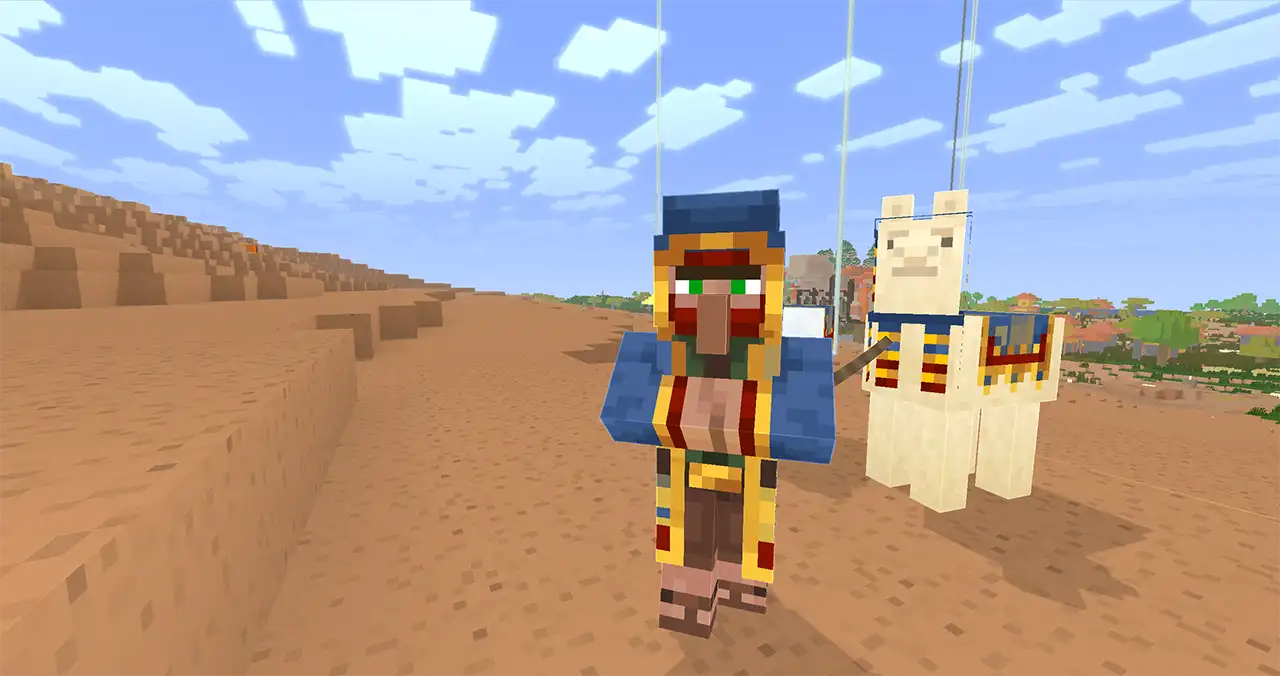
更柔和的细节、边缘高光、锐利的阴影以及发光效果。
核心特性
风格与细节
- 世界中的纹理细节将相互融合,呈现更柔和的外观
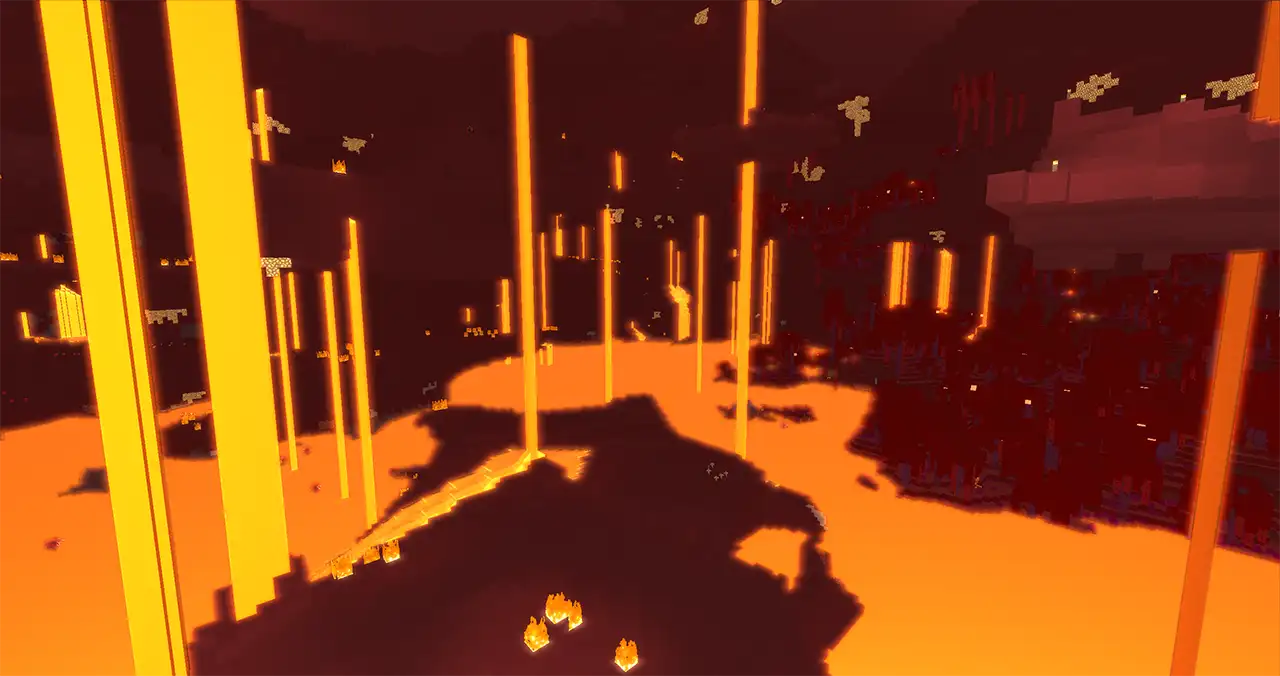
- 光方块、粒子及其他合适元素周围会有光照亮,营造发光感。
- 边缘高光让环境更加突出醒目。
- 反射水面与透明方块
(支持 Minihud 的形状和叠加层,耶)
选项 -> 视频设置 -> 光影 / 光影包 -> 光影选项 / 设置

查看光影设置详情
- 基础质量 (Base Quality) - 减少纹理模糊采样量、复杂的数学计算函数以及对性能的拖累。
其他选项表示保真度,而此选项决定如何利用该保真度。
注意 - 世界颜色 中的色盲校正算法在低和中档 基础质量 设置下仅为性能估算值;若造成困扰,请与我联系。
- 暗部色彩级别 (Dark Color Levels) - 颜色能有多深。
如果你是主播或正在录制视频,请将此项调高。
- 亮部色彩级别 (Bright Color Levels) - 颜色能有多亮。
如果画面过亮,请将此项调低。
如果你想看清光线,请将此项调高。
- 发光强度 (Glow Amount) - 发光效果会让你多“刺眼”
- 雾气浓度 (Fog Amount) - 雾气是否限制了你的视野?管它呢!
或者你想玩《寂静岭》风格的体验
- 细节模糊度 (Detail Bluring) - 方块模糊会破坏多少游戏氛围
- 边缘轮廓 (Edge Outlines) - 想要方块上那种粗线条吗?
或者可能太粗了
- 水下特效 (Under Water Effects) - 你曾睁着眼睛在水下看过东西吗?
是的,全是模糊和扭曲。
在这里获取你的水下视力!
如果你在水下感到恶心,请关闭此项
- 实心树叶 (Solid Leaves) - 不喜欢实心树叶?关掉那些泡泡糖般的方块吧
- 天空质量 (Sky Quality) - 部分晨昏计算的数学运算较为繁重,
如果光影运行缓慢,尝试降低此项。
- 阴影分辨率 (Shadow Resolution) - 阴影看起来太方块化?将其调高!4096-8192
你的电脑风扇像喷气引擎一样响?将其调低,1024-2048
- 阴影质量 (Shadow Quality) - 阴影看起来有多好?
- 体积雾分辨率 (Ambiance Volume Resolution) - 想要体积阴影吗?
将其设置在 1-200 之间以启用;默认值:50
设置为 0 时切换为非体积阴影
- 反射质量 (Reflection Quality) - 透明方块与水面的闪耀效果
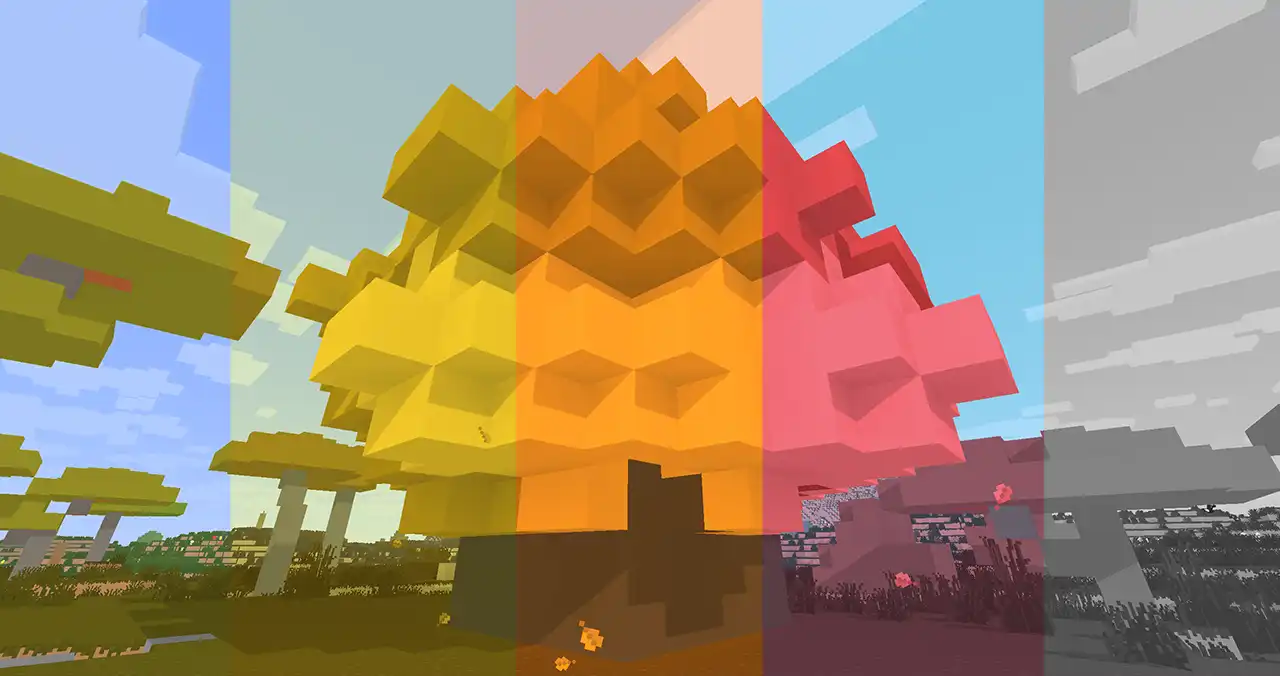
- 世界颜色 (World Colors) - 针对主要的色盲类型:Protanopia(红色盲)、Deuteranopia(绿色盲)与 Tritanopia(蓝色盲)
还有为了乐趣的黑白模式!
看看你能不能在黑白模式下击败末影龙!
- 调试视觉 (Debug Vision) - 这项主要是我开发光影时用的。
设置 Shadow Cam 可查看太阳/月亮视角看到的内容
- 手部位置 (Hand Position) - 想要录制竖屏格式的视频吗?
将手部位置设置为 ~.4,以便在屏幕中获得良好的竖屏内容构图
创作者笔记
嘿,我是 Kevin
我从 2022 年开始断断续续制作这个光影包,
终于在 2026 年公开发布……
这里没有 AI,这是手写的心血与挫折
这是一个有趣的副项目。
测试我想尝试的新数学运算;
比如各轴向的阴影扭曲。
它还没完全达到我理想的状态,
但正在接近!
加入 Mojang 在其艺术作品中越来越多使用的“光柱”效果将会很有趣,
就像 26.3 启动器中当前的艺术图那样
一种屏幕空间深度步进算法
再说一次,代码编写未使用任何 AI
我希望其他人也能选择依靠自己的才华来构建项目,
而不是依赖一个 Laughing Man(笑面男)的才华
(《攻壳机动队》)
忠于自我,
能够尊重自己。
感谢浏览这个光影包!
如果你遇到任何疯狂的着色故障;
我很想看看它们!
教育与灵感
Mojang 的宣传艺术风格与氛围!
他们在启动器中的广告和横幅图片
阴影灵感与学习模型
Chocapic13's HighPerformance Toaster
Optifine 的阴影环境学习模型
Capt Tatsu's BSL Shaders v8
Sildur's Vibrant shaders
此外,弄清楚 Iris/Sodium 的工作方式经历了大量的试错过程
对于链和船的阴影效果抱歉...
procPromo v0.9.2
Optifine & Iris Shader Pack
Updated to MC 26.3; Wilderness Bound
Inpired by Mojang's promo/key art style for Minecraft
Those Cartoonized Vibes
Softer details, edge highlights, sharp shadows, and glowiness.
Under the hood
Style'n'Stuff
- Texture details in your world will be blended together giving a softer look
- A glow illuminating the presence of light blocks, particles, & other fitting things.
- Edge highlights to make the environment pop that little bit more.
- Reflective water & transparent blocks
( Minihud's Shapes and Overlays are supported, yeee )
Options -> Video Settings -> Shaders / Shader Packs -> Shader Options / Settings
See Shader Setting Details
- Base Quality - Reduce the amount of texture blurring samples, heavier math functions, and performance slow downs.
The other options denote fidelity, this option is how that fidelity is utilized.
Note - Color blindness math in World Colors is an estimate on Low & Mid Base Quality settings for performance; if it's an issue, please contact me.
- Dark Color Levels - How dark any colors can get.
Set this higher if you are a streamer or recording video.
- Bright Color Levels - How bright any colors can get.
Set this lower if things are too bright.
Set this higher if you want to see the light!
- Glow Amount - How blinded the glow makes you
- Fog Amount - Is the fog limiting your vision? Heck with it!
Or if you want to be playing Silent Hill
- Detail Bluring - How much block bluring is killing your game's vibe
- Edge Outlines - Want some of those thick lines on your blocks?
Or maybe it's too thick
- Under Water Effects - Ever open your eyes under water?
Yeah, its all blur and wobbly.
Get your Water vision Here!
If you are getting sick underwater, turn this off
- Solid Leaves - Don't like the solid leaves? Turn off those bubblicious bubble gum blocks
- Sky Quality - Some of the morning and sunset math gets a little heavy,
If the shader is running slow, try turning this down.
- Shadow Resolution - Shadow look too blocky? Set it higher! 4096-8192
Your computer fans sound like jet engines? Set this lower, 1024-2048
- Shadow Quality - How good does that shadow look?
- Ambiance Volume Resolution - Want volumetric shadows?
Set this between 1-200 to enable; default: 50
When set to 0 toggles to non-volumetric shadows
- Reflection Quality - That glint'n'glam off transparent blocks & water
- World Colors - For the major color blindness types of Protanopia, Deuteranopia, & Tritanopia
And Greyscale for fun!
See if you can beat the dragon in greyscale!
- Debug Vision - This one's mostly for me, while developing the shader.
Set the Shadow Cam to see what the sun/moon is seeing
- Hand Position - Want to record vertical format?
Set the hand position to ~.4 for a good vertical content position on screen
Creator's Notes
Ayo, I'm Kevin
I've been on'n'off making this pack since 2022,
Finally posted somewhere public in 2026...
No AI here, this is hand written frustration
It's been a fun side project.
Testing new math-things I want to try;
Like per-axis shadow distortion.
It's still not quite where I want it to be,
But it's gettin there!
It'll be fun adding in the light beams Mojang's been using more and more in their art,
Like the current art in the launcher for 26.3
A screen-space depth march
To say again, no AI used to write the code
I hope other's out there choose their own talents to build their projects,
Over the talents of a Laughing Man
(Ghost in the Shell)
Stay true to yourself,
Be able to respect yourself.
Thanks for checking out the shader pack!
If you get any insano color glitches;
I'd love to see em!
Education & Inpiration
Mojang's Promotional Art style'n'vibe!
Their ads & splash images in the launcher
Shadow Inspiration and Learning Model
Chocapic13's HighPerformance Toaster
Optifine's Shader Environment Learning Models
Capt Tatsu's BSL Shaders v8
Sildur's Vibrant shaders
And figuring out Iris/Sodium was a lot of trial & error
Sorry about the shadows for leads and boats...


 光影

 光影

 光影

 光影

 光影

 光影

评论 0
登录后参与评分
还没有评论,来抢沙发吧