

Aeternum 是一款受 Origins Mod 启发的 Minecraft 1.21.4+ RPG 数据包!
⚠ 点击折叠块以查看更多详情!
命令
剧透
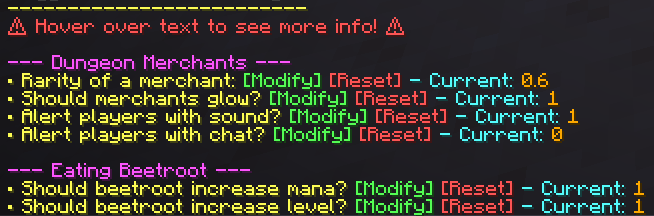
/trigger aeternum.credits- 查看鸣谢名单/trigger aeternum.config- 查看配置信息
配置
剧透
概览:
剧透
Aeternum 是一款面向 Minecraft 的 RPG 数据包,包含以下特色:
- 超过 400 种技能
- 16 个职业
- 地下城(即将推出™)
- 能量系统
- 升级系统
- 自定义物品与生物(即将推出™)
- 宝箱(战利品箱)
- 神明
- 以及更多内容!
职业表
剧透
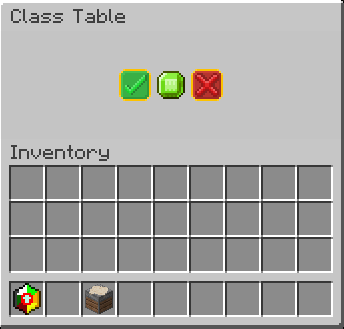
使用 /loot give @s loot aeternum:class_table 给自己发放一张职业表
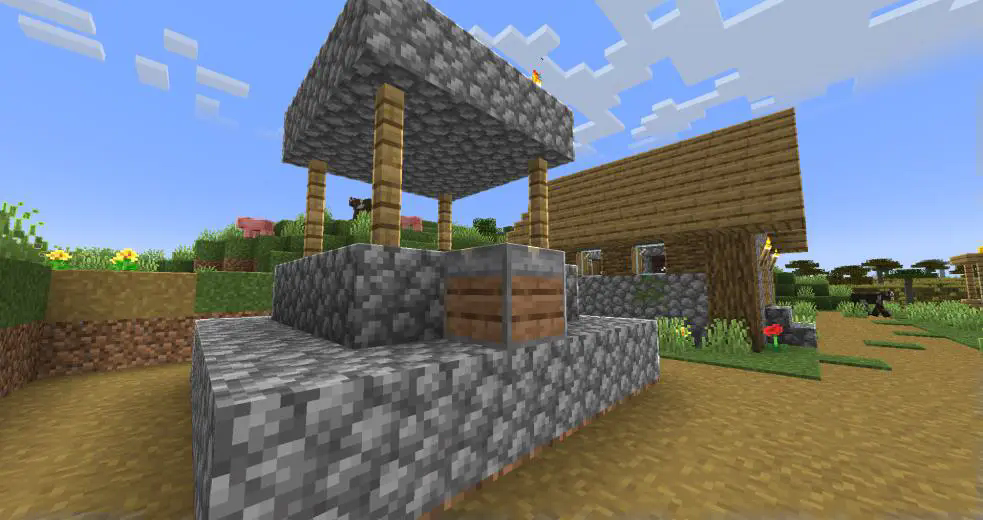
可在平原村庄中找到
允许你:
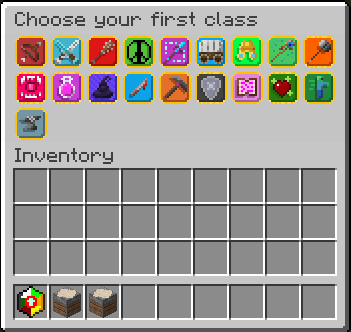
- 选择你的第一个职业
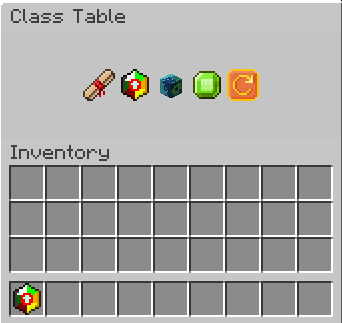
- 学习职业专属技能
- 通过职业石更换职业
- 调整技能轮盘中的槽位
- 在精通所选职业后选择新职业
选择新职业
剧透
为了使用 Aeternum 的功能,建议首先选择一个职业。在职业表中,截至 alpha 版本发布时,共有 5 个职业可供选择。
- 弓箭手 (Archer)
- 法师 (Mage)
- 剑士 (Swordsman)
- 游侠 (Rogue)
- 治疗者 (Healer)
在 v1.0 版本中,引入了 11 个新职业:
- 矿工 (Miner)
- 附魔师 (Enchanter)
- 铁匠 (Smith)
- 士兵 (Soldier)
- 战士 (Warrior)
- 召唤师 (Summoner)
- 德鲁伊 (Druid)
- 旅行者 (Traveler)
- 炼金术士 (Alchemist)
- 怪物 (Monster)
- 蛮族 (Barbarian)
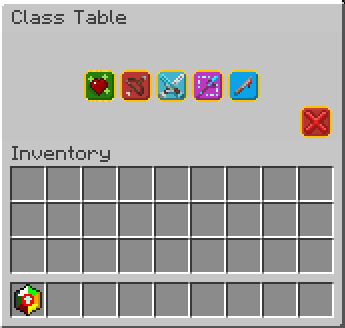
选择新职业将为你提供一个初始可用技能,并可能提供自定义物品(例如,剑士的长剑和游侠的匕首)。 选择职业后,你可以通过在该职业中升至 10 级来“精通”该职业。 完成此操作后,你将能够通过职业石或上述图形界面选择另一个职业。
地下城商人
剧透
使用 /function aeternum:merchant/summon 召唤一名商人
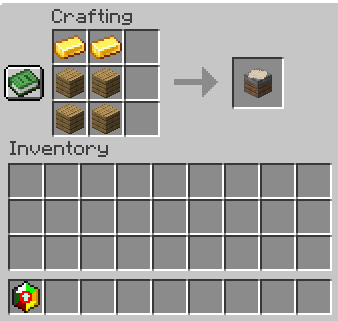
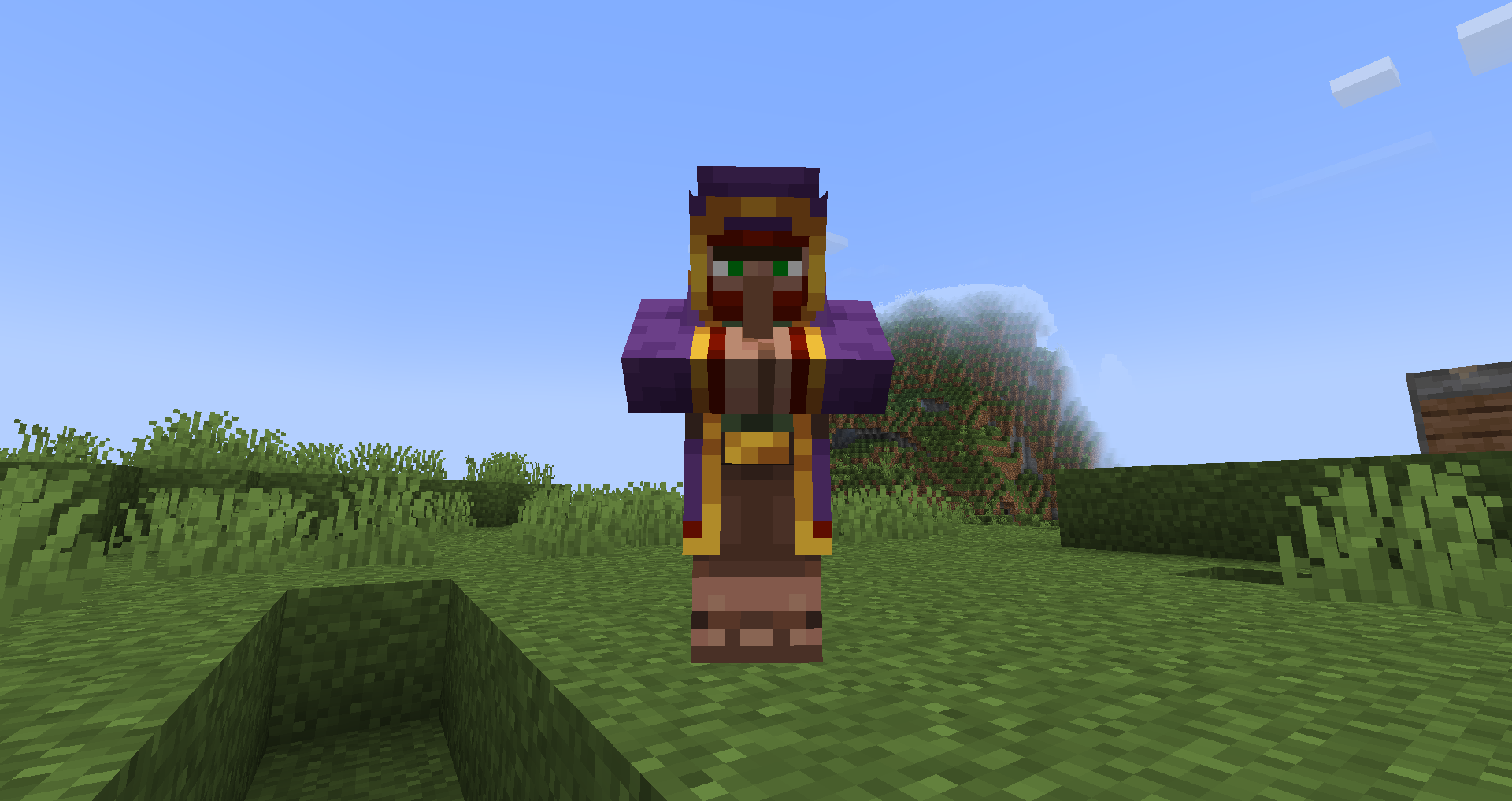
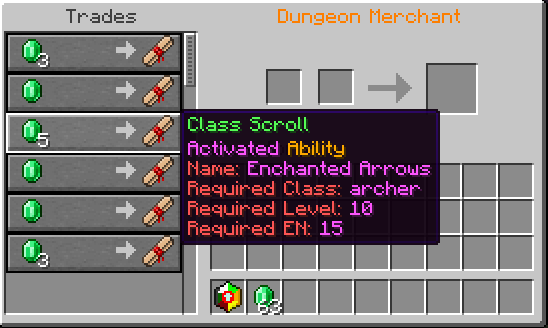
商人有出售职业卷轴和 职业石(v1.0 版本)。
商人有 60% 的概率替换流浪商人的生成。此概率可通过配置文件更改。
默认情况下,商人生成时会在 30 格范围内对玩家发出发光效果和声音提示。 可选地,可以通过配置文件使商人在生成时显示消息。
商人图腾 [v1.0]
剧透
商人图腾由地下城商人在死亡时掉落。它本质上是一个生成蛋,允许你在任何地方召唤另一名地下城商人。
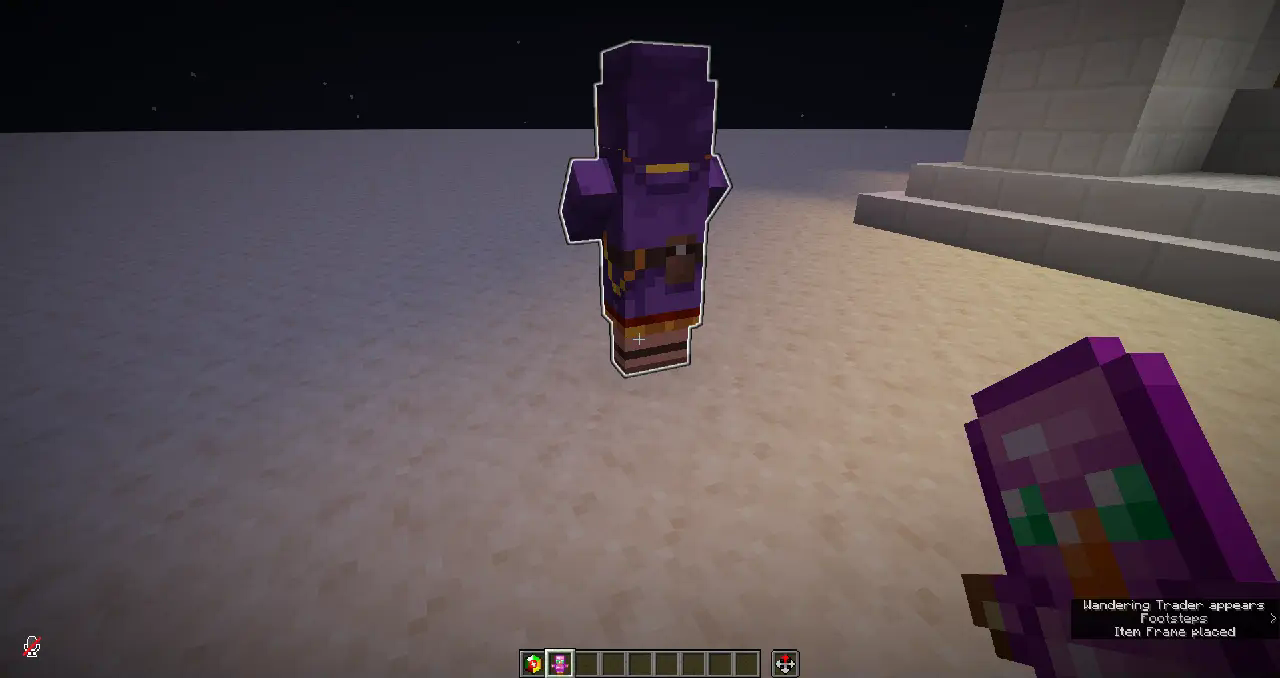
学习技能
剧透
使用 /loot give @s loot aeternum:scrolls/... 给自己发放职业卷轴
在 Minecraft 世界的冒险过程中,你可能会找到 职业卷轴(从地下城商人处获得 [alpha 版本],以及从宝箱中获得 [v1.0 版本]),这些卷轴包含了你的职业所提供的各种技能。要将职业卷轴添加到已解锁的技能列表中,你可以使用职业表中的“使用职业卷轴”菜单。
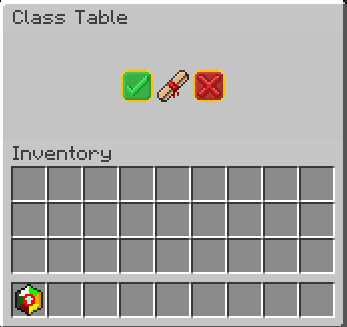
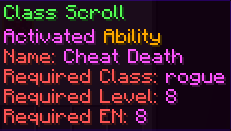
每个职业卷轴只能在此菜单中使用,前提是你拥有所需的职业及其所需等级。 这些信息可以在卷轴的工具提示中查看。
选择技能
剧透
由于 Aeternum 提供了大量独特的技能,此菜单将作为指南帮助你追踪所有技能。在这里你可以 选择技能放入技能轮盘、从技能轮盘的槽位中移除它们,并浏览 24 页可能的技能供你选择(前提是已解锁所有技能)。
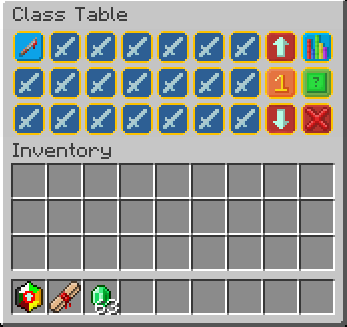
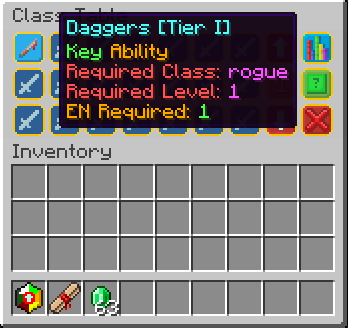
- 点击数字按钮(位于箭头按钮之间)将在所有可修改的技能轮盘槽位之间循环切换
- 左击某个技能将选中该技能
- 箭头按钮用于翻页
- 右上角的按钮(点击时)将显示当前位于技能轮盘中的所有技能。
- 其下方的绿色按钮将清除当前选中的槽位。
技能类型
剧透
- 激活型 (Activated):通过技能轮盘物品使用时激活。
- 被动型 (Passive):只要技能位于技能轮盘中,就会为你提供被动效果。
- 按键型 (Key):授予你访问仅特定职业可用的特殊物品的权限,具有独特效果,如增加攻击范围或攻击力!
能力轮盘与能力槽位
剧透
能力轮盘是让你使用所有主动型能力的物品。 它无法从背包中移除。
手持该物品时,你会在底部看到自己的能量(Energy)数值,你可以右键点击来激活一项能力,或者将物品放入副手栏(默认为 F 键)以切换可用的能力轮盘槽位。
使用能力时会消耗你的能量。每种能力会消耗不同数量的 EN。如果你没有足够的 EN 来使用某项能力,则无法发动它。
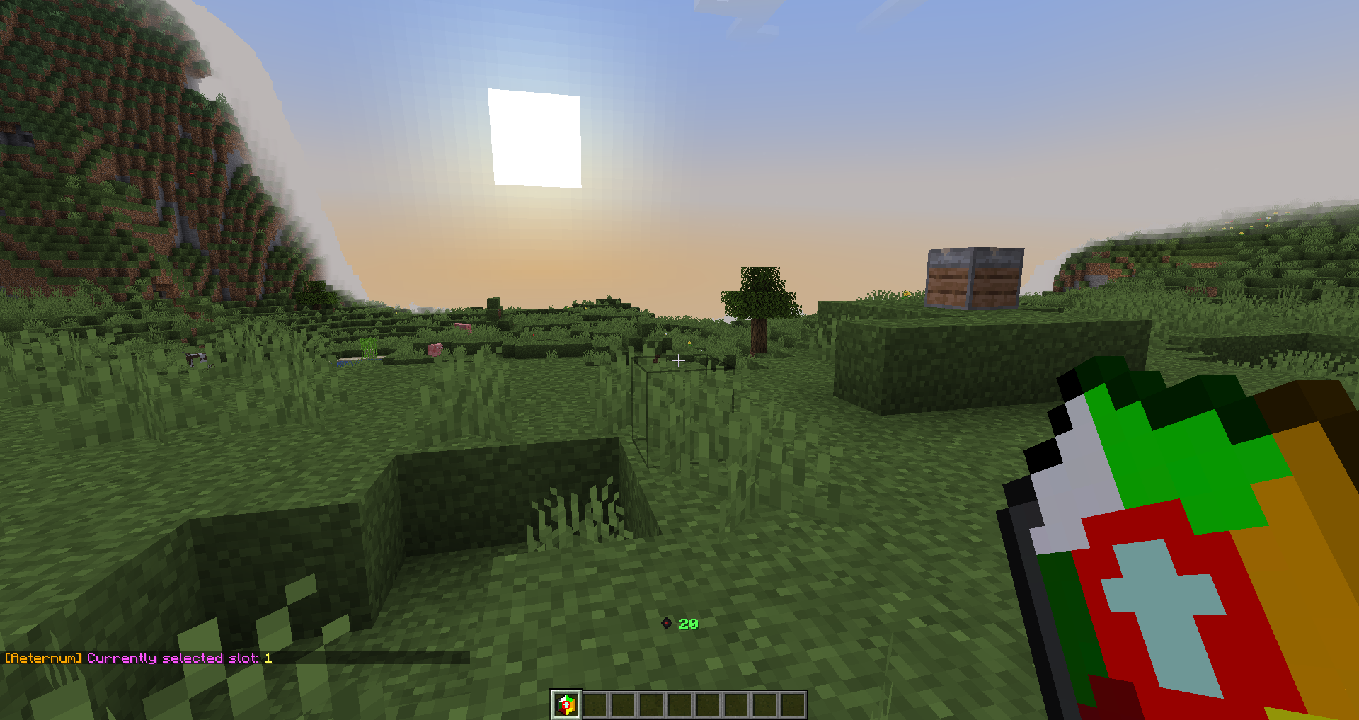
解锁能力轮盘槽位非常简单。当你提升首个职业等级时,会自动解锁新的能力轮盘槽位。**能力轮盘槽位的最大数量为 8 个。**这是为了平衡数据包中的特性。
能量
剧透
能量系统旨在确保你无法一次性使用过多能力。
- 它会像生命值一样自然恢复。
- 通常使用一项能力所需的 EN 数量等同于该能力的等级。
- 被动能力和关键能力(Key abilities)不消耗 EN。
- 手持能力轮盘时会显示当前的 EN 数量。
- 根据你的当前职业,图标会有所不同。(在生存模式中探索它们吧——或者直接从资源包中提取查看!)
- **食用甜菜根可产生 2 点法力值(Mana)。**此功能可在配置文件中禁用。
 这只是一个示例哈
图标列表:
- 召唤师 - 灵魂
- 铁匠 - 金属
- 弓箭手 - 专注
- 剑士 - 斩击
- 野蛮人 - 冲锋
- 法师 - 法力
- 旅行者 - 经验值
- 德鲁伊 - 自然
- 战士 - 我真心记不清这个了
- 怪物 - 鲜血
- 炼金术士 - 药水
- 士兵 - 盾牌
- 治疗者 - 生命
- 盗贼 - 暗影
- 矿工 - 岩石
- 附魔师 - 纸张
升级
剧透
要在 Aeternum 中提升职业等级,你需要执行与你当前职业相关的特定行为。
以下是提升职业等级的所有方法:
- 召唤师 - 繁殖动物
- 铁匠 - 使用武器(改变武器的耐久度)
- 弓箭手 - 击杀敌人(弓/弩远程伤害)
- 剑士 - 击杀敌人(剑类武器)
- 野蛮人 - 击杀敌人(斧类武器)
- 法师 - 食用药水材料(将会更改)
- 旅行者 - 骑乘实体(将会更改)
- 德鲁伊 - 使用锄头(改变锄头的耐久度)
- 战士 - 击杀敌人(锤/三叉戟)
- 怪物 - 击杀敌人
- 炼金术士 - 酿造药水
- 士兵 - 实体攻击玩家
- 治疗者 - 治愈僵尸村民
- 盗贼 - 使用隐身药水
- 矿工 - 使用镐子(改变镐子的耐久度)
- 附魔师 - 附魔物品
截至 v0.1.3 版本,引入了新的升级方式:
- 食用甜菜根(可通过配置文件更改。)
- 学习一项能力
- 使用职业石
- 使用(发动)一项能力
- 使用能量胶囊
- 获得来自 Aeternum 进度系统的成就
- 通过经验值等级提升
v0.2.0 版本引入了任务,你也可以通过完成任务来提升等级。
任务与任务商人
剧透
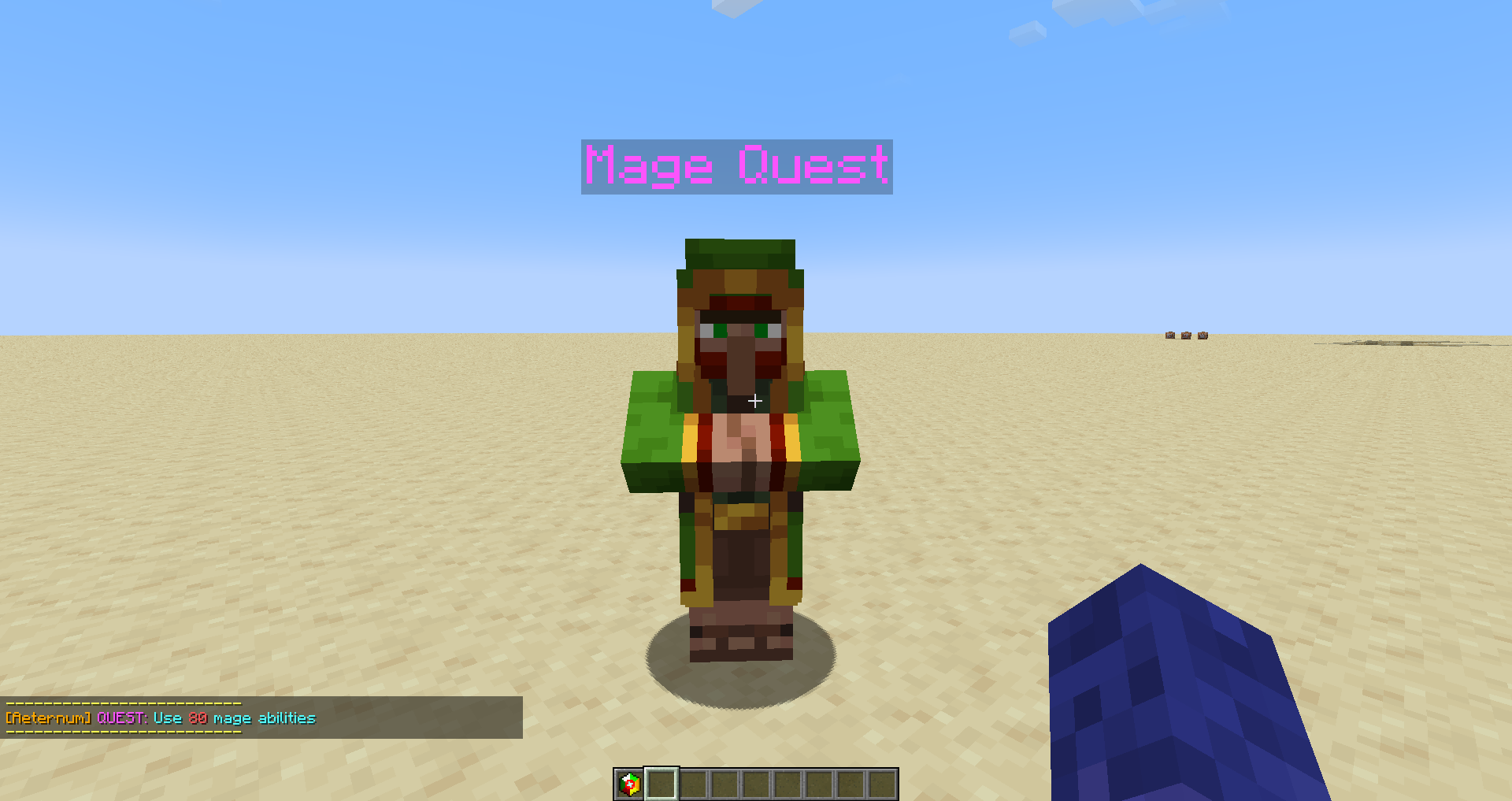
/function aeternum:merchant/quest/summon 召唤任务商人
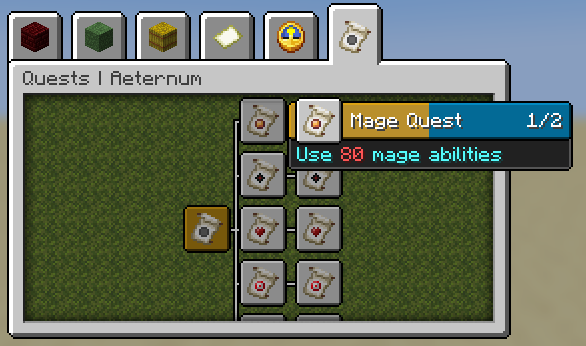
任务商人在你与之交互时会提供不同的任务。每个职业有 5 个任务。只有当你的当前职业为所需职业时,才能完成特定的任务。每完成一个任务,你还会获得一个成就。
成就
剧透
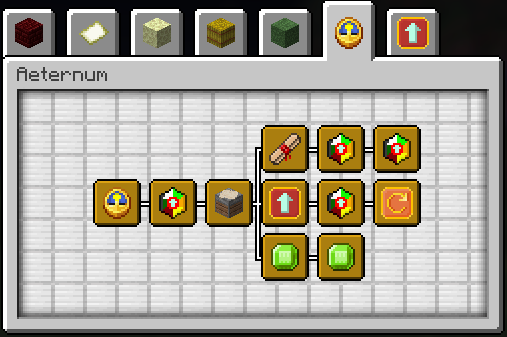
职业石 [v1.0]
剧透
允许你学习基础 5 个职业之外的其他职业(即在 alpha 版本中看到的那些)。
可从地牢商人 [alpha] 处获取,或通过箱子 [v1.0] 获取。
职业物品 / 关键物品
剧透
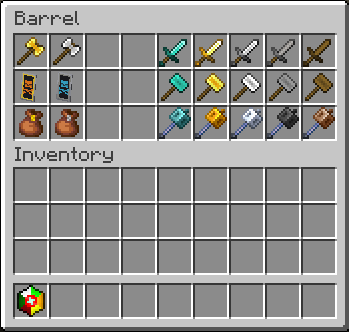
这些物品可以通过某些职业的关键能力获得。这些物品(通常)提供仅属于该职业的效果,例如增加伤害/范围,或某种特殊效果。
神祇与祭坛 [v1.0]
剧透
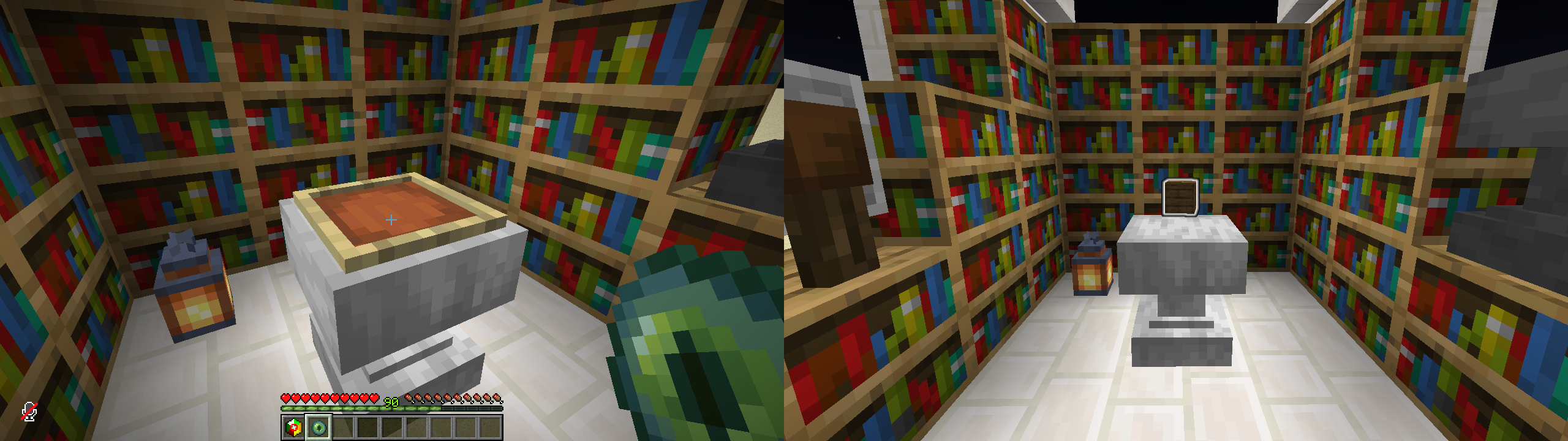
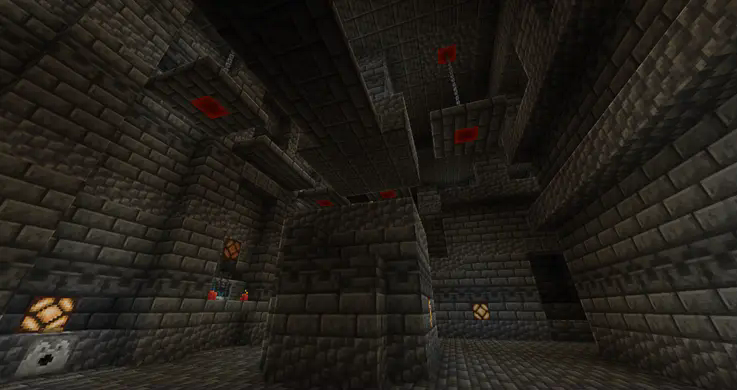
在世界各处,你会找到看起来像这样的结构:
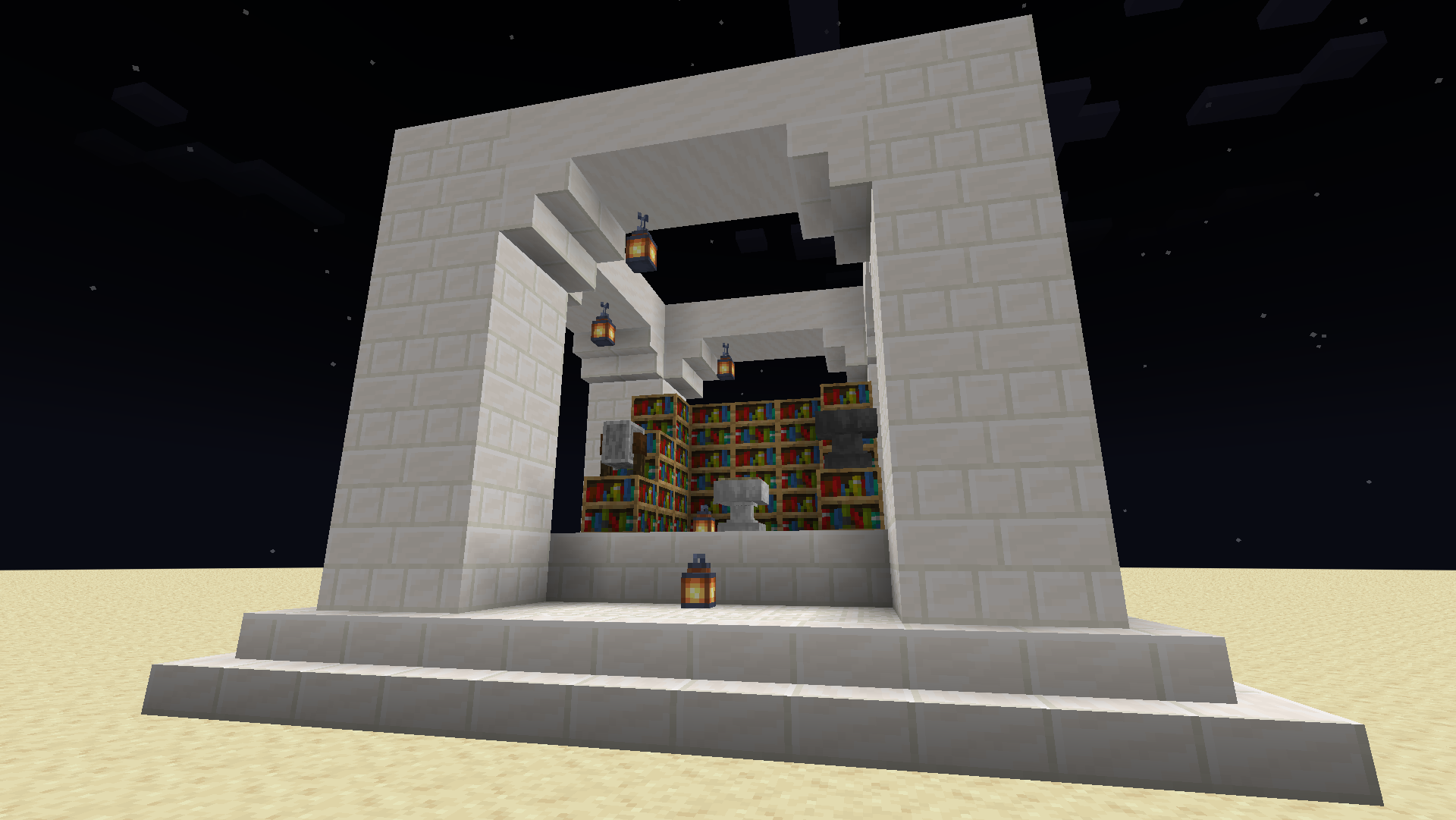
在这些结构内部会有一个祭坛。如果你在物品展示框中放置末影之眼,它将奖励你祝福或箱子!
祝福 [v1.0]
剧透
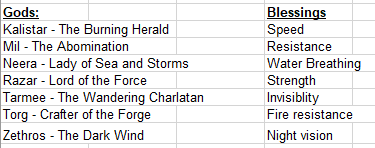
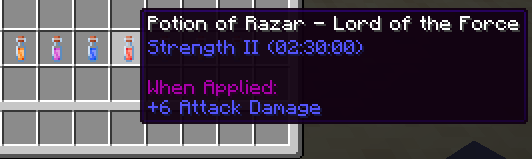
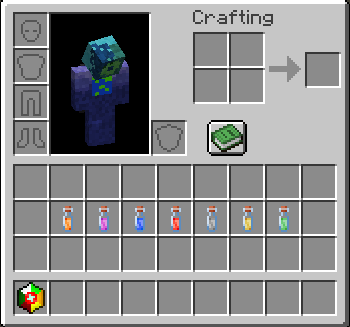
祝福本质上是具有持续 2.5 小时效果的药水瓶,只能从祭坛中获得。 共有 7 种不同类型的祝福,可以从不同的神祇处获得:
盒子 [v1.0]
剧透警告
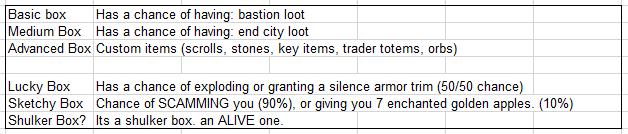
盒子就是你所期待的那样。它们是战利品箱,可以从祭坛中获得。 以下是所有类型的盒子:
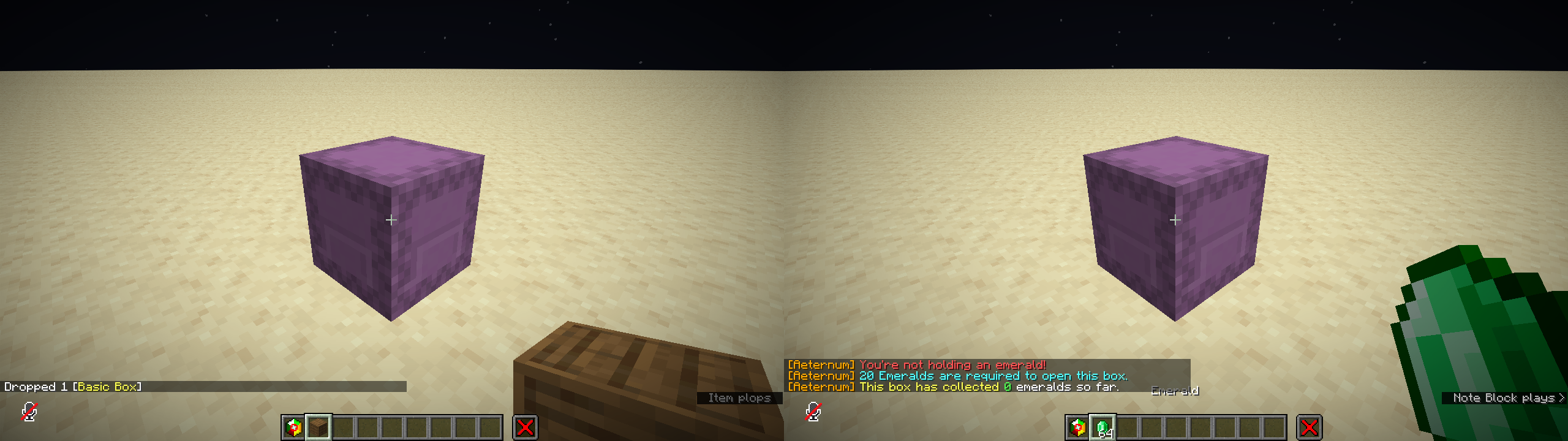
- 当你获得盒子时,必须将其放置在地面上
- 右键点击交互实体时,它会告诉你打开盒子需要多少绿宝石,以及目前收到了多少绿宝石
- 当使用绿宝石右键点击交互实体时,绿宝石物品会被移除,交互实体的记分板数值会增加 1。
- 当记分板达到特定数量(20)时,交互实体将被移除,并赋予盒子的效果(即战利品、爆炸等)
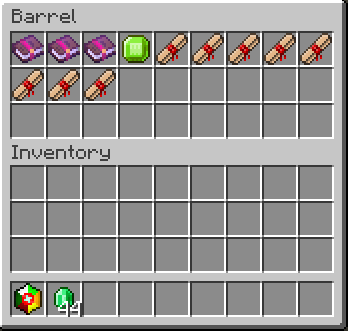
- 然后你可以打开盒子并获得奖励(仅限高级盒子)
- 高级盒子战利品:
???
剧透警告
即将推出™
鸣谢
在游戏中使用 /trigger aeternum.credits 查看鸣谢名单
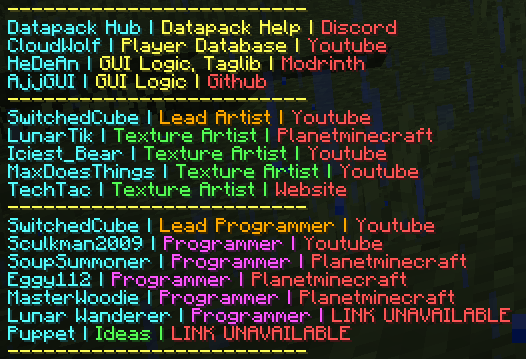
你知道吗?
剧透警告
- Aeternum 是一个始于 2022 年的项目,一年后停止开发。但现在,我重新制作了它,并希望向世人展示!
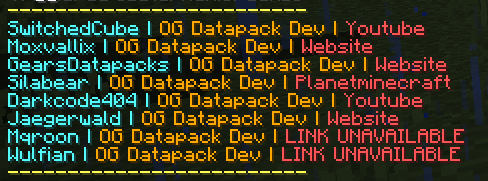
- 特别感谢原始创作者:
- “Aeternum”在拉丁语中意为“永恒”!是不是很酷!
=====许可证=================================================
Aeternum © 2024-2026 by ShardGate 采用 知识共享署名-非商业性使用-禁止演绎 4.0 国际许可协议 授权
视频内容除外,可以进行商业化。但是, 视频创作者必须在视频描述中留下指向此页面和/或 ShardGate Discord 服务器的链接以给予适当的署名。
Aeternum is an RPG Datapack for minecraft 1.21.4+ inspired by the Origins Mod!
⚠ Click on a spoiler to see more details!
Commands
Spoiler
/trigger aeternum.credits- View credits/trigger aeternum.config- View config
Config
Spoiler
Overview:
Spoiler
Aeternum is an RPG Datapack for Minecraft, featuring:
- Over 400 abilities
- 16 classes
- dungeons (soon™)
- an energy system
- A level-up system
- Custom items + mobs (soon™)
- boxes (loot-boxes)
- gods
- and so much more!
Class Table
Spoiler
Use /loot give @s loot aeternum:class_table to give yourself a class table
Found in plains villages
Allows you to:
- Choose your first ever class
- Learn class abilities
- Change your class using a class stone
- Change the slots in your ability wheel
- Choose a new class once you’ve mastered your selected class
Choosing a new class
Spoiler
In order to use Aeternum's features, it is advised to learn a choose a class first. In the class table, and as of release alpha, there are 5 classes to select.
- Archer
- Mage
- Swordsman
- Rogue
- Healer
In v1.0, 11 new classes have been introduced:
- Miner
- Enchanter
- Smith
- Soldier
- Warrior
- Summoner
- Druid
- Traveler
- Alchemist
- Monster
- Barbarian
Choosing a new class will give you a starting ability to use, and might provide custom items (for example, swordsman's longswords and rogue's daggers). After you choose a class, you can master that class by leveling up to level 10 in that class. After doing so, you will able to choose another class, through class stones, or through the GUI shown above.
Dungeon Merchant
Spoiler
Use /function aeternum:merchant/summon to summon a merchant
The merchant will sell class scrolls, and class stones (v1.0).
A merchant has a 60% chance to replace the spawn of a wandering trader. This can be changed using the config.
By default, merchants will glow and make a sound to players within 30 blocks of it when spawning. Optionally, it is possible to make them display a message when spawned using the config.
Trader Totem [v1.0]
Spoiler
The trader totem is dropped by the dungeon merchant when it dies. It is basically a spawn egg that allows you to summon another dungeon merchant wherever you please.
Learning abilities
Spoiler
Use /loot give @s loot aeternum:scrolls/... to give yourself class scrolls
Throughout your journey in the minecraft world, you may find class scrolls (obtained from dungeon merchants [alpha], and boxes [v1.0]), which are the various abilities your class gives you. To add a class scroll to your unlocked abilties, you may use the "Use a class scroll" menu in the class table.
Each class scroll can only be used in this menu if you have the required class and its required level. This information can be seen in the tooltip of the scroll.
Selecting an Ability
Spoiler
As Aeternum offers a lot of unique abilties, this menu will serve as a guide to keep track of them all. Here you can select abilities to put in your ability wheel, remove them from the slots in the ability wheel, and scroll through 24 pages of possible abilities to choose from (that is, if you unlocked all of them).
- Clicking on the number button (between the arrow buttons) will cycle between all the ability wheel slots you can modify
- Left-clicking on an ability will result in that ability being selected
- The arrow buttons will change pages
- The button on the top right (when clicked on) will show all the abilities that are currently in the ability wheel.
- The green button below it clears the currently selected slot.
Ability types
Spoiler
- Activated: activate when used through the ability wheel item.
- Passive: will give you passive effects, as long as the ability is in the ability wheel.
- Key: grant you access to special items only available to specific classes, with unique effects such as increased reach or attack damage!
Ability wheel and Ability slots
Spoiler
The ability wheel is the item that lets you use all of your active-type abilities. It cannot be removed from the inventory.
When holding it in hand, you will see the amount of energy you have on the bottom, and you can rightclick to activate an ability, or put the item in **offhand (F by default) to swap between your available ability wheel slots.
When using an ability, it will consume your energy. Each ability will use up various amounts of EN. If you do not have enough EN for an ability, you cannot use that ability.
Unlocking ability wheel slots is pretty straightforward. When you level up your first class, you will automatically unlock new ability wheel slots. The maximum amount of ability wheel slots is 8. This is to balance the features in the datapack.
Energy
Spoiler
The energy system works as a system to make sure you can't use too many abilities at once.
- It regenerates like normal health.
- Generally an ability costs an EN amount equivalent to the level of the ability to use.
- Passive abilities and Key abilities do not use EN.
- Your current amount of EN is displayed when you hold the ability wheel.
- A different icon will show depending on your current class. (Have fun seeing them in survival - or by ripping them from the resourcepack!)
- Eating Beetroot will generate 2 mana. This can be disabled in the config.
 This is just an example lol
Icon list:
- Summoner - Spirits
- Smith - Metal
- Archer - Focus
- Swordsman - Slash
- Barbarian - Charge
- Mage - Mana
- Traveler - XP
- Druid - Nature
- Warrior - I genuinely don't remember this one
- Monster - Blood
- Alchemist - Potion
- Soldier - Shield
- Healer - Life
- Rogue - Shadow
- Miner - Rock
- Enchanter - Paper
Leveling Up
Spoiler
To level up a class in aeternum you need to do a specific thing related to your current class.
Here are all the ways to level up a class:
- Summoner - Breed animals
- Smith - Use weapons (change durability of weapons)
- Archer - Kill enemies (bow/crossbow ranged damage)
- Swordsman - Kill enemies (swords)
- Barbarian - Kill enemies (axes)
- Mage - Eat a potion ingredient (Will change)
- Traveler - Ride an entity (Will change)
- Druid - Use hoes (change durability of hoes)
- Warrior - Kill enemies (mace/trident)
- Monster - Kill enemies
- Alchemist - Brew Potions
- Soldier - Entity hurt player
- Healer - Cure zombie villager
- Rogue - Use potions of invisibility
- Miner - Use pickaxes (change durability of pickaxes)
- Enchanter - Enchant Items
As of v0.1.3, new methods to level up have been introduced.
- Eating beetroot (Can be changed using the config.)
- Learning an ability
- Using a class stone
- USING an ability
- Using an energy capsule
- Obtaining an advancement from the aeternum advancements
- XP level up
v0.2.0 introduced quests, and you can complete quests to level up as well.
Quests and Quest Merchants
Spoiler
/function aeternum:merchant/quest/summon to summon a quest merchant
Quest merchants will offer you different quests, when you interact with them. There are 5 quests for each class. You can only complete a specific quest if your current class is the required class. For each quest completed you are also given an advancement.
Advancements
Spoiler
Class Stones [v1.0]
Spoiler
Allows you to learn classes that are outside of the base 5 you see in version alpha.
Obtained from the dungeon merchant [alpha], or by boxes [v1.0].
Class Items/Key Items
Spoiler
These Items can be obtained through key abilities found in certain classes. These items (usually) give effects exclusive to the class, such as increased damage/range, or an effect.
Gods and Altars [v1.0]
Spoiler
Throughout the world, you find structures that look like this:
Inside these structures, there will be an altar. If you place an ender eye inside the item frame, it will reward you with a blessing or box!
Blessings [v1.0]
Spoiler
Blessings are basically potion bottles that have an effect that lasts 2.5 hours, and can only be obtained from altars. There are 7 different types of blessings, that can be obtained from different gods:
Boxes [v1.0]
Spoiler
Boxes are what you'd expect. They're lootboxes, and can be obtained from altars. Here are all the box types:
- When you get the box, you have to place it down
- When you right click the interaction entity, it will tell you how many emeralds are required to open the box, and how many emeralds it has recieved so far
- When you right-click the interaction with emeralds, the emerald item will be removed and a scoreboard in the interaction will increase by 1.
- When the scoreboard reaches a certain amount (20), the interaction entity is removed and the effect of the box (i.e. loot, explosion, etc) is given
- You can then open the box and get your rewards (advanced box only)
- Advanced Box Loot:
???
Spoiler
Soon™
Credits
Use /trigger aeternum.credits to view credits in-game
Did you know?
Spoiler
- Aeternum was a project that started in 2022, and was discontinued after a year. But now, i've remade it, and hope to show it to the world!
- Shout out to the OG Creators:
- "Aeternum" in latin means "forever"! How cool!
=====License=================================================
Aeternum © 2024-2026 by ShardGate is licensed under Attribution-NonCommercial-NoDerivatives 4.0 International
An exception is made for video content, which can be monetized. However, video creators must give appropriate credit by leaving a link to this page and/or the ShardGate discord in the video description.

下载 Aeternum
需要联机服务器吗?
稳定流畅、一键部署,几分钟即可和朋友联机开服
最低仅需 8 元/月 即可畅快联机
下载 Aeternum
需要联机服务器吗?
稳定流畅、一键部署,几分钟即可和朋友联机开服
最低仅需 8 元/月 即可畅快联机
下载 Aeternum
需要联机服务器吗?
稳定流畅、一键部署,几分钟即可和朋友联机开服
最低仅需 8 元/月 即可畅快联机
下载 Aeternum
需要联机服务器吗?
稳定流畅、一键部署,几分钟即可和朋友联机开服
最低仅需 8 元/月 即可畅快联机
下载 Aeternum
需要联机服务器吗?
稳定流畅、一键部署,几分钟即可和朋友联机开服
最低仅需 8 元/月 即可畅快联机
下载 Aeternum
需要联机服务器吗?
稳定流畅、一键部署,几分钟即可和朋友联机开服
最低仅需 8 元/月 即可畅快联机
下载 Aeternum
需要联机服务器吗?
稳定流畅、一键部署,几分钟即可和朋友联机开服
最低仅需 8 元/月 即可畅快联机
下载 Aeternum
需要联机服务器吗?
稳定流畅、一键部署,几分钟即可和朋友联机开服
最低仅需 8 元/月 即可畅快联机
下载 Aeternum
需要联机服务器吗?
稳定流畅、一键部署,几分钟即可和朋友联机开服
最低仅需 8 元/月 即可畅快联机
下载 Aeternum
需要联机服务器吗?
稳定流畅、一键部署,几分钟即可和朋友联机开服
最低仅需 8 元/月 即可畅快联机
- 更新数据包以反映新的品牌标识
关于这个资源的讨论、问题反馈与使用心得
还没有讨论,来发第一帖吧
你是这个资源的作者?登录后可认领此资源。
相似资源
 数据包

此数据包添加了属于阿瓦里海盗的独特结构,将他们的独特风格带入你的 Minecraft 世界!兼容性:1.20 至 26.3
 数据包

此数据包添加了新的“祝福模式”难度。
 数据包

添加了基于官方概念图的蓝蛙和红眼树蛙变体。
 数据包

使用原版/生存友好的方法更改青蛙的变种类型。支持原版(寒冷、温带、温暖)以及可选的“More Frogs 2”变种:深红、末影、地狱、毒镖、紫珀、幽匿、灵魂、诡异和木头。
 数据包

手持潜影盒时可直接打开,无需将其放置在地面上。只需按住 Shift 并右键点击即可访问你的潜影盒。
 数据包

来自 Dungeons and Taverns 的掠夺者前哨站全面改造独立拆分版本
评论 0
登录后参与评分
还没有评论,来抢沙发吧