
简介
Animated Timer (AT) 数据包通过 Minecraft HUD 的动作栏(actionbar)区域添加了游戏内计时器功能。其丰富的功能模块确保了简单而灵活的配置方式,允许你根据个人喜好和需求自定义计时器。
功能
在原始且未修改的状态下,主要功能包括:
- 正计时与倒计时
- 多种渲染(显示)类型
- 支持静态(恒定不变)和动态(持续变化)的颜色配置
- 通用样式配置(粗体与斜体文本)
- 预构建动画效果
- 配置文件(保存当前配置并在稍后加载的功能)
- 触发记分板以实现完整配置及交互,即使在禁用作弊的情况下也可使用
- 面向地图制作者的进阶功能(便于嵌入外部项目)
控制计时器
AT 可以通过以下方式控制:
| 描述 | 开启作弊 | 关闭作弊 |
|---|---|---|
| 开始/恢复计时器 | /function at:continue |
/trigger continue |
| 暂停计时器 | /function at:pause |
/trigger pause |
| 将计时器重置为初始值并开始计时 | /function at:reset |
/trigger reset |
| 将计时器归零并保持暂停状态 | /function at:reboot |
/trigger reboot |
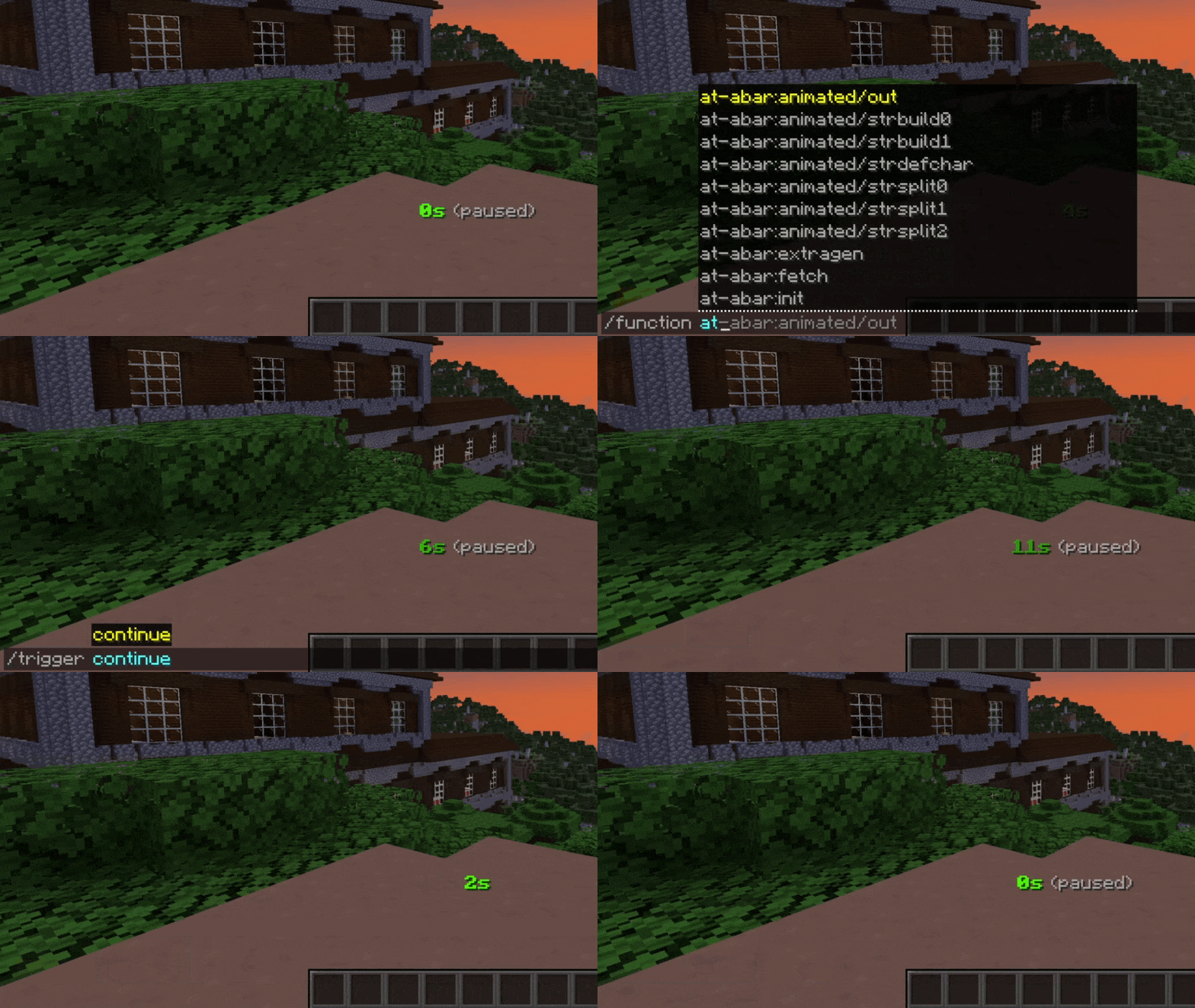
手动设置时间
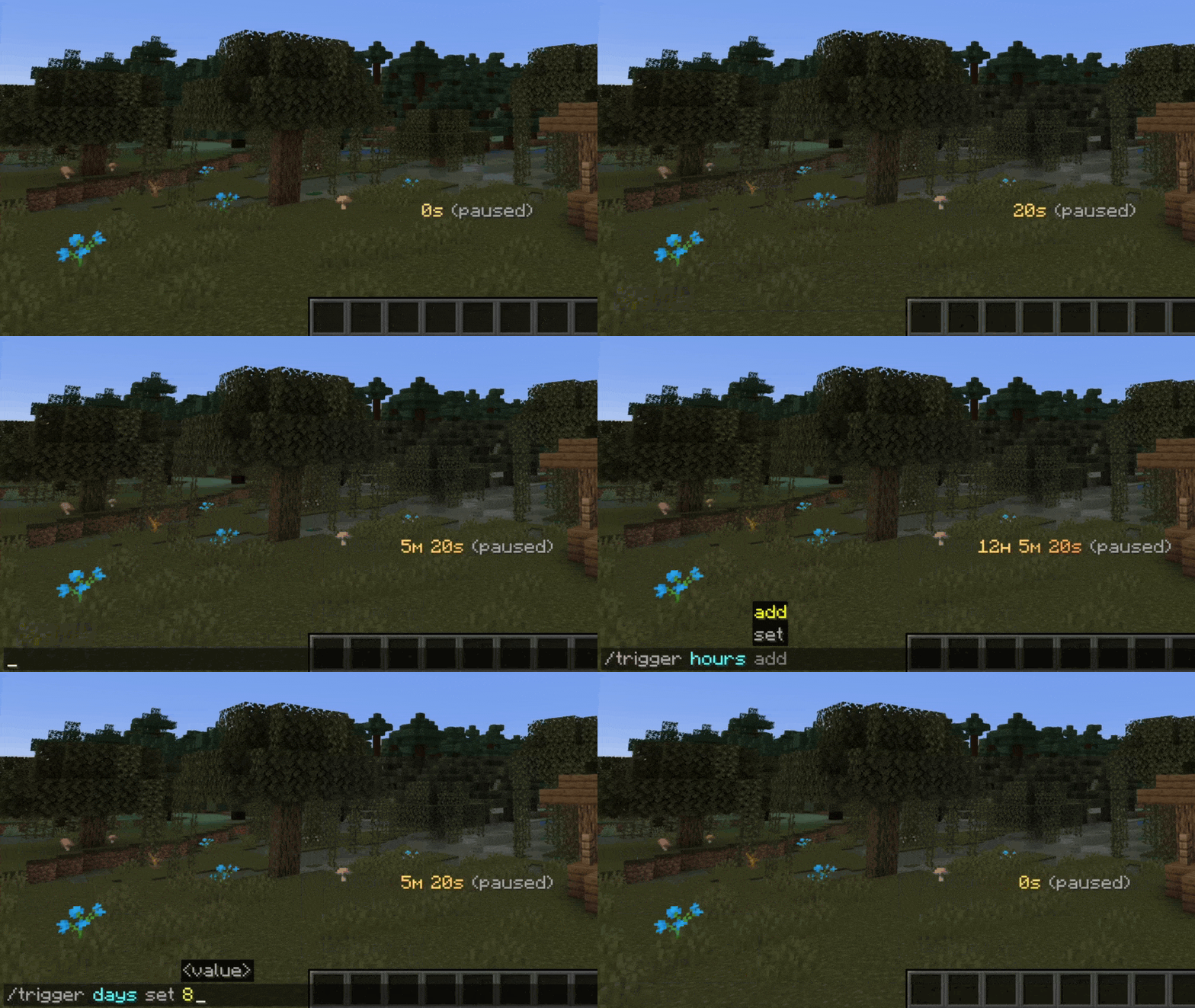
在某些情况下,你可能希望手动更改当前时间。这可以通过 at-time 命名空间中的函数或 /trigger 命令来实现:
| 描述 | 开启作弊 | 关闭作弊 |
|---|---|---|
| 增加一秒 | /function at-time:add/second |
|
| 减少一秒 | /function at-time:remove/second |
|
| 设置秒数 | /function at-time:set/seconds/10 |
/trigger seconds set 10 |
| 增加一分钟 | /function at-time:add/minute |
|
| 减少一分钟 | /function at-time:remove/minute |
|
| 设置分钟数 | /function at-time:set/minutes/15 |
/trigger minutes set 15 |
| 增加一小时 | /function at-time:add/hour |
|
| 减少一小时 | /function at-time:remove/hour |
|
| 设置小时数 | /function at-time:set/hours/3 |
/trigger hours set 3 |
| 增加一天 | /function at-time:add/day |
|
| 减少一天 | /function at-time:remove/day |
|
| 设置天数 | /function at-time:set/days/7 |
/trigger days set 7 |
注意:上述包含 at-time:set 的函数仅为示例。实际上,有多种可用的 set 函数供你使用。
计时模式
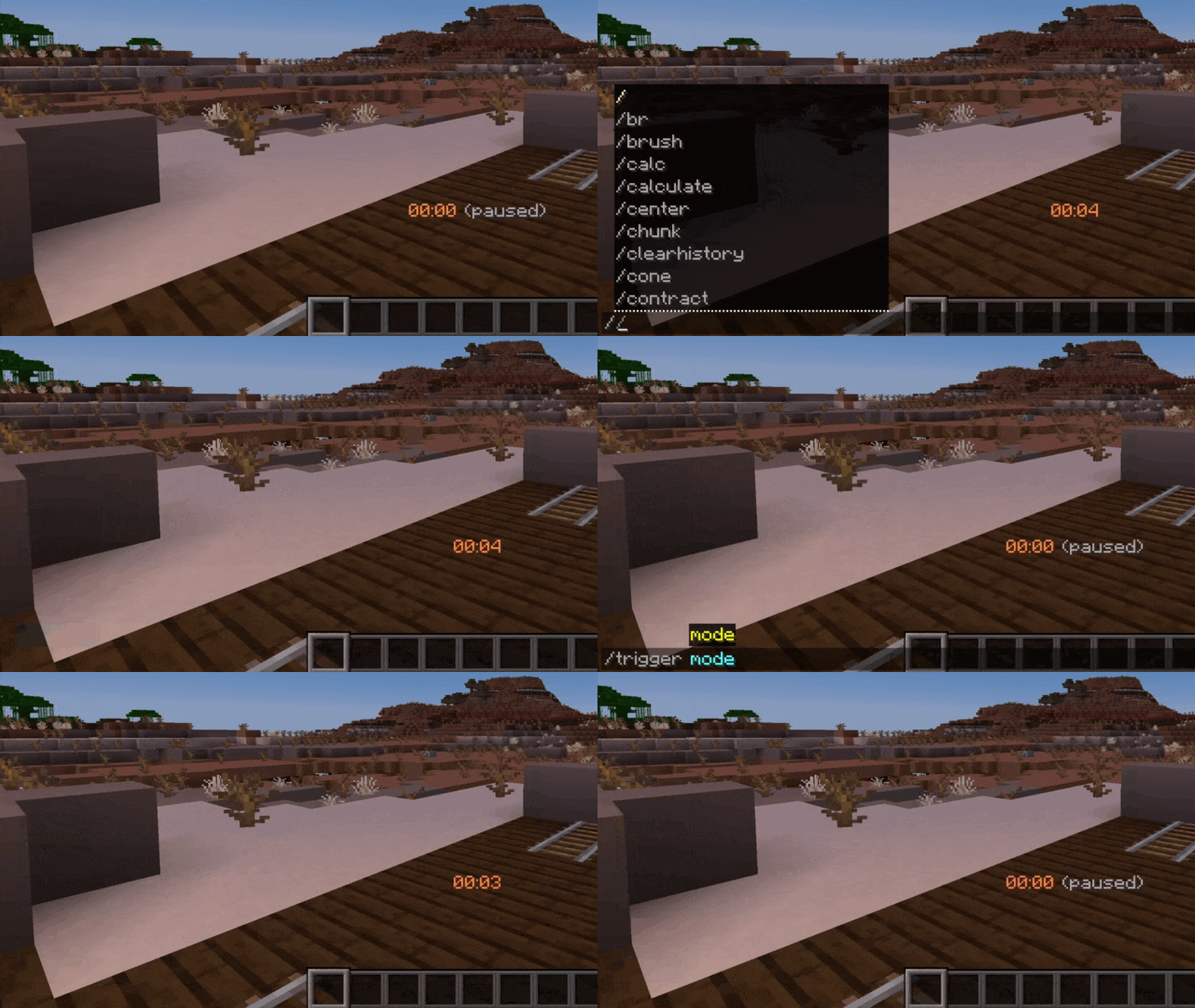
默认情况下,AT 为正计时模式,但也提供倒计时模式。你可以通过一条命令在这两种计数模式之间切换:
| 描述 | 开启作弊 | 关闭作弊 |
|---|---|---|
| 切换计时模式 | /function at-conf:mode |
/trigger mode |
如何升级
- 下载最新的数据包版本
- 在你的 datapacks 目录中,用新版本替换旧版本
- 重新加载游戏,可以通过执行
/reload命令或重新加入世界来完成
感兴趣吗?
如果你想了解更多关于配置的信息,或者了解如何将此计时器集成到你的项目中,请查看 AT Docs 网站。
路线图
- 添加用于自定义动画的渐变生成器
- 实现“实时”与“游戏内时间”计时模式/渲染图案
- 添加显示选项(在 Boss 栏或记分板标题中显示计时器)
- 利用新的对话框功能实现计时器配置 UI
灵感来源
本项目受德国内容创作者 BastiGHG 的启发,他经常在视频和直播中使用类似版本的计时器。
Introduction
Animated Timer (AT) data pack adds an in-game timer via the actionbar field of Minecraft’s HUD. A wide range of functions ensures a simple yet versatile configuration, allowing you to customize your timer according to your likings and needs.
Features
In its original and unmodified state, features include:
- Count-up & count-down
- Multiple render (display) types
- Both static (never changing) and animated (always changing) color configuration
- General style configuration (bold & italic text)
- Pre-built animations
- Profiles (ability to save current configuration & load at a later time)
- Trigger scoreboards for complete configuration & interaction even if cheats are disabled
- Advanced features for map makers (facilitated embedding into external projects)
Controlling the timer
AT can be controlled the following way:
| Description | Cheats enabled | Without cheats |
|---|---|---|
| Start / resume the timer | /function at:continue |
/trigger continue |
| Pause the timer | /function at:pause |
/trigger pause |
| Set timer to its initial value and start it | /function at:reset |
/trigger reset |
| Set timer to zero and stay paused | /function at:reboot |
/trigger reboot |
Manually setting time
In some situations, you may want to alter the current time manually. This can be done either with a function in the at-time namespace or with /trigger:
| Description | Cheats enabled | Without cheats |
|---|---|---|
| Add one second | /function at-time:add/second |
|
| Remove one second | /function at-time:remove/second |
|
| Set seconds | /function at-time:set/seconds/10 |
/trigger seconds set 10 |
| Add one minute | /function at-time:add/minute |
|
| Remove one minute | /function at-time:remove/minute |
|
| Set minutes | /function at-time:set/minutes/15 |
/trigger minutes set 15 |
| Add one hour | /function at-time:add/hour |
|
| Remove one hour | /function at-time:remove/hour |
|
| Set hours | /function at-time:set/hours/3 |
/trigger hours set 3 |
| Add one day | /function at-time:add/day |
|
| Remove one day | /function at-time:remove/day |
|
| Set days | /function at-time:set/days/7 |
/trigger days set 7 |
Note: The above functions that include at-time:set are just examples. In fact, a multitude of set functions are available for use.
Timer modes
AT is counting up by default but count-down is also available. You can toggle between both count modes with a single command:
| Description | Cheats enabled | Without cheats |
|---|---|---|
| Switch between timer modes | /function at-conf:mode |
/trigger mode |
How to upgrade
- Download latest data pack version
- In your datapacks directory, replace old version with new one
- Reload your game, either with
/reloador through re-joining your world
Are you interested?
If you would like to find out more about configuration or how to integrate this timer into your projects, please check out the AT Docs site.
Roadmap
- Add gradient generator for custom animations
- Implement timer modes / render patterns "realtime" & "in-game time"
- Add display option (show timer in bossbar or scoreboard title)
- Implement timer configuration UI using new dialog feature
Inspiration
This project was inspired by German content creator BastiGHG who often uses a similar version of this timer in his videos and streams.

下载 Animated Timer
下载 Animated Timer
下载 Animated Timer
下载 Animated Timer
下载 Animated Timer
需要联机服务器吗?
稳定流畅、一键部署,几分钟即可和朋友联机开服
最低仅需 8 元/月 即可畅快联机
下载 Animated Timer
需要联机服务器吗?
稳定流畅、一键部署,几分钟即可和朋友联机开服
最低仅需 8 元/月 即可畅快联机
下载 Animated Timer
下载 Animated Timer
下载 Animated Timer
下载 Animated Timer
技术相关
数据包兼容性
AT 现已兼容 Minecraft 26.3。
关于这个资源的讨论、问题反馈与使用心得
还没有讨论,来发第一帖吧
你是这个资源的作者?登录后可认领此资源。
相似资源
 数据包

此数据包添加了属于阿瓦里海盗的独特结构,将他们的独特风格带入你的 Minecraft 世界!兼容性:1.20 至 26.3
 数据包
一个 Minecraft 光线投射库,能够精确检测玩家正在查看的方块,包括像台阶和楼梯这样的特殊方块形状。
 数据包

此数据包添加了新的“祝福模式”难度。
 数据包
允许服务器管理员方便地禁用 Xaero's Map 系列模组中的实体雷达、小地图等功能,使竞技游戏更加公平。
 数据包

使用原版/生存友好的方法更改青蛙的变种类型。支持原版(寒冷、温带、温暖)以及可选的“More Frogs 2”变种:深红、末影、地狱、毒镖、紫珀、幽匿、灵魂、诡异和木头。
 数据包

粉色方块中的千种可能!
评论 0
登录后参与评分
还没有评论,来抢沙发吧