
Bannerhunt 是一款服务器端的小游戏,融合了“夺旗”和“山丘之王”的玩法!
它是一个自由混战模式,专为持续运行的服务器(甚至新服务器)在举办服务器活动时设计。
如何游玩
在一个选定的地点会放置一个小平台、一面旗帜以及一道类似信标的激光束。你的目标是尽可能长时间地持有这面旗帜以得分!
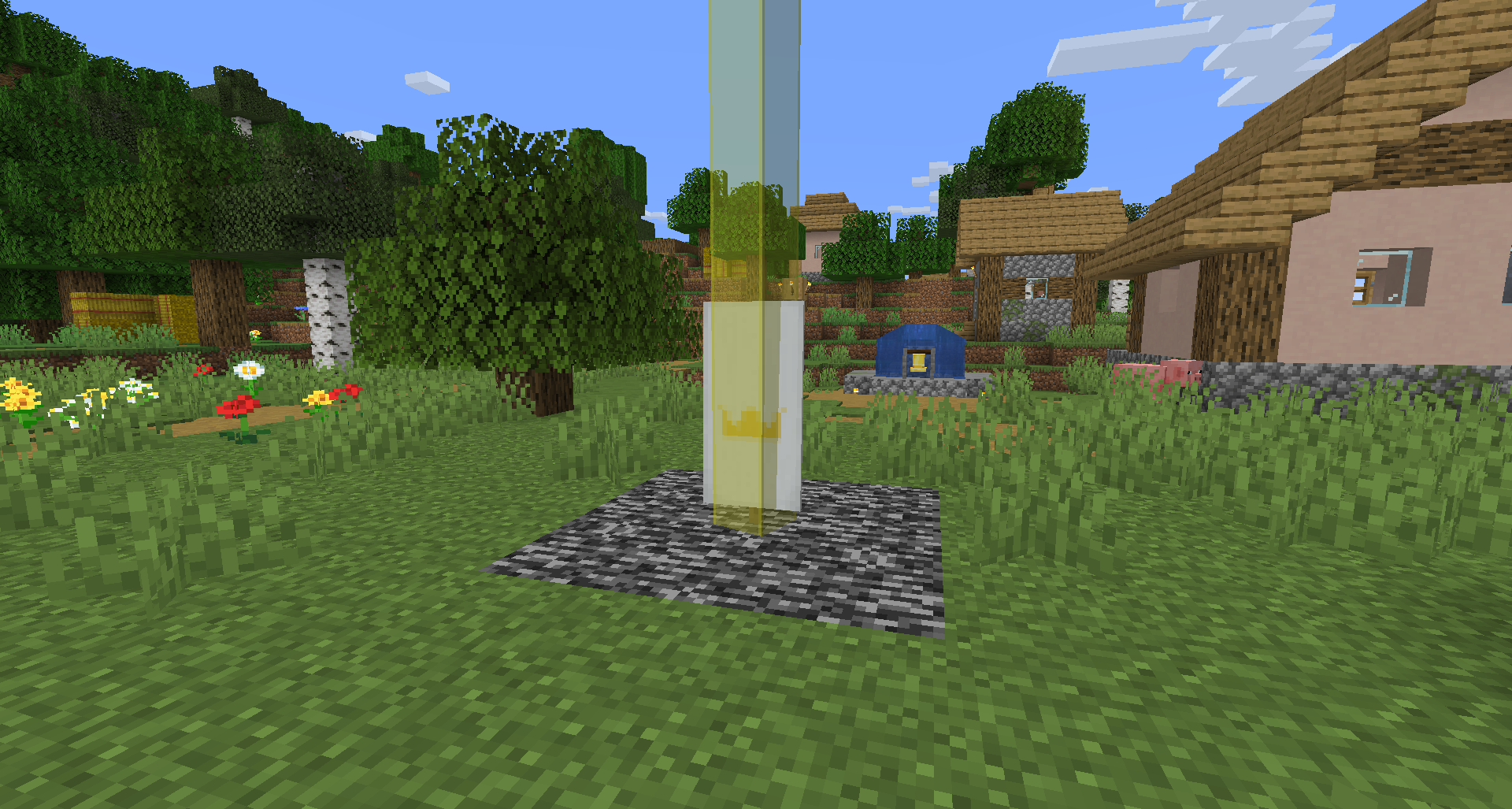
当你拿到旗帜后,你会开始发光并闪烁,直到你将它放下。如果你是最后一个触碰它的人,你仍然会获得分数!(你可以通过标签页中玩家名字的颜色和前缀来查看谁持有旗帜)先得 10 分者获胜!
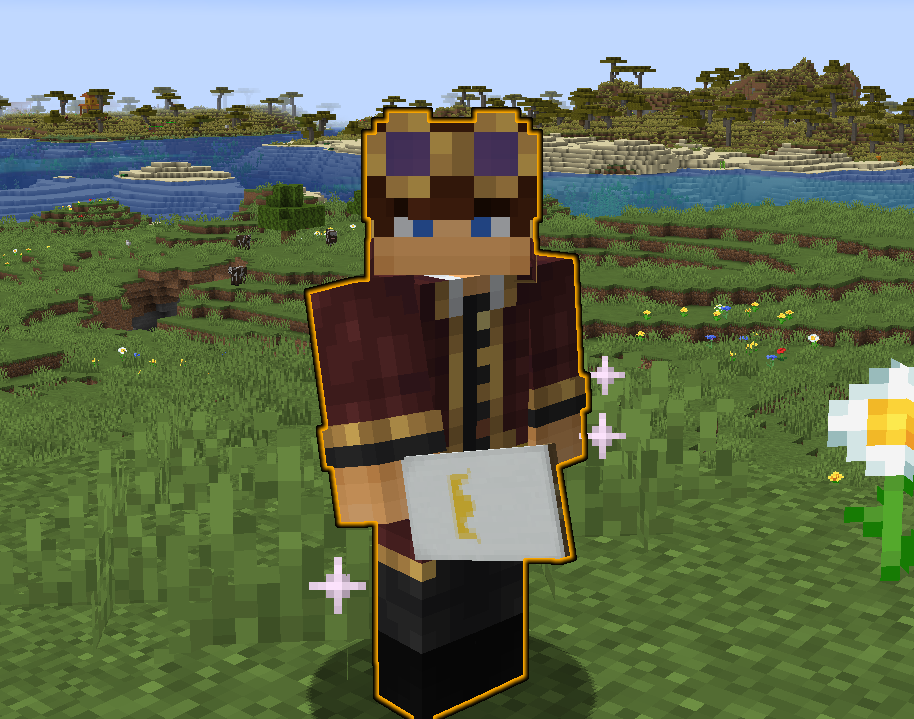
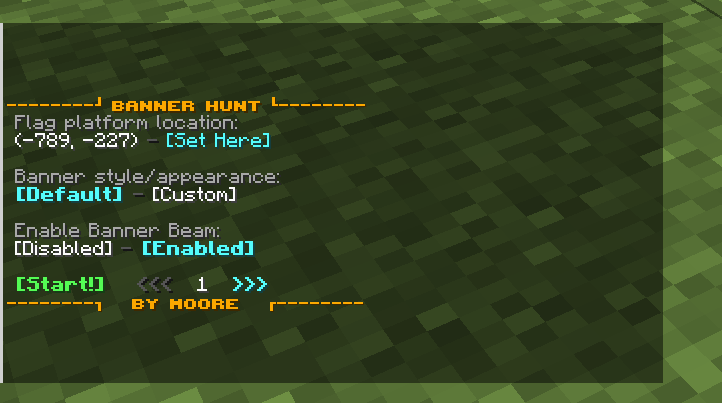
设置简单直观,并且拥有包含所有设置的菜单系统!!几乎所有内容都可以自定义以适应你的需求!你甚至可以随意更改旗帜的外观样式。
规则与设置
强制规则
- 禁止将旗帜放入任何容器中!这会生成一面新旗帜,而你手中的那面会被删除
- 禁止手持旗帜退出游戏!这也会生成一面新旗帜!
- 如果旗帜以任何形式被破坏,将会刷新一面新的旗帜。
- 你不能将旗帜放置在方块的侧面。
默认设置/规则
所有这些规则都可以在设置中更改
- 放置的旗帜会有类似信标的激光束
- 获胜所需的分数为 10 分
- 持有旗帜 5 分钟可获得 1 分
- 手持旗帜会施加负面效果!(与下一条规则相关)
- 选择手持旗帜而不是将其放下,会使得分速度翻倍
- 手持旗帜得分时,会在聊天栏中广播位置信息
- 你不能携带旗帜前往其他维度
- 如果你手持旗帜移动过快(使用鞘翅、激流附魔、快速旅行等),你会失去旗帜
设置
在服务器正确安装了数据包/模组后,输入 /reload,这将显示版本信息和设置按钮!按照步骤放置出生点位置、选择目标分数等即可!
你还拥有以下命令可供使用:
/function bannerhunt:setup
/function bannerhunt:settings
/function bannerhunt:start
/function bannerhunt:end
/function bannerhunt:uninstall
⚠ 已知问题 ⚠
- 你无法在物品栏中点击并移动旗帜!这是为了避免一个 Minecraft 漏洞,该漏洞会导致明明持有旗帜却提示你没有。
- 解决方法是鼠标悬停在你想放置的槽位上,然后按下对应当前热键槽位的数字键。
- 如果你的服务器设置了队伍,当有人获得旗帜时,这会覆盖原有的队伍设置!你需要在小游戏结束后重新分配队伍,抱歉!
- 偶尔旗帜的激光束可能不会渲染!在大多数情况下,可以通过在视频设置中增加实体渲染距离来解决。
- 击杀持有旗帜的玩家会在聊天栏发送两次通知
- 虽然不至于破坏游戏体验,但有点烦人!如果你觉得能解决它,上面链接了 GitHub,我已经尝试过了。

Bannerhunt is a server-side minigame mix between Capture the Flag and King of the Hill!
It is a free-for-all designed for ongoing servers (and even new ones) to play in a server event.
How to Play
A small platform with a banner and a beacon-like beam will be placed at a location of choice. Your goal is to keep this flag in your possession for as long as possible to score points!

Once you get the banner, you will start to glow and sparkle until you place it down. If you were the last to touch it, you will still get points! (You can see who has the flag by their name color and prefix in tab) First to 10 points wins!

The setup is easy and intuitive with a menu system for all the settings!! Nearly everything is customizable to fit your needs! You are even able to change the style of the banner however you would like!

Rules and Settings
Forced Rules
- NO placing the banner in a container of any kind! THIS WILL MAKE A NEW FLAG, AND YOURS WILL BE DELETED
- NO logging out with the banner in your posession! This will also create a new flag!
- If the flag is destroyed in any way shape or form, a new one will be spawned.
- You are unable to place the banner on the side of a block.
Default Settings/Rules
All of these rules can be changed in settings
- Placed flags have a beacon-like beam
- Points needed to win is 10
- Posessing the flag for 5 minutes gives 1 point
- Holding the flag gives debuffs! (ties into next rule)
- Holding the flag instead of placing it down results in scoring points twice as fast
- Scoring a point while holding the flag announces location in chat
- You are unable to carry the flag to other dimensions
- If you travel too fast while holding the flag (elytra, riptide, fast-travel, etc), you will lose it
Setup
With the datapack/mod properly installed on the server, type /reload, which will show the version and setup button! Go through the steps for placing down the spawn location, chosing point goals, and more!
You also have these commands at your disposal:
/function bannerhunt:setup
/function bannerhunt:settings
/function bannerhunt:start
/function bannerhunt:end
/function bannerhunt:uninstall
⚠ KNOWN ISSUES ⚠
- You cannot click and move the flag in your inventory! This was to avoid a minecraft bug that would say you do not have the flag when you really do.
- The workaround is to hover over the slot you want it in, and pressing a number key relating to the hotbar slot that it is currently positioned in.
- If your server has teams set, this will override them when someone obtains the flag! You will need to reassign your teams after you are done with the minigame, sorry!
- Occasionally the banner beam will not render! This can be fixed in most cases by increasing Entity Distance in your Video Settings.
- Killing a player that holds the flag will send a notification in chat twice
- Not really game breaking but a bit annoying! If you think you can solve it the GitHub is linked above, I've already tried.
评论 0
登录后参与评分
还没有评论,来抢沙发吧


