使用方法
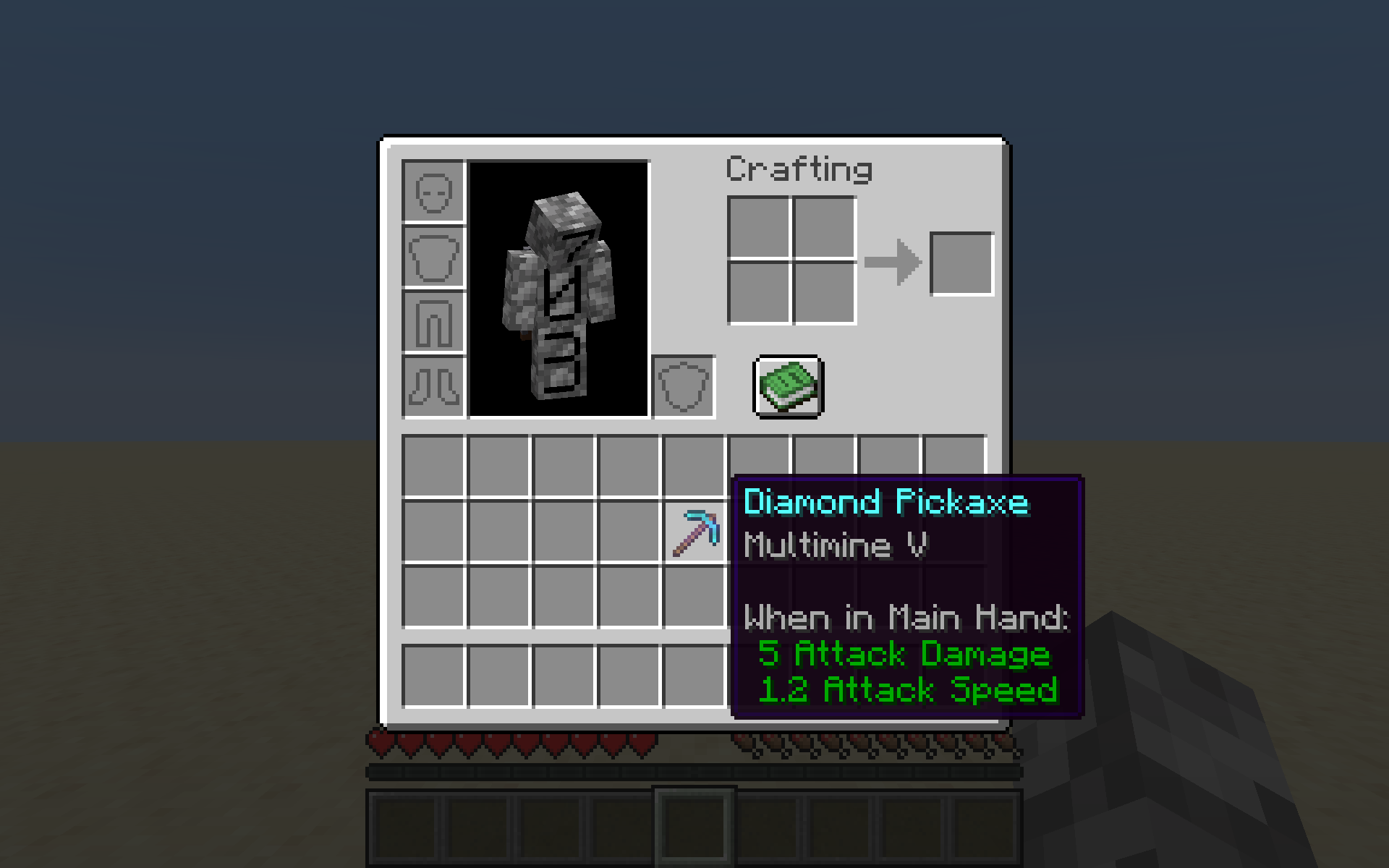
本数据包添加了一个新附魔——多重挖掘(Multimine)。

要获得多重挖掘,只需使用附魔台或铁砧对镐子或锹施加该附魔即可。要使用多重挖掘,只需破坏任意方块。该附魔会破坏周围属于常见工具方块的方块;所谓常见工具方块,是指在世界中普遍存在且使用该工具相对容易开采的方块。
常见的镐子可开采方块列表如下:
- 石头
- 受感染的石头
- 花岗岩
- 闪长岩
- 安山岩
- 凝灰岩
- 所有3种圆石
- 所有3种深板岩
- 滴水石块
- 方解石
- 两种砂岩
- 所有17种陶瓦
- 下界岩
- 玄武岩
- 黑石
- 岩浆块
- 两种菌核土
- 末地石
注意:矿石不包含在内。
常见的锹可开采方块列表如下:
- 所有3种泥土
- 草方块
- 灰化土
- 菌丝体
- 两种苔藓块 (注:实际上用锄头开采这些方块更容易)
- 泥
- 泥泞的红树林根
- 所有3种沙子
- 两种砾石
- 黏土
- 所有3种雪层
多重挖掘共有5个等级,每个等级允许你开采更多常见工具方块:
- 允许你开采所开采方块下方的方块
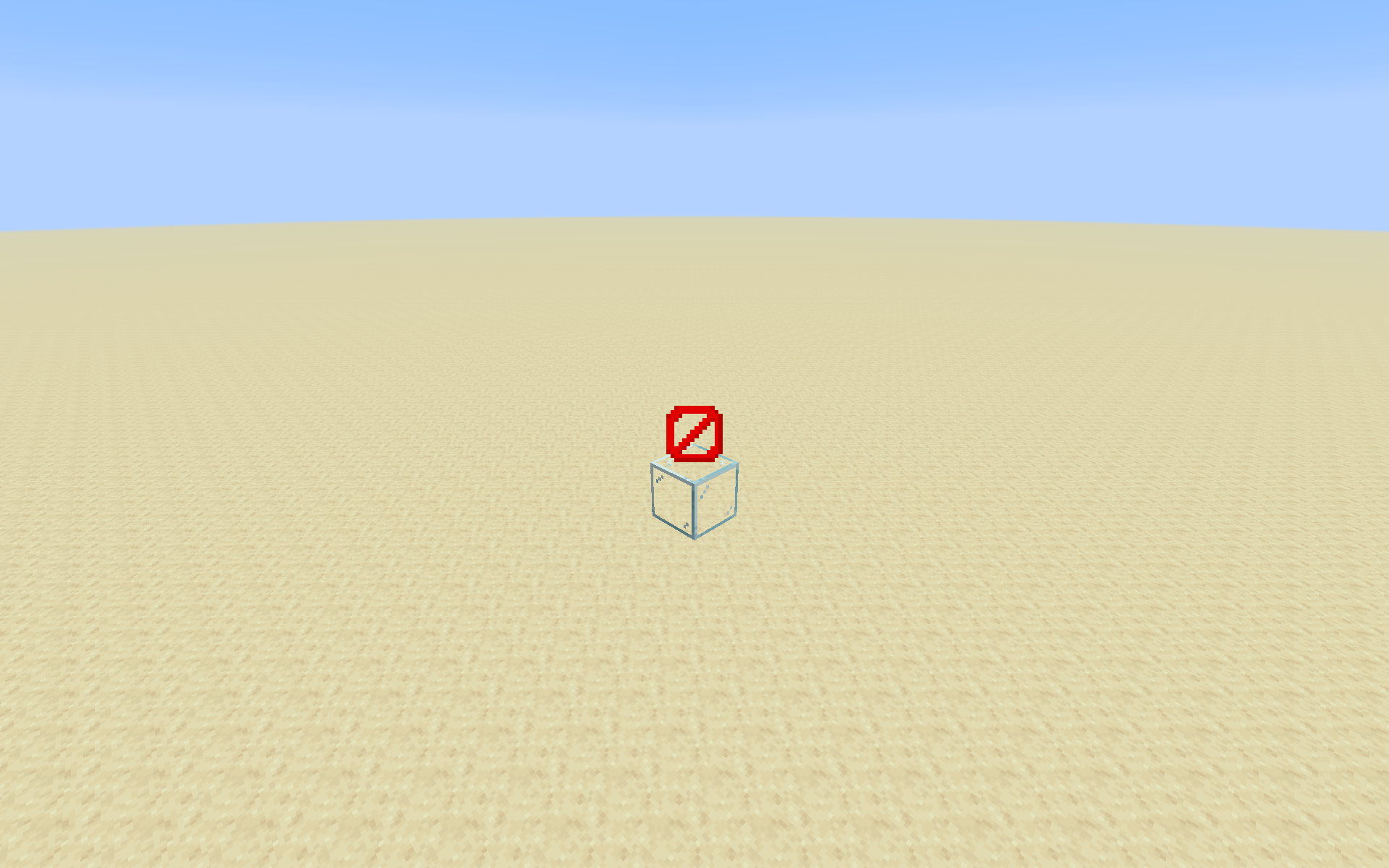
- 允许你开采与所开采方块面相邻的方块
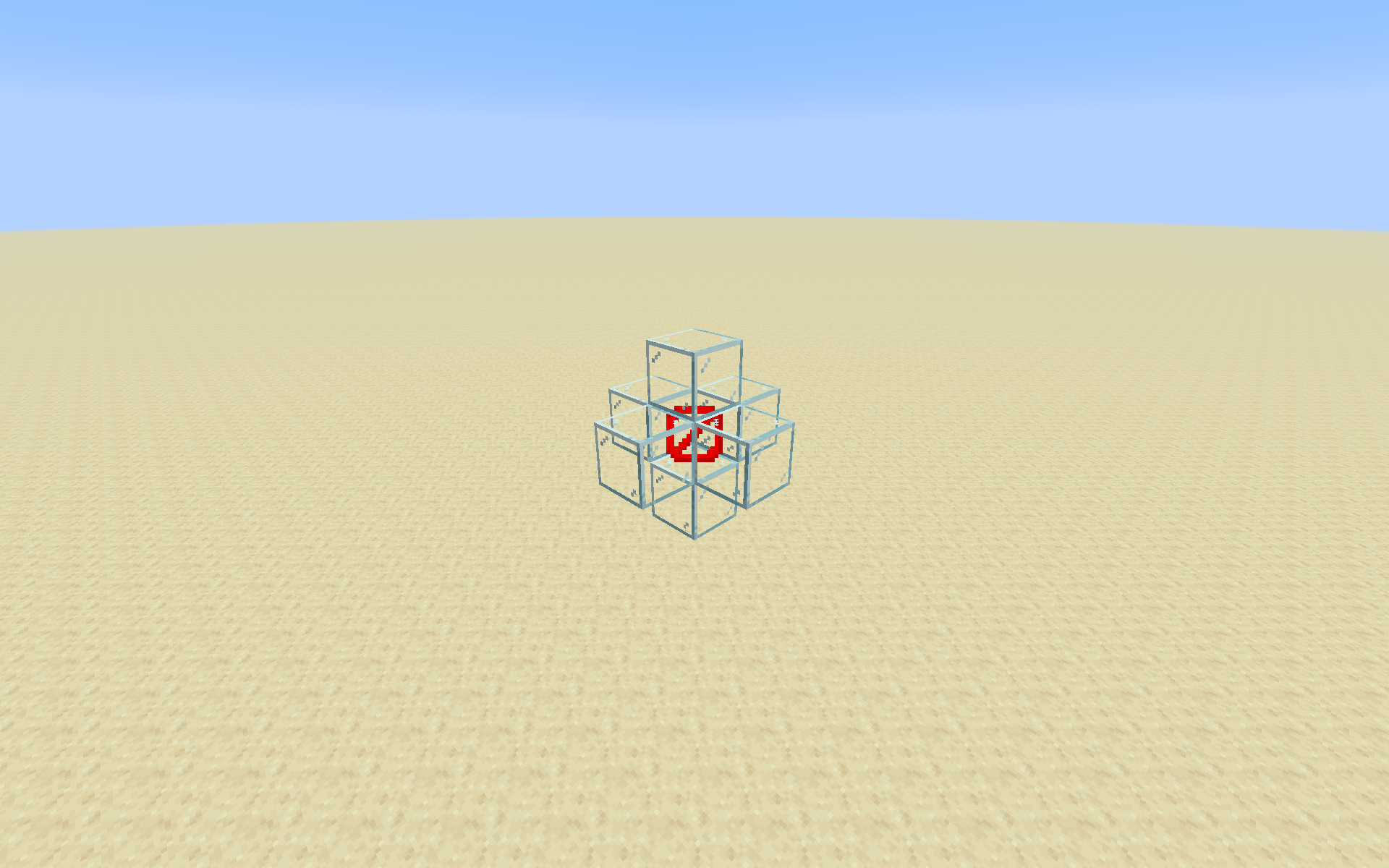
- 允许你开采与所开采方块面或边相邻的方块
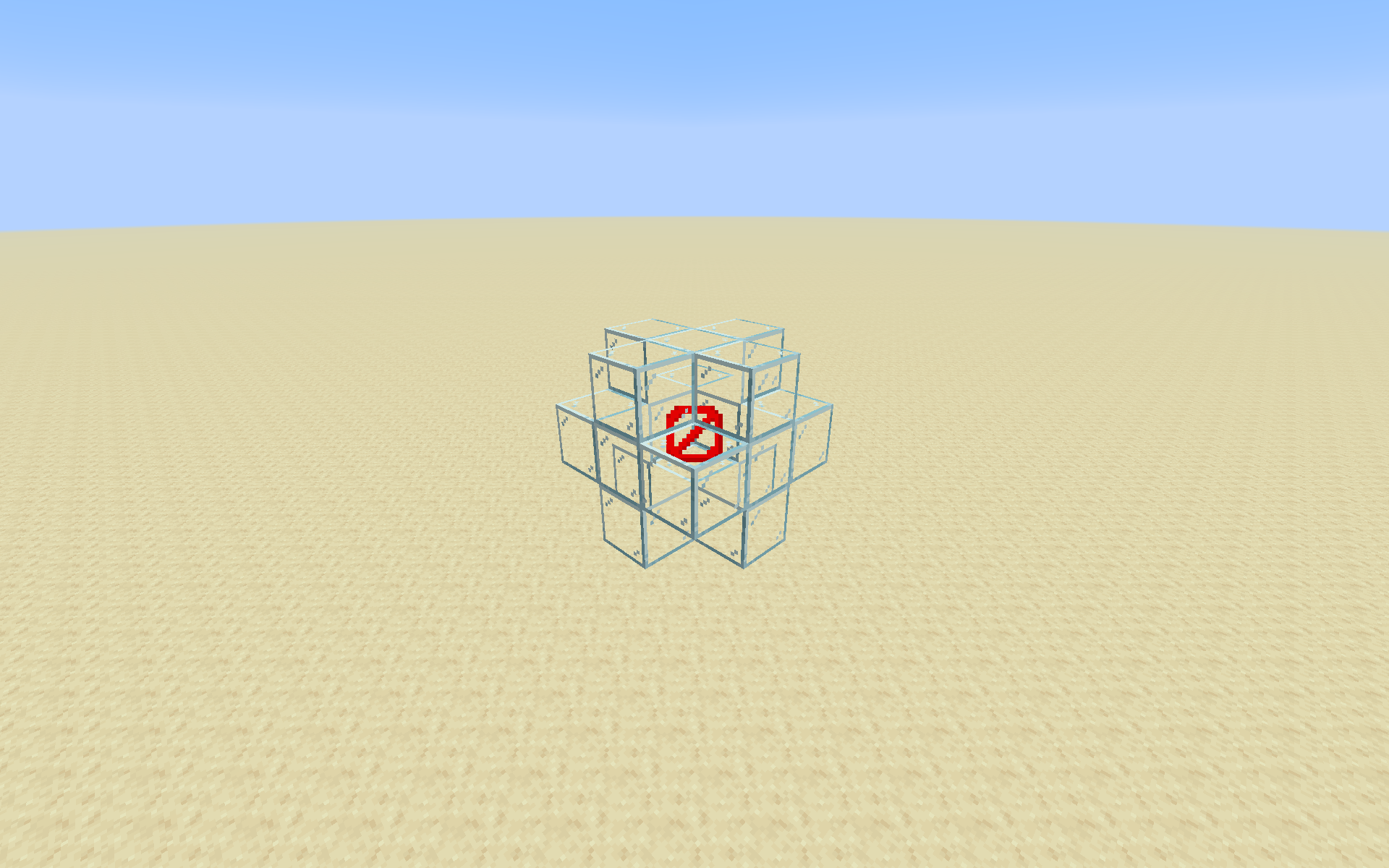
- 允许你开采与所开采方块面、边或角相邻的方块
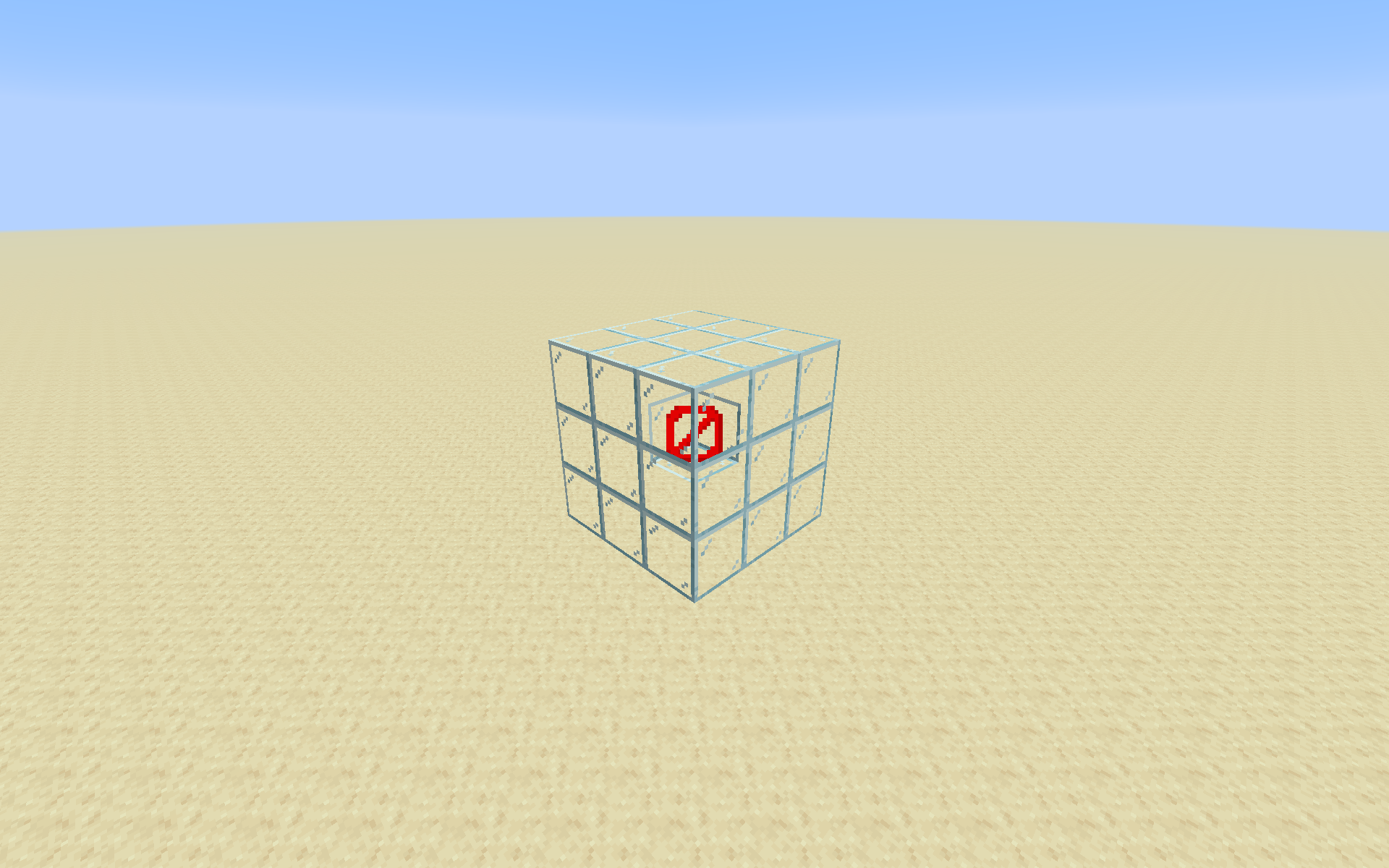
- 允许你开采与所开采方块面、边或角相邻的方块,以及这些方块垂直相邻的方块,或这些方块面相邻的方块
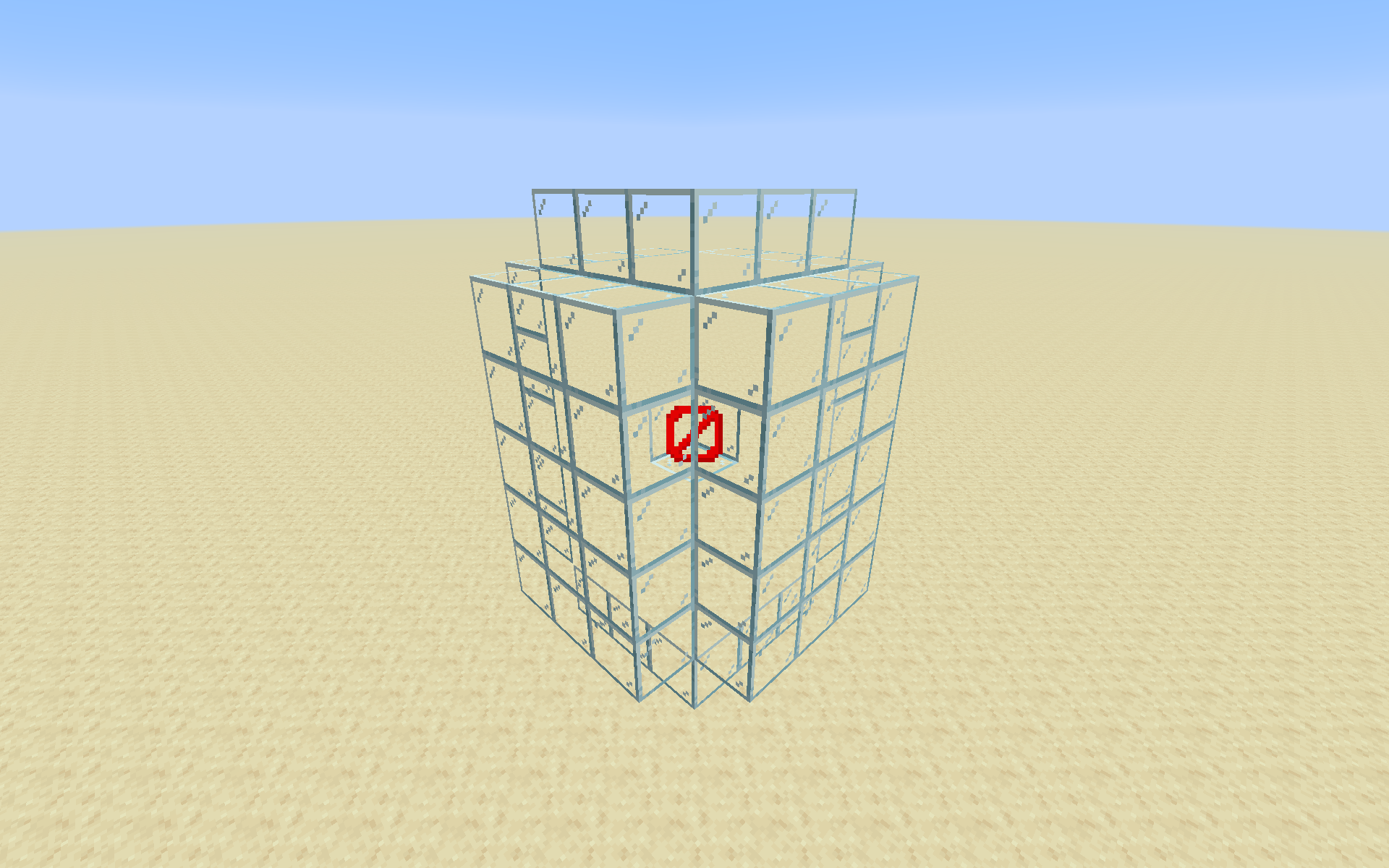
多重挖掘可以与幸运附魔或精准采集等其他附魔配合使用。
多重挖掘目前存在一个 bug:它无法与瞬间开采(instamine)功能兼容。
安装方法
数据包
创建世界时
- 点击 更多 选项卡
- 点击 数据包
- 点击 打开包文件夹
- 粘贴下载的数据包
- 将数据包移至 已选中
- 点击 完成
添加到现有世界
- 选择世界
- 点击 编辑
- 点击 打开世界文件夹
- 打开
datapacks 文件夹
- 粘贴下载的数据包
必需的资源包
单人游戏
- 打开资源包列表
- 点击 打开包文件夹
- 粘贴下载的资源包
- 将资源包移至 已选中
服务器
- 将下载的资源包添加为服务器资源包
- 使服务器资源包成为必选
移除方法
- 执行
/function multimine:remove 以移除所有记分板。
- 移除数据包
兼容性
此数据包当前并非有意与其他数据包或模组兼容。
不过,它应与大多数不改变镐子或锹工作方式、且不添加新的常见工具方块的模组或数据包兼容。
Usage
This datapack adds a new enchantment - Multimine.

To obtain Multimine, simply enchant a pickaxe or shovel with Multimine using an enchanting table or anvil. To use Multimine, simply break any block. The enchantment will break the blocks around in that are common tool blocks; a common tool block is a block that appears commonly in the world and is relatively easy to mine with the tool.
The full list of common pickaxe blocks:
- Stone
- Infested Stone
- Granite
- Diorite
- Andesite
- Tuff
- All 3 kinds of cobblestone
- All 3 kinds of deepslate
- Dripstone Block
- Calcite
- Both kinds of sandstone
- All 17 kinds of terracotta
- Netherrack
- Basalt
- Blackstone
- Magma Block
- Both kinds of nylium
- End stone
Note that ores are not included.
The full list of common shovel blocks:
- All 3 kinds of dirt
- Grass Block
- Podzol
- Mycelium
- Both kinds of moss block (note that these are actually easier to mine with a hoe)
- Mud
- Muddy Mangrove Roots
- All 3 kinds of sand
- Both kinds of gravel
- Clay
- All 3 kinds of snow
There are 5 levels of Multimine, which each allow you to break more common tool blocks:
- Allows you to break the block underneath the block you mined

- Allows you to break the blocks face adjacent to the block you mined

- Allows you to break the blocks face or edge adjacent to the block you mined

- Allows you to break the blocks face or edge or vertex adjacent to the block you mined

- Allows you to break the blocks face or edge or vertex adjacent to the block you mined, the blocks vertically adjacent to those blocks, or the blocks face adjacent to those

Multimine works with other enchantments such as Fortune or Silk Touch.
Multimine currently has a bug where instamine does not work with it.
Installation
Datapack
On Create World
- Click the More tab
- Click Data Packs
- Click Open Pack Folder
- Paste in the downloaded datapack
- Move the datapack to Selected
- Click Done
Add to existing world
- Select the world
- Click Edit
- Click Open World Folder
- Open the
datapacks folder
- Paste in the downloaded datapack
Required Resource Pack
Singleplayer
- Open the resource pack list
- Click Open Pack Folder
- Paste in the downloaded resource pack
- Move the resource pack to Selected
Server
- Add the downloaded resource pack as a server resource pack
- Make server resource packs required
Removal
- Do
/function multimine:remove to remove all the scoreboards.
- Remove the datapack
Compatibility
This datapack is not currently intentionally compatible with other datapacks or mods
However, it should be compatible with most mods or datapacks that don't change how pickaxes or shovels work, and don't add new common tool blocks.
评论 0
登录后参与评分
还没有评论,来抢沙发吧