Collectibles 数据包
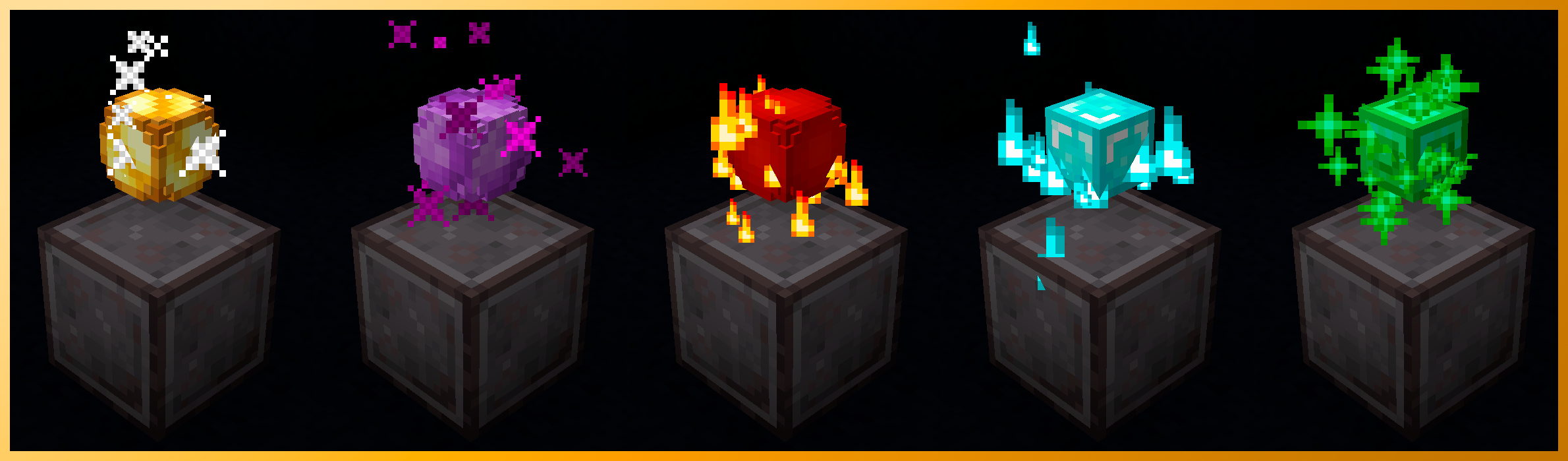
此数据包为服务器或大厅等场景添加了可自定义的收集品。每个玩家都可以进行收集。
你可以隐藏它们,或将它们转化为跑酷目标。
此外还有一个记分板(ScoreBoard),用于显示每位玩家的收集情况。
当玩家收集到一个物品时,会显示一个标题以展示进度,包括已找到的收集品数量以及总共有多少收集品。
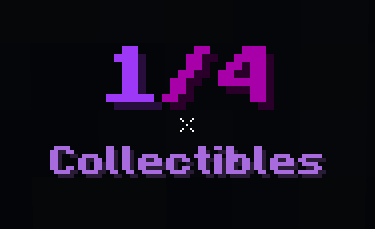
(此标题并非默认样式,而是紫色文本预设)
如何使用该数据包
在游戏内启用数据包后的第一步是执行以下命令:/function collectibles:setup
这将启用其他功能和特性。
之后你可以通过以下命令获取物品:/function collectibles:adminitems
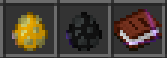
第一个物品是“收集品生成器”。它在使用的方块上生成一个收集品。
第二个是“收集品移除器”。它会移除使用该物品所在方块周围的所有收集品。重要提示:如果你移除了一个收集品,但已有玩家找到了它,收集品的最大数量将减少 1,但找到它的玩家将保留相应的分数。
第三个物品是“自定义指南”,其中包含关于如何自定义收集品皮肤和粒子的说明。
一些有用的函数和命令
记分板(ScoreBoard)
记分板可以通过命令 /scoreboard objectives setdisplay sidebar Collectibles 激活
如果你熟悉命令,可以使用它们来修改记分板的外观。
默认外观:

重置收集品
使用 /function collectibles:resetcolls 可以删除所有收集品,但由于 Minecraft 的限制,仅能删除处于加载区块中的收集品。并且如同使用移除器一样,玩家的分数不会被清除,因此仅在你知道自己在做什么的情况下使用此功能。

重置玩家收集品分数
使用 /function collectibles:resetplayercolls 可以删除所有在线玩家的收集品分数,使其能够重新获得之前已获得的分数。这是一个测试功能,我不建议使用,但如果知道如何无误地操作,该功能依然存在。

卸载
如果你想禁用此数据包,我建议使用命令 /function collectibles:uninstall。此函数会在通过 /datapack disable "file/Collectibles-V1.0.zip"(数据包名称可能会改变)禁用数据包之前,移除记分板和部分数据。
收集品自定义
通过自定义指南,你可以更改皮肤、粒子和文本颜色。书中包含了如何进行操作的说明以及一些预设。无论如何,我认为完整的皮肤自定义是最难理解的部分,因此这里提供带图片的解释:
皮肤/头颅完全自定义
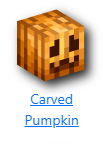
如果你想使用来自 Minecraft Heads 的头颅,首先你需要选择一个头颅(例如这个雕刻南瓜头):
然后在底部的“For Developers”部分找到该头颅的“Value”值:
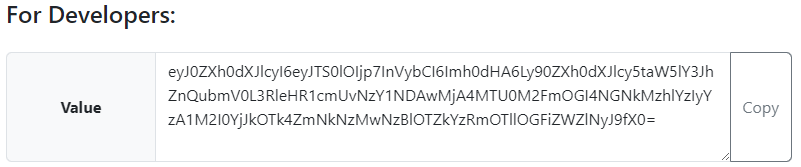
这就是你需要复制并粘贴到下一个命令中的文本,替换 <value>:
/data merge storage collectibles:id {HeadValue:"<value>"}
此后,所有收集品都将拥有此头颅作为皮肤。
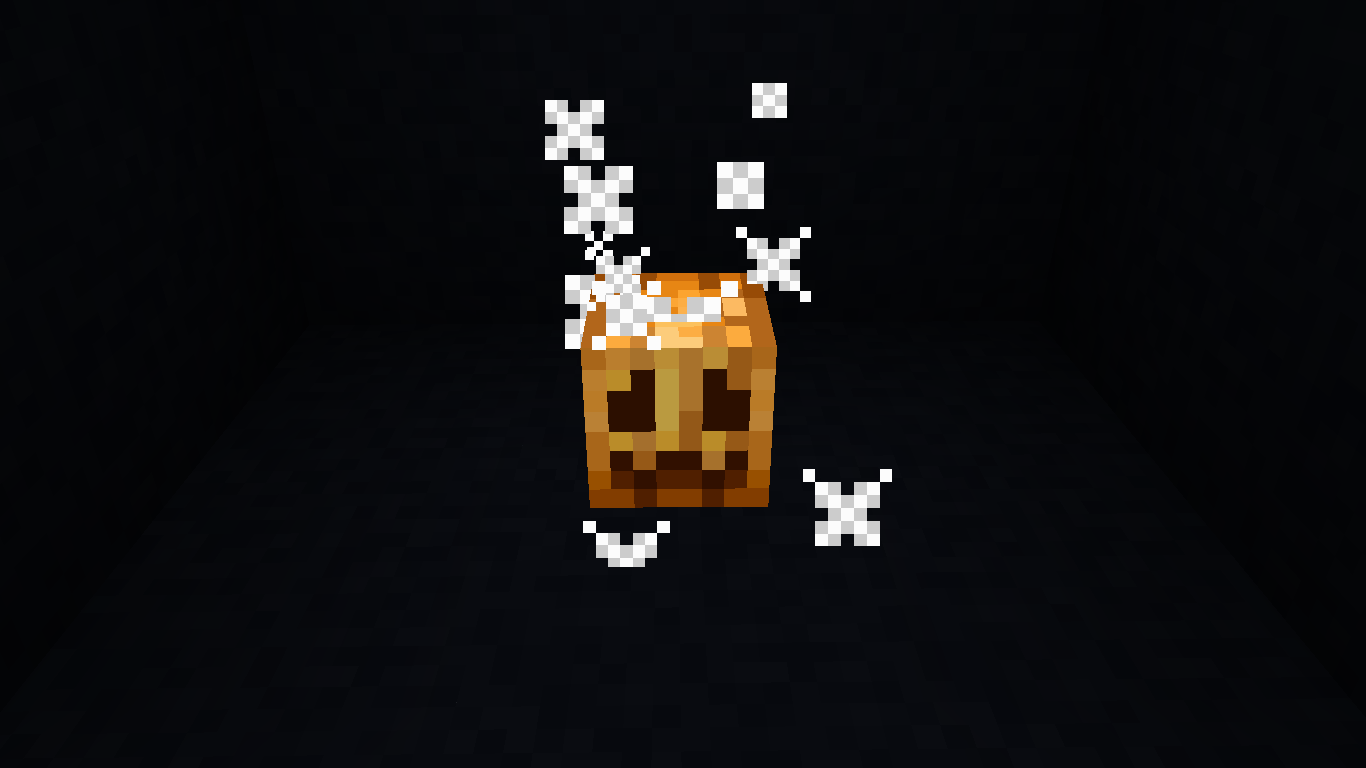
Collectibles Datapack
This datapack adds customizable collectibles for servers or lobbies for example. Each player can collect them.
You can hide them or turn them into parkour objectives.
There is also a ScoreBoard that shows each player collectibles.
When a player collects one, a title is displayed to show how much progress has been made, showing how many collectibles they have found and how many exist.
(This title is not default, it is the Purple Text Palette preset)
How to use the Datapack
The first step after you enable the datapack in game is to perform this command: /function collectibles:setup
This will enable other functions and features.
After this you can access the items with: /function collectibles:adminitems
The first item is the Collectible Spawner. It will spawn a collectible on the block you use it.
The second one is the Collectible Remover. It removes all collectibles around the block you use it. IMPORTANT: If you remove a collectible, but someone already found it, the max number of collectibles is lowered by 1 but the player who had found it will retain the point.
The third item is the Cutomization Guide, with some explainations on how to customize the collectibles skin and particles.
Some useful Functions and Commands
ScoreBoard
The ScoreBoard can be activated with the command /scoreboard objectives setdisplay sidebar Collectibles
If you are familiar with commands you can modify how the scoreboard looks using them.
The default appearance:
Reset Collectibles
Using /function collectibles:resetcolls you can delete all Collectibles, but only the ones that are in charged chunks due to Minecraft limitations and as happens when you use the remover, the players' points are not removed, so only use this if you know what you are doing.
Reset Player Collectibles
Using /function collectibles:resetplayercolls you can delete all ONLINE players' Collectibles points making it possible to get the ones they already got. This is a testing feature and I do not recommend using it, but if you know how to do it without problems, it exists.
Uninstall
If you want to disable this datapack, I recommend using the command /function collectibles:uninstall. This function removes the ScoreBoards and some data before disabling the datapack with /datapack disable "file/Collectibles-V1.0.zip" (maybe the datapack name changes)
Collectible Customization
With the Customization Guide you can change the skin, particles and text colors. The book has explanations on how to do it and some presets. Anyways, I see how the complete customization of the skin is the most difficult part to understand, so here is an explanation with images:
Skin/Head Full Customization
If you want to use a head from Minecraft Heads you first have to choose a head, (for example this Carved Pumpkin):
Then you need to find at the bottom the "Value" of the head in the "For Developers" section:
That is the text you have to copy and then paste in the next command replacing <value>:
/data merge storage collectibles:id {HeadValue:"<value>"}
After this, all the collectibles should have this head as the skin.


 数据包

 数据包

 数据包

 数据包

 数据包

 数据包

评论 0
登录后参与评分
还没有评论,来抢沙发吧