
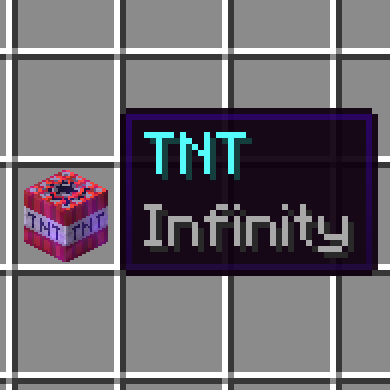
此数据包允许任何物品附魔无限(Infinity),并真正使该物品可无限使用!无论是不死图腾、钻石块、烟火火箭、骨粉,甚至是一桶牛奶,“无限之无限”都能让你随心所欲地无限使用任何物品!
只需获取一本带有“无限”附魔的书,并在铁砧上将其应用到你的物品上即可!或者,在创造模式下手持该物品时输入 /enchant @s infinity。
警告
如果右键点击过快,或同时按住右键和 F 键,你的无限物品极易消失。目前我想不到在不彻底重构模组的情况下修复这些问题的方法。
[免责声明:本模组使用 Minecraft 的数据驱动附魔系统,该系统被视为实验性功能,在安装数据包后需完全重新加载世界。]
This data pack allows any item to be enchanted with Infinity, and it'll actually make that item infinitely usable! Whether it's a Totem of Undying, a Diamond Block, a Firework Rocket, Bonemeal, or even a Bucket of Milk, Infinite Infinity will allow you to endlessly use any item to your heart's content!
Simply obtain a book with the Infinity enchantment and apply it to your item in an anvil! Alternatively, you can type /enchant @s infinity in Creative Mode while holding the item.
WARNING
It is incredibly easy to make your infinite items disappear by right clicking too fast, or holding right click and F at the same time. At the moment I can't think of any good way to fix these things without a complete redesign of the mod.
[DISCLAIMER: This mod uses Minecraft's data-driven enchantment system, which is considered experimental, requiring a full world reload on initial pack installation.]
下载 Infinite Infinity
需要联机服务器吗?
稳定流畅、一键部署,几分钟即可和朋友联机开服
最低仅需 8 元/月 即可畅快联机
下载 Infinite Infinity
下载 Infinite Infinity
需要联机服务器吗?
稳定流畅、一键部署,几分钟即可和朋友联机开服
最低仅需 8 元/月 即可畅快联机
下载 Infinite Infinity
下载 Infinite Infinity
需要联机服务器吗?
稳定流畅、一键部署,几分钟即可和朋友联机开服
最低仅需 8 元/月 即可畅快联机
下载 Infinite Infinity
下载 Infinite Infinity
需要联机服务器吗?
稳定流畅、一键部署,几分钟即可和朋友联机开服
最低仅需 8 元/月 即可畅快联机
下载 Infinite Infinity
下载 Infinite Infinity
需要联机服务器吗?
稳定流畅、一键部署,几分钟即可和朋友联机开服
最低仅需 8 元/月 即可畅快联机
下载 Infinite Infinity
- 已更新以支持来自 1.21.11 的物品
关于这个资源的讨论、问题反馈与使用心得
还没有讨论,来发第一帖吧
你是这个资源的作者?登录后可认领此资源。
相似资源
 数据包

此数据包添加了属于阿瓦里海盗的独特结构,将他们的独特风格带入你的 Minecraft 世界!兼容性:1.20 至 26.3
 数据包
一个 Minecraft 光线投射库,能够精确检测玩家正在查看的方块,包括像台阶和楼梯这样的特殊方块形状。
 数据包

此数据包添加了新的“祝福模式”难度。
 数据包
允许服务器管理员方便地禁用 Xaero's Map 系列模组中的实体雷达、小地图等功能,使竞技游戏更加公平。
 数据包

使用原版/生存友好的方法更改青蛙的变种类型。支持原版(寒冷、温带、温暖)以及可选的“More Frogs 2”变种:深红、末影、地狱、毒镖、紫珀、幽匿、灵魂、诡异和木头。
 数据包

手持潜影盒时可直接打开,无需将其放置在地面上。只需按住 Shift 并右键点击即可访问你的潜影盒。
评论 0
登录后参与评分
还没有评论,来抢沙发吧