
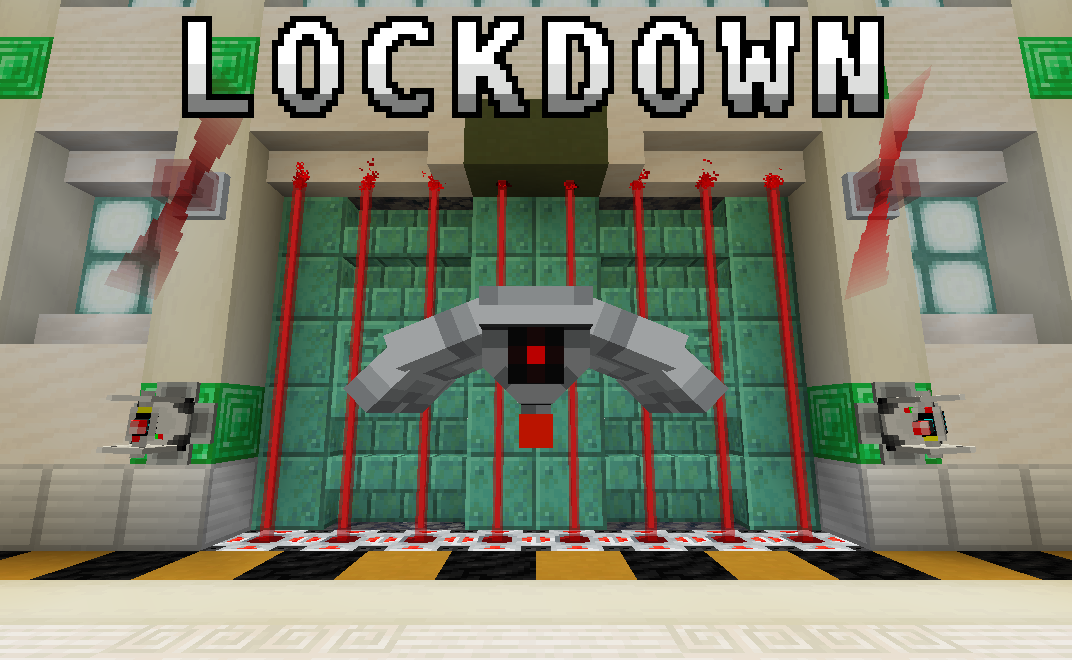
从激光炮塔到力场,Lockdown 添加了以安全为主题的方块/物品,帮助你保护基地免受入侵者侵害!
更完整的维基文档可在此处查看
功能特性
安全类
编码站:为任何可编码设备分配代码。将选定的设备放入顶部槽位,而代表代码的三种染料则放入底部行。
门禁卡读卡器:当五格范围内的任何玩家持有与其自身代码相同的门禁卡时,会发出红石信号。使用编码站分配代码/频道。
激光发射器:激活时,它会发射短距离激光,对接触到的生物造成伤害。
警报灯:检测到来自同一频道设备的无线信号时,会发出旋转发光效果。使用编码站分配频道。
汽笛喇叭:激活时会播放警报音效。右键点击该方块可在可用警报之间切换。
力场发生器:激活时投射出一个不可破坏的力场。右键点击该方块可在不同大小的力场之间切换,范围从 1x1 到 5x5。
防御类
防御炮塔:向范围内检测到的任何敌对生物发射激光束。默认情况下不会攻击玩家。但是,在分配代码后,它将攻击最后持有的门禁卡不匹配的任何玩家。可选择使用编码站分配代码。
防御无人机:巡逻周围区域并使用激光束攻击发现的任何敌对生物。默认情况下不会攻击玩家。但是,在分配代码后,它将攻击最后持有的门禁卡不匹配的未识别玩家。可选择使用编码站分配代码。
防空加农炮:一种大型、可由玩家操控的加农炮,发射能量弹。
升级模块
耐久升级:增加无人机或炮塔的生命值。
火焰喷射升级:允许无人机发射火球,并使炮塔发射火焰弹而非激光。
射程升级:增加无人机或炮塔的有效射程。
可疑优盘:导致无人机和炮塔攻击玩家及友好生物。可在废弃掩体中找到。
工具类
钥匙:允许你锁定容器。在编码器中添加唯一代码,然后按住 Shift 键并右键点击容器以添加或移除锁。
激光手枪:一种远程武器,向敌人发射激光。小心不要让它过热!
红石能量块:激光手枪的燃料。
喷漆罐:为炮塔、无人机和加农炮上色。在主手右键点击应用主色,副手右键点击应用辅色。按住 Shift 键并右键点击可在颜色间切换。
红石元件
无线发射器:激活时,向同一频道的任何接收器输出无线信号。使用编码站分配频道。
无线接收器:检测到来自同一频道设备的无线信号时,输出红石信号。使用编码站分配频道。
玩家探测器:检测到半径五格内的玩家时,输出红石信号。
生物探测器:检测到半径五格内的生物时,输出红石信号。
大型按钮:与普通按钮类似,但更具威慑力!可选择使用编码站分配广播频道。
结构物
废弃掩体:一种罕见的、部分埋藏的由未知派系遗弃的结构。建造者早已消失,但他们留下的防御工事却依旧存在!
作弊指令
你可以使用以下命令获取数据包中的所有方块/物品:
# R3 及更高版本
/loot give @s loot lockdown:cheat/alarms
/loot give @s loot lockdown:cheat/buttons
/loot give @s loot lockdown:cheat/keycards
/loot give @s loot lockdown:cheat/machines
/loot give @s loot lockdown:cheat/tools
/loot give @s loot lockdown:cheat/upgrades

# R2 及更早版本
/function lockdown:give/alarms
/function lockdown:give/blocks
/function lockdown:give/buttons
/function lockdown:give/devices
/function lockdown:give/upgrades
From laser turrets to force fields, Lockdown adds security-themed blocks/items to secure your base against intruders!
A more complete wiki is available here
Features
Security
Encoding Station: Assigns a code to any encodable device. The device of choice is placed in the top slot, while three dye representing the code go in the bottom row.
Keycard reader: Emits a redstone signal when any player within five blocks holds a keycard with the same code as itself. Assign a code/channel using the Encoding Station.
Laser Projector: When powered, it emits a short-range laser that damages mobs that touch it.
Alarm Lights: Emits a rotating glow when it detects a wireless signal from a device on the same channel. Assign a channel using the Encoding Station.
Klaxon: Plays an alarm sound-effect when powered. Right click the block to cycle between available alarms.
Force Field Projector: Projects an indestructible force field when powered. Right click the block to cycle between different force field sizes, ranging from 1x1 to 5x5.
Defense
Defense Turret: Fires a laser beam at any hostile mob it detects within range. Will not attack players by default. However, when assigned a code, it will attack any player whose last held keycard does not match. Optionally assign a code using the Encoding Station.
Defense Drone: Patrols the surrounding area and attacks any hostile mobs it finds using its laser beam. Will not attack players by default. However, when assigned a code, it will attack any unrecognized player whose last held keycard does not match. Optionally assign a code using the Encoding Station.
Air Defense Cannon: A large, player-controllable cannon that fires bolts of energy.
Upgrades
Durability Upgrade: Increases the health of a drone or turret.
Flamethrower Upgrade: Allows drones to shoot fireballs and turrets to shoot bolts of fire instead of lasers.
Range Upgrade: Increases the effective range of a drone or turret.
Suspicious Thumb Drive: Causes drones and turrets to attack players and friendly mobs. Found in abandoned bunkers.
Tools
Key: Allows you to lock containers. Add a unique code in the encoder, then shift + right-click on a container to add or remove the lock.
Laser Blaster: A ranged weapon that fires lasers at your enemies. Be careful not to let it overheat!
Redstone Energy Cell: Fuel for the laster blaster.
Spray Can: Applies colors to turrets, drones, and cannons. Right-click in main-hand to apply primary color, and right-click in off-hand to apply secondary color. Cycle between colors with sneak + right-click.
Redstone
Wireless Transmitter: When powered, it outputs a wireless signal to any receiver on the same channel. Assign a channel using the Encoding Station.
Wireless Receiver: Outputs a redstone signal when it detects a wireless signal from a device on the same channel. Assign a channel using the Encoding Station.
Player Detector: Outputs a redstone signal when it detects a player within a five-block radius.
Mob Detector: Outputs a redstone signal when it detects a mob within a five-block radius.
Big Buttons: Similar to a regular button, except more imposing! Can optionally be assigned a channel to broadcast to using the Encoding Station.
Structures
Abandoned Bunker: An uncommon, partially-buried structure abandoned by an unknown faction. Whoever built them is long gone, but the defenses they left behind sure aren't!
Cheats
You can give yourself all blocks/items in the data pack with the following commands:
# R3 and Beyond
/loot give @s loot lockdown:cheat/alarms
/loot give @s loot lockdown:cheat/buttons
/loot give @s loot lockdown:cheat/keycards
/loot give @s loot lockdown:cheat/machines
/loot give @s loot lockdown:cheat/tools
/loot give @s loot lockdown:cheat/upgrades

# R2 and Prior
/function lockdown:give/alarms
/function lockdown:give/blocks
/function lockdown:give/buttons
/function lockdown:give/devices
/function lockdown:give/upgrades

下载 Lockdown
需要联机服务器吗?
稳定流畅、一键部署,几分钟即可和朋友联机开服
最低仅需 8 元/月 即可畅快联机
下载 Lockdown
需要联机服务器吗?
稳定流畅、一键部署,几分钟即可和朋友联机开服
最低仅需 8 元/月 即可畅快联机
下载 Lockdown
需要联机服务器吗?
稳定流畅、一键部署,几分钟即可和朋友联机开服
最低仅需 8 元/月 即可畅快联机
下载 Lockdown
需要联机服务器吗?
稳定流畅、一键部署,几分钟即可和朋友联机开服
最低仅需 8 元/月 即可畅快联机
下载 Lockdown
需要联机服务器吗?
稳定流畅、一键部署,几分钟即可和朋友联机开服
最低仅需 8 元/月 即可畅快联机
下载 Lockdown
需要联机服务器吗?
稳定流畅、一键部署,几分钟即可和朋友联机开服
最低仅需 8 元/月 即可畅快联机
下载 Lockdown
需要联机服务器吗?
稳定流畅、一键部署,几分钟即可和朋友联机开服
最低仅需 8 元/月 即可畅快联机
下载 Lockdown
需要联机服务器吗?
稳定流畅、一键部署,几分钟即可和朋友联机开服
最低仅需 8 元/月 即可畅快联机
下载 Lockdown
需要联机服务器吗?
稳定流畅、一键部署,几分钟即可和朋友联机开服
最低仅需 8 元/月 即可畅快联机
下载 Lockdown
需要联机服务器吗?
稳定流畅、一键部署,几分钟即可和朋友联机开服
最低仅需 8 元/月 即可畅快联机
- 修复了数据包元数据仍标记支持 1.21.5 的问题
- 在 1.21.5 中运行该数据包时,现在会显示警告消息
关于这个资源的讨论、问题反馈与使用心得
还没有讨论,来发第一帖吧
你是这个资源的作者?登录后可认领此资源。
相似资源
 数据包

此数据包添加了属于阿瓦里海盗的独特结构,将他们的独特风格带入你的 Minecraft 世界!兼容性:1.20 至 26.3
 数据包
一个 Minecraft 光线投射库,能够精确检测玩家正在查看的方块,包括像台阶和楼梯这样的特殊方块形状。
 数据包

此数据包添加了新的“祝福模式”难度。
 数据包

为模组生物群系添加原版回溯特性!
 数据包
允许服务器管理员方便地禁用 Xaero's Map 系列模组中的实体雷达、小地图等功能,使竞技游戏更加公平。
 数据包

使用原版/生存友好的方法更改青蛙的变种类型。支持原版(寒冷、温带、温暖)以及可选的“More Frogs 2”变种:深红、末影、地狱、毒镖、紫珀、幽匿、灵魂、诡异和木头。
评论 0
登录后参与评分
还没有评论,来抢沙发吧