
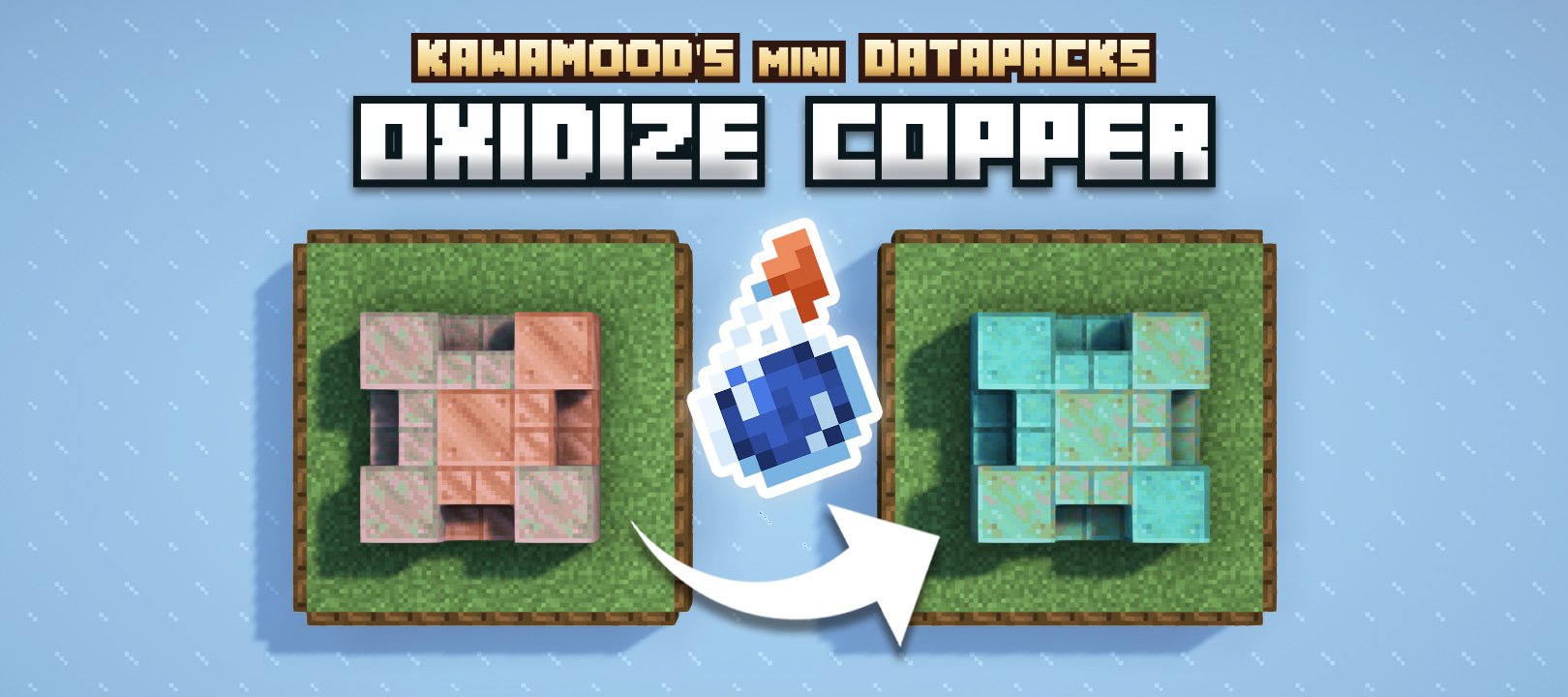
Oxidize Copper
使用浓稠药水让铜块逐渐氧化!
使用溅射型浓稠药水快速使铜块和铁傀儡氧化。
这是一款极佳的实用工具,可简化建造过程。
? 如何使用?
只需酿造溅射型浓稠药水,并将其投掷到任何类型的铜块上即可。
注意:从 V.3.1.0 版本开始支持铜门氧化。
为了酿造浓稠药水,你需要在酿造台中放入萤石粉以制作水瓶。然后加入火药即可获得最终的溅射型浓稠药水。
溅射药水会在其撞击点周围 3x3x3 的区域内氧化方块。铜块会根据其当前状态(从暴露状态到完全氧化状态)逐渐氧化。涂蜡的铜块将免受此效果影响。
它还会氧化半径 3 格内的铜傀儡(自 V.3.3.0 起)。涂蜡的铜傀儡将免受此效果影响。
? 卸载
Oxidize Copper 附带了卸载流程。运行它将执行以下操作:
- 移除所有与 Oxidize Copper 数据包相关的计分板和存储数据。
- 如果没有安装其他 KawaMood 数据包,还将移除所有通用的计分板和存储数据。
启动卸载流程的命令如下。
自 V.3+ 版本起:
/function pk_ox_co:cmd/uninstall
V.3 之前版本:
/function pk_oxidize_copper:cmd/uninstall
? 报告问题
如果你在使用此数据包时遇到问题,建议加入 Discord 服务器,并在专用的 #data-pack-issues 频道发帖描述你的问题。请别忘了提供所有必要信息,包括:
- 你使用的 Minecraft 版本。
- 你所使用的该数据包的版本。
- 你是否使用了修改版客户端,如 Forge、Paper 或 Spigot。
- 如果是,列出你可能正在使用的会影响数据包运行的插件或模组。
- 你正在使用的其他数据包列表(如果有)。
- 对你问题的清晰描述以及复现方法。
- 如有必要,附上游戏内的问题视频或截图。
? 其他链接
感谢使用 Oxidize Copper!得知大家喜欢它让我倍感欣慰。 如果你想支持本数据包及其他数据包的开发,可以通过我的其他社交网络支持我:
- Planet Minecraft
- 或者如果你心情慷慨,我接受通过 paypal 或 buy me a kawa(“kawa”是“咖啡”的网络俚语)进行的捐赠!
Oxidize Copper
Gradually oxidize copper blocks with thick potions!
Quickly oxidize copper blocks and copper golems using splash thick potions.
A great utility to facilitate building.
? How to use?
Just brew splash thick potions, and throw them on any kind of copper blocks.
Note: Copper doors oxidation is only supported since V.3.1.0.
In order to brew thick potion, you'll need to put a glowstone dust in a brewing station, settling in water bottles. Then you can add a gunpowder to get the final splash thick potion.
The splash potion will oxidize blocks in a 3x3x3 area from its impact. Copper blocks will be oxidized gradually depending on their current state (from exposed state to fully oxidized state). Waxed ones will be spared from this effect.
It also oxidizes copper golems who are in a 3-block radius (since V.3.3.0). Waxed ones will be spared from this effect.
? Uninstall
Oxidize Copper comes with an uninstallation process. Running it will:
- Remove all scores and storage specific to the Oxidize Copper data pack.
- If there is no more KawaMood data packs installed, also remove all common scores and storages.
The command to start the uninstalling process is the following ones.
Since V.3+:
/function pk_ox_co:cmd/uninstall
Before V.3:
/function pk_oxidize_copper:cmd/uninstall
? Report an issue
If you encountered an issue with this data pack, preferably join the Discord server, and open a post in the dedicated #data-pack-issues channel to describe your problem. Please, don't forget to provide all necessary informations including:
- The Minecraft version you're using.
- The version of the concerned data pack you're using.
- If you're using any modified version like Forge, Paper or Spigot.
- If you do, the plugins or mods you're using that may alter the functioning of data packs.
- The list of other data packs you're using, if you have others.
- A clear description of your issue, and a way to reproduce it.
- If necessary, a video or a screenshot of the issue in game.
? Other links
Thank you for using Oxidize Copper! It makes me happy to know people are enjoying it. If you want to support its development and the development of other data packs, you can support me on my other social networks:
- Planet Minecraft
- Or if you're in a generous mood, I accept donation on paypal or buy me a kawa (slang term for "coffee")!

下载 Oxidize Copper
下载 Oxidize Copper
下载 Oxidize Copper
下载 Oxidize Copper
需要联机服务器吗?
稳定流畅、一键部署,几分钟即可和朋友联机开服
最低仅需 8 元/月 即可畅快联机
下载 Oxidize Copper
需要联机服务器吗?
稳定流畅、一键部署,几分钟即可和朋友联机开服
最低仅需 8 元/月 即可畅快联机
下载 Oxidize Copper
下载 Oxidize Copper
下载 Oxidize Copper
需要联机服务器吗?
稳定流畅、一键部署,几分钟即可和朋友联机开服
最低仅需 8 元/月 即可畅快联机
下载 Oxidize Copper
需要联机服务器吗?
稳定流畅、一键部署,几分钟即可和朋友联机开服
最低仅需 8 元/月 即可畅快联机
下载 Oxidize Copper
- 已更新以适配 26.3。
关于这个资源的讨论、问题反馈与使用心得
还没有讨论,来发第一帖吧
你是这个资源的作者?登录后可认领此资源。
相似资源
 数据包

此数据包添加了属于阿瓦里海盗的独特结构,将他们的独特风格带入你的 Minecraft 世界!兼容性:1.20 至 26.3
 数据包
一个 Minecraft 光线投射库,能够精确检测玩家正在查看的方块,包括像台阶和楼梯这样的特殊方块形状。
 数据包

此数据包添加了新的“祝福模式”难度。
 数据包
允许服务器管理员方便地禁用 Xaero's Map 系列模组中的实体雷达、小地图等功能,使竞技游戏更加公平。
 数据包

使用原版/生存友好的方法更改青蛙的变种类型。支持原版(寒冷、温带、温暖)以及可选的“More Frogs 2”变种:深红、末影、地狱、毒镖、紫珀、幽匿、灵魂、诡异和木头。
 数据包

手持潜影盒时可直接打开,无需将其放置在地面上。只需按住 Shift 并右键点击即可访问你的潜影盒。
评论 0
登录后参与评分
还没有评论,来抢沙发吧