
功能特性
基础功能
- 添加 4 种缩小药丸(2x-16x)
- 添加 4 种生长药丸(0.5x-0.0625x)
- 添加一种中立药丸,用于重置你的体型
- 高度自定义
- 自定义合成
支持版本
| 版本 | 状态 |
|---|---|
| 1.21.1 | ✅ 支持 |
| 1.21 | ✅ 支持 |
| 1.20.5 | ✅ 支持 |
| 1.20.4 或更低版本 | ❌ 因 Minecraft 限制而损坏 |
次要功能
- 不仅改变物体的缩放比例,还根据设置改变速度、重力、跳跃力度等。
- 死亡后体型恢复正常大小。
- 经过优化,尽可能减少性能影响。
即将推出的功能
- 能够缩放其他实体
- 可调节作用范围
合成配方
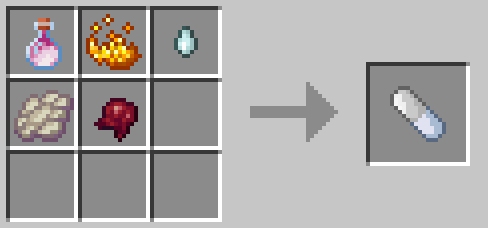
中立药丸
这是中立药丸的合成配方,该药丸可将你恢复至正常体型。
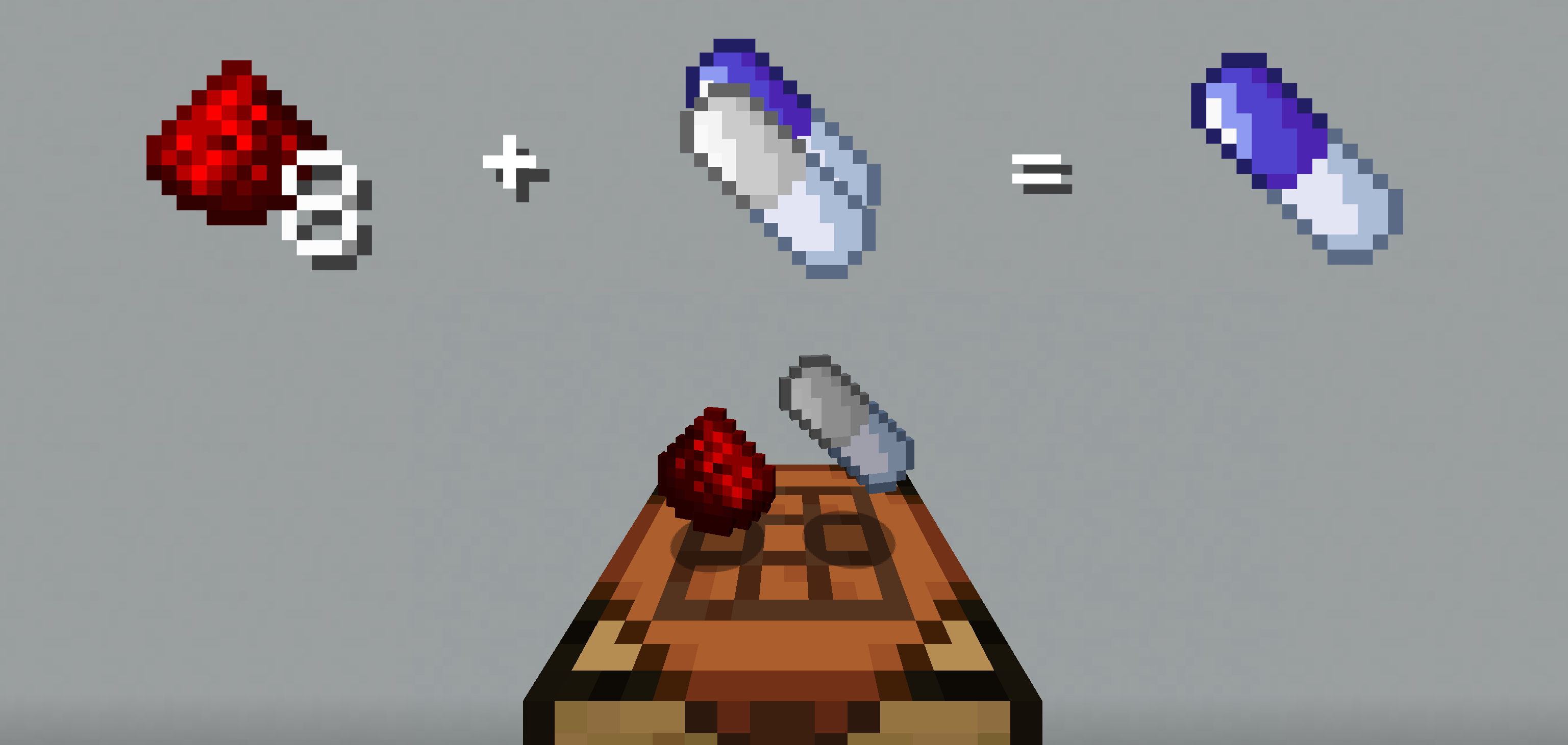
缩小药丸
要合成缩小药丸,将中立药丸或缩小药丸与 8 个红石一起 放置在合成台上。这将为你生成下一个更大尺寸的药丸。
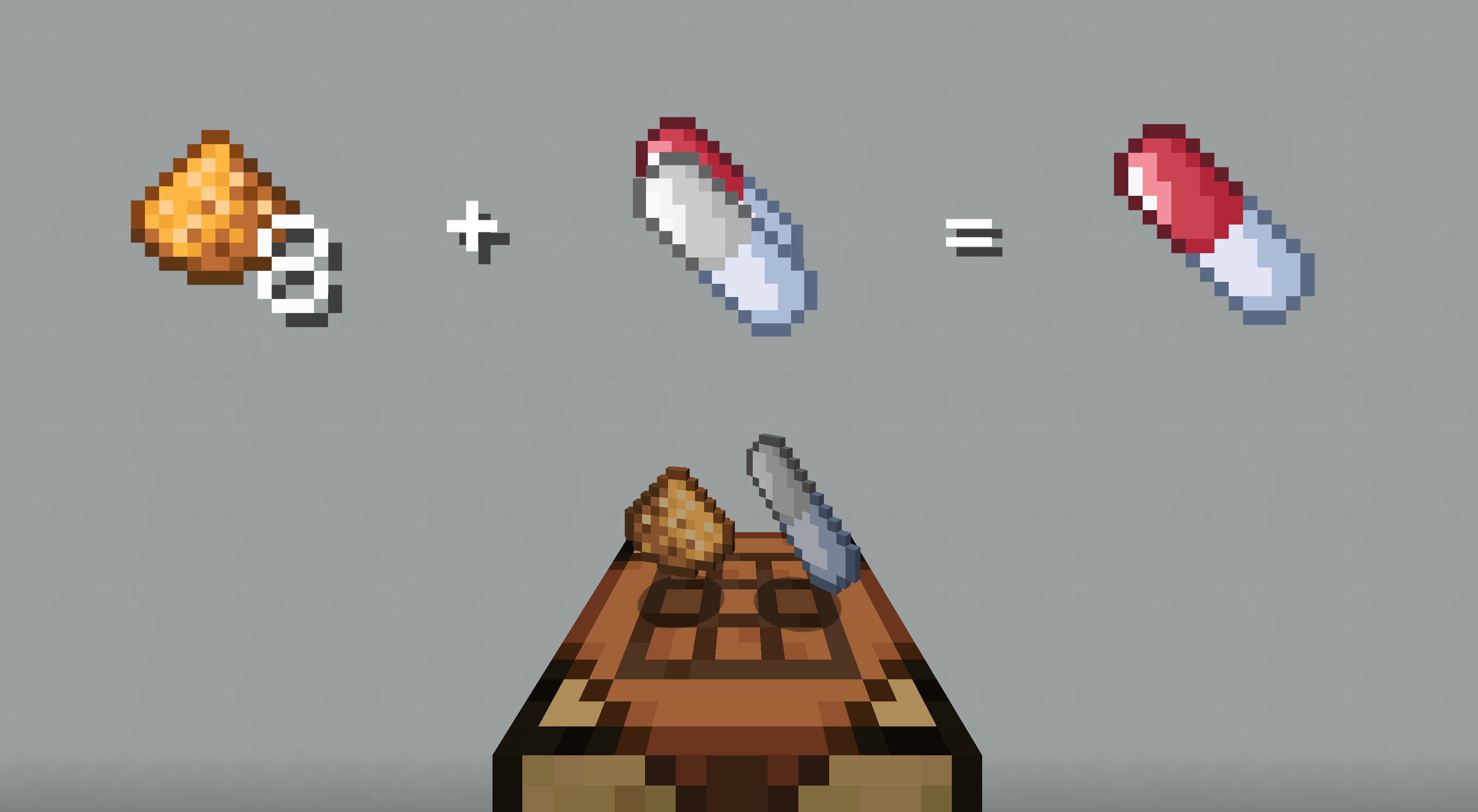
生长药丸
要合成分长药丸,将中立药丸或生长药丸与 8 个荧石一起 放置在合成台上。
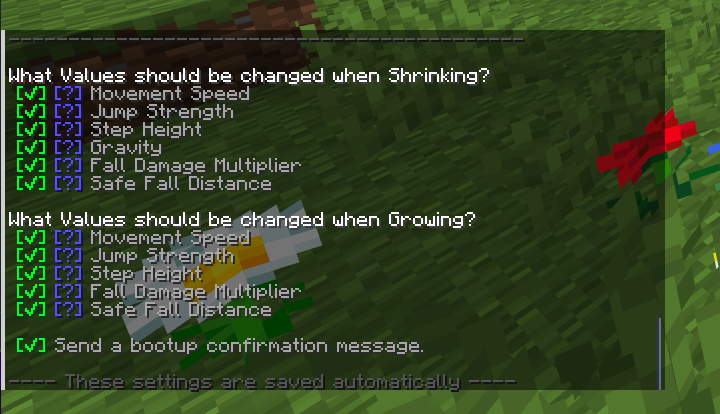
自定义设置
数据包允许你切换在缩小或放大时应更改哪些数值。要访问选项页面,只需在聊天栏中输入 /function sap:options。这将为你生成下一个更小尺寸的药丸。
数据包安装指南
单人游戏 - 新世界
- 创建一个新世界并点击“数据包”按钮。
- 将数据包拖入 Minecraft 窗口中。
- 在确认屏幕上点击“是”。
- 点击其图标上的三角形,将数据包移至屏幕右侧以启用它。
- 点击“完成”并继续创建你的世界。
单人游戏 - 现有世界
- 打开 Minecraft。
- 选择你要安装数据包的存档,点击“编辑”,然后“打开存档文件夹”。
- 打开名为
datapacks的文件夹,并将数据包放入其中。它应该是一个 .zip 文件或目录。 - 重新加入你的世界。
多人游戏
- 下载数据包。
- 打开服务器文件夹,然后打开你希望在其中安装数据包的存档文件夹(默认为:world)。
- 将数据包放入名为
datapacks的文件夹中。 - 如果安装期间服务器正在运行,请从控制台输入 /reload 命令。
用 ❤️ 制作

你是这个资源的作者?登录后可认领此资源。
相似资源
 数据包

Avarii Fortress
SkyArchitec
此数据包添加了属于阿瓦里海盗的独特结构,将他们的独特风格带入你的 Minecraft 世界!兼容性:1.20 至 26.3
冒险装饰
37
 数据包
Retina
Nico314159
一个 Minecraft 光线投射库,能够精确检测玩家正在查看的方块,包括像台阶和楼梯这样的特殊方块形状。
前置实用
28
 数据包

Blessed Mode [difficulty]
kategirl1937sk
此数据包添加了新的“祝福模式”难度。
玩法机制实用
21
 数据包
Xaero's Map Server Utils
xxtg666
允许服务器管理员方便地禁用 Xaero's Map 系列模组中的实体雷达、小地图等功能,使竞技游戏更加公平。
管理实用
12
 数据包

SpaceFrog's Frog Variant Changer
spacefrog1984
使用原版/生存友好的方法更改青蛙的变种类型。支持原版(寒冷、温带、温暖)以及可选的“More Frogs 2”变种:深红、末影、地狱、毒镖、紫珀、幽匿、灵魂、诡异和木头。
冒险玩法机制
11
 数据包

Quick Shulker Boxes
efeketket
手持潜影盒时可直接打开,无需将其放置在地面上。只需按住 Shift 并右键点击即可访问你的潜影盒。
玩法机制存储
11
评论 0
登录后参与评分
还没有评论,来抢沙发吧