
为你的物品获取更多镶饰:
- 剑的镶饰!
- 鞘翅的镶饰!
- 战斧的镶饰!
- 镐的镶饰!
- 斧的镶饰!
- 锹的镶饰!

此数据包/模组使锹能够使用任何盔甲镶饰和全部 11 种锻造台材料进行镶饰,每种类型的锹恰好拥有 199 种变体(包含默认样式),总计多达 1393 种不同外观的锹!!!
/!\ 如果你使用的是数据包版本或在服务器上运行模组版本,请务必下载资源包 ( ) !!!
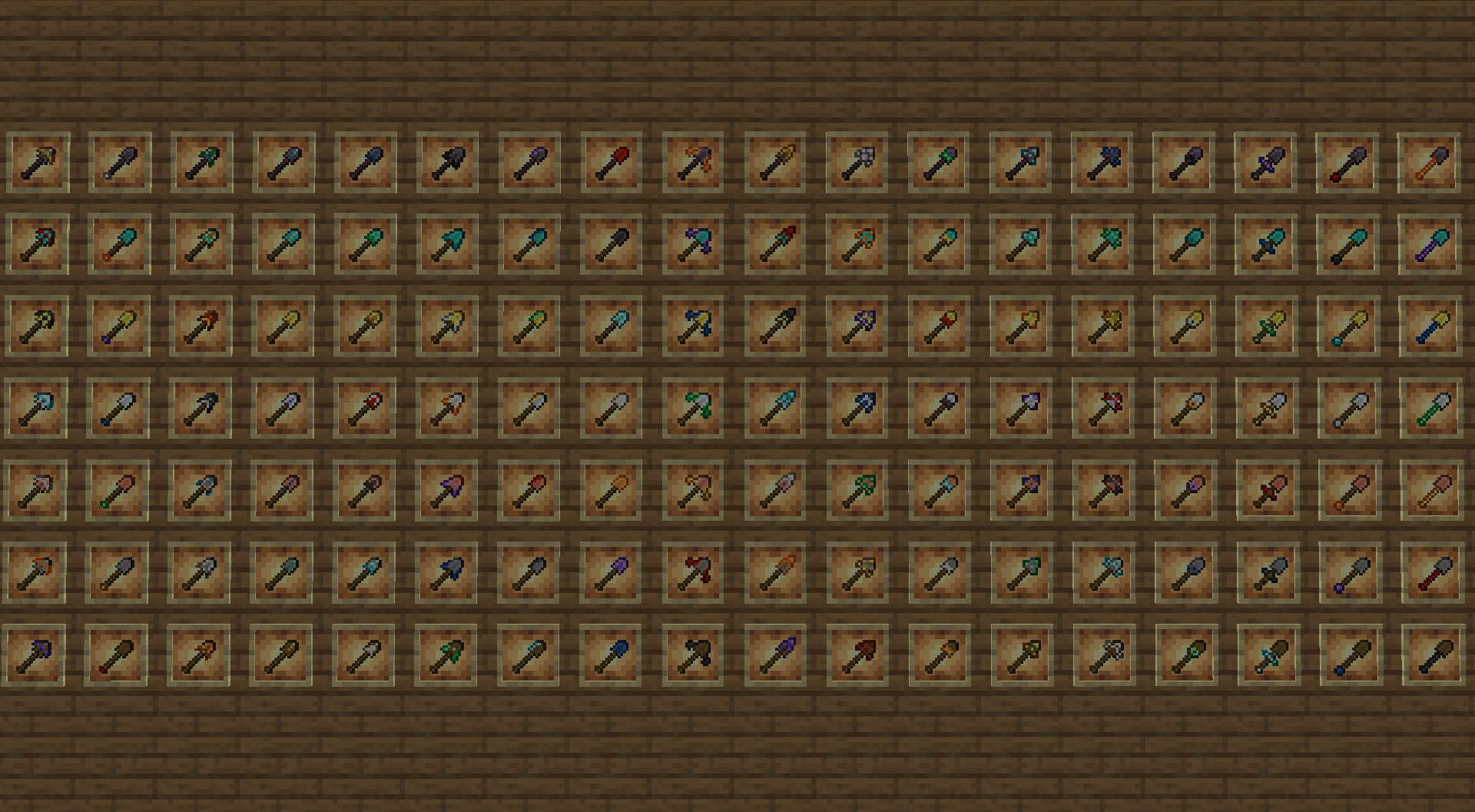
此数据包/模组为服务端兼容且完全原版兼容。未安装该资源包/模组的玩家将仅看到普通的锹,而安装了该资源包/模组的玩家则能看到所有锹的镶饰效果!
如有任何问题或疑问,请在 Discord 上联系我!(@nugrevan) : ,欢迎提供任何反馈,非常感谢!
Geyser/基岩版支持:@Toxicdust 在 Discord 上制作了适用于 GeyserMC 的所有镶饰数据包的移植版本。由于这些内容未在 Modrinth 上提供,你可以在 Discord 服务器 中找到它
get more trims for your items:
- Sword trims !
- Elytra trims !
- Mace trims !
- Pickaxe trims !
- Axe trims !
- Shovel trims !
This dapack/mod make shovels trimmable with any armor trim and any of the 11 smithing ingredients, making each shovel type having exactly 199 variants (including the default one) for a grand total of 1393 different looking shovels !!!
/!\ make sure to download the resourcepack ( ) if you are using the datapack version or the mod version on a server !!!
This datapack/mod is serverside and fully vanilla compatible, players without the resourcepack/mod will only see a regular shovel but players with the resourcepack/mod will see every shovel trims !
If you have any issue/question, contact me on discord! (@nugrevan) : any feedback will be greatly appreciated, thanks !
Geyser/bedrock support : @Toxicdust on discord made a port of all the trims datapacks for GeyserMC, since those are not supported on modrinth, you can find it on the discord server

下载 Shovel Armor Trims
需要联机服务器吗?
稳定流畅、一键部署,几分钟即可和朋友联机开服
最低仅需 8 元/月 即可畅快联机
下载 Shovel Armor Trims
下载 Shovel Armor Trims
需要联机服务器吗?
稳定流畅、一键部署,几分钟即可和朋友联机开服
最低仅需 8 元/月 即可畅快联机
下载 Shovel Armor Trims
下载 Shovel Armor Trims
需要联机服务器吗?
稳定流畅、一键部署,几分钟即可和朋友联机开服
最低仅需 8 元/月 即可畅快联机
下载 Shovel Armor Trims
将文件格式更新为 26.3
关于这个资源的讨论、问题反馈与使用心得
还没有讨论,来发第一帖吧
你是这个资源的作者?登录后可认领此资源。
相似资源
 数据包

此数据包添加了属于阿瓦里海盗的独特结构,将他们的独特风格带入你的 Minecraft 世界!兼容性:1.20 至 26.3
 数据包

此数据包添加了新的“祝福模式”难度。
 数据包

添加了基于官方概念图的蓝蛙和红眼树蛙变体。
 数据包

为下界添加了名为“贝尔泽布城堡”的新闻结构,以及新的 Boss、新工具、新物品、新敌人和新音乐唱片!
 数据包

使用原版/生存友好的方法更改青蛙的变种类型。支持原版(寒冷、温带、温暖)以及可选的“More Frogs 2”变种:深红、末影、地狱、毒镖、紫珀、幽匿、灵魂、诡异和木头。
 数据包

手持潜影盒时可直接打开,无需将其放置在地面上。只需按住 Shift 并右键点击即可访问你的潜影盒。
评论 0
登录后参与评分
还没有评论,来抢沙发吧