
本数据包/模组需要一个 依赖资源包 才能正常运行!
Ultimate roleplay kit (URK) 是一组数据包的集合,专注于添加对原版友好、侧重多人游戏的功能!这些物品不会增加任何内在的游戏玩法,但能极大地增强玩家间的互动,使其成为任何原版风格服务器的完美补充!
此特定的 URK 包添加了 36 种不同的装饰性帽子,由流浪商人出售。
模组版本 仍然需要资源包。
功能:

-
帽子 - 流浪商人现在还会额外从数据包池中以随机方式出售 3 顶帽子。每顶帽子的价格为 4 个绿宝石 + 一些该特定帽子的特殊物品(完整列表见下文)。这是为了鼓励探索,因为其中一些物品可能相当稀有。
-
自定义 - 大多数帽子可以像皮革护甲一样染成任意颜色!
-
定位栏集成 - 所有帽子都会改变你的 定位栏图标,有些甚至会完全隐藏它。
-
配置菜单 可以通过以下命令调用配置菜单:
/function ndwthats:config_menu。此菜单允许你配置每个商人出售的不同帽子数量,以及定位栏设置。 -
进度 - 包含简短教程的进度树,以及一些针对帽子收藏家的有趣挑战。
-
如果你只想立即获得所有帽子,可以使用以下命令:此功能目前不可用。/function ndwthats:giveallhats
帽子

URK 物品还包含几个工具提示标签,用于表示可以对物品进行哪些操作,以便在没有教程的情况下也能轻松使用此数据包。 此数据包中使用以下标签:
- [H] 头部饰品 - 该物品可以佩戴在头部槽位中,并会相应显示!
- [D] 可染色 - 该物品可以像皮革护甲一样染成任意颜色!
- [E] 发光 - 部分或全部装饰性部件在黑暗中发光。它不发出光线,也不会阻止生物生成,但装饰性物品本身无论光照等级如何都将可见。
- [S] 隐身 - 如果启用了定位栏,则隐藏你的航点。
完整的装饰物品与交易列表
帽子
每顶帽子需要 4 个绿宝石 + 一些独特物品来购买。下面仅列出独特物品。每种交易在每个商人处只能进行一次,且同时仅提供 4 种随机选项。
- [H,D] 决斗者之帽: 3 根羽毛
- [H,D] 坏小子帽: 1 个打火石
- [H,D] 艺术贝雷帽: 1 把刷子
- [H,D] 图书馆书堆: 6 本书
- [H,D,S] 超级隐蔽灌木帽: 3 朵杜鹃花
- [H,D] 海船长帽: 3 个海晶碎片
- [H,D,S] 狂欢节面具: 9 张纸
- [H,D] 大厨帽: 4 块南瓜派
- [H,D] 镶钻皇冠: 3 个金苹果
- [H,D,E] 邪教皇冠: 1 个末影之眼
- [H,D] 庄严披风帽: 2 张蜘蛛网
- [H,D] 盆栽火把花: 1 株火把花
- [H,D,E] 光辉光环: 12 粒萤石粉
- [H,D] 传奇小龙玩偶: 2 枝角珊瑚
- [H,D,E] 游戏耳机: 4 个音符盒
- [H,D] 表演师高礼帽: 7 枚紫水晶碎片
- [H,D] 冬季雷锋帽: 16 个雪球
- [H] 幽匿触须: 2 个幽匿感测体
- [H,D,S] 神秘灵魂面具: 18 根竹子
- [H] 梦幻花环: 4 朵向日葵
- [H,D] 舒适毛线帽: 5 团红色羊毛
- [H,D] 几何铜眼镜: 8 个铜锭
- [H,D] 优雅蝴蝶结 - 2 个蜂蜜块
- [H,D] 节日帽 - 9 棵云杉树苗
- [H,D] 装饰蛋糕 - 1 个蛋糕
- [H,D] 草帽 - 14 个小麦
- [H,D] 飞行员帽 - 1 个皮革头盔
- [H,D] 可爱蝴蝶结 - 12 根线
- [H,D] 历史头盔复刻版 - 1 个铁头盔
- [H,D] 酷炫头巾 - 7 张皮革
- [H,D,E] 奥术帽 - 6 片闪烁的西瓜片
- [H,D] 迷人骷髅 - 11 根骨头
- [H,D] 软呢帽 - 13 火药
- [H,D,E] 安全帽 - 16 个砖块
- [H,D,E] 小蜘蛛 - 5 只蜘蛛眼
- [H,D] 小丑帽 - 3 个马铃薯
定位栏

佩戴帽子会改变一个人的定位栏图标(但不改变颜色)。某些帽子会从定位栏中 隐藏 你的图标,并由 隐身 标签标记。默认情况下,这些功能仅适用于玩家,但可以在设置菜单中更改 - /function ndwthats:config_menu。
进度

添加了一些进度,作为数据包的游戏内教程,这样玩家就不必上网查找关于数据包的信息。此外,还有一些有趣的挑战进度。这些不提供经验值奖励。
要解锁进阶树,你需要拾取一枚绿宝石。
安装方法
为了使用这些装饰性物品,你必须同时安装 数据包和资源包! 资源包负责添加模型和纹理本身,而数据包则通过将这些物品添加到流浪商人的交易池中,使它们在游戏中真正可用!即使你使用的是模组版本而非数据包版本,情况也是如此。
资源包安装
- 首先,下载与数据包版本相匹配的资源包版本。这可以在特定版本的更新日志中查看。将下载的文件拖入
.minecraft/resourcepacks文件夹,然后通过游戏内菜单启用它。
数据包安装
- 要安装数据包,你需要执行以下操作之一:
- 如果你正在创建新世界:在世界创建界面中,导航到“更多”选项卡。找到并按下“数据包”按钮,然后在新菜单中按下“打开数据包文件夹”。将下载的文件拖入此文件夹。之后,通过游戏内菜单启用新添加的数据包。
- 如果你要将数据包添加到现有世界:将下载的文件拖入
.minecraft/saves/[WorldName]/datapacks文件夹,然后重新进入世界。你可能需要使用/datapack enable [pack_name]命令来激活数据包。
移除数据包
- 要从你的世界中移除 Ultimate Roleplay Kit,只需删除位于
.minecraft/saves/[WorldName]/datapacks文件夹中的数据包即可。任何新生成的流浪商人将不再包含自定义交易。装饰性物品本身仍会保留,并且可以被破坏。移除资源包也会移除装饰品的自定义模型和纹理
- 当升级到更新的 Ultimate Roleplay Kit 版本时,请同时更新资源包 和 数据包!所以别忘了也下载资源包。
已知问题与计划功能
问题:
- 如果你使用 3D 皮肤图层模组,含有透明元素的帽子可能会显示不正确。
- 此数据包可能会与其他更改定位栏图标的其他数据包发生冲突。为了避免任何冲突,请通过
/function ndwthats:config_menu> 航点显示模式 > 受影响的实体 > 无 打开设置菜单。
计划:
- 根据我的时间可用性,时不时会添加更多的帽子。
- ✅ 已实现
随着官方版本的发布,将添加定位栏支持。 - ✅ 已实现
某种设置/选项系统,以根据你的需求进一步自定义数据包。 - ✅ 已实现
实现 Minecraft 的翻译字符串,以允许本地化。
其他 URK 数据包:
必需的资源包:
- Ultimate roleplay kit - Resourcepack - 一个所有其他数据包都依赖的必需资源包。
内容数据包:
- Ultimate roleplay kit - Hats - 添加了 36 顶由流浪商人出售的装饰性帽子。
- Ultimate roleaply kit - Mail - 添加了 36 种信纸物品设计,还可以使用 11 种独特的印章进行进一步自定义。
THIS DATAPACK/MOD REQUIRES A DEPENDENCY RESOURCEPACK TO FUNCTION CORRECTLY!
Ultimate roleplay kit (URK) is collection of datapacks, focused on adding vanilla friendly, multiplayer-focused features! So, items that don't add any innate gameplay, but can greatly enchance player interractions, which makes them a perfect addition to any vanilla-style server!
This specific URK pack adds 36 diffirent cosmetic hats, that are sold by the Wandering Trader.
The mod version still requires a resourcepack
Features:
-
Hats - Wandering traders now additionally sell 3 random hats from the datapack's pool. Each hat costs 4 emeralds + some a special items, to the specific hat (full list below). This is made in order to encourage exploration, as some of the items may be quite obscure.
-
Customisation - Most hats can be dyed any colour, just like leather armour!
-
Locator Bar Integration - All the hats also change your locator bar icon, and some may hide it alltogether.
-
Config Menu A config menu can be called via this command:
/function ndwthats:config_menu. This menu allows you to configure the amount of diffirent hats sold per trader, and the locator bar settings. -
Advancements - An advancement tree including a brief tutorial, as well as some fun challenges for hat collectors out-there.
-
If you simply want to get all the hats right away, you can use the following command:Feature currently unavailable./function ndwthats:giveallhats
Hats
URK items also include a few tooltip tags, which are supposed to signify what can be done with the items, to make the pack easier to use without a tutorial. The following tags are used in this datapack:
- [H] Headwear - The item can be worn in your head slot, and will be displayed accordingly!
- [D] Dyeable - The item can be dyed any colour, just like leather armor!
- [E] Emissive - Some part, or the whole cosmetic glows in the dark. It does not emit light, or stop mobs from spawning, but the cosmetic item itself will be visible regardless of the light level.
- [S] Stealth - Hides your waypoint from the locator bar, if it's enabled.
Full list of cosmetics & trades
Hats
Each hat requires 4 emeralds + some uniqie items to buy. Only the unique items are listed below. Each trade can only be done once per trader, and only 4 random ones are available at a time.
- [H,D] Duelist's hat: 3 feathers
- [H,D] Bad boy cap: 1 Flint and steel
- [H,D] Artistic berete: 1 Brush
- [H,D] Library Bookstack: 6 Books
- [H,D,S] Super sneaky bush-hat: 3 Azalea
- [H,D] Sea-captain's hat: 3 Prismarine crystals
- [H,D,S] Carnival mask: 9 Paper
- [H,D] Mastershef's hat: 4 Pumpkin pie
- [H,D] Jeweled crown: 3 Golden Apples
- [H,D,E] Crown of the cult: 1 Eye of ender
- [H,D] Solemn draped hat: 2 Cobwebs
- [H,D] Potted torchflower: 1 Torchflower
- [H,D,E] Radient halo: 12 Glowstone dust
- [H,D] The Legendary Xiaolong plushie: 2 Horn corals
- [H,D,E] Gameing Headset: 4 Noteblocks
- [H,D] Showmaster's tophat: 7 Amethyst shards
- [H,D] Winter ushanka: 16 Snowballs
- [H] Sculk Tendrils: 2 Sculk Sensors
- [H,D,S] Mysterious spirit's mask: 18 Bamboo
- [H] Dreamy Flower crown: 4 Sunflowers
- [H,D] Cozy Beanie: 5 Red wool
- [H,D] Geometric Copper Glasses: 8 Copper Ingots
- [H,D] Scerene Flutterby - 2 Honey Blocks
- [H,D] Holiday Hat - 9 Spruce Saplings
- [H,D] Deco Cake - 1 Cake
- [H,D] Straw hat - 14 Wheat
- [H,D] Pilot's cap - 1 Leather Helmet
- [H,D] Cute Bow - 12 String
- [H,D] Historic Helmet Replica - 1 Iron Helmet
- [H,D] Badass Bandana - 7 Leather
- [H,D,E] Arcane Hat - 6 Glistering Watermelon Slices
- [H,D] Bewitching Skull - 11 Bones
- [H,D] Fedora - 13 Gunpowder
- [H,D,E] Hard Hat - 16 Bricks
- [H,D,E] Itty-bitty Spider - 5 Spider Eyes
- [H,D] Jester Hat - 3 Poisonous Potatoes
Locator bar
Wearing a hat changes ones locator bar icon (but not the colour). Some hats hide your icon from the locator bar, and are marked by the Stealth tag. By default these fetures apply to players only, but can be changed in the settings menu - /function ndwthats:config_menu.
Advancements
A few advancements were added to serve as an in-game tutorial to the datapack, so the players don't have to go online for the information on the pack. In addition, there are a couple of fun challenge advancements. These provide no EXP reward.
To unlock the advancement tree, you need to pick up a single emerald.
How to install
In order to access the cosmetic items, you will have to install both the datapack & the resourcepack! The resourcepack adds the models & textures themselves, while the datapack makes the cosmetic items actually accessible in-game by adding them to the wandering trader's pool! THIS IS STILL THE CASE IF YOU'RE USING THE MOD VERSION INSTEAD OF THE DATAPACK
Resourcepack installation
- First of all, download the resourecpack version appropriate for the datapack version. This can be checked in the specific version's changelog. drag the downloaded files into your
.minecraft/resourcepacksfolder, and then enable it via the in-game menu.
Datapack installation
- To install the datapack, you will need to do one of the following:
- If you're creating a new world: in the world creation screen, naviagate to the "More" tab. Find & press the "Data packs" button, and then press "Open Pack Folder" in the new menu. Drag the downloaded file into this folder. After that, enable the newly added datapack via the in-game menu.
- If you're adding the pack to an existing world: drag the downloaded files into your
.minecraft/saves/[WorldName]/datapacksfolder, then re-enter the world. You may need to use the /datapack enable [pack_name] command, to activate the datapack.
Removing the packs
- In order to remove the Ultimate Roleplay kit from your world, you can simply delete the datapacks located in the
.minecraft/saves/[WorldName]/datapacksfolder. Any newly spawned wandering traders will not include the custom trades. The cosmetic items themselves will stay, and can be destroyed. Removing the resourcepack will also remove the cosmetic's custom models & textures
- When updating to a newer version of the Ultimate Roleplay Kit, please update both the resourcepack AND the datapacks! So don't forget to also download the resourcepack.
Knowns issues & Planned features
Issues:
- Hats containing transparent elements may display incorrectly if you're using the 3D skin layers mod
- This datapack may conflict with other ones that change the locator bar icons. In order to avoid any conflicts, open the settings menu via
/function ndwthats:config_menu> Waypoint Display Mode > Affected Entities > None.
Plans:
- More hats will be added from time to time, depending on my availability.
- ✅ Implemented
Locator bar support will be added as it comes to an official release. - ✅ Implemented
Some sort of Settings/Options system to further customise the datapack for your needs. - ✅ Implemented
Implementing minecraft's translate strings, to allow localisations.
Other URK Packs:
Mandatory Resourcepack:
- Ultimate roleplay kit - Resourcepack - A mandatory dependency resourcepack, utilized by all other Datapacks.
Content Datapcks:
- Ultimate roleplay kit - Hats - Adds 36 cosmetic hats, that are sold by the wandering trader.
- Ultimate roleaply kit - Mail - Adds 36 postel item designs, that can also be customised further with 11 unique seals.

下载 Ultimate Roleplay Kit - 帽子
需要联机服务器吗?
稳定流畅、一键部署,几分钟即可和朋友联机开服
最低仅需 8 元/月 即可畅快联机
下载 Ultimate Roleplay Kit - 帽子
需要联机服务器吗?
稳定流畅、一键部署,几分钟即可和朋友联机开服
最低仅需 8 元/月 即可畅快联机
下载 Ultimate Roleplay Kit - 帽子
需要联机服务器吗?
稳定流畅、一键部署,几分钟即可和朋友联机开服
最低仅需 8 元/月 即可畅快联机
下载 Ultimate Roleplay Kit - 帽子
需要联机服务器吗?
稳定流畅、一键部署,几分钟即可和朋友联机开服
最低仅需 8 元/月 即可畅快联机
下载 Ultimate Roleplay Kit - 帽子
需要联机服务器吗?
稳定流畅、一键部署,几分钟即可和朋友联机开服
最低仅需 8 元/月 即可畅快联机
下载 Ultimate Roleplay Kit - 帽子
下载 Ultimate Roleplay Kit - 帽子
需要联机服务器吗?
稳定流畅、一键部署,几分钟即可和朋友联机开服
最低仅需 8 元/月 即可畅快联机
下载 Ultimate Roleplay Kit - 帽子
这是一次大型更新,目前仍在积极开发中。请期待频繁的补丁!
新功能:
- 定位栏支持 - 帽子现在会改变你的定位栏图标!(可配置)
- 新增“潜行”标签,佩戴带有此标签的帽子时会在定位栏中隐藏你。
- 设置菜单,允许你更改每个商人的帽子数量以及定位栏集成选项。
- 12 顶新帽子。
- 对现有帽子进行微调以保持一致性。
- 方形眼镜(几何铜制眼镜)的重大重做。
- 成就系统作为教程 + 一些有趣的挑战。
关于这个资源的讨论、问题反馈与使用心得
还没有讨论,来发第一帖吧
你是这个资源的作者?登录后可认领此资源。
相似资源
 数据包

此数据包添加了属于阿瓦里海盗的独特结构,将他们的独特风格带入你的 Minecraft 世界!兼容性:1.20 至 26.3
 数据包

为下界添加了名为“贝尔泽布城堡”的新闻结构,以及新的 Boss、新工具、新物品、新敌人和新音乐唱片!
 数据包

粉色方块中的千种可能!
 数据包

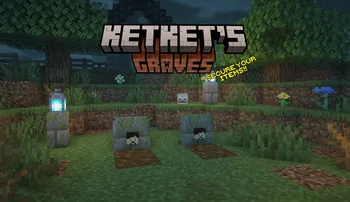
这个数据包会在玩家死亡时生成一个坟墓,安全地保存他们的物品。无需担心丢失,随时取回你的财物!
 数据包

数据包:逐体素雕刻自定义 3D 南瓜!
 数据包

扩展、调整并平衡流浪商人。包含新物品和 200+ 交易,以及可调整的生成率
评论 0
登录后参与评分
还没有评论,来抢沙发吧