
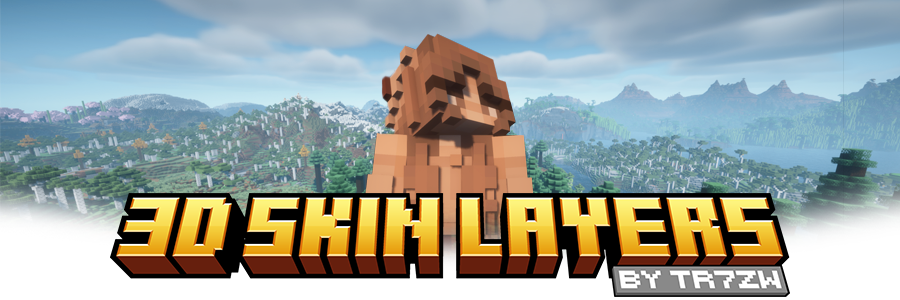


将玩家皮肤原本平坦的第二层替换为完全 3D 建模的版本。
当玩家距离超过 12 格时,该模组会自动切换回原版的 2D 渲染方式,以帮助维持高帧率。它还支持透明元素——非常适合眼镜、护目镜或其他装饰细节!
由于此模组纯粹是视觉效果且完全客户端运行,它不需要安装在服务器上,并且可以在任何环境中无缝运行。

给你的玩家皮肤应有的深度——兼顾风格与性能。
3D 挤出皮肤层
- 将平坦的第二皮肤层替换为完整的 3D 模型
- 为夹克、袖子或帽子等装饰细节增加视觉深度
- 完全支持眼镜、护目镜等的透明度
- 同样适用于玩家头颅物品
性能感知渲染
- 超过 12 格时自动切换回原版 2D 渲染
- 即使在多人游戏或拥挤区域也能保持 FPS
- 完全客户端运行,无需安装于服务器


| Minecraft | 加载器 | 状态 | 版本 | 备注 |
|---|---|---|---|---|
| 1.16.5+ | Fabric/Forge*/NeoForge | ✅ 支持 | 最新 | |
| *1.16.5 | Forge | ⚠️ 不支持 | 过时 | 暂不支持,直到它获得对 JarInJar 模组的支持 |
| 1.12.2/1.8.9 | Forge | ❌ 不支持 | 过时 | 未来某个时候可能会获得新更新 |
| 模组 | 状态 | 备注 |
|---|---|---|
| Essential | ✅ 支持 | |
| Shoulder Surfing Reloaded | ✅ 支持 | |
| Player Animator | ✅ 支持 | 这意味着使用它的模组如 Better Combat 和 Emotecraft |
| CustomSkinLoader | ⚠️ 部分支持 | 需要此辅助模组 |
| Lunar Client | ❌ 不支持 | 永远不会获得支持! |

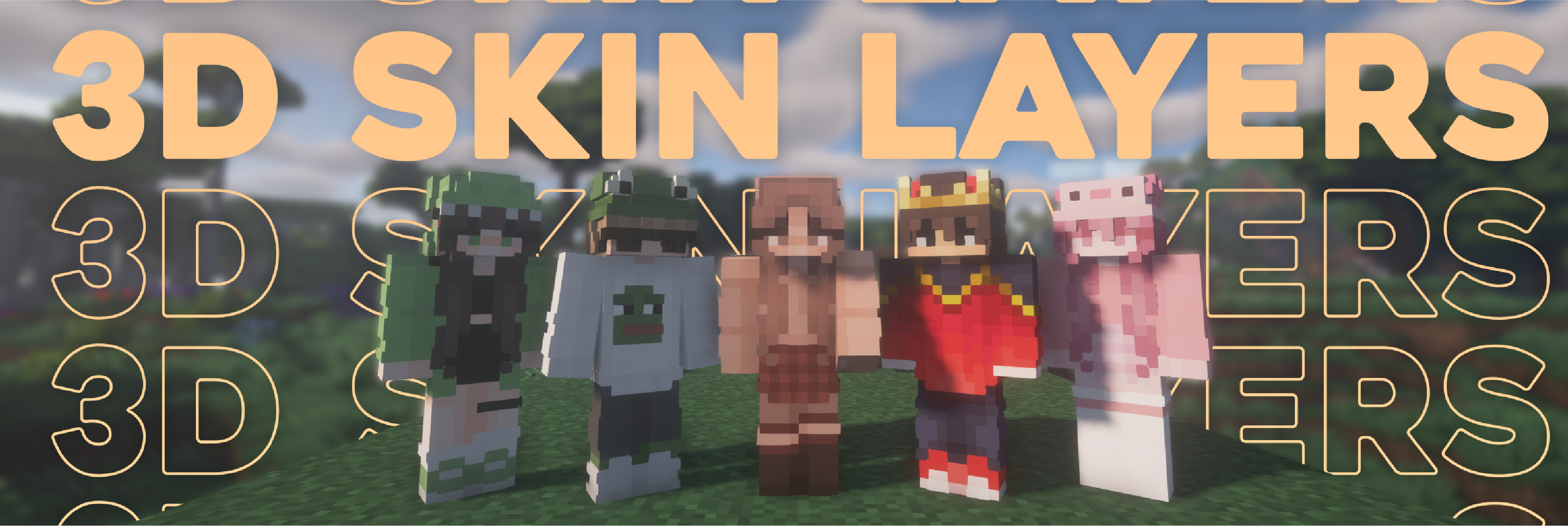

- 由于外层略大于玩家模型,某些皮肤在 3D 中可能无法完美对齐。
- 拐角处的锯齿图案会连接起来。这归因于使其 3D 化的数学原理,但可以通过将略微透明的像素放入孔洞中来部分避免。
- 使用光影时,某些身体部位层的侧面会出现奇怪的阴影。我正在努力解决这个问题。

这个需要安装在服务器上吗?
不需要。这是一个完全客户端运行的模组,不需要安装在服务器上。
这个支持高清皮肤吗?
不支持。由于像素无法拥有正确的形状,因此这是不可能的。
层穿过了模组盔甲
某些模组盔甲比原版更贴近身体。在模组设置中调小 3D 尺寸直到适合为止。
层相对于身体偏移飞行
你可能在使用 ETF/EMF 资源包。请确保将其更新到与 Minecraft 版本相匹配。
救命,层消失了!/ 模组不工作!
在寻求帮助之前,请先检查以下几件事:
- 在“选项 > 皮肤定制”中检查是否不小心禁用了皮肤层。
- 在模组设置中检查相关功能是否已开启。
- 模组是否在模组列表中显示?
- 皮肤应通过 Mojang 加载,其他皮肤加载器可能不受支持。
- 确保你的皮肤在第二层上确实有内容。模组无法凭空创造图层。
我的破解版 Minecraft 遇到问题
请购买游戏,不提供对非法游戏副本的支持。

? 感谢 Github 上出色的翻译者和贡献者!

? 许可证:tr7zw Protective License
欢迎在 Modrinth/Curseforge 托管的整合包中自由使用此模组,无需申请许可。请勿在其他任何地方重新分发 jar 文件!
Replaces the normally flat second layer of player skins with a fully 3D-modeled version.
The mod automatically switches back to vanilla-style 2D rendering when players are more than 12 blocks away, helping maintain high framerates. It also supports transparent elements - perfect for glasses, visors, or other cosmetic details!
Since this mod is purely visual and entirely client-side, it doesn't need to be installed on servers and works seamlessly in any environment.
Give your player skin the depth it deserves—with style and performance in mind.
3D Extruded Skin Layer
- Replaces the flat second skin layer with a full 3D model
- Adds visual depth to cosmetic details like jackets, sleeves, or hats
- Fully supports transparency for glasses, visors, etc.
- Also applies to player head items
Performance-Aware Rendering
- Automatically switches to vanilla 2D rendering beyond 12 blocks
- Maintains FPS even in multiplayer or crowded areas
- Fully client-side and requires no server installation
| Minecraft | Loader | Status | Version | Note |
|---|---|---|---|---|
| 1.16.5+ | Fabric/Forge*/NeoForge | ✅ Supported | Latest | |
| *1.16.5 | Forge | ⚠️ Unsupported | Outdated | Unsupported, until it gets support for JarInJar mods |
| 1.12.2/1.8.9 | Forge | ❌ Not supported | Outdated | Might get new updates at some point |
| Mod | Status | Note |
|---|---|---|
| Essential | ✅ Supported | |
| Shoulder Surfing Reloaded | ✅ Supported | |
| Player Animator | ✅ Supported | This means mods that use it like Better Combat and Emotecraft |
| CustomSkinLoader | ⚠️ Partial support | Requires this helper mod |
| Lunar Client | ❌ Not supported | Will never get support! |
- Because the outer layer is slightly larger than the player model, some skins may not align perfectly in 3D.
- ZigZag patterns around corners will join up. This down to the math of making it 3d, but it can be somewhat prevented by placing slightly transparent pixels into the holes.
- With shaders, some body part layer sides have weird shadows. I am trying to get this resolved.
Does this need to be installed on the server?
No. This is a fully client-side mod and does not need to be installed on the server.
Does this work with HD Skins?
No. Since the pixels wouldn't have the correct shape, this is not possible.
The layers stick through the modded armor
Some modded armor is closer to the body than vanilla. Turn down the 3d size in the mod settings till it fits.
The layers are flying offset to the body
You are probably using a ETF/EMF resourcepack. Make sure you update it, fitting to the Minecraft version.
Help the layers are gone! / The mod doesn't work!
A few things to check before asking for help:
- Check under Options > Skin Customization that you didn't accidentally disable your skin layers.
- Check in the mod settings, that the features are turned on.
- Does the mod show up in the modlist at all?
- The skin should be loaded via Mojang, other skin loaders might not be supported.
- Make sure your skin actually has things on the second layer. The mod can't magically invent layers.
I'm having issues with my cracked version of Minecraft
Please buy the game, illegal copies of the game are not supported.
? Thanks to the awesome translators and contributors on Github!
? License: tr7zw Protective License
Feel free to use this mod in your Modrinth/Curseforge hosted modpacks without asking for permission. Do not redistribute the jar files anywhere else!

下载 3D 皮肤层
下载 3D 皮肤层
下载 3D 皮肤层
下载 3D 皮肤层
下载 3D 皮肤层
下载 3D 皮肤层
下载 3D 皮肤层
下载 3D 皮肤层
下载 3D 皮肤层
下载 3D 皮肤层
关于这个资源的讨论、问题反馈与使用心得
还没有讨论,来发第一帖吧
你是这个资源的作者?登录后可认领此资源。
相似资源
 模组

可定制的鞘翅模组,支持装饰纹饰、旗帜图案等更多功能!
 模组
在游戏画面角落显示附近世界地形、玩家、生物和实体的地图。可创建路径点,帮助你找到标记过的位置。
 模组

适用于 MC 1.18+ 的 Effekseer 加载器
 模组

新增 50+ 个独特生物群系,为你的世界增添新树木、花卉等更多元素!
 模组
添加全屏世界地图,显示你在世界中已探索的区域。与 Xaero's Minimap 搭配使用效果极佳。
 模组

基于 GTCEu 1.12.2 的现代 GregTech
评论 0
登录后参与评分
还没有评论,来抢沙发吧