
VanillaFactions 允许生存玩家在不使用 /team 命令(事实上也不需要使用任何命令)的情况下创建、加入和编辑队伍。功能包括:
- 选择自定义的队伍名称。
- 从 16 种选项中选择队伍颜色,不限制重复使用相同颜色。
- 选择自定义的前缀,该前缀会显示在聊天和姓名板中的玩家用户名之前。
- 支持服务器中最多存在 32 支队伍。
默认情况下,队伍会防止队友之间的误伤,并允许玩家看到他们隐身状态下的队友。

创建与解散阵营
- 制作一面旗帜。
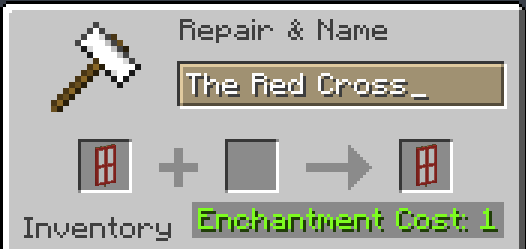
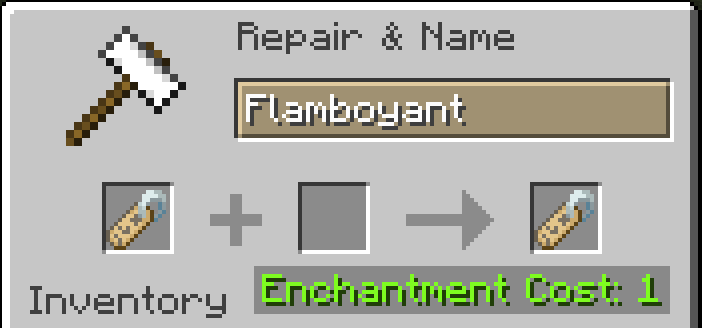
- 在铁砧上为旗帜命名自定义名称。这将成为你阵营的名称。
- 放置一块磁石。
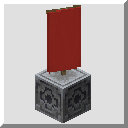
- 站在磁石正上方,向下看并将旗帜放置在磁石之上。
旗帜上方会出现一个名字标签,显示你的阵营名称。此外,聊天栏中将有一条消息提示你已经创立了一个阵营。

要解散一个阵营,只需破坏旗帜及其下方的磁石即可。聊天栏中将有一条消息宣布你的阵营已解散。

加入与离开阵营
要加入一个阵营,只需将指南针与该阵营旗帜下方的磁石进行同步。聊天栏中将发送一条消息,宣布你已加入该阵营。

要离开一个阵营,你必须将剪刀丢弃在该阵营的旗帜上。这同样会在聊天栏中发送一条消息。

自定义你的阵营
要更改你阵营的颜色(影响聊天和姓名板中的玩家用户名颜色,以及发光效果的颜色),请将染料丢到阵营旗帜上。系统将向你的队伍发送一条消息,通知他们颜色已更改。

要更改你阵营的玩家前缀(显示在聊天和姓名板中的用户名之前),请使用铁砧将一个名字标签命名为所需的前缀。然后,将该名字标签丢到阵营旗帜上。系统将向你的队伍发送一条消息,通知他们前缀已更改。记得在前缀后包含一个空格(或其他分隔字符),否则前缀文本与用户名之间将没有间隔。

VanillaFactions allows survival players to create, join, and edit teams without using the /team command (or any commands, for that matter). Features include:
- Choosing a custom team name.
- Choosing a team color from 16 options, with no restrictions on duplicate colors.
- Choosing a custom team prefix, which displays before player usernames in chat and nametags.
- Support for up to 32 teams in a server.
By default, teams prevent friendly fire between team members, and allows players to see their invisible team members.
Creating and Disbanding Factions
- Make a Banner.
- Give the Banner a custom name in an anvil. This will be the name of your Faction.
- Place a Lodestone.
- Whilst standing directly on top of the Lodestone, look down and place your Banner on top of it.
A nametag should appear above the Banner stating your Faction's name. Additionally, a chat message will state that you have founded a Faction.
To disband a Faction, simply destroy the Banner and/or the Lodestone beneath it. A chat message will announce that your Faction has disbanded.
Joining and Leaving Factions
In order to join a Faction, simply attune a compass to the Lodestone beneath the Faction Banner. A message will be sent in chat to announce that you have joined the Faction.
In order to leave a Faction, you must drop Shears on the Faction Banner. This will also send a message in chat.
Customizing your Faction
To change the color of your Faction (affecting player usernames in chat and in nametags, as well as the color of the Glowing effect), drop a piece of Dye on the Faction Banner. A message will be sent to your team notifying them of the change.
To change the player prefix for your Faction (which displays before usernames in chat and nametags), use an anvil to name a nametag your desired prefix. Then, drop the nametag on the Faction Banner. A message will be sent to your team notifying them of the change. Remember to include a space (or other delimiting character) after the prefix, or else there will be no separation between the prefix text and the username.

 数据包

 数据包

 数据包

 数据包

 数据包

 数据包

评论 0
登录后参与评分
还没有评论,来抢沙发吧