
 来试试 KitR!
该项目已整合进 KitR,其中包含众多 SMP 特性。
概述
增加末影珍珠的冷却时间。
使用方法
输入 /function pearl_cooldown:config
现在你可以使用滑块来设置你想要的珍珠冷却时间(以秒为单位)。
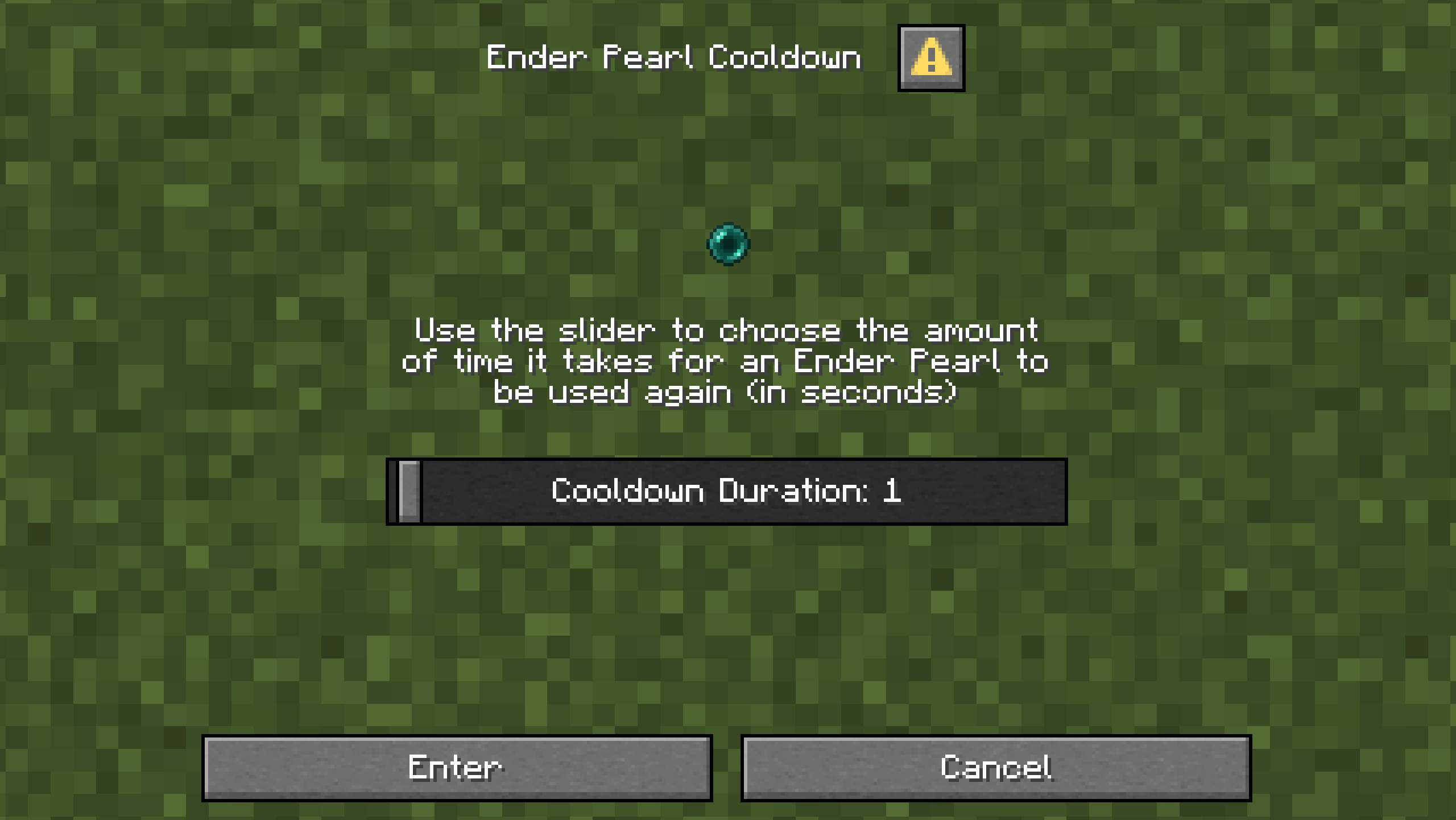
备注
冷却时间只能在 1 到 60 秒之间调整。
如果末影人掉落珍珠或神职人员村民交易时,珍珠进入你的物品栏后无法堆叠,可能会出现这个问题。但在物品栏内移动它们时,它们会正确堆叠。
安装方法
服务器安装(数据包)
-
进入主服务器文件夹
-
打开 world -> datapacks
-
将数据包上传至 datapacks 文件夹
世界安装(数据包)
-
按下 Win + R,输入 %appdata%
-
打开 .minecraft -> saves -> <世界名称> -> datapacks
-
将数据包上传至 datapacks 文件夹
(注意:如果你使用的是 Modrinth App 或 Prism Launcher 等启动器,你需要在启动器中进入你的实例并点击 Open Folder。)
服务器安装(模组)
-
进入主服务器文件夹
-
打开 mods 文件夹
-
将模组上传到 mods 文件夹中
Check out KitR!
This project has been implemented into KitR, among many other SMP features.
Overview
Make the Ender Pearl's cooldown longer.
How to use
Enter /function pearl_cooldown:config
You can now use the slider to enter the amount of time (in seconds) that you want the pearl cooldown to be.
Notes
The cooldown can only be from 1 to 60 seconds.
You might have issues with the pearls not stacking when entering your inventory when dropped from an Enderman or when trading with a cleric villager, but they will stack correctly when they are moved around in your inventory.
Installation
Server Installation (Datapack)
-
Go in the main server file
-
Open world -> datapacks
-
Upload the datapack in the datapacks folder
World Installation (Datapack)
-
Press Win + R and enter %appdata%
-
Open .minecraft -> saves -> <world name> -> datapacks
-
Upload the datapack in the datapacks folder
(Note that if you are using a launcher like Modrinth App or Prism Launcher, you'll need to go on your instance on the launcher and click on Open Folder.)
Server Installation (Mod)
-
Go in the main server file
-
Open mods
-
Upload the mod in the mods folder

下载 Customizable Pearl Cooldown
需要联机服务器吗?
稳定流畅、一键部署,几分钟即可和朋友联机开服
最低仅需 8 元/月 即可畅快联机
下载 Customizable Pearl Cooldown
下载 Customizable Pearl Cooldown
需要联机服务器吗?
稳定流畅、一键部署,几分钟即可和朋友联机开服
最低仅需 8 元/月 即可畅快联机
下载 Customizable Pearl Cooldown
下载 Customizable Pearl Cooldown
下载 Customizable Pearl Cooldown
- 滑块现在会保留数值,在打开配置界面时不会重置
- 优化了一些内容
- 修复了一个会不断刷屏“无效值”的 bug
- 移除了教程聊天消息
- 修复了数据包的图标
关于这个资源的讨论、问题反馈与使用心得
还没有讨论,来发第一帖吧
你是这个资源的作者?登录后可认领此资源。
相似资源
 模组

可定制的鞘翅模组,支持装饰纹饰、旗帜图案等更多功能!
 模组

一个用于收集生物掉落物的多区块模组。
 模组

显示你正在注视的方块的信息。(适用于 Minecraft 1.16+ 的 Hwyla/Waila 分支)
 模组
在游戏画面角落显示附近世界地形、玩家、生物和实体的地图。可创建路径点,帮助你找到标记过的位置。
 模组

查看物品与配方
 模组
使用 JavaScript 编辑配方、添加自定义物品、编写世界事件!
评论 0
登录后参与评分
还没有评论,来抢沙发吧