
Advanced Inventory Management (AIM) 是一款旨在自动化玩家物品栏管理的模组。通过将不同的设备连接到静态方块网络,你可以操作和修改玩家的物品栏以及其他属性,如经验值、饥饿度或药水效果。该模组提供了多种多样的设备和功能,从自动食物供应到在玩家受伤时自动治疗的技术应有尽有。模组的所有方面都高度可配置,通过组合不同的设备可以实现许多酷炫的功能。此外,游戏内还包含一份详细的指南,涵盖模组的各个部分,描述不同的方块和物品,以及如何设置网络或管理玩家访问权限等。
入门指南
要开始使用 AIM,你首先需要制作一本物品栏管理手册。这本手册将引导你了解模组的不同方面,提供关于如何设置和使用各种机器的信息。
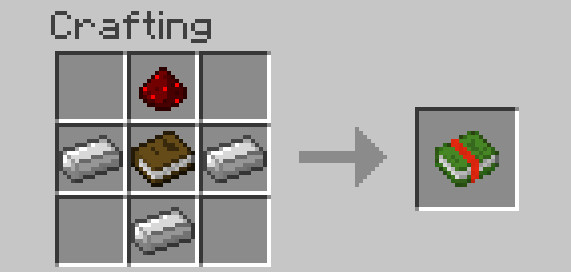
一旦制作了物品栏管理手册,你就可以轻松查阅相关信息。其中还有一个“入门”页面,可以帮助你快速上手该模组。
内容介绍
Advanced Inventory Managment 目前提供了十种不同的中继器、多种物品、一个状态监视器、一个核心方块以及高度可配置的网络电缆。所有机制都在游戏内手册中有详细描述。不同中继器的功能如下:
物品栏中继器:访问玩家的物品栏
饥饿中继器:访问玩家的饥饿条,插入食物以补充饥饿度。
槽位选择中继器:仅访问玩家物品栏中的特定槽位
潜影盒中继器:访问玩家物品栏中潜影盒的内容
护甲中继器:访问玩家的护甲槽位
末影箱中继器:获取玩家末影箱的物品栏访问权限
药水中继器:插入药水并将其转化为药水效果,或移除玩家的药水效果并将其存储为药水物品
经验中继器:从玩家处插入或提取经验值,并将其存储在玻璃瓶中
经验中继器(液体):以流体形式插入或提取经验值
能量中继器:将能量从方块传输到玩家物品栏中的物品
其他可用组件:
玩家监视器:显示玩家的属性(如生命值、饱和度、位置、运动速度等),并输出相应的红石信号
物品栏管理核心:控制你的网络并连接所有设备
网络电缆:远距离连接设备
切换电缆:使用红石信号开启或关闭网络的某些部分
网络信息提供者:获取有关网络的额外信息
网络扳手:轻松配置和破坏网络的某些部分
玩家扫描仪:将玩家连接到网络
固体燃料发电机:为你的网络提供动力(它也可以使用外部提供的 RF、EU、TESLA、J 或 Forge Power Units 能源源)
多种编辑器:编辑玩家的属性(例如其速度或当前选中的快捷栏槽位)
以及更多...
示例
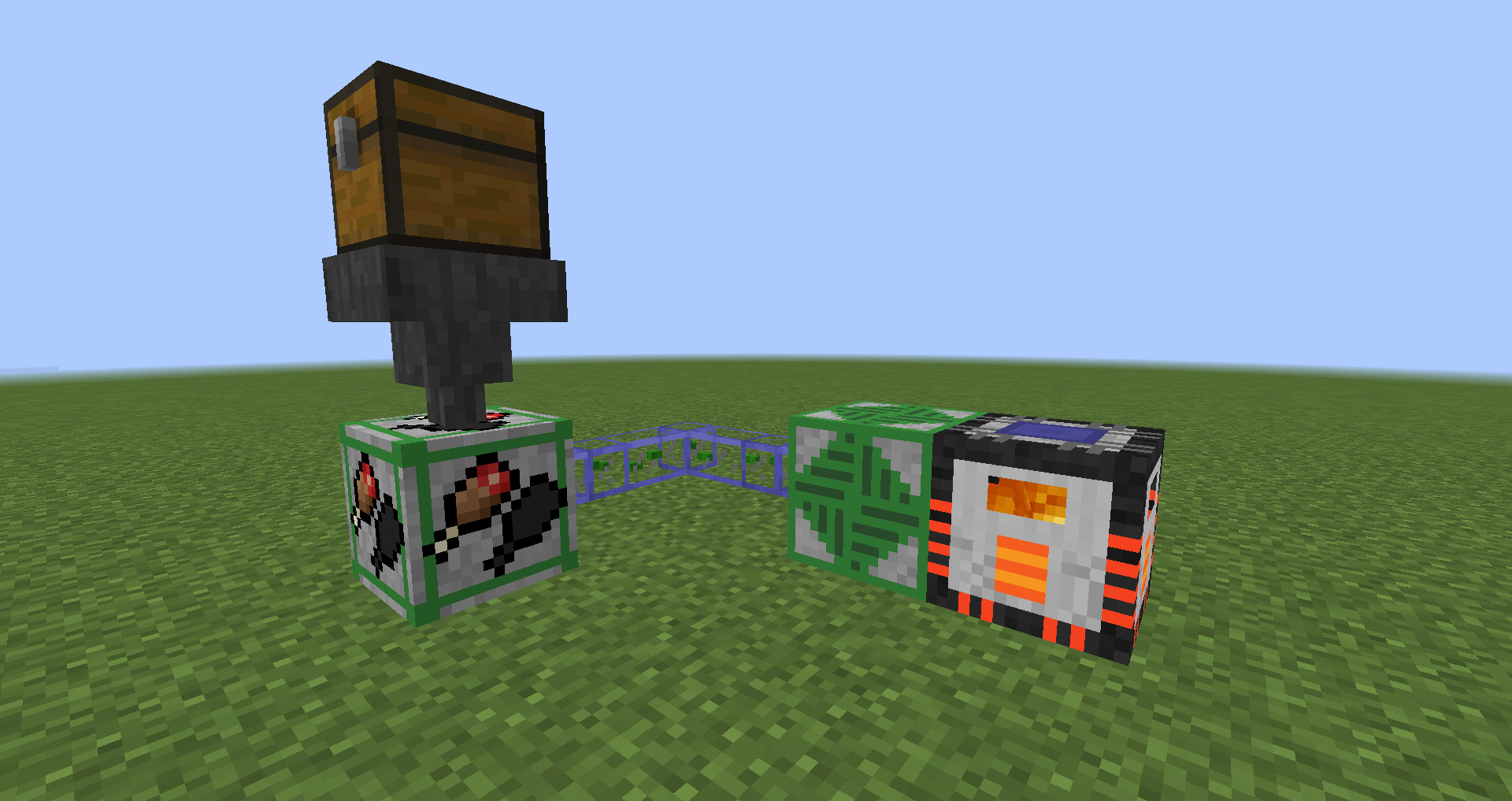
通过将饥饿中继器与漏斗和一个装满食物的箱子结合,你可以在玩家饥饿时为其提供食物,从而避免频繁进食的需求。(这在战斗中尤其有用,因为战斗时需要食物来恢复生命值)
通过将设置为显示生命值模式的玩家监视器与药水中继器连接,可以在玩家生命值未达到最大值时向其发送治疗药水。
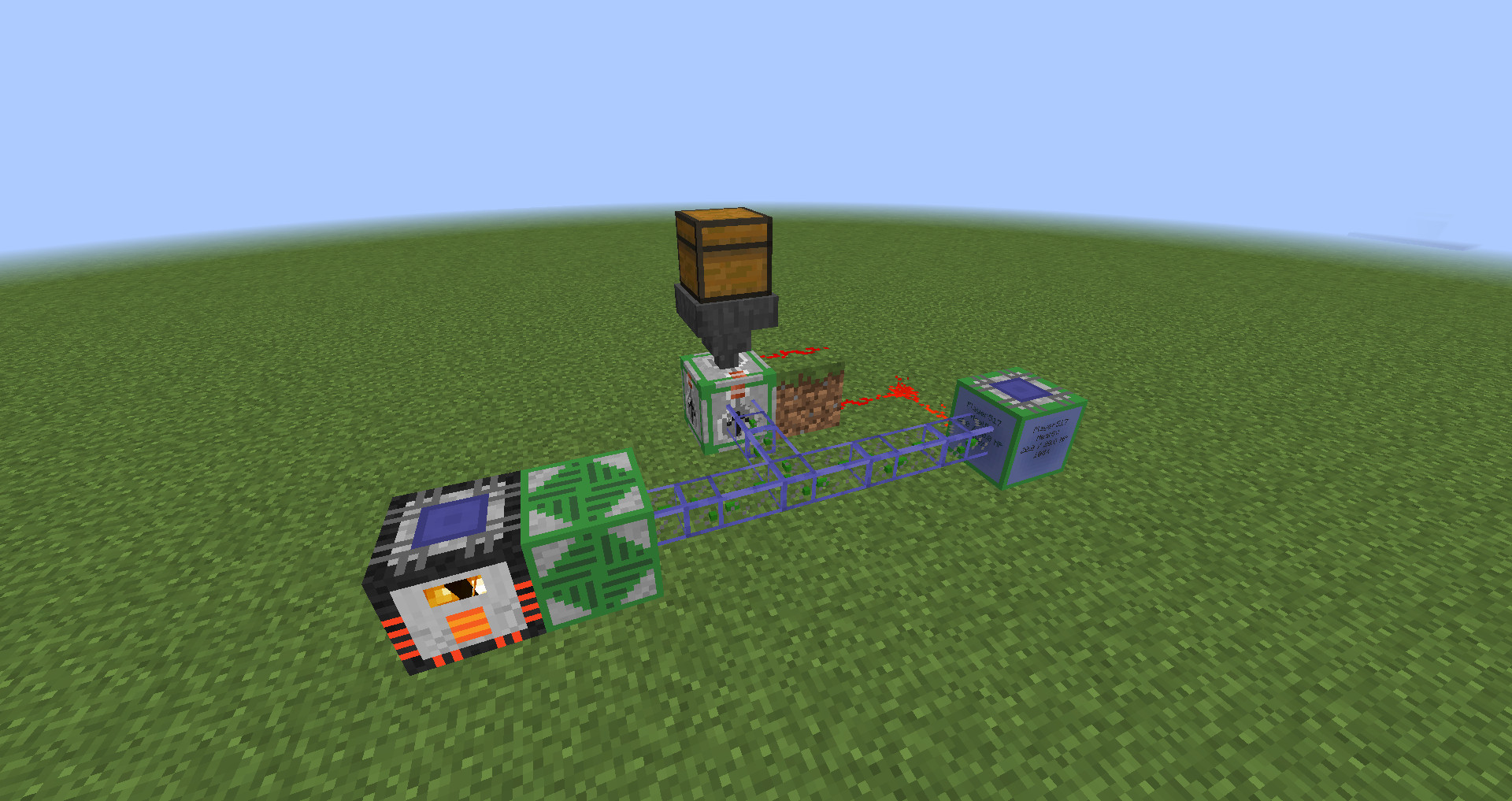
通过将两个漏斗与一个经验中继器(Experience Relay)结合,可以持续将经验值抽取为附魔之瓶,从而避免玩家在死亡时丢失经验。
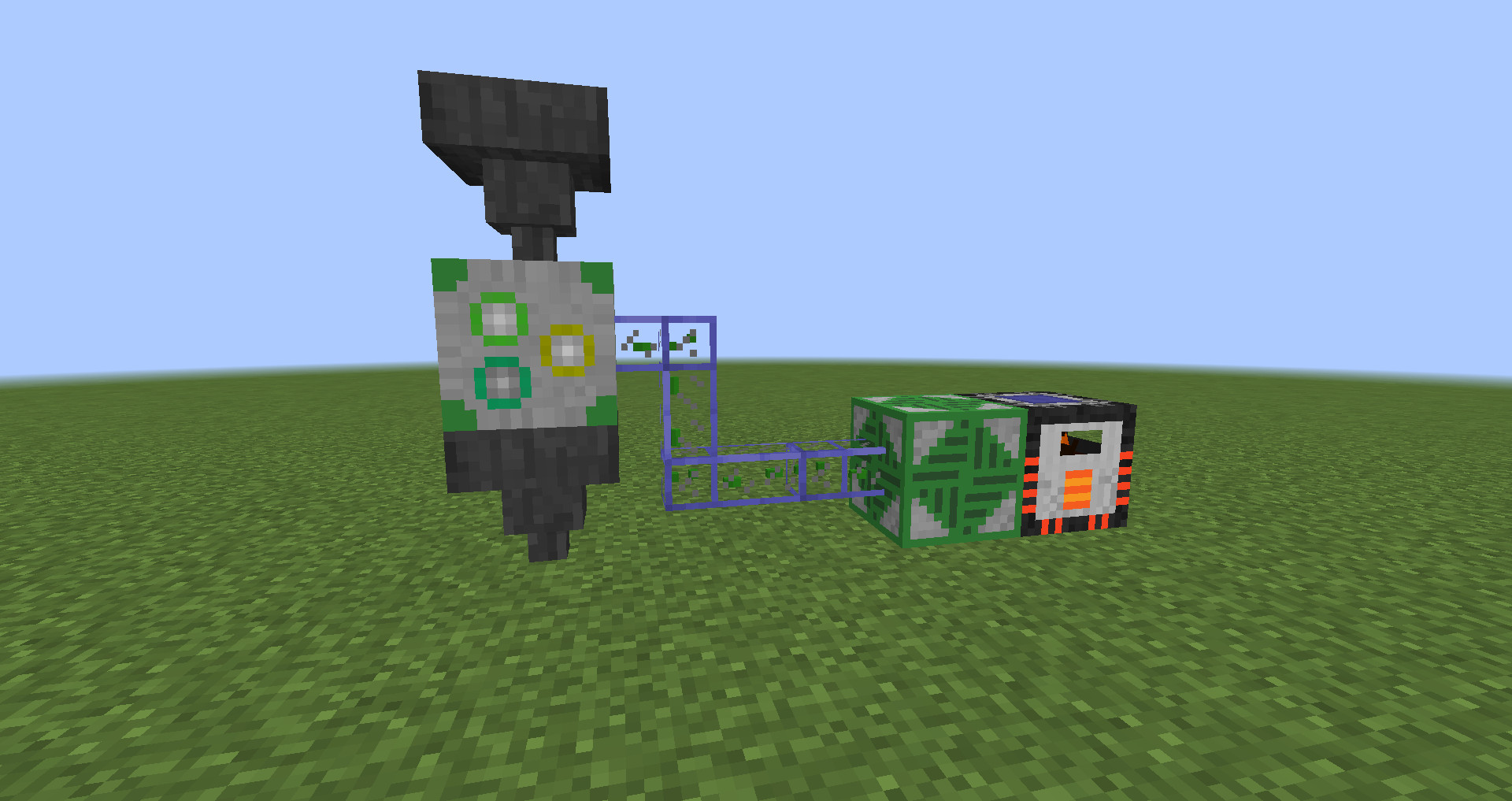
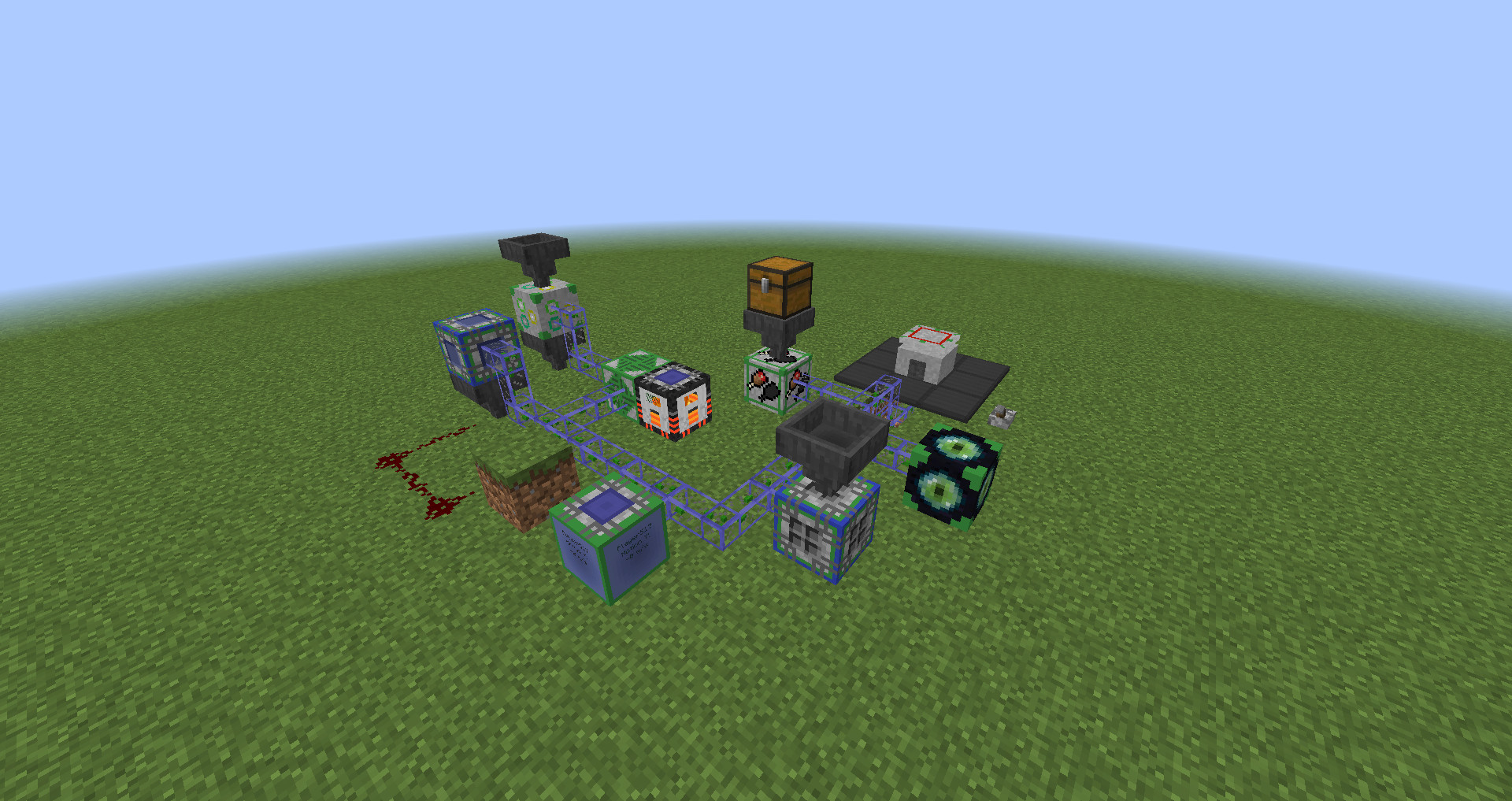
使用网络电缆,还可以将不同的设备连接到更为复杂的网络结构中。
整合包许可
当然,你可以将此模组包含在你想要的任何整合包中。如果你希望在你的整合包中使用此模组,无需特别申请许可。
致谢
特别感谢 Daniel A. 设计了该模组大部分纹理。
Advanced Inventory Management (AIM) is a mod designed to automate the inventory of a player. By connecting different devices to a static block network, you are able to manipulate and modify the players inventory as well as other stats like xp, hunger or potion effects. The mod offers a wide range of different devices and possibilities, reaching from ways to automate your food supply to techniques for auto-healing a player when he has taken damage. All aspects of the mod are highly configurable and a lot of cool things can be achieved by combining different devices. There is also an in-game guide which covers every part of the mod in detail, describing the different blocks and items as well as things like setting up a network or managing player accessibility
Getting started
To get started with AIM, you should at first craft yourself an Inventory Management Manual. This manual will guide you through the different aspects of the mod, providing information about how to setup and use the different machines.
Once you have crafted an Inventory Management Manual, you can easily look up information there. There is also a "Getting Started"-Page which should help you getting along with the mod.
Content
Advanced Inventory Managment currently provides ten different relays, multiple items, a status monitor, a central core block and highly configurable network cables. All mechanics are described further in the in-game manual. The functions of the different relays are:
Inventory Relay: Access the player's inventory
Hunger Relay: Access the player's hunger bar, insert food to fill the hunger bar up.
Slot selection Relay: Access only a specific slot of the player's inventory
Shulker Box Relay: Access the content of shulker boxes in the player's inventory
Armor Relay: Access the armor slots of the player
Ender Chest Relay: Get access to a player's ender chest inventory
Potion Relay: Insert potions which get converted into potion effects or remove potion effects from the player and store them as potion items
Experience Relay: Insert and extract XP from the player and store them in glass bottles
Experience Relay (Liquids): Insert and extract XP as a fluid
Energy Relay: Transfer energy from the block to items in the player's inventory
Also available:
Player Monitor: Show stats of the player (like Health, Saturation, Position, Motion...) and output an according redstone signal
Inventory Management Core: Controls your network and connects all your devices
Network Cables: Connect devices from further away
Toggle Cable: Switch parts of your network on and off using redstone signals
Network Information Provider: Get additional information about your network
Network Wrench: Easily configure and break parts of your network
Player Scanner: Connect a player to a network
Solid fuel generator: Provide power to your network (It also works with external sources providing RF, EU, TESLA, J or Forge Power Units)
Different Editors: Edit the stats of the player (for example his velocity or current selected hotbar slot)
and more...
Examples
By combining a hunger relay with a hopper and a chest full of food, you can supply the player with food when he is hungry, removing the need to eat constantly. (Especially useful during combat when food is needed to regenerate health)
By connecting a player monitor set to display health mode with a potion relay, you can send healing potions to the player whenever his health is not at maximum
By combining two hoppers and an Experience Relay, xp can constantly be pulled out as bottles o' enchanting, so that the player can't lose his experience when he dies.
Different devices can also be connected to much more complex network structures using network cables.
Modpack permission
You are of course allowed to include this mod in any modpack you want. You don't have to ask for special permission if you want to use this mod in your pack.
Credits
Special thanks to Daniel A. for designing huge parts of the mod's textures.

下载 Advanced Inventory Management
需要联机服务器吗?
稳定流畅、一键部署,几分钟即可和朋友联机开服
最低仅需 8 元/月 即可畅快联机
下载 Advanced Inventory Management
需要联机服务器吗?
稳定流畅、一键部署,几分钟即可和朋友联机开服
最低仅需 8 元/月 即可畅快联机
下载 Advanced Inventory Management
需要联机服务器吗?
稳定流畅、一键部署,几分钟即可和朋友联机开服
最低仅需 8 元/月 即可畅快联机
下载 Advanced Inventory Management
需要联机服务器吗?
稳定流畅、一键部署,几分钟即可和朋友联机开服
最低仅需 8 元/月 即可畅快联机
下载 Advanced Inventory Management
需要联机服务器吗?
稳定流畅、一键部署,几分钟即可和朋友联机开服
最低仅需 8 元/月 即可畅快联机
下载 Advanced Inventory Management
需要联机服务器吗?
稳定流畅、一键部署,几分钟即可和朋友联机开服
最低仅需 8 元/月 即可畅快联机
下载 Advanced Inventory Management
需要联机服务器吗?
稳定流畅、一键部署,几分钟即可和朋友联机开服
最低仅需 8 元/月 即可畅快联机
下载 Advanced Inventory Management
需要联机服务器吗?
稳定流畅、一键部署,几分钟即可和朋友联机开服
最低仅需 8 元/月 即可畅快联机
下载 Advanced Inventory Management
需要联机服务器吗?
稳定流畅、一键部署,几分钟即可和朋友联机开服
最低仅需 8 元/月 即可畅快联机
- 优化了扫描仪的动画和纹理,使其更加美观
- 更新了中文语言文件
- 修复了若干问题
关于这个资源的讨论、问题反馈与使用心得
还没有讨论,来发第一帖吧
你是这个资源的作者?登录后可认领此资源。
相似资源
 模组

一个用于收集生物掉落物的多区块模组。
 模组
在游戏画面角落显示附近世界地形、玩家、生物和实体的地图。可创建路径点,帮助你找到标记过的位置。
 模组
AE2:一款流行的自动化与存储模组
 模组
添加全屏世界地图,显示你在世界中已探索的区域。与 Xaero's Minimap 搭配使用效果极佳。
 模组

基于 GTCEu 1.12.2 的现代 GregTech
 模组

让你能够在世界中的任何位置定位结构。
评论 0
登录后参与评分
还没有评论,来抢沙发吧