Infinite Inventory
 简体中文
再也不必担心背包空间不足。
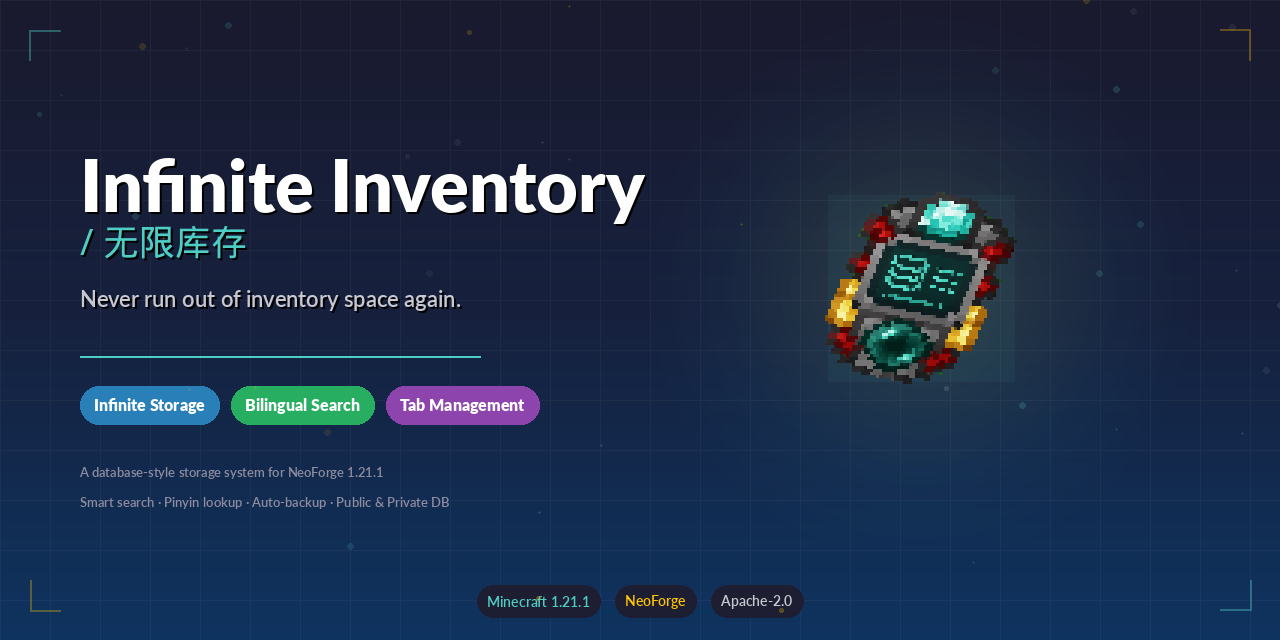
Infinite Inventory 是一款适用于 Minecraft 1.21.1 的 NeoForge 模组,它将拥挤的玩家背包转变为一个个人化、无限可扩展、类似数据库的存储系统。你不再需要为了整理箱子、潜影盒和散落的储物室而手忙脚乱,只需携带一个可搜索的终端,即可容纳你的全部物品收藏——通过标签页进行组织,支持双语搜索过滤,并配有自动安全机制作为后盾。
为什么要下载这个模组?
如果你曾经:
- 在挖矿或建造时耗尽了快捷栏和背包格子
- 花在整理箱子上的时间比实际游戏还多
- 记不清哪个箱子里放着什么物品
- 希望瞬间找到所需物品,而不必背诵储物布局
那么 Infinite Inventory 用一个全屏数据库界面取代了所有这些繁琐操作。你可以按名称、拼音、物品 ID、标签或模组进行搜索,并在几秒钟内提取出你需要的物品。
核心功能
- 无限个人存储 — 一个数据库,零格子限制。存储任意数量的唯一物品组。
- 全屏数据库 UI — 多面板视图:个人存储、公共存储(全服务器共享池)或混合模式。
- 双语智能搜索 — 支持中文显示名称、英文别名、物品 ID、命名空间和拼音(完整拼写 + 首字母)。
- JEI 风格的高级搜索语法 — 支持按模组 (
@)、物品标签 (#)、注册名 (&)、创造模式分类 (%) 进行过滤,支持 AND/OR/NOT 逻辑运算。
- 标签页组织 — 创建、重命名、重新排序并为标签页分配自定义图标。一键移动整个标签页的内容。
- 稳定排序 — 按最近更改、最近添加、名称、数量、命名空间或物品 ID 进行排序。
- 星标与备注系统 — 将常用物品标记为星标,或为任何物品附加自定义备注。
- 操作日志查看器 — 回顾存入、取出及其他数据库操作的历史记录。
- 自动存储增强 — 自动将拾取的物品发送到指定的目标标签页。
- 数据安全 — 每 15 分钟自动滚动备份,支持手动备份/恢复命令,并在模组暂时缺失时保留未解析的物品数据。
- 可选配件 / Curios 集成 — 可将数据库终端佩戴为背部槽位的饰品,通过可配置的快捷键快速访问。
环境要求
| 方面 |
值 |
| 端侧 |
客户端和服务器(完整功能需在两端安装;服务器端负责数据持久化和公共存储) |
| Minecraft |
1.21.1 |
| 加载器 |
NeoForge |
| 支持的 NeoForge |
21.1.222+ |
| Java |
21 |
| 可选依赖 |
Accessories 1.1.0-beta.53+1.21.1, Curios 9.5.1+1.21.1 |
安装
- 安装 Minecraft 1.21.1。
- 安装兼容范围在 21.1.x 的 NeoForge 版本。
- 将
Infinite Inventory JAR 文件放入你的 mods/ 文件夹中。
- (可选) 如果你希望从背部槽位佩戴终端进行访问,请安装 Accessories 或 Curios。
注意: 多人游戏中,模组必须在客户端和服务器两端都存在。服务器端负责数据持久化和公共存储;客户端负责渲染 UI 和处理搜索输入。
合成
在生存模式下合成 Database Terminal(数据库终端):

D E D
R C R
D G D
| 符号 |
物品 |
| D |
钻石块 |
| E |
末影珍珠 |
| R |
红石块 |
| C |
箱子 |
| G |
金块 |
物品 ID: infiniteinventory:database_access_item
使用方法
打开数据库
- 手持状态: 右键点击 Database Terminal 以打开全屏界面。
- 装备状态 (Accessories / Curios): 在“控制”→“键位绑定”→“Infinite Inventory”→“Open Equipped Database”中绑定一个快捷键,以便在背部槽位佩戴终端时即时打开 UI。
切换视图
使用顶部工具栏在以下模式间切换:
- Personal(个人) — 你自己的私有物品数据库
- Public(公共) — 全服务器共享存储(如果已启用)
- Mixed(混合) — 两者的组合视图
存入物品
- 左击 背包中的物品存入 1 个
- Shift+左击 将整组物品存入目标标签页
- Store All(全部存储) 按钮 — 将你整个玩家背包存入数据库
- Store Existing(仅存已有) 按钮 — 仅存入数据库中已有匹配条目的物品(适合批量补货)
存入冲突: 如果某物品已存在于不同的标签页中,弹出窗口会让你选择是存入原始标签页还是将所有内容移动到目标标签页。
取出物品
- 左击 数据库条目取出 1 个
- Shift+左击 将整组物品直接取出到你的背包中
- 右击 获取上下文选项:
- 拾取整组到鼠标光标上
- 拾取半组到背包中
- 提取指定数量(打开数字输入覆盖层)
搜索
在搜索栏中输入以筛选物品。搜索功能支持:
- 中文物品名称及拼音(完整拼写 + 首字母缩写)
- 英文显示名称和别名
- 精确的物品 ID 和命名空间
特殊搜索语法:
| 前缀 |
含义 |
示例 |
@ |
按模组 ID 筛选 |
@infiniteinventory |
# |
按物品标签筛选 |
#minecraft:logs |
& |
按注册表名称筛选 |
&diamond |
% |
按创造模式标签页筛选 |
%building blocks |
| |
OR 运算符 |
diamond | emerald |
- |
排除 |
-stone |
术语之间的空格表示 AND(与)。
管理标签页
- 创建新标签页:通过标签栏创建新标签页以对物品进行分类
- 拖拽标签页:调整其顺序
- 右键点击标签页:重命名、更改图标、将其内容转移到其他标签页或删除它
- 隐藏较少使用的标签页以保持界面整洁
- 批量转移:多选条目(点击并拖拽或 Shift+点击),然后右键点击 → “将选中项移动到另一个分类”
星标与备注
- 收藏常用物品以便快速访问
- 右键点击 → “编辑备注”为任意物品添加自定义备注
- 备注可应用于单个物品,也可一次性应用于所有选中的物品
数据库设置(齿轮图标)
设置面板提供 5 个导航标签页:
- 高级搜索 — 配置搜索行为和默认过滤器
- 增强功能 — 切换可选增强功能:
- 自动存储拾取到的物品 — 自动将新拾取的物品存入指定的目标标签页
- 在工具提示中显示数量 — 在其工具提示中显示物品的总存储数量
- 关键变更时强制保存 — 重要更改后立即持久化数据库
- 视图 — 预览并在个人视图、公共视图和混合视图之间切换
- 管理 — 批量创建、删除、重命名、重新排序和组织标签页
- 日志 — 回顾所有存入、取出、转移及其他数据库操作的 chronological 历史记录
数据安全
您的数据存储在世界的 SavedData 系统中,而非终端物品本身。这意味着:
- 终端可替换 — 丢失或破坏终端不会删除您的数据库。
- 未解析物品保留 — 如果某个模组被暂时移除,其物品会作为未解析条目保留,并在模组回归时恢复。
- 自动备份 — 数据库每 15 分钟自动备份一次。
- 手动备份/恢复 — 服务器管理员可以随时创建快照并从其中恢复。
备份命令
/infiniteinventory database backup now       # 创建手动备份
/infiniteinventory database backup list      # 列出可用备份
/infiniteinventory database restore <name>   # 从指定名称的备份中恢复
参考文档
链接
许可证
Infinite Inventory
简体中文
Never run out of inventory space again.
Infinite Inventory is a NeoForge mod for Minecraft 1.21.1 that transforms the cramped player backpack into a personal, infinitely-expandable, database-style storage system. Instead of juggling chests, shulker boxes, and scattered storage rooms, you carry your entire item collection in a single searchable terminal — organized by tabs, filterable by bilingual search, and backed by automatic safety systems.
Why Download This Mod?
If you have ever:
- Run out of hotbar and inventory slots while mining or building
- Spent more time sorting chests than actually playing
- Lost track of which chest contains which item
- Wanted to find an item instantly without memorizing storage layouts
Then Infinite Inventory replaces all of that overhead with one full-screen database interface. Search by name, pinyin, item ID, tag, or mod — and extract exactly what you need in seconds.
Core Features
- Infinite Personal Storage — One database, zero slot limits. Store as many unique item stacks as you want.
- Full-Screen Database UI — Multi-panel views: personal storage, public storage (server-wide shared pool), or mixed mode.
- Bilingual Smart Search — Understands Chinese display names, English aliases, item IDs, namespaces, and pinyin (full spelling + initials).
- JEI-Style Advanced Search Syntax — Filter by mod (
@), item tag (#), registry name (&), creative tab (%), with AND/OR/NOT logic.
- Tab Organization — Create, rename, reorder, and assign custom icons to tabs. Move entire tab contents in one action.
- Stable Sorting — Sort by recent changes, recently added, name, count, namespace, or item ID.
- Star & Note System — Mark frequently-used items as starred, or attach custom notes to any item.
- Operation Log Viewer — Review history of deposits, extractions, and other database actions.
- Auto-Store Enhancement — Automatically send picked-up items into a designated target tab.
- Data Safety — Rolling auto-backups every 15 minutes, manual backup/restore commands, and unresolved-item preservation when mods are temporarily missing.
- Optional Accessories / Curios Integration — Wear the database terminal as a back-slot accessory for quick access via a configurable hotkey.
Environment
| Aspect |
Value |
| Side |
Client and Server (required on both for full functionality; server-side handles data persistence and public storage) |
| Minecraft |
1.21.1 |
| Mod Loader |
NeoForge |
| Supported NeoForge |
21.1.222+ |
| Java |
21 |
| Optional Dependencies |
Accessories 1.1.0-beta.53+1.21.1, Curios 9.5.1+1.21.1 |
Installation
- Install Minecraft 1.21.1.
- Install a compatible NeoForge build in the 21.1.x range.
- Place the
Infinite Inventory JAR into your mods/ folder.
- (Optional) Install Accessories or Curios if you want wearable terminal access from the back slot.
Note: The mod must be present on both client and server for multiplayer. The server handles data persistence and public storage; the client renders the UI and handles search input.
Crafting
Craft the Database Terminal in survival mode:
D E D
R C R
D G D
| Symbol |
Item |
| D |
Diamond Block |
| E |
Ender Pearl |
| R |
Redstone Block |
| C |
Chest |
| G |
Gold Block |
Item ID: infiniteinventory:database_access_item
How to Use
Opening the Database
- Handheld: Right-click with the Database Terminal to open the full-screen interface.
- Equipped (Accessories / Curios): Bind a hotkey in Controls → Key Binds → "Infinite Inventory" → "Open Equipped Database" to open the UI instantly when the terminal is worn in the back slot.
Switching Views
Use the top toolbar to toggle between:
- Personal — your own private item database
- Public — server-wide shared storage (if enabled)
- Mixed — combined view of both
Depositing Items
- Left-click an item in your inventory to deposit 1
- Shift+click to deposit a full stack into a target tab
- Store All button — deposits your entire player inventory into the database
- Store Existing button — deposits only items that already have a matching entry in the database (useful for bulk restocking)
Deposit Conflict: If an item already exists in a different tab, a popup will let you choose whether to deposit to the original tab or move everything to the target tab.
Extracting Items
- Left-click a database entry to extract 1
- Shift+click to extract a full stack directly to your inventory
- Right-click for contextual options:
- Pick up a full stack to your cursor
- Pick up half a stack to your inventory
- Extract a custom amount (opens a number input overlay)
Searching
Type in the search bar to filter items. The search understands:
- Chinese item names and pinyin (full spelling + initials)
- English display names and aliases
- Exact item IDs and namespaces
Special search syntax:
| Prefix |
Meaning |
Example |
@ |
Filter by mod ID |
@infiniteinventory |
# |
Filter by item tag |
#minecraft:logs |
& |
Filter by registry name |
&diamond |
% |
Filter by creative tab |
%building blocks |
| |
OR operator |
diamond | emerald |
- |
Exclude |
-stone |
Spaces between terms act as AND.
Managing Tabs
- Create new tabs via the tab bar to categorize items
- Drag tabs to reorder them
- Right-click a tab to rename, change its icon, transfer its contents to another tab, or delete it
- Hide less-used tabs to keep the interface clean
- Batch transfer: Multi-select entries (click and drag or Shift+click), then right-click → "Move Selected to Another Category"
Stars & Notes
- Star frequently-used items for quick access
- Right-click → "Edit Note" to attach a custom note to any item
- Notes can be applied to a single item or to all selected items at once
Database Settings (Gear Icon)
The settings panel provides 5 navigation tabs:
- Adv. Search — Configure search behavior and default filters
- Boost — Toggle optional enhancements:
- Auto-store picked-up items — automatically deposit newly picked-up items into a designated target tab
- Show amount in tooltip — display the total stored count of an item in its tooltip
- Force save on critical mutation — immediately persist the database after important changes
- Views — Preview and switch between personal, public, and mixed views
- Manage — Create, delete, rename, reorder, and reorganize tabs in bulk
- Log — Review a chronological history of all deposits, extractions, transfers, and other database actions
Data Safety
Your data is stored in the overworld's SavedData system, not on the terminal item itself. This means:
- Terminal is replaceable — losing or breaking the terminal does not delete your database.
- Unresolved items preserved — if a mod is temporarily removed, its items are kept as unresolved entries and restored when the mod returns.
- Auto-backups — the database is backed up automatically every 15 minutes.
- Manual backup/restore — server operators can create snapshots and restore from them at any time.
Backup Commands
/infiniteinventory database backup now       # Create a manual backup
/infiniteinventory database backup list      # List available backups
/infiniteinventory database restore <name>   # Restore from a named backup
Reference Documentation
Links
- Source Code:
- Issue Tracker:
- Modrinth:
License


 模组

 模组

 模组
 模组

 模组
 模组
评论 0
登录后参与评分
还没有评论,来抢沙发吧