
此模组添加了两种用于在世界中创建目标指示的工具:激光指针和口袋激光指针。
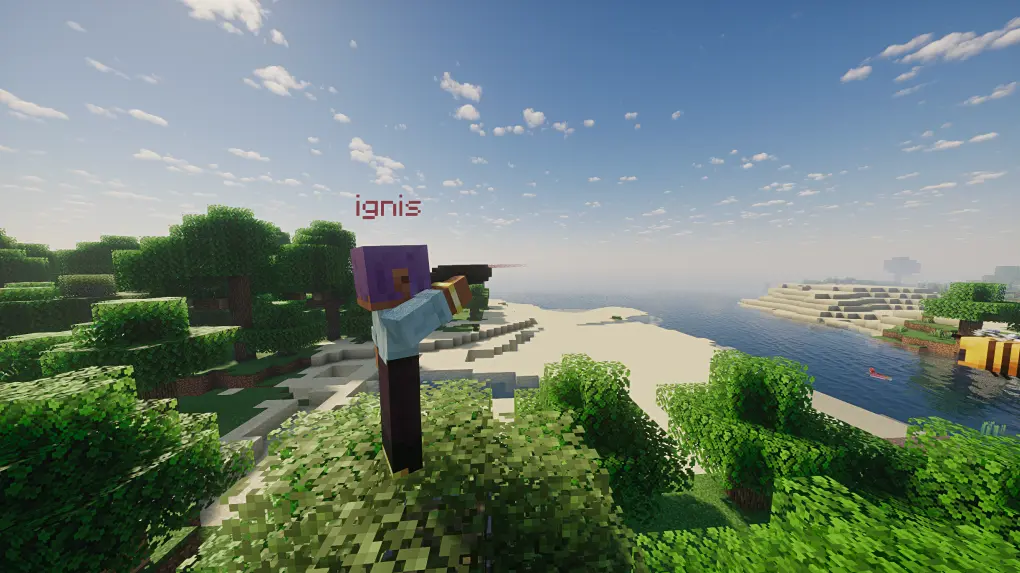
激光指针
主要工具,提供类似望远镜的功能。玩家可以瞄准方块或实体以放置可见标记,供其他玩家共享或引导火力。
使用方法
- 按住右键进入指针界面,松开以标记目标。
- Shift + 右键切换操作模式。
- Shift + 左键清除由你创建的所有标记。
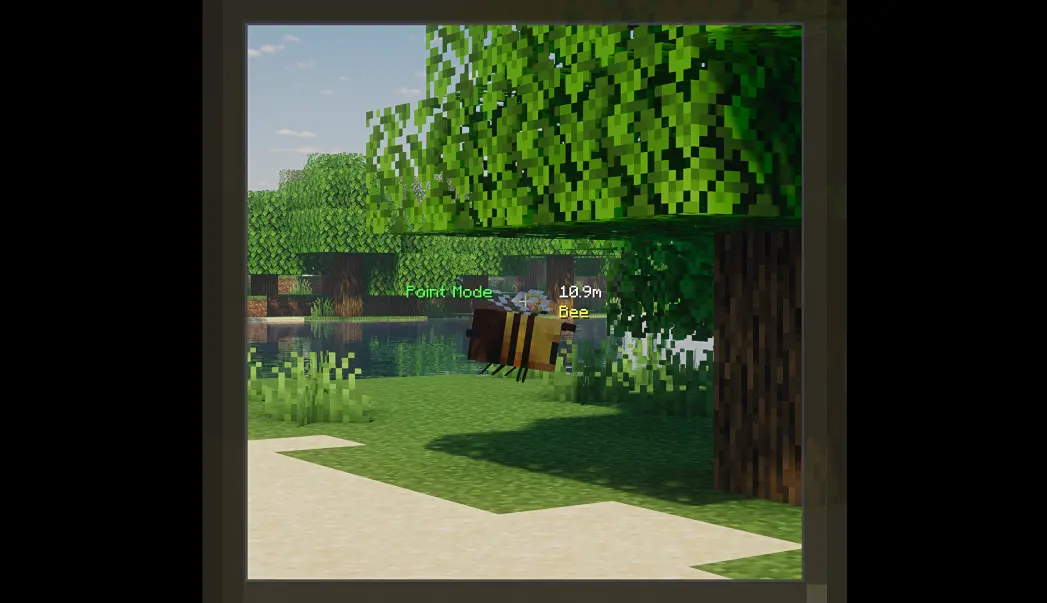
标记模式
激光指针有两种模式:点标记和向量标记。
点标记模式
标记附着在被瞄准的方块或实体上。标记名称显示在下方,被瞄准实体的名称显示在上方(如果附着在实体上)。
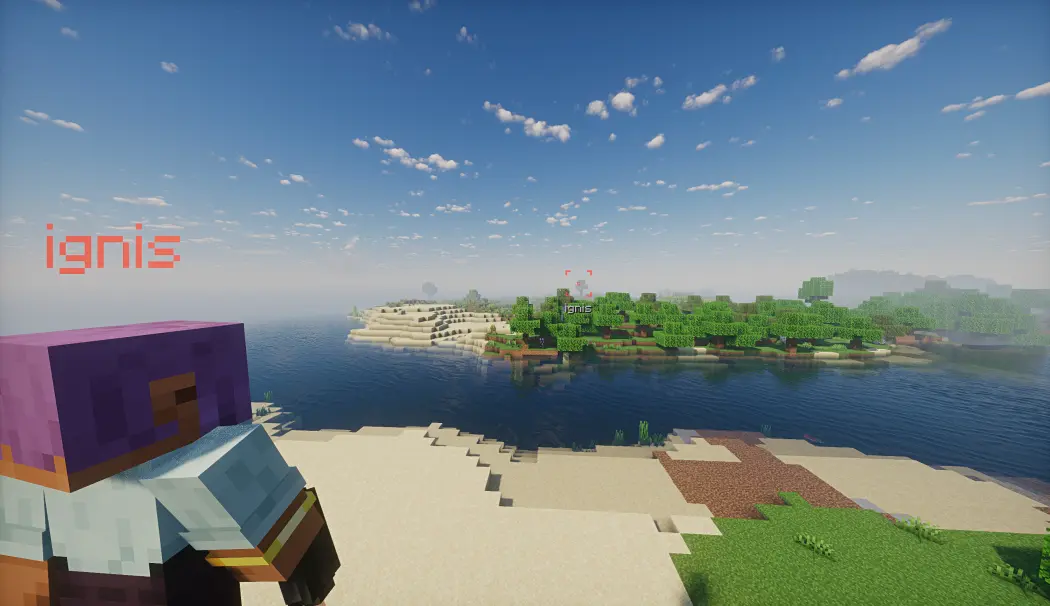
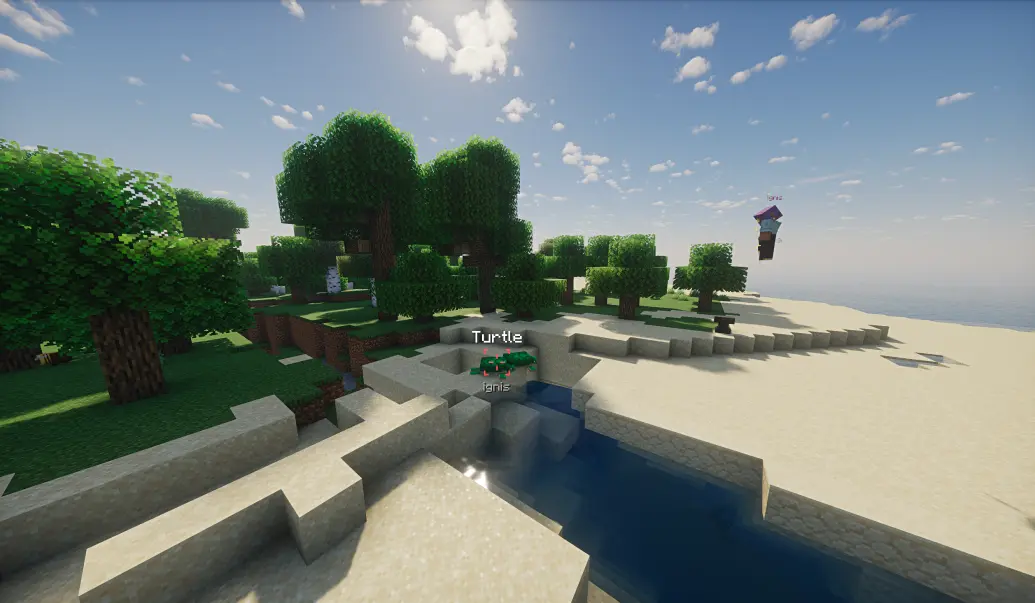
如果启用了引导功能,点标记将通过改变配置实体的速度方向来引导它们向标记移动。
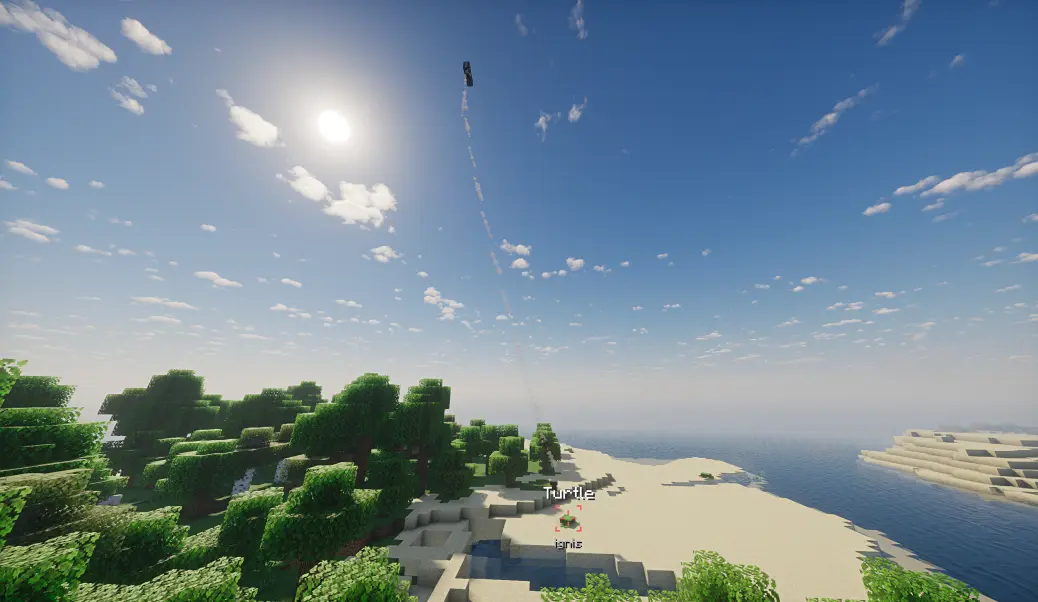
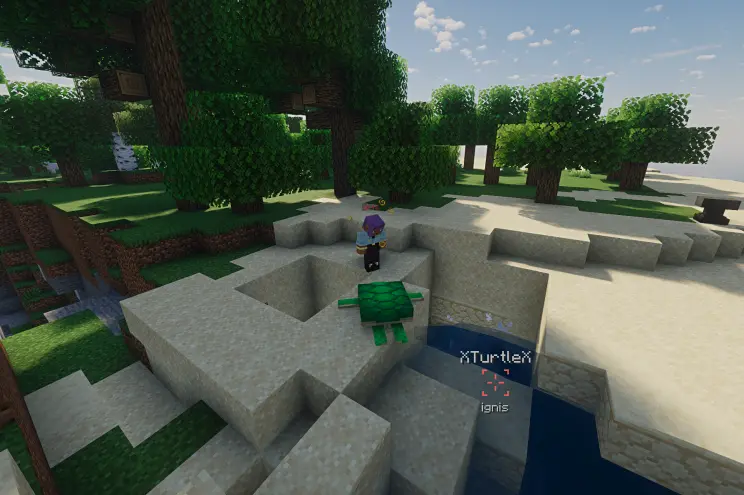
如果被标记的实体死亡、消失或区块卸载,实体名称将额外显示“X”前缀/后缀,并且引导功能将停止。
向量标记模式
向量标记通过选择起点和终点来创建显眼的方向指示器。它们指示从起点到终点的路径,非常适合引导空袭。
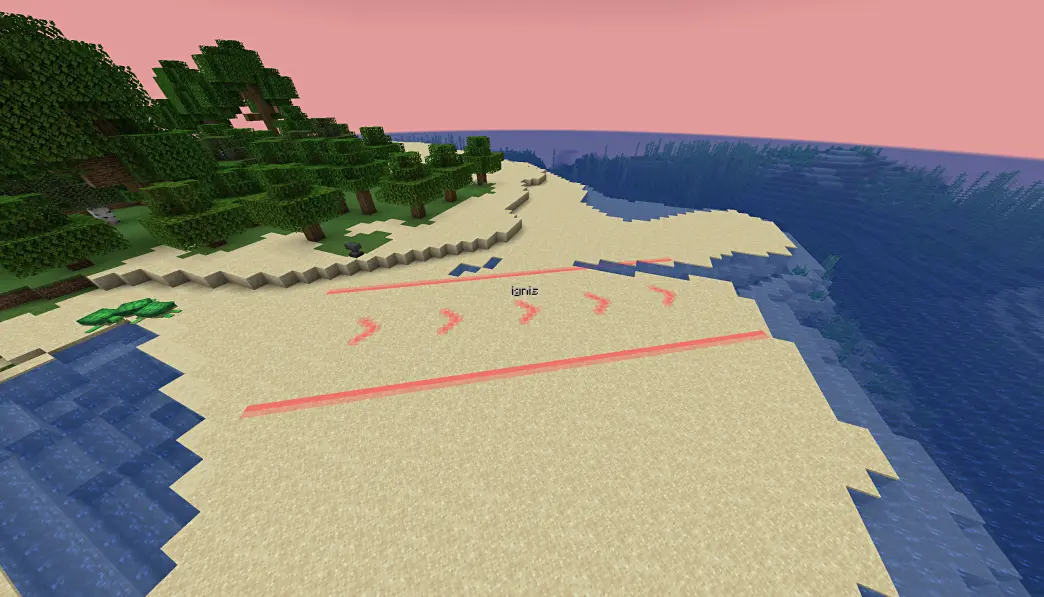
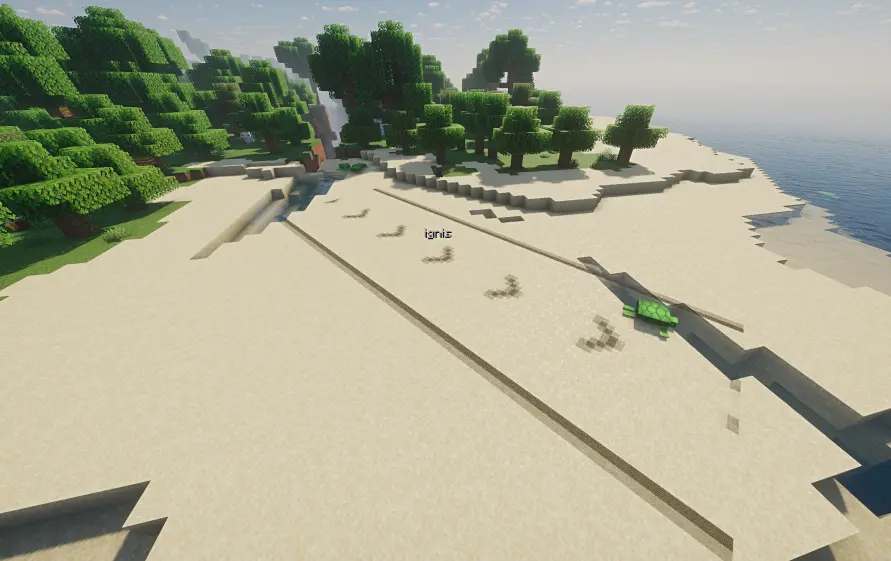
但是,向量模式的渲染兼容性稍低,在某些情况下可能会出现渲染问题(例如启用光影时)。
口袋激光指针
一款专为快速、非引导标记设计的辅助工具。与激光指针不同,口袋激光指针创建的标记不可引导——非常适合临时呼叫和沟通。
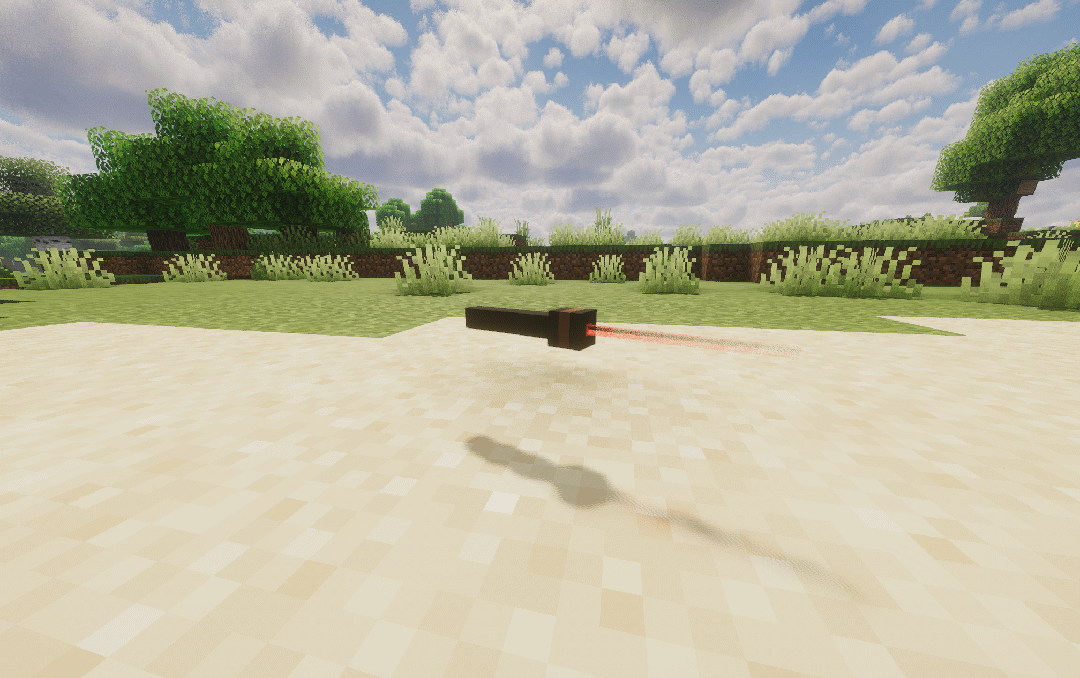
控制方式
| 操作 | 结果 |
|---|---|
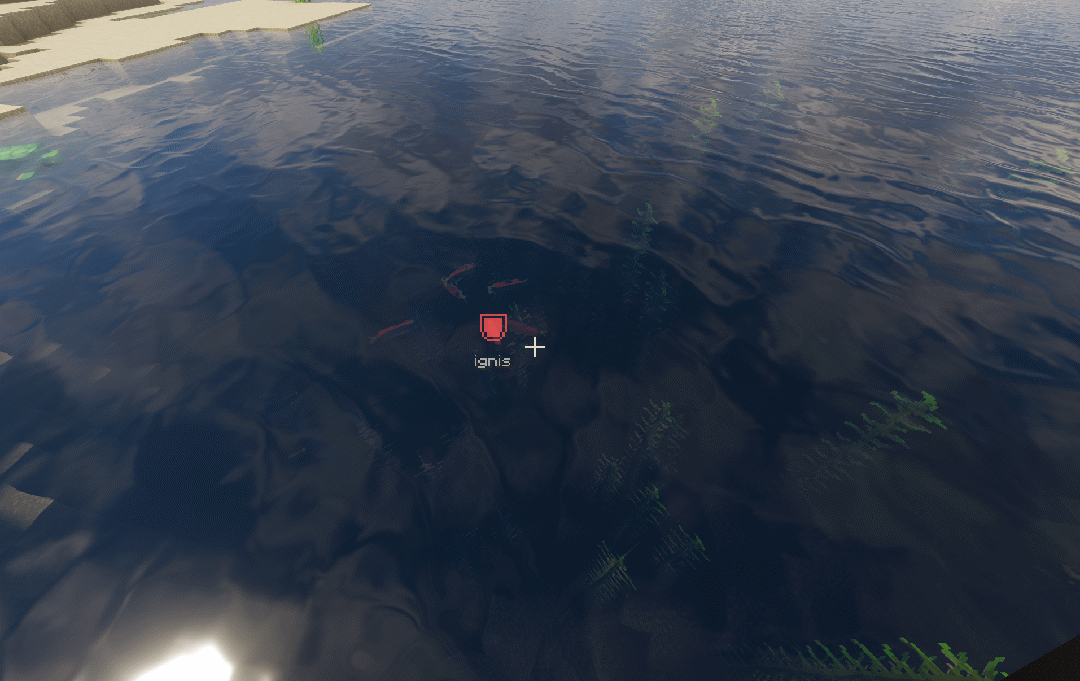
| 右键点击(短按) | 自动标记并附带智能图标 |
| 按住右键 | 打开图标轮盘 → 选择 → 松开 |
| 潜行 + 右键点击 | 清除你所有的标记 |
快速标记(短按)
快速右键点击会立即根据上下文自动选择图标来标记目标:
| 目标 | 条件 | 图标 |
|---|---|---|
| 敌对实体 | 最大生命值 ≥ 100(Boss) | 危险 |
| 敌对实体 | 普通 | 谨慎 |
| 玩家 | — | 喜欢 |
| 友好生物 | — | 防御 |
| 方块 | 玩家生命值 < 50% 且距离 ≤ 2米 | 危险 |
| 方块 | 拥有战利品/箱子/桶库存 | 满足 |
| 默认 | — | 圆点 |
轮盘标记(长按)
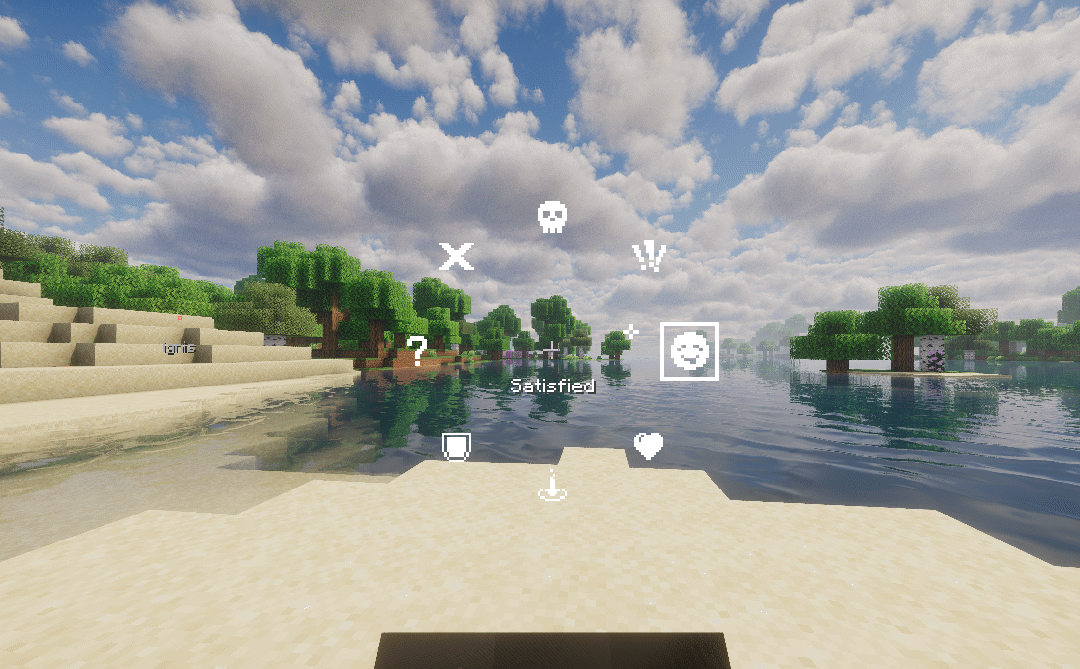
按住右键约 3 刻钟(客户端可配置)以打开包含 8 个图标的径向选择轮盘。将鼠标拖向某个图标并松开,即可放置带有所选图标的标记。
- 轮盘原点是在你按下右键的那一刻捕获的——你可以在按住期间预先拖动,并在轮盘出现时立即松开。
- 轮盘打开时会播放拉杆点击声,成功标记时会播放音符盒哔声。
与激光指针的主要区别
- 标记不可引导
- 没有 spyglass 缩放叠加层
- 每个玩家同时只能有一个标记
- 根据目标上下文自动选择图标
- 客户端可配置的轮盘激活延迟
通用功能
两种工具共有的功能:
- 队伍颜色: 当玩家处于队伍中时,标记会自动使用该队伍的颜色。未加入队伍的玩家创建的标记使用由其 UUID 决定的颜色。

- 自定义命名: 如果在铁砧上为指针命名,创建的标记将额外显示指针的名称。
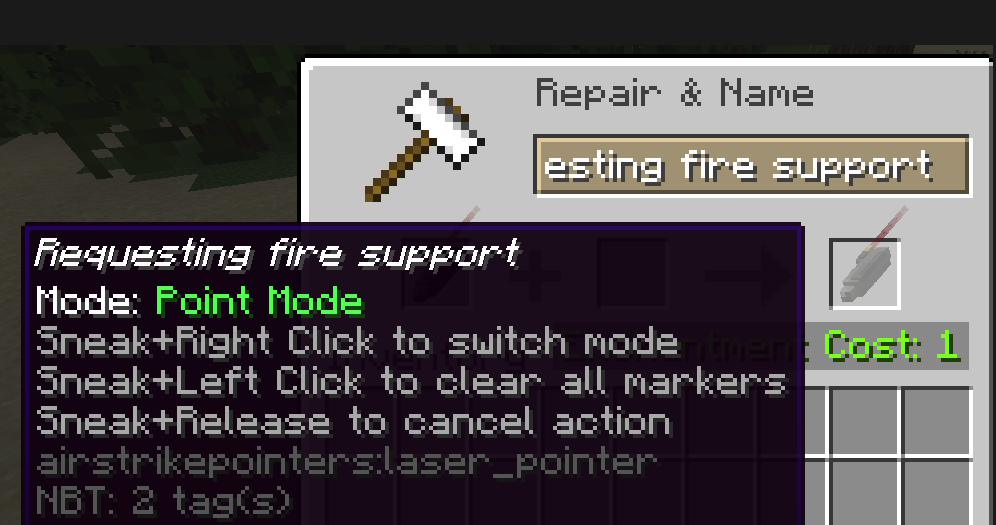
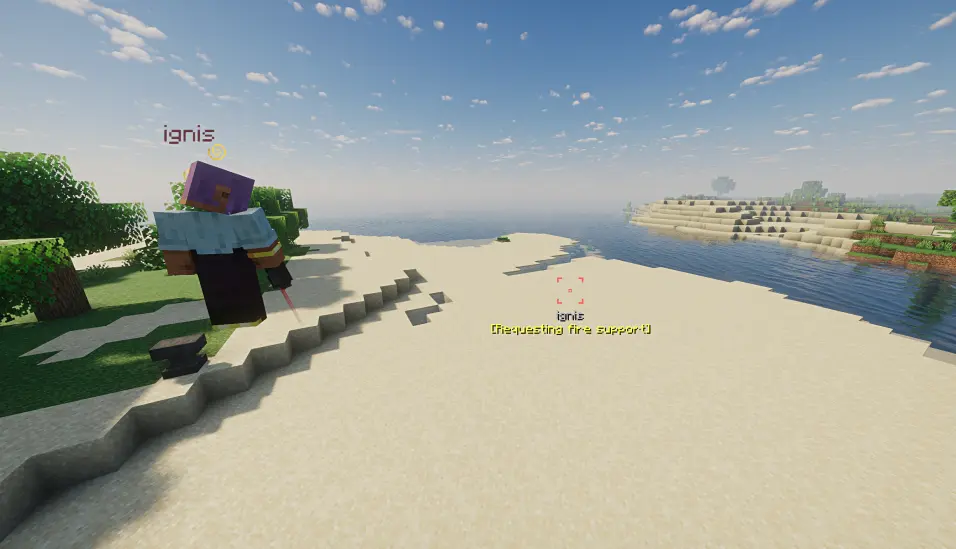
- 同步与配置: 标记在多人游戏中完全同步。持续时间和使用冷却时间在服务器端可配置。过期的标记会自动清理。
- 客户端设置: 客户端可以配置是否仅显示来自自己队伍的标记以及显示标记的最大距离。
- 热重载: 配置支持
/reload。 - 标记大小与可见性: 超过 1000 米的标记可见度会降低。
已知的渲染问题(向量标记)
- 某些光影包可能导致标记不可见或变色。
- 云层可能会遮挡标记渲染;如果你经常需要在云层上方观察标记,建议禁用云层。
- 水面可能会导致标记变色。
- 在特定距离下,Distant Horizons LOD 模型可能会遮挡标记。
This mod adds two tools for creating target designations in the world: the Laser Pointer and the Pocket Laser Pointer.
Laser Pointer
The main tool, offering functionality similar to a telescope. Players can aim at blocks or entities to place visible markers to share with other players or to guide fire.
Usage
- Hold Right Click to enter the pointer interface, release to mark the target.
- Shift + Right Click switches between operation modes.
- Shift + Left Click clears all markers created by you.
Marker Modes
The Laser Pointer has two modes: Point Marker and Vector Marker.
Point Marker Mode
The marker attaches to the targeted block or entity. The marker's name is displayed below, and the name of the targeted entity is displayed above (if attached to an entity).
If guidance is enabled, the Point Marker will guide configured entities toward the marker by altering their velocity direction.
If the marked entity dies, despawns, or is unloaded, the entity name will display an additional "X" prefix/suffix, and guidance will cease.
Vector Marker Mode
Vector Markers create prominent directional indicators by selecting a start point and an end point. They indicate the path from start to end, making them ideal for guiding airstrikes.
However, Vector Mode has slightly lower rendering compatibility and may have rendering issues in some situations (e.g., when shaders are enabled).
Pocket Laser Pointer
A companion tool designed for quick, non-guided marking. Unlike the Laser Pointer, markers from the Pocket Laser Pointer cannot be guided — perfect for temporary callouts and communication.
Controls
| Action | Result |
|---|---|
| Right Click (short) | Auto-mark with smart icon |
| Hold Right Click | Open icon wheel → select → release |
| Sneak + Right Click | Clear all your markers |
Fast Mark (Short Press)
A quick right-click marks the target immediately with an auto-selected icon based on context:
| Target | Condition | Icon |
|---|---|---|
| Hostile Entity | Max HP ≥ 100 (boss) | Danger |
| Hostile Entity | Normal | Caution |
| Player | — | Like |
| Friendly Mob | — | Defend |
| Block | Player HP < 50% & ≤ 2m away | Danger |
| Block | Has loot/chest/barrel inventory | Satisfied |
| Default | — | Dot |
Wheel Mark (Long Press)
Hold right-click for ~3 ticks (configurable on client) to open a radial selection wheel with 8 icons. Drag your mouse toward an icon and release to place the marker with your chosen icon.
- The wheel origin is captured at the moment you press right-click — you can pre-drag during the hold window and release instantly when the wheel appears.
- A lever click sound plays when the wheel opens, and a note block beep plays on successful mark.
Key Differences from Laser Pointer
- Markers cannot be guided
- No spyglass zoom overlay
- One marker per player at a time
- Auto icon selection based on target context
- Client-configurable wheel activation delay
General Features
Features shared by both tools:
- Team Colors: When a player is in a team, the marker automatically uses the team's color. Markers created by players not in a team use a color determined by their UUID.
- Custom Naming: If the pointer is named on an anvil, the created marker will additionally display the pointer's name.
- Synchronization & Config: Markers are fully synchronized in multiplayer. Duration and usage cooldown times are configurable on the server side. Expired markers are automatically cleaned up.
- Client Settings: The client can configure whether to only show markers from their own team and the maximum distance for displaying markers.
- Hot-reload: Configuration supports
/reload. - Marker Size & Visibility: Markers beyond 1000 meters will be less visible.
Known Rendering Issues (Vector Markers)
- Certain shader packs may cause markers to be invisible or change color.
- Clouds can occlude marker rendering; if you frequently need to spot markers from above the clouds, it is recommended to disable clouds.
- Water surfaces may cause markers to change color.
- At specific distances, Distant Horizons LOD models may occlude markers.

下载 AirstrikePointers
下载 AirstrikePointers
下载 AirstrikePointers
下载 AirstrikePointers
下载 AirstrikePointers
下载 AirstrikePointers
下载 AirstrikePointers
需要联机服务器吗?
稳定流畅、一键部署,几分钟即可和朋友联机开服
最低仅需 8 元/月 即可畅快联机
下载 AirstrikePointers
下载 AirstrikePointers
添加口袋指针的合成配方
关于这个资源的讨论、问题反馈与使用心得
还没有讨论,来发第一帖吧
你是这个资源的作者?登录后可认领此资源。
相似资源
 模组

可定制的鞘翅模组,支持装饰纹饰、旗帜图案等更多功能!
 模组

显示你正在注视的方块的信息。(适用于 Minecraft 1.16+ 的 Hwyla/Waila 分支)
 模组
使用 JavaScript 编辑配方、添加自定义物品、编写世界事件!
 模组

查看物品与配方
 模组
在游戏画面角落显示附近世界地形、玩家、生物和实体的地图。可创建路径点,帮助你找到标记过的位置。
 模组
AE2:一款流行的自动化与存储模组
评论 0
登录后参与评分
还没有评论,来抢沙发吧