
OverflowAnimations
OverflowAnimations 将 Minecraft 旧版本(主要是 1.7 和 1.8)中的动画和视觉效果带回游戏。每个选项都注明了其来源版本,其中许多选项允许你在多个版本之间进行选择。
你可以使用 /overflowanimations presets 命令一次性将所有内容设置为 1.7、1.8 或现代外观(Fabric 版本)。
默认设置
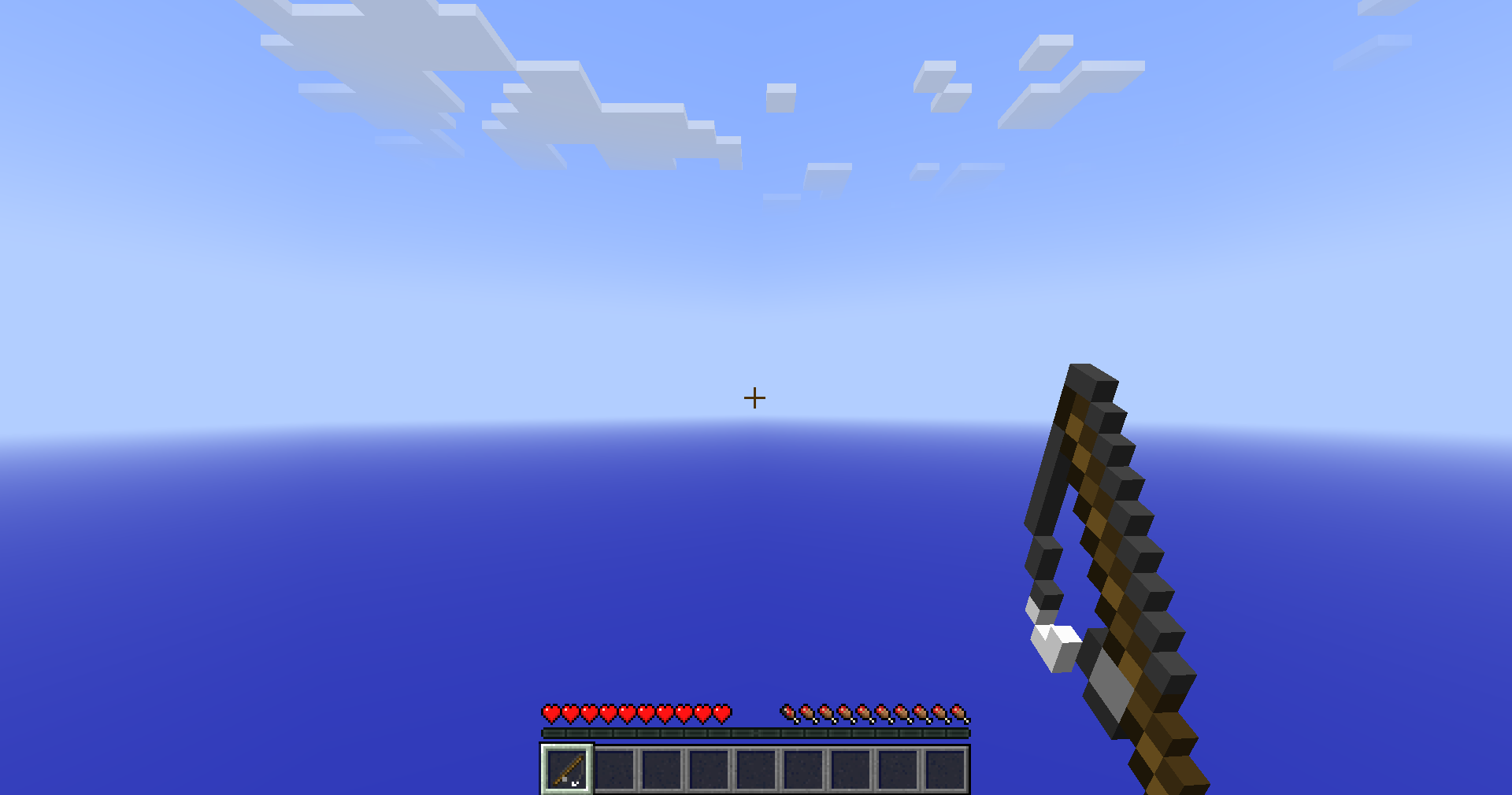
- 1.7 版本的持握物品和钓鱼竿位置
- 在使用物品和挖掘时挥动手臂
- 未命中后的延迟期间进行挥击动作
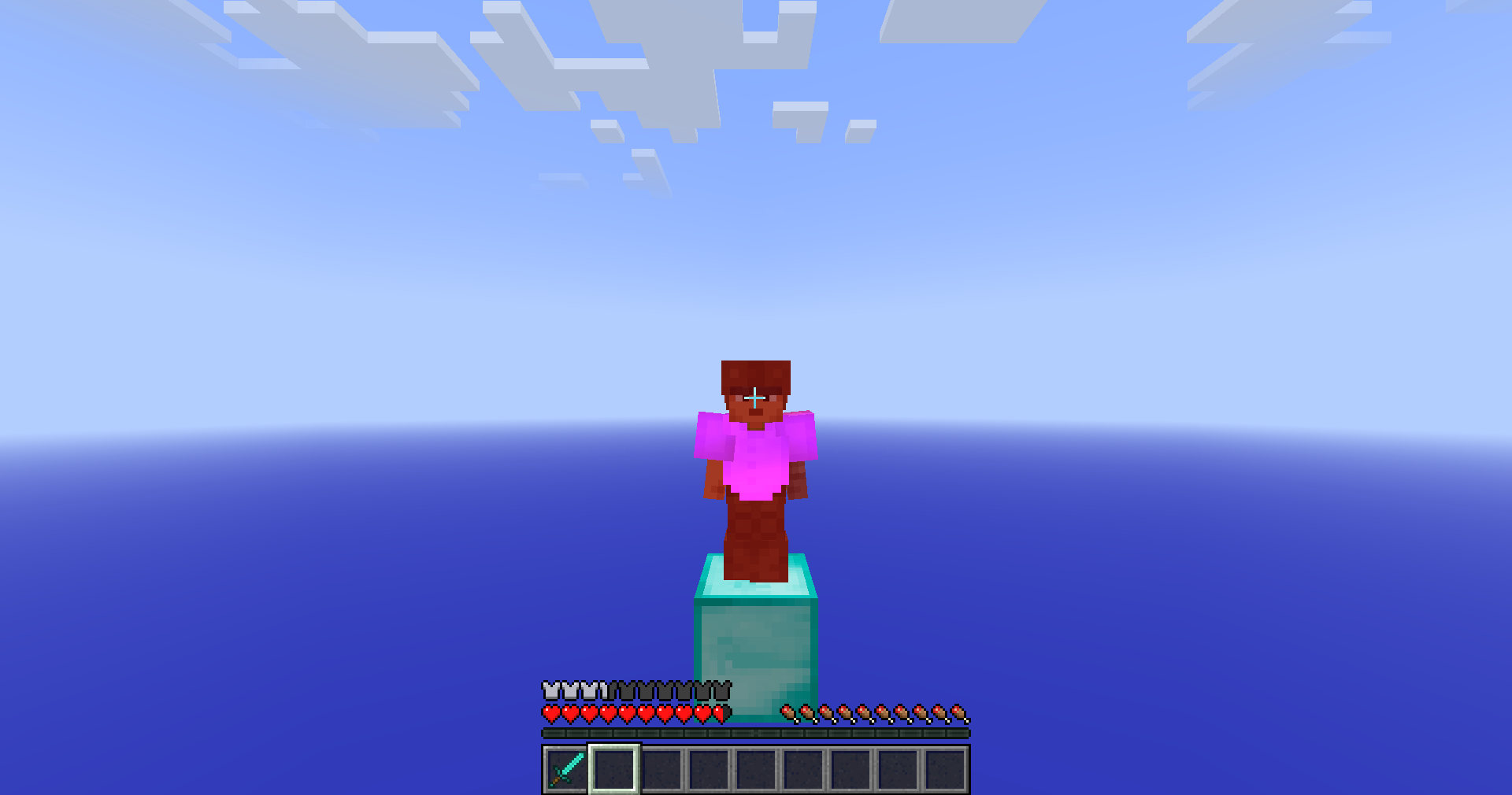
- 盔甲颜色与穿戴它的玩家一起变红
- 第三人称视角下的 1.7 格挡姿势
- 使用物品时不显示装备动画
物品
- 物品、盔甲和药水的旧版附魔光泽
- 类似 1.7 的 2D 掉落物品和物品展示框中的物品
- 缩放、移动和旋转手中的物品
- 自定义挥击速度
- 重新定位进食、饮水和格挡动画、掉落物及投射物
- 来自多个版本的装备动画和钓鱼竿位置
玩家
- 来自旧版本的潜行动画、披风摆动和后撤步行走
- 1.8 版本的受伤镜头倾斜
- 盔甲、手持物品和披风的红色伤害着色
- 玩家或所有实体的 Dinnerbone 模式
屏幕与 HUD
- 旧版摄像机位置
- 第三人称视角下的准星
- 1.7 或 1.8 的玩家列表 (Tab list)
- 类似 1.8 的背包旁的状态效果栏
- 旧版工具提示、插槽悬停、加载界面、聊天位置和合成槽位(Fabric 版本)
天空、雾效与光照
大多数这些功能需要 1.21.6 或更高版本。
- 旧版云朵、旧版天空颜色、虚空雾效和虚空粒子
- 旧版水下雾效颜色
- 1.12.2 版本的光影贴图 (Lightmap) 和旧版漫反射光照
- 没有生物群系着色的草方块侧面,以及无随机方块旋转
- 1.12.2 版本的主菜单全景图
额外功能
- 用于修复小型原版漏洞的 Fixes 类别(Fabric 版本)
- 三个可选资源包,包含 1.8 时代的纹理、1.12.2 全景图和旧版水纹
/overflowanimations on和off可一键开启或关闭所有功能- 按
\键打开设置界面
服务器
在 Fabric 版本中,服务器可以为你开启一些旧的玩法机制,例如取消未命中延迟、挖掘时使用物品以及 1.8 版本的潜行高度。这些功能在单人游戏中或在不请求这些功能的服务器上永远不会激活。
兼容性
- OverflowAnimations 基于 Animatium 构建,因此支持 Animatium 的服务器可以与之兼容
- 在 Lunar Client 上,由于 Lunar 本身会对盔甲进行着色,因此隐藏了盔甲着色选项
- 安装了 BetterHurtCam 后,由 BetterHurtCam 控制伤害镜头倾斜效果
支持版本
- Minecraft 1.8.9 (Ornithe)
- Minecraft 1.21.4 和 1.21.6-26.3 (Fabric)
OverflowAnimations 需要 OneConfig 和 Fabric Language Kotlin。Fabric 构建还需要 Fabric API,而 1.8.9 构建需要 Ornithe Standard Libraries。
支持
- 在 Polyfrost Discord 报告错误和提问。
- 如果 Polyfrost 服务宕机,请查看 Polyfrost Status。
OverflowAnimations
OverflowAnimations brings back animations and visuals from older versions of Minecraft, mostly 1.7 and 1.8. Every option says which version it comes from, and a lot of them let you choose between several.
You can use /overflowanimations presets to set everything to a 1.7, 1.8 or modern look at once (Fabric versions).
Defaults
- 1.7 held item and fishing rod positions
- Swing your arm while using an item and while mining
- Swing through the delay after a missed hit
- Armor turns red together with the player wearing it
- The 1.7 blocking pose in third person
- No equip animation when you use an item
Items
- Old enchantment glint for items, armor and potions
- 2D dropped items and item frame items, like in 1.7
- Scale, move and rotate the held item
- Custom swing speed
- Reposition the eating, drinking and blocking animations, dropped items and projectiles
- Equip animation and fishing rod position from several versions
Players
- Sneak animation, cape movement and backwards walking from older versions
- The 1.8 hurt camera tilt
- Red damage tint on armor, held items and capes
- Dinnerbone mode for players or every entity
Screen and HUD
- Old camera positions
- Crosshair in third person
- 1.7 or 1.8 tab list
- Status effects next to the inventory, like in 1.8
- Old tooltips, slot hover, loading screen, chat position and crafting slot (Fabric versions)
Sky, fog and lighting
Most of these need 1.21.6 or newer.
- Old clouds, the old sky colors, void fog and void particles
- Old water fog color
- The 1.12.2 lightmap and old diffuse lighting
- Grass sides without the biome tint, and no random block rotation
- The 1.12.2 main menu panorama
Extras
- A Fixes category for small vanilla bugs (Fabric versions)
- Three optional resource packs with 1.8 era textures, the 1.12.2 panorama and old water
/overflowanimations onandoffswitch everything at once- Press
\to open your settings
Servers
On the Fabric versions, a server can turn on a few old gameplay mechanics for you, like no miss delay, using items while mining and the 1.8 sneak height. They're never active in singleplayer or on servers that do not ask for them.
Compatibility
- OverflowAnimations is based on Animatium, so servers with Animatium support work with it
- On Lunar Client the armor tint options are hidden, since Lunar tints armor itself
- With BetterHurtCam installed, BetterHurtCam controls the damage tilt
Supported versions
- Minecraft 1.8.9 on Ornithe.
- Minecraft 1.21.4 and 1.21.6-26.3 on Fabric.
OverflowAnimations needs OneConfig and Fabric Language Kotlin. The Fabric builds also need Fabric API, and the 1.8.9 build needs Ornithe Standard Libraries.
Support
- Report bugs and ask questions on the Polyfrost Discord.
- Check Polyfrost Status if a Polyfrost service is down.

下载 OverflowAnimations (Old Animations)
下载 OverflowAnimations (Old Animations)
下载 OverflowAnimations (Old Animations)
下载 OverflowAnimations (Old Animations)
下载 OverflowAnimations (Old Animations)
下载 OverflowAnimations (Old Animations)
下载 OverflowAnimations (Old Animations)
下载 OverflowAnimations (Old Animations)
需要联机服务器吗?
稳定流畅、一键部署,几分钟即可和朋友联机开服
最低仅需 8 元/月 即可畅快联机
下载 OverflowAnimations (Old Animations)
下载 OverflowAnimations (Old Animations)
5.1.9
- 已更新至 OneConfig 1.8.0
- 修复了左手玩家的持物手臂姿态与挥臂动画
5.1.8
- 将所有人迁移至 AUTO 模式,而非 1.7 的物品位置
5.1.8
- 将所有人迁移到 AUTO,而不是 1.7 物品位置
5.1.7
- 修复在 1.21.8+ 版本中旧版准星导致的崩溃
5.1.6
- 修复了打开某些 OneConfig 界面后,旧版标题屏幕全景图导致游戏崩溃或卡死的问题
5.1.5
- 功能:添加对资源包感知的自动手持物品位置
- 功能:尊重 Apollo 战斗设置中的命中惩罚
- 修复:与 Argentum 配合时,保持 1.7 风格命中着色为平面效果
- 修复:默认情况下使 1.8 风格命中颜色恢复为原版
5.1.3
- 默认在 1.8 上启用 1.12+ 的反向行走功能
5.1.2
- 修复默认值
5.1.0
- 将配置重新组织为位置、交互、物品视觉效果和 HUD 选项卡,并将较少使用的选项移至高级部分。
- 重写选项名称和描述,使其更简短易懂。
- 多个切换开关现在变为版本选择,例如 1.7 或 1.8+ 的物品位置、方块打击效果和生命值闪烁。
- 1.8.9 现在使用独立的配置文件,在首次启动时从共享配置中复制而来。
- “受击时红色高亮手持物品”现在可设置为第一人称、第三人称、两者均显示或关闭。
- 新增选项:随物品缩放同步缩放动画。
- 新增选项:随物品缩放同步缩放空手。
- 移除“2D 生物头颅物品”选项。
关于这个资源的讨论、问题反馈与使用心得
还没有讨论,来发第一帖吧
你是这个资源的作者?登录后可认领此资源。
相似资源
 模组

显示你正在注视的方块的信息。(适用于 Minecraft 1.16+ 的 Hwyla/Waila 分支)
 模组

查看物品与配方
 模组
在游戏画面角落显示附近世界地形、玩家、生物和实体的地图。可创建路径点,帮助你找到标记过的位置。
 模组
使用 JavaScript 编辑配方、添加自定义物品、编写世界事件!
 模组
添加区块认领和玩家组队功能,并与 Xaero's Minimap 和 World Map 集成
 模组
添加全屏世界地图,显示你在世界中已探索的区域。与 Xaero's Minimap 搭配使用效果极佳。
评论 0
登录后参与评分
还没有评论,来抢沙发吧