


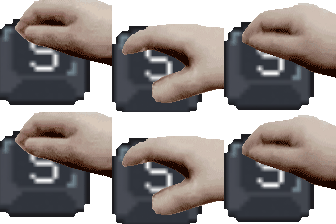
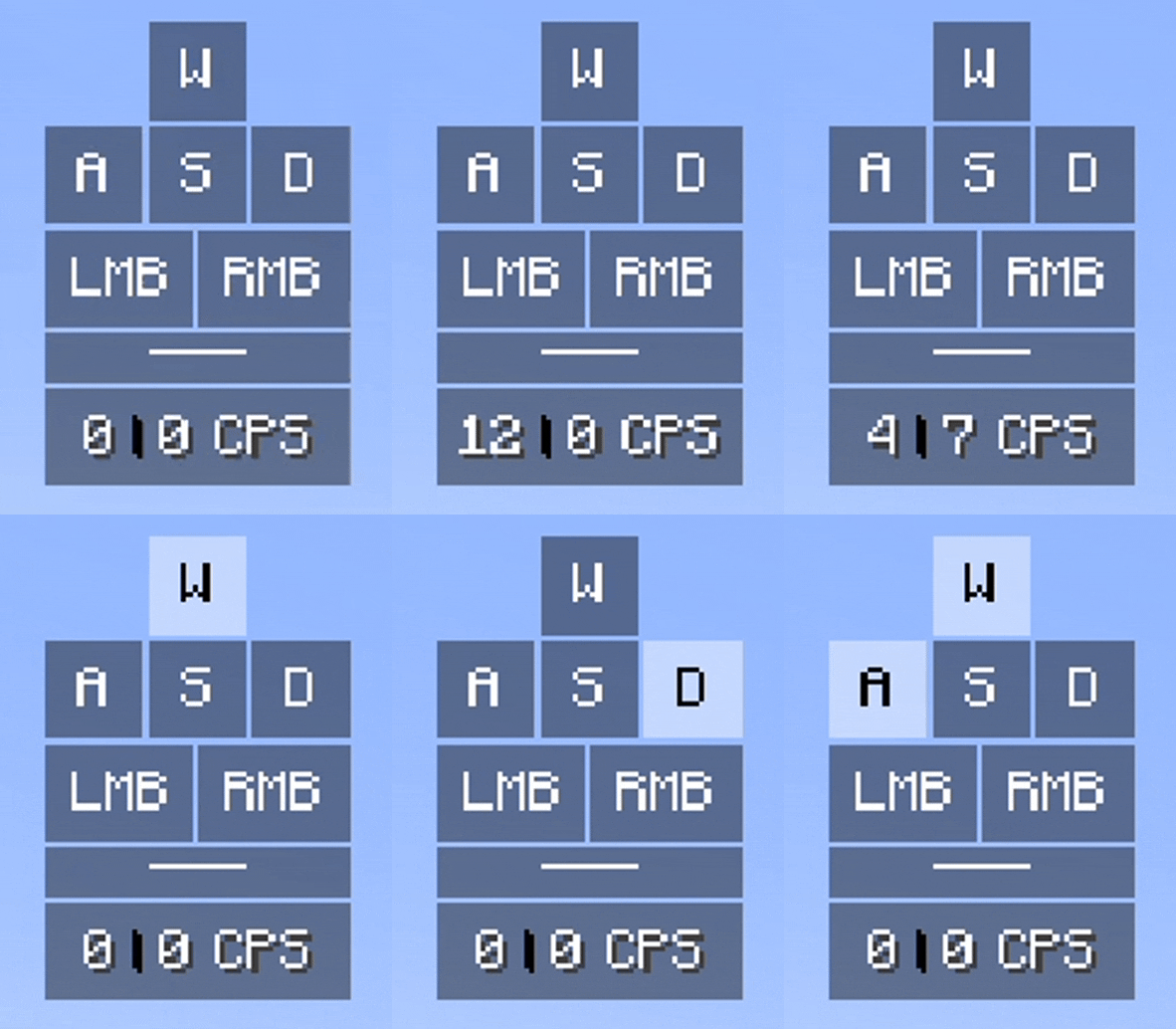
 一个复制自 Lunar 按键 HUD 覆盖层,用于显示按键按下状态:


除了标准按键显示之外... 
本模组包含两个主要功能:FastPlace(快速放置)和 NoJumpDelay(无跳跃延迟),并在屏幕覆盖层上实时可视化显示。这些附加功能可通过按键绑定进行切换。默认按键绑定如下:

FastPlace(快速放置) 
通常情况下,在 Minecraft 中按住右键放置方块时会有 4 刻(0.2 秒)的延迟。FastPlace 移除了这一延迟。这使得你每tick都能以鼠标按键按住的速度尽可能快地放置方块。
-
覆盖层与 CPS 同步:屏幕上的 CPS(每秒点击次数)模块将统计你一秒钟内放置的方块数量。覆盖层上的右键图标也会快速闪烁,以展示你放置方块的频率,从而模拟高 CPS 效果。你可以在设置中使用 FastPlace 自定义 CPS 计数器的速率。

-
左键自动点击器:此外,你还可以开启左键自动点击器。覆盖层上的左键图标会像右键一样,根据你的点击速度进行闪烁匹配。

-
防止空气点击:模组包含一项配置,可阻止你在看向天空(未对准方块)时意外放置方块或点击。无论是否激活 FastPlace,这都不会注册右键输入。

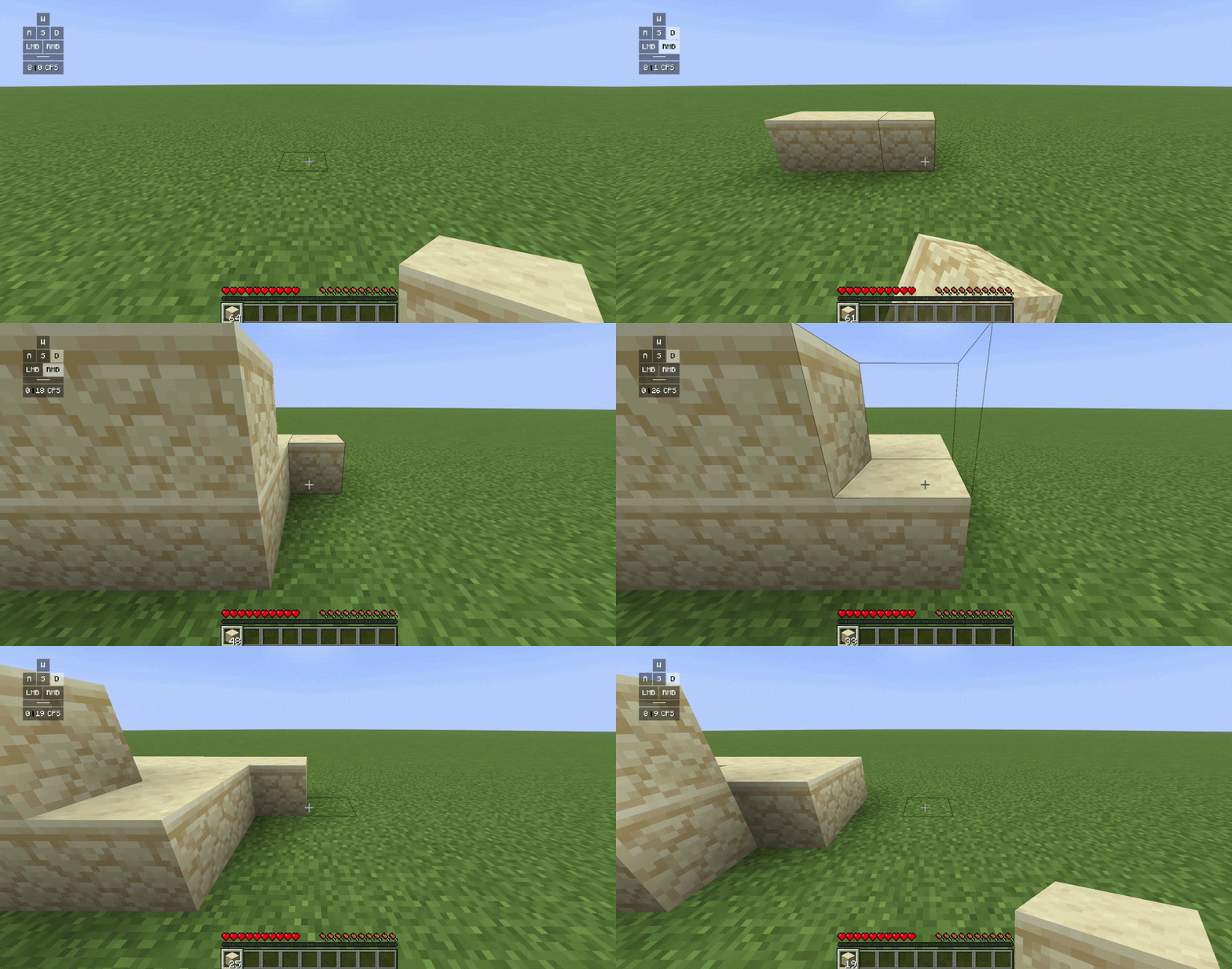
注意:上述快速的方块放置仅仅是通过按住右键并启用 FastPlace 实现的。
FastJump (NoJumpDelay)(快速跳跃 / 无跳跃延迟) 
通常情况下,当你跳跃并落地后,Minecraft 会让你等待 10 刻(0.5 秒)才能再次跳跃。NoJumpDelay 移除了这段等待时间。你可以按住空格键实现即时且连续的跳跃。
- 接地检测以同步覆盖层:屏幕覆盖层上的空格键图标会追踪你何时接触地面。当你落地时,屏幕上的空格键图标会迅速松开并按下。这将精确展示你的跳跃时机,以模拟正常操作。
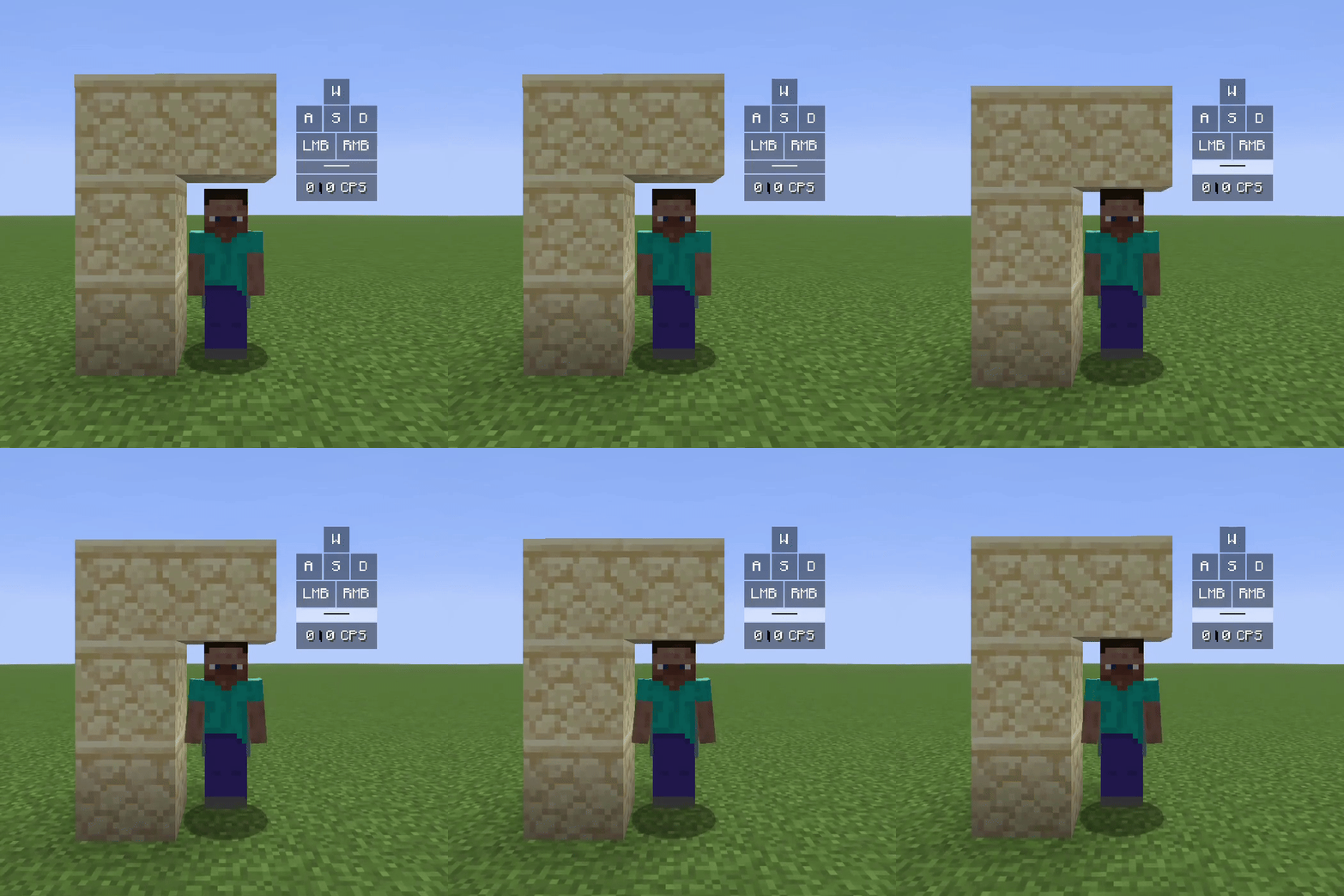
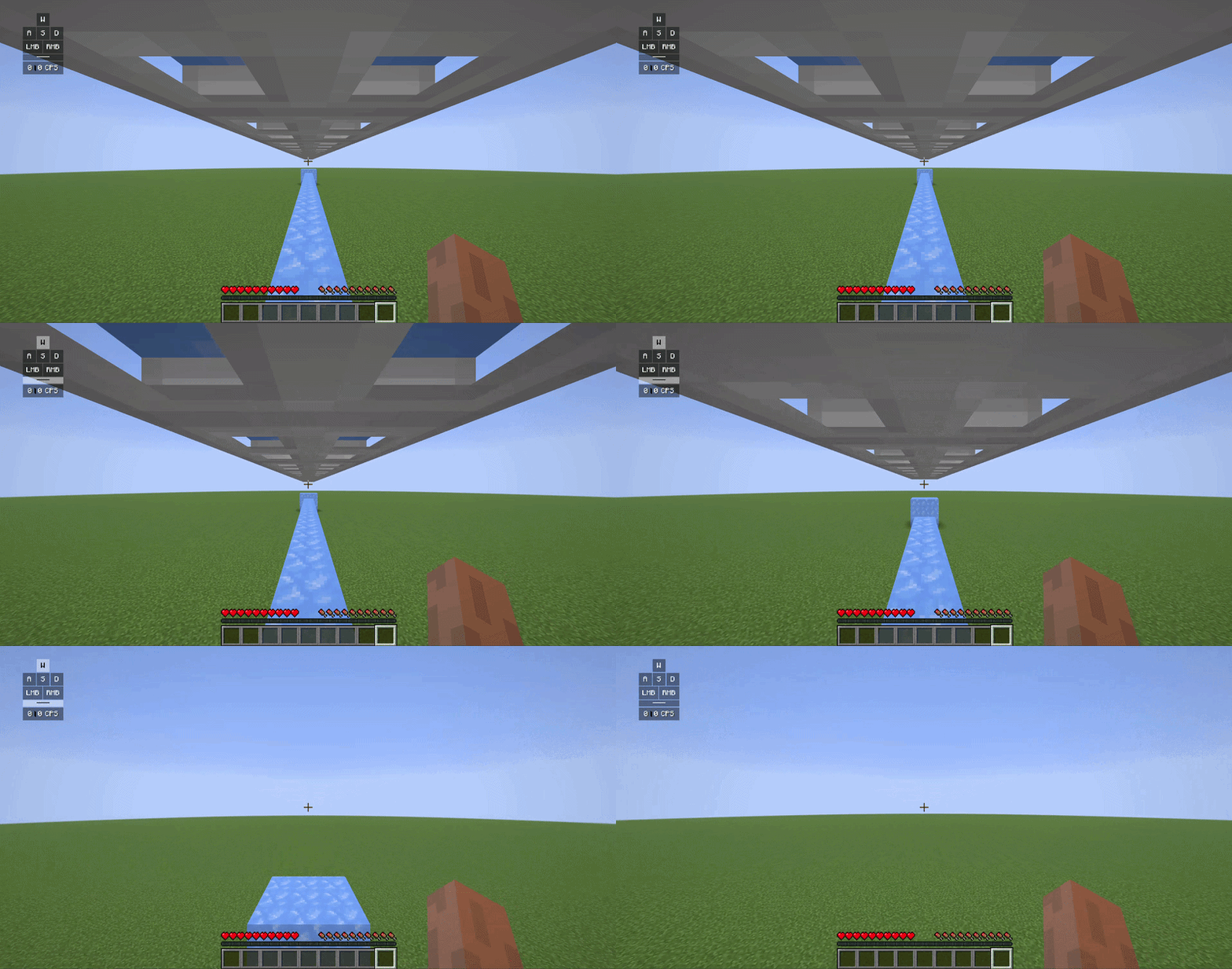
注意:以上两段演示视频仅仅是通过按住空格键并启用 NoJumpDelay 实现的。
A copied Lunar Keystrokes HUD overlay that displays key presses:
In addition to standard keystrokes...
This mod contains two main features: FastPlace and NoJumpDelay, with real-time visual display on the screen overlay. These addons are toggleable with keybinds. The default keybinds are as follows:
FastPlace
Normally, Minecraft has a delay of 4 ticks (0.2 seconds) when you hold right click to place blocks. FastPlace removes this delay. This lets you place blocks as fast as possible every tick you hold down with the mouse button.
-
Overlay & CPS Sync: The CPS module on the screen will count the blocks you place per one second. The right-click key on the overlay will also flicker quickly to show how fast you are placing blocks to mimic high CPS. You can forge the CPS counter rate with FastPlace in settings.
-
Left-Click Autoclicker: Moreover, you can also turn on an autoclicker for left clicks. The left-click key on the overlay will flicker to match your click speed, similar to right click.
-
Prevent Air Clicks: The mod contains a configuration that stops you from accidentally placing blocks or clicking when you are looking at the sky (missing a block placement). This will not register the right click input regardless of FastPlace activation.
NOTE: The rapid block placement were accomplished simply by holding right click with FastPlace.
FastJump (NoJumpDelay)
Normally, when you jump and then land on the ground, Minecraft makes you wait 10 ticks (0.5 seconds) before you can jump again. NoJumpDelay removes this wait time. You can hold down the spacebar to jump instantly and continuously.
- Ground Detection for Overlay Sync: The spacebar key on your screen overlay tracks when you touch the ground. When you land, the spacebar key on the screen quickly unpresses and presses again. This shows the exact timing of your jumps to mimic legitimacy.
NOTE: Both of the clips above were accomplished simply by holding down the spacebar with NoJumpDelay.

下载 AutoKeystrokes
下载 AutoKeystrokes
需要联机服务器吗?
稳定流畅、一键部署,几分钟即可和朋友联机开服
最低仅需 8 元/月 即可畅快联机
下载 AutoKeystrokes
下载 AutoKeystrokes
需要联机服务器吗?
稳定流畅、一键部署,几分钟即可和朋友联机开服
最低仅需 8 元/月 即可畅快联机
下载 AutoKeystrokes
需要联机服务器吗?
稳定流畅、一键部署,几分钟即可和朋友联机开服
最低仅需 8 元/月 即可畅快联机
下载 AutoKeystrokes
暂无更新日志
关于这个资源的讨论、问题反馈与使用心得
还没有讨论,来发第一帖吧
你是这个资源的作者?登录后可认领此资源。
相似资源
 模组

可定制的鞘翅模组,支持装饰纹饰、旗帜图案等更多功能!
 模组

显示你正在注视的方块的信息。(适用于 Minecraft 1.16+ 的 Hwyla/Waila 分支)
 模组
在游戏画面角落显示附近世界地形、玩家、生物和实体的地图。可创建路径点,帮助你找到标记过的位置。
 模组

查看物品与配方
 模组
使用 JavaScript 编辑配方、添加自定义物品、编写世界事件!
 模组
AE2:一款流行的自动化与存储模组
评论 0
登录后参与评分
还没有评论,来抢沙发吧