
BEconomy
BEconomy 是一款功能强大且高度可定制的 Minecraft 服务器经济模组,提供灵活的系统来管理货币、玩家余额和经济交易。无论您是运营小型社区服务器还是大规模网络,BEconomy 都能通过其易于使用的命令、灵活的配置选项以及对多种货币的支持,满足您的定制需求。
主要特性
- 多货币支持: 创建和管理具有独特名称、描述(lore)、材质和标识符的多种货币,以适应您服务器的经济体系。
- 自定义物品集成: 使用带有自定义模型数据(model data)和描述的 Minecraft 物品作为实体货币表示。
- 数据库集成: 支持 MySQL 或 SQLite 数据库以持久化存储玩家余额和经济数据。同时也提供本地 JSON 存储选项。
- 动态经济系统: 设置新玩家的初始余额,管理交易,并跨货币追踪玩家余额。
- 服务器控制台兼容: 允许直接从服务器控制台执行所有命令,实现全面的行政管理控制。
- 集成权限系统: 提供细粒度的权限控制,以管理玩家对特定经济操作的访问权限。
- 高度可配置: 通过直观的 JSON 配置系统,自定义消息、GUI 界面、货币设置等。
命令与权限
BEconomy 模组提供了用于管理经济的各类命令。以下是命令列表及其简要说明和关联权限:
剧透
/beco balance <currencyType>
- 权限:
beconomy.balance - 显示玩家指定货币类型的当前余额。
/beco balance <player> <currencyType>
- 权限:
beconomy.balance.others - 显示另一位玩家指定货币类型的余额。
/beco pay <amount> <player> <currencyType>
- 权限:
beconomy.pay - 向另一位玩家转移指定数量的货币。
/beco add <amount> <player> <currencyType>
- 权限:
beconomy.add - 向玩家的余额中添加指定数量的货币。
/beco remove <amount> <player> <currencyType>
- 权限:
beconomy.remove - 从玩家的余额中移除指定数量的货币。
/beco deposit <currencyType>
- 权限:
beconomy.deposit - 将代表该货币的游戏内物品转换为余额。
/beco withdraw <amount> <currencyType>
- 权限:
beconomy.withdraw - 提取指定数量的货币作为物品堆叠,用于交易或持有。
/beco reload
- 权限:
beconomy.reload - 重新加载模组配置,无需重启服务器。
/beco top
- 权限:
beconomy.top - 显示指定货币余额最高的玩家排行榜。
/beco set <amount> <currencytype> <player>
- 权限:
beconomy.set - 使用此命令可以为玩家设定一定金额的货币。
/beco offline set <amount> <currencytype> <player>
- 权限:
beconomy.offline.set - 使用此命令可以设定离线玩家的货币金额。
/beco offline balance <player> <currencytype>
- 权限:
beconomy.offline.balance - 使用此命令可以查看离线玩家的余额。
/beco offline add <player> <amount> <currencytype>
- 权限:
beconomy.offline.add - 使用此命令可以向离线玩家添加货币。
/beco offline remove <player> <amount> <currencytype>
- 权限:
beconomy.offline.remove - 使用此命令可以从离线玩家处移除一定数量的货币。
配置
BEconomy 的配置高度可定制,可以轻松调整以适应您服务器的需求。
配置文件 (config/beconomy/config.json) 允许您设置经济的各种参数。
- 定义具有独特设置(名称、描述、材质、符号等)的自定义货币。
- 为每种货币设置初始余额。
- 启用或禁用特定货币的提现、存款和转账等功能。
- 自定义所有游戏内消息,支持颜色代码和占位符。
- 配置用于持久化存储的数据库设置。
添加新货币 要向经济系统添加新货币,请遵循以下步骤:
-
定位配置文件: 打开位于服务器 config 文件夹中的
config/beconomy/config.json文件。 -
定义新货币: 在配置文件的经济列表中添写一个新的条目。
每个货币条目必须包含:
- name: 货币的显示名称。
- lore: 货币物品的描述或背景故事。
- material: 代表该货币的 Minecraft 物品类型(例如 minecraft:gold_ingot)。
- custommodeldata: 物品的自定义模型数据(如适用)。
- currencyType: 货币的唯一标识符(例如 gold_coin)。
- balanceStart: 新玩家对此货币的初始余额。
- symbol: 代表该货币的符号(例如 $)。
- isPrimary: 如果这是主货币,则设置为 true。
- transfer: 启用或禁用
/beco pay功能。 - withdraw: 启用或禁用
/beco withdraw功能。
示例:
{
      "name": "&eCobble Coin",
      "lore": [
        "&8这是一枚 &b货币",
        "&8说明 2"
      ],
      "material": "minecraft:paper",
      "custommodeldata": 7381,
      "currencyType": "cobblecoins",
      "balanceStart": 500,
      "symbol": "$",
      "isPrimary": true,
      "transfer": true,
      "withdraw": true
    }
示例:适用于 SQLite 数据库
"localSave": false,
  "databaseSave": true,
  "database": {
    "type": "sqlite",
    "host": null,
    "port": null,~~~~
    "databaseName": "economy.db",
    "username": null,
    "password": null
  }
示例:适用于 MySQL/MongoDB/PostgreSQL 数据库
"localSave": false,
  "databaseSave": true,
  "database": {
    "type": "mysql", // 在此处设置插件要使用的数据库类型!
    "host": "localhost",
    "port": 3306,
    "databaseName": "economy",
    "username": "root",
    "password": "password"
  }
- 保存并重新加载: 添加新货币后,保存配置文件并使用 /beco reload 命令以应用更改。
图片
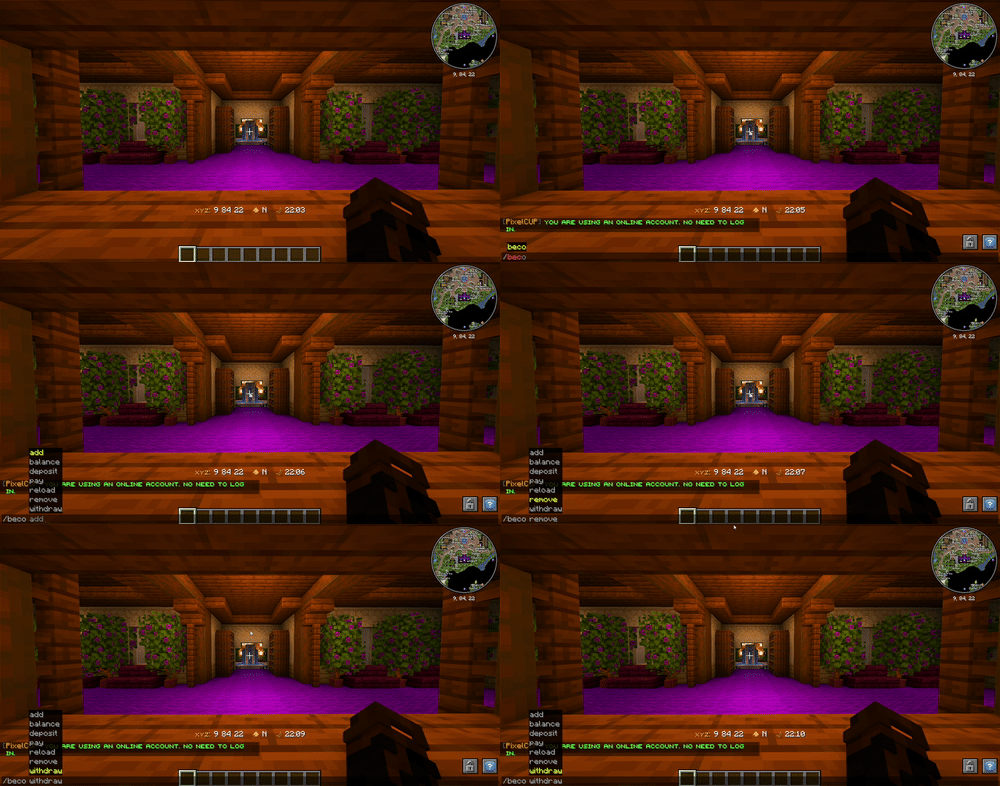
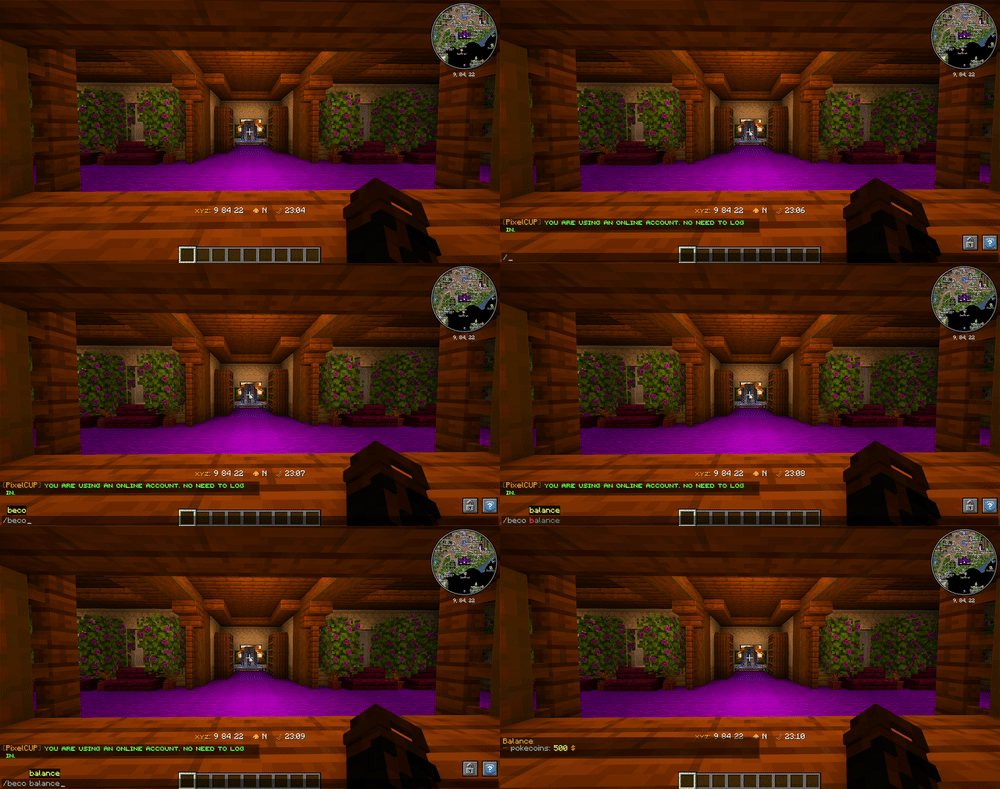
BEconomy
BEconomy is a powerful and customizable economy mod designed for Minecraft servers that provides a flexible system for managing currencies, player balances, and economic transactions. Whether you're running a small community server or a large-scale network, BEconomy can be tailored to suit your needs with its easy-to-use commands, flexible configuration options, and support for multiple currencies.
Key Features
- Multiple Currency Support: Create and manage multiple currencies with unique names, lore, materials, and identifiers to suit your server's economy.
- Custom Item Integration: Use Minecraft items with custom model data and lore as physical currency representations.
- Database Integration: Supports MySQL or SQLite databases to store player balances and economic data persistently. Also provides an option for local JSON storage.
- Dynamic Economy System: Set starting balances for new players, manage transactions, and track player balances across currencies.
- Server Console Compatibility: Execute all commands directly from the server console for full administrative control.
- Integrated Permissions: Offers fine-grained permission control to manage player access to specific economy actions.
- Highly Configurable: Customize messages, GUI interfaces, currency settings, and more through an intuitive JSON configuration system.
Commands & Permissions
The BEconomy mod provides a range of commands for managing the economy. Below is a list of commands with a brief description and their associated permissions:
Spoiler
/beco balance <currencyType>
- Permission:
beconomy.balance - Displays the player's current balance for the specified currency type.
/beco balance <player> <currencyType>
- Permission:
beconomy.balance.others - Displays another player's balance for the specified currency type.
/beco pay <amount> <player> <currencyType>
- Permission:
beconomy.pay - Transfers a specified amount of currency to another player.
/beco add <amount> <player> <currencyType>
- Permission:
beconomy.add - Adds a specified amount of currency to a player's balance.
/beco remove <amount> <player> <currencyType>
- Permission:
beconomy.remove - Removes a specified amount of currency from a player's balance.
/beco deposit <currencyType>
- Permission:
beconomy.deposit - Converts in-game items representing a currency into balance.
/beco withdraw <amount> <currencyType>
- Permission:
beconomy.withdraw - Withdraws a specified amount of currency as an item stack for trading or holding.
/beco reload
- Permission:
beconomy.reload - Reloads the mod configuration without requiring a server restart.
/beco top
- Permission:
beconomy.top - Displays a leaderboard of players with the highest balances for a specified currency.
/beco set <amount> <currencytype> <player>
- Permission:
beconomy.set - with this command you can set a amount of money for a player.
/beco offline set <amount> <currencytype> <player>
- Permission:
beconomy.offline.set - with this command you can set an amount of money to an offline player.
/beco offline balance <player> <currencytype>
- Permission:
beconomy.offline.balance - with this command you can see the balance from an offline player.
/beco offline add <player> <amount> <currencytype>
- Permission:
beconomy.offline.add - with this command you can add money to an offline player.
/beco offline remove <player> <amount> <currencytype>
- Permission:
beconomy.offline.remove - with this command you can remove a certain amount of money from an offline player.
Configuration
The configuration for BEconomy is highly customizable and can be easily adjusted to fit the needs of your server.
The config file (config/beconomy/config.json) allows you to set up various settings for the economy.
- Define custom currencies with unique settings (name, lore, material, symbol, etc.).
- Set starting balances for each currency.
- Enable or disable features like withdrawals, deposits, and transfers for specific currencies.
- Customize all in-game messages, supporting color codes and placeholders.
- Configure database settings for persistent storage.
Adding New Currencies To add a new currency to the economy system, follow these steps:
-
Locate the Configuration File: Open the
config/beconomy/config.jsonfile located in your server's config folder. -
Define a New Currency: Add a new entry in the economy list within the config file.
Each currency entry must include:
- name: The display name of the currency.
- lore: A description or lore for the currency item.
- material: The Minecraft item type that represents the currency (e.g., minecraft:gold_ingot).
- custommodeldata: Custom model data for the item, if applicable.
- currencyType: A unique identifier for the currency (e.g., gold_coin).
- balanceStart: The starting balance for new players for this currency.
- symbol: Symbol to represent the currency (e.g., $).
- isPrimary: Set to true if this is the primary currency.
- transfer: Enable or disable
/beco payfeatures. - withdraw: Enable or disable
/beco withdrawfeatures.
Example:
{
      "name": "&eCobble Coin",
      "lore": [
        "&8This is a &bcurrency",
        "&8Lore 2"
      ],
      "material": "minecraft:paper",
      "custommodeldata": 7381,
      "currencyType": "cobblecoins",
      "balanceStart": 500,
      "symbol": "$",
      "isPrimary": true,
      "transfer": true,
      "withdraw": true
    }
EX: For Sqlite Database
"localSave": false,
  "databaseSave": true,
  "database": {
    "type": "sqlite",
    "host": null,
    "port": null,~~~~
    "databaseName": "economy.db",
    "username": null,
    "password": null
  }
EX: For MySQL/MongoDB/PostgreSQL Database
"localSave": false,
  "databaseSave": true,
  "database": {
    "type": "mysql", // here you set which type of database to use the plugin!
    "host": "localhost",
    "port": 3306,
    "databaseName": "economy",
    "username": "root",
    "password": "password"
  }
- Save and Reload: After adding the new currency, save the config file and use the /beco reload command to apply the changes.
IMG

下载 BEconomy
需要联机服务器吗?
稳定流畅、一键部署,几分钟即可和朋友联机开服
最低仅需 8 元/月 即可畅快联机
下载 BEconomy
需要联机服务器吗?
稳定流畅、一键部署,几分钟即可和朋友联机开服
最低仅需 8 元/月 即可畅快联机
下载 BEconomy
需要联机服务器吗?
稳定流畅、一键部署,几分钟即可和朋友联机开服
最低仅需 8 元/月 即可畅快联机
下载 BEconomy
需要联机服务器吗?
稳定流畅、一键部署,几分钟即可和朋友联机开服
最低仅需 8 元/月 即可畅快联机
下载 BEconomy
需要联机服务器吗?
稳定流畅、一键部署,几分钟即可和朋友联机开服
最低仅需 8 元/月 即可畅快联机
下载 BEconomy
需要联机服务器吗?
稳定流畅、一键部署,几分钟即可和朋友联机开服
最低仅需 8 元/月 即可畅快联机
下载 BEconomy
需要联机服务器吗?
稳定流畅、一键部署,几分钟即可和朋友联机开服
最低仅需 8 元/月 即可畅快联机
下载 BEconomy
需要联机服务器吗?
稳定流畅、一键部署,几分钟即可和朋友联机开服
最低仅需 8 元/月 即可畅快联机
下载 BEconomy
需要联机服务器吗?
稳定流畅、一键部署,几分钟即可和朋友联机开服
最低仅需 8 元/月 即可畅快联机
下载 BEconomy
v1.6.0 更新日志
变更
- 我重制并改进了经济系统的 GUI。
- 我将 GUI 配置移入了独立的文件夹,而不是将所有内容保留在
config.json中。 - 我为每个经济系统添加了更多选项,以单独启用、禁用或隐藏余额和排行榜。
- 我添加了可配置的余额数字格式化和小数设置。
- 我改进了每个经济系统的自定义命令和权限。
新功能
- 我添加了一个动作栏(Action Bar)系统,用于在玩家屏幕上显示一个或多个经济系统的余额。
- 我为每个经济系统添加了自定义余额消息和自定义排行榜 GUI。
- 我添加了一个新的存款 GUI 系统,用于处理现金和纸币。
- 存款 GUI 可以根据每个经济系统进行完全自定义,包括槽位、填充物、按钮、音效和操作。
- 我添加了支持使用左键点击、右键点击、Shift 点击、快捷栏按键以及“全部存款”进行存款的功能。
- 我为每个经济系统添加了自定义存款 GUI 命令,并支持 NPC/控制台命令。
- 我添加了存款方块,右键点击时可以打开特定经济系统的存款 GUI。
- 我添加了支持自定义经济系统命令别名以及自定义余额/排行榜命令的功能。
- 我为每个经济系统添加了最低和最高支付限制。
关于这个资源的讨论、问题反馈与使用心得
还没有讨论,来发第一帖吧
你是这个资源的作者?登录后可认领此资源。
相似资源
 模组

显示你正在注视的方块的信息。(适用于 Minecraft 1.16+ 的 Hwyla/Waila 分支)
 模组

查看物品与配方
 模组
在游戏画面角落显示附近世界地形、玩家、生物和实体的地图。可创建路径点,帮助你找到标记过的位置。
 模组
使用 JavaScript 编辑配方、添加自定义物品、编写世界事件!
 模组
添加区块认领和玩家组队功能,并与 Xaero's Minimap 和 World Map 集成
 模组
添加全屏世界地图,显示你在世界中已探索的区域。与 Xaero's Minimap 搭配使用效果极佳。
评论 0
登录后参与评分
还没有评论,来抢沙发吧