
我决定将 Minecraft 基岩版中的 /camera 命令移植过来
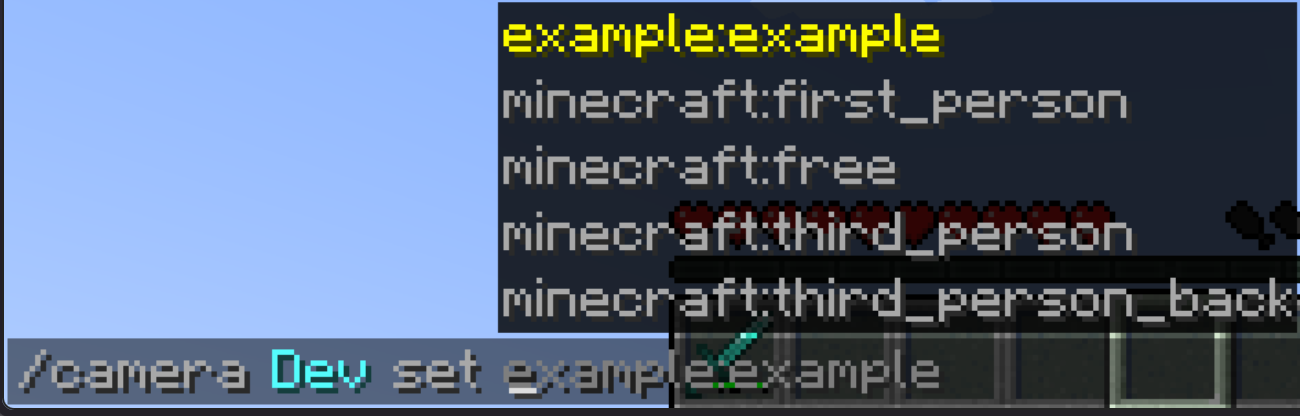
语法:
/camera players:target clear - 清除你的相机设置
/camera players:target fade time <fadeInSeconds: time> <holdSeconds: time> fadeOutSecond:time color <red: int> <green: int> <blue: int> - 彩色淡入淡出效果
/camera players:target set mode:string - 设置你的相机模式
/camera players:target set mode:string pos position:vec3 - 设置你的相机位置
/camera players:target set mode:string rot rotation:vec2 - 设置你的相机旋转角度
/camera players:target set mode:string facing lookAtEntity:entity - 设置你的相机注视目标实体
/camera players:target set mode:string facing lookAtPos:vec3 - 设置你的相机注视目标位置
/camera players:target set mode:string ease easeTime:float easingType:easing - 设置你的相机过渡动画
所有缓动类型列表:
linear, spring, in_quad, out_quad, in_out_quad, in_cubic, out_cubic, in_out_cubic, in_quart, out_quart, in_out_quart, in_quint, out_quint, in_out_quint, in_sine, out_sine, in_out_sine, in_expo, out_expo, in_out_expo, in_circ, out_circ, in_out_circ, in_bounce, out_bounce, in_out_bounce, in_back, out_back, in_out_back, in_elastic, out_elastic, in_out_elastic
你可以使用数据包添加自定义相机预设并进行修改。
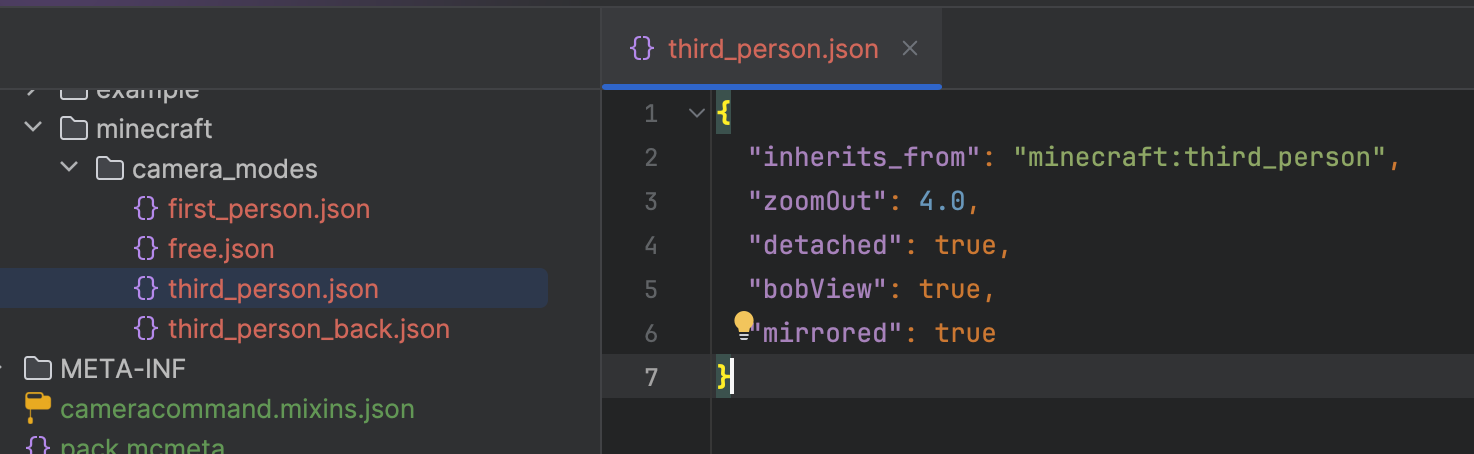
你可以在预设的 JSON 文件中更改以下属性:
"inherits_from" - 默认相机预设作为父级,可设置为 ("minecraft:first_person","minecraft:third_person","minecraft:third_person_back","minecraft:free"), "detached" - 使你的相机预设脱离绑定的属性,类似于第三人称视角(true, false) "mirrored" - 使你的相机预设镜像翻转,类似于第三人称正面视角(true, false) "bobView" - 使你的相机在移动时产生晃动效果(true, false) "free" - 使你的相机脱离玩家实体绑定(true, false) "zoomOut" - 缩放值用于脱离绑定的相机模式(默认为 4.0) "rotation" - 相机模式的默认旋转角度(默认为 [0, 0]) "position" - 相机模式的默认位置(默认为 [0, 0, 0]) "offset" - 相机模式的默认偏移量,不能用于自由相机模式(默认为 [0, 0, 0])
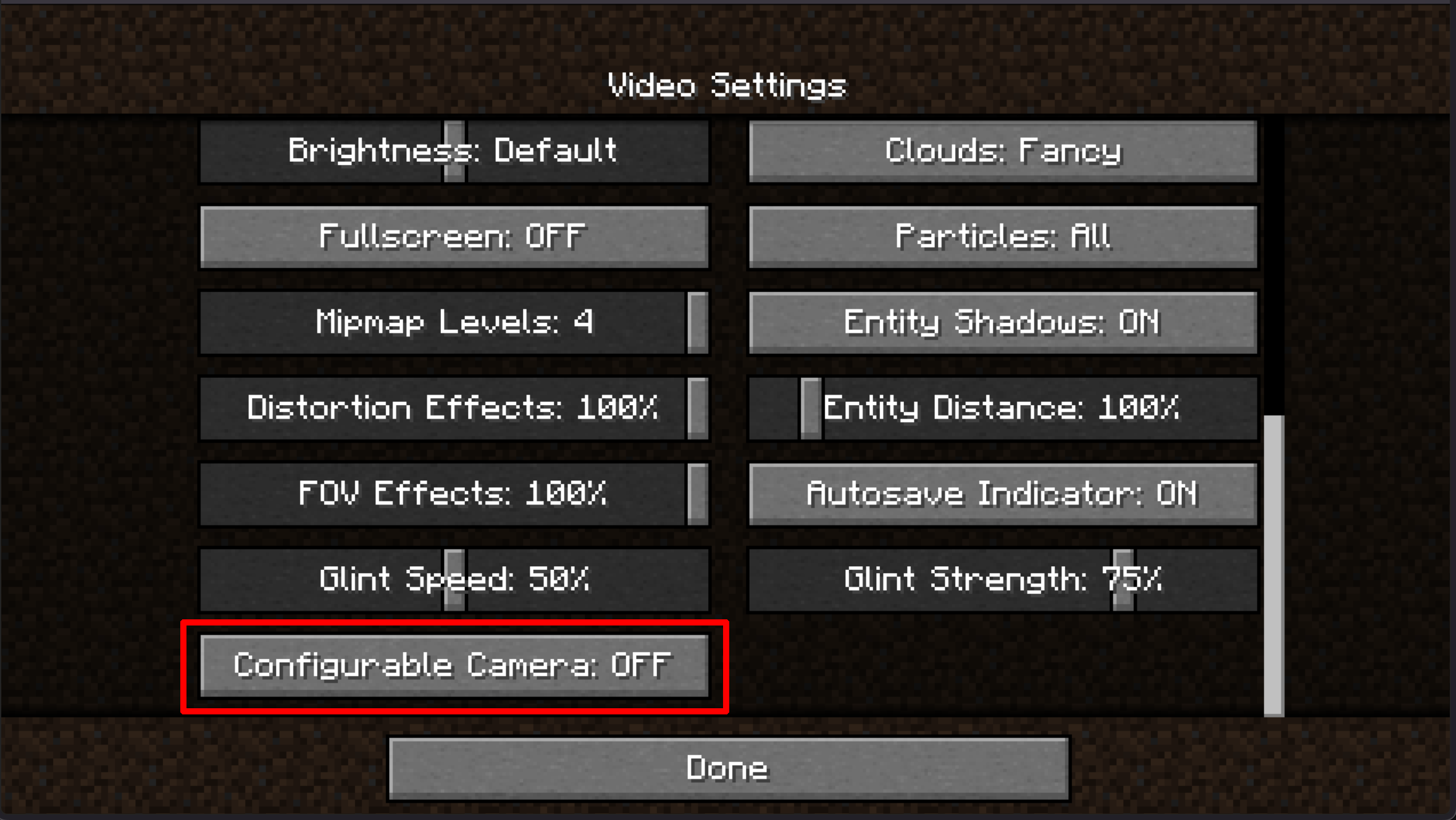
此外,你还可以在选项菜单中禁用此功能,并使用自由相机按键绑定(默认为 B 键)

你是这个资源的作者?登录后可认领此资源。
相似资源
 模组

显示你正在注视的方块的信息。(适用于 Minecraft 1.16+ 的 Hwyla/Waila 分支)
 模组

查看物品与配方
 模组
在游戏画面角落显示附近世界地形、玩家、生物和实体的地图。可创建路径点,帮助你找到标记过的位置。
 模组
使用 JavaScript 编辑配方、添加自定义物品、编写世界事件!
 模组
添加区块认领和玩家组队功能,并与 Xaero's Minimap 和 World Map 集成
 模组
添加全屏世界地图,显示你在世界中已探索的区域。与 Xaero's Minimap 搭配使用效果极佳。
评论 0
登录后参与评分
还没有评论,来抢沙发吧