
查看完整更新日志 - CurseForge 项目页面 - Minecraft Forum 讨论帖 - Planet Minecraft 页面
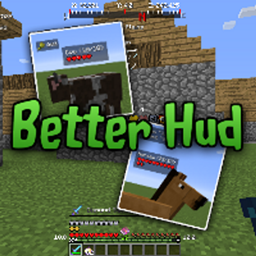
Better HUD 为你的游戏内 HUD(平视显示器)提供了大量的自定义选项:移动原版小部件、添加或移除新的小部件,并随心所欲地配置它们!Better HUD 具备强大的定位系统,确保一切布局完美无缺,并为每个小部件提供了丰富的调整选项。
设置
打开设置菜单的默认按键绑定是 U。你可以像修改其他按键一样,在 Options... Controls... Miscellaneous(选项...控制...杂项)中更改它。在该菜单中,你可以掌控屏幕上的所有内容,甚至包括准星。启用或禁用小部件,或者点击选项按钮以获取更多配置和定位选项。
配置原版元素
在 beta-1.4 及更高版本中(请查阅 CurseForge 项目页面!),原版元素可以进行移动和配置。你可以调整快捷栏、生命值和饥饿值条以及其他所有元素的位置。你甚至可以为了追求极致难度而关闭生命值显示!
小部件
Better HUD 共有 40 个可配置的小部件。其中包括屏幕指南针、护甲状态、物品拾取追踪器、血迹飞溅效果等等。自由组合以打造你的完美 HUD。完整列表如下:
| 元素 | 描述 |
| Air Bar | |
| Armor Bar | |
| Armor Bars | 显示当前的护甲及其耐久度。 |
| Biome | 显示当前生物群系。 |
| Block Viewer | 显示你正在注视的方块,包括自定义名称。 |
| Blood Splatters | 当你受到伤害时,屏幕上会出现血迹飞溅效果。 |
| CPS | 每秒点击次数。 |
| Compass | 显示东、南、西、北各个基本方向的相对位置。 |
| Connection | 显示当前服务器信息和玩家数量。 |
| Coordinates | 显示你的 X、Y、Z 坐标。 |
| Crosshair | |
| Distance | 显示距离准星最近的方块有多远。 |
| Experience Bar | |
| FPS | 显示当前帧率。 |
| Full Inv. Indicator | 当背包已满时显示警告。 |
| Game Clock | 显示游戏内的日期和时间。可以配置为需要玩家背包中有时钟才能显示。 |
| Heal Indicator | 当玩家可以自然恢复生命值时显示指示器。 |
| Health Bar | |
| Helmet Overlay | 佩戴南瓜头或部分模组头盔时使用的遮罩效果。 |
| Holding Bar | 显示当前手持物品或副手物品。 |
| Horse Info | 显示马匹的速度和跳跃高度。 |
| Hotbar | |
| Hunger Bar | |
| Item Pickup | 追踪玩家拾取的所有物品。 |
| Jump Bar | 骑乘马匹时的跳跃条。 |
| Light Level | 显示玩家脚下方块的亮度等级。 |
| Mob Info | 显示生物的生命值条。 |
| Mount Health | |
| Off-Hand | 副手槽位。 |
| Player Info | 显示其他玩家当前手持的物品和护甲。 |
| Portal Overlay | 进入下界传送门时的紫色波纹效果。 |
| Potion Display | 显示当前的药水效果及其等级。 |
| Saturation | 显示饥饿值饱和度。 |
| Scoreboard | |
| Sign Reader | 显示告示牌上的文字,即使站在背面、距离很远或被其他玩家或生物遮挡也能看到。 |
| System Clock | 显示计算机当前的日期和时间。 |
| Vignette | 使屏幕边缘变暗的径向渐变效果。 |
| Water Drops | 下雨或离开水面时,屏幕上会覆盖水滴效果。 |
| XP Info | 在经验条上方显示玩家当前的经验值以及升级到下一级所需的经验值。 |
错误报告
评论功能已禁用,因为这里不适合发布崩溃报告。如果你的游戏崩溃或存在 Bug,请按照以下步骤操作:
- 确保你运行的是该模组的最新版本,并且能够复现问题
- 确保问题确实与该模组有关:崩溃报告(强制生成的除外,见下文)必须在模组列表之外提及模组 ID
betterhud。寻找以at jobicade.betterhud.开头的那一行 - 附上完整的崩溃报告,包括模组列表(位于
.minecraft/crash-reports/文件夹中) - 附上 Better HUD 的配置文件,以及你认为可能与问题相关的任何模组
- 提供游戏崩溃时你正在做什么/看着什么/拿着什么的描述
- 如果你知道原因,请一并附上
- 在 问题追踪器 中搜索,查看你的问题是否已被解决或报告。
- 如果尚未解决,请收集所有相关信息后 创建一个新的 issue。
如果你遇到了不会导致游戏崩溃的 bug 或视觉故障,可以按住 F3+C 10 秒来强制崩溃。然后按常规方式提交你的崩溃报告。
常见问题解答 (F.A.Q.)
- 问:我可以在整合包中使用这个模组吗?
答:可以,感谢那些在 CurseForge 上使用我的模组的人,因为这会计入我的总下载量,有助于提升模组的知名度! - 问:我应该在哪里提出建议?
答:最好的地方是 问题追踪器,你可以添加 “suggestion”(建议)标签以明确意图。关于更新到 Minecraft X 版本的建议很可能会被忽略。 - 问:我最喜欢的服务器禁止了 Better HUD。你能制作一个移除 X 和 Y/使用不同名称的版本吗?
答:不行。该模组只有一个标准发布版本,可能的变体仅针对不同 Minecraft 版本。 - 问:为什么?我非常喜欢这个模组,我想玩它!
答:感谢你的支持,但我既不能也不愿仅为少数人做出特殊例外。模组的许可证允许你从自己的构建中移除任何不想要的功能(我知道模组开发很难,这也是我不会为你做这件事的原因!)
Open full changelog - CurseForge Project Page - Minecraft Forum Thread - Planet Minecraft Page
Better HUD gives you heaps of customization options for the in-game HUD: move around vanilla widgets, add or remove new widgets, and configure it all to your liking! Better HUD features a powerful positioning system to get everything just right, and plenty of tweaks for each widget.
Settings
To open the settings menu, the default key binding is U. This can be changed just like any other key, from Options... Controls... Miscellaneous. From the menu you have control over everything on screen, down to the crosshair. Enable or disable widgets, or click the options button for more options and positioning.
Configure Vanilla
In beta-1.4 and later (check the CurseForge project page!), vanilla elements can be moved and configured. Move around your hotbar, your health and hunger bars, and everything else. You can even turn off your health bar for extra-hard mode!
Widgets
Better HUD has a grand total of 40 configurable widgets. There's an on-screen compass, armor status, item pickup tracker, blood splatters and many more. Mix and match to create your perfect HUD. Check the full list below:
| Element | Description |
| Air Bar | |
| Armor Bar | |
| Armor Bars | Shows your current armor and its durability. |
| Biome | Displays the current biome. |
| Block Viewer | Shows the block you're looking at, including custom names. |
| Blood Splatters | When you're hit, blood splatterrs will show up on your screen. |
| CPS | Clicks Per Second. |
| Compass | Shows the relative position of each cardinal direction N, E, S, W. |
| Connection | Displays information about the current server and the number of players. |
| Coordinates | Shows your X, Y, Z coordinates. |
| Crosshair | |
| Distance | Shows how far away the closest block is from the crosshair. |
| Experience Bar | |
| FPS | Displays current FPS. |
| Full Inv. Indicator | Shows a warning when your inventory is full. |
| Game Clock | Shows the in-game date and time. Can be configured to require a clock in the player's inventory. |
| Heal Indicator | Shows an indicator when the player can heal naturally. |
| Health Bar | |
| Helmet Overlay | The overlay used for wearing pumpkins and some mods. |
| Holding Bar | Displays the currently held item/offhand item. |
| Horse Info | Shows speed and jump height for horses. |
| Hotbar | |
| Hunger Bar | |
| Item Pickup | Keeps track of all the items the player picks up. |
| Jump Bar | The jump bar while riding a horse. |
| Light Level | Shows the light level of the block the player is standing on. |
| Mob Info | Shows health bars for mobs. |
| Mount Health | |
| Off-Hand | The offhand slot. |
| Player Info | Shows currently held item and armor for other players. |
| Portal Overlay | The wavy purple effect when entering a nether portal. |
| Potion Display | Displays current potion effects with amplifiers. |
| Saturation | Shows hunger bar saturation. |
| Scoreboard | |
| Sign Reader | Shows the text on a sign, even if standing behind, far away, or blocked by other players or mobs. |
| System Clock | Shows the current date and time on your computer. |
| Vignette | The radial gradient that darkens the edges of your screen. |
| Water Drops | When it's raining, or you exit water, your screen will be covered in water droplets. |
| XP Info | Shows how much experience the player has and needs to get to the next level, over the bar. |
Error Reporting
Comments are disabled because they are not a place to post crash reports. If your game crashes or has a bug, please follow these steps:
- Ensure you are running the latest version of the mod and can reproduce the problem
- Ensure the problem is actually related to this mod: crash reports (excluding forced ones, see below) must mention the modid
betterhudoutside of the mod list. Look for a line that starts withat jobicade.betterhud. - Include the full crash report, including mod list (from
.minecraft/crash-reports/) - Include your configuration file from Better HUD and any mods you think may be relevant to the problem
- Provide a description of what you were doing/looking at/holding when the game crashed
- If you think you know the cause, please include it
- Search the issue tracker to see if your issue has been solved or reported already
- If not, create a new issue with all the information you gathered.
If you encounter a bug/visual glitch that doesn't end the game, you can force a crash by holding F3+C for 10 seconds. Then provide your crash report as normal.
F.A.Q.
- Q: Can I use this mod in a modpack?
A: Yes, and I thank those who use CurseForge since it counts towards my total downloads and helps boost the mod! - Q: Where should I make suggestions?
A: The issue tracker is the best place to do so, and you can add the "suggestion" label to make it clear. Suggestions about updating to Minecraft version X are likely to go ignored. - Q: My favourite server banned Better HUD. Can you make a version without X and Y/with a different name?
A: No. This mod has one standard release and the only likely variants would be for different Minecraft versions. - Q: Why? I really like this mod and I want to play it!
A: I appreciate the support, but neither can I nor do I want to make specific exceptions for just a few people. The mod's license permits you to remove any features you don't want for your own build (and I know modding is hard, that's why I won't do this for you!)
下载 Better HUD
需要联机服务器吗?
稳定流畅、一键部署,几分钟即可和朋友联机开服
最低仅需 8 元/月 即可畅快联机
下载 Better HUD
需要联机服务器吗?
稳定流畅、一键部署,几分钟即可和朋友联机开服
最低仅需 8 元/月 即可畅快联机
下载 Better HUD
需要联机服务器吗?
稳定流畅、一键部署,几分钟即可和朋友联机开服
最低仅需 8 元/月 即可畅快联机
下载 Better HUD
需要联机服务器吗?
稳定流畅、一键部署,几分钟即可和朋友联机开服
最低仅需 8 元/月 即可畅快联机
下载 Better HUD
下载 Better HUD
需要联机服务器吗?
稳定流畅、一键部署,几分钟即可和朋友联机开服
最低仅需 8 元/月 即可畅快联机
下载 Better HUD
需要联机服务器吗?
稳定流畅、一键部署,几分钟即可和朋友联机开服
最低仅需 8 元/月 即可畅快联机
下载 Better HUD
需要联机服务器吗?
稳定流畅、一键部署,几分钟即可和朋友联机开服
最低仅需 8 元/月 即可畅快联机
下载 Better HUD
下载 Better HUD
关于这个资源的讨论、问题反馈与使用心得
还没有讨论,来发第一帖吧
你是这个资源的作者?登录后可认领此资源。
相似资源
 模组

可定制的鞘翅模组,支持装饰纹饰、旗帜图案等更多功能!
 模组

显示你正在注视的方块的信息。(适用于 Minecraft 1.16+ 的 Hwyla/Waila 分支)
 模组
在游戏画面角落显示附近世界地形、玩家、生物和实体的地图。可创建路径点,帮助你找到标记过的位置。
 模组

查看物品与配方
 模组
使用 JavaScript 编辑配方、添加自定义物品、编写世界事件!
 模组
AE2:一款流行的自动化与存储模组
评论 0
登录后参与评分
还没有评论,来抢沙发吧