
Block Morph
变成 Minecraft 中的任何方块!一个让你变形为自定义方块结构或单个方块的数据包。
重要提示: 此数据包需要搭配资源包使用,以正确渲染方块模型。请务必同时下载该资源包!
功能
在 画廊 浏览截图。
- 成为任意方块:无缝变身为世界中的方块结构。
- 生物群系感知植物着色:动态调整植物(草、矮草、树叶等)的颜色以匹配所在生物群系。
- 多人游戏兼容:和朋友一起作为方块偷偷摸摸地玩耍吧!
依赖项
要使用此数据包,请确保已安装以下必需的依赖项:
数据包
选择以下任一方式安装 Bookshelf:
资源包
- Block Morph Resource Pack(包含在“补充资源”中)
用法
获取物品
-
合成配方:
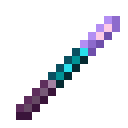
组合 1x 紫水晶碎片、1x 回声碎片 和 1x 紫颂果(形状合成)。 -
指令:
/function block-morph:give/selection_stick
变形
-
主手(结构模式): 在主手中持有选择棒,看向一个方块,并使用它(右键单击),不要按住 Srpint 键 (
ctrl) 。- 如果有效,将创建一个相连的方块结构并移动到你的位置。
-
副手(单方块强制模式): 在副手中持有选择棒,看向一个方块,并使用它(右键单击),不要按住 Srpint 键 (
ctrl) 。- 强制创建单个方块结构并移动到你的位置,无论结构是否有效。
解除变形
- 在任何一只手中使用(右键单击)选择棒时按住 Srpint 键 (
ctrl) ,即可恢复人形并将方块放置回去。
对齐
- 变形时潜行(
Shift),可瞬间将你的位置吸附到方块网格上。
配置
- 运行指令
/function block-morph:config/panel打开配置面板。 - 运行指令
/function block-morph:config/debug打开调试面板以进行故障排除。
注意事项
-
碰撞检测:变形后的方块结构仅为视觉效果,无碰撞体积。
-
可见性:变形期间,你的盔甲以及主手/副手持有的物品仍然可见。
开发
查看 Wiki 获取开发者指南。
你是这个资源的作者?登录后可认领此资源。
相似资源
 模组

鞘翅纹饰Elytra Trims
KikuGie
可定制的鞘翅模组,支持装饰纹饰、旗帜图案等更多功能!
装饰装备
477
 模组

Woot Revived
pharuxtan
一个用于收集生物掉落物的多区块模组。
生物科技
349
 模组

AAA Particles
ChloePrime
适用于 MC 1.18+ 的 Effekseer 加载器
前置装饰
186
 模组

生态幻境Biomes O' Plenty
Forstride
新增 50+ 个独特生物群系,为你的世界增添新树木、花卉等更多元素!
冒险装饰
158
 模组

格雷科技现代版GregTech CEu Modern
serenibyss
基于 GTCEu 1.12.2 的现代 GregTech
装饰科技
129
 模组

探险者指南针Explorer's Compass
Chaosyr
让你能够在世界中的任何位置定位结构。
冒险装备
108
评论 0
登录后参与评分
还没有评论,来抢沙发吧